www.crystalgraphics.com CrystalGraphics
  • Ultimate Combo
  • Templates
  • Diagrams
  • Characters
  • Quizzes
  • shopping cart
  • Sign Out Sign Out Sign In
Home > Templates > Flooding Category
search icon
advanced icon

64 Best Flooding-Themed Templates for PowerPoint and Google Slides

CrystalGraphics creates templates designed to make even average presentations look incredible. Below you’ll see thumbnail sized previews of the title slides of a few of our 64 best flooding templates for PowerPoint and Google Slides. The text you’ll see in in those slides is just example text. The flooding-related image or video you’ll see in the background of each title slide is designed to help you set the stage for your flooding-related topics and it is included with that template. In addition to the title slides, each of our templates comes with 17 additional slide layouts that you can use to create an unlimited number of presentation slides with your own added text and images. And every template is available in both widescreen and standard formats. With over 6 million presentation templates available for you to choose from, CrystalGraphics is the award-winning provider of the world’s largest collection of templates for PowerPoint and Google Slides. So, take your time and look around. You’ll like what you see! Whether you want 1 great template or an ongoing subscription, we've got affordable purchasing options and 24/7 download access to fit your needs. Thanks to our unbeatable combination of quality, selection and unique customization options, CrystalGraphics is the company you can count on for your presentation enhancement needs. Just ask any of our thousands of satisfied customers from virtually every leading company around the world. They love our products. We think you will, too!

Features & Pricing

Widescreen (16:9) Presentation Templates. Change size...
 Presentation with flooding - Beautiful presentation featuring phathumtrani-thailand-october-21-couple backdrop and a tawny brown colored foreground

Phathumtrani Thailand October 21 Couple

The powerpoint template is designed to provide a striking visual representation of catastrophic events, showcasing the resilience and adaptability of people in the face of adversity. The "Wide Title" design is carefully crafted to convey a sense of urgency and gravitas, perfectly capturing the attention grabbing quality that this template aims to achieve. This stunning Widescreen template boasts a Light Sea Green color palette, evoking a sense of calmness amidst chaos. The 2011 and Asia keywords highlight the template's theme of disaster resilience in these regions. Featuring high resolution images throughout, the background for each slide is carefully curated to reflect the story being told. Having a theme of showcasing dramatic events unfolding on screen, this template is designed to be a compelling centerpiece for any presentation. The "Wide Title" design also includes the Who We Are Bio Layout slide, which provides an introduction to the people and places featured throughout the presentation. This slide will provide context and background information for those who may not be familiar with the story being presented. The slide's layout is designed to be clear and easy to read. This Widescreen template is perfectly suited for presentations that require a strong visual presence, making it an ideal choice for sharing stories of resilience in the face of disaster. Including a Background With dynamic animations or transitions can enhance the overall impact of the presentation by adding movement and energy to key moments.

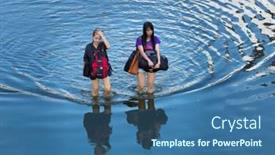
 Presentation with flooding - Presentation having phathumtrani-thailand-october-21-women background and a ocean colored foreground

Phathumtrani Thailand October 21 Women

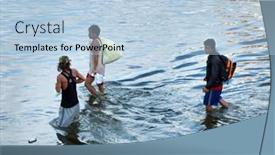
Presentation having phathumtrani thailand- october 21 women walk on main road during the worst flooding disaster in decades on october 21 2011 rongsit road phathumtrani thailand background

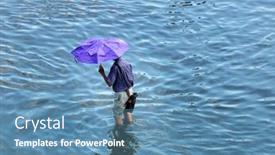
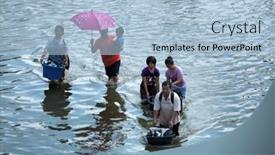
 Presentation with flooding - Beautiful presentation theme featuring phathumtrani-thailand-october-21-man backdrop and a teal colored foreground

Phathumtrani Thailand October 21 Man

The moment you've been waiting for to create an attention grabbing presentation that showcases the devastation of the worst flooding disaster in decades. Start with a powerful statement that sets the tone for your deck: "Imagine a catastrophe unfolding before your very eyes, leaving destruction and chaos in its wake." This presentation is designed to be showcased on wide screen format, with steel blue as the dominant color palette. The template keywords you've specified will make it easy to find and use in Google Slides army, Asia, boat, catastrophe, 2011, high resolution images for the background. The Steel Blue theme provides a sophisticated backdrop for your content, and the inclusion of a background with a cityscape or industrial setting can give your slides a sense of grittiness. Having a theme of showcasing real world disasters is perfect for this presentation, as it will help to convey the gravity of the situation. One of the standout features of this template is its use of high resolution images. For example, you could include pictures like PHATHUMTRANI, THAILAND OCTOBER 21: Man with umbrella walk on main road during the worst flooding disaster in decades on October 21, 2011 Rongsit Road, Phathumtrani, Thailand... to give your slides a sense of authenticity. The grid layout will showcase the images beautifully, and you can even include additional images related to the topic, such as boats or storm surges. The template is compatible with Google Slides, so you can easily download it and use it in your own presentations. With four How To slides at the start of the deck, you'll be able to get up and running quickly no need to spend hours setting everything up. Featuring a detailed guide on how to create your own disaster themed presentation is just one of the many perks of this template.

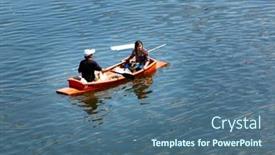
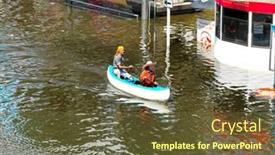
 Presentation with flooding - PPT layouts consisting of phathumtrani-thailand-october-21-couple background and a ocean colored foreground

Phathumtrani Thailand October 21 Couple

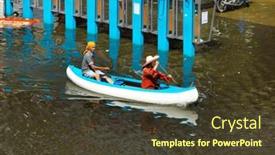
PPT layouts consisting of phathumtrani thailand- october 21 couple uses boat as a transportation through water during the worst flooding in decades on october 21 2011 rongsit road phathumtrani thailand

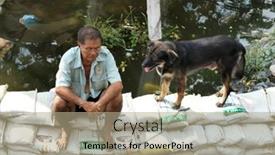
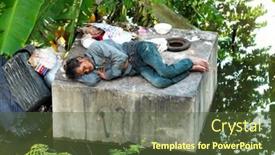
 Presentation with flooding -

Phathumtrani Thailand October 21 Flood

The dramatic image of PHATHUMTRANI, THAILAND OCTOBER 21: Flood victim with his dog sits on sand bags, during the worst flooding disaster on October 21, 2011 Rongsit Road, Phathumtrani, Thailand, is a powerful snapshot that sets the tone for this presentation. The Steel Blue template, featuring high resolution images of various Asian scenes, is designed to evoke a sense of calmness and serenity, yet still convey the gravity of the catastrophe. The Wide Title is a key element in creating a striking visual identity for this presentation. With its bold font and 3D effect, it serves as a focal point on any slide, drawing attention from the viewer. The Steel Blue color palette, which includes shades like Navy Blue, Steel Gray, and Dark Gray, adds depth and sophistication to the overall look. The template is compatible with Google Slides, allowing users to create engaging presentations that are tailored to their specific needs. A downloadable version of the template provides flexibility and control over its design elements. This template is a great starting point for creating visually appealing presentations that incorporate 2011 images, featuring a strong Asia focus, including a boat scene in one of the How To slides, enhancing the overall theme.

 Presentation with flooding - Beautiful PPT theme featuring phathumtrani-thailand-october-21-couple backdrop and a tawny brown colored foreground

Phathumtrani Thailand October 21 Couple

Imagine you're scrolling through news headlines from 2011, and one particularly striking image catches your eye the devastating flash flood in Thailand's Phathumtrani town, featuring harried couples clinging to wooden boats as they flee the rising waters. This photograph would be a prime example of what we aim to create with our Wide Title template: a powerful and evocative visual that sets the tone for an immersive presentation. Our Widescreen template is designed to take full advantage of high resolution images, featuring detailed graphics, bold text, and vibrant colors that bring your audience into the heart of the action. The Olive color palette will transport you to the Asian continent, evoking a sense of calm amidst chaos. This template is perfect for storytelling whether it's showcasing stunning aerial footage of destruction or highlighting the resilience of communities in the face of adversity. To enhance the user experience, we've included four essential slides at the start of your deck: How To tutorials to get you up and running quickly, a Comparison Layout slide that showcases how our template can be tailored to fit your unique needs, and an "Including a Background With" section where you can easily integrate images from high resolution sources like Unsplash or Pexels. Our template is also compatible with Google Slides, making it easy to share and collaborate with others.

 Presentation with flooding - Beautiful slides featuring phathumtrani-thailand-october-21-flood backdrop and a tawny brown colored foreground

Phathumtrani Thailand October 21 Flood

In the midst of a disaster, images of devastation can evoke emotions and spark the imagination. The Corner Title template is designed to convey the sense of crisis and urgency that comes with catastrophic events. This forest green widescreen template features high resolution images for the background, adding depth and texture to the design. The 2011 keyword is incorporated seamlessly into the layout, providing a clear theme for the deck. The Corner Title template is downloadable and compatible with Google Slides, making it easy to incorporate into your existing presentation or start from scratch. Featuring a classic typography style, this template has a timeless feel that will enhance any presentation. Having a theme of crisis management, it's perfect for discussing response strategies and emergency preparedness measures. The layout is designed to follow the Growth Stages model, with clear sections for key points and visual aids. On the "How To" slides, you can feature 4 interactive elements such as video clips, images, or downloadable resources to help users learn and apply the concepts quickly. For example, you could include a background with flood maps and images of affected areas, accompanied by statistics and facts about the disaster. The Corner Title template includes several background features that enhance the overall design. Having a theme of crisis management, it's perfect for discussing response strategies and emergency preparedness measures. Enhanced with 4 interactive elements, this template is an excellent choice for any presentation related to disasters or crisis management.

 Presentation with flooding - Slides consisting of phathumtrani-thailand-october-21-unidentified background and a light blue colored foreground

Phathumtrani Thailand October 21 Unidentified

Imagine standing in the midst of chaos, surrounded by the devastation of a catastrophic event that has shaken the very foundations of a small town. The sound of sirens echoes through the air as people scramble to find safety, their faces etched with fear and uncertainty. It is October 21st, 2011, Rongsit Road, Phathumtrani, Thailand a day that will be etched in the memories of those who lived through it. The scene is set against a backdrop of high resolution images, taken from the ground zero of this disaster. The storm surge has ravaged the town, leaving deep scars and unexplained casualties. High above, the sky is a sickly shade of gray, like a mourning veil that shrouds the devastated landscape. As you create your presentation, think about how to convey the intensity and urgency of this event. You'll want to feature the faces of the people affected, including families who have lost loved ones, children who are orphaned, and entire communities displaced from their homes. You can include a background image with subtle hints at the devastating impact of the disaster, perhaps a faint outline of the destroyed town or a glimpse of the storm's fury. For example, you could create an Enhanced Slide that includes a dramatic before and after comparison between the pre disaster state and the aftermath. This can help to convey the scale of destruction and the human cost of this tragedy. You might also want to have a Theme of "Resilience in the Face of Adversity" with words like "hope", "love", and "community" incorporated throughout the design. As you craft your template, remember that it's not just about visually representing the disaster it's also about capturing the emotions and stories of those who lived through this catastrophe. By doing so, you can create a powerful and impactful presentation that will resonate with your audience.

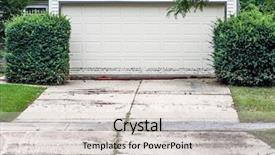
 Presentation with flooding - Audience pleasing slide deck consisting of flooding - high water mark on garage backdrop and a light gray colored foreground

High Water Mark Garage Door

As you step into the world of insurance templates, one image comes to mind the dramatic aftermath of a flood on a garage door. The yellow green color palette and high resolution images for the background create a vivid scene that grabs your attention instantly. The design name is "Insurance Damage Scene" and it's a Widescreen template formatted specifically for Google Slides, perfect for creating presentations that need to showcase detailed visuals. The template features an exterior house with a damaged garage door at its center. High water marks on the walls and roof create a sense of urgency, while a bright yellow background makes the scene pop. The color palette is dominated by shades of green, from lime to olive, which gives the image a natural and earthy feel. The Bulb Puzzle Layout slide could feature an illustration of a garage door with a shattered glass panel, surrounded by water splashes and mud stains. To enhance the theme, this slide could include a background image of a suburban street lined with trees, complete with yellow green foliage. The text on the side could read "Insurance Claims Process" in bold, white font. As you explore more slides, such as the "4 Quick Steps to Get Started" section at the beginning of the deck, it becomes clear that this template is designed to guide users through the process of creating a presentation about insurance damage scenes. The inclusion of a background with a subtle texture adds depth and visual interest to each slide, making it easier to read and understand complex information. Having a theme of "Documenting Insurance Damage Scenes" is evident throughout the template, from the colors to the layout, creating a cohesive look that's sure to impress.

 Presentation with flooding -

Valencia Spain September 5,

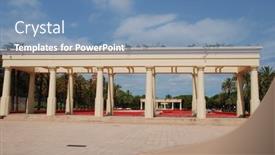
The cityscape stretches out before you like a majestic tapestry woven from threads of steel and stone, with the Turia river park unfolding its secrets in all its glory. As you delve into this template, you'll discover that the key to unlocking its full potential lies not just in the design itself, but also in how it's presented. The Wide Title is at the forefront, drawing attention with its dramatic silhouette of a cityscape, engineered in steel and concrete. This 3 column layout slide will serve as your anchor, providing a solid foundation for showcasing other elements throughout the presentation. Featuring a high resolution image of Valencia, Spain September 5, 2019: Decorative colonnades in the Turia river park, this background adds depth and context to your content. The Steel Blue color palette is a masterstroke, evoking feelings of trust, reliability, and sophistication. Incorporating a Background With feature into the template allows you to seamlessly transition between different backgrounds without sacrificing any visual impact. Having a theme of showcasing architectural wonders will be evident throughout the deck as you highlight stunning examples like this Turia river park. This template is enhanced with having interactive features such as How To slides that guide you through the process of creating your presentation, making it more engaging and easier to use for others.

 Presentation with flooding -

Valencia Spain September 5,

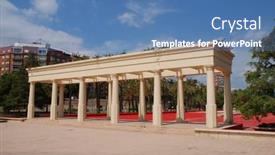
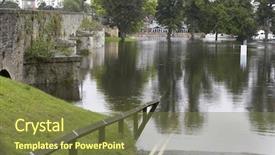
Slides featuring valencia spain - september 5 2019 decorative colonnades in the turia river park the 9km long park was created after diverting the turia river to prevent flooding background

 Presentation with flooding -

Valencia Spain September 5,

PPT theme consisting of valencia spain - september 5 2019 decorative colonnades in the turia river park the 9km long park was created after diverting the turia river to prevent flooding

 Presentation with flooding - Amazing presentation having 2013 linz austria inundation backdrop and a gold colored foreground

Flood 2013 Linz Austria Inundation

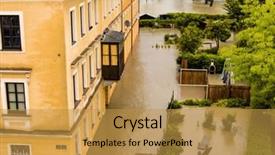
Presentation having flood of 2013 linz austria inundation and flooding backdrop

 Presentation with flooding - Slides enhanced with phathumtrani-thailand-october-21-men background and a light blue colored foreground

Phathumtrani Thailand October 21 Men

The 2011 Thai floods were one of the most devastating natural disasters in recent history, leaving thousands of people stranded and highlighting the importance of disaster preparedness and response. To help you showcase this critical topic, we've created a stunning Widescreen PowerPoint template featuring the design name Wide Title. This sleek and modern template is perfect for businesses, organizations, or individuals looking to convey their message with authority and impact. Its Light Steel Blue color palette evokes feelings of serenity and sophistication, while its 2011 theme grounds the content in historical context. This will appeal to those familiar with the disaster, as well as new audiences interested in learning more. The template's high resolution images for the background create a dramatic and immersive atmosphere, making it perfect for use in presentations or social media graphics. And don't worry about compatibility with Google Slides this template is designed to be seamless with most popular presentation software. Featuring a striking Venn Diagram Layout slide can help break up the content and provide an engaging visual aid. Including a Background With a Water Effect, Having a Theme of Natural Disasters, Enhanced With High Quality Images is just one of the many features this template offers. This enhanced version is particularly useful for sharing images of affected areas or discussing the long term recovery efforts.

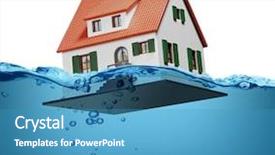
 Presentation with flooding - Colorful slide set enhanced with flood images - toy house sinking underwater backdrop and a teal colored foreground

Toy House Sinking Underwater White

Slide set enhanced with toy house sinking underwater on a white background showing flooding concept

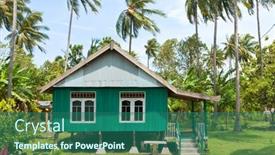
 Presentation with flooding - PPT theme having bali-january-26-wooden-bali background and a ocean colored foreground

Bali January 26 Wooden

PPT theme having bali - january 26 wooden bali house in village painted in muslim green on january 26 2012 in bali indonesia houses are built on stilts to prevent flooding during hurricane storms background

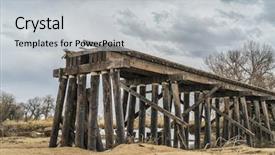
 Presentation with flooding - Theme featuring bridge disaster - railroad timber trestle destroyed background and a light gray colored foreground

Railroad Timber Trestle Destroyed River

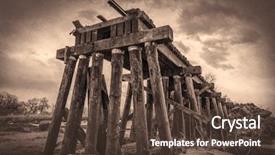
As you step into the world of high resolution graphics, you're about to unlock a treasure trove of creative possibilities with Corner Title, the ultimate PowerPoint template for designers and presenters alike. Imagine yourself standing at the edge of a majestic railroad timber trestle, its wooden slats weathered to a rich light steel blue, as river flooding brings chaos to this tranquil scene St Vrain Creek near Platteville, Colorado. With Corner Title, you'll be transported to a world of drama and tension, featuring bold lines, dynamic textures, and an attention grabbing design that's sure to stop your audience in their tracks. The template's light steel blue color palette is reminiscent of high end railroads, while the incorporation of wood elements adds a sense of ruggedness and authenticity. As you delve into this world of disaster and destruction, you'll discover four key slides that will help guide you through the process of creating an immersive presentation. The first two slides at the start of your deck are designed to get you up and running quickly featuring 4 How To slides that provide essential tips and tricks for setting up your PowerPoint environment. With these steps, you'll be well on your way to delivering a seamless and polished presentation. And when it comes to enhancing your visuals with background images, having a theme of dramatic weather effects or natural disasters will undoubtedly add an extra layer of depth and meaning to your content. The template is downloadable and compatible with Google Slides, making it easy to import high resolution images and customize your presentation. The light steel blue color palette and wood elements provide a unique visual identity for your slides, while the inclusion of disaster themed imagery ensures that your presentation remains relevant and engaging. Whether you're presenting about engineering, construction, or environmental issues, Corner Title is sure to inspire and captivate your audience with its dramatic design and rich textures.

 Presentation with flooding - Presentation design having refuge place - it's flooding down in riga background and a gray colored foreground

's Flooding Down Riga (latvia)

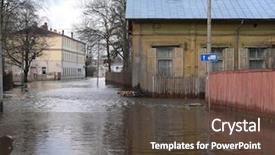
The city of Riga in Latvia is experiencing unrelenting torrential downpours that are causing widespread inundation and chaos. The streets are flooded with people rushing to find shelter, while the sound of thundering rain echoes through the air as bedraggled residents try to make sense of the situation. Amidst the mayhem, a spontaneous gathering of locals has turned into an impromptu celebration, with buildings transformed into makeshift stages and the city's iconic Art Nouveau architecture becoming a vibrant backdrop for this unexpected event. The Dark Goldenrod color palette adds depth and drama to the design, evoking the sense of foreboding that accompanies these high pressure storms. This template features a Widescreen format, ideal for showcasing stunning visuals and high resolution images as they come alive on screen. The overall look and feel is both dramatic and captivating, making it an excellent choice for anyone looking to create engaging presentations. This template includes four How To slides at the start of the deck, each designed to help users get up and running quickly, without sacrificing style or substance. Featuring a prominent Background With design element that transforms the slide into a dynamic, immersive experience. Having a Theme of Enhanced With a focus on showcasing stunning visuals, this template is perfectly suited for presentations that require a touch of drama and flair. With its unique blend of Dark Goldenrod color palette, Widescreen format, and high resolution images, this template is sure to impress your audience and leave a lasting impression. Downloadable and compatible with Google Slides, this is the perfect solution for anyone looking to elevate their presentations with style and substance.

 Presentation with flooding - Cool new slide deck with bridge disaster - railroad timber trestle destroyed backdrop and a tawny brown colored foreground

Railroad Timber Trestle Destroyed River

Slide deck with railroad timber trestle destroyed by river flooding - st vrain creek near platteville colorado sepia toning

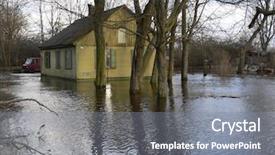
 Presentation with flooding - Beautiful presentation featuring bridge disaster - water flooding roads backdrop and a tawny brown colored foreground

Water Flooding Roads

As you open the Wide Title template provided by CrystalGraphics, you're immediately struck by its stark yet striking design that sets the tone for an emergency response plan. The template is a versatile Widescreen format that lends itself perfectly to various scenarios, and one such scenario is water flooding roads. Featuring a dramatic image of water swirling through flooded streets, this template is sure to grab your attention and provide valuable insight into disaster management. The Dark Khaki color palette dominates the template, providing a somber yet professional backdrop for the emergency response plan. The Stairs Layout slide is an excellent place to start, as it allows you to visualize the hierarchy of operations that would take place during an emergency scenario. By including high resolution images of the stairs, this feature provides a clear visual representation of the steps that need to be taken. The template's compatibility with Google Slides makes it easy to enhance and customize its content. Having a theme of "Emergency Response", the template is designed to inspire key presentations, reports, and other critical documents that require an urgent and focused approach. When using this template, you'll appreciate how Featuring a Background With water imagery from disaster scenarios can help convey the gravity of emergency situations.

 Presentation with flooding - Colorful PPT layouts enhanced with refuge place - it's flooding down in riga backdrop and a tawny brown colored foreground

's Flooding Down Riga (latvia)

As you delve into the world of PowerPoint templates, you'll discover that Wide Title is a standout design name that stands out from the crowd. This template features a high resolution background image that sets the tone for an informative and engaging presentation. The Widescreen format allows viewers to fully immerse themselves in the content, while the Cornflower Blue color palette provides a soothing and calming atmosphere. This unique combination of style and functionality makes Wide Title an ideal choice for any business or educational use. The template's keywords are carefully curated to ensure that it includes relevant terms such as "bed", "inundate", "inundation", "spontaneous", and "building". These phrases add a touch of authenticity, making the content more relatable and interesting. The inclusion of these words also helps to differentiate Wide Title from other templates on offer. To get started with your presentation, it's essential to familiarize yourself with the template's layout. Ansoff Matrix Diagram Layout slide is a great place to begin, as it features a clear and concise illustration of the different growth strategies that businesses can employ. As you explore this slide, you may also find it helpful to include background images featuring iconic buildings or structures. The template's compatibility with Google Slides ensures seamless integration into your favorite presentation software. Once downloaded, Wide Title is easy to customize to fit your specific needs and branding requirements. By highlighting its unique features and benefits, you'll be able to showcase this template as a valuable tool in your professional arsenal.

▼Key features of this template

  • They are compatible with both PowerPoint and Google Slides running on either Windows PCs or Macs.

  • They are available in both standard and widescreen slide formats. You can choose your preferred format by clicking on the "Widescreen" check box or icon.

  • Each template includes a beautiful high-resolution background image or video to visually reinforce the theme of your presentation.

  • In addition, each template includes designer-created graphics and modern fonts to give your presentations an up-to-date, professional look.

  • Each template's default design and title text position have been carefully selected to complement its background without covering faces or other key elements.

  • All text includes backdrops whose transparency level is mathematically calculated to maximize text readability while still allowing the background to be seen.

  • And all the text, text backdrops and graphics in every slide are colored with a palette designed to beautifully complement the colors in the background.

  • Our Premium templates (those with the descriptor “Premium” in their subtitle) include over 64 slide layouts to give you maximum flexibility as you create your presentations.

    • Those layouts are available to you whenever you create a new slide or when you want to change the layout of an existing slide.
    • They include everything you need to make all sorts of presentations. In addition to the layouts for the title slide and the usual title and content slide, they include many other layouts for slide types including table of contents slides, org charts, charts, diagrams, infographics, photo slides, thank you slides and more.
    • While creating these layouts our template designers have ensured that all text in every layout adjusts as gracefully as possible to various numbers of words.
  • Customizable templates (those with the descriptor “Customizable” in their subtitle) may be easily modified online before you download them.

    • To modify them, simply click on the pencil editing icon, then select your choice of ready to go designs and title text positions.
    • The editing tool also makes it easy to reposition and scale the background image or video to best suit your needs.

▼FAQs

Please review these FAQs to see if your question is answered. Contact us for more info

  • What is a PowerPoint template?

    • A well designed PowerPoint template is a file that can tell PowerPoint how to make your ordinary templates look extraordinary. They won’t change what your words or numbers say. But they might change their size, color, font and placement. And, overall, they can give your presentations a professionally-designed look that will give your content more credibility and give you more confidence.
  • How many PowerPoint templates do you offer?

    • We have over 32,000 artist-created presentation templates in our PowerPlugs collection With a subscription, PowerPlugs templates are easy to download. Just sign in, find a template and click on the green Download button. ready for you to download. That alone offers you more variety to choose from than any of our competitors can offer. And, as if that weren’t enough, we also offer over 6 million templates in our Crystal collection. Crystal brand templates are our line of templates that have customization options. They have the word "CRYSTAL" on their web page images. You can customize several aspects of the templates. These templates include high-resolution background images from Shutterstock’s vast image collection matched up with artist-created presentation designs customized by our own proprietary AI software.
  • How many templates can I download as a subscriber?

    • You can download an unlimited number of PowerPlugs-brand With a subscription, PowerPlugs templates are easy to download. Just sign in, find a template and click on the green Download button. templates every day for an entire year. (Actually, by default, we set a limit of 25 templates per day to prevent our competitors from stealing our templates. But, if that is not enough, just let us know and we’ll try to accommodate you.) On top of that, with a subscription or an Ultimate Combo, you can also download any 50 Crystal-brand Crystal brand templates are our line of templates that have customization options. They have the word "CRYSTAL" on their web page images. You can customize several aspects of the templates. templates per year selected from our huge Crystal collection. Crystal brand templates are our line of templates that have customization options. They have the word "CRYSTAL" on their web page images. You can customize several aspects of the templates. .
  • Why should I choose your templates instead of the competition’s?

    • We’ve got a larger selection of professionally-designed PowerPoint templates than anyone else in the world.
    • Each template includes a high-resolution background image or video to visually inspire your audiences while reinforcing your message.
    • Each template includes 64 slide layouts to give you maximum flexibility as you create your presentations.
    • Our templates are available in both standard and widescreen slide formats. And our website lets you preview the slides each way.
    • Our free Template Finder™ plugin lets subscribers select and - with a single click - download and insert our templates into their presentations right from within PowerPoint.
    • We’ve been creating designer presentation templates for over 20 years. During that time we’ve won several awards and 5-star ratings for product quality. See About Us for more.
  • Do you offer a money-back guarantee?

    • Yes we do! We offer full 30-day money-back guarantee if you are not 100% satisfied with your purchase.
  • Can I still use my downloaded templates after my subscription runs out?

    • Yes. After your subscription expires, you won't lose any rights or ability to use your PowerPlugs: Templates for PowerPoint. You won't be able to download any new non-watermarked templates. But the non-watermarked templates you've already downloaded will still work and you can still use them as before.
  • Can I share my downloaded templates or passwords with friends or coworkers?

    • Sorry but no. You are authorized to download each paid-for template to up to 3 of your personal devices and to use the templates you download in as many presentations as you want. But you are not authorized to share the templates, themselves, with others. That said, we do offer highly discounted site licenses to suit the needs of both small and large teams. Just tell us your needs and we’ll give you a quote!
  • System requirements:

    • The templates use the standard POTX format. So they are compatible with Google Slides and all PC, Mac and mobile devices running any version of PowerPoint from PowerPoint 2007 up through and including Office 365 desktop.
    • Please note: Google Slides does not currently support background videos. It treats them as still images.
    • For PowerPoint for the Web, first open your template into a desktop version of PowerPoint, then save it back out as a PPTX file. Then you can open that in PowerPoint for the Web.
  • End user license agreement:

    • Click here to view.
  • How will I get my purchased templates?

    • You may download your selected templates as soon as your payment is received by PayPal. If you purchased an individual template, you will be provided with a download link both onscreen and via email. Just click on that link to begin the download process. If you purchased a subscription, you will receive an email containing a password to use along with your email address to sign in to any of the templates pages on CrystalGraphics.com. Once you are signed in, you can immediately start downloading your selected templates.
  • How do I use my templates after I download them?

    • You can either open a template to start a new presentation or you can add a template to an existing presentation. To open a template, just double click on it or use PowerPoint's File > Open tool. To add a template to an existing presentation, on the Design tab, in the Themes group, click Browse for Themes... then browse to select your template.

View more Flooding templates:

previous 1 2 3 4 next
93% of Fortune 1000
companies use our
PowerPoint Products
Templates Secure

Standing Ovation Award
Winner: Best PowerPoint
Template Collection
Fortune Logos
200,000+ satisfied
customers worldwide!
Guarantee
100% satisfaction guaranteed
- or send it back for a refund!

Sign up for our free newsletter! You'll get news about our PowerPoint-enhancing product line – including free updates, new product announcements and exclusive special offers. Plus you'll get a link to a free PowerPoint template with every newsletter you receive.
Privacy Policy
Loading...


Help

Contact Us
Product FAQs
Product License Agreements

Company Info

About Us
Privacy Policy
CrystalGraphics, Inc. 1999 S. Bascom Avenue Suite 700 Campbell, CA 95008 USA
© 2026 CrystalGraphics, Inc. All rights Reserved.    |     PowerPlugs is a trademark of CrystalGraphics, Inc.
Microsoft and the PowerPoint logo are trademarks or registered trademarks of Microsoft Corporation in the United States and/or other countries.
Loading...
Loading...