www.crystalgraphics.com CrystalGraphics
  • Ultimate Combo
  • Templates
  • Diagrams
  • Characters
  • Quizzes
  • shopping cart
  • Sign Out Sign Out Sign In
Home > Templates > Friends Category
search icon
advanced icon

665 Best Friends-Themed Templates for PowerPoint and Google Slides

Imagine creating presentations that truly capture the essence of friendship, where you can showcase the beauty of close relationships and celebrate the joy of shared moments. Welcome to CrystalGraphics Friends category, where we've curated an extensive collection of stunning PowerPoint templates designed to help you express your love and appreciation for friends, family, or anyone who brings people together.

Our templates feature a warm and inviting group-of-friends-or-family background with a tawny brown colored foreground that immediately conveys the cozy and intimate atmosphere. Each template is carefully crafted to bring out the vibrancy of colorful figures, from lively celebrations to carefree gatherings. Whether you're looking for a theme that screams friends forever or something more whimsical like lots of people with colorful umbrellas, we've got you covered.

These templates are designed to be versatile and adaptable, making them perfect for any occasion. With their compatibility with Google Slides, they'll seamlessly integrate into your presentation workflow. Plus, they're available in both widescreen and standard formats, ensuring you can always find the size that suits your needs. Customize each template to match your unique style and branding, or go full-on personalized with our intuitive drag-and-drop functionality.

As a true treasure trove of 6.7 million PowerPoint templates, CrystalGraphics Friends category is an endless source of inspiration for your creative endeavors. Browse through our collection, discover new themes, and find the perfect template to bring your vision to life. Select the perfect template today, download it instantly, and get ready to share love, laughter, and unforgettable moments with others.

Features & Pricing

Widescreen (16:9) Presentation Templates. Change size...
 Presentation with friends - Couples and friends having fun with multiple colors

Family

Couples and friends having fun with multiple colors

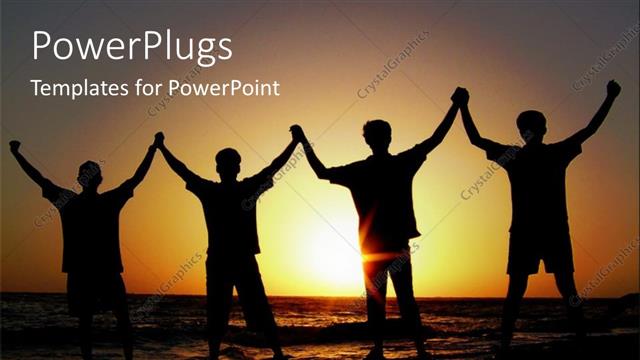
 Presentation with friends - A group of friends happy on the beach with sunset in background

United We Stand

A group of friends happy on the beach with sunset in background

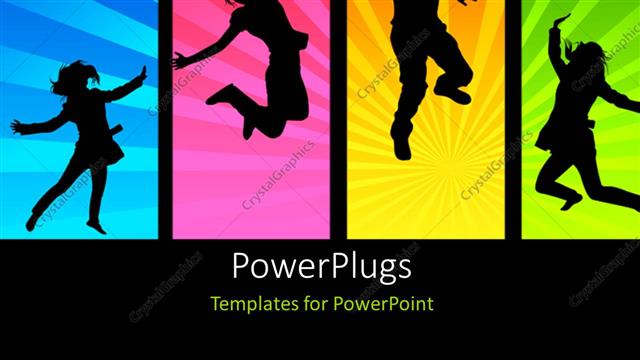
 Presentation with friends - Various people enjoying with colorful background

Friends And Fun

Various people enjoying with colorful background

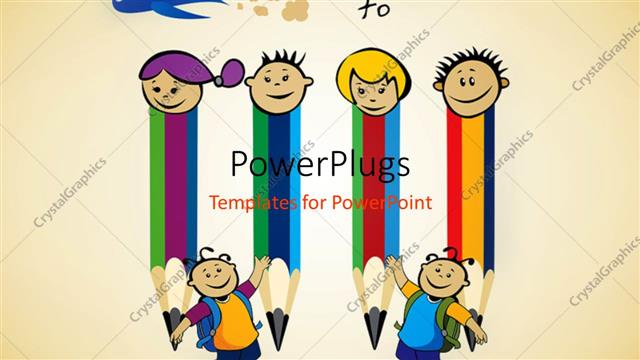
 Presentation with friends - Four pencil friends prepare for back to school with light brown color

Pencil Kids

Four pencil friends prepare for back to school with light brown color

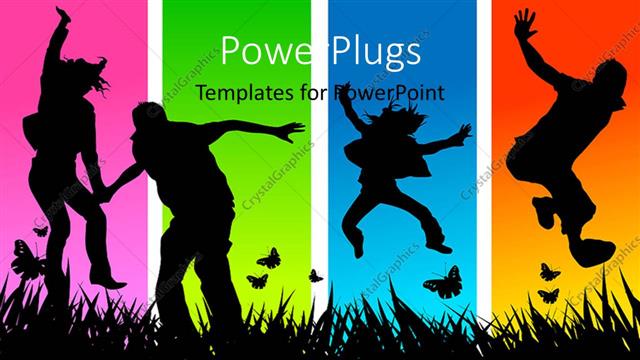
 Presentation with friends - A number of people dancing with multicolored background

Friends Jumping

A number of people dancing with multicolored background

 Presentation with friends - Slides featuring car - group of happy young friends background and a red colored foreground

Group Happy Young Friends Cabriolet

As you begin to plan your presentation with Corner Title, a visually appealing and engaging template that exudes warmth and happiness, you'll want to start by crafting a captivating opening sentence that sets the tone for the rest of the deck. The template's Peach Puff Colored background is sure to add a pop of color and create a sunny atmosphere that perfectly complements the theme of happy young friends driving on a beautiful sunset. Corner Title is designed in a Widescreen format, ensuring an immersive viewing experience for your audience. This unique aspect allows the viewer to take their eyes off the screen and focus on the stunning images featured throughout the template. To enhance this experience, we've included high resolution images of couples enjoying romantic getaways together in stunning locations such as Hawaii, New York City, California, and more. The Peach Puff Colored color palette is a key feature of Corner Title, providing a visually appealing backdrop that can help to separate sections or highlight specific elements within the presentation. This versatile color scheme can be used to create various backgrounds, from Featured slides with prominent images to Including a Background With slides featuring scenic vistas and vibrant colors. As you explore the template's features, keep an eye out for the four How To slides at the start of the deck that will help you get up and running quickly. These slides provide valuable guidance on how to customize Corner Title to fit your specific needs, including Having a Theme of enhancing the overall design with customized backgrounds, images, and colors. In terms of layout, the template is designed to be easy to navigate, with clear sections and organized elements that make it simple for you to focus on the content. The Growth Stages Layout slide can serve as an excellent example of how Corner Title's unique design elements come together to create a visually stunning and engaging presentation.

 Presentation with friends - Presentation enhanced with sports - friends watches football on tv background and a wine colored foreground

Friends Watches Football Tv Sport

The warm glow of football lights illuminate the faces of friends as they gather in a cozy sport bar on a Sunday afternoon. The air is electric with anticipation and laughter, all centered around the big game unfolding before their eyes. As the cameras pan across the packed room, the attention shifts to a young couple sharing a romantic kiss amidst the cheers of the crowd, their happiness radiating like a perfectly lit golden sunset. Corner Title Widescreen PowerPoint Template is designed in crisp sea green that evokes feelings of tranquility and serenity, providing an atmosphere that fosters connection among friends. The template format is tailored for widescreen presentation, making it ideal for a wide range of devices. With its captivating design elements such as the featured football scene and the bar setting, this template seamlessly integrates into your slides. The high resolution images on the background create a vibrant and engaging visual experience that will transport you to the midst of an exciting sports event. The sea green color palette offers endless possibilities for creative enhancement and customization to match your unique style. Adding a layer of depth with 4 How To slides at the start of the deck, which can help users quickly get up and running by providing expert advice and guidance. On this template, you could include a Background With element that showcases the beautiful football stadium, complete with lush green grass and towering goalposts. Having a Theme of Friends Watching Football, including a bar setting, highlights the heartwarming moments shared among friends as they cheer on their favorite teams together. Enhanced With options such as adding animated text or graphics can further enhance the visual appeal and make your presentation truly stand out. Incorporating these elements will ensure that your presentation stands out from the crowd and leaves a lasting impression on your audience.

 Presentation with friends - Theme featuring travel - back view of happy young background and a sky blue colored foreground

Back View Happy Young Friends

The powerpoint template provided by CrystalGraphics is a stunning creation that showcases a heartwarming scene of happy young friends standing together, gazing lovingly at their motor and the car they're driving. The design name "Indian Red Love Ride" perfectly captures the essence of this beautiful moment. This template format is Widescreen, which means it will provide an immersive experience for the audience, making them feel like they're right there with the friends. The high resolution images in the background will add a level of depth and dimensionality to the slide, giving the viewer a sense of space and movement. The Indian Red color palette is a perfect fit for this theme, evoking feelings of warmth, love, and excitement. As the template includes various keywords such as "date", "love", "motor", "auto", and "couple" in its design, it's sure to capture the attention of anyone who sees it. The template is downloadable and compatible with Google Slides, making it easy to use on any device. If you're looking for inspiration, the 4 How To slides at the start of the deck will help you get up and running quickly, providing a solid foundation for creating engaging presentations. On some slides, featuring a background image that complements the theme perfectly, such as the couple standing in front of their motor, or having a theme of "Motorized Dreams" Enhanced with vibrant colors and dynamic shapes.

 Presentation with friends - Amazing PPT layouts having ancient petroglyph site near gila backdrop and a gray colored foreground

Group Beautiful Female College Friends

In a world where friendship knows no bounds, Corner Title is here to bring your college study education journey to life with its vibrant and empowering Indian Red color palette. This stunning template is specifically designed for group projects, presentations, and academic materials that require a touch of elegance and sophistication. With Corner Title, you can create an engaging atmosphere that inspires learning and fosters teamwork. The Widescreen format provides ample space to showcase your work, and the downloadable compatibility ensures seamless integration with Google Slides. As you delve into this template, you'll notice four How To slides at the start of the deck, each offering a unique feature or benefit. For instance, the "Getting Started" slide might include a high resolution image of a beautiful woman in a study environment, symbolizing the importance of motivation and focus. The "Member Bio Layout" slide could showcase an interactive background with various information about your collaborators, including their names, roles, and interests, making it easy to connect and collaborate. This layout is enhanced by allowing you to include different types of images or graphics, giving you more control over the final product. The template also features a "Sharing is Caring" section, where you can include a background with social media icons, allowing your audience to share their own stories of college life, friendship, and academic achievements. Having a theme of inspiration and motivation, this section serves as a reminder that learning is a journey, not just about passing grades. The Indian Red color palette adds a touch of warmth and coziness to the template, making it perfect for creating engaging presentations and group projects. With its high resolution images, interactive elements, and customizable layout, Corner Title is the ideal solution for your academic or professional needs.

 Presentation with friends - PPT theme having multicultural kids as friends while background and a soft green colored foreground

Multicultural Kids Friends Doing Gymnastics

Imagine a colorful playground where multicultural kids are playing together in perfect harmony, their diverse faces and hairstyles coming together to create a beautiful mosaic of friendship. The vibrant background, a stunning panoramic image of a jungle gym at sunset, with the sun casting a warm glow over the colorful play equipment, is sure to capture the attention of your audience. The Crimson color palette adds a touch of elegance and sophistication, while the High Resolution images for the background will provide a crisp and clear visual representation. The template name "Corner Title" sets the tone for the rest of the deck, emphasizing the importance of positioning the title prominently at the beginning of each slide. The Widescreen format ensures that the content is displayed in full screen mode, making it easy to see the various elements without any clutter. As you explore the template, keep an eye out for the four How To slides, which can be used as a starting point for creating your own presentations or projects. These slides are designed to help you get up and running quickly, with clear instructions and concise information that will guide you through the process of customizing your deck. The template is downloadable and compatible with Google Slides, making it easy to import into your preferred presentation software. With its unique blend of cultural diversity, playfulness, and friendliness, this template is sure to inspire creativity and engagement in both children and adults alike.

 Presentation with friends - Audience pleasing presentation design consisting of footwear - legs of little friends sitting backdrop and a coral colored foreground

Legs Friends Sitting Swing Recreational

Imagine a warm and inviting atmosphere that exudes comfort and togetherness, where friends can gather and share laughter. A serene scene unfolds, with little legs perched on the swing or slide of childhood memories, creating an image of unbreakable bonds that transcend age and geography. This design name captures the essence of friendship, conveying a sense of familiarity and approachability. This template format is Widescreen, providing a panoramic view of the diverse group, showcasing multiple personalities and emotions. The burly wood colored theme sets the tone for warmth and coziness, evoking feelings of relaxation and contentment. The keywords provided are Caucasian and friendly, featuring images that highlight these aspects of friendship. High resolution images of swings, slides, and recreational facilities feature prominently, emphasizing the importance of togetherness. The template is downloadable and compatible with Google Slides, allowing users to effortlessly incorporate it into their presentations. As an inspirational example, this design can be used for a presentation on "Building Relationships" or "Creating Community." By including high quality images and incorporating a background with diverse cultural elements, the template showcases its potential in enhancing presentations about friendship and community development. The 3 x 3 Org Chart Layout slide is a versatile tool that can help organize complex organizational structures. The template features a clear hierarchy of relationships, highlighting key individuals and their connections. This layout allows users to easily visualize and navigate the organization chart, making it an excellent addition to any presentation. With its simple yet effective design, this template is sure to inspire engaging presentations about friendship and community.

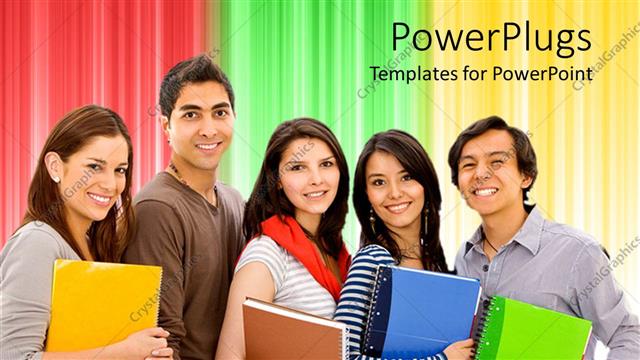
 Presentation with friends - A group of friends with multicolored background

Education

A group of friends with multicolored background

 Presentation with friends - Colorful PPT layouts enhanced with watching game in sports bar backdrop and a tawny brown colored foreground

Rear View Friends Watching Game

In a world where entertainment and social connection come together in perfect harmony, our template is the ultimate destination for couples who want to experience the thrill of a game night with their loved ones, all from the comfort of their own homes. As you scroll through this stunning Widescreen template featuring dark olive green as its primary color palette, you'll be transported back to the cozy atmosphere of a sports bar, where friends gather to cheer on their favorite teams and share laughs. This sophisticated template is designed to enhance your presentation with high resolution images that will leave your audience in awe. You can include a background with a dynamic collage of various sports games, or simply have a theme of celebrating mixed race individuals who refuse to let their differences hold them back. To get started quickly, our 4 How To slides are here to help you hit the ground running: setting up your content and templates for greatness; understanding how to work within the limitations of Google Slides; creating engaging slide layouts with ease; and refining your presentation with precision. As you explore this template, imagine presenting a captivating slideshow that showcases the perfect blend of sports, friends, and fun. With its sleek design and versatile layout, you can feature, including a background with a stunning photo of a game in progress, or having a theme of showcasing high quality images from different sports events. Having a theme of celebrating diverse backgrounds, this template is not just about looking great on the screen – it's also about telling a story that resonates with your audience. On this exciting journey, you'll discover five steps to success: planning and preparation; designing an engaging layout; selecting the perfect images; creating a compelling storyline; and presenting with confidence. By incorporating these elements into your presentation, you'll be able to enhance your content with a professional touch and leave a lasting impression on your audience.

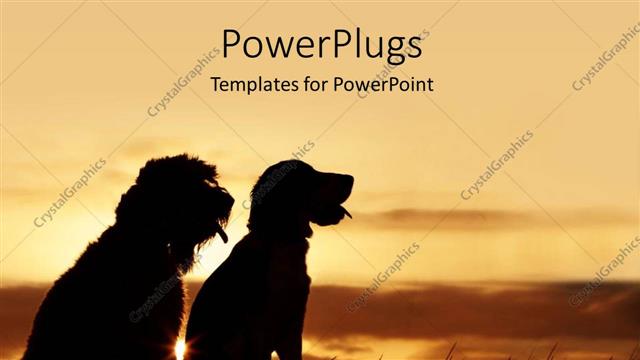
 Presentation with friends - Two dogs of different species sit in grass and watches sunset

Friends At Sunset

Two dogs of different species sit in grass and watches sunset

 Presentation with friends - Amazing PPT theme having teamwork kids - happy group of diverse people backdrop and a gold colored foreground

Happy Group Diverse People Friends,

The spotlight shines bright on this stunning template, featuring a vibrant and uplifting design that exudes joy and camaraderie. The Wide Title, with its majestic royal blue background and elegant font, dominates the screen as a symbol of hope and celebration. This Widescreen template is perfect for showcasing high resolution images, such as beautiful sunset skies or lively gatherings of diverse people, all coming together to celebrate success. Its Royal Blue color palette adds a touch of sophistication, while the Happy theme is infused with warm and inviting colors that evoke feelings of happiness and friendship. The template's Downloadable format makes it easy to incorporate into your Google Slides presentation, featuring a seamless integration with Microsoft PowerPoint. Each slide is carefully designed to enhance the overall look and feel of your content, making it an ideal addition to any project. For example, the Comparison with Image Layout slide allows you to visually compare how different images can be arranged on screen, adding depth and variety to your design. The Wide Title template comes with four How To slides that will help you get started quickly, but for now, let's focus on its many features: it includes a Background With option to add custom backgrounds to your presentation, Having a Theme of Enhancements that allows you to customize the layout and color scheme of your template. This Widescreen template is sure to make a great impression, whether you're showcasing success or celebrating friendship.

 Presentation with friends - A number of people with sky in the background

Happy Friends

A number of people with sky in the background

 Presentation with friends - Amazing slide deck having boy girl - two friends talking in school backdrop and a violet colored foreground

Two Friends Talking School Corridor

In a high school corridor on a sunny afternoon, two friends are catching up with each other, exchanging stories and laughter as they walk side by side. The fluorescent lights above cast a warm glow over their faces, illuminating the joy in their eyes. As they chat, the sound of students chatting and playing music fills the air, creating a lively atmosphere that's hard to ignore. The background for this scene is brought to life with high resolution images of students from various cliques, all going about their daily business. The template format is Widescreen, providing an expansive canvas for your design. The Medium VioletRed color palette adds a pop of color, creating a vibrant and energetic feel that's perfect for showcasing incidental people in a fun and playful way. This template is the perfect starting point for any presentation or project that requires a high school theme, with its pupils and two people, corridor setting featuring an included background With, having a theme of. Enhanced with intricate details like students walking down the hall, teachers in the background, and colorful lockers, it's guaranteed to grab your audience's attention from the very first slide. The download link is readily available, making it easy for users to access and customize their templates as needed. The high resolution images can be used as a starting point for creating intricate backgrounds or adding your own personal touches. With its Medium VioletRed color palette, featuring incidental people, high school, pupils, two people, corridor setting design elements, Enhanced With, including a background With, having a theme of, and the ability to customize it to fit your unique needs, this template is sure to be a valuable asset for any presenter or project manager.

 Presentation with friends - Colorful PPT layouts enhanced with happy friends in spa backdrop and a red colored foreground

Picture Showing Group Happy Friends

Imagine you're sitting in a luxurious spa surrounded by friends, all chatting and laughing as they indulge in their favorite beauty treatments. The warm sunlight filters through the windows, casting a cozy glow on the scene. In this serene atmosphere, a group of close friends share stories and gossip over cups of steaming hot coffee or tea, enjoying each other's company like never before. This serene setting is perfect for showcasing the importance of friendship in our lives. We've all been there surrounded by loved ones, sharing laughter and memories that last a lifetime. In fact, having a theme of friendship at our hearts makes it easier to focus on building strong connections with others. Now, let's dive into what this template has to offer. The Wide Title design is perfect for creating an attention grabbing start to your presentation. With its sleek and modern look, it's sure to capture the audience's attention from the very first slide. And featuring a stunning high resolution image of our happy friends in spa on the background, you'll be sure to get their hearts racing. The template is available for download on Google Slides, making it easy to access and use anywhere, anytime. It's also compatible with any version of PowerPoint, so you can easily share your slides with others without worrying about compatibility issues. One of the standout features of this template is its keyword driven design. With keywords like treatment, skincare, beauty, and friendship woven throughout the layout, you'll be able to quickly find what you need without having to dig through a cluttered slide deck. And, having a theme of beauty at our hearts makes it easier to enhance with high resolution images that showcase your favorite beauty treatments. The 3 Pictures + Captions Layout is a great way to add visual interest to your slides, while also making it easy for viewers to follow along. By including images and captions on separate slides, you'll be able to present information in a clear and concise manner, keeping your audience engaged from start to finish. For example, instead of showing the same image repeatedly throughout your presentation, you could use this layout to showcase different treatments or skincare products that feature in our happy friends' spa routine. The template also includes four How To slides at the start of the deck to

 Presentation with friends - Slide deck having carefree-friends-of-different-ethnicities background and a ocean colored foreground

Carefree Friends Different Ethnicities Making

The design world has its fair share of vibrant and attention grabbing templates that can instantly capture the viewer's attention. Corner Title is one such template that stands out from the crowd with its bold and playful direction. This widely available Widescreen template features a dynamic background that showcases a diverse group of Caucasian women enjoying themselves, laughing and joking together in a lively social setting. The image is shot in high resolution for maximum impact and can be easily integrated into any presentation or slide show to add an extra layer of visual appeal. The template comes with a sleek Dodger Blue color palette that provides a clean and professional look, making it ideal for business presentations, marketing materials, and more. Featuring the theme of female friendships, this template showcases how women from different ethnicities can come together to have fun and enjoy each other's company. With the high resolution image serving as the perfect background for the template, you can include a variety of graphics and illustrations to enhance its overall look and feel. Having a theme of embracing diversity is exactly what Corner Title offers, making it an excellent choice for anyone looking to add a touch of modernity to their presentations or promotional materials. Corner Title is designed to be fully downloadable, so you can use the template in your Google Slides presentation with ease.

 Presentation with friends - Slides having walk in the forest background and a red colored foreground

Portrait Four Black Adult Friends

In the heart of every great story lies a powerful and captivating image that sets the tone and mood from the very beginning. A stunning portrait of four black adult friends on a walk in the forest is just the thing to draw your audience in, evoking emotions and sparking curiosity. The Corner Title template is designed to be a high resolution image that can be easily embedded into your slides using CrystalGraphics' cutting edge technology. This format is perfect for showcasing stunning visuals, and its wide screen aspect ratio ensures that every detail is crystal clear. With the Corner Title template, you'll have the freedom to add your own text and formatting to create a unique look that complements the image perfectly. The Hot Pink color palette adds a pop of excitement and energy to this already captivating scene, while the theme of friendship highlights the special bond between these four friends. As you create your slides, you can include a background with a subtle forest landscape or a whimsical illustration of trees, all enhanced with the Corner Title template's seamless integration. The 6 x 6 Org Chart Layout slide is a great feature to help organize your content and keep your presentation on track. With its clean design and simple layout, this slide will serve as a handy reference point for navigating the rest of your deck. You can even have a theme of "Teamwork" to emphasize the importance of collaboration. Imagine presenting this stunning image with the Corner Title template, featuring high resolution images that leap off the screen. Or perhaps you could include a subtle illustration of trees or a friendly forest landscape in the background of each slide, having a theme of "Walking Together". The possibilities are endless!

 Presentation with friends - Theme consisting of sports - group of friends putting their background and a navy blue colored foreground

Group Friends Putting Hands Together

Imagine starting your day with a group of friends putting their hands together in the park, surrounded by lush greenery and vibrant flowers. This idyllic scene is exactly what you can create using Corner Title, the ultimate PowerPoint template designed to bring joy and happiness into your workspaces. Corner Title features a stunning teal background that will set the tone for an engaging presentation. The high resolution images of hands intertwined in friendship are carefully crafted to represent the theme of teamwork and camaraderie. These images can be used as a starting point for various activities, such as practicing public speaking or even participating in brainstorming sessions. The template is downloadable and compatible with Google Slides, making it easy to import into your preferred presentation software. The teal color palette provides a soothing and calming atmosphere that will enhance the overall mood of your content. By incorporating this theme into your presentation, you can convey a sense of positivity and optimism. Corner Title includes four How To slides at the start of the deck, helping you get up and running quickly. These slides feature Quotation Layouts, providing inspiration for creating effective titles and headings. The quotation layout can be customized to fit your specific needs, while the "Including a Background With" option ensures that your text is beautifully aligned with the images. For example, this template can be used as a starting point for a presentation about building relationships between colleagues. Featuring high resolution images of coworkers working together can be incorporated on each slide, creating an enhanced visual experience for your audience. Having a theme of fostering connections and collaboration can help convey the importance of teamwork in achieving success.

▼Key features of this template

  • They are compatible with both PowerPoint and Google Slides running on either Windows PCs or Macs.

  • They are available in both standard and widescreen slide formats. You can choose your preferred format by clicking on the "Widescreen" check box or icon.

  • Each template includes a beautiful high-resolution background image or video to visually reinforce the theme of your presentation.

  • In addition, each template includes designer-created graphics and modern fonts to give your presentations an up-to-date, professional look.

  • Each template's default design and title text position have been carefully selected to complement its background without covering faces or other key elements.

  • All text includes backdrops whose transparency level is mathematically calculated to maximize text readability while still allowing the background to be seen.

  • And all the text, text backdrops and graphics in every slide are colored with a palette designed to beautifully complement the colors in the background.

  • Our Premium templates (those with the descriptor “Premium” in their subtitle) include over 64 slide layouts to give you maximum flexibility as you create your presentations.

    • Those layouts are available to you whenever you create a new slide or when you want to change the layout of an existing slide.
    • They include everything you need to make all sorts of presentations. In addition to the layouts for the title slide and the usual title and content slide, they include many other layouts for slide types including table of contents slides, org charts, charts, diagrams, infographics, photo slides, thank you slides and more.
    • While creating these layouts our template designers have ensured that all text in every layout adjusts as gracefully as possible to various numbers of words.
  • Customizable templates (those with the descriptor “Customizable” in their subtitle) may be easily modified online before you download them.

    • To modify them, simply click on the pencil editing icon, then select your choice of ready to go designs and title text positions.
    • The editing tool also makes it easy to reposition and scale the background image or video to best suit your needs.

▼FAQs

Please review these FAQs to see if your question is answered. Contact us for more info

  • What is a PowerPoint template?

    • A well designed PowerPoint template is a file that can tell PowerPoint how to make your ordinary templates look extraordinary. They won’t change what your words or numbers say. But they might change their size, color, font and placement. And, overall, they can give your presentations a professionally-designed look that will give your content more credibility and give you more confidence.
  • How many PowerPoint templates do you offer?

    • We have over 32,000 artist-created presentation templates in our PowerPlugs collection With a subscription, PowerPlugs templates are easy to download. Just sign in, find a template and click on the green Download button. ready for you to download. That alone offers you more variety to choose from than any of our competitors can offer. And, as if that weren’t enough, we also offer over 6 million templates in our Crystal collection. Crystal brand templates are our line of templates that have customization options. They have the word "CRYSTAL" on their web page images. You can customize several aspects of the templates. These templates include high-resolution background images from Shutterstock’s vast image collection matched up with artist-created presentation designs customized by our own proprietary AI software.
  • How many templates can I download as a subscriber?

    • You can download an unlimited number of PowerPlugs-brand With a subscription, PowerPlugs templates are easy to download. Just sign in, find a template and click on the green Download button. templates every day for an entire year. (Actually, by default, we set a limit of 25 templates per day to prevent our competitors from stealing our templates. But, if that is not enough, just let us know and we’ll try to accommodate you.) On top of that, with a subscription or an Ultimate Combo, you can also download any 50 Crystal-brand Crystal brand templates are our line of templates that have customization options. They have the word "CRYSTAL" on their web page images. You can customize several aspects of the templates. templates per year selected from our huge Crystal collection. Crystal brand templates are our line of templates that have customization options. They have the word "CRYSTAL" on their web page images. You can customize several aspects of the templates. .
  • Why should I choose your templates instead of the competition’s?

    • We’ve got a larger selection of professionally-designed PowerPoint templates than anyone else in the world.
    • Each template includes a high-resolution background image or video to visually inspire your audiences while reinforcing your message.
    • Each template includes 64 slide layouts to give you maximum flexibility as you create your presentations.
    • Our templates are available in both standard and widescreen slide formats. And our website lets you preview the slides each way.
    • Our free Template Finder™ plugin lets subscribers select and - with a single click - download and insert our templates into their presentations right from within PowerPoint.
    • We’ve been creating designer presentation templates for over 20 years. During that time we’ve won several awards and 5-star ratings for product quality. See About Us for more.
  • Do you offer a money-back guarantee?

    • Yes we do! We offer full 30-day money-back guarantee if you are not 100% satisfied with your purchase.
  • Can I still use my downloaded templates after my subscription runs out?

    • Yes. After your subscription expires, you won't lose any rights or ability to use your PowerPlugs: Templates for PowerPoint. You won't be able to download any new non-watermarked templates. But the non-watermarked templates you've already downloaded will still work and you can still use them as before.
  • Can I share my downloaded templates or passwords with friends or coworkers?

    • Sorry but no. You are authorized to download each paid-for template to up to 3 of your personal devices and to use the templates you download in as many presentations as you want. But you are not authorized to share the templates, themselves, with others. That said, we do offer highly discounted site licenses to suit the needs of both small and large teams. Just tell us your needs and we’ll give you a quote!
  • System requirements:

    • The templates use the standard POTX format. So they are compatible with Google Slides and all PC, Mac and mobile devices running any version of PowerPoint from PowerPoint 2007 up through and including Office 365 desktop.
    • Please note: Google Slides does not currently support background videos. It treats them as still images.
    • For PowerPoint for the Web, first open your template into a desktop version of PowerPoint, then save it back out as a PPTX file. Then you can open that in PowerPoint for the Web.
  • End user license agreement:

    • Click here to view.
  • How will I get my purchased templates?

    • You may download your selected templates as soon as your payment is received by PayPal. If you purchased an individual template, you will be provided with a download link both onscreen and via email. Just click on that link to begin the download process. If you purchased a subscription, you will receive an email containing a password to use along with your email address to sign in to any of the templates pages on CrystalGraphics.com. Once you are signed in, you can immediately start downloading your selected templates.
  • How do I use my templates after I download them?

    • You can either open a template to start a new presentation or you can add a template to an existing presentation. To open a template, just double click on it or use PowerPoint's File > Open tool. To add a template to an existing presentation, on the Design tab, in the Themes group, click Browse for Themes... then browse to select your template.

View more Friends templates:

previous 1 2 3 4 5 6 7 8 9 10 11 12 13 14 15 16 17 18 19 20 21 22 23 24 25 26 27 28 29 30 31 32 next
Categories related to Friends:
Show
93% of Fortune 1000
companies use our
PowerPoint Products
Templates Secure

Standing Ovation Award
Winner: Best PowerPoint
Template Collection
Fortune Logos
200,000+ satisfied
customers worldwide!
Guarantee
100% satisfaction guaranteed
- or send it back for a refund!

Sign up for our free newsletter! You'll get news about our PowerPoint-enhancing product line – including free updates, new product announcements and exclusive special offers. Plus you'll get a link to a free PowerPoint template with every newsletter you receive.
Privacy Policy
Loading...


Help

Contact Us
Product FAQs
Product License Agreements

Company Info

About Us
Privacy Policy
CrystalGraphics, Inc. 1999 S. Bascom Avenue Suite 700 Campbell, CA 95008 USA
© 2026 CrystalGraphics, Inc. All rights Reserved.    |     PowerPlugs is a trademark of CrystalGraphics, Inc.
Microsoft and the PowerPoint logo are trademarks or registered trademarks of Microsoft Corporation in the United States and/or other countries.
Loading...
Loading...