www.crystalgraphics.com CrystalGraphics
  • Ultimate Combo
  • Templates
  • Diagrams
  • Characters
  • Quizzes
  • shopping cart
  • Sign Out Sign Out Sign In
Home > Templates > Fruit > Fruit Trees Category
search icon
advanced icon

55 Best Fruit Trees-Themed Templates for PowerPoint and Google Slides

Authentic

Features & Pricing

Widescreen (16:9) Presentation Templates. Change size...
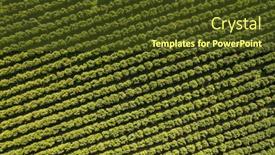
 Presentation with fruit-trees - Slide deck having top-down-view-of-orchards background and a tawny brown colored foreground

Top Down View Orchards Fruit

As you step into this world of digital storytelling, immerse yourself in the serene atmosphere of a picturesque orchard where nature's splendor reigns supreme. Delve into the heart of this idyllic scene with the Wide Title template provided by CrystalGraphics, designed to transport your audience to a high resolution aerial view of lush green trees, vibrant leaves, and a tranquil background that evokes feelings of serenity. This Widescreen template features an Olive Drab color palette that exudes warmth and coziness, perfectly capturing the essence of a rural getaway. The keywords you'll find in this template are "aerial", "trees", "stripes", "leaves", "pears" all carefully curated to evoke the imagery of orchards in full bloom. The background images in this template will showcase high resolution drone footage, giving your presentation an authentic and breathtaking feel. You can create stunning slides that feature aerial views of a fruit garden, with abstract agricultural patterns woven throughout. The template's Widescreen format is ideal for showcasing these aerial views in all their glory. In the top down view of orchards with fresh green trees, you'll see the intricate details of each tree carefully crafted by a designer who has poured love and care into every line and stroke. Featuring a beautiful theme that includes elements of nature, this template is sure to inspire your audience with its vibrant colors and crisp lines. The 4 How To slides at the start of the deck are designed to provide clarity on how to get started quickly, but for now, let's focus on showcasing this stunning template in all its glory. With its Widescreen format and Olive Drab color palette, you'll be sure to stand out from the crowd with your digital presentation. Having a theme of enhancing the natural world, this template is designed to transport your audience to another realm one that's full of beauty, wonder, and excitement.

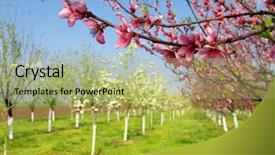
 Presentation with fruit-trees - Colorful PPT theme enhanced with fruit trees - spring blossom backdrop and a mint green colored foreground

Spring Blossom

As the sun rises over the cherry tree, its branches burst forth with new life, and the peach tree's delicate flowers start to bloom, painting the sky with vibrant colors, inspiring hope and renewal in all who witness it. The warm hue of steel blue dominates the scene, evoking feelings of serenity and tranquility. The Widescreen template is designed for a dramatic and captivating presentation, featuring high resolution images that transport your audience to a world of beauty and wonder. This Steel Blue theme incorporates elements such as pink flowers, cherry trees, and peach tree branches, creating a cohesive and engaging visual identity. The AIDA Block Layout slide stands out with its elegant design, showcasing the template's main features, including an eye catching background image that sets the tone for the presentation. The template is downloadable and compatible with Google Slides, making it easy to incorporate into your existing presentations. With four How To slides at the start of the deck, you'll be up and running quickly, getting the most out of this stunning template. Featuring a seamless transition between sections, including a Background With element that enhances the overall visual impact, Having a Theme of New Life and Blossom is sure to captivate your audience. Enhanced with intricate details, such as realistic flower textures, this template is the perfect choice for anyone looking to add a touch of elegance and sophistication to their presentation.

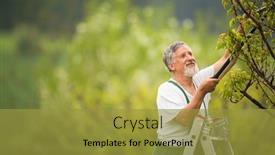
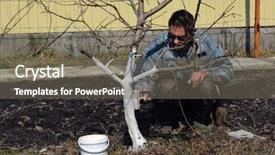
 Presentation with fruit-trees - Slide set having senior-gardener-gardening background and a yellow colored foreground

Senior Gardener Gardening Permaculture Garden

In a lush permaculture garden, a senior gardener carefully tends to his young fruit trees, their branches heavy with the promise of new life and the sweet scent of growth. The warm sun casts long shadows across the rows of vibrant plants, as the gardener checks on each tree individually, ensuring that every detail is just so. As he works, the sounds of nature chirping birds, buzzing bees create a soothing melody that accompanies his labor. The air is thick with the scent of damp earth and green growth. A serene atmosphere pervades this idyllic scene, one that inspires creativity and calmness. In this peaceful setting, the gardener's focus is sharp, his attention to detail laser sharp as he works tirelessly to coax forth the full potential of his garden. The intricate web of life in the permaculture garden is a beautiful thing to behold. The Sidebar Title template by CrystalGraphics is a stunning addition to any presentation. With its Widescreen format and Goldenrod color palette, this template transports you to a world of beauty and wonder. The keyword list includes "country", "bails", "hallows eve", "year", and "happy". A high resolution image for the background adds depth and texture to each slide. The template is compatible with Google Slides and features four easy to use How To slides that provide a solid foundation for your presentation. However, they are not listed here to save time. The Content with Caption Layout slide can be customized to include a variety of text elements, such as captions, subtitles, and even images. This feature allows you to enhance the visual appeal of your slides and draw the audience's attention. A great example of what this template could look like is in the "Garden Tour" presentation. Each slide features stunning high resolution images, carefully selected to showcase the beauty of the permaculture garden. The Goldenrod color palette adds a warm and inviting touch to each slide, while the Content with Caption Layout feature allows you to add text elements that draw the audience's attention.

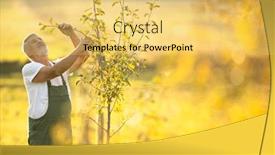
 Presentation with fruit-trees - PPT theme featuring senior gardener gardening in his permaculture garden - checking young fruit trees in his orchard background and a yellow colored foreground

Senior Gardener Gardening Permaculture Garden

In the midst of winter's chill, our Senior Gardener is hard at work in his permaculture garden, tending to young fruit trees with care and dedication as he checks on their progress. The goldenrod hues of the background images, rich and warm like the earth beneath his feet, provide a soothing backdrop for the vibrant colors that dance across this template. The Sidebar Title design is perfect for showcasing your company's brand or logo in a clean and elegant manner, featuring 4 How To slides to help you get up and running quickly. However, upon closer inspection, it becomes clear that this template is about so much more than just a brand identity it's a digital tool designed to enhance the user experience, incorporating a background with a subtle texture that adds depth and interest to your presentation. This template comes with high resolution images of lush gardens, rustic barns, and cozy cottages, all beautifully rendered in the goldenrod color palette. The result is a calming yet stimulating visual environment that invites users to explore the world of permaculture, featuring a theme of growth and renewal that echoes the natural world. Whether you're using it for training sessions, workshops, or presentations, this Sidebar Title template has everything you need to create engaging content. The Who We Are Bio Layout slide is included in this package, providing an overview of your company's mission and values in a clear and concise manner. It's a great starting point for any presentation or marketing materials, featuring a simple yet effective design that sets the tone for the rest of the template. As a bonus, you can even download it as a separate document, making it easy to incorporate into your existing branding efforts.

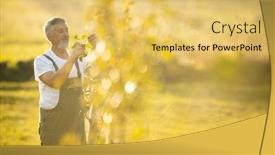
 Presentation with fruit-trees - Amazing theme having senior-man-gardening backdrop and a gold colored foreground

Senior Man Gardening Garden (color

The garden is calling, and the great outdoors is waiting to be explored. Corner Title is here to help you bring your gardening vision to life with its stunning Widescreen template, featuring high resolution images that will transport you to a world of lush greenery and vibrant colors. This Corner Title template is designed in a timeless format that complements any digital device, making it easy to download and use on Google Slides. The Olive color palette provides a soothing background for your content, while the Keywords "secateurs, yard, dig, hands, shovel" will help you find the perfect design elements when searching online. The template is full of inspiration from real life gardening scenes, such as senior men tending to their fruit trees with care and precision. The high resolution images are meticulously crafted to ensure a crisp and clear visual experience. With four easy to follow slides at the start of your deck, you'll be well on your way to creating a stunning presentation that will engage your audience. These slides feature an innovative Comparison Layout slide that showcases the template's versatility and allows you to easily switch between different design elements. You can even include a Background With option by using the high resolution image as the background, making it easy to customize your presentation with your own images or text. Having a Theme of garden related themes is also a great idea, enhancing your content to make it more relatable and engaging. This template is perfect for business presentations, marketing materials, and educational resources that require a professional yet approachable design.

 Presentation with fruit-trees - Amazing PPT theme having orange trees with fruits backdrop and a ocean colored foreground

Orange Trees Fruits Plantation

In the heart of Spain's lush countryside, where orange trees stand tall with vibrant fruits on display, a refreshing and colorful template awaits you Corner Title. This stunning Widescreen PowerPoint template is designed to bring warmth and vibrancy to your presentations, making it perfect for showcasing crop growth or any theme related to food and agriculture. Corner Title boasts an exceptional Peru inspired color palette that will transport your audience to the sun kissed lands of South America. The high resolution images in the background will feature lush orange groves with branches swaying gently in the breeze, accompanied by the sweet scent of ripe fruits. To enhance this theme, you can Including a Background With our exclusive image pack featuring real life crop fields and vibrant fruit displays. The template's Widescreen format ensures an immersive experience for your viewers, making it ideal for presentations, pitches, or any other scenario where you need to convey information with visual appeal. Corner Title is easily downloadable and compatible with Google Slides, allowing you to create engaging content that resonates with your audience.

 Presentation with fruit-trees - Colorful presentation theme enhanced with senior-gardener-gardening backdrop and a blonde colored foreground

Senior Gardener Gardening Permaculture Garden

As you step into your permaculture garden, you're greeted by the warm glow of high resolution images on the background that showcase the beauty of nature, perfectly complementing the khaki color palette that sets the tone for this template. The Wide Title design makes a bold statement, "Happy Hallowe'en", inviting users to join in on the festive spirit. This template is perfect for creating a welcoming atmosphere in your presentations, featuring a charming image of a country scene at sunset, complete with rolling hills and a few bails (crops) swaying gently in the breeze. The background features an included high resolution image that showcases the vibrant colors of fall foliage. The template's theme is centered around Hallowe'en, making it an excellent choice for presenting information related to the holiday or simply adding a festive touch to your presentations. With its bright and cheerful color palette, this template will not only enhance your slides but also make them stand out on any Google Slides presentation. Its compatibility with these popular platforms ensures seamless integration into various devices, including mobile and tablet screens. The design includes four How To slides that provide valuable tips and tricks for getting started quickly, covering topics such as creating a permaculture garden from scratch and harvesting the fruits of your labor (literally!). The content layout is clean and easy to read, making it simple to navigate through the different sections.

 Presentation with fruit-trees - Audience pleasing slide deck consisting of fruit trees in the garden backdrop and a tawny brown colored foreground

Spring Protection Fruit Trees Garden.

Imagine standing amidst a lush garden on a crisp spring morning, surrounded by vibrant fruit trees that seem to come alive as the warmth of the sun begins to awaken from its winter slumber. The air is filled with the sweet scent of blooming flowers and the gentle chirping of birds as they take to their nests. This serene scene is brought to life through a stunning graphic design, featuring a high resolution image of a single fruit tree in full bloom, showcasing its intricate details and textures. The template features a dark khaki color palette that evokes a sense of warmth and coziness, perfect for conveying the feeling of a springtime escape. The grid layout allows you to include a background with ease, while also having the freedom to enhance it with additional images or graphics. On this slide, you could feature an 8 picture grid showcasing different aspects of fruit trees in bloom. The template is downloadable and compatible with Google Slides, making it easy to import into your presentation software and start creating your own content. With its rich design elements and high resolution images, this template will help you create stunning visuals that transport your audience to the beauty of spring.

 Presentation with fruit-trees - PPT theme consisting of fruit trees caused by elk background and a coral colored foreground

Damage Fruit Trees Caused Elk

Imagine being able to visualize the devastating impact of Elk damage on fruit tree biodiversity in a way that's both informative and engaging. The Corner Title template is specifically designed to tackle this challenge with a unique blend of style, functionality, and context. This high resolution, widescreen template features a warm and inviting tan color palette that evokes the natural world, where deer and elk roam free. The background images are meticulously selected to bring the damage caused by Elk stripping fruit trees in the winter to life, showcasing the devastating consequences on the environment. The Corner Title template is perfectly suited for presentations on wildlife conservation, ecology, or environmental topics. It's a valuable asset that can enhance any presentation with its unique visual style and enhanced content featuring the image of an elk grazing on damaged fruit trees. This versatile template can be used to include a background with subtle textures and patterns, having a theme of showcasing the intricate details of nature. The template is also downloadable and compatible with Google Slides, making it easy to create a professional looking presentation that's both informative and engaging.

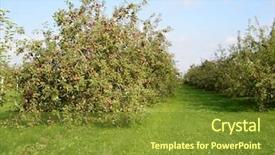
 Presentation with fruit-trees - Cool new PPT layouts with apple orchard with trees bearing backdrop and a  colored foreground

Apple Orchard Trees Bearing Lots

In the heart of a lush orchard, where trees stretch upwards in every direction, bearing an abundance of ripe fruit that seems to grow on steroids – this is what your brand's visual identity should be. Just like an apple a day keeps the doctor away, having a consistent and recognizable visual identity will keep your audience engaged and wanting more. As you embark on creating your own template, consider starting with a simple yet powerful background image of a stunning tree with lush green leaves, their intricate details bringing to life the theme of growth. The light sky blue color palette that follows is both calming and vibrant, setting the tone for a refreshing visual experience. A key aspect of your template design should include a strong sense of style, as evident in the keyword "tree" being prominently featured throughout various elements – from the shape of leaves to the color of fruits. This attention to detail will help create an immersive experience that draws users in and keeps them hooked. With 4 How To slides at the start, you can establish a foundation for your template that's both easy to navigate and functional, featuring a mix of visuals and text that explains each step clearly. For instance, having "Feature In" sections where you showcase how best to incorporate light sky blue into different design elements will enhance overall user experience. Having a clear structure with an emphasis on visual hierarchy is essential in making your template more accessible to users who may not have extensive design experience. By incorporating arrows and indicating the flow of information effectively, you'll be able to guide them through the process without feeling overwhelmed – as if navigating through a guided tour that takes them right into their desired destination. You can enhance this by using arrow steps layout with clear icons or images representing each step, making it easy for users to follow along.

 Presentation with fruit-trees - Slide deck having spring protection of fruit trees background and a gray colored foreground

Spring Protection Fruit Trees Garden.

The beauty of spring is in its simplicity and gentle touch, as delicate petals unfurl from the branches of trees like tiny works of art. The warm golden light of dawn illuminates the landscape, infusing it with a sense of serenity that soothes the soul. In this widescreen template, Wide Title captures the essence of the season perfectly, featuring high resolution images of blooming flowers and lush greenery to set the tone for your slides. The Dark Goldenrod color palette brings to mind the soft hues of wheat fields swaying in the breeze, evoking a sense of natural elegance. This template is specifically designed with country charm in mind, incorporating keywords like "paint" and "branch" to evoke images of rustic countryside landscapes. Featuring high resolution images of fruit trees, the template also includes spring elements like trail paths and freshly fallen leaves. Including a Background With subtle texture and realistic brushstrokes, you can enhance your slides with a natural, outdoorsy feel. The Growth Layout slide is particularly noteworthy, as it showcases 4 key slides that will help you get up and running quickly. But for now, let's just say it's a great starting point to build upon, with space to add your own personal touches and style. Having a Theme of showcasing stunning visuals and clean design, this template is perfect for creating engaging presentations that capture the attention of your audience.

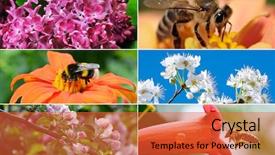
 Presentation with fruit-trees - Presentation theme having flowers insects abloom fruit trees background and a red colored foreground

Bright Spring Collection Flowers Insects.

The sun is shining brightly in this vibrant spring collection, bursting with life and color as the cherry blossoms begin to bloom. The warm Dodger Blue hues set the tone for a visually stunning presentation that will surely delight your audience. With its high resolution images for the background, this template is perfect for showcasing beautiful flowers, insects, and fruit trees against a bright sky. The Wide Title formatting ensures that every slide has ample space to showcase its content, making it easy to read and understand even in large format. This Dodger Blue color palette adds a touch of elegance and sophistication to any presentation, while the accompanying keywords convey a sense of beauty and freshness. The theme is clear: showcasing cherry blossoms, pink flowers, bees, and fruit trees in all their glory. The template's layout features intricate details that add an extra layer of depth and visual interest. For example, on the Pictures + Captions Layout slide, you could include a high resolution image of a blooming cherry blossom, accompanied by a brief description highlighting its beauty and significance. This could be followed by a list of key features and benefits, such as "Enhanced with 4x4 high resolution images," or "Including a background with a subtle texture." The template's compatibility with Google Slides ensures that you can easily create new slides and add your own content without worrying about file format issues. Additionally, the 2:3 aspect ratio makes it easy to download and import into other presentation tools, such as PowerPoint or Keynote.

▼Key features of this template

  • They are compatible with both PowerPoint and Google Slides running on either Windows PCs or Macs.

  • They are available in both standard and widescreen slide formats. You can choose your preferred format by clicking on the "Widescreen" check box or icon.

  • Each template includes a beautiful high-resolution background image or video to visually reinforce the theme of your presentation.

  • In addition, each template includes designer-created graphics and modern fonts to give your presentations an up-to-date, professional look.

  • Each template's default design and title text position have been carefully selected to complement its background without covering faces or other key elements.

  • All text includes backdrops whose transparency level is mathematically calculated to maximize text readability while still allowing the background to be seen.

  • And all the text, text backdrops and graphics in every slide are colored with a palette designed to beautifully complement the colors in the background.

  • Our Premium templates (those with the descriptor “Premium” in their subtitle) include over 64 slide layouts to give you maximum flexibility as you create your presentations.

    • Those layouts are available to you whenever you create a new slide or when you want to change the layout of an existing slide.
    • They include everything you need to make all sorts of presentations. In addition to the layouts for the title slide and the usual title and content slide, they include many other layouts for slide types including table of contents slides, org charts, charts, diagrams, infographics, photo slides, thank you slides and more.
    • While creating these layouts our template designers have ensured that all text in every layout adjusts as gracefully as possible to various numbers of words.
  • Customizable templates (those with the descriptor “Customizable” in their subtitle) may be easily modified online before you download them.

    • To modify them, simply click on the pencil editing icon, then select your choice of ready to go designs and title text positions.
    • The editing tool also makes it easy to reposition and scale the background image or video to best suit your needs.

▼FAQs

Please review these FAQs to see if your question is answered. Contact us for more info

  • What is a PowerPoint template?

    • A well designed PowerPoint template is a file that can tell PowerPoint how to make your ordinary templates look extraordinary. They won’t change what your words or numbers say. But they might change their size, color, font and placement. And, overall, they can give your presentations a professionally-designed look that will give your content more credibility and give you more confidence.
  • How many PowerPoint templates do you offer?

    • We have over 32,000 artist-created presentation templates in our PowerPlugs collection With a subscription, PowerPlugs templates are easy to download. Just sign in, find a template and click on the green Download button. ready for you to download. That alone offers you more variety to choose from than any of our competitors can offer. And, as if that weren’t enough, we also offer over 6 million templates in our Crystal collection. Crystal brand templates are our line of templates that have customization options. They have the word "CRYSTAL" on their web page images. You can customize several aspects of the templates. These templates include high-resolution background images from Shutterstock’s vast image collection matched up with artist-created presentation designs customized by our own proprietary AI software.
  • How many templates can I download as a subscriber?

    • You can download an unlimited number of PowerPlugs-brand With a subscription, PowerPlugs templates are easy to download. Just sign in, find a template and click on the green Download button. templates every day for an entire year. (Actually, by default, we set a limit of 25 templates per day to prevent our competitors from stealing our templates. But, if that is not enough, just let us know and we’ll try to accommodate you.) On top of that, with a subscription or an Ultimate Combo, you can also download any 50 Crystal-brand Crystal brand templates are our line of templates that have customization options. They have the word "CRYSTAL" on their web page images. You can customize several aspects of the templates. templates per year selected from our huge Crystal collection. Crystal brand templates are our line of templates that have customization options. They have the word "CRYSTAL" on their web page images. You can customize several aspects of the templates. .
  • Why should I choose your templates instead of the competition’s?

    • We’ve got a larger selection of professionally-designed PowerPoint templates than anyone else in the world.
    • Each template includes a high-resolution background image or video to visually inspire your audiences while reinforcing your message.
    • Each template includes 64 slide layouts to give you maximum flexibility as you create your presentations.
    • Our templates are available in both standard and widescreen slide formats. And our website lets you preview the slides each way.
    • Our free Template Finder™ plugin lets subscribers select and - with a single click - download and insert our templates into their presentations right from within PowerPoint.
    • We’ve been creating designer presentation templates for over 20 years. During that time we’ve won several awards and 5-star ratings for product quality. See About Us for more.
  • Do you offer a money-back guarantee?

    • Yes we do! We offer full 30-day money-back guarantee if you are not 100% satisfied with your purchase.
  • Can I still use my downloaded templates after my subscription runs out?

    • Yes. After your subscription expires, you won't lose any rights or ability to use your PowerPlugs: Templates for PowerPoint. You won't be able to download any new non-watermarked templates. But the non-watermarked templates you've already downloaded will still work and you can still use them as before.
  • Can I share my downloaded templates or passwords with friends or coworkers?

    • Sorry but no. You are authorized to download each paid-for template to up to 3 of your personal devices and to use the templates you download in as many presentations as you want. But you are not authorized to share the templates, themselves, with others. That said, we do offer highly discounted site licenses to suit the needs of both small and large teams. Just tell us your needs and we’ll give you a quote!
  • System requirements:

    • The templates use the standard POTX format. So they are compatible with Google Slides and all PC, Mac and mobile devices running any version of PowerPoint from PowerPoint 2007 up through and including Office 365 desktop.
    • Please note: Google Slides does not currently support background videos. It treats them as still images.
    • For PowerPoint for the Web, first open your template into a desktop version of PowerPoint, then save it back out as a PPTX file. Then you can open that in PowerPoint for the Web.
  • End user license agreement:

    • Click here to view.
  • How will I get my purchased templates?

    • You may download your selected templates as soon as your payment is received by PayPal. If you purchased an individual template, you will be provided with a download link both onscreen and via email. Just click on that link to begin the download process. If you purchased a subscription, you will receive an email containing a password to use along with your email address to sign in to any of the templates pages on CrystalGraphics.com. Once you are signed in, you can immediately start downloading your selected templates.
  • How do I use my templates after I download them?

    • You can either open a template to start a new presentation or you can add a template to an existing presentation. To open a template, just double click on it or use PowerPoint's File > Open tool. To add a template to an existing presentation, on the Design tab, in the Themes group, click Browse for Themes... then browse to select your template.
previous 1 2 3 next

More fruit trees presentation templates

93% of Fortune 1000
companies use our
PowerPoint Products
Templates Secure

Standing Ovation Award
Winner: Best PowerPoint
Template Collection
Fortune Logos
200,000+ satisfied
customers worldwide!
Guarantee
100% satisfaction guaranteed
- or send it back for a refund!

Sign up for our free newsletter! You'll get news about our PowerPoint-enhancing product line – including free updates, new product announcements and exclusive special offers. Plus you'll get a link to a free PowerPoint template with every newsletter you receive.
Privacy Policy
Loading...


Help

Contact Us
Product FAQs
Product License Agreements

Company Info

About Us
Privacy Policy
CrystalGraphics, Inc. 1999 S. Bascom Avenue Suite 700 Campbell, CA 95008 USA
© 2026 CrystalGraphics, Inc. All rights Reserved.    |     PowerPlugs is a trademark of CrystalGraphics, Inc.
Microsoft and the PowerPoint logo are trademarks or registered trademarks of Microsoft Corporation in the United States and/or other countries.
Loading...
Loading...