www.crystalgraphics.com CrystalGraphics
  • Ultimate Combo
  • Templates
  • Diagrams
  • Characters
  • Quizzes
  • shopping cart
  • Sign Out Sign Out Sign In
Home > Templates > Golf > Golf Course Category
search icon
advanced icon

366 Best Golf Course-Themed Templates for PowerPoint and Google Slides

Imagine hitting the perfect shot on a lush golf course landscape, complete with a serene white golf ball gliding across the green, or a majestic slide set showcasing a stunning tawny brown golf course background against a rich foreground. With CrystalGraphics Golf Course PowerPoint templates, you'll be able to create captivating presentations that transport your audience to the heart of golfing bliss.

Experience the ultimate in versatility with our extensive collection, featuring 60+ slides and 3-4 title options to suit any presentation style or theme. Our templates are not only designed to look stunning but also easy to customize, allowing you to tailor them to fit your unique needs and branding. Plus, with compatibility with Google Slides, you can seamlessly share and collaborate on presentations.

Whether you're a seasoned pro or just starting out, our Golf Course templates offer the perfect blend of natural beauty and modern style. Browse through our collection and discover stunning slides that will elevate any presentation to new heights. Select the perfect template for your needs today and download it instantly with 24/7 access to CrystalGraphics vast library of templates.

Features & Pricing

Widescreen (16:9) Presentation Templates. Change size...
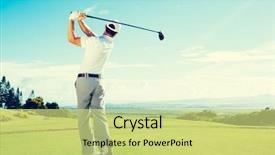
 Presentation with golf course - Presentation theme enhanced with golfer hitting golf shot background and a yellow colored foreground

Golfer Hitting Golf Shot Club

Corner Title is a high resolution widescreen template that will take your presentations to the next level. This elegant design features a golf course in the background, complete with tall trees and colorful flowers, giving you a serene atmosphere perfect for any presentation, whether it's about playing a game or repairing relationships. The Pale Turquoise color palette brings a calming touch to this already soothing scene, making it an ideal choice for presentations that need to convey a sense of calmness. This template is downloadable and compatible with Google Slides, allowing you to easily enhance its features and make it your own. With Corner Title, you'll start with four How To slides that will help you get up and running quickly, but we won't spoil the details just yet. These slides feature 8 high resolution images in a grid layout, showcasing beautiful graphics of golf balls, clubs, and other golf related elements. Imagine featuring these images as background overlays to your presentation, or including them in separate slide backgrounds for added visual interest. This template is perfect for presentations about playing games, repairing activities, or simply having fun with friends. You can enhance it by adding textures, shapes, and colors to give it a more dynamic look. The Pale Turquoise color palette and high resolution images will create an immersive experience that your audience will enjoy, making your presentation stand out from the rest.

 Presentation with golf course - Presentation theme featuring composition-of-golf-ball background and a white colored foreground

Composition Golf Ball Golf Course

The moment you click on this download link and start working with our Wide Title template, you'll be transported to a dynamic and engaging world where the boundaries of art and technology blend seamlessly together. The moment your design begins to take shape, you'll feel an overwhelming urge to create something that captures the essence of sport, fitness, and active lifestyles all wrapped up in a visually stunning package. This template is designed for use on Widescreen formats, boasting high resolution images that will transport your audience into the heart of the action. The Khaki color palette provides a timeless backdrop for any design, while the isolated symbols and patterns add an extra layer of depth and visual interest. With our template, you can create a composition of golf ball on golf course over white blur that instantly evokes the feeling of being at one with nature. Or, perhaps you'd like to explore the sport of golf in a more abstract way featuring a stylized representation of the game's iconic clubs, surrounded by lush greenery and subtle hints of color. The template is compatible with Google Slides, making it an ideal choice for those looking to bring their creative vision to life. And when you're ready to take your design to the next level, simply enhance it with our additional features including a background that can be customized to match any brand or style, and content that includes captions and layout options to help you tell your story. In this template, you'll find four How To slides to get you started quickly. But don't worry, we won't make you wait too long for the rest of your design just click on the download link and get ready to unleash your creativity.

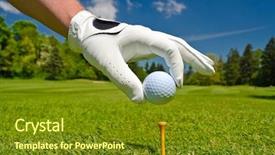
 Presentation with golf course - Amazing theme having hand placing golf ball backdrop and a tawny brown colored foreground

Hand Placing Golf Ball Tee

The game of golf is more than just hitting a ball into a hole; it's about precision, strategy, and skill. It requires focus, patience, and dedication to master the green. Whether you're a seasoned pro or an amateur looking to improve your game, the key to success lies in understanding the course both physically and mentally. Corner Title is designed to evoke the feeling of stepping onto a lush golf course, with its emerald greens, towering pine trees, and gentle slopes. The high resolution images for the background will transport you to the green, where every swing is a test of skill and patience. Featuring a serene atmosphere, Corner Title is the perfect backdrop for any golf related content. The template's Olive color palette brings warmth and coziness to the game, while the keywords "play", "game", "golf club", "sport equipment", and "golf player" will give your presentation a clear direction. For instance, you could include a slide called "Teeing Off" that showcases a high quality image of a golf ball being placed on the tee. As the background transitions to a beautiful golf course with blue sky, the focus shifts from the individual player to the game as a whole. Corner Title is not just a presentation template; it's an interactive experience that enhances your online presence. Having a theme of "Golfing Community", you could include a slide called "Rivalry" featuring a dramatic image of two golfers facing off against each other, complete with a subtle social media feed integrated into the background. You can also use this template to showcase your golf game, featuring a slide called "Par Fore The Course" that highlights your best shots and provides an insider's look at your swing. The high resolution images will make it easy to edit and enhance, while the Social Media Concept Layout ensures that every aspect of the presentation is optimized for online sharing. With Corner Title as your new go to template, you'll be able to create engaging golf related content quickly and easily. Whether you're a pro or just starting out, this template has everything you need to take your presentations to the next level.

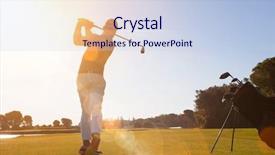
 Presentation with golf course - Cool new slide deck with golf player hitting shot backdrop and a lemonade colored foreground

Golf Player Hitting Shot Club

Imagine stepping out onto the lush fairway of your dream golf course at dawn, with the warm golden light spilling across the rolling hills and the vibrant green grass stretching as far as the eye can see. The air is alive with the sweet scent of freshly cut grass and the gentle hum of excitement as you prepare to take on the challenge ahead. In this stunning Widescreen template from CrystalGraphics, you're treated to a breathtakingly beautiful design that perfectly captures the essence of golfing at its finest. The Sandy Brown color palette brings warmth and energy to the scene, with subtle hints of red and teal adding depth and dimension. Featuring high resolution images throughout, this template is sure to inspire your creativity and transport you to a world of leisurely rounds and championship victories. From the moment you start using this template, you'll be able to create engaging presentations that are anything but ordinary. The inclusion of four How To slides at the beginning will get you up and running quickly, providing you with everything you need to know to showcase your golfing passion in a compelling way. Having a theme of "Golfing Excellence" woven throughout the design, this template is sure to enhance any presentation with its perfect blend of style and substance. The Comparison Layout slide is a great place to start, allowing you to easily compare and contrast different aspects of your golf course layout. Featuring a split screen design that showcases the beautiful golf holes side by side, this is an excellent way to highlight key features and make it easy for your audience to understand. Having a theme of "Golf Course Design" throughout the comparison, this slide is sure to add an extra layer of depth to your presentation. This stunning Widescreen template from CrystalGraphics is the perfect choice for anyone looking to create golf themed presentations that are anything but ordinary. With its captivating design and attention grabbing imagery, you'll be able to showcase your passion for golf in a way that's sure to engage and inspire your audience.

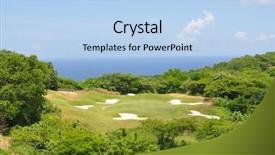
 Presentation with golf course - Beautiful theme featuring jamayca - ocean green at a golf backdrop and a light blue colored foreground

Ocean Green Golf Course Jamaica

The sun rises over the tranquil waters of Jamaica's famous Negril beach, painting a vibrant hue of ocean green that seems to reverberate through every molecule of air. This breathtaking scene sets the tone for an unforgettable travel experience showcased in this stunning visuals template, Wide Title. This Widescreen template is designed to transport your audience to the heart of beauty and adventure, featuring 4 How To slides to help you get up and running quickly. With a focus on travel and tourism, our team has crafted a design that combines striking images with expertly curated color palettes. The Light Steel Blue color scheme provides a calming yet energetic atmosphere, while the ocean inspired imagery guarantees an immersive experience. The template is downloadable and compatible with Google Slides, ensuring seamless integration into your presentation. For added visual interest, you can enhance the background of each slide with intricate details or unique textures that bring this tropical paradise to life. Featuring high resolution images in various formats, including JPEG, PNG, and GIF, our template showcases the beauty of Negril beach at its finest. Including a Background With stunning aerial shots of the area, Having a Theme of relaxation and adventure makes it the perfect choice for any travel themed presentation. Our 2 Member Bio Layout slide is a clever way to introduce your team members, showcasing their unique personalities while highlighting their shared expertise in travel design. By featuring a striking image of each member together, you can create a memorable introduction that sets the tone for the rest of the presentation.

 Presentation with golf course - Beautiful theme featuring assorted natural medical dried herbs on table backdrop and a gray colored foreground

Golf Carts Golf Course

The sweet thrill of driving down the winding course on a sunny day, the soft murmur of excitement as friends gather to watch their golf carts navigate the twists and turns. The sound of wheels gliding over the lush green turf provides the perfect accompaniment to this tranquil scene. In this stunning template from CrystalGraphics, you'll find your new playground in the Widescreen format, designed with high resolution images that will transport you straight onto the course. This 16:9 widescreen masterpiece is the perfect setting for showcasing your creative vision and bringing it to life on Google Slides. The theme of Wide Title and Yellow Green color palette creates a vibrant and energetic atmosphere, inspired by the excitement of competition and camaraderie among golf enthusiasts. The template includes four easy to use How To slides that will help you get up and running quickly: "Getting Started", "Customizing Your Template", "Adding Images", and "Creating Custom Quotations". Each slide allows you to tailor your presentation to fit your unique needs, featuring a range of design options and customization features. You can enhance the experience further by including background images with subtle textures or having a theme of putting perfect greens. The template is compatible with Google Slides, making it easy to share and collaborate with others. With this template, you'll be able to bring your golf cart themed creations to life in no time, all while showcasing high quality images that will leave your audience eager for more.

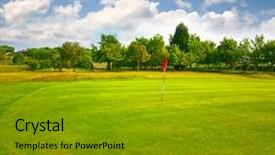
 Presentation with golf course - Cool new PPT layouts with golf course backdrop and a gold colored foreground

Golf Course

As you step into the serene landscape of rural Britain, your eyes are drawn to the rolling hills and verdant forests that stretch as far as the eye can see. The warm sunlight dances across the green fields, casting a golden glow over the entire scene. The Wide Title "Golf Course" is set against a rich olive background with subtle hints of earthy tones, evoking the sense of a lush golfing paradise. The text itself is rendered in a elegant serif font, adding to the overall sense of sophistication and refinement. In contrast to the idyllic backdrop, the template's design speaks to a more rustic side, featuring high resolution images for the background that bring the forest to life with details like twisted tree branches and vibrant wildflowers. These visual elements are seamlessly integrated into the olive color palette, creating a cohesive and calming atmosphere. To further enhance the theme of rural Britain, the template includes keywords such as "country", "forest", and "rural" that will immediately resonate with users looking to create content that reflects these ideals. With its high resolution images and rich background colors, this template is ideal for creating engaging visuals that evoke a sense of peace and tranquility. The template's compatibility with Google Slides means you can easily integrate it into your presentations and share them with others. Featuring a theme of "enhanced with beautiful graphics", the Wide Title template provides a comprehensive starting point for any project requiring high quality, idyllic images and a focus on British landscapes.

 Presentation with golf course - Beautiful presentation theme featuring golf player placing ball backdrop and a tawny brown colored foreground

Golf Player Placing Ball Tee.

The sweet sound of success on the golf course is just around the corner, and you're ready to tee off in style with your new Corner Title PowerPoint template. As the ball soars through the air, the beautiful sunrise on the golf course landscape takes center stage, setting the tone for a day of play and camaraderie. This Dark Olive Green themed template is designed to evoke the feeling of a crisp morning on the links, complete with high resolution images that will bring your content to life. The feature rich design includes a variety of icons and graphics that can be used to enhance your presentation, including a glove themed icon pack that's sure to put a smile on your audience's faces. With its comprehensive template features and downloadable compatibility with Google Slides, you'll be able to create an engaging and professional looking presentation in no time. Take it from our golf inspired examples the 4 How To slides at the start of the deck will help you get up and running quickly, providing a solid foundation for your content. The Timeline Layout slide is included as part of the template, allowing you to include a background with a moving clock that highlights key milestones in your presentation. This feature provides a clear timeline of action steps, keeping your audience informed and engaged throughout. As you put together your presentation, this design element will help you stay on track and ensure a smooth delivery.

 Presentation with golf course - PPT theme having bag on course in fairway background and a gold colored foreground

Golf Man Walking Shoulder Bag

Imagine being transported to a world where you're the hero of your own game, with a majestic golf course stretching out before you like an endless fairway. As you take your first swing, the wind rushes past, and the sun shines bright on your bag, adorned with high resolution images that make you feel like a pro. The Corner Title template is designed to bring this feeling to life, featuring a light sky blue color palette that's both calming and vibrant at the same time. The background of each slide is carefully crafted to showcase stunning images, from lush green fairways to serene lakeside views, all set against a dramatic sky. This template is perfect for anyone looking to enhance their presentation with a touch of playfulness and creativity. The Corner Title is a versatile template that can be used in a variety of settings, including presentations, pitches, and even social media updates. With its customizable text and design elements, you can easily include a background with your own images or add some extra flair with effects like shadows or textures. Having a theme of "golf" and featuring high resolution images of bag filled golf bags makes for a fun and engaging presentation that's sure to grab attention. The two Member Bio Layout slide is a great way to tell the story behind you, from your background and skills to your personality and experiences. It can be used as a showcase to highlight your strengths and accomplishments, or simply to give your audience a glimpse into who you are. By including some creative images like golf balls, clubs, or even bag themed illustrations, you can make this slide stand out and leave a lasting impression. Whether you're looking to play with words, create a game like atmosphere, or just add some fun to your presentation, the Corner Title template

 Presentation with golf course - Slide set featuring table next to the wine background and a pink colored foreground

Golf Ball Placed White Golf

The perfect setup for a professional and eye catching presentation begins with a bold statement that sets the tone for the entire deck. A photographer's lens captures life in motion, freezing time to reveal moments that speak volumes about the world we live in. Corner Title is designed to be a one page template perfect for presentations, allowing you to make a strong visual impact from start to finish. This widescreen masterpiece is formatted with a sleek Dark Slate Gray color palette that's both sophisticated and modern. The rich tones create an atmosphere of professionalism, providing an excellent foundation for your message. For a truly compelling presentation, Corner Title incorporates four key design elements at the beginning of each slide to help you get up and running quickly. These innovative slides are carefully crafted to enhance your overall experience, showcasing how easy it is to customize this template with high resolution images, adding a touch of elegance to any presentation. The circular approach layout, featuring seamless transitions between slides, provides an engaging way to present information in a clear and concise manner. In various situations, this template can be employed as is or enhanced with additional elements such as including a background with subtle textures, having a theme of spring inspired colors, or even featuring a stunning image that perfectly complements your presentation's message.

 Presentation with golf course - Amazing slide set having asian mother holding her crying backdrop and a  colored foreground.

Golf Shot Course Fairway Vacation

Slide set having golf shot on course in fairway on vacation

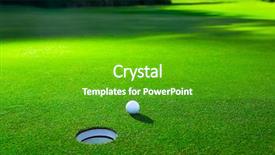
 Presentation with golf course - Presentation theme featuring green advanced - golf ball on lip background and a forest green colored foreground

Golf Ball Lip Cup Lovely

As you stand at the edge of the tropical golf course, gazing out at the lush green landscape and the sparkling water hazard in the distance, you can't help but feel a sense of competition and determination to sink the putt. The sun is shining brightly overhead, casting a warm glow over everything, and the sound of birds chirping and gentle breeze rustling through the palm trees fills the air. The Dark Olive Green color palette of this template is both calming and invigorating, evoking feelings of serenity and focus. It's as if you've stepped into a tranquil oasis, where all your worries fade away with each passing moment. The template features high resolution images for the background, creating an immersive experience that will transport you to the course. The Corner Title is designed to grab attention from the very beginning, making it stand out against the backdrop of lush greenery and tropical landscapes. It's a clever play on words that sets the tone for what's to come a journey into the world of golf and competition. Featuring a beautiful golf ball perched precariously on the lip of a cup, this slide is sure to draw you in. With four easy to follow slides at the start of your deck, you'll be off to a great start quickly. The Puzzle Pieces Layout slide is a clever design element that showcases each slide's unique features and functionality. Having a theme of showcasing individual components, it provides an enhanced understanding of how these elements work together seamlessly to create a cohesive template. Enhancements such as adjustable font sizes, color options, and more can make this slide truly versatile and customizable. Throughout the deck, you'll find high quality images that showcase various aspects of golf, from practice sessions to competition games. These images are carefully curated to include a background with vibrant colors and textures, making it easy for you to visualize your designs in action. Having a theme of including a background with detailed golf courses provides endless possibilities for creative expression.

 Presentation with golf course - PPT theme with golf carts on a golf background and a gray colored foreground

Golf Carts Golf Course

Imagine stepping into a serene golf course landscape that perfectly captures your attention, with high resolution images blending seamlessly together to create an immersive scene. The Wide Title, designed specifically for presentations, sets the tone for a visually appealing display that puts you right in the midst of the action. The Widescreen format offers an expansive canvas, suitable for showcasing complex ideas and data with ease. This is where it becomes essential to utilize high resolution images as the background to enhance the overall viewing experience. The template's Tan color palette provides a warm and inviting atmosphere, ideal for conveying warmth and expertise in your presentation. The Wide Title itself can be customized to match your brand's identity by featuring a prominent logo or adding text overlays with specific keywords like "putting", "cart", "space", "scene", and "horizontal" that align perfectly with the template's design constraints. These keywords will give you ample opportunity to showcase specific features, making it easy for viewers to grasp the essence of your presentation. This template is not only visually stunning but also downloadable and compatible with Google Slides, allowing users to easily incorporate its style into their own presentations. The intuitive layout includes four How To slides that provide a head start in getting up and running quickly. These slides can be customized to highlight key steps or features specific to your presentation. One of the standout aspects of this template is the Member Bio Layout section where you can include 4 member bios with relevant keywords, making it easy to integrate personal touches into your presentation while maintaining consistency throughout. It's an ideal opportunity to showcase your expertise and make a lasting impression on your audience.

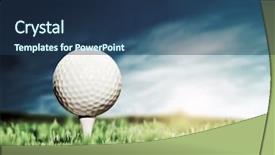
 Presentation with golf course - Theme with golf ball and tee background and a tawny brown colored foreground

Golf Ball Tee Green Course

In the heart of every golfer's home, there's a sense of excitement that comes with playing a round on a beautiful course. The experience is not just about hitting balls into holes but about being part of a competitive game where strategy and skill take center stage. From scenic views to thrilling gameplay moments, each shot holds a unique story waiting to be told. The Corner Title template is designed specifically for those who crave the authenticity of a country golf course. With its rich color palette of dark olive green, it transports users to an idyllic landscape where nature's beauty reigns supreme. The high resolution images featured in this template are carefully selected to evoke a sense of adventure and tranquility. This timeless design is perfect for those who enjoy playing country style golf either competitively or recreationally. It features the iconic elements that come with playing on the links: a lush green grass, a driving range, and some perfectly placed obstacles to test one's skills. The three part Picture + Caption Layout slide allows users to enhance their presentation by including a detailed view of the action unfolding on screen, providing a more immersive experience. The theme is beautifully encapsulated in this template as it seamlessly integrates the elements of golfing with the country setting, creating an engaging visual presentation that draws in anyone who loves playing or watching golf tournaments. The enhanced background image allows users to envision themselves standing on the course, ready to give their best shot.

 Presentation with golf course - Presentation theme having golf ball on a green background and a shamrock green colored foreground

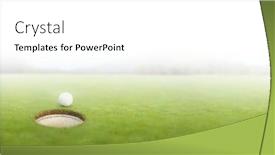
Golf Ball Green Lawn

Imagine walking onto a lush green golf course on a sunny afternoon, surrounded by vibrant colors and textures that seem to pop off the screen. The gentle breeze carries the sweet scent of freshly cut grass as you take in the serene atmosphere. The Wide Title is designed with 4 How To slides at the start of the deck to help you get up and running quickly, but for now let's dive into its features. This template format is perfect for creating a high resolution image on your widescreen screen. The Lawn Green color palette adds a touch of freshness to the design, while incorporating almost every element you'd need for a golf themed presentation or any business that involves nature. The point to point layout helps guide your audience through the content effectively. The space theme is evident in the use of stars and galaxies as a background image, giving it an otherworldly feel. Featured prominently on this template is a high resolution golf ball sitting majestically on a perfectly manicured green lawn, creating a visually striking image. Having a theme of elegance and sophistication, this template enhances your presentation with an inclusion of beautiful fonts that match the Lawn Green color palette, adding to its overall visual appeal.

 Presentation with golf course - Cool new theme with golf player hitting shot backdrop and a lemonade colored foreground

Golf Player Hitting Shot Club

As you start creating your own PowerPoint template using CrystalGraphics, take inspiration from a stunning image of a golf player hitting a shot with a club on the beautiful course at dawn. This serene scene is set against a warm light steel blue background that will provide a perfect canvas for your creative design. The template format of this template is Widescreen, ensuring it fits perfectly on any screen size and style. The Light Steel Blue color palette features a subtle gradient effect that adds depth and sophistication to the design. This theme is not just limited to the background; it also has a playfulness that comes through in various graphics and images throughout the template. Including a Background With, having a Theme of, and Enhanced With are all key elements that can be utilized to create a visually appealing and engaging experience for your users. For instance, you could use high resolution images for the background, such as a golf course landscape or a serene mountain scene, and then feature these images as the main content. The template keywords play a crucial role in making it easy for users to find and download this stunning design. High quality graphics, such as a vibrant red tee on a green grass surface or a stylized club icon, can be used throughout the template to enhance its overall aesthetic appeal. Having a clear theme and layout will also make it easier for users to navigate and understand their content. As you continue working with your template, remember that each slide serves a purpose, such as the 5 Steps to Success Layout slide, which provides guidance on how to organize and structure your content effectively. This slide is especially useful when creating presentations or reports where clear instructions are crucial.

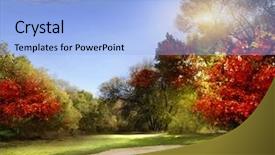
 Presentation with golf course - Audience pleasing slide deck consisting of shines on a putting green backdrop and a light blue colored foreground

Autumn Foliage Golf Course -

The crisp autumn air is filled with the sweet scent of ripe fruits and the gentle rustle of leaves as they dance in the breeze. The warm sunlight casts a golden glow on the lush green grass, creating a picturesque scene that beckons you to take your game to the next level. This stunning template is designed to transport you to a serene golf course landscape, perfect for showcasing your best golfing moments or simply adding a touch of elegance to any presentation. The Cornflower Blue color palette provides a calming and professional backdrop for your content, while the high resolution images for the background ensure that every detail is crisp and clear. The template features a Circular Step Layout design, making it easy to organize your content in a visually appealing way. This layout allows you to include multiple elements, such as text, images, and graphics, without cluttering the screen. The theme of the template is enhanced with the inclusion of a golf course landscape, complete with rolling hills, trees, and a serene lake. The template is downloadable and compatible with Google Slides, making it easy to import into your presentation software. With its high resolution images and customizable design, this template is sure to impress your audience and leave a lasting impression.

 Presentation with golf course - Beautiful slides featuring wooden and metal rulers tape backdrop and a coral colored foreground.

Young Sportive Couple Playing Golf

The clock is ticking, and time is running out to get your presentation on track. Imagine having the perfect visual tool to showcase your message without breaking the bank or wasting too much time with technical jargon. That's where our Corner Title template comes in, featuring a high resolution image of a beautiful golf course at sunset, perfectly framed by a soothing light blue background. This template is designed to make your presentation stand out from the crowd, with its sleek and modern design that exudes sophistication and style. The Light Blue color palette provides a calming and professional look that will appeal to both male and female audiences alike. Whether you're presenting about a couple on a romantic getaway or a high energy activity like golf, this template has got you covered. The Corner Title template includes four essential slides to help you get up and running quickly, but don't worry, we won't make you memorize every step of the process just yet. Instead, let's focus on how to make the most of each slide, from the Arrowheads Layout to Including a Background With Having a Theme of Enhancing Your Presentation. The background image on this template is truly stunning, featuring a beautifully rendered golf course with rolling hills and towering trees against a sky that's painted with warm hues of orange and pink. The image is so vivid, you'll almost feel like you're right there on the course, taking in all the sights and sounds. And with our downloadable template, you can bring this breathtaking scene to life on your own Google Slides presentation. This template is not just a pretty face; it's also incredibly versatile. You could feature a beautiful landscape of a bustling cityscape, or include a striking graphic illustrating a key point in your presentation. Whatever theme you choose, we're confident that our Corner Title template will deliver.

 Presentation with golf course - Slide deck having pro golf player shot ball background and a tawny brown colored foreground

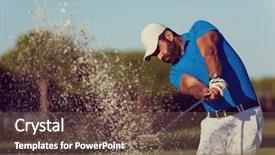
Pro Golf Player Shot Ball

Slide deck having pro golf player shot ball from sand bunker at course

 Presentation with golf course - Slide set enhanced with golf player placing ball background and a violet colored foreground

Golf Player Placing Ball Tee.

Slide set enhanced with golf player placing ball on tee beautiful sunrise on golf course landscape in background

 Presentation with golf course - Slide deck with handsome middle eastern golfer portrait at golf course black and white background and a light gray colored foreground

Handsome Middle Eastern Golfer Portrait

The world of PowerPoint templates has finally found its way into the heart of gamers and enthusiasts alike. You've landed on a template that's sure to bring a touch of elegance and sophistication to your presentations. Designed for a handsome middle eastern golfer portrait at golf course black and white, this template is sure to transport your audience to a serene yet exciting setting. The high resolution images used in the background will surely give your slides a professional finish. The Slate Blue color palette adds a sense of calmness and serenity to the entire design, making it perfect for presentations that require a serious tone. Whether you're looking to create a game like atmosphere or simply enhance your existing content with this sleek theme, this template is sure to meet your requirements. The Oposite Directional Arrows Layout slide offers an interesting twist on traditional layouts. By featuring the background image in a split screen format, you'll be able to add a dynamic element to your slides and keep your audience engaged. This stunning template is indeed downloadable and compatible with Google Slides, making it easy to incorporate into your workflow. With its elegant design and customizable features, this template will surely enhance your presentations and leave a lasting impression on your audience.

▼Key features of this template

  • They are compatible with both PowerPoint and Google Slides running on either Windows PCs or Macs.

  • They are available in both standard and widescreen slide formats. You can choose your preferred format by clicking on the "Widescreen" check box or icon.

  • Each template includes a beautiful high-resolution background image or video to visually reinforce the theme of your presentation.

  • In addition, each template includes designer-created graphics and modern fonts to give your presentations an up-to-date, professional look.

  • Each template's default design and title text position have been carefully selected to complement its background without covering faces or other key elements.

  • All text includes backdrops whose transparency level is mathematically calculated to maximize text readability while still allowing the background to be seen.

  • And all the text, text backdrops and graphics in every slide are colored with a palette designed to beautifully complement the colors in the background.

  • Our Premium templates (those with the descriptor “Premium” in their subtitle) include over 64 slide layouts to give you maximum flexibility as you create your presentations.

    • Those layouts are available to you whenever you create a new slide or when you want to change the layout of an existing slide.
    • They include everything you need to make all sorts of presentations. In addition to the layouts for the title slide and the usual title and content slide, they include many other layouts for slide types including table of contents slides, org charts, charts, diagrams, infographics, photo slides, thank you slides and more.
    • While creating these layouts our template designers have ensured that all text in every layout adjusts as gracefully as possible to various numbers of words.
  • Customizable templates (those with the descriptor “Customizable” in their subtitle) may be easily modified online before you download them.

    • To modify them, simply click on the pencil editing icon, then select your choice of ready to go designs and title text positions.
    • The editing tool also makes it easy to reposition and scale the background image or video to best suit your needs.

▼FAQs

Please review these FAQs to see if your question is answered. Contact us for more info

  • What is a PowerPoint template?

    • A well designed PowerPoint template is a file that can tell PowerPoint how to make your ordinary templates look extraordinary. They won’t change what your words or numbers say. But they might change their size, color, font and placement. And, overall, they can give your presentations a professionally-designed look that will give your content more credibility and give you more confidence.
  • How many PowerPoint templates do you offer?

    • We have over 32,000 artist-created presentation templates in our PowerPlugs collection With a subscription, PowerPlugs templates are easy to download. Just sign in, find a template and click on the green Download button. ready for you to download. That alone offers you more variety to choose from than any of our competitors can offer. And, as if that weren’t enough, we also offer over 6 million templates in our Crystal collection. Crystal brand templates are our line of templates that have customization options. They have the word "CRYSTAL" on their web page images. You can customize several aspects of the templates. These templates include high-resolution background images from Shutterstock’s vast image collection matched up with artist-created presentation designs customized by our own proprietary AI software.
  • How many templates can I download as a subscriber?

    • You can download an unlimited number of PowerPlugs-brand With a subscription, PowerPlugs templates are easy to download. Just sign in, find a template and click on the green Download button. templates every day for an entire year. (Actually, by default, we set a limit of 25 templates per day to prevent our competitors from stealing our templates. But, if that is not enough, just let us know and we’ll try to accommodate you.) On top of that, with a subscription or an Ultimate Combo, you can also download any 50 Crystal-brand Crystal brand templates are our line of templates that have customization options. They have the word "CRYSTAL" on their web page images. You can customize several aspects of the templates. templates per year selected from our huge Crystal collection. Crystal brand templates are our line of templates that have customization options. They have the word "CRYSTAL" on their web page images. You can customize several aspects of the templates. .
  • Why should I choose your templates instead of the competition’s?

    • We’ve got a larger selection of professionally-designed PowerPoint templates than anyone else in the world.
    • Each template includes a high-resolution background image or video to visually inspire your audiences while reinforcing your message.
    • Each template includes 64 slide layouts to give you maximum flexibility as you create your presentations.
    • Our templates are available in both standard and widescreen slide formats. And our website lets you preview the slides each way.
    • Our free Template Finder™ plugin lets subscribers select and - with a single click - download and insert our templates into their presentations right from within PowerPoint.
    • We’ve been creating designer presentation templates for over 20 years. During that time we’ve won several awards and 5-star ratings for product quality. See About Us for more.
  • Do you offer a money-back guarantee?

    • Yes we do! We offer full 30-day money-back guarantee if you are not 100% satisfied with your purchase.
  • Can I still use my downloaded templates after my subscription runs out?

    • Yes. After your subscription expires, you won't lose any rights or ability to use your PowerPlugs: Templates for PowerPoint. You won't be able to download any new non-watermarked templates. But the non-watermarked templates you've already downloaded will still work and you can still use them as before.
  • Can I share my downloaded templates or passwords with friends or coworkers?

    • Sorry but no. You are authorized to download each paid-for template to up to 3 of your personal devices and to use the templates you download in as many presentations as you want. But you are not authorized to share the templates, themselves, with others. That said, we do offer highly discounted site licenses to suit the needs of both small and large teams. Just tell us your needs and we’ll give you a quote!
  • System requirements:

    • The templates use the standard POTX format. So they are compatible with Google Slides and all PC, Mac and mobile devices running any version of PowerPoint from PowerPoint 2007 up through and including Office 365 desktop.
    • Please note: Google Slides does not currently support background videos. It treats them as still images.
    • For PowerPoint for the Web, first open your template into a desktop version of PowerPoint, then save it back out as a PPTX file. Then you can open that in PowerPoint for the Web.
  • End user license agreement:

    • Click here to view.
  • How will I get my purchased templates?

    • You may download your selected templates as soon as your payment is received by PayPal. If you purchased an individual template, you will be provided with a download link both onscreen and via email. Just click on that link to begin the download process. If you purchased a subscription, you will receive an email containing a password to use along with your email address to sign in to any of the templates pages on CrystalGraphics.com. Once you are signed in, you can immediately start downloading your selected templates.
  • How do I use my templates after I download them?

    • You can either open a template to start a new presentation or you can add a template to an existing presentation. To open a template, just double click on it or use PowerPoint's File > Open tool. To add a template to an existing presentation, on the Design tab, in the Themes group, click Browse for Themes... then browse to select your template.

View more Golf Course templates:

previous 1 2 3 4 5 6 7 8 9 10 11 12 13 14 15 16 17 18 next
Categories related to Golf Course:
Golf driving range
93% of Fortune 1000
companies use our
PowerPoint Products
Templates Secure

Standing Ovation Award
Winner: Best PowerPoint
Template Collection
Fortune Logos
200,000+ satisfied
customers worldwide!
Guarantee
100% satisfaction guaranteed
- or send it back for a refund!

Sign up for our free newsletter! You'll get news about our PowerPoint-enhancing product line – including free updates, new product announcements and exclusive special offers. Plus you'll get a link to a free PowerPoint template with every newsletter you receive.
Privacy Policy
Loading...


Help

Contact Us
Product FAQs
Product License Agreements

Company Info

About Us
Privacy Policy
CrystalGraphics, Inc. 1999 S. Bascom Avenue Suite 700 Campbell, CA 95008 USA
© 2026 CrystalGraphics, Inc. All rights Reserved.    |     PowerPlugs is a trademark of CrystalGraphics, Inc.
Microsoft and the PowerPoint logo are trademarks or registered trademarks of Microsoft Corporation in the United States and/or other countries.
Loading...
Loading...