www.crystalgraphics.com CrystalGraphics
  • Ultimate Combo
  • Templates
  • Diagrams
  • Characters
  • Quizzes
  • shopping cart
  • Sign Out Sign Out Sign In
Home > Templates > Green > Green Tree Category
search icon
advanced icon

350 Best Green Tree-Themed Templates for PowerPoint and Google Slides

Discover a world of limitless creativity with our Green Tree PowerPoint template collection from CrystalGraphics, the largest PowerPoint template library in the world. This stunning collection boasts over 6.7 million templates, each one meticulously designed to transport you into a serene natural setting.

Explore a diverse range of presentation titles that evoke a sense of life and growth: Life Roots, Nature's Beauty, Green Grass and Sunshine, and more. These inspiring themes will inspire your audience and leave them feeling refreshed and rejuvenated.

Experience the freedom to enhance any slide with our enviable environment features: combine lush green fields, vibrant trees against a bright blue background, and add warmth with gold accents. The result is presentations that truly stand out from the crowd.

This template collection offers an unparalleled level of customization, allowing you to tailor your design to match your unique style and brand identity. Plus, it's compatible with both widescreen and standard formats, ensuring seamless presentation across various devices.

Indulge in the world of possibilities at CrystalGraphics, where our extensive library is truly endless. Browse through our categories or explore other options to find the perfect template for your needs. And when you're ready to unleash your creativity, simply download and customize with ease all available instantly 24/7.

Features & Pricing

Widescreen (16:9) Presentation Templates. Change size...
 Presentation with green tree - PPT layouts featuring green tree in the desert background and a mint green colored foreground

Lonely Green Tree Desert

Imagine a desolate landscape that seems to stretch on forever, with nothing but sand and rock in sight. The sky above is a deep, foreboding grey, casting a long shadow over the barren ground. In this unforgiving environment, one can almost imagine the life force ebbing away, leaving behind only remnants of what once was. In the midst of this desolation, a lone tree stands as a testament to the enduring power of nature. Its gnarled branches stretch towards the sky like withered fingers, a poignant reminder that even in the harshest of conditions, there is always hope. But for now, the tree remains still and empty, its beauty lost amidst the dust. The Cornflower Blue color palette provides a soothing backdrop for this desolate scene, evoking feelings of serenity and calmness. The high resolution images on the background will transport your audience to this harsh yet beautiful environment, making it perfect for presentations that require a dramatic contrast. As you explore the template, notice how the design Name "Corner Title" sets the tone for the entire presentation. With its simple, elegant font and white space, it provides a clean canvas for showcasing your content. The Corner Title is indeed a versatile name that can be used as a header or title slide, making it an excellent choice for presentations. The widescreen format provides ample real estate for images, graphs, and charts to showcase complex data, making it ideal for business presentations, sales pitches, or even educational materials. And with its 4 How To slides at the start of the deck, you'll have a solid foundation to get up and running quickly, getting your audience engaged and informed about your topic. This template is not just an image, but an enhanced experience that will leave a lasting impression on your viewers. Featuring images with animations can add visual interest, Including a Background With high resolution images will enhance the overall look, Having a Theme of bringing together different elements to create a cohesive whole makes it easy to use, and Enhanced With interactive features like hover effects or button like shapes can make your content more engaging. As you start building your presentation, keep in mind that the Timeline Layout slide is where you'll put all the action. You can include images,

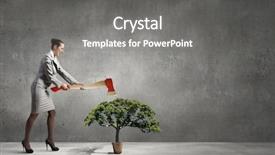
 Presentation with green tree - Presentation theme featuring environmental health - young businesswoman with axe background and a gray colored foreground

Young Businesswoman Axe Green Tree

The moment you start creating your presentation with CrystalGraphics' Wide Title template, you'll feel the excitement build up as you dive into its stunning design. This high resolution image features a young businesswoman standing in front of a majestic forest landscape, axe in hand and a determined look on her face. The vibrant Peru color palette adds depth and warmth to the overall aesthetic. As you explore the template's various aspects, you'll notice that it seamlessly integrates with Google Slides. The template is specifically designed for Widescreen formats, allowing your slides to fill the entire screen without any cropping or resizing issues. This means you can focus on crafting an engaging narrative while maintaining a professional presentation style. The Peru color palette offers endless opportunities for creative expression, and the included background images will provide a visually appealing starting point for your content. To enhance your presentation's theme of protection, consider featuring high resolution images that showcase natural elements or industrial settings to emphasize your points. For instance, you could include an image of a woman holding hands with her children in front of a tree, symbolizing the importance of nurturing and safeguarding our planet. This concept can be visually represented through various slides, such as an "Ansoff Matrix Diagram Layout" slide that showcases how different business strategies can lead to increased market share. As you design your presentation, remember to include a background with a subtle gradient effect that transitions smoothly from one color to another, providing a cohesive and professional look. Having a theme of featuring natural elements can be achieved through the inclusion of images or graphics that incorporate foliage, rocks, or other outdoor features, such as "Having a Theme of Featuring High Resolution Images" slide.

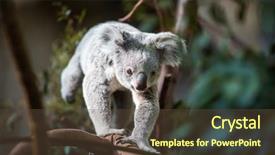
 Presentation with green tree - PPT theme with a tree with bush background and a tawny brown colored foreground

Koala Tree Bush Green Background

The thrill of discovering new species and conservation efforts is what drives us to explore the natural world, and that's exactly what this PowerPoint template Corner Title is all about. It takes you on an immersive journey through the stunning landscapes of Australia, featuring majestic eucalyptus trees, where a curious koala is perched high above, its fur glistening in the sunlight. This wide screen template is designed to transport your audience into the heart of these breathtaking environments. With its Saddle Brown color palette that features earthy tones such as forest floor and sky, you'll feel like you're right there with the natural world. From the vibrant green hues of the bush to the rugged texture of tree trunks, every detail has been carefully crafted to evoke a sense of wonder. The high resolution images used in this template will transport your audience to some of Australia's most stunning national parks and wildlife reserves. With its theme of conservation, you'll see featured images that highlight the importance of protecting our planet's precious biodiversity. Whether it's the endangered species found in these habitats or the branch that helps sustain the ecosystem, every element has been carefully chosen to enhance your message. The template is also inclusive of a Background With feature, allowing you to easily replace any background image with something entirely new and unique. And having a Theme of allows you to further emphasize your key message by incorporating all other elements in a cohesive way. The result is a presentation that feels fresh, modern, and engaging, perfect for anyone looking to take their corporate or academic presentations to the next level.

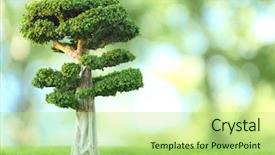
 Presentation with green tree - Colorful theme enhanced with bonsai tree on green nature backdrop and a mint green colored foreground

Bonsai Tree Green Nature Background

Theme enhanced with bonsai tree on green nature background

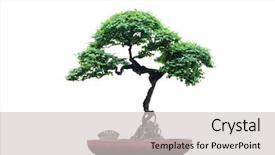
 Presentation with green tree - Audience pleasing presentation theme consisting of china japan - chinese green bonsai tree isolated backdrop and a light gray colored foreground

Chinese Green Bonsai Tree Isolated

Imagine starting your presentation with a serene and inviting image that sets the tone for a beautiful and informative discussion about gardening and houseplants. The Chinese green bonsai tree, often referred to as the "tree of life," is perfectly suited for this purpose. Its delicate branches and vibrant foliage will add a touch of elegance to any slide. The Corner Title template features a stunning grid layout with 8 high resolution images showcasing various aspects of small gardening and houseplant care. The background image of the Chinese green bonsai tree, isolated on a pale green gradient, provides a clean and sophisticated canvas for your content. This template is designed to be downloadable and compatible with Google Slides, making it easy to incorporate into your presentation. The Pale Green color palette adds a touch of warmth and coziness to the design, while the small size ensures that the text and images remain legible on any screen resolution. The theme of this template is centered around gardening and houseplants, featuring high quality images that showcase these topics in a visually appealing way.

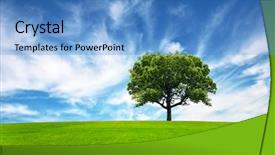
 Presentation with green tree - Theme with green field tree and blue background and a teal colored foreground

Green Field Tree Blue Sky

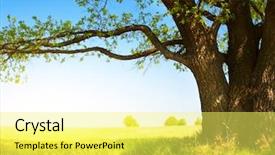
Theme with green field tree and blue sky

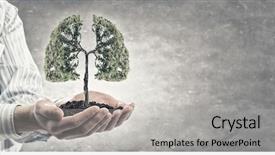
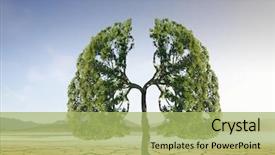
 Presentation with green tree - Audience pleasing slides consisting of lung - close up of hand holding backdrop and a light gray colored foreground

Close Up Hand Holding Green

The Corner Title template is a visually striking and professional design that sets the tone for any presentation or project. It features a high resolution image of a hand holding a green tree concept, which serves as a subtle yet powerful symbol for growth and harmony. This template is formatted in widescreen, making it perfect for showcasing your ideas in a way that's both engaging and informative. The brown color palette is warm and inviting, adding depth and richness to the design. The template keywords are Caucasian, palm, concept, global, which suggests that this design is tailored to appeal to a diverse audience and encompass a wide range of themes. The Corner Title template includes four useful slides at the start of the deck, featuring an Arrow Steps Layout to help you get up and running quickly. These steps are designed to provide a clear roadmap for creating your presentation or project, from planning to launch. The template also offers "Featuring" high resolution images of nature's wonders, including palm trees, to add visual interest and inspiration. This design is ideal for projects that require a global perspective, such as marketing campaigns, business presentations, or educational materials. By featuring a brown color palette and incorporating elements like the green tree concept, this template enhances the overall look and feel of your project.

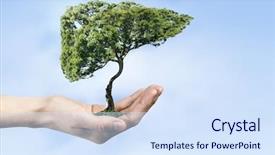
 Presentation with green tree - Presentation design featuring human liver - close up of hand holding background and a sky blue colored foreground

Close Up Hand Holding Green

The moment you start creating your brand new PowerPoint presentation with CrystalGraphics, you'll be greeted by the Corner Title design that will leave a lasting impression on your audience. This stunning template is perfect for businesses looking to establish a strong global presence and convey their unique message to the world. This template features Widescreen format that takes your content to the next level, providing ample space for images and graphics to shine. The Light Steel Blue color palette provides a clean and professional look, ideal for presentations featuring symbols, caucasian themes, palms, concepts, or global inspiration. The background images in this template are high resolution, offering crisp details that will enhance your visual content. You can include images like close up of hand holding green tree concept to showcase your brand's natural side or feature stunning cityscapes to convey a sense of global reach. As you plan your presentation, you'll want to know the Who We Are Bio Layout slide it's where you introduce yourself and establish your brand identity. This slide can be customized with your company name, logo, and tagline, making it an essential part of your overall branding strategy. By including a Background With feature in this template, you can create seamless transitions between slides while maintaining visual cohesion. The Enhanced With theme allows you to add dynamic effects to enhance the overall presentation experience. The Corner Title design is perfect for showcasing your brand's unique concept and message to the world. Whether you're launching a new product, service, or initiative, this template will help you establish credibility and trust with your audience.

 Presentation with green tree - Cool new presentation theme with two little buddhist monks running backdrop and a yellow colored foreground

Two Buddhist Monks Running Outdoors

Presentation theme with two little buddhist monks running outdoors under shade of green tree outside monastery myanmar

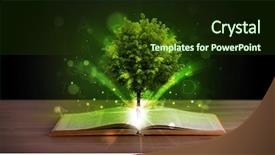
 Presentation with green tree - PPT theme consisting of open book with magical green background and a tawny brown colored foreground

Open Book Magical Green Tree

The curtains draw back to reveal a majestic, high resolution image of a serene landscape an open book with magical green tree and rays of light on wooden deck. The warm colors and inviting atmosphere beckon you to dive into the world of magic and research. This stunning Wide Title template is designed to make your presentation stand out from the crowd. Featuring dark olive green as its primary color palette, this template will transport your audience to a mystical realm where magic and discovery reign supreme. With 4 How To slides at the start of the deck to help you get up and running quickly, you'll be on your way to creating an engaging and informative presentation in no time. The Four Arrows Layout slide is a masterpiece of design, offering a dynamic and visually appealing way to present your research findings. This layout features eight arrows that crisscross the screen, creating a sense of energy and movement perfect for highlighting key statistics or data points. Having a theme of 'research and discovery' in mind, this template includes high resolution images throughout to enhance the overall visual impact. Imagine presenting your research on a beautiful, mystical forest landscape with towering trees and glowing mushrooms. This is what Featuring, Including a Background With, Having a Theme of features all the elements are combined to create an immersive experience that will leave your audience spellbound.

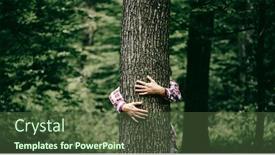
 Presentation with green tree - Colorful presentation enhanced with woman-hand-embracing-a-tree backdrop and a tawny brown colored foreground

Woman Hand Embracing Tree Green

In a world where humanity is increasingly aware of its impact on the environment, a powerful message needs to be conveyed to inspire change. The Corner Title template is designed to do just that, featuring a stunning image of a woman embracing a tree in a lush green forest, surrounded by nature's beauty and the gentle touch of an eco friendly hugger. The Dark Olive Green color palette provides a sophisticated backdrop for this inspiring message, while the high resolution images on the background will transport your audience to a serene and idyllic world. The template is downloadable and compatible with Google Slides, making it easy to incorporate into your presentation. This template is not just a pretty face; it's also designed to be highly functional. The Managed Process Layout ensures that all elements are carefully placed and aligned, creating a seamless flow throughout the deck. Featuring a background image of a tree in bloom, this layout will enhance the overall visual impact of the Corner Title. Including a background with a subtle gradient effect will add depth and dimensionality to your presentation, while Having a theme of embracing change will reinforce the message that we must work together to protect our planet. Enhanced With high resolution images and a sophisticated color palette, this template is sure to leave a lasting impression on your audience.

 Presentation with green tree - Theme consisting of bonsai tree on green nature background and a  colored foreground

Bonsai Tree Green Nature Background

Theme consisting of bonsai tree on green nature background background

 Presentation with green tree - Beautiful theme featuring young businesswoman with axe and green tree backdrop and a yellow colored foreground

Young Businesswoman Axe Green Tree

Theme featuring young businesswoman with axe and green tree

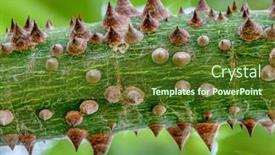
 Presentation with green tree - Cool new presentation design with texture-thorns-in-a-green backdrop and a tawny brown colored foreground

Texture Thorns Green Tree Bark

Presentation design with texture thorns in a green tree bark

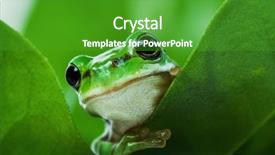
 Presentation with green tree - Beautiful presentation featuring cute little green tree frog backdrop and a shamrock green colored foreground

Cute Green Tree Frog Peeking

The world of PowerPoint templates is full of hidden gems waiting to be discovered. Corner Title is one such gem that will leave your audience green with envy or should we say, olive with delight? This stunning template features a dark olive green color palette that's perfect for creating a sophisticated and mysterious atmosphere. Corner Title is designed in a widescreen format, making it ideal for showcasing high resolution images on the screen. The template includes four How To slides to help you get up and running quickly, but don't worry, they're not as complicated as they sound just take your time and follow along. The Bulb Puzzle Layout slide is where things get really interesting. This feature allows you to create a custom background with a unique design that's sure to impress your audience. Imagine featuring a beautiful landscape or cityscape behind your presentation, complete with intricate details and textures. It's the perfect way to enhance your content and make it stand out from the crowd. The template also includes a range of keywords that will help you find it in Google Slides, including "small", "hidden", "shy", "boyfriend", and "spying". These words are sure to get your presentation noticed, especially if you're looking for something unique and creative. And with its dark olive green color palette and high resolution images, Corner Title is the perfect choice for anyone who wants to create a sophisticated and mysterious atmosphere.

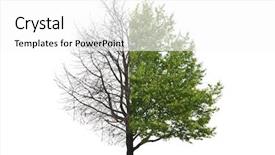
 Presentation with green tree - Audience pleasing slides consisting of revival - one tree with one part backdrop and a white colored foreground

One Tree One Part Without

Imagine walking through a lush forest on a crisp autumn day, surrounded by vibrant yellow and green hues that seem to dance in the sunlight. The air is filled with the sweet scent of decaying leaves and the distant chirping of birds as they search for their next meal. In this serene environment, we find ourselves at the center of attention, and our eyes are drawn to a majestic tree standing tall among its fallen brethren. This stunning image serves as the perfect inspiration for our new template design, known as Corner Title. This template is specifically crafted to fit the Widescreen format, providing a seamless viewing experience that complements the high resolution images featured in our background designs. The template color palette is carefully curated to evoke feelings of warmth and coziness, reminiscent of a crackling fire on a chilly winter's night. A key aspect of this design is its clever layout, featuring four distinct sections: a central title slide, a featured image section, a call to action slide, and an inspiration quote slide. The Puzzle Pieces Layout slide is particularly noteworthy, as it seamlessly integrates the background image into the template's design, creating a cohesive look that's both visually striking and professional. Including a Background With text overlay on top of the image creates a dynamic visual effect, making it easier to read while still maintaining the overall theme of the presentation. Having a Theme of adding a touch of whimsy to your slides is essential for enhancing the user experience, and this template delivers with its playful use of typography and color.

 Presentation with green tree - Presentation theme featuring children green - portrait of a boy standing background and a tawny brown colored foreground

Portrait Boy Standing Near Tree

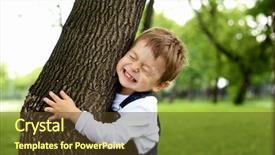
Presentation theme featuring portrait of a boy standing near the tree in the park

 Presentation with green tree - Slide set enhanced with open book with magical green background and a  colored foreground

Open Book Magical Green Tree

Corner Title is a sleek and sophisticated template that brings to life the magic of research and discovery. Imagine an open book with a majestic green tree standing tall on a wooden deck, surrounded by rays of light that dance across its surface. The Dark Olive Green color palette provides a dramatic backdrop for this whimsical scene, perfect for creating a captivating and immersive learning experience. The template is designed to be high resolution, making it perfect for presentations, posters, and other visual content. Featuring a rich mix of 3D elements, including icons and symbols, Corner Title is the ultimate go to template for anyone looking to add a touch of magic to their online presence. Including a Background With stunning illustrations and images, this template will elevate your content to new heights. The Content with Caption Layout slide provides a clear and concise overview of the template's features, making it easy to understand how to use Corner Title in its full potential. Having a Theme of creativity and innovation, this slide showcases the template's versatility and capabilities. Enhanced With stunning visuals and animations, this layout adds an extra layer of excitement and engagement to your presentation. For example, featuring a 4 slide deck with clear instructions on getting started, Corner Title is ideal for anyone looking to create a professional looking presentation or poster in no time. Including a Background With beautifully designed images, this template will help you achieve the perfect balance between form and function. Having a Theme of research and discovery, Corner Title is the perfect choice for anyone who wants to showcase their passion for learning through stunning visuals and animations.

 Presentation with green tree - PPT layouts with fresh green oranges on tree background and a tawny brown colored foreground

Fresh Green Oranges Tree Malaysian

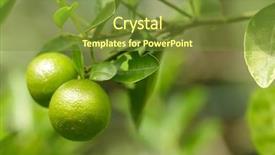
In the midst of summer's warmth and endless sunshine, a serene and inviting oasis awaits us, one that embodies the quintessential charm of a Malaysian orchard. Corner Title is your gateway to creating a visually stunning presentation that showcases your brand's personality through high resolution images, clever design, and a unique color palette that sets it apart from the rest. Corner Title features a timeless theme that resonates with customers seeking a fresh and organic approach to their digital presence. The template's design name perfectly captures the essence of what you're creating – a comprehensive and engaging solution for any online project. With its emphasis on branch style layouts and natural elements, this template is sure to bring a refreshing twist to your presentations. The Corner Title template boasts an elegant olive drab color palette that evokes the feeling of lush greenery, featuring vibrant oranges reminiscent of Malaysian orchards. When used as the background for your slides, you can create visuals that transport your audience into this serene summer haven. This setup is particularly well suited for showcasing how to tutorials or demonstration slides that require a clean and organized design. By incorporating high quality images in various resolutions, you'll be able to showcase your content from multiple angles, making it easier to understand complex concepts. The Corner Title template offers an enhanced viewing experience with its featuring background image, including a subtle branch pattern in the corner of each slide. This clever layout ensures that your audience remains engaged throughout the presentation. This template is not only visually appealing but also easy to use and customize, as you can easily add or remove sections, backgrounds, and images to fit your specific needs.

 Presentation with green tree - Colorful theme enhanced with big tree with fresh green backdrop and a yellow colored foreground

Tree Fresh Green Leaves Green

Theme enhanced with big tree with fresh green leaves and green spring meadow backdrop

 Presentation with green tree - Presentation theme having green-bottle-gourd background and a yellow colored foreground

Green Bottle Gourd Tree Outdoor

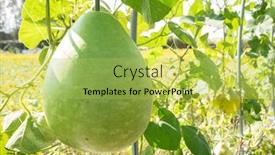
Presentation theme having green bottle gourd on the tree in the outdoor

▼Key features of this template

  • They are compatible with both PowerPoint and Google Slides running on either Windows PCs or Macs.

  • They are available in both standard and widescreen slide formats. You can choose your preferred format by clicking on the "Widescreen" check box or icon.

  • Each template includes a beautiful high-resolution background image or video to visually reinforce the theme of your presentation.

  • In addition, each template includes designer-created graphics and modern fonts to give your presentations an up-to-date, professional look.

  • Each template's default design and title text position have been carefully selected to complement its background without covering faces or other key elements.

  • All text includes backdrops whose transparency level is mathematically calculated to maximize text readability while still allowing the background to be seen.

  • And all the text, text backdrops and graphics in every slide are colored with a palette designed to beautifully complement the colors in the background.

  • Our Premium templates (those with the descriptor “Premium” in their subtitle) include over 64 slide layouts to give you maximum flexibility as you create your presentations.

    • Those layouts are available to you whenever you create a new slide or when you want to change the layout of an existing slide.
    • They include everything you need to make all sorts of presentations. In addition to the layouts for the title slide and the usual title and content slide, they include many other layouts for slide types including table of contents slides, org charts, charts, diagrams, infographics, photo slides, thank you slides and more.
    • While creating these layouts our template designers have ensured that all text in every layout adjusts as gracefully as possible to various numbers of words.
  • Customizable templates (those with the descriptor “Customizable” in their subtitle) may be easily modified online before you download them.

    • To modify them, simply click on the pencil editing icon, then select your choice of ready to go designs and title text positions.
    • The editing tool also makes it easy to reposition and scale the background image or video to best suit your needs.

▼FAQs

Please review these FAQs to see if your question is answered. Contact us for more info

  • What is a PowerPoint template?

    • A well designed PowerPoint template is a file that can tell PowerPoint how to make your ordinary templates look extraordinary. They won’t change what your words or numbers say. But they might change their size, color, font and placement. And, overall, they can give your presentations a professionally-designed look that will give your content more credibility and give you more confidence.
  • How many PowerPoint templates do you offer?

    • We have over 32,000 artist-created presentation templates in our PowerPlugs collection With a subscription, PowerPlugs templates are easy to download. Just sign in, find a template and click on the green Download button. ready for you to download. That alone offers you more variety to choose from than any of our competitors can offer. And, as if that weren’t enough, we also offer over 6 million templates in our Crystal collection. Crystal brand templates are our line of templates that have customization options. They have the word "CRYSTAL" on their web page images. You can customize several aspects of the templates. These templates include high-resolution background images from Shutterstock’s vast image collection matched up with artist-created presentation designs customized by our own proprietary AI software.
  • How many templates can I download as a subscriber?

    • You can download an unlimited number of PowerPlugs-brand With a subscription, PowerPlugs templates are easy to download. Just sign in, find a template and click on the green Download button. templates every day for an entire year. (Actually, by default, we set a limit of 25 templates per day to prevent our competitors from stealing our templates. But, if that is not enough, just let us know and we’ll try to accommodate you.) On top of that, with a subscription or an Ultimate Combo, you can also download any 50 Crystal-brand Crystal brand templates are our line of templates that have customization options. They have the word "CRYSTAL" on their web page images. You can customize several aspects of the templates. templates per year selected from our huge Crystal collection. Crystal brand templates are our line of templates that have customization options. They have the word "CRYSTAL" on their web page images. You can customize several aspects of the templates. .
  • Why should I choose your templates instead of the competition’s?

    • We’ve got a larger selection of professionally-designed PowerPoint templates than anyone else in the world.
    • Each template includes a high-resolution background image or video to visually inspire your audiences while reinforcing your message.
    • Each template includes 64 slide layouts to give you maximum flexibility as you create your presentations.
    • Our templates are available in both standard and widescreen slide formats. And our website lets you preview the slides each way.
    • Our free Template Finder™ plugin lets subscribers select and - with a single click - download and insert our templates into their presentations right from within PowerPoint.
    • We’ve been creating designer presentation templates for over 20 years. During that time we’ve won several awards and 5-star ratings for product quality. See About Us for more.
  • Do you offer a money-back guarantee?

    • Yes we do! We offer full 30-day money-back guarantee if you are not 100% satisfied with your purchase.
  • Can I still use my downloaded templates after my subscription runs out?

    • Yes. After your subscription expires, you won't lose any rights or ability to use your PowerPlugs: Templates for PowerPoint. You won't be able to download any new non-watermarked templates. But the non-watermarked templates you've already downloaded will still work and you can still use them as before.
  • Can I share my downloaded templates or passwords with friends or coworkers?

    • Sorry but no. You are authorized to download each paid-for template to up to 3 of your personal devices and to use the templates you download in as many presentations as you want. But you are not authorized to share the templates, themselves, with others. That said, we do offer highly discounted site licenses to suit the needs of both small and large teams. Just tell us your needs and we’ll give you a quote!
  • System requirements:

    • The templates use the standard POTX format. So they are compatible with Google Slides and all PC, Mac and mobile devices running any version of PowerPoint from PowerPoint 2007 up through and including Office 365 desktop.
    • Please note: Google Slides does not currently support background videos. It treats them as still images.
    • For PowerPoint for the Web, first open your template into a desktop version of PowerPoint, then save it back out as a PPTX file. Then you can open that in PowerPoint for the Web.
  • End user license agreement:

    • Click here to view.
  • How will I get my purchased templates?

    • You may download your selected templates as soon as your payment is received by PayPal. If you purchased an individual template, you will be provided with a download link both onscreen and via email. Just click on that link to begin the download process. If you purchased a subscription, you will receive an email containing a password to use along with your email address to sign in to any of the templates pages on CrystalGraphics.com. Once you are signed in, you can immediately start downloading your selected templates.
  • How do I use my templates after I download them?

    • You can either open a template to start a new presentation or you can add a template to an existing presentation. To open a template, just double click on it or use PowerPoint's File > Open tool. To add a template to an existing presentation, on the Design tab, in the Themes group, click Browse for Themes... then browse to select your template.

View more Green Tree templates:

previous 1 2 3 4 5 6 7 8 9 10 11 12 13 14 15 16 17 next
93% of Fortune 1000
companies use our
PowerPoint Products
Templates Secure

Standing Ovation Award
Winner: Best PowerPoint
Template Collection
Fortune Logos
200,000+ satisfied
customers worldwide!
Guarantee
100% satisfaction guaranteed
- or send it back for a refund!

Sign up for our free newsletter! You'll get news about our PowerPoint-enhancing product line – including free updates, new product announcements and exclusive special offers. Plus you'll get a link to a free PowerPoint template with every newsletter you receive.
Privacy Policy
Loading...


Help

Contact Us
Product FAQs
Product License Agreements

Company Info

About Us
Privacy Policy
CrystalGraphics, Inc. 1999 S. Bascom Avenue Suite 700 Campbell, CA 95008 USA
© 2025 CrystalGraphics, Inc. All rights Reserved.    |     PowerPlugs is a trademark of CrystalGraphics, Inc.
Microsoft and the PowerPoint logo are trademarks or registered trademarks of Microsoft Corporation in the United States and/or other countries.
Loading...
Loading...