www.crystalgraphics.com CrystalGraphics
  • Ultimate Combo
  • Templates
  • Diagrams
  • Characters
  • Quizzes
  • shopping cart
  • Sign Out Sign Out Sign In
Home > Templates > Green Category
search icon
advanced icon

610 Best Green-Themed Templates for PowerPoint and Google Slides

Imagine unleashing your creativity on a vast, limitless canvas - our 6.7 million PowerPoint templates collection at your fingertips. Explore a diverse range of stunning designs that will elevate your presentations to new heights, from nature-inspired visuals to futuristic concepts. Take a cue from a serene green lake in a forest as a metaphor for growth and abundance, or channel the sparkle of a shining star from the galaxy on a sleek black background - each template is meticulously crafted to inspire and engage your audience.

Experience the limitless possibilities with our Green templates, featuring 60+ slides per category, available in both widescreen and standard formats. Personalize every aspect of these stunning designs with customizable elements, making it easy to bring your vision to life. With instant 24/7 download access, you can work on your presentation from anywhere, at any time.

Whether you're a seasoned pro or just starting out, our Green templates are the perfect choice for anyone looking to take their presentations to the next level. Browse through our extensive collection, discover new themes and styles, and find the perfect template to match your unique brand of creativity. Download now and start bringing your ideas to life!

Features & Pricing

Widescreen (16:9) Presentation Templates. Change size...
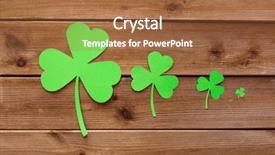
 Presentation with green - Amazing slides having paper shamrocks on wooden background backdrop and a red colored foreground

Fortune Luck St Patricks Day

In the spirit of good fortune and lucky charms, a new PowerPoint template has been designed to bring a touch of Irish magic into your presentations. This Wide Title template is tailored to fit seamlessly with Crystals Graphics' Widescreen format, offering a high resolution background that will elevate any presentation. The template's Template Color Palette is Lime Green, providing an eye catching and vibrant contrast against the crisp lines. The template features a rich green paper shamrock design on a wooden background, evoking the symbol of good luck and fortune. This concept has been carefully crafted to transport your audience to a world of Irish charm and mystique. To enhance the overall effect, each slide is enhanced with the theme of St. Patrick's Day, incorporating high resolution images that will leave a lasting impression. The template includes four How To slides at the start of the deck, helping you get up and running quickly. These slides are perfect for those who want to dive right into their presentation, featuring backgrounds with subtle textures and layouts that will keep your audience engaged. Including a background with a subtle gradient effect adds an extra layer of depth to these slides, making them truly stand out from the crowd. Having a theme of Irish heritage ensures that your presentations will be uniquely aligned with this festive spirit. Enhanced with graphics overlays and animations, these How To slides are sure to captivate your audience. The template is downloadable and compatible with Google Slides, allowing you to easily integrate it into your workflow. With its focus on vibrant colors, crisp lines, and rich Irish charm, this PowerPoint template is an ideal choice for anyone looking to boost their presentation game and make a lasting impression.

 Presentation with green - Presentation theme enhanced with guard checkpoint - red no unauthorised persons sign background and a red colored foreground

Red Unauthorised Persons Sign Green

Imagine standing in front of a bold red No Unauthorised Persons sign on green railings with blurred background images, the cityscape at sunset serving as a stunning backdrop for your presentation. This is where you'll find yourself surrounded by high resolution images that will set the tone for an engaging and informative talk. The Wide Title design name reflects the expansive nature of this project, featuring a clear and prominent area on each slide to draw attention. The template format is Widescreen, allowing for seamless integration with Google Slides to ensure a polished look across all platforms. With a Crimson color palette that exudes professionalism, you'll be creating an atmosphere of trust and security. To add a personal touch, the template keywords checkpoint, sign, boundary, area, and secure are cleverly incorporated throughout. This is where it gets interesting, as the template comes with four How To slides to get you started quickly. Starting with these modules will ensure that your presentation flows smoothly from one key message to another. For instance, one slide could be dedicated to highlighting the importance of clear signage, such as a "Red No Unauthorised Persons" sign on green railings perfect for adding some visual interest and illustrating how this concept can be applied in various settings. The template has been enhanced with a Bulb Puzzle Layout that adds an extra layer of depth to your presentation. This is where the focus shifts from presenting information to engaging the audience's senses, making it more memorable and impactful. Consider featuring high resolution images on each slide, such as vibrant cityscapes or bold street art, to create a visually stunning presentation. With this template, you'll be well equipped to convey complex ideas in an enhanced way, resulting in a truly immersive experience for your audience.

 Presentation with green - Cool new presentation theme with bright green bucket with flowers backdrop and a yellow colored foreground

Bright Green Bucket Flowers Green

Presentation theme with bright green bucket with flowers on green background

 Presentation with green - Slide deck consisting of green onions feathers heap close background and a tawny brown colored foreground

Green Onions Feathers Heap Close

The moment you think about creating a presentation that captures the essence of freshness and vibrancy, your mind starts to whirl with ideas like incorporating ingredients for a hearty salad, or perhaps highlighting the nuances of caramelized onions in a rich sauce. The Corner Title template by CrystalGraphics is an excellent starting point for any creative endeavor. Designed specifically for widescreen presentations, this template features high resolution images that will transport your audience to a world of culinary delights and visual stimulation. The Yellow Green color palette is carefully crafted to evoke feelings of serenity and warmth, making it perfect for showcasing the beauty of onion flowers or the intricate details of a vine ripened tomato. This template is ideal for presentations that require an attention grabbing first impression, such as How To slides on cooking techniques or decorating ideas. The Corner Title template includes four essential slides that will help you get up and running quickly: "How to Enhance Your Presentation," "Getting Started with Graphics," "Customizing Your Template," and "Tips for Creating Engaging Visuals." The Pros of using this template include the ease of use, flexibility in terms of layout, and the ability to easily add or remove images as needed. For instance, you could include a background image featuring fresh herbs like parsley or basil, adding depth and visual interest to your slides. Having a theme that incorporates ingredients like bine (which includes onions) would not be out of place here, making it easy to tie together different elements and create a cohesive look.

 Presentation with green - Audience pleasing PPT theme consisting of agave - green thorned agava close-up backdrop and a  colored foreground

Green Thorned Agava Close-up

In the realm of design, where creativity knows no bounds and innovation is the key to success, comes Corner Title a visually stunning PowerPoint template that will take your presentations to the next level. This comprehensive template features a design name that's sure to grab attention, with a format that's specifically tailored for widescreen presentations, ensuring an immersive experience for both the presenter and the audience. The Forest Green color palette is the icing on the cake, evoking a sense of nature and tranquility that's hard to ignore. This soothing background will transport your viewers to a lush garden oasis, complete with green thorned agava and other botanical wonders. The overall look and feel are reminiscent of a high resolution image from a botanical garden, making it perfect for any presentation featuring medical or gardening themes. With the template keywords "treatment", "medical", "gardening", "spiked", and "botany" prominently featured in its design, you'll be sure to stand out from the crowd. And with four How To slides at the start of your deck, you'll have everything you need to get started quickly. The Chart with Caption Layout slide is a clever feature that enhances the presentation's theme by including a background image with a beautifully designed chart on top. This will give you a clear overview of your data and make it easy for your audience to follow along. Featuring a stunning example, let's say an infographic showcasing the benefits of using agava in medical treatment. This template is the perfect choice for anyone looking to elevate their presentation game. Whether you're a healthcare professional, horticulturist, or simply someone who wants to make a splash with their slides, Corner Title has got you covered.

 Presentation with green - Colorful theme enhanced with black butterfly gray - thoas swallowtail over green background backdrop and a  colored foreground

Thoas Swallowtail Over Green Background

The wide title that dominates the Widescreen template features an antenna soaring high in the air, as if reaching for the sun, amidst lush green foliage and vibrant fauna. The background is set against a warm olive drab color palette, providing a soothing and natural atmosphere. This calming contrast sets the tone for the rest of the design, which blends elements of life and nature. The template includes four key slides that help you get up and running quickly: How To Slides 1 4 to guide you through the process of creating your own Wide Title Widescreen template on Google Slides. These slides cover topics such as setting up the project, adding images, and fine tuning the design. The Growth Layout slide is an interesting feature that allows you to experiment with different layouts and arrangements within the template. This section can be used to showcase your creativity by featuring a combination of text, images, and graphics in a unique and visually appealing way. For example, you could include a background image of a bustling cityscape with a subtle pattern of buildings and trees in the foreground. Having a theme of "Life" throughout the template is evident, with elements such as fauna, flora, and even an antenna taking center stage. This focus on nature adds depth and interest to the design, making it more engaging for users. The textured background with leafy greens and sunny skies creates a vivid atmosphere that invites exploration. The overall aesthetic of the Wide Title Widescreen template is enhanced by including high resolution images in the background, which add an extra layer of detail and visual interest. This feature makes it easy to create a professional looking design that showcases your creativity and expertise.

 Presentation with green - Presentation design featuring businessman in ecological green concept background and a navy blue colored foreground

Businessman Ecological Green Concept

As you glance at your new Corner Title template, designed to bring a touch of professionalism and eco friendliness to your presentations, you'll notice that it's carefully crafted to meet the highest standards of visual appeal. The design name "Corner Title" perfectly encapsulates its purpose elevating your presentation's visual impact while conveying a sense of friendly and approachable branding. This template is a masterclass in digital storytelling, utilizing a Cadet Blue color palette that exudes trust and stability, setting it apart from the rest. From high resolution images for backgrounds to seamlessly integrated keywords, every detail has been meticulously considered to create an immersive experience for your audience. To enhance this presentation, our team features four How To slides at the start of the deck including a Background With enhancement option that allows you to customize your slide's background easily ensuring you're fully prepared to tackle any presentation challenge. With "Corner Title" in your arsenal, having a theme of professionalism and eco friendliness is now within reach. As an added touch, our template seamlessly integrates gear elements, such as the Gears in Sync Layout option on our How To slides, that showcase precision engineering while emphasizing productivity. This thoughtful design ensures that every detail aligns with the values of your brand from feature rich to including a Background With enhancement, this template is sure to make a lasting impression upon all who view it.

 Presentation with green - Presentation design enhanced with paper blank on the green background and a  colored foreground

Paper Blank Green Grass Green

The blank canvas of creativity, waiting to be brought to life. Paper blank on the lush green grass, as if nature itself has been laid out for your artistic expression. The warm sunlight casts a gentle glow, inviting you to dive into a world of imagination and possibility. This template is designed to elevate your presentation to new heights, featuring a rich Thistle color palette that brings warmth and depth to your content. The high resolution images for the background will transport your audience to a serene and idyllic setting, perfect for showcasing birthday celebrations or as is concepts. As you delve into your idea, the template's customizable design allows for effortless enhancement with additional graphics, charts, or text. As you build upon this foundation, Four How To slides are included at the start of the deck to help you get up and running quickly, providing a gentle nudge in the right direction. These slides offer valuable guidance on how to take your presentation to the next level, from creating engaging slide designs to mastering visual effects. The template itself is downloadable and compatible with Google Slides, ensuring seamless integration into your workflow. The Thistle color palette provides a versatile framework for showcasing various themes, allowing you to Incorporate a Background With colorful flowers or incorporating foliage into your design. Having a Theme of nature inspired graphics can also Enhance With adding subtle textures or patterns to enhance the overall look and feel.

 Presentation with green - Slide deck enhanced with hops plant - green hop cones - ingredient background and a  colored foreground

Green Hop Cones Ingredient

Imagine sipping on a crisp glass of hoppy beer on a warm summer day, surrounded by lush greenery and the vibrant colors of nature's ingredients. The warm sunlight casts a golden glow over the entire scene, infusing it with a sense of tranquility and approachability. The Split Title template is designed to elevate your presentation to new heights, with its dynamic design name that sets the tone for a visually stunning slideshow. This widescreen format will showcase 4 high resolution images at once, creating an engaging visual experience for your audience. The template's color palette of yellow green is carefully crafted to evoke feelings of freshness and vitality, making it perfect for presentations about natural ingredients in beer production. The template is downloadable and compatible with Google Slides, ensuring seamless integration into your existing presentation tools. With its unique keywords ingredient, natural, production, hop, bitter this template provides a solid foundation for exploring the world of beer ingredients. The Split Title features an inspiring image of green hop cones nestled among lush greenery, providing a fitting backdrop for discussions about the importance of natural ingredients in beer production. This layout is enhanced by including a background with subtle texture and pattern, adding depth and visual interest to your slides. Having a theme of highlighting key elements and using attention grabbing headlines will keep your audience engaged throughout the presentation. The @ Pictures With Captions Layout slide offers a professional touch, allowing you to add captions and descriptions to each image while showcasing them in a clean and minimalistic format. This layout provides flexibility and customization options for tailoring your template to your specific needs. Whether you're presenting to a brewery owner or a group of beer enthusiasts, this Split Title template is sure to enhance the overall experience and leave a lasting impression on your audience.

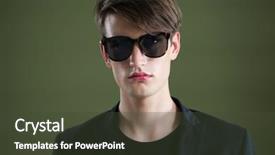
 Presentation with green - Cool new slides with gender identity - portrait of androgynous man backdrop and a tawny brown colored foreground

Portrait Androgynous Man Sunglasses Posing

The Corner Title template is a stunning solution for your presentation needs, featuring a handsome androgynous man in sunglasses posing against a rich dark olive green background that's perfect for making a statement. The 5 Year Calendar Timeline Layout slide offers a unique opportunity to visualize the progression of events and trends over time, from major historical milestones to contemporary social movements. This template is available as a downloadable file that can be easily integrated into your Google Slides presentation. As you begin using this Corner Title template, take note of its high resolution images for the background, which will provide a sleek and modern visual backdrop for your slides. The Dark Olive Green color palette is an excellent choice for creating a sophisticated yet approachable atmosphere, making it perfect for highlighting key points or featuring statistics on social issues. When designing with this template, remember that you can Incorporate a Background With subtle gradients to add depth and texture to your layout. Having a Theme of enhancing the visual appeal of each slide by adding unique illustrations or graphics can also make your presentation more engaging and memorable.

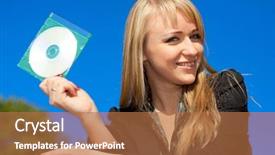
 Presentation with green - Presentation enhanced with holding cd in green cover background and a coral colored foreground

Blond Businesswoman Holding Cd Green

The art of creating eye catching presentations has never been more crucial than now, especially with the rise of technology and the abundance of data available. In this Corner Title template, we've crafted a design that seamlessly blends high end visuals with a dash of modern flair. This is not just another boring template it's a stunning representation of sophistication and professionalism that will leave your audience in awe. With its sleek and modern aesthetic, the Corner Title template is perfect for showcasing your brand's personality and style. The Dodger Blue color palette provides a classic yet modern look that will complement any design or presentation. This template is not just limited to business presentations it can also be used to feature stunning images of women in various settings. The compact format ensures that the details are clear, making it easy for your audience to follow along. The Who We Are Bio Layout slide provides a crucial foundation for the rest of the deck, setting the tone and context for your presentation. This is where you can showcase key information about your company or brand, including mission statements, values, and goals. The template's inclusion of high resolution images from around the world will provide a visually appealing backdrop for your slides. You'll have a theme of enhancing visual impact with stunning visuals that will leave your audience impressed. With 4 How To slides at the start of the deck to help you get up and running quickly, this template is an excellent starting point for any new presenter or designer looking to create professional looking content.

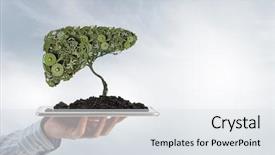
 Presentation with green - Beautiful PPT theme featuring growth engine - man presenting green concept backdrop and a sky blue colored foreground

Man Presenting Green Concept Tablet

The Corner Title is a stunning PowerPoint template that will elevate your presentations to new heights, transforming financial concepts into engaging visuals with its unique design and features. This template is specifically crafted for widescreen presentation sizes, featuring a high resolution image as the background, making it perfect for Google Slides. The Alice Blue color palette provides a soothing yet professional ambiance, while the Alice Blue theme of "Concept" perfectly complements the concept driven nature of this template. The Corner Title template includes four useful slides to help you get started quickly: A How To slide that covers all the essential steps, a Hexagon Layout slide for creating visually appealing diagrams and infographics, an Included background With slide that showcases various backgrounds featuring images, text, or illustrations, and an Enhanced With slide that adds advanced features such as animations and transitions. The template is also downloadable, compatible with Google Slides, making it easy to use this template in your presentations.

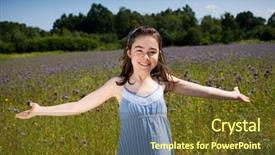
 Presentation with green - Presentation theme enhanced with free welcome - girl with open arms background and a tawny brown colored foreground

Girl Open Arms Against Green

As you step into the serene world of Corner Title, you're transported to a lush green meadow where beauty and freshness reign supreme. The vibrant steel blue color palette that sets the tone for this template is both striking and calming, inviting you to relax and unwind. This is not just another design, but an invitation to explore the possibilities that await within its borders. Corner Title is perfect for creating stunning presentations that exude youthfulness and charm. With its horizontal orientation, it's ideal for showcasing your content in a clean and modern way. The 5 Year Calendar Timeline Layout slide provides a beautiful canvas for you to present your ideas, goals, and milestones in a clear and concise manner. As you explore the template, you'll notice that high resolution images of gorgeous landscapes and nature scenes are featured throughout. These stunning backgrounds will help set the tone for your presentation, adding a touch of elegance and sophistication. You can choose from various keywords like "beauty", "freshness", "youthfulness" to enhance the overall visual appeal of your presentation. The Steel Blue color palette is versatile enough to be used in conjunction with other themes or backgrounds, making it easy to incorporate into your Google Slides presentation. With Corner Title, you're not just getting a template you're getting a blank canvas that's waiting for your unique touch and creative expression.

 Presentation with green - Slides having closeup macro of green grasshopper background and a gray colored foreground

Closeup Macro Green Grasshopper Looking

Get ready to unleash your creativity with Corner Title, a mesmerizing widescreen template that brings life to any presentation. Its vibrant lime green color palette is sure to grab attention and set the tone for an engaging visual experience. This stunning template features high resolution images of lively locusts, massive beasts, and dynamic antennae, blending seamlessly into its Widescreen format. The result is a captivating background that perfectly complements your presentation's message. Whether you're looking to enhance your slides with a unique theme or add some flair to your existing designs, Corner Title is the perfect choice. To get started quickly, Corner Title features 4 essential How To slides that will help you kick start your project. These expertly crafted slides provide valuable guidance on how to incorporate high quality images into your template, making it easy to create a professional grade presentation. The theme of these slides is solidified by the Enhanced With feature, which allows users to customize their designs with ease. The 5 P's of Marketing Diagram Layout slide are also perfectly integrated within Corner Title, offering a comprehensive framework for creating visually appealing and effective marketing materials. Featuring high resolution images of nature elements, this slide provides valuable inspiration for designers looking to create engaging graphics that capture the attention of their audience. Including a Background With feature allows users to easily add a gradient or shadow effect to their backgrounds, while Having a Theme of enhances the overall aesthetic of their designs with a consistent color palette and typography. Corner Title is compatible with Google Slides and can be downloaded for offline use, making it an ideal choice for presentations that require stability and reliability. Its compatibility with Widescreen format ensures that your presentation looks stunning on any device, from laptops to tablets.

 Presentation with green - Presentation design consisting of student in front of green background and a wine colored foreground

Graduate Student Front Green Board

As you begin your academic journey, you're likely to find yourself juggling a multitude of tasks, from coursework to research projects. A well designed template can be the perfect accompaniment to help you stay organized and focused. The Corner Title design is tailored to showcase your academic pursuits in style, featuring a warm and inviting tone that sets the tone for a professional yet approachable look. With its Dark Slate Gray color palette, this template provides the perfect backdrop for highlighting your achievements. At widescreen resolution, the Corner Title template presents itself with elegance and sophistication. Featuring a beautiful green board as the central element, this design is sure to bring a touch of academic flair to any presentation or poster. The background image adds depth and dimensionality, providing a visually appealing foundation for showcasing your work. By including a gown icon in the corner, you can easily reference your academic attire on the go. The template's Compatibility with Google Slides ensures seamless integration into your existing workflow. Whether you're creating presentations for classes or sharing research findings, this design is sure to enhance your presentation and make it stand out from the crowd. Have a theme of highlighting student achievements, featuring images of professors and peers, and including a Call to Action slide to encourage collaboration. The Corner Title template comes with four How To slides that offer valuable guidance on getting started quickly, making it easy for you to jump into your academic pursuits without any unnecessary hassle.

 Presentation with green - Slide deck having year 2016 reflection - business people against green vignette background and a  colored foreground

Business People Against Green Vignette

Imagine a businesswoman standing confidently against a rich brown backdrop, her eyes fixed on the horizon as she navigates through a sea of possibilities. The scene is set against a captivating background that showcases high resolution images featuring women in careers that are truly inspiring. The vignette effect gives the image a sense of depth and dimensionality, drawing the viewer's attention to the protagonist. The Corner Title template is designed for widescreen presentations with a brown color palette that evokes warmth and professionalism. This theme is perfect for showcasing career aspirations and highlighting the importance of self improvement. The mirror like reflections in the vignette add an air of sophistication, while the inclusion of a background image featuring a woman in her element reinforces this theme. When it comes to features and enhancements, this template is packed with them. From the high resolution images to the customizable backgrounds, everything is designed to make your presentation stand out. The Our Crystal Clear Goal slide showcases your brand's mission and vision, giving you a clear direction for your future projects. This template is also compatible with Google Slides, making it easy to integrate into your workflow. Having a theme of career development and self improvement makes this template an ideal choice for professionals looking to showcase their accomplishments. The 4 How To slides at the start of the deck help you get up and running quickly, providing valuable insights into the world of business and inspiration for creating engaging presentations.

 Presentation with green - Colorful presentation theme enhanced with businessman in ecological green concept backdrop and a ocean colored foreground

Businessman Ecological Green Concept

In the heart of a bustling city, a stark contrast emerges when looking at a typical business landscape, where green spaces and wildlife coexist with polluted environments. This striking image serves as the inspiration behind Corner Title, a powerpoint template that offers an innovative approach to branding and presentation. Corner Title is designed for widescreen formats, providing users with the perfect canvas to showcase their message. The template features a dark slate gray color palette, which provides a sophisticated yet earthy tone that sets it apart from other designs. This unique aesthetic appeals to professionals who value elegance and professionalism. When paired with high resolution images of nature, such as forests or urban landscapes at sunset, Corner Title transforms into a visually striking presentation piece. For instance, the image above could be used to create a signpost slide that highlights the importance of eco friendly practices in business. The template is available for download on Google Slides and is compatible with various file formats, making it easy to incorporate into presentations. By incorporating this stunning template into your daily routine, you'll make a lasting impression and convey a message that resonates with audiences.

 Presentation with green - Presentation theme consisting of year 2016 reflection - business people against green vignette background and a  colored foreground

Business People Against Green Vignette

The world of career development has long been dominated by traditional images and themes that reflect a bygone era. But what if we flipped the script, creating a template that not only presents a fresh perspective but also incorporates high resolution images to bring it all to life? Introducing Split Title, a widescreen template design featuring a dark sea green color palette that exudes sophistication and elegance. This dramatic contrast will set the tone for any presentation or marketing material. The template is perfectly suited for showcasing career aspirations with a mirror like effect on the background, creating an intriguing visual connection between the subject matter and the environment. The vignette effect adds depth and dimensionality to the design, making it more engaging and immersive. This theme driven approach ensures that your content stands out from the crowd. One of the standout features of Split Title is its compatibility with Google Slides, allowing you to easily customize and enhance your presentation without requiring any coding knowledge. Featuring a simple yet effective layout, this template includes included backgrounds with various design elements, making it easy to incorporate into your slideshows. Having a theme of precision cut graphics, each element in the design adds to its overall visual cohesion. Enhanced with 4 How To slides, you'll get started quickly and effectively on creating engaging presentations that capture audiences' attention.

 Presentation with green - Beautiful slide set featuring faroese houses with green roof backdrop and a light blue colored foreground

Typical Faroese Houses Green Roofs

Imagine standing in front of a picturesque Faroese village, surrounded by lush green roofs and the warm glow of a sunset, as the majestic mountains rise up in the background. This serene and idyllic scene is captured perfectly by the stunning images on display. Our template design is Short Title Widescreen, featuring a beautiful light sky blue color palette that evokes feelings of calmness and serenity. The high resolution images for the background will transport you to the picturesque landscapes of the Faroe Islands, making it easy to enhance your presentation with authentic Faroese scenery. The Light Sky Blue theme is perfect for Nordic inspired presentations, as it provides a clean and crisp look that complements the region's distinctive architecture and natural beauty. The Faroese houses with green roofs in a scenic sunset scene will be Featured prominently on this template, showcasing their unique character and charm. This template is Ideal For Including A Background With stunning high resolution images, having a theme of capturing authentic Nordic landscapes, Enhanced With detailed architectural features, and showcasing the region's natural beauty. Our template also Includes 5 x 5 Org Chart Layout, which provides a clear visual representation of organizational structures, making it easy to communicate complex ideas in an efficient manner. With this WidescreenTemplate, you can create visually stunning presentations that showcase your brand's identity and style. The 4 How To slides at the start of the deck will help you get up and running quickly, saving you valuable time and effort.

 Presentation with green - Slides enhanced with smile professional life - happy woman presenting background and a  colored foreground

Happy Woman Presenting Against Green

The Corner Title PowerPoint template is a stunning studio style presentation that exudes creativity and professionalism. This high resolution Widescreen template features a bright and cheerful Yellow Green color palette that perfectly captures the essence of beauty and career aspirations. Imagine standing in front of a stunning green background, surrounded by vibrant high resolution images that showcase inspiring moments from your personal or professional journey. The Corner Title template is designed to help you present yourself in a confident and radiant way, with its sleek and modern design elements that are sure to make a lasting impression on your audience. This template is perfect for creating engaging presentations that include a background with a stunning image of a studio, featuring high quality visuals that highlight the beauty of career success. The In Summary Layout slide can be customized to feature a brief overview of what you're about to share, and it's included in this template so you can save time and focus on delivering your message. The Corner Title template is downloadable and compatible with Google Slides, making it easy to present yourself to your audience. And the best part? It's enhanced with inspiring words from the template's In Summary Layout slide, adding an extra layer of motivation and confidence to your presentation.

 Presentation with green - Slide deck having plasticine background plasticine banner dialog background and a  colored foreground

Green Background Plasticine Background Plasticine

As you open the Corner Title PowerPoint template provided by CrystalGraphics, you are greeted with a bright and cheerful background that sets the tone for an engaging educational presentation. The high resolution image of a smiling plasticine character waves at the top of the screen, followed by a banner that reads "Happy Birthday" in bold, golden lettering. The plasticine banner is surrounded by dialog clouds that add to the playful atmosphere. The background itself is a warm light goldenrod yellow color that invites viewers to get creative. The template's design name Corner Title perfectly captures its theme of being a central piece of any presentation, featuring a strong visual presence that draws attention and sets the stage for what's to come. This template is specifically designed with an educational focus in mind, incorporating keywords like "birthday", "play", and "symbol" to cater to various subjects such as high school classes or birthday parties. The Light Goldenrod Yellow color palette provides a clean and sophisticated backdrop for your content, ensuring that the visuals remain consistent throughout the presentation. The entire template is downloadable and compatible with Google Slides, making it easy to adapt to different platforms and devices. As you explore this template further, you'll notice four key slides at the start of the deck: an introduction slide, a title slide, a social media concept layout slide, and a showcasing examples slide. Each of these slides is carefully crafted to provide valuable information and spark curiosity in potential users. The introduction slide could include a link to a related blog post or video to further enhance engagement.

▼Key features of this template

  • They are compatible with both PowerPoint and Google Slides running on either Windows PCs or Macs.

  • They are available in both standard and widescreen slide formats. You can choose your preferred format by clicking on the "Widescreen" check box or icon.

  • Each template includes a beautiful high-resolution background image or video to visually reinforce the theme of your presentation.

  • In addition, each template includes designer-created graphics and modern fonts to give your presentations an up-to-date, professional look.

  • Each template's default design and title text position have been carefully selected to complement its background without covering faces or other key elements.

  • All text includes backdrops whose transparency level is mathematically calculated to maximize text readability while still allowing the background to be seen.

  • And all the text, text backdrops and graphics in every slide are colored with a palette designed to beautifully complement the colors in the background.

  • Our Premium templates (those with the descriptor “Premium” in their subtitle) include over 64 slide layouts to give you maximum flexibility as you create your presentations.

    • Those layouts are available to you whenever you create a new slide or when you want to change the layout of an existing slide.
    • They include everything you need to make all sorts of presentations. In addition to the layouts for the title slide and the usual title and content slide, they include many other layouts for slide types including table of contents slides, org charts, charts, diagrams, infographics, photo slides, thank you slides and more.
    • While creating these layouts our template designers have ensured that all text in every layout adjusts as gracefully as possible to various numbers of words.
  • Customizable templates (those with the descriptor “Customizable” in their subtitle) may be easily modified online before you download them.

    • To modify them, simply click on the pencil editing icon, then select your choice of ready to go designs and title text positions.
    • The editing tool also makes it easy to reposition and scale the background image or video to best suit your needs.

▼FAQs

Please review these FAQs to see if your question is answered. Contact us for more info

  • What is a PowerPoint template?

    • A well designed PowerPoint template is a file that can tell PowerPoint how to make your ordinary templates look extraordinary. They won’t change what your words or numbers say. But they might change their size, color, font and placement. And, overall, they can give your presentations a professionally-designed look that will give your content more credibility and give you more confidence.
  • How many PowerPoint templates do you offer?

    • We have over 32,000 artist-created presentation templates in our PowerPlugs collection With a subscription, PowerPlugs templates are easy to download. Just sign in, find a template and click on the green Download button. ready for you to download. That alone offers you more variety to choose from than any of our competitors can offer. And, as if that weren’t enough, we also offer over 6 million templates in our Crystal collection. Crystal brand templates are our line of templates that have customization options. They have the word "CRYSTAL" on their web page images. You can customize several aspects of the templates. These templates include high-resolution background images from Shutterstock’s vast image collection matched up with artist-created presentation designs customized by our own proprietary AI software.
  • How many templates can I download as a subscriber?

    • You can download an unlimited number of PowerPlugs-brand With a subscription, PowerPlugs templates are easy to download. Just sign in, find a template and click on the green Download button. templates every day for an entire year. (Actually, by default, we set a limit of 25 templates per day to prevent our competitors from stealing our templates. But, if that is not enough, just let us know and we’ll try to accommodate you.) On top of that, with a subscription or an Ultimate Combo, you can also download any 50 Crystal-brand Crystal brand templates are our line of templates that have customization options. They have the word "CRYSTAL" on their web page images. You can customize several aspects of the templates. templates per year selected from our huge Crystal collection. Crystal brand templates are our line of templates that have customization options. They have the word "CRYSTAL" on their web page images. You can customize several aspects of the templates. .
  • Why should I choose your templates instead of the competition’s?

    • We’ve got a larger selection of professionally-designed PowerPoint templates than anyone else in the world.
    • Each template includes a high-resolution background image or video to visually inspire your audiences while reinforcing your message.
    • Each template includes 64 slide layouts to give you maximum flexibility as you create your presentations.
    • Our templates are available in both standard and widescreen slide formats. And our website lets you preview the slides each way.
    • Our free Template Finder™ plugin lets subscribers select and - with a single click - download and insert our templates into their presentations right from within PowerPoint.
    • We’ve been creating designer presentation templates for over 20 years. During that time we’ve won several awards and 5-star ratings for product quality. See About Us for more.
  • Do you offer a money-back guarantee?

    • Yes we do! We offer full 30-day money-back guarantee if you are not 100% satisfied with your purchase.
  • Can I still use my downloaded templates after my subscription runs out?

    • Yes. After your subscription expires, you won't lose any rights or ability to use your PowerPlugs: Templates for PowerPoint. You won't be able to download any new non-watermarked templates. But the non-watermarked templates you've already downloaded will still work and you can still use them as before.
  • Can I share my downloaded templates or passwords with friends or coworkers?

    • Sorry but no. You are authorized to download each paid-for template to up to 3 of your personal devices and to use the templates you download in as many presentations as you want. But you are not authorized to share the templates, themselves, with others. That said, we do offer highly discounted site licenses to suit the needs of both small and large teams. Just tell us your needs and we’ll give you a quote!
  • System requirements:

    • The templates use the standard POTX format. So they are compatible with Google Slides and all PC, Mac and mobile devices running any version of PowerPoint from PowerPoint 2007 up through and including Office 365 desktop.
    • Please note: Google Slides does not currently support background videos. It treats them as still images.
    • For PowerPoint for the Web, first open your template into a desktop version of PowerPoint, then save it back out as a PPTX file. Then you can open that in PowerPoint for the Web.
  • End user license agreement:

    • Click here to view.
  • How will I get my purchased templates?

    • You may download your selected templates as soon as your payment is received by PayPal. If you purchased an individual template, you will be provided with a download link both onscreen and via email. Just click on that link to begin the download process. If you purchased a subscription, you will receive an email containing a password to use along with your email address to sign in to any of the templates pages on CrystalGraphics.com. Once you are signed in, you can immediately start downloading your selected templates.
  • How do I use my templates after I download them?

    • You can either open a template to start a new presentation or you can add a template to an existing presentation. To open a template, just double click on it or use PowerPoint's File > Open tool. To add a template to an existing presentation, on the Design tab, in the Themes group, click Browse for Themes... then browse to select your template.

View more green templates:

previous 1 2 3 4 5 6 7 8 9 10 11 12 13 14 15 16 17 18 19 20 21 22 23 24 25 26 27 28 29 30 next
Categories related to Green:
Abstract Algae Apple Apples Beautiful Beauty Botanical Building Chalkboard Circles City Color Curtain Dark Development Energy Fashion Finance Foliage Glass Glitter Globe Go Going Hills House Lagoon Lake Lawn Leaf Leaves Life Lights Lines Meditation Morning Mountains Nature Notebook Office Olive Papaya Pastures Planet Plate Plug Power Puzzle Relaxation Ribbon Roof Screen Seaweed Shadow Simple Travel Tree Trophy Urban Waves White
93% of Fortune 1000
companies use our
PowerPoint Products
Templates Secure

Standing Ovation Award
Winner: Best PowerPoint
Template Collection
Fortune Logos
200,000+ satisfied
customers worldwide!
Guarantee
100% satisfaction guaranteed
- or send it back for a refund!

Sign up for our free newsletter! You'll get news about our PowerPoint-enhancing product line – including free updates, new product announcements and exclusive special offers. Plus you'll get a link to a free PowerPoint template with every newsletter you receive.
Privacy Policy
Loading...


Help

Contact Us
Product FAQs
Product License Agreements

Company Info

About Us
Privacy Policy
CrystalGraphics, Inc. 1999 S. Bascom Avenue Suite 700 Campbell, CA 95008 USA
© 2026 CrystalGraphics, Inc. All rights Reserved.    |     PowerPlugs is a trademark of CrystalGraphics, Inc.
Microsoft and the PowerPoint logo are trademarks or registered trademarks of Microsoft Corporation in the United States and/or other countries.
Loading...
Loading...