www.crystalgraphics.com CrystalGraphics
  • Ultimate Combo
  • Templates
  • Diagrams
  • Characters
  • Quizzes
  • shopping cart
  • Sign Out Sign Out Sign In
Home > Templates > Hail Category
search icon
advanced icon

51 Best Hail-Themed Templates for PowerPoint and Google Slides

CrystalGraphics creates templates designed to make even average presentations look incredible. Below you’ll see thumbnail sized previews of the title slides of a few of our 51 best hail templates for PowerPoint and Google Slides. The text you’ll see in in those slides is just example text. The hail-related image or video you’ll see in the background of each title slide is designed to help you set the stage for your hail-related topics and it is included with that template. In addition to the title slides, each of our templates comes with 17 additional slide layouts that you can use to create an unlimited number of presentation slides with your own added text and images. And every template is available in both widescreen and standard formats. With over 6 million presentation templates available for you to choose from, CrystalGraphics is the award-winning provider of the world’s largest collection of templates for PowerPoint and Google Slides. So, take your time and look around. You’ll like what you see! Whether you want 1 great template or an ongoing subscription, we've got affordable purchasing options and 24/7 download access to fit your needs. Thanks to our unbeatable combination of quality, selection and unique customization options, CrystalGraphics is the company you can count on for your presentation enhancement needs. Just ask any of our thousands of satisfied customers from virtually every leading company around the world. They love our products. We think you will, too!

Features & Pricing

Widescreen (16:9) Presentation Templates. Change size...
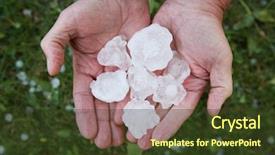
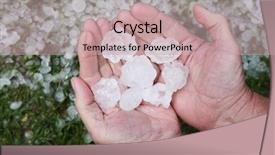
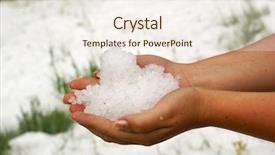
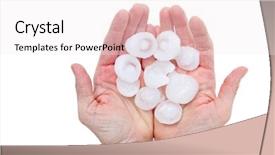
 Presentation with hail - Presentation theme consisting of meteorology - hail in hands after hailstorm background and a soft green colored foreground

Hail Hands Hailstorm

The stormy weather outside has left us with nothing but destruction in its wake, and now we need to tackle the aftermath. The sound of hail pounding against the walls can be quite terrifying, especially when it comes to insurance claims. The financial burden of damage to our property can be overwhelming, leaving many of us feeling helpless. But fear not, for this is where Corner Title comes in a powerful template designed to take your presentation on a thrilling ride through the ups and downs of dealing with insurance companies. This stunning Widescreen template features high resolution images that will leave your audience speechless, showcasing breathtaking shots of devastation and recovery. The Crimson color palette adds a sense of drama and intensity, perfectly capturing the chaos of the storm. From the sleek, modern design to the dramatic hand drawn elements, Corner Title is sure to make a statement. With its comprehensive template features, including 4 How To slides at the start of the deck to help you get up and running quickly, you'll be well on your way to delivering a presentation that leaves your audience impressed. The AIDA Block Layout slide, featuring a powerful headline and compelling visuals, will grab attention and draw in your viewers. But don't just take our word for it imagine this stunning template as the perfect backdrop for showcasing your insurance company's services, including a background with a dramatic landscape of devastation and recovery, having a theme of enhancing the user experience, and featuring high quality images that will leave your audience wanting more. In addition to its striking design elements, Corner Title is also available in Google Slides format, making it easy to customize and adapt for your specific needs. Whether you're looking to create a professional presentation or a compelling marketing campaign, this template has got you covered. So why settle for an ordinary presentation when you can have an extraordinary one with Corner Title?

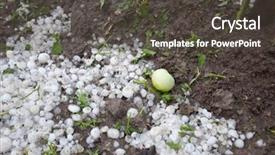
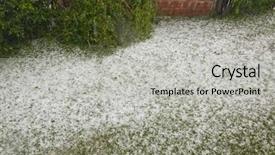
 Presentation with hail - Slide deck having disaster - hail in grass after hailstorm background and a light blue colored foreground

Hail Grass Hailstorm

The iconic scene of hail storm bringing destruction to a yard, with balls flying through the air and debris scattered everywhere. As the storm subsides, the aftermath is revealed: trees damaged, fences broken, and roofs torn off. The once green grass now lies crumpled and brown, a stark reminder of the damage that can be done. The Wide Title "Damage in the Yard" shines brightly in light steel blue, setting the tone for a powerful presentation. This template format Widescreen offers crisp and clear visuals, making it perfect for showcasing images high resolution, creating an immersive experience for your audience. The Light Steel Blue color palette adds a touch of sophistication and calmness to the overall design. The Wide Title is just one aspect of this sleek template, which also includes keywords like "insurance", "damage", "yard", "balls", and "pile". These terms are carefully curated to provide valuable context for your presentation. The 4 How To slides at the start of the deck will help you get up and running quickly, featuring a background with an image of a high traffic area, such as a front porch or driveway. Each slide includes arrows pointing to key steps in the process, making it easy for your audience to follow along. The template is downloadable and compatible with Google Slides, ensuring seamless integration into your presentation workflow. With its enhanced theme of "Damaged Property" and included background images featuring various objects damaged during a storm, this template is perfect for insurance professionals or anyone looking to showcase property damage.

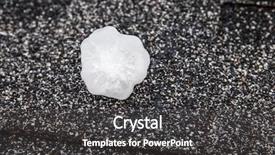
 Presentation with hail - Slide deck having hail in on roof background and a dark gray colored foreground

Hail Roof Hailstorm

In a world where golf balls and insurance companies have joined forces to create the ultimate game of destruction, featuring high resolution images of hailstorms on their logos and backdrops, you'll need a template that can withstand the impact. The Wide Title design is specifically crafted for widescreen presentations, providing an expansive canvas for showcasing your content with ease. This 16:9 aspect ratio ensures a seamless viewing experience across various devices, from smart TVs to large screens. The Steel Blue color palette provides a sophisticated and professional foundation for your presentation, perfect for conveying a sense of trust and reliability. The uniform tone will also help to reinforce the theme of insurance damage, ensuring that your audience is familiar with the "safe" language used in this context. This template includes four How To slides at the start of the deck, designed to get you up and running quickly. The AIDA Block Layout slide takes center stage, featuring a striking background image of an ice rink during a stormy night. This visually engaging element will capture your audience's attention and set the tone for the presentation. On this template, you'll find that it seamlessly integrates with Google Slides, offering enhanced functionality with each click. Having a theme of "Golf Ball Insurance Storms" makes sense – after all, damage to golf balls can have serious consequences for insurance companies! Featuring high quality images, including a dramatic shot of a golf ball being hit into the air during a hailstorm, this template is sure to impress your audience.

 Presentation with hail - PPT layouts with hail in hands after hailstorm background and a tawny brown colored foreground

Hail Hands Hailstorm

In the midst of a stormy world where destruction and chaos reign supreme, you need a template that can withstand the impact. Introducing Corner Title, a powerpoint template that features a design name inspired by nature's fury, with high resolution images for the background that will transport you to a dramatic scene of a hailstorm. With Crimson as its primary color palette, this template is not just about aesthetics but also about creating an immersive experience for your audience. Featuring a bold and striking color scheme, Corner Title is sure to grab attention and leave a lasting impression. Having a theme of destruction and chaos, it's the perfect fit for presentations that require a dramatic tone. The template format is Widescreen, ensuring that you can display all the elements with ease and precision. With 4 How To slides at the start of the deck to help you get up and running quickly, you'll be able to dive straight into creating stunning content. One example of what Corner Title could be used for is a presentation on disaster management, where it's featured as the background for an engaging image of a ruined landscape. Having a theme of destruction and chaos, this template enhances your message by emphasizing the importance of effective disaster response. With Enhanced With graphics and animations, you can add a dynamic touch to your presentation, making it more engaging and memorable for your audience. The 5 Year Calendar Timeline Layout slide is also included in the template, providing a clear and concise visual representation of a year. This layout allows you to easily view the progression of events over time, helping to illustrate key milestones and achievements. Featuring a clear design with prominent labels, this layout is perfect for creating informative and engaging presentations.

 Presentation with hail - Cool new presentation theme with a field after storm backdrop and a dark gray colored foreground

Flooded Plants Field Storms

In the midst of a devastating storm, a field lies awash with flooded crops, their roots rotting in the saturated soil as far as the eye can see. The once lush vegetation now stands waterlogged and lifeless, a stark reminder of the damage that nature's fury can inflict. The Wide Title template is designed to convey a sense of drama and foreboding, its dark olive green color palette evoking feelings of gloom and unease. This Widescreen template features high resolution images for the background, providing a visually striking backdrop for your presentation. The template's keywords damage, harm, insured, corn, crops will serve as a powerful reminder to your audience of the importance of crop insurance. The template is downloadable and compatible with Google Slides, allowing you to create a seamless experience for your viewers. To enhance the overall look and feel, consider featuring high resolution images or including a background with a subtle texture that adds depth to your presentation. Having a theme of showcasing agricultural damage can be particularly effective in this context, as it taps into the viewer's emotions and creates a sense of empathy. As you begin your presentation, take advantage of the four How To slides at the start to get up and running quickly. However, don't worry these slides will provide all the necessary guidance to help you navigate your presentation smoothly. The Growth Layout slide could be designed to showcase a single image or video that sets the tone for the rest of the presentation, while also providing an opportunity for additional visuals and graphics.

 Presentation with hail - Slides consisting of hail - big storm green road sign background and a light blue colored foreground

Storm Green Road Sign Dramatic

The template is a visually striking Widescreen presentation with a bold Steel Blue background that will grab your audience's attention from the very first slide. It's designed to be an effective signpost for your ideas, featuring high resolution images of dramatic storm clouds and a strong, bad idea sign that's sure to make a statement. The template format is customizable with a wide screen aspect ratio, making it perfect for displaying large images or videos on your slides. This means you can enhance the visuals further by incorporating background images or adding animations, if desired. The Steel Blue color palette provides a clean and professional look, allowing you to have a theme of minimalism when not using specific design elements like clouds and signs. And with the Managed Process Layout feature, you can easily organize your content into clear sections and sub slides. In this template, you'll notice that high resolution images are used throughout to create visual interest and depth. Featuring dramatic storm clouds as the centerpiece, these images will be sure to evoke emotions and convey a sense of intensity. Including a background with a subtle gradient effect adds an extra layer of sophistication, making this template enhanced with features like dynamic transitions and animations. You can use this template as a starting point to create engaging presentations that showcase your ideas or concepts, whether you're sharing news, launching a new product, or simply presenting your work to colleagues. With four easy to follow slides at the start of the deck to help you get up and running quickly, you'll be off to a strong foundation in no time. Having a theme of flexibility when not using specific design elements like clouds and signs means this template can seamlessly adapt to any industry or topic, making it a great choice for creatives who want to express themselves through visual storytelling.

 Presentation with hail - Cool new PPT theme with disaster - hail in hands after hailstorm backdrop and a tawny brown colored foreground

Hail Hands Hailstorm

As you begin your presentation on insurance and damage, imagine yourself standing amidst a hailstorm, shielded by strong arms, as if holding onto the safety of the game. The image is evocative, conveying a sense of resilience and protection. This Corner Title template is designed to be attention grabbing, with a Widescreen format that showcases high resolution images. The Pale Violet Red Colored palette provides a clean, professional look, complemented by subtle texture overlays to add depth and visual interest. The keywords insurance, damage, yard, hands, balls are carefully chosen to provide context for the subject matter. The template is downloadable and compatible with Google Slides, making it easy to incorporate into your presentation. A featured background image featuring a damaged vehicle or a torn roof would make an excellent addition to this slide, as it instantly conveys the theme of damage. With a Growth Stages Layout, we can break down the content into manageable chunks. For instance, the "Getting Started" slide could include images of people working together to repair a broken fence, while the "Tips and Tricks" section might feature short videos showcasing home maintenance techniques. This approach allows for easy navigation and engagement. The template also includes an Enhanced With option including a background with subtle stormy weather effects which adds visual interest without overpowering the text. Having a theme of, enhanced with images and colors that represent insurance services would make this template stand out in any presentation.

 Presentation with hail - Presentation consisting of hail in on roof background and a dark gray colored foreground

Hail Roof Hailstorm

As you step out onto the golf course after a hailstorm, the sound of crashing balls and the sight of ice covered greens take your breath away. The sky is a deep shade of royal blue, with clouds that seem to be made of the same material as the golf balls scattered across the fairway. You can almost feel the rush of adrenaline as you prepare for a round of golf, but first, let's get started on creating a stunning presentation that will leave your audience in awe. The Wide Title template is designed to make a statement, with its bold and eye catching font that reads "Hail in on roof after hailstorm". The royal blue color palette is the perfect choice for this theme, evoking feelings of luxury and sophistication. The high resolution images used as backgrounds will transport your audience to a world of golfing paradise. The template is compatible with Google Slides and can be easily downloaded and installed. With its four How To slides at the start of the deck, you'll be able to get up and running quickly and efficiently. But don't worry, we won't leave you hanging our Quotation Layout slide will feature a beautiful image of golf balls scattered across a green, with a quote that reads "Golf is not just a game, it's a way of life". This slide will have a theme of "Golf as an Art Form" and include a background with a subtle texture to give it a more realistic feel. The template is enhanced with additional features such as including a Background With a 3D effect, having a Theme of Golfing in the Desert, and Featuring high resolution images. It's the perfect solution for anyone looking to create a stunning presentation that will leave their audience speechless.

 Presentation with hail - Slides enhanced with hail on roof after hailstorm background and a dark gray colored foreground

Hail Roof Hailstorm

The scene unfolds like a dramatic painting on canvas Hail storm ravaging the roof after hail. The sun sets behind a backdrop of dark clouds, as if being swallowed by their own fury. In this intense moment, four life or death situations come into play: a pellet hurtling towards a golf ball, damage to property, insurance claims, and emergency response teams racing against time to save lives. This is where the crisis hits home like a stone tossed across a calm lake, its impact felt throughout the community. Imagine it a high resolution image of the scene on screen, with water droplets suspended in mid air, as if captured by a helicopter hovering above the chaos. The Wide Title "Wide Title" dominates the background, taking center stage amidst swirling clouds and splintered wood shavings. The Widescreen format brings this dramatic moment to life, showcasing the full extent of damage caused by this intense storm. Royal blue hues dominate the palette, evoking feelings of luxury and power. This theme is enhanced with images of high end golf courses and luxury hotels, which could serve as a backdrop for insurance claims presentations or safety demonstrations. A slide titled "Insurance" takes center stage, Featuring an image of a person reviewing their policy, amidst logos of top insurance companies. The Content Layout slide would include images of various damage scenes, each with captions providing context and details about the situation. For example, "Pellet: Inflated golf ball hit by pellets, causing damage to surrounding structures" such as an image of a golf course destroyed by flying balls. As for how to get started, the template comes with four easy to use How To slides that help you navigate the process quickly and efficiently.

 Presentation with hail - Theme enhanced with hail background and a sky blue colored foreground

Hail

As you step into the icy landscape of a future where nature is the ultimate boss, get ready to unleash your creativity with CrystalGraphics' stunning Peru template. This powerpoint masterpiece takes you on an unforgettable journey as it brings the elements together in perfect harmony, featuring high resolution images that will leave you breathless. The Widescreen format is perfectly suited for showcasing the 3x3 Org Chart Layout slide, which includes key team members, their roles, and responsibilities. You can have a theme of "Company Mission" or simply feature an illustration of your company's logo in the center, surrounded by smaller icons representing different departments. The image will be rendered in crisp detail, making it easy to incorporate into your presentation. The Peru template color palette is a unique blend of warm and cool tones that evoke the feeling of ice and snow. From the deep blues and greens to the golden yellows, this palette is sure to captivate your audience's imagination. With its high resolution images, you can include a background with a subtle gradient effect or have a theme of "Nature's Beauty" where the sky is a vibrant blue and the sun shines down, creating a warm atmosphere. To enhance your presentation further, featuring a Background With option would allow you to customize the image size and position on each slide. Including a Background With feature also gives you the flexibility to add animations or transitions between slides for added visual interest. The template is downloadable and compatible with Google Slides, making it easy to import into your preferred tool. You can enhance this template by adding more images, shapes, and animations to create an engaging presentation that will leave a lasting impression on your audience.

 Presentation with hail - Slide deck consisting of hail storm make damag background and a dark gray colored foreground

Hail Storm Make Damag Garden

The storm is coming, and so are the devastating consequences. Hail Storm make damag in garden Weather Storm Disaster. The Wide Title template designed by CrystalGraphics features a dramatic and attention grabbing design that perfectly captures the essence of a powerful hail storm. The Widescreen format ensures that your slides are optimized for large screen displays, making it easy to visualize the damage caused by the storm. The Siena color palette brings warmth to the frozen landscape of the garden, setting the tone for a visually appealing presentation. The insurance industry is taking notice of this template, as it includes relevant keywords such as "damage" and "cold". This will help potential clients find your presentation when searching online. The high resolution images in the background feature dramatic lighting effects that enhance the overall visual impact of the slides. For example, you could include a high quality image of a hail storm damaged tomato plant to illustrate the devastating consequences of the storm. This template is downloadable and compatible with Google Slides, making it easy to integrate into your existing presentation workflow. The theme of the template features a focus on disaster management and insurance, providing valuable context for your audience. By including high resolution images and relevant keywords, you can create a compelling narrative that drives home the importance of investing in insurance policies. The template also includes four How To slides at the start of the deck to help you get up and running quickly. These slides provide quick tips on how to customize the template, add your own content, and enhance its features. With this comprehensive design and customizable options, you can create a powerful and engaging presentation that leaves a lasting impression on your audience.

 Presentation with hail - Slide deck enhanced with modern-apple-orchard-with-protective background and a tawny brown colored foreground

Modern Apple Orchard Protective Nets

The world of creative entrepreneurship is filled with endless possibilities and opportunities to make a name for yourself. From the humble beginnings of a small fruit stand to the grandeur of a thriving industry, every step forward deserves to be celebrated with vibrant visuals that bring your brand to life. In this Split Title template, you'll find a stunning Widescreen design that perfectly captures the essence of rural innovation. The template features a beautiful background image of an olive grove, perfect for highlighting your product or service. The rich colors and subtle texture will transport your audience to a world of industry and sophistication. The color palette is carefully crafted to evoke a sense of warmth and approachability, with shades of olive green, golden brown, and rustic beige that seem to glow from within. These earthy tones are sure to appeal to a young and Caucasian audience, making them the perfect fit for your brand. As you explore this template, be sure to include high resolution images throughout to give your presentation a premium feel. And with its downloadable compatibility on Google Slides, you can ensure that your design is accessible to anyone with a computer or tablet. One of the standout features of Split Title is its Member Bio Layout, which allows you to showcase your team's personality and expertise in a visually appealing way. With just four slides to get started, you'll be able to highlight your most important members and their contributions to your business. For example, you could use Slide 2 to feature a photo of John, the CEO, with his arm around a young apprentice, while highlighting his vision for the company's growth and innovation. This template is not just about looks – it's also designed to enhance your message and engage your audience. By incorporating a background with a subtle texture that resembles a woven basket, you'll add depth and interest to your slides, making them stand out in a crowded presentation room. And when you're ready to take it to the next level, simply Having a Theme of "Industry Insights" will guide you through a series of engaging slides that showcase your expertise and thought leadership. Whether you're looking to launch a new product or service or simply want to update your existing brand, Split Title is the perfect template for you. With its stunning Widescreen design,

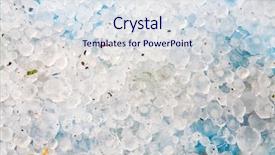
 Presentation with hail - Presentation theme enhanced with hail ice balls background and a sky blue colored foreground

Hail Ice Balls

In the frozen landscape of precipitation, ice balls swirl and twirl in mesmerizing dance moves, their crystalline structures glistening like diamonds against a backdrop of white clouds and icy blue skies. The scene is set for an unforgettable presentation with CrystalGraphics' Split Title template, designed to transport your audience to a world of high resolution images and precision crafted design. This Widescreen template features a sleek light steel blue color palette that evokes the feeling of ice and snow, perfect for creating a cohesive look throughout your presentation. The Split Title logo is displayed prominently at the top, featuring a stylized combination of words and icons that pay homage to the theme of ice and its many forms. The background images are high resolution and carefully curated to bring the scene to life, with detailed textures and vibrant colors that will leave your audience in awe. You can include a Background With slide, featuring an image of a frozen lake or waterfall, for added visual interest. The Signpost Layout slide is particularly useful here, as it allows you to easily organize your content and create a clear call to action. To enhance the overall design experience, CrystalGraphics' Split Title template includes features such as Featuring, Including a Background With, Having a Theme of ice, and Enhanced With, making it easy to customize and adapt to your specific needs. Whether you're presenting on caked architecture, precipitation patterns, or any other topic that requires an icy theme, this template is sure to deliver.

 Presentation with hail - Cool new slides with hail - summer storm disaster ice backdrop and a light gray colored foreground

Hail Summer Storm Disaster.

The storm is brewing, and the damage is already done but fear not, the insurance world needs heroes like you to help mitigate the effects. In this stunning Widescreen presentation, showcasing high resolution images to capture your audience's attention, you'll be featured as an expert in disaster management. With a color palette that shines bright with Yellow Green hues, you'll have everything you need to tackle the cold front of insurance claims and ice balled bureaucracy. The template is designed to look like it was ripped straight from the pages of a high stakes news broadcast, where the stakes are always high and the danger is real. The Wide Title feature stands out on the screen, its bold font and bright green background making it stand out as the main event. You'll have a theme of action packed drama, with each slide designed to convey the intensity of disaster scenarios. Take the Dart Layout slide for example showcasing 4 visuals in a row that tell a story of damage, ice, danger, and hope. This template is not just any template it's downloadable and compatible with Google Slides, making it easy to incorporate into your presentations without any compatibility issues. With its unique blend of inspiration from disaster scenarios, you'll be able to have a theme of Enhanced With elevating your presentation to the next level.

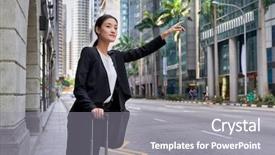
 Presentation with hail - PPT theme featuring hail - traveling asian chinese business woman background and a gray colored foreground

Traveling Asian Chinese Business Woman

As you sit in your favorite café sipping on a matcha latte and scrolling through social media, you start to envision the perfect image for your next presentation. Imagine yourself standing confidently in front of a bustling city street, a bright blue background that sets the tone for an inspiring conversation. The model is dressed in a crisp white blouse with high slits accentuating her curves, a sleek black skirt that highlights her toned legs, and a statement piece of jewelry that adds a touch of elegance to her overall look. The scene unfolds like a businesswoman getting into a taxi cab on a busy street she's calling for one, the driver is responding by pulling up beside her, and as they drive away, you can't help but feel a sense of excitement about what's to come. The high resolution images featured throughout this template will transport your audience to a vibrant cityscape, with bright lights reflecting off the pavement and neon signs illuminating the night. The Cornflower Blue color palette that dominates this design is sure to evoke feelings of calmness and serenity, while the text remains engaging and easy to read. The model's occupation and city setting provide plenty of opportunities for creative embellishments, such as bold graphics or subtle animations. For instance, you could add a background with an Asian inspired pattern featuring cherry blossoms or calligraphy style text that incorporates the words "Traveling Women" these elements would enhance the overall theme of female empowerment. This template is designed to deliver seamless visuals and easy to use functionality, making it perfect for Google Slides users. The Widescreen format ensures that your presentation looks great on large screens, while the compatibility features make it a versatile choice for different audiences.

 Presentation with hail - Presentation design consisting of hands holding hail background and a sky blue colored foreground

Hands Holding Hail

The Corner Title template is a stunning visual representation of powerpoint that instantly grabs the audience's attention with its dramatic stormy background and hands holding hail imagery. This design name perfectly captures the essence of a high energy presentation where your message should be just as captivating. Crafted in a widescreen format, the template features a silver color palette that adds a touch of sophistication to any setting. The theme is solid, conveying professionalism and reliability, making it perfect for damage related or natural disaster presentations. The 3 Pictures + Captions Layout slide will showcase four high resolution images combined with captivating captions, allowing users to enhance their understanding of complex topics by including visuals alongside text explanations. This layout is ideal for featuring key statistics, testimonials, or expert insights that complement the stormy background and hail imagery. As the template becomes a valuable resource, users can download it and customize it to fit their needs, making it compatible with Google Slides. The seamless integration of high resolution images and polished design ensures an immersive experience for your audience, enhancing your message with a natural theme. This thoughtful approach allows you to showcase the benefits of solid damage management techniques, all while conveying a sense of reliability and expertise featured in this template.

 Presentation with hail - Slide deck consisting of hail - summer storm disaster ice background and a light gray colored foreground

Hail Summer Storm Disaster.

The stormy weather is brewing, and with it comes the devastating consequences of damage to our precious resources. The icy grip of winter may seem like a distant memory, but its effects can still be felt in the form of destruction and chaos. As we navigate through the treacherous landscape of insurance claims, accidents, and disasters, it's essential to have a template that stands out from the rest. The Wide Title design is perfect for conveying the theme of disaster and damage, with its pale goldenrod color palette that evokes feelings of caution and warning. The high resolution images on the background will transport you to a world of icy landscapes and frozen bals, setting the tone for your presentation. This template is designed to be downloadable and compatible with Google Slides, making it easy to incorporate into your existing workflow. Featuring a bold and modern layout, it's perfect for showcasing key statistics and data in an engaging way. Including a background with a subtle texture will add depth and visual interest to your slides, while having a theme of enhanced visuals will take your presentation to the next level. The template is built on a Widescreen format, ensuring that all elements are perfectly proportioned and easy to read from across the screen. With four How To slides at the start of the deck, you'll be well on your way to getting up and running quickly, with features such as interactive links and animations adding an extra layer of interactivity. The Dart on Target Layout slide is a great example of how this template can be used to present complex data in an easy to understand format. By featuring key statistics and visualizations, you'll be able to convey the severity of the situation in a clear and concise manner. Having a theme of enhanced visuals will make

 Presentation with hail - Theme enhanced with storm - summer weather storm disaster background and a tawny brown colored foreground

Hail Make Damag Agricultural Field

As you navigate through the world of PowerPoint templates, there's one that truly stands out Split Title. This stunning design is a masterpiece of simplicity and elegance, perfectly capturing the essence of disaster and devastation in the midst of a chaotic scene. Featuring high resolution images for the background, Split Title is the perfect canvas to showcase your message, from the ravaged fields of corn to the frozen landscape. The template's Widescreen format ensures that every detail is preserved, making it an ideal choice for presentations that require a clear and concise visual identity. With its striking color palette of Olive hues, this template will leave your audience in awe. The seamless integration of insurance, damage, corn, cold, and ice keywords provides a thoughtful touch, suggesting the devastating consequences of these elements coming together. As you delve into the world of PowerPoint templates, Split Title is an invaluable addition to any collection. Its rich features include bold typography, carefully crafted arrow stages layout, and extensive background options, all perfectly complemented by having a theme of disaster management. Enhance your presentations with this awe inspiring template, featuring a beautiful example that showcases its unique capabilities imagine presenting a case study on the aftermath of a devastating storm, with Split Title serving as the perfect backdrop to convey the severity of the situation. To get started, feel free to download and customize Split Title for your own use. With Google Slides compatibility in mind, this template is sure to deliver a professional look that will leave your audience impressed.

 Presentation with hail - Presentation design having modern-apple-orchard-with-protective background and a light blue colored foreground

Modern Apple Orchard Protective Nets

This modern powerpoint template is perfect for showcasing the beauty of rural industry and the fruits of labor in a crisp and clean manner. The design name "Rustic Harvest" perfectly captures the essence of a young caucasian family working hard to bring forth their harvest. The template format is Widescreen, making it ideal for presenting high resolution images in stunning detail. The Cornflower Blue color palette provides a soothing and calming background that will enhance your presentation's professionalism. The Rural theme will feature a bright and cheerful apple orchard with protective nets against hail in spring. High resolution images of the scene will be included to give you a vivid sense of what this could look like. This template is designed to work seamlessly with Google Slides, making it easy to import and customize as needed. With 4 How To slides at the start of the deck, you'll have everything you need to get up and running quickly and efficiently. The Signpost Layout slide will feature a clear call to action, providing a focal point for your presentation. Imagine presenting this template on a rural farm backdrop, showcasing the fruits of your labor in all their glory. This could be a great way to engage your audience and highlight the importance of hard work and dedication.

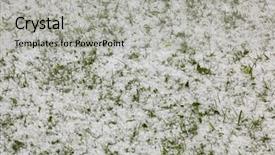
 Presentation with hail - Presentation theme consisting of graupel also called soft hail background and a violet colored foreground

Ground Covered Graupel Called Soft

Imagine standing in a winter wonderland scene where small Graupel, also called Soft hail, Snow pellets gently fall from the sky, creating a serene and peaceful atmosphere that's perfect for showcasing your brand's unique personality. Our Wide Title template is designed to capture this essence, featuring a warm and inviting color palette of Sienna hues that evoke feelings of coziness and comfort. The Widescreen format ensures that every detail is showcased in stunning high resolution, making it ideal for presentations that require maximum visual impact. The template's design name, Wide Title, perfectly captures the theme of showcasing your brand's unique personality through a wide range of creative elements. This template includes four How To slides to help you get up and running quickly, but don't worry, we won't reveal them just yet. Our Crystal Clear Goal slide is where it all starts, featuring a clear and concise message that sets the tone for your entire presentation. This slide can be used as a starting point for any topic, whether it's launching a new product or sharing an inspiring story. The template includes a Background With feature, allowing you to easily add high resolution images of snow covered landscapes, frosty windows, or even a cozy fireplace to enhance the overall atmosphere. Having a Theme of, Including a Background With, and Enhanced With are all key elements that make this template truly unique. In terms of compatibility, our Wide Title template is designed to work seamlessly with Google Slides, making it easy to import and customize as needed.

 Presentation with hail - Cool new PPT theme with large-tornadic-mesocyclone-supercell-inflow backdrop and a seafoam green colored foreground

Tornadic Mesocyclone Supercell Inflow Green

In a world where the skies are darkened by the ominous presence of a high resolution image of a tornadic mesocyclone supercell inflow with a green glow of hail sucking in energy as it begins to transform into a tornado, it's clear that you need a template that can stand tall against the danger that lurks outside. The Wide Title, designed for Widescreen format, stands out from the ordinary with its earthy Olive Drab color palette, featuring a striking background image that sets the tone for an apocalyptic summer. Featuring high resolution images, this template is downloadable and compatible with Google Slides, making it perfect for presentations. As you delve into the world of cell ular chaos and cyclone inspired design, your eyes are treated to a kaleidoscope of color and texture. The resulting image is one that's both ominous and mesmerizing, perfect for conveying danger or excitement depending on how you choose to use it. One way to harness this power is to include a Background With element in your presentation, such as a dramatic sunset over a ravaged landscape, or even a hauntingly beautiful glow with a dark sky above. With its rich theme of transformation and renewal, the Wide Title template is enhanced with features like Having a Theme Of, making it easy to incorporate into any narrative. Have a look at how you could use it to tell the story of a cyclone ravaged city, where nature's fury has transformed an urban landscape into something new and resilient. By featuring this image in your presentation, you can convey a powerful message about the cyclical nature of life and the power of transformation.

▼Key features of this template

  • They are compatible with both PowerPoint and Google Slides running on either Windows PCs or Macs.

  • They are available in both standard and widescreen slide formats. You can choose your preferred format by clicking on the "Widescreen" check box or icon.

  • Each template includes a beautiful high-resolution background image or video to visually reinforce the theme of your presentation.

  • In addition, each template includes designer-created graphics and modern fonts to give your presentations an up-to-date, professional look.

  • Each template's default design and title text position have been carefully selected to complement its background without covering faces or other key elements.

  • All text includes backdrops whose transparency level is mathematically calculated to maximize text readability while still allowing the background to be seen.

  • And all the text, text backdrops and graphics in every slide are colored with a palette designed to beautifully complement the colors in the background.

  • Our Premium templates (those with the descriptor “Premium” in their subtitle) include over 64 slide layouts to give you maximum flexibility as you create your presentations.

    • Those layouts are available to you whenever you create a new slide or when you want to change the layout of an existing slide.
    • They include everything you need to make all sorts of presentations. In addition to the layouts for the title slide and the usual title and content slide, they include many other layouts for slide types including table of contents slides, org charts, charts, diagrams, infographics, photo slides, thank you slides and more.
    • While creating these layouts our template designers have ensured that all text in every layout adjusts as gracefully as possible to various numbers of words.
  • Customizable templates (those with the descriptor “Customizable” in their subtitle) may be easily modified online before you download them.

    • To modify them, simply click on the pencil editing icon, then select your choice of ready to go designs and title text positions.
    • The editing tool also makes it easy to reposition and scale the background image or video to best suit your needs.

▼FAQs

Please review these FAQs to see if your question is answered. Contact us for more info

  • What is a PowerPoint template?

    • A well designed PowerPoint template is a file that can tell PowerPoint how to make your ordinary templates look extraordinary. They won’t change what your words or numbers say. But they might change their size, color, font and placement. And, overall, they can give your presentations a professionally-designed look that will give your content more credibility and give you more confidence.
  • How many PowerPoint templates do you offer?

    • We have over 32,000 artist-created presentation templates in our PowerPlugs collection With a subscription, PowerPlugs templates are easy to download. Just sign in, find a template and click on the green Download button. ready for you to download. That alone offers you more variety to choose from than any of our competitors can offer. And, as if that weren’t enough, we also offer over 6 million templates in our Crystal collection. Crystal brand templates are our line of templates that have customization options. They have the word "CRYSTAL" on their web page images. You can customize several aspects of the templates. These templates include high-resolution background images from Shutterstock’s vast image collection matched up with artist-created presentation designs customized by our own proprietary AI software.
  • How many templates can I download as a subscriber?

    • You can download an unlimited number of PowerPlugs-brand With a subscription, PowerPlugs templates are easy to download. Just sign in, find a template and click on the green Download button. templates every day for an entire year. (Actually, by default, we set a limit of 25 templates per day to prevent our competitors from stealing our templates. But, if that is not enough, just let us know and we’ll try to accommodate you.) On top of that, with a subscription or an Ultimate Combo, you can also download any 50 Crystal-brand Crystal brand templates are our line of templates that have customization options. They have the word "CRYSTAL" on their web page images. You can customize several aspects of the templates. templates per year selected from our huge Crystal collection. Crystal brand templates are our line of templates that have customization options. They have the word "CRYSTAL" on their web page images. You can customize several aspects of the templates. .
  • Why should I choose your templates instead of the competition’s?

    • We’ve got a larger selection of professionally-designed PowerPoint templates than anyone else in the world.
    • Each template includes a high-resolution background image or video to visually inspire your audiences while reinforcing your message.
    • Each template includes 64 slide layouts to give you maximum flexibility as you create your presentations.
    • Our templates are available in both standard and widescreen slide formats. And our website lets you preview the slides each way.
    • Our free Template Finder™ plugin lets subscribers select and - with a single click - download and insert our templates into their presentations right from within PowerPoint.
    • We’ve been creating designer presentation templates for over 20 years. During that time we’ve won several awards and 5-star ratings for product quality. See About Us for more.
  • Do you offer a money-back guarantee?

    • Yes we do! We offer full 30-day money-back guarantee if you are not 100% satisfied with your purchase.
  • Can I still use my downloaded templates after my subscription runs out?

    • Yes. After your subscription expires, you won't lose any rights or ability to use your PowerPlugs: Templates for PowerPoint. You won't be able to download any new non-watermarked templates. But the non-watermarked templates you've already downloaded will still work and you can still use them as before.
  • Can I share my downloaded templates or passwords with friends or coworkers?

    • Sorry but no. You are authorized to download each paid-for template to up to 3 of your personal devices and to use the templates you download in as many presentations as you want. But you are not authorized to share the templates, themselves, with others. That said, we do offer highly discounted site licenses to suit the needs of both small and large teams. Just tell us your needs and we’ll give you a quote!
  • System requirements:

    • The templates use the standard POTX format. So they are compatible with Google Slides and all PC, Mac and mobile devices running any version of PowerPoint from PowerPoint 2007 up through and including Office 365 desktop.
    • Please note: Google Slides does not currently support background videos. It treats them as still images.
    • For PowerPoint for the Web, first open your template into a desktop version of PowerPoint, then save it back out as a PPTX file. Then you can open that in PowerPoint for the Web.
  • End user license agreement:

    • Click here to view.
  • How will I get my purchased templates?

    • You may download your selected templates as soon as your payment is received by PayPal. If you purchased an individual template, you will be provided with a download link both onscreen and via email. Just click on that link to begin the download process. If you purchased a subscription, you will receive an email containing a password to use along with your email address to sign in to any of the templates pages on CrystalGraphics.com. Once you are signed in, you can immediately start downloading your selected templates.
  • How do I use my templates after I download them?

    • You can either open a template to start a new presentation or you can add a template to an existing presentation. To open a template, just double click on it or use PowerPoint's File > Open tool. To add a template to an existing presentation, on the Design tab, in the Themes group, click Browse for Themes... then browse to select your template.

View more Hail templates:

previous 1 2 3 next
93% of Fortune 1000
companies use our
PowerPoint Products
Templates Secure

Standing Ovation Award
Winner: Best PowerPoint
Template Collection
Fortune Logos
200,000+ satisfied
customers worldwide!
Guarantee
100% satisfaction guaranteed
- or send it back for a refund!

Sign up for our free newsletter! You'll get news about our PowerPoint-enhancing product line – including free updates, new product announcements and exclusive special offers. Plus you'll get a link to a free PowerPoint template with every newsletter you receive.
Privacy Policy
Loading...


Help

Contact Us
Product FAQs
Product License Agreements

Company Info

About Us
Privacy Policy
CrystalGraphics, Inc. 1999 S. Bascom Avenue Suite 700 Campbell, CA 95008 USA
© 2026 CrystalGraphics, Inc. All rights Reserved.    |     PowerPlugs is a trademark of CrystalGraphics, Inc.
Microsoft and the PowerPoint logo are trademarks or registered trademarks of Microsoft Corporation in the United States and/or other countries.
Loading...
Loading...