www.crystalgraphics.com CrystalGraphics
  • Ultimate Combo
  • Templates
  • Diagrams
  • Characters
  • Quizzes
  • shopping cart
  • Sign Out Sign Out Sign In
Home > Templates > Hamburger Category
search icon
advanced icon

252 Best Hamburger-Themed Templates for PowerPoint and Google Slides

CrystalGraphics creates templates designed to make even average presentations look incredible. Below you’ll see thumbnail sized previews of the title slides of a few of our 252 best hamburger templates for PowerPoint and Google Slides. The text you’ll see in in those slides is just example text. The hamburger-related image or video you’ll see in the background of each title slide is designed to help you set the stage for your hamburger-related topics and it is included with that template. In addition to the title slides, each of our templates comes with 17 additional slide layouts that you can use to create an unlimited number of presentation slides with your own added text and images. And every template is available in both widescreen and standard formats. With over 6 million presentation templates available for you to choose from, CrystalGraphics is the award-winning provider of the world’s largest collection of templates for PowerPoint and Google Slides. So, take your time and look around. You’ll like what you see! Whether you want 1 great template or an ongoing subscription, we've got affordable purchasing options and 24/7 download access to fit your needs. Thanks to our unbeatable combination of quality, selection and unique customization options, CrystalGraphics is the company you can count on for your presentation enhancement needs. Just ask any of our thousands of satisfied customers from virtually every leading company around the world. They love our products. We think you will, too!

Features & Pricing

Widescreen (16:9) Presentation Templates. Change size...
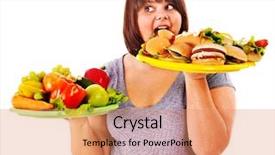
 Presentation with hamburger - Presentation design having obesity fast food - woman choosing between fruit background and a coral colored foreground

Woman Choosing Between Fruit Hamburger.

In the vast digital landscape, a fresh and vibrant design is often needed to capture attention. Corner Title, a Widescreen template from CrystalGraphics, perfectly embodies this need with its eye catching Navajo White color palette and inspiration drawn from the whimsical world of salads, cannons, happy moments, beefburgers, and high res images that bring it all to life. The template's design name, Corner Title, conveys a sense of cornerstones and essential elements, while its Widescreen format ensures an immersive viewing experience. The Navajo White color palette adds a touch of warmth and sophistication, making it perfect for presentations that require a balance between elegance and playfulness. As you delve into the template's features, you'll discover how to enhance your presentation with premium images that will leave your audience wanting more. Featuring high resolution images from popular sources such as Unsplash and Pexels, this template is guaranteed to elevate your content to the next level. Including a Background With stunning visuals that are carefully curated to match the template's theme, having a Theme of corporate professionalism, you can showcase your brand in a unique and engaging way. Enhanced with interactive elements, like animations and transitions, Corner Title offers an unparalleled level of customization, making it easy to tailor the template to your specific needs. With its versatile design options and seamless integration with Google Slides, this Widescreen template is ready to be taken on the go or showcased in a high end setting. Having a Theme of dynamic presentations, you can create engaging content that captivates audiences and drives results.

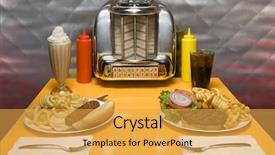
 Presentation with hamburger - Slides consisting of 1950's style diner table background and a yellow colored foreground

1950's Style Diner Table Juke

Creating a PowerPoint template that captures the nostalgic essence of a 1950s style diner is a fantastic way to pay homage to the classic American dining experience. The Split Title design provides an attention grabbing focal point, with four How To slides to get you up and running quickly. This high resolution image for the background is a goldenrod color palette that perfectly complements the theme of this template. It's not just a pretty picture, but also includes elements like juke boxes, malt shops, diner menus, hot dogs, hamburgers, and colas, all set against the perfect backdrop of a retro style dining room. The Split Title design itself is easy to enhance with other elements, such as including a background with a subtle gradient or adding some texture to give it a more authentic feel. Having a theme of classic American diners and featuring high quality images will take your presentation to the next level. This template is designed for Google Slides users and can be downloaded easily from CrystalGraphics. Its compatibility ensures that you'll have smooth performance and seamless integration with other PowerPoint files. Whether you're creating a promotional material, an educational presentation, or simply want to add some flair to your slides, this template is sure to impress.

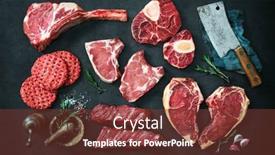
 Presentation with hamburger - Audience pleasing PPT layouts consisting of variety-of-raw-cuts backdrop and a tawny brown colored foreground

Variety Raw Cuts Meat Dry

As you step into your very own steakhouse at home, imagine yourself surrounded by the sights and smells of sizzling steaks and savory meats, all within easy reach with just a few clicks. From hearty beef steaks to juicy burgers, and from dry aged cuts to perfectly seasoned slabs, this template is designed to bring your culinary dreams to life. With its bold Crimson color palette, Corner Title will transport you to the heart of a bustling steakhouse, where butchers ply their trade and chefs craft mouth watering masterpieces. Featuring high resolution images for backgrounds galore, including dramatic lighting effects and rich textures that will make you feel like you're right there on the cutting board. The template itself is Widescreen, offering stunning visuals of steaks, meats, and utensils, all presented in crisp, clear resolution. And with a range of compatible Google Slides options, you can easily sync up your presentation to suit any occasion or event. As you work through this interactive template, you'll notice that it's built around the 3 Step Funnel Layout slide. This will give you a solid foundation for planning and executing your presentation, featuring a clear introduction, a main content section where you can include all sorts of visual elements, and a conclusion to wrap things up nicely. Throughout the deck, there are numerous design features that enhance the overall user experience. For instance, having a theme of "Butcher's Block" means that you'll get a beautifully rendered image of a rustic kitchen counter, complete with tools and utensils waiting to be used. And when it comes to including a Background With, the template will seamlessly integrate high quality images into every slide, adding depth and dimension to your presentation. Whether you're planning a corporate event or simply need a quick guide for a marketing campaign, this Corner Title Widescreen template is sure to impress with its premium feel, crisp visuals, and engaging interactive features. As always, when it comes to downloading and sharing your presentations, the Corner Title template is easily accessible in multiple formats, including Google Slides.

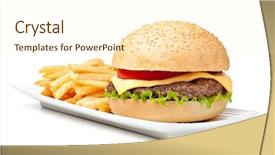
 Presentation with hamburger - Colorful theme enhanced with hamburger isolated on white background backdrop and a cream colored foreground

Hamburger Isolated White Background

In the heart of downtown, a quintessential lunch destination beckons with its iconic Belgian fries and savory burgers, drawing in locals and visitors alike to indulge in the flavorful delight. Corner Title is an attention grabbing template that sets your presentation apart from the rest, featuring a bold and modern design that exudes energy and excitement. This stunning Widescreen template is perfect for showcasing your brand's personality through vibrant colors like Moccasin, creating a visually appealing atmosphere that draws in audience attention. The background of this unique template will feature high resolution images of bustling streets at sunset, capturing the dynamic pace of life and making the viewer feel right there with you. With its clear theme of being "Among the crowds," it's an ideal choice for presentations where you want to make a lasting impression. The Corner Title template is not just about aesthetics; it also comes with a range of advanced features that enhance your presentation. Featuring high resolution images and bold colors, this template includes background content with "Including a Background With" and has a theme of having a "Theme of". By incorporating these elements, you can create an engaging visual experience for your audience. To make the most out of it, Having a Theme of adds an extra layer of meaning to your presentation, making it more effective and memorable. The Corner Title template is designed to be downloadable in Googel Slides format, making it easy to edit, customize, or add new content as needed. Its compatibility with Google Slides ensures that you can enhance your presentation with the latest features and tools. When it comes to enhancing your presentation, there are no bounds having a theme of, including background content, featuring high resolution images, and having advanced features like "Theme of" will give your audience a memorable experience.

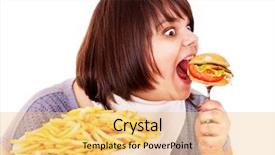
 Presentation with hamburger - Beautiful PPT theme featuring fatty food - overweight woman eating hamburger isolated backdrop and a yellow colored foreground

Overweight Woman Eating Hamburger Isolated.

PPT theme featuring overweight woman eating hamburger isolated

 Presentation with hamburger - Theme featuring wood top view free background and a tawny brown colored foreground

Delicious Hamburger Fries Served Wood.

The moment you've been waiting for is finally here your brand new Wide Title PowerPoint template is ready to take your presentations to the next level. This stunning design is perfect for anyone who wants to make a statement with their slides, from foodies to hipsters and everyone in between. This template features a rich Saddle Brown color palette that's sure to add a warm and inviting touch to any presentation. The high resolution images on the background will transport your audience to a world of deliciousness, where they can indulge in all things gourmet and snacky. From lunchtime treats to hipster favorites, this template has got you covered. The Wide Title design is ideal for showcasing your brand's personality and style, whether you're promoting a new product or service or simply wanting to add some visual flair to your presentations. And with its 4 How To slides at the start of the deck, you'll be up and running quickly in no time featuring a clear call to action and including all the necessary steps to get started. This template is downloadable and compatible with Google Slides, making it easy to import into your favorite presentation software. So why wait? Get creative and make some delicious memories with this amazing Wide Title PowerPoint template.

 Presentation with hamburger - Beautiful slide deck featuring fried nuggets - assorted of american food french backdrop and a red colored foreground

Assorted American Food French Fries,

In a world where comfort food reigns supreme, the allure of a crispy chicken nugget or a juicy hamburger is irresistible. For those who crave the familiarity of fast food on a regular basis, this template is designed to transport you to a sunny day at a backyard BBQ, with an assortment of colorful American delights in full bloom. The Wide Title design features an attention grabbing background image of a vibrant Peruvian market scene, complete with traditional textiles and towering stacks of produce. The color palette is crafted to evoke the warmth and energy of the high resolution images that adorn this template, transporting you to the bustling streets of Lima. In a Widescreen format, the design comes alive with its accompanying Peru inspired keywords: nugget, chicken, lunch, assortment, fast food. To enhance your presentation, you can include a Background With of golden brown grill marks and steaming hot fries on one slide, while another slides showcases an enticing array of fresh salads and sandwiches on its own. As you explore this template, you'll discover that it's also downloadable and compatible with Google Slides, so you can easily incorporate it into your presentations. And as a bonus, the template includes four How To slides to help you get up and running quickly: Getting Started On Fast Food Presentations; Creating Engaging Visuals Featuring High Resolution Images; Customizing Your Presentation With Enhanced Color Schemes; Using Tables Of Contents To Organize Your Content And Save Time. This template is perfect for anyone looking to bring the excitement of fast food to their presentations. You can use it as inspiration to create your own delicious and informative slideshows, featuring an assortment of tasty American delights in a fun and engaging way.

 Presentation with hamburger - Audience pleasing slide set consisting of french fries - fast food people and unhealthy backdrop and a coral colored foreground

Fast Food People Unhealthy Eating

The spotlight is on you and your lunch break, with this eye catching Wide Title design that sets the tone for a high energy presentation. This Widescreen template features a bold Fire Brick color palette that evokes the feeling of a deep fried indulgence, perfect for showcasing gourmet culinary delights. From fast food to unhealthy eating, the inspiration behind this design is a playful take on the close up shots of people and food that make up our daily lives. The Background Image Featuring a vibrant cityscape at sunset with restaurants and street food stalls adds depth and visual interest to the template, while the 100% Widescreen format ensures your slides are always at eye level. The high resolution images throughout will give your audience an immersive experience, making them feel like they're right there in the action. To get started quickly, our How To Slides provide a solid foundation for you to build upon, including a Timeline Layout that helps guide the flow of your presentation. Whether it's a step by step approach or just some basic organization tips, these slides will help you keep your thoughts on track and keep your audience engaged. Plus, with the option to download and share your presentation as is, or enhance it with additional elements such as animations and transitions having a Theme of Showcase and Including a Background With vibrant color options is available for you to make this template truly yours. The Timeline Layout slide showcases a simple yet effective design that keeps things organized and easy to follow. The days of the week are listed in chronological order, making it easy for your audience to keep track of your presentation schedule. And with its clean and modern look, this feature will help draw attention to any key points or updates you want to highlight. The rest of the template is designed to enhance your lunch break presentation Having a Theme of Showcase and Including a Background With vibrant color options are available for you to make this template truly yours.

 Presentation with hamburger - Amazing theme having couple-eat-fast-food backdrop and a coral colored foreground

Couple Eat Fast Food Self

As you navigate through this vibrant and lively PowerPoint template featuring the theme of junk food, love, couple, lunch, and salad, your eyes are drawn to its eye catching design name Short Title, which perfectly captures the essence of this unconventional presentation style. This template is designed in a Widescreen format, perfect for showcasing bold and striking visuals that are sure to grab attention. The Navajo White color palette provides a neutral backdrop that allows the high resolution images on the background to take center stage. You can expect to feature some mouth watering images of junk food dishes, perhaps even an image of a juicy burger or a crispy pizza slice. The template is downloadable and compatible with Google Slides, making it easy to integrate into your workflow. To enhance the overall experience, you'll find four How To slides at the start of the deck that will help you get up and running quickly. These slides are organized around common questions such as "How to Add a Background With a Fun Image" or "How to Incorporate a Theme Of Food", making it simple to learn the basics of this template. This template is perfect for anyone looking to add some excitement to their presentation, whether you're working on a project related to marketing, fashion, or simply wanting to showcase your creativity. As an example, you could use this template as inspiration when creating a social media campaign showcasing healthy alternatives to junk food or a romantic dinner at home with a salad as the main course. The possibilities are endless! Featuring a Background With a delicious image of a fruit and cheese platter would be a great idea for this template. Having a Theme Of Food is already included in the design, but you could take it a step further by adding some fun animations or transitions to make it even more engaging.

 Presentation with hamburger - Audience pleasing slides consisting of fast food kids - little girl eating hamburger backdrop and a coral colored foreground

Girl Eating Hamburger.

The moment you start designing your presentation is crucial, and we're here to make that moment happen with our Corner Title template. Imagine yourself in the bustling streets of a fast food joint on a busy lunchday, surrounded by the savory aromas of juicy hamburgers and crispy fries. The warm sunlight casts a golden glow over everything, bringing the scene to life. Our Corner Title template is designed specifically for presentations that need a little kickstart, featuring high resolution images of junk food, lunch, girl hamburgers, kid hamburgers, and fast food icons all throughout its Widescreen format. This template is a perfect blend of fun, excitement, and nostalgia, sure to grab the audience's attention. The rich Tan color palette adds depth and warmth to the design, making it perfect for presentations that need to convey a sense of comfort and familiarity. And with the four How To slides at the start of your deck, you'll be off to a great start in no time from getting familiar with the template format to creating engaging slide designs. But what really sets our Corner Title apart is the enhanced background image featuring a prominent lunchtime scene that's sure to evoke feelings of nostalgia and excitement. Just think about it: Featuring a warm and inviting background, including a classic diner or food court setting, having a theme of bright colors and bold textures that will make your slides stand out from the crowd, Enhanced With a selection of mouth watering images that'll keep your audience engaged. In this Corner Title template, you'll find everything you need to create an engaging presentation that's sure to delight your audience. So why wait? Download our Corner Title template now and get ready to kickstart your presentations with style!

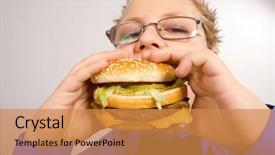
 Presentation with hamburger - Beautiful presentation theme featuring healthy unhealthy food - young fat school boy eating backdrop and a gold colored foreground

Young Fat School Boy Eating

As you step into the diner on a sunny Saturday morning, the aroma of freshly cooked burgers and crispy fries hits your senses, making your stomach growl with anticipation. The vibrant Cornflower Blue background provides a warm and inviting ambiance, setting the tone for an engaging presentation that will leave your audience hungry for more. The Corner Title template is designed to be big and bold, perfect for grabbing attention from your viewers and drawing them in. With its high resolution images featuring a young fat school boy enjoying a juicy hamburger, this template is sure to include a background with a fun design element that will enhance the overall look and feel of your presentation. This template has a theme of showcasing great food, but it's not just about the visuals it's also about the experience. It features 4 How To slides at the start of the deck to help you get up and running quickly, making it easy for your audience to dive right in and start learning how to use this template. The Chart with Caption Layout slide is a great way to present information in an engaging and easy to understand format. For example, you could include a chart highlighting the different design elements that make this template unique, such as the bold font used throughout or the fun background images. With its enhanced capabilities, you can create charts that are not only visually appealing but also informative and insightful. The Corner Title template is compatible with Google Slides, making it easy to download and use in your own presentations. Whether you're a student looking for inspiration or an educator seeking a new way to engage your students, this template has got you covered. So why wait? Head over to the design page to get started and create a presentation that's sure to be a real treat for your audience.

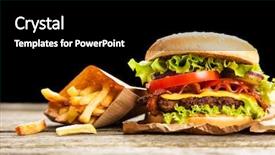
 Presentation with hamburger - Presentation design featuring delicious hamburger and french fries background and a black colored foreground

Delicious Hamburger French Fries Wooden

Imagine savoring a mouthwatering gourmet meal featuring a juicy steak, crispy onion topped burgers, and hand cut french fries, all perfectly crafted on a rich dark goldenrod background that transports you to a culinary paradise this is what your brand's new lunchtime template promises to deliver. This stunning template boasts a high resolution image for the background, carefully designed to make any meal look appetizing. Featuring a warm and inviting atmosphere, it will have an enhanced theme of creating mouthwatering moments on screen. The template format is perfect for widescreen presentations, allowing you to showcase your products or services in a cinematic way that engages and inspires your audience. Designed specifically with 4 How To slides at the start to help you get up and running quickly, these slides will walk your viewers through the process of creating a professional looking presentation from scratch a valuable resource for anyone looking to upgrade their slide deck game. The 5 Year Calendar Timeline Layout is also included in this template, offering a unique feature that will allow you to visually track progress over time. This can be particularly useful for businesses looking to showcase growth and success across the board.

 Presentation with hamburger - Presentation theme featuring healthy and junk food concept background and a coral colored foreground

Healthy Junk Food Concept -

In a world where healthy habits are often overshadowed by indulgent treats, it's refreshing to see a design that celebrates the beauty of balance and moderation. The Corner Title template is designed to be a breath of fresh air, featuring a bold and eye catching design that will grab your audience's attention from the very first slide. This Widescreen template is perfect for those who want to showcase their personality and style through their presentation. With its pale goldenrod color palette, it exudes warmth and approachability, making it an ideal choice for any bio or presentation that requires a touch of whimsy. The high resolution images featured throughout the template will add depth and texture to your slides, making them truly stand out. The Corner Title template is downloadable and compatible with Google Slides, ensuring you can easily import the design into your favorite presentation software. And with its theme of "healthy and junk food" concept, you'll be able to create engaging and informative presentations that will leave your audience feeling satisfied (and maybe even a little bit hungry). As inspiration for this template, we drew from the classic image of a woman rejecting a hamburger and cake, but with a twist. We wanted to create a design that was both humorous and thought provoking, highlighting the importance of moderation in all aspects of life. On the 3 Member Bio Layout slide, you'll have the opportunity to showcase your own unique personality and style, while also incorporating elements from this template. The Corner Title template is perfect for anyone looking to add a touch of personality to their presentation, whether it's a bio, a proposal, or simply a way to make your slides stand out. With its bold design, high resolution images, and theme of healthy and junk food, you'll

 Presentation with hamburger - PPT layouts enhanced with junk food healthy - picture of woman with fruits background and a coral colored foreground

Picture Woman Fruits Rejecting Hamburger

The perfect template to kickstart your presentation is Corner Title, a visually appealing and professional looking design that will grab the audience's attention from the very first slide. This template is specifically formatted for widescreen monitors, bringing a crisp and clear image to life on every screen. In this stunning Widescreen format, you can expect 4 How To slides to get you up and running quickly. Featuring a high resolution background with vibrant colors, these slides will help you break down complex ideas into manageable chunks. The template includes a Background With colorful peel effect, making it easy to enhance your visuals. The Corner Title template is designed to incorporate a hamburger icon with a weight loss theme, providing inspiration for the content on each slide. Having a theme of dieting and losing in mind will help you focus on showcasing successful transformations. If you're looking to showcase 4 slides at once, like Example Slide Number Two, you can include it as part of your overall presentation. The Corner Title template is compatible with Google Slides and is ready for immediate download, featuring a background image that will not go out of style. Enhancing the user experience with its modern design, this template is sure to set your presentation apart from others in no time

 Presentation with hamburger - PPT theme with delicious hamburger served on wooden background and a tawny brown colored foreground

Delicious Hamburger Served Wooden Planks

Imagine sinking your teeth into a juicy burger on a wooden plank, surrounded by the warmth and ambiance of a cozy diner. That's what you'll experience with Corner Title, a stunning PowerPoint template that will transport you to a world of comfort food. This Widescreen format is perfect for creating high definition presentations that are both engaging and visually appealing. The Chocolate color palette brings a rich and decadent feel to the design, making it ideal for showcasing your gourmet cuisine creations or highlighting the flavors of different types of onions. The template includes four quick start slides to help you get up and running quickly: a "Get Started" slide featuring 4 high resolution images of burgers in different styles; a "Glossary" slide that defines technical terms related to food preparation, such as "sautéing" or "grilling"; an "FAQ" slide with answers to common questions about cooking techniques; and a "Tips & Tricks" slide showcasing expert advice on how to elevate your diner style presentation. The template is fully downloadable and compatible with Google Slides, making it easy to import the images used in this design into your presentation. To enhance the overall dining experience, you can include a Background With element featuring a 5 level pyramid layout that can be customized to fit your needs. This could be used as a dramatic centerpiece for your slide or even to create a scrolling effect with moving onions or hamburger patties.

 Presentation with hamburger - Audience pleasing presentation consisting of hamburger bun on a white backdrop and a white colored foreground

Hamburger Bun White Background

The Corner Title template is a visually stunning and attention grabbing design that perfectly captures the essence of a gourmet feast. This high resolution image based template features a charming hamburger bun on a crisp white background, adorned with fresh herbs and edible flowers. The subtle texture of the bun adds depth and dimensionality to the scene. The Navajo White color palette brings a sense of elegance and sophistication, making it perfect for presentations that require a touch of luxury. The Corner Title is optimized for widescreen displays, ensuring a seamless viewing experience across various devices. This template is ideal for use in studios, workshops, or any setting where inspiration needs to be sparked. The inclusion of 4 quick start slides at the beginning of the deck will get you up and running quickly these slides are designed to help you get familiar with the template's features and settings, giving you a head start on creating engaging presentations. As you delve into the details, note that this template is fully compatible with Google Slides, making it easy to import your own images or use the high resolution background provided. The Corner Title also comes with a theme of "Gourmet Inspiration", featuring beautiful images and illustrations that will transport you to a world of culinary delights. With its enhanced features, such as customizable fonts and colors, this template is sure to impress your audience and leave a lasting impression. The Timeline Layout slide showcases the timeline of slides available within the template, giving you an overview of what's included in each section. For example, on the "Features" slide, you might see that it includes a background with a subtle texture, enhanced with vibrant colors to make it stand out. This layout provides a clear and concise way to organize your content, ensuring that you can quickly find the features and settings that suit your needs. Overall, the Corner Title template is an excellent choice for anyone looking to elevate their presentation game with a professional and visually stunning design. With its high resolution images, elegant color palette, and customizable features, this template is sure to inspire creativity and spark ideas. Whether you're a designer, artist, or simply someone who loves cooking up a storm, the Corner Title template is an excellent addition to any presentation arsenal.

 Presentation with hamburger - PPT theme having burger fries - fresh home-made hamburger served background and a tawny brown colored foreground

Fresh Home-made Hamburger Served Wood

The moment you've been waiting for to elevate your presentation with the Corner Title template from CrystalGraphics. This stunning design is perfect for any business or corporate setting, where a touch of sophistication and warmth can go a long way in capturing attention. Corner Title is available in widescreen format, featuring high resolution images that will transport your audience to a vibrant world of flavors. The Chocolate color palette is rich and inviting, with accents of earthy tones that evoke the feeling of a freshly made meal. Whether you're showcasing a juicy steakhouse dinner or a hearty lunch at a diner, this template has got you covered. The Corner Title is more than just a pretty face it's also designed to enhance your presentation with a theme of elegance and refinement. The Dart on Target Layout slide makes an appearance, providing a clear outline of the main elements that make up your design. This layout adds a touch of sophistication and helps guide the viewer's eye through the template. As you delve into the template, you'll discover four How To slides at the start of the deck to help you get up and running quickly. These sections will cover everything from setting up your presentation to customizing the colors and fonts that make your design truly unique. With this comprehensive guide, you'll be able to create a stunning presentation in no time, featuring a background with a delicious meal as the centerpiece.

 Presentation with hamburger - PPT theme consisting of layer - maxi hamburger with flying ingredients background and a tawny brown colored foreground

Maxi Hamburger Flying Ingredients Placed

This Corner Title PowerPoint template is a show stopping visual feast that's sure to grab your audience's attention from the very first slide. The Saddle Brown color palette sets the tone for an earthy, gourmet vibe that's perfect for any type of presentation. High resolution images of juicy salads and savory dishes are showcased throughout the background, creating a mouth watering atmosphere that will leave viewers craving more. The template's design is sleek and modern, with clean lines and simple shapes that blend seamlessly into each other. The use of bold typography adds a touch of sophistication, while the inclusion of a wooden planks element as a background feature creates a rustic feel that's both warm and inviting. To enhance the overall look, you can include a fiery flame element in the background, adding a pop of color to the design. The template is also compatible with Google Slides, making it easy to import into your preferred presentation software. The 4 How To slides at the start of the deck provide a solid foundation for getting up and running quickly, featuring key elements like branding guidelines and a content calendar. However, we won't reveal those details just yet. The Arrow Stages Layout slide is a standout feature of this template, providing a clear visual representation of how to structure your presentation. It's perfect for displaying the various slides that follow, helping you stay organized and focused on the main message. The slide can be enhanced with additional elements like images or charts to make it even more engaging. With its high quality images, modern design, and easy compatibility with Google Slides, this Corner Title template is sure to impress your audience and leave a lasting impression.

 Presentation with hamburger - Slide deck having anorexia - young woman refusing to eat background and a sky blue colored foreground

Young Woman Refusing Eat Hamburger

Imagine standing in front of a worn out studio backdrop with a Caucasian teenager staring back at you, looking determined to make a decision about their hamburger and ultimately deciding what's best for them. The room is dimly lit, but the screen behind you features high resolution images of bold, graphic backgrounds that will enhance your presentation. The template, called "Studio Decision," has a Burly Wood Colored aesthetic that will transport your audience to a cozy studio setting where creativity reigns supreme. It's available in Widescreen format, making it perfect for any presentation that requires a cinematic feel. The color palette is a mix of warm earth tones and rich wood accents, giving it a natural and inviting vibe. The keywords to get you started are "studio," "bad," and "caucasian," but don't worry the template is not about judging or stigmatizing; it's about empowering your audience with knowledge. The design name is short and sweet: just "Studio Decision." This theme is all about having a fun, engaging atmosphere that will keep your teenage viewers engaged. The Puzzle Pieces Layout slide is where you'll put all these pieces together featuring the background image as the centerpiece, including a grid of thumbnails to help you organize your ideas, and having a theme of self expression running throughout. It's an interactive way to present your template, making it more than just a static PDF. The high resolution images will add a professional touch, making this presentation look like a real project. You can include a Background With filter on any image in the template, or even create custom backgrounds using Googles Slides' powerful tools. Having a theme of creativity and self expression is sure to resonate with your teenage audience so don't be afraid to add some humor and personality to your presentation.

 Presentation with hamburger - PPT theme enhanced with delicious hamburger served on wood background and a gray colored foreground

Delicious Hamburger Served Wood Free

The sweet temptation of junk food is always irresistible, and with this Widescreen template, you'll be able to showcase its appeal on a grand scale. The Wide Title font is designed to grab attention, with bold and chunky letters that scream "take me home" the perfect fit for any presentation or promotional material featuring your favorite fast food treats. The Coral color palette adds a touch of warmth and playfulness, perfectly capturing the lighthearted and indulgent vibe of junk food. The Widescreen format ensures that all elements fit seamlessly within the template's expansive boundaries, providing ample space for text, images, and graphics. At high resolution, the background images are incredibly detailed, showcasing the textures and patterns found on real life fast food packaging. For example, you could feature a shot of a juicy burger patty, with its perfectly rendered sear and golden brown color or include a background image of a bustling restaurant, complete with steaming plates of fries and burgers. The 4 How To slides at the start of this deck are designed to guide users through the process of getting started quickly and efficiently. These featured slides will be particularly useful for those new to using CrystalGraphics templates, providing easy to follow instructions on how to customize and tailor their template to suit their needs. Having a theme of "getting started" is perfect, as it sets the tone for the rest of the deck. Enhanced with additional images and graphics throughout, this Widescreen template is sure to be a hit when it comes to presentations about junk food. From lunchtime cravings to late night indulgences, this template has got you covered, providing everything you need to create visually stunning and engaging content.

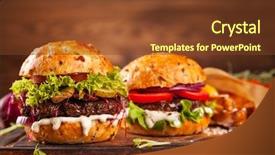
 Presentation with hamburger - Presentation featuring delicious hamburgers on wooden background background and a coral colored foreground

Delicious Hamburgers Wooden Background

Here is a description of the PowerPoint template: Imagine sitting down to a delicious lunch, perhaps at a quaint diner with a warm and inviting atmosphere. The aroma of sizzling burgers wafts through the air, enticing your senses. But before you can even take a bite, you have to set up your workspace which just so happens to be on a beautiful wooden background featuring a hearty steak dinner in all its glory. It's the perfect setting for showcasing your latest gourmet creations. The Wide Title template is designed to make a bold statement from the start, with a warm and inviting color palette that's sure to put a smile on your face. The Sandy Brown theme provides a cozy and natural backdrop for your images, while the key words lunch, steak, gourmet, onion, snack give it a clear direction. Featuring high resolution images throughout, this template is packed with inspiration for anyone looking to elevate their presentation game. With four easy to follow slides at the start of the deck, you'll be up and running in no time. The How To section helps you get started quickly, while Comparing Image Layout provides valuable insights into creating visually appealing images from scratch. This Enhanced With template is a versatile tool that will have you creating stunning presentations in no time, featuring a background with having a theme of making your slides stand out. Having a downloadable and compatible Google Slides file is the cherry on top, ensuring seamless integration with your existing workflow. So why wait? Get creative with this deliciously designed template featuring gorgeous images and inspiring design elements that will take your presentations to the next level.

▼Key features of this template

  • They are compatible with both PowerPoint and Google Slides running on either Windows PCs or Macs.

  • They are available in both standard and widescreen slide formats. You can choose your preferred format by clicking on the "Widescreen" check box or icon.

  • Each template includes a beautiful high-resolution background image or video to visually reinforce the theme of your presentation.

  • In addition, each template includes designer-created graphics and modern fonts to give your presentations an up-to-date, professional look.

  • Each template's default design and title text position have been carefully selected to complement its background without covering faces or other key elements.

  • All text includes backdrops whose transparency level is mathematically calculated to maximize text readability while still allowing the background to be seen.

  • And all the text, text backdrops and graphics in every slide are colored with a palette designed to beautifully complement the colors in the background.

  • Our Premium templates (those with the descriptor “Premium” in their subtitle) include over 64 slide layouts to give you maximum flexibility as you create your presentations.

    • Those layouts are available to you whenever you create a new slide or when you want to change the layout of an existing slide.
    • They include everything you need to make all sorts of presentations. In addition to the layouts for the title slide and the usual title and content slide, they include many other layouts for slide types including table of contents slides, org charts, charts, diagrams, infographics, photo slides, thank you slides and more.
    • While creating these layouts our template designers have ensured that all text in every layout adjusts as gracefully as possible to various numbers of words.
  • Customizable templates (those with the descriptor “Customizable” in their subtitle) may be easily modified online before you download them.

    • To modify them, simply click on the pencil editing icon, then select your choice of ready to go designs and title text positions.
    • The editing tool also makes it easy to reposition and scale the background image or video to best suit your needs.

▼FAQs

Please review these FAQs to see if your question is answered. Contact us for more info

  • What is a PowerPoint template?

    • A well designed PowerPoint template is a file that can tell PowerPoint how to make your ordinary templates look extraordinary. They won’t change what your words or numbers say. But they might change their size, color, font and placement. And, overall, they can give your presentations a professionally-designed look that will give your content more credibility and give you more confidence.
  • How many PowerPoint templates do you offer?

    • We have over 32,000 artist-created presentation templates in our PowerPlugs collection With a subscription, PowerPlugs templates are easy to download. Just sign in, find a template and click on the green Download button. ready for you to download. That alone offers you more variety to choose from than any of our competitors can offer. And, as if that weren’t enough, we also offer over 6 million templates in our Crystal collection. Crystal brand templates are our line of templates that have customization options. They have the word "CRYSTAL" on their web page images. You can customize several aspects of the templates. These templates include high-resolution background images from Shutterstock’s vast image collection matched up with artist-created presentation designs customized by our own proprietary AI software.
  • How many templates can I download as a subscriber?

    • You can download an unlimited number of PowerPlugs-brand With a subscription, PowerPlugs templates are easy to download. Just sign in, find a template and click on the green Download button. templates every day for an entire year. (Actually, by default, we set a limit of 25 templates per day to prevent our competitors from stealing our templates. But, if that is not enough, just let us know and we’ll try to accommodate you.) On top of that, with a subscription or an Ultimate Combo, you can also download any 50 Crystal-brand Crystal brand templates are our line of templates that have customization options. They have the word "CRYSTAL" on their web page images. You can customize several aspects of the templates. templates per year selected from our huge Crystal collection. Crystal brand templates are our line of templates that have customization options. They have the word "CRYSTAL" on their web page images. You can customize several aspects of the templates. .
  • Why should I choose your templates instead of the competition’s?

    • We’ve got a larger selection of professionally-designed PowerPoint templates than anyone else in the world.
    • Each template includes a high-resolution background image or video to visually inspire your audiences while reinforcing your message.
    • Each template includes 64 slide layouts to give you maximum flexibility as you create your presentations.
    • Our templates are available in both standard and widescreen slide formats. And our website lets you preview the slides each way.
    • Our free Template Finder™ plugin lets subscribers select and - with a single click - download and insert our templates into their presentations right from within PowerPoint.
    • We’ve been creating designer presentation templates for over 20 years. During that time we’ve won several awards and 5-star ratings for product quality. See About Us for more.
  • Do you offer a money-back guarantee?

    • Yes we do! We offer full 30-day money-back guarantee if you are not 100% satisfied with your purchase.
  • Can I still use my downloaded templates after my subscription runs out?

    • Yes. After your subscription expires, you won't lose any rights or ability to use your PowerPlugs: Templates for PowerPoint. You won't be able to download any new non-watermarked templates. But the non-watermarked templates you've already downloaded will still work and you can still use them as before.
  • Can I share my downloaded templates or passwords with friends or coworkers?

    • Sorry but no. You are authorized to download each paid-for template to up to 3 of your personal devices and to use the templates you download in as many presentations as you want. But you are not authorized to share the templates, themselves, with others. That said, we do offer highly discounted site licenses to suit the needs of both small and large teams. Just tell us your needs and we’ll give you a quote!
  • System requirements:

    • The templates use the standard POTX format. So they are compatible with Google Slides and all PC, Mac and mobile devices running any version of PowerPoint from PowerPoint 2007 up through and including Office 365 desktop.
    • Please note: Google Slides does not currently support background videos. It treats them as still images.
    • For PowerPoint for the Web, first open your template into a desktop version of PowerPoint, then save it back out as a PPTX file. Then you can open that in PowerPoint for the Web.
  • End user license agreement:

    • Click here to view.
  • How will I get my purchased templates?

    • You may download your selected templates as soon as your payment is received by PayPal. If you purchased an individual template, you will be provided with a download link both onscreen and via email. Just click on that link to begin the download process. If you purchased a subscription, you will receive an email containing a password to use along with your email address to sign in to any of the templates pages on CrystalGraphics.com. Once you are signed in, you can immediately start downloading your selected templates.
  • How do I use my templates after I download them?

    • You can either open a template to start a new presentation or you can add a template to an existing presentation. To open a template, just double click on it or use PowerPoint's File > Open tool. To add a template to an existing presentation, on the Design tab, in the Themes group, click Browse for Themes... then browse to select your template.

View more Hamburger templates:

previous 1 2 3 4 5 6 7 8 9 10 11 12 next
93% of Fortune 1000
companies use our
PowerPoint Products
Templates Secure

Standing Ovation Award
Winner: Best PowerPoint
Template Collection
Fortune Logos
200,000+ satisfied
customers worldwide!
Guarantee
100% satisfaction guaranteed
- or send it back for a refund!

Sign up for our free newsletter! You'll get news about our PowerPoint-enhancing product line – including free updates, new product announcements and exclusive special offers. Plus you'll get a link to a free PowerPoint template with every newsletter you receive.
Privacy Policy
Loading...


Help

Contact Us
Product FAQs
Product License Agreements

Company Info

About Us
Privacy Policy
CrystalGraphics, Inc. 1999 S. Bascom Avenue Suite 700 Campbell, CA 95008 USA
© 2026 CrystalGraphics, Inc. All rights Reserved.    |     PowerPlugs is a trademark of CrystalGraphics, Inc.
Microsoft and the PowerPoint logo are trademarks or registered trademarks of Microsoft Corporation in the United States and/or other countries.
Loading...
Loading...