www.crystalgraphics.com CrystalGraphics
  • Ultimate Combo
  • Templates
  • Diagrams
  • Characters
  • Quizzes
  • shopping cart
  • Sign Out Sign Out Sign In
Home > Templates > Hazard Category
search icon
advanced icon

114 Best Hazard-Themed Templates for PowerPoint and Google Slides

CrystalGraphics creates templates designed to make even average presentations look incredible. Below you’ll see thumbnail sized previews of the title slides of a few of our 114 best hazard templates for PowerPoint and Google Slides. The text you’ll see in in those slides is just example text. The hazard-related image or video you’ll see in the background of each title slide is designed to help you set the stage for your hazard-related topics and it is included with that template. In addition to the title slides, each of our templates comes with 17 additional slide layouts that you can use to create an unlimited number of presentation slides with your own added text and images. And every template is available in both widescreen and standard formats. With over 6 million presentation templates available for you to choose from, CrystalGraphics is the award-winning provider of the world’s largest collection of templates for PowerPoint and Google Slides. So, take your time and look around. You’ll like what you see! Whether you want 1 great template or an ongoing subscription, we've got affordable purchasing options and 24/7 download access to fit your needs. Thanks to our unbeatable combination of quality, selection and unique customization options, CrystalGraphics is the company you can count on for your presentation enhancement needs. Just ask any of our thousands of satisfied customers from virtually every leading company around the world. They love our products. We think you will, too!

Features & Pricing

Widescreen (16:9) Presentation Templates. Change size...
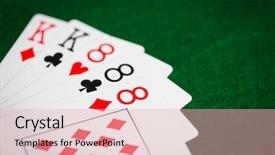
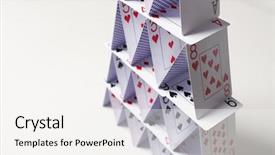
 Presentation with hazard - Slide set featuring full house - casino gambling games of chance background and a lemonade colored foreground

Casino Gambling Games Chance Hazard

As you create your new desktop computer or any other device, gather around with friends and family to show off your brand new gaming console the Corner Title deck is designed for the ultimate entertainment experience featuring high resolution images of playing cards on green cloth as the backdrop the layout includes four how to slides that get you up and running quickly but not before taking a moment to appreciate the Thank You Layout slide which showcases a beautifully crafted image of poker hands against a vibrant red background this template is compatible with Google Slides making it easy to add custom images and customize your presentation to fit your style enhanced with professional looking graphics and layout Featuring all the necessary slides for a seamless gaming experience

 Presentation with hazard -

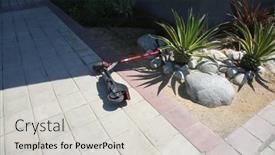
9-10-2018 Long Beach California Electric

The sun kissed streets of Long Beach, California, where electric scooters have become the lifeblood of the city's transportation scene. But with great convenience comes great hazard and for many residents, it means dodging rogue bikes on what should be a safe public space. To combat this issue, City Officials unveiled a new initiative to designate specific zones as "Battery Zones" where electric scooters can operate freely under close supervision. This is where the Corner Title template comes in featuring a sleek and modern design that perfectly captures the dynamic nature of this innovative project. The template itself boasts a high resolution image for the background, with a predominantly slate gray color palette that sets the tone for a professional and trustworthy look. The theme of "active" is nicely incorporated through the use of energetic keywords like "battery" and "bike", while having a "background" with a cohesive layout ensures that all elements work seamlessly together. To further enhance the user experience, Four How To slides are included at the start of the deck to guide users through the process of getting started. These are accompanied by an Ansoff Matrix Diagram Layout slide that provides valuable insights into how to maximize efficiency and revenue while staying within legal guidelines.

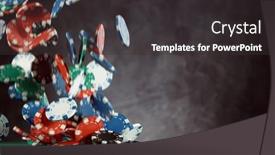
 Presentation with hazard - Slide deck having poker-still-life-with-falling background and a dark gray colored foreground

Poker Still Life Falling Poker

The art of creating engaging presentations has never been more exciting with Corner Title, the stunning widescreen template that sets the tone for any digital experience. This breathtaking template is inspired by the classic still life of a poker game in full swing, with high resolution images at its core and a theme of hazard gaming perfectly encapsulated. Corner Title is an exquisite creation featuring a rich Sea Green color palette, carefully crafted to evoke a sense of sophistication and luxury. The template's design Name represents the perfect blend of elegance and playfulness, making it an ideal choice for any presentation that requires a dash of fun and excitement. To enhance your creative process, Corner Title comes with four valuable How To slides at the start of the deck, providing you with the confidence to get up and running quickly. The template's downloadable format makes it easily accessible on Google Slides, allowing you to showcase its full potential with ease. As a bonus feature, featuring a background image that perfectly complements the Sea Green color scheme, Corner Title has been designed to have an enhanced look and feel, making it the perfect companion for your next presentation.

 Presentation with hazard -

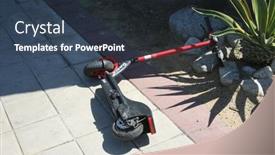
9-10-2018 Long Beach California Electric

The bright and bold Corner Title template is designed to grab your audience's attention with its vibrant slate gray color palette that evokes the energy of electric scooters and the sun kissed streets of Long Beach, California. The high resolution images for the background are sure to transport you and your viewers into the action packed world of electric scooters, featuring sleek designs and dynamic graphics that showcase the convenience and speed of these urban vehicles. This template is a versatile and modern design that can be easily integrated with Google Slides, allowing users to enhance their presentations with the iconic images of electric scooters. The 4 How To slides at the start of the deck provide a clear roadmap for getting started, while also giving you valuable tips and tricks on how to work effectively with this template. The Dart on Target Layout slide is a great example of what this template can be used for. Featuring a stunning image of an electric scooter parked in front of a brightly lit streetlamp, this layout showcases the perfect blend of urban sophistication and high energy action. The background images are carefully selected to include a beautiful landscape with palm trees and a vibrant cityscape, creating a dynamic and engaging visual. The contrast between the dark gray text and colorful accents creates a striking visual effect, making it easy to read and understand even in the most complex presentations. Having a theme of "Electric Dreams" and enhanced with features like active background and battery icons adds an extra layer of visual interest and modernity to this design. This template is perfect for anyone who wants to create engaging and interactive presentations that showcase their creativity and style. Whether you're a marketing professional, educator, or entrepreneur, the Corner Title template has got you covered, providing a high quality solution for your slide needs.

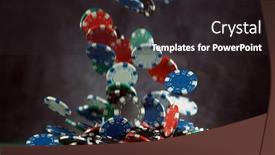
 Presentation with hazard - Colorful presentation theme enhanced with poker-player-throwing-chips-concept backdrop and a tawny brown colored foreground

Poker Player Throwing Chips Concept

As you fire up your computer and click on CrystalGraphics' Corner Title template, you'll be transported to the vibrant world of high stakes gaming, where luck is on your side and chips are stacked high. This stunning Widescreen template features a captivating background image of a poker table with flashing lights, enticing the viewer to take their chances. The Sea Green color palette adds a touch of elegance, while the Managed Process Layout ensures seamless integration into any presentation. The template boasts an impressive design name, Corner Title, which sets the tone for the rest of the deck. Whether you're using it to showcase a luck based business or a casino themed product launch, this template has got you covered. Featuring a gamified atmosphere, Including a Background With high resolution images that will elevate your presentation, Having a Theme of luxury and sophistication is evident in every detail. Enhanced with 4 How To slides, users can quickly get up and running with the template, covering topics such as importing images, customizing colors, and adjusting layout settings. These features make it easy to create an engaging and polished presentation that will leave your audience on the edge of their seats.

 Presentation with hazard - Beautiful presentation design featuring poker-player-throwing-chips-concept backdrop and a tawny brown colored foreground

Poker Player Throwing Chips Concept

Imagine you're sitting in a bustling casino, surrounded by the vibrant atmosphere of a high stakes poker game. The sounds of clinking glasses and the hum of excitement fill the air as players place their chips on the table. In this thrilling scene, Poker Player Throwing Chips is more than just an image it's a work of art that transports you to a world of chance and risk. The Corner Title template is a stunning Widescreen design, perfectly capturing the essence of hazard gaming and casino culture. The medium turquoise color palette provides a soothing backdrop for the high resolution images that feature lucky players betting big, their faces lit up by the glow of winning chips. The background images are included with this template, allowing you to enhance your presentation with a visually stunning element. The template keywords luck, chips, Caucasian, and casino all come together in this design, creating a cohesive and immersive experience for your audience. As an example, imagine showcasing a high resolution image of a player winning the jackpot on a slot machine, with the Corner Title overlay featuring a bold "Lucky Streak" font. The Corner Title template is more than just a design it's a tool that helps you kick start your presentation by providing four essential slides to get you up and running quickly. The Timeline Layout slide showcases an interactive timeline, complete with markers and events that bring your content to life. This feature enhanced slide is a great way to engage your audience and keep them on track. When used in conjunction with the included Background With images, Having a Theme of casino culture creates a cohesive look that's sure to captivate your viewers. Whether you're presenting information about poker strategy or sharing stories of casino successes, this template has got you covered.

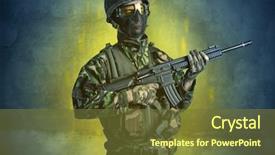
 Presentation with hazard - Amazing presentation theme having hazard menace soldier in a ruined crumbly building with arms on his hand backdrop and a tawny brown colored foreground

Hazard Menace Soldier Ruined Crumbly

In the heart of a ravaged city, a formidable figure emerges from the shadows, his presence casting a darkened aura that seems to draw in the very air around him. Corner Title is a design driven template that combines high resolution images with a distressed theme, evoking an sense of danger and menace. The Widescreen format allows for expansive visuals that are sure to grab the audience's attention. The Olive color palette provides a rich, earthy backdrop for this deadly setup, with its warm tones and muted hues offering a striking contrast to the gritty, battle worn imagery. Featuring a background image of an old, crumbling building in the center of the screen is particularly effective, as it sets the tone for the rest of the presentation. The Corner Title template includes several key features that make it well suited for use on Google Slides. The high resolution images are available for download and can be easily incorporated into your slides, enhancing their visual impact. Having a theme of dynamic backgrounds is particularly useful when creating presentations with multiple sections or slides.

 Presentation with hazard - Presentation design with poker-still-life-with-falling background and a dark gray colored foreground

Poker Still Life Falling Poker

The world of gaming is full of excitement and unpredictability, with each roll of the dice or spin of the wheel holding the potential for big wins or crushing losses. The thrill of the game lies not just in the objective but also in the experience itself, which can be enhanced by a well designed template that sets the tone for an immersive and engaging play experience. Welcome to Corner Title, a stunning widescreen powerpoint template that brings the excitement of gaming into your Google Slides deck. This template features a saddle brown color palette that evokes the rich tones of high end poker rooms, complete with intricate details like stack of chips and poker game tables. The result is an immersive atmosphere that draws your audience in and refuses to let go. To fully unleash the power of Corner Title, consider adding some background images Featuring a high resolution image of a classic poker set or a majestic casino floor to give your presentation a sense of place. For example, you could use this template on how to slides like "Getting Started" or "Tips for Winning", where a clear and concise AIDA Block Layout slide sets the stage with an attention grabbing opening sentence. The next step would be to dive deeper into the game, perhaps explaining the rules of poker and providing tips for improvement. As you continue on, the importance of theme and design can be highlighted by including images or graphics that reinforce the game's theme. Having a clear structure and organization is key to making your presentation engaging and easy to follow, which is why incorporating features such as including a background With a stunning image or Having a striking visual element can make all the difference. By doing so, you'll be able to enhance your message and leave a lasting impression on your audience, resulting in more successful presentations.

 Presentation with hazard - Colorful presentation design enhanced with hazards - hazard menace man backdrop and a ocean colored foreground

Hazard Menace Man Ruined Crumbly

In the realm of creative design, where visuals reign supreme, there exists a template that has garnered attention from designers and enthusiasts alike Split Title. This powerful tool is specifically tailored to help users create stunning presentations that command attention. With Split Title, you can craft titles that break away from traditional norms, featuring bold typography, vibrant colors, and striking imagery. The Steel Blue color palette provides a sleek backdrop for your creative endeavors, while the Four Arrows Layout slide offers a versatile canvas for experimentation. This template is designed to deliver high resolution images for the background of each slide, ensuring a professional finish that's sure to impress. To make the most out of this powerful tool, we recommend starting with the four How To slides at the start of your deck, which will help you get up and running quickly with ease. The Four Arrows Layout slide is particularly useful, featuring a dynamic design that allows for seamless integration with other elements within your presentation. This layout can be used to create complex visual hierarchies or to emphasize key messages, making it an invaluable asset in any creative project. A great example of what Split Title can do comes alive when you include a background image of a ruined crumbly building, such as the one described earlier, with arms raised in defiance. This iconic image serves as a striking backdrop for your titles, showcasing their impact and visual appeal.

 Presentation with hazard - Beautiful PPT theme featuring hazards - hazard menace soldier backdrop and a tawny brown colored foreground

Hazard Menace Soldier Ruined Crumbly

As you step into the heart of danger and menace, your Corner Title PowerPoint template is waiting to unleash its deadly combination of form and function upon your audience. This Dark Goldenrod inspired template is designed to make a bold statement, striking fear into the hearts of those who dare to face it. The Corner Title template is tailored for high resolution images that bring the building, the hazard, or even the soldier in a ruined crumbly structure to life on screen. With its versatile keywords danger, anger, building, deadly, and redoubtable this template is sure to leave a lasting impression. Featuring a mix of gritty textures and bold typography, this design is not for the faint of heart. As you navigate through the 4 How To slides at the start of your deck, you'll be guided through the basics of getting up and running quickly. But don't worry, we've got you covered our template is downloadable, compatible with Google Slides, and ready to enhance any presentation. Having a theme of professionalism, this template is sure to make a statement in any room. The Corner Title template includes a range of advanced features, such as the ability to include a background image or video, enhancing your presentation's overall impact. By having a background with bold animations or transitions, you'll add an extra layer of drama and engagement to your slides. As an added touch, you can even have a theme of custom color schemes, allowing you to tailor your template to fit your unique style. The Corner Title template is designed for maximum impact, with features that include the ability to customize font sizes, colors, and spacing. With its focus on dark goldenrod as the primary color palette, this template will add a sense of sophistication and elegance to any presentation.

 Presentation with hazard - Slide set featuring hazardous - hazard menace soldier background and a tawny brown colored foreground

Hazard Menace Soldier Ruined Crumbly

In a world where danger lurks around every corner, the Corner Title template is the ultimate visual centerpiece for any presentation. This high resolution widescreen template is designed to grab attention and convey a sense of urgency, perfect for presentations that require an edge. The Corner Title template features a bold and striking yellow green color palette that's sure to make your slides stand out. The background image is a high quality high res photo featuring a menacing building scene with armed soldiers standing guard, complete with fiery redoubtles and ominous warning signs. This design combines danger and menace perfectly, creating a visual representation of the high stakes involved. The Corner Title template includes four quick start how to slides that get you up and running quickly, allowing you to dive straight into your presentation without wasting time on setup. The Comparison Layout slide offers additional insights and comparisons at your fingertips, making it easy to make informed decisions with data driven visuals. Featuring a background image of a cityscape with a menacing tower looming in the background, this layout provides an exciting backdrop for your presentations. Having a theme of destruction and chaos, this template is perfect for presentations that require a bold and striking visual identity. Enhanced with subtle textures and patterns, the Corner Title template elevates your presentation to new heights of visual impact.

 Presentation with hazard - Presentation design with hazardous - hazard menace man background and a dark gray colored foreground

Hazard Menace Man Ruined Crumbly

As you set foot into this ominous landscape, you can't help but feel a sense of trepidation, as if the very ground beneath your feet is tainted with the fear of impending danger. The ruined crumbly building looms in the distance, its crumbling walls threatening to topple at any moment, casting a shadow over the dark olive green hue that pervades this entire scene. It's a visual representation of the chaos and destruction that can arise when danger lurks in every corner. The split title design name captures the essence of this ominous atmosphere, with two distinct titles that stand out against the monochromatic backdrop. The template format is Widescreen, perfectly suited for showcasing 4K high resolution images that will transport your audience to a world of intensity and danger. The Dark Olive Green color palette adds depth and intrigue to the design, making it an ideal choice for presentations where you want to convey a sense of foreboding. The keywords that follow are: hazard, menace, building, deadly, redoubtable, featuring high resolution images, including a background with animations, enhanced with dynamic transitions and effects. This template is specifically designed for Google Slides, allowing you to easily import the images into your presentation software and get started right away. As you begin to create your presentation, consider using the Puzzle Pieces Layout slide to organize your ideas and visuals in a clear and concise manner. For example, you could include a diagram of the building with labeled puzzle pieces representing different elements that need to be solved or analyzed, such as clues, red herrings, and plot twists. This interactive layout will keep your audience engaged and invested in the story unfolding before them.

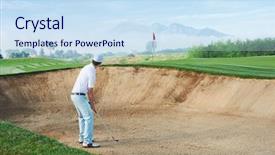
 Presentation with hazard - Theme with trap club - golf shot from sand bunker background and a sky blue colored foreground

Golf Shot Sand Bunker Golfer

Imagine hitting a perfect shot from the top of a sand bunker, taking your golf game to the next level with Corner Title, the ultimate PowerPoint template designed for young enthusiasts and action packed gamers. This stunning template features 4 how to slides at the start of the deck to help you get up and running quickly, but don't worry if you're not a pro yet our expert templates are here to enhance your presentation. The Corner Title template is perfect for showcasing high resolution images from around the world, including vibrant landscapes, bustling cities, and exotic cultures. The background of this template features an inspiring panoramic picture layout, offering endless possibilities for creative presentations. Featuring a bright and airy color palette that's equal parts calming and energetic, you'll feel right at home when using this fantastic template. This template is designed to be downloadable and compatible with Google Slides, making it easy to get started right away. And the best part? You can have your own customized templates just like all the other users of our site!

 Presentation with hazard - PPT theme consisting of house of playing cards background and a sky blue colored foreground

Casino Gambling Games Chance Hazard

The world of gaming and entertainment is vast and intricate, with games of chance lurking around every corner, waiting to ensnare the unwary. From high stakes baccarat tables to rigged poker games, the allure of fortune and fame is palpable. But what lies beneath the surface? What are the hidden risks and uncertainties that lurk in every game? In this PowerPoint template, Corner Title, featuring a dynamic background with images of casino environments and playful house of playing cards graphics, invites you to step into a world of high stakes entertainment. With its medium purple color palette, this template is sure to draw your eye with its rich, sophisticated tone. The layout is designed to be flexible, allowing you to easily add or remove elements as needed. The 4 How To slides at the start of the deck are there to help get you up and running quickly, but they can also serve as a guide for incorporating your own creative flourishes into the design. For example, on the Pictures + Captions Layout slide, you could include a combination of high resolution images, including close up shots of cards, dice, or other gaming paraphernalia. The caption "Featuring a rich casino atmosphere" could be accompanied by an image of a luxurious roulette table, complete with flashy lights and a hint of smoke. The template is also designed to be compatible with Google Slides, allowing you to easily enhance and customize the design as needed. With its medium purple color palette, dynamic background graphics, and flexible layout, Corner Title is sure to add a touch of sophistication and glamour to any presentation or slide show.

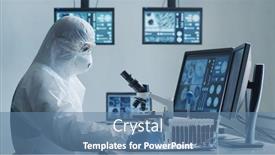
 Presentation with hazard - Audience pleasing PPT theme consisting of scientist-in-protection-suit backdrop and a teal colored foreground

Scientist Protection Suit Masks Working

In the midst of a pandemic that threatens to shut down entire cities, scientists are working tirelessly in lab coats and hazmat suits to develop life saving treatments for the COVID 19 virus. Their expertise is crucial in creating vaccines and medications that could potentially save countless lives. The Corner Title template features a futuristic design with a 3D inspired shape that dominates the background, evoking a sense of high tech innovation. The Light SlateGray color palette provides a clean and modern contrast to the busy scientific environment, while the biotechnology and pharmaceutical keywords convey the theme of groundbreaking discoveries in these fields. The danger and expertise associated with this topic are highlighted through bold font and shading, emphasizing the stakes and urgency of the research. The template includes four How To slides that provide valuable guidance for viewers who want to get started quickly. These slides help to establish a solid foundation for creating engaging presentations on biotechnology and pharmaceutical development. As an example, the Signpost Layout slide is designed to guide the viewer through the structure of the presentation, from introduction to conclusion. The Corner Title template can be customized with high resolution images for the background that convey the theme of scientific research and innovation. Featuring a photograph of a state of the art laboratory or a lab coat clad scientist working at a microscope, this image serves as a powerful visual aid, highlighting the importance of these facilities in advancing our understanding of disease. Having a theme of clean and modern design, the template is enhanced with subtle graphics and animations that add depth and interest to the presentation. The Enhanced With feature allows for customization of the layout, color scheme, and fonts to match specific branding or marketing needs. For instance, adding a subtle background image featuring a stylized representation of a laboratory equipment rack can be included to provide an additional visual element, while having a professional font style can enhance the overall professionalism of the presentation. The Corner Title template is available as a downloadable resource for Google Slides users, ensuring seamless integration with popular collaboration tools.

 Presentation with hazard - Amazing presentation having a ruined crumbly building backdrop and a tawny brown colored foreground

Hazard Menace Man Ruined Crumbly

Presentation having hazard menace man in a ruined crumbly building with arms on his hand backdrop

 Presentation with hazard - Slide deck with trap - golf shot from sand bunker background and a tawny brown colored foreground

Golf Shot Sand Bunker Golfer

As you stand at the top of your own sand bunker, gaze down into the distance and envision yourself sinking a shot from this very spot, surrounded by lush green fairways and towering trees it's an image that embodies the excitement and challenge of playing golf. To bring this scene to life on your screen, imagine a high resolution image featuring a golfer taking a deep breath before hitting their shot, with the wind rustling through their hair and the sound of the clubhead connecting with the ball echoing through the air. The panoramic picture layout allows you to see all the elements of the scene in stunning detail, from the horizon line to the trees and even the flag in the distance. To create a cohesive look throughout your presentation, consider using a slate gray color palette as the background for your template. This will provide a clean and professional foundation for your slides. To enhance the theme of golf, Incorporate a few key elements such as a scoreboard or a putting green to give your presentation an authentic feel. Having a theme of "golf day" can also be a great idea you could even include a photo of a group of friends enjoying their day on the course together. The template is compatible with Google Slides and features high resolution images throughout, making it easy to enhance your presentation with these visuals. To get started quickly, go ahead and tackle the first four slides: Setup Your Presentation, Introduction, Tips for Success, and How To's they'll give you a solid foundation to build upon and help you stay focused while creating your compelling presentation.

 Presentation with hazard - Amazing slides having concept - house of playing cards backdrop and a white colored foreground

Casino Gambling Games Chance Hazard

The world of entertainment and gaming has always been a place where excitement and risk entwine together like the intricate patterns on a deck of cards. But what happens when the house has the upper hand, and the odds are stacked against you? That's where Corner Title comes in a sophisticated powerpoint template designed to make your presentations more engaging, interactive, and even suspenseful. Corner Title is tailored for the casino or gambling theme, transporting viewers into the world of high stakes games of chance. The Lavender Blush Colored template provides a calming yet alluring background that sets the tone for an immersive experience. With its Widescreen format, this template will take your audience on a journey through the twists and turns of the game. The vibrant imagery throughout is sure to captivate your viewers with high resolution images featuring stylized playing cards against a white background. These images are carefully crafted to enhance the overall theme and create a captivating visual display. Having a Theme of Casino, gambling, games of chance, hazard, and insecurity concept house of playing cards over white background, this template is sure to draw your audience in. When it comes to interactive elements, Corner Title features an "Ask Me Anything" slide that invites viewers to share their questions or concerns about the game. Including a Background With engaging animations and transitions will surely make your presentation more dynamic. Enhancing With colorful icons and graphics will also add a touch of personality to your slides. Whether you're using this template for a conference, seminar, or even an online course, Corner Title is sure to elevate your presentations from mere dry content to an exciting experience that your audience won't soon forget.

 Presentation with hazard - Cool new slides with hukum - 22 cal semiautomatic pistol backdrop and a ocean colored foreground

.22 Cal Semiautomatic Pistol Four

In the world of high stakes betting, where fortunes are made and lost in a matter of seconds, the ace is always the key to success. But what happens when the cards don't fall your way? The casino lies in wait with its tempting false promises of prosperity and luxury, but at a steep price. In this presentation, we'll delve into the dark side of chance, exploring the world of gambling and the falsehoods that surround it. The template is designed to be both a warning sign and a beacon of hope, featuring a dramatic background image of a high stakes casino gaming floor. The Dark Slate Gray color palette adds to the sense of foreboding, while the inclusion of images such as .22 cal semiautomatic pistol and four aces creates a striking metaphor for the game. The four How To slides at the start of the deck are designed to get you up and running quickly, with clear instructions on how to create a cohesive look and feel throughout your presentation. As an example, consider including "Creating a Dramatic Background Image" as one of these slides, featuring a high resolution image of a dimly lit casino gaming room or a shot of a roulette wheel in action. The Comparison with Image Layout slide could be designed to highlight the importance of visual consistency in creating an engaging and effective presentation. For instance: "A well designed template can enhance your message by featuring a clear hierarchy of information, using contrasting colors to draw attention to key points, and including images that add depth and context."

 Presentation with hazard - Presentation theme having fight police - hazard menace soldier background and a tawny brown colored foreground

Hazard Menace Soldier Ruined Crumbly

The eye is drawn to the corner title emblazoned across the top of the screen in bold, fiery red, like a warning sign screaming danger, menacing an unsuspecting audience with its presence. The dark khaki color palette that accompanies it is a stark contrast to the ruined crumbly building scene below, but one that effectively conveys the sense of foreboding and unease. The template is optimized for widescreen views, ensuring that all images appear crisp and clear without being distorted or pixelated. The high resolution images used throughout the design are top notch, providing a level of detail and realism that will make any presentation look sharp and professional. A key feature of this template is its Arrowheads Layout, which allows designers to create complex designs with ease. It's ideal for presentations that require multiple elements, such as slides with text overlays or graphics. This layout can be particularly useful when working on projects that involve multiple colors, fonts, and images, as it provides a seamless way to arrange all the elements. For example, an architect could use this template to create a presentation showcasing their design for a new building. They could feature a dramatic photo of the building's exterior, including a background with a subtle texture that evokes the feeling of stone or concrete. They could also include a title slide with a bold font and color, followed by arrows pointing to key features of the design, such as its location or unique architectural elements. The template is downloadable and compatible with Google Slides, making it easy for users to share their presentations with others. It's enhanced with additional images that can be used to create even more dramatic effects, including a close up shot of a warning sign with the words "Danger: Do Not Enter" emblazoned across it in bold red letters.

 Presentation with hazard - Amazing presentation theme having casino gambling games of chance backdrop and a light gray colored foreground

Casino Gambling Games Chance Hazard

Presentation theme having casino gambling games of chance hazard and insecurity concept - close up of house of playing cards over white background backdrop

▼Key features of this template

  • They are compatible with both PowerPoint and Google Slides running on either Windows PCs or Macs.

  • They are available in both standard and widescreen slide formats. You can choose your preferred format by clicking on the "Widescreen" check box or icon.

  • Each template includes a beautiful high-resolution background image or video to visually reinforce the theme of your presentation.

  • In addition, each template includes designer-created graphics and modern fonts to give your presentations an up-to-date, professional look.

  • Each template's default design and title text position have been carefully selected to complement its background without covering faces or other key elements.

  • All text includes backdrops whose transparency level is mathematically calculated to maximize text readability while still allowing the background to be seen.

  • And all the text, text backdrops and graphics in every slide are colored with a palette designed to beautifully complement the colors in the background.

  • Our Premium templates (those with the descriptor “Premium” in their subtitle) include over 64 slide layouts to give you maximum flexibility as you create your presentations.

    • Those layouts are available to you whenever you create a new slide or when you want to change the layout of an existing slide.
    • They include everything you need to make all sorts of presentations. In addition to the layouts for the title slide and the usual title and content slide, they include many other layouts for slide types including table of contents slides, org charts, charts, diagrams, infographics, photo slides, thank you slides and more.
    • While creating these layouts our template designers have ensured that all text in every layout adjusts as gracefully as possible to various numbers of words.
  • Customizable templates (those with the descriptor “Customizable” in their subtitle) may be easily modified online before you download them.

    • To modify them, simply click on the pencil editing icon, then select your choice of ready to go designs and title text positions.
    • The editing tool also makes it easy to reposition and scale the background image or video to best suit your needs.

▼FAQs

Please review these FAQs to see if your question is answered. Contact us for more info

  • What is a PowerPoint template?

    • A well designed PowerPoint template is a file that can tell PowerPoint how to make your ordinary templates look extraordinary. They won’t change what your words or numbers say. But they might change their size, color, font and placement. And, overall, they can give your presentations a professionally-designed look that will give your content more credibility and give you more confidence.
  • How many PowerPoint templates do you offer?

    • We have over 32,000 artist-created presentation templates in our PowerPlugs collection With a subscription, PowerPlugs templates are easy to download. Just sign in, find a template and click on the green Download button. ready for you to download. That alone offers you more variety to choose from than any of our competitors can offer. And, as if that weren’t enough, we also offer over 6 million templates in our Crystal collection. Crystal brand templates are our line of templates that have customization options. They have the word "CRYSTAL" on their web page images. You can customize several aspects of the templates. These templates include high-resolution background images from Shutterstock’s vast image collection matched up with artist-created presentation designs customized by our own proprietary AI software.
  • How many templates can I download as a subscriber?

    • You can download an unlimited number of PowerPlugs-brand With a subscription, PowerPlugs templates are easy to download. Just sign in, find a template and click on the green Download button. templates every day for an entire year. (Actually, by default, we set a limit of 25 templates per day to prevent our competitors from stealing our templates. But, if that is not enough, just let us know and we’ll try to accommodate you.) On top of that, with a subscription or an Ultimate Combo, you can also download any 50 Crystal-brand Crystal brand templates are our line of templates that have customization options. They have the word "CRYSTAL" on their web page images. You can customize several aspects of the templates. templates per year selected from our huge Crystal collection. Crystal brand templates are our line of templates that have customization options. They have the word "CRYSTAL" on their web page images. You can customize several aspects of the templates. .
  • Why should I choose your templates instead of the competition’s?

    • We’ve got a larger selection of professionally-designed PowerPoint templates than anyone else in the world.
    • Each template includes a high-resolution background image or video to visually inspire your audiences while reinforcing your message.
    • Each template includes 64 slide layouts to give you maximum flexibility as you create your presentations.
    • Our templates are available in both standard and widescreen slide formats. And our website lets you preview the slides each way.
    • Our free Template Finder™ plugin lets subscribers select and - with a single click - download and insert our templates into their presentations right from within PowerPoint.
    • We’ve been creating designer presentation templates for over 20 years. During that time we’ve won several awards and 5-star ratings for product quality. See About Us for more.
  • Do you offer a money-back guarantee?

    • Yes we do! We offer full 30-day money-back guarantee if you are not 100% satisfied with your purchase.
  • Can I still use my downloaded templates after my subscription runs out?

    • Yes. After your subscription expires, you won't lose any rights or ability to use your PowerPlugs: Templates for PowerPoint. You won't be able to download any new non-watermarked templates. But the non-watermarked templates you've already downloaded will still work and you can still use them as before.
  • Can I share my downloaded templates or passwords with friends or coworkers?

    • Sorry but no. You are authorized to download each paid-for template to up to 3 of your personal devices and to use the templates you download in as many presentations as you want. But you are not authorized to share the templates, themselves, with others. That said, we do offer highly discounted site licenses to suit the needs of both small and large teams. Just tell us your needs and we’ll give you a quote!
  • System requirements:

    • The templates use the standard POTX format. So they are compatible with Google Slides and all PC, Mac and mobile devices running any version of PowerPoint from PowerPoint 2007 up through and including Office 365 desktop.
    • Please note: Google Slides does not currently support background videos. It treats them as still images.
    • For PowerPoint for the Web, first open your template into a desktop version of PowerPoint, then save it back out as a PPTX file. Then you can open that in PowerPoint for the Web.
  • End user license agreement:

    • Click here to view.
  • How will I get my purchased templates?

    • You may download your selected templates as soon as your payment is received by PayPal. If you purchased an individual template, you will be provided with a download link both onscreen and via email. Just click on that link to begin the download process. If you purchased a subscription, you will receive an email containing a password to use along with your email address to sign in to any of the templates pages on CrystalGraphics.com. Once you are signed in, you can immediately start downloading your selected templates.
  • How do I use my templates after I download them?

    • You can either open a template to start a new presentation or you can add a template to an existing presentation. To open a template, just double click on it or use PowerPoint's File > Open tool. To add a template to an existing presentation, on the Design tab, in the Themes group, click Browse for Themes... then browse to select your template.

View more Hazard templates:

previous 1 2 3 4 5 6 next
93% of Fortune 1000
companies use our
PowerPoint Products
Templates Secure

Standing Ovation Award
Winner: Best PowerPoint
Template Collection
Fortune Logos
200,000+ satisfied
customers worldwide!
Guarantee
100% satisfaction guaranteed
- or send it back for a refund!

Sign up for our free newsletter! You'll get news about our PowerPoint-enhancing product line – including free updates, new product announcements and exclusive special offers. Plus you'll get a link to a free PowerPoint template with every newsletter you receive.
Privacy Policy
Loading...


Help

Contact Us
Product FAQs
Product License Agreements

Company Info

About Us
Privacy Policy
CrystalGraphics, Inc. 1999 S. Bascom Avenue Suite 700 Campbell, CA 95008 USA
© 2026 CrystalGraphics, Inc. All rights Reserved.    |     PowerPlugs is a trademark of CrystalGraphics, Inc.
Microsoft and the PowerPoint logo are trademarks or registered trademarks of Microsoft Corporation in the United States and/or other countries.
Loading...
Loading...