www.crystalgraphics.com CrystalGraphics
  • Ultimate Combo
  • Templates
  • Diagrams
  • Characters
  • Quizzes
  • shopping cart
  • Sign Out Sign Out Sign In
Home > Templates > Buildings > Heritage Buildings Category
search icon
advanced icon

29 Best Heritage Buildings-Themed Templates for PowerPoint and Google Slides

CrystalGraphics creates templates designed to make even average presentations look incredible. Below you’ll see thumbnail sized previews of the title slides of a few of our 29 best heritage buildings templates for PowerPoint and Google Slides. The text you’ll see in in those slides is just example text. The heritage buildings-related image or video you’ll see in the background of each title slide is designed to help you set the stage for your heritage buildings-related topics and it is included with that template. In addition to the title slides, each of our templates comes with 17 additional slide layouts that you can use to create an unlimited number of presentation slides with your own added text and images. And every template is available in both widescreen and standard formats. With over 6 million presentation templates available for you to choose from, CrystalGraphics is the award-winning provider of the world’s largest collection of templates for PowerPoint and Google Slides. So, take your time and look around. You’ll like what you see! Whether you want 1 great template or an ongoing subscription, we've got affordable purchasing options and 24/7 download access to fit your needs. Thanks to our unbeatable combination of quality, selection and unique customization options, CrystalGraphics is the company you can count on for your presentation enhancement needs. Just ask any of our thousands of satisfied customers from virtually every leading company around the world. They love our products. We think you will, too!

Features & Pricing

Widescreen (16:9) Presentation Templates. Change size...

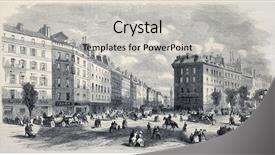
 Presentation with heritage buildings - Colorful PPT theme enhanced with heritage buildings - antique illustration of rue de backdrop and a light gray colored foreground

Antique Illustration Rue De La

In the heart of Paris, where the city's historic charm meets the allure of its storied past, lies the captivating image of Rue de la Paix, circa 1868, a turn of the century illustration by Provost that captures the essence of the era. The intricate details and ornate architecture seem to transport us back in time, inviting us to delve into the world of engraving, rue, carriage, city, and history. This stunning template is perfect for those who crave authenticity and want to elevate their presentations to new heights. This Wide Title template is designed with a Widescreen format in mind, ideal for showcasing high resolution images that will leave your audience in awe. The template's Wheat color palette is reminiscent of the soft, golden tones found in antique illustrations, evoking feelings of nostalgia and timelessness. You can feature high quality images from various sources, including Provenance websites or vintage photography galleries. The 6 x 6 Org Chart Layout slide provides a crisp and clean background for your presentation's structure, ideal for showcasing company hierarchies or organizational charts. This layout is enhanced with clear headings and concise annotations, making it easy to navigate and understand the organization chart of any corporation or industry related topic. You can also include additional elements such as names, titles, and brief descriptions to further enhance the slide. For instance, imagine using this template in a presentation about historical city development, where you could feature an image of Paris's original Rue de la Paix, showcasing its rich history and architectural significance. You could include a Background With element by adding a 3D texture or a gradient overlay to give your illustration a more immersive experience. Having a Theme of showcases the template as a versatile tool for creating visually appealing presentations on various subjects, making it an ideal choice for professionals in fields such as marketing, branding, and presentation design. As you begin building your PowerPoint deck, remember that this template is downloadable and compatible with Google Slides, allowing you to work seamlessly across different platforms. You can also include additional images or elements to make the template even more engaging.

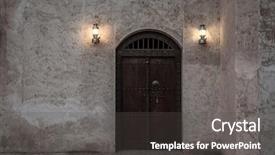
 Presentation with heritage buildings - Beautiful PPT theme featuring entrance of an islamic heritage backdrop and a dark gray colored foreground

Entrance Islamic Heritage Building.

As you step into the heart of this majestic Islamic heritage building, you're immediately transported to a world of rich history and cultural significance, where the warmth of traditional architecture meets the sophistication of modern design. The entrance is flanked by imposing concrete pillars, their intricate carvings depicting scenes from the Quran and Hadith in intricate detail, adding an air of grandeur to this already stunning facade. This Wide Title template features a Widescreen format, perfect for showcasing high resolution images on your computer or projector. With its warm Sienna color palette, it evokes the feeling of a traditional Islamic monument, while also incorporating elements of modern design. The concrete and door keywords clearly convey the building's theme, while the city and facade keywords suggest its connection to urban landscapes. The template is designed for easy integration with Google Slides, making it seamless to use as part of your presentation. Whether you're sharing a PowerPoint about Islamic architecture or showcasing a cityscape, this template has got you covered. As an added bonus, it comes with Four How To slides that will help you get up and running quickly, featuring a beautiful background image to enhance the overall experience. The Four Arrows Layout slide is particularly useful for creating a sense of balance and harmony in your presentation, while also highlighting key points or statistics. It's a great way to make complex information more engaging and easy to follow. Plus, with Featuring high resolution images of iconic Islamic landmarks, Including a Background With stunning architecture scenes, Having a Theme of rich cultural heritage, and Enhanced With intricate carvings, you'll be sure to impress your audience. Incorporating these elements into your presentation will not only elevate the overall quality but also showcase your creativity and attention to detail. So why wait? Download this template today and get started on creating an unforgettable experience for your viewers.

 Presentation with heritage buildings - PPT layouts having heritage buildings - shop house in singapore background and a coral colored foreground

Shop House Singapore

The moment of truth has arrived you're about to unleash your creativity on a brand new template that's designed to transport you and your audience into the vibrant streets of Singapore's Chinatown. Imagine a high resolution image of a shop house that seems to glow with an otherworldly light, its facade adorned with intricate carvings and ornate details. As your eyes scan the screen, the background image zooms in on the building's exterior, revealing lush greenery and colorful street art that seem to dance across the walls. The overall effect is one of energy and vitality, perfect for bringing a sense of community and history to any presentation. The Wide Title itself is a masterclass in simplicity just four words that perfectly capture the essence of your template: Shop House in Singapore. The font is bold and eye catching, with a subtle gradient effect that adds depth and dimension. As you hover over it, you're treated to an image that's equal parts elegant and modern, perfect for showcasing your brand's personality. The template format is Widescreen, which means the full bleed aspect ratio will take center stage. The Light Sky Blue color palette provides a clean and uplifting background that will enhance any presentation. When it comes to keywords, shop house exterior chinatown facade house these are phrases that will make your audience's hearts skip a beat. The template is designed to be download a thon ready, with four easy to use How To slides that will get you up and running quickly. From selecting from thousands of high resolution images to customizing the layout and design elements, it's easier than ever to bring this template into life. With Google Slides compatibility, your audience can enjoy the full range of features without any hassle. This is where things really get interesting as you click through the slide deck, each one will feature a different aspect of your template. Take the Title and Content Layout slide for example: in this case, the background image is actually a 4K resolution high definition video that showcases the intricacies of the building's facade. The color palette has been carefully crafted to evoke the warm tones of traditional Chinese architecture, while also incorporating modern elements to keep things fresh. Including a Background With an image like this will

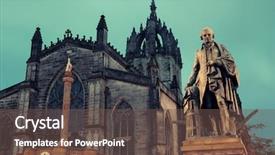
 Presentation with heritage buildings - Theme having heritage buildings - st giles' cathedral with duke background and a tawny brown colored foreground

St Giles Cathedral Duke Buccleuch (

Imagine walking along the cobblestone streets of Edinburgh's historic Old Town, surrounded by majestic architecture and picturesque alleys, as you take in the breathtaking views of St Giles' Cathedral with Duke of Buccleuch's statue standing proudly at its entrance. The famous landmark of this British city is a testament to Scotland's rich history and cultural heritage. The Corner Title template is designed to bring a touch of grandeur and majesty to your presentations, featuring high resolution images as the background, evoking the sense of timelessness and tradition that defines the UK's capital city. This template is ideal for anyone looking to add a royal flair to their slides, from business pitches to historical documentaries. A showcase of the Corner Title template's versatility lies in its ability to incorporate various elements, such as featuring stunning images of Gothic architecture, Including a background with warm and inviting colors, or Having a theme of British history. This template is also Enhanced With a modern feel, making it easily downloadable and compatible with Google Slides. The template includes 4 How To slides that get you up and running quickly, helping you to create engaging and informative presentations in no time. These slides include: Slide 1: "Getting Started" Slide 2: "Customizing Your Theme" Slide 3: "Adding High Resolution Images" Slide 4: "Tips for Effective Presentation" The Corner Title template is a must have for anyone looking to elevate their presentation game, whether you're creating a historical documentary, a business pitch, or simply need a touch of classic elegance in your slides.

 Presentation with heritage buildings - PPT theme with group off barnacle goose in spitsbergen norway note visible grain at 100 best at smaller sizes background and a gray colored foreground

Grunge Arabic Wall

From one corner of the world to another, this template brings you a unique blend of cultural heritage and modern style, perfectly capturing the essence of Islamic architecture. Imagine walking through an ancient Arabic city, surrounded by intricate patterns, bold calligraphy, and vibrant colors that evoke a sense of history and tradition. The design name "Wide Title" sets the tone for this stunning template, which is tailored to showcase high resolution images in its Widescreen format. The Peru color palette takes center stage, with warm earthy tones that transport you to a far off land. This enchanting theme is perfectly complemented by "Feature" imagery including a detailed background of Arabic calligraphy on the top slide, and an exquisite image of a traditional Arabic house in its accompanying slides. The template's grid layout ensures that every element is carefully placed within a harmonious structure, making it easy to navigate through the 250 word description. Every detail, from high resolution images for the background to the keyword rich text, is crafted to enhance your presentation. As you delve into this template, you'll notice four handy slides at the start of the deck that will help you get up and running quickly: "How To Slide 1: Setting Up Your Template", "Slide 2: Customizing Colors & Layouts", "Slide 3: Adding Text & Graphics", and "Slide 4: Creating a Strong Visual Identity". With this template, featuring a beautiful background with an Islamic theme, including images of intricate patterns, bold calligraphy, and traditional architecture.

 Presentation with heritage buildings - Slide set featuring five colorful keys set background and a cream colored foreground.

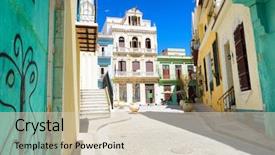
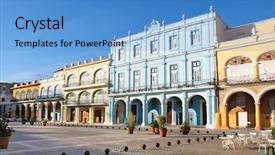
Sunny Street Havana Sidelined Old

The streets of Havana come alive with the vibrant colors and lively energy of this iconic city. Picture the bright sunshine casting a warm glow on the colonial buildings as they stand tall against a clear blue sky, their intricate details and ornate facades reflecting beautifully in the morning light. This stunning scene is brought to life through the use of high resolution images for the background, which gives viewers a glimpse into the rich cultural heritage of Cuba. The Wide Title template ensures that the main content stands out from the background, with its bold and dynamic font design. Featuring a theme of building and architecture, this template is perfect for anyone interested in exploring the history and beauty of Havana. As users begin their presentation, they'll appreciate the flexibility of the Widescreen format, which provides an immersive experience that feels like you're right there in Havana. The Dodger Blue color palette adds a touch of sophistication and elegance to the design, making it easy to enhance with additional visuals and animations. Having a theme of America or featuring a beautiful scene from around the world is just one example of how this template can be applied. Including a background with subtle texture and patterns adds depth and interest to the design, while having a cohesive theme ensures that all elements work together seamlessly. With its Venn Diagram Layout slide, users can visually map out their ideas and connect different sections of their presentation, making it easy to visualize and organize their thoughts.

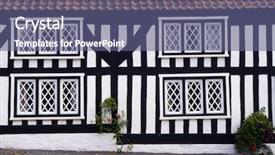
 Presentation with heritage buildings - Colorful PPT theme enhanced with heritage buildings - mock tudor house in english backdrop and a ocean colored foreground

Mock Tudor House English Rural

The charming world of rural England has long been a source of inspiration for architects and designers alike. A traditional mock Tudor house sits proudly on the exterior of a picturesque village, its rustic facade adorned with intricate stone carvings and ornate windows. The surrounding landscape is dotted with rolling hills, verdant fields, and wildflowers, creating a serene and idyllic atmosphere that invites relaxation and tranquility. The Wide Title template, designed by CrystalGraphics, features a beautiful medium slate blue color palette that echoes the warm tones of traditional English architecture. With its high resolution images for the background, this template is sure to transport you to a world of elegance and sophistication. As you work on your presentation, you can easily include a Background With text, having a theme of bringing attention to specific points or elements. The 3 Step Funnel Layout slide provides a clear structure for organizing your content, featuring a hero image that draws the viewer in. To showcase your design skills, consider including high resolution images of rural landscapes and traditional English architecture on your slides. This will not only enhance the overall visual appeal but also demonstrate your attention to detail. The template is downloadable and compatible with Google Slides, making it easy to incorporate into your presentation. As you create your presentation, don't forget to include a call to action in your slide deck, Featuring including links to your design assets or resources. Having a theme of showcasing your work and providing value to your audience is also essential for building a strong online presence.

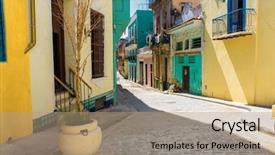
 Presentation with heritage buildings - PPT theme with hispanic heritage - narrow street sidelined by colorful background and a coral colored foreground

Narrow Street Sidelined Colorful Buildings

Imagine yourself standing in the vibrant streets of Old Havana, surrounded by colorful buildings that seem to dance in the warm Cuban sunlight. The narrow alleys are lined with ornate balconies and pastel hued facades, creating an enchanting atmosphere that's quintessentially American. The Corner Title template is designed to evoke this same sense of excitement and energy, featuring a mix of bold typography, bright colors, and dynamic visuals that will capture the attention of your audience. The Burly Wood Colored theme adds a rugged touch, reminiscent of America's Wild West, while the high resolution images for the background ensure that every detail is sharp and clear. The template is fully downloadable and compatible with Google Slides, making it easy to integrate into your presentations. With its seamless integration with various Google Slides features, you can enhance your content with interactive elements, animations, and more. Featuring a Panoramic Picture Layout slide, this template showcases a stunning image that sets the tone for your presentation. Incorporating multiple background images and overlays is also possible, allowing you to create a dynamic scene that reflects your message. Having a theme of storytelling, this template provides a clear structure for your content, making it easy to organize and present your ideas in an engaging way. By using words like Featured Background Image, Including Panoramic Picture Layout, Enhanced with Customization Options, you can fully exploit the capabilities of this template.

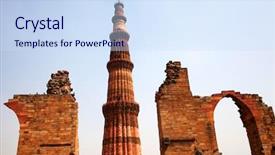
 Presentation with heritage buildings - Slide deck consisting of artistic background with a music background and a lemonade colored foreground.

Qutub (qutb Minar Tallest Free-standing

Imagine standing in front of one of the world's most breathtaking architectural wonders, its majestic facade slowly coming into view as the sun rises over the horizon, casting a warm glow on the intricate carvings and ornate details that adorn its towering structure. This is what your presentation could be like, featuring stunning high resolution images to take your audience on an immersive journey through the rich history and cultural significance of Islamic architecture. The Widescreen format allows viewers to fully immerse themselves in your content, from the subtle nuances of lighting to the dramatic sweep of the building's design. The Alice Blue color palette provides a soothing yet striking backdrop for showcasing your high quality visuals, including the iconic images that make up the majority of your presentation. Throughout this stunning template, you'll discover four How To slides at the start of your deck to help you get started quickly and efficiently. But don't worry, we've got you covered there's a wealth of information available online to guide you every step of the way. From simple setup instructions to expert tips on how to optimize your images for use in Google Slides, our template has got you covered. The Dart Layout slide is where things really come together it brings everything together into a cohesive and visually appealing design that's sure to grab your audience's attention from the start. With its clear structure and easy to read information, this slide will help ensure that your presentation flows smoothly and keeps your viewers engaged throughout. Featuring an elegant background with subtle textures and highlights, this slide is a perfect example of how a few carefully chosen elements can elevate your content into something truly special. Including a Background With stunning images from around the world, this Dart Layout slide gives you the freedom to showcase your best work and create a truly unique presentation that reflects your personality. Having a Theme of showcasing Islamic architecture and its rich cultural heritage makes this template the perfect choice for anyone looking to share their passion with others.

 Presentation with heritage buildings - Amazing presentation having facades of old buildings backdrop and a coral colored foreground

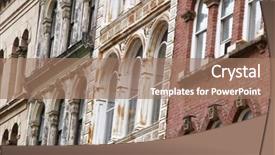
Facades Old Buildings Downtown Halifax,

Welcome to Wide Title, a stunning widescreen template that transports you to the revitalization process of old buildings in downtown Halifax, Nova Scotia, Canada. This template is designed to feature high resolution images for your background, giving you the perfect canvas to showcase your creative vision. The Sandy Brown color palette adds a warm and inviting touch, perfectly capturing the essence of this architectural wonderland. Wide Title's Widescreen format ensures that every aspect of the design is fully immersive, whether it's the facade of an old building or a modern renovation. With its unique Bulb Puzzle Layout slide, you can include a background with a beautiful image, enhance your presentation with multimedia features, and have a theme of creative freedom to express yourself. The Sandy Brown color palette, featuring warm beige tones and subtle texture, is perfect for showcasing the revitalization process. The template's compatibility with Google Slides makes it easy to integrate into any presentation or project. By including high resolution images from the background, you can easily recreate the stunning facades of old buildings in downtown Halifax. The Widescreen format allows you to fully explore the possibilities of the design, whether it's showcasing a single image or creating an immersive experience for your audience. With Wide Title, you can enhance your presentation with colorful backgrounds, add multimedia elements, and have a theme of creativity that brings your message to life.

 Presentation with heritage buildings - Beautiful slides featuring heritage buildings - chateau frontenac in quebec city backdrop and a cobalt blue colored foreground

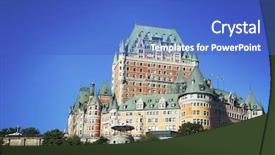
Chateau Frontenac Quebec City Canada.

The majesty of Chateau Frontenac in Quebec city, Canada stands out as the ultimate destination, beckoning travelers to experience its rich history and breathtaking architecture. This stunning structure, perched atop a hill, has been captivating visitors for centuries with its elegant design and stunning views. To bring this iconic landmark to life on your PowerPoint presentation, you'll need a template that embodies its grandeur and charm. We present to you the Corner Title template, featuring a Royal Blue color palette, perfect for creating a regal atmosphere. This widescreen template is designed to showcase 4 high resolution images from different angles, providing an immersive experience for your audience. The background features lush greenery, with subtle texture overlays giving it a realistic feel. You can enhance the image quality by having a theme of "Featuring High Resolution Images" or "Including Background With Fine Details". The Corner Title template is customizable, allowing you to include a city skyline, a majestic castle, or even the Canadian flag. The word "Corner" is embossed in gold lettering, adding a touch of luxury and sophistication. For an added dimension, consider incorporating 6 pictures into a grid layout slide, showcasing different aspects of Chateau Frontenac's architecture and history. This would be perfect for sharing interesting facts or anecdotes about the landmark. With the Corner Title template as your starting point, you'll have everything you need to create a captivating presentation that showcases this Canadian icon.

 Presentation with heritage buildings - Presentation theme enhanced with hispanic heritage - detail of old havana plaza background and a teal colored foreground

Detail Old Havana Plaza Vieja

Imagine yourself standing in the heart of Old Havana, surrounded by colorful tropical buildings and vibrant street life that screams "Viva!" The steel blue tone of the Corner Title template shines through as it takes you on a visual journey to this enchanting destination. Widescreen format ensures an immersive experience, with high resolution images featuring the iconic buildings and lively atmosphere. The Steel Blue color palette is reminiscent of Cuba's rich history, while the 3 x 3 Org Chart Layout slide features a clear hierarchy of departments, allowing you to easily navigate your organization. This layout also enables you to enhance your presentation by including sections for key team members, projects, and achievements. For example, you could feature a photo of your top team member with a brief description of their role in the org chart. The template is downloadable and compatible with Google Slides, making it easy to customize and present your content. With its modern design elements and inspirational cityscape, this template is the perfect choice for anyone looking to enhance their travel or tourism presentations. Having a theme of showcasing destinations around the world, you can use this Corner Title template as a starting point to include the stunning image of Havana on each slide, perhaps featuring it in a 3 x 3 layout with background images, and having a "Destination Showcase" section where you could highlight other exciting places to visit.

 Presentation with heritage buildings - PPT theme with agra-india-november-17-2012 background and a  colored foreground

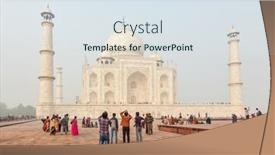
Agra India November 17,

As you embark on your destination marketing journey, consider showcasing one of India's most breathtaking attractions the Taj Mahal in Agra. This iconic monument is not only a symbol of love and romance but also a testament to human ingenuity and architectural prowess. To transport your audience to this incredible destination, we've designed a captivating PowerPoint template that will leave a lasting impression. Our Corner Title template features a stunning high resolution background image that complements the Alice Blue color palette perfectly, setting the tone for an immersive experience. The entire design is optimized for widescreen compatibility with Google Slides, ensuring seamless integration into your presentation. The template includes four How To slides to help you get started quickly, allowing your audience to easily navigate the content of your deck. These slides will feature a clear and concise layout that will guide you through the process of creating an engaging destination marketing presentation. This template is not just about conveying information but also serves as a visual representation of your brand. The Alice Blue color palette, combined with high resolution images throughout, creates a cohesive look that will enhance the overall experience. By including a background with a subtle texture or pattern, you can create a more immersive environment for your audience to explore. Having a theme of showcasing famous landmarks and architectural wonders is perfectly encapsulated in this template, as it focuses on Agra's Taj Mahal. The addition of the Two Content Layout slide ensures that there are clear headings and subheadings throughout the deck, making it easy for your audience to scan and understand the content. The Enhanced With feature allows you to easily include interactive elements such as videos or animations to bring the presentation to life. This template is fully downloadable and compatible with Google Slides, ensuring a seamless integration into your existing workflow. By showcasing the Taj Mahal in Agra, this PowerPoint template will inspire your audience to explore the wonders of India's rich cultural heritage and architecture.

 Presentation with heritage buildings - Audience pleasing presentation theme consisting of heritage buildings - building abstract 2 backdrop and a  colored foreground

Building Abstract 2

In the world of architecture and design, there exists a sense of grandeur that is unmatched by any other aspect of building itself. This is why we have created a stunning template that captures the essence of cityscapes at their most breathtaking the Wide Title. With its sleek steel blue color palette, this template will leave a lasting impression on anyone who lays eyes on it. This Widescreen template features four key slides designed to enhance your presentation and make it as engaging as possible. The first two slides are meant to be used as a starting point for your entire deck, providing a solid foundation that allows you to quickly get up and running with your project. The third slide is where the magic happens the Growth Stages Layout. This slide showcases not only a beautiful cityscape but also includes a downloadable background image that can help bring your presentation to life. The Wide Title itself is a showstopper, featuring mirror like reflections on its exterior facade, creating an illusion of depth and dimensionality. The steel blue color palette is both timeless and versatile, making it perfect for any project or presentation. With the inclusion of a background with a cityscape view, you'll have a dynamic image to work with that will keep your audience engaged. Whether you're highlighting the benefits of a particular building or feature, this template has got you covered. As an added bonus, this template can be enhanced with additional features such as including a historical theme, featuring high resolution images, and having a strong branding element that matches your presentation's tone and style. Overall, this Wide Title template is the perfect choice for anyone looking to showcase their vision and creativity on stage or screen.

 Presentation with heritage buildings - Colorful slides enhanced with heritage buildings - facade of ancient celsus library backdrop and a tawny brown colored foreground

Facade Ancient Celsus Library Ephesus,

The facade of ancient Celsus Library in Ephesus, Turkey, is one of the most iconic and awe inspiring architectural landmarks in history. The intricate columns, towering pillars, and majestic entrance that greet visitors to this 2nd century Roman library are a testament to the engineering prowess and artistic vision of the time. Our Wide Title template is inspired by the grandeur and opulence of ancient civilizations, featuring a classical theme with a focus on pillars, columns, and high resolution images for a truly immersive experience. The template's Saddle Brown color palette adds warmth and sophistication, perfect for creating a sense of luxury and refinement. The Wide Title template is available as a Widescreen download, compatible with Google Slides and designed to enhance your presentation with its stunning background images and classical theme. To get started quickly, four easy to follow slides are included, guiding you through the basics of setting up your presentation. These slides feature Our Premium Templates' extensive collection of 60+ layouts, ensuring you can find a template that perfectly suits your needs. This iconic structure is an excellent example to illustrate how our templates can be used in various contexts, from presenting historical facts and cultural heritage to showcasing modern architectural designs for inspiration. Imagine using this template to create a presentation about the Roman Empire's engineering feats, or incorporating it into a project on ancient civilizations featuring stunning images of Celsus Library itself. The Wide Title template offers endless possibilities for creative expression and is sure to impress your audience with its incredible visual appeal.

 Presentation with heritage buildings -

Venice Italy 18 2017:

The majesty of ancient architecture has been captured in stunning detail on this template, bringing to life the iconic grandeur of Venice, Italy. The Wide Title, featuring high resolution images of sweeping arches and majestic domes, sets the tone for an immersive experience that will leave your audience spellbound. In Widescreen format, the template is showcased with a Light Steel Blue color palette that perfectly complements the city's rich history. The template is downloadable and compatible with Google Slides, ensuring seamless integration into your presentation. Featuring intricate details of ancient buildings, including a bridge spanning the Grand Canal, this design takes inspiration from the natural curves of the lagoon and the sweeping lines of traditional architecture. The Bridge Building Layout slide offers a unique opportunity to visualize the design process, with elements carefully arranged to create a sense of depth and visual interest. Including a Background With a vibrant color scheme that evokes the sensation of walking through the winding streets of Venice, this template is sure to enhance your presentation. Having a Theme of showcasing the grandeur of ancient cities, it's an ideal choice for architects, historians, and anyone looking to highlight the beauty and majesty of these incredible structures.

 Presentation with heritage buildings -

Agra India November 17,

Imagine you're standing in front of one of the world's most breathtakingly beautiful structures, and all you can see is endless possibilities. Agra, India, is home to the majestic Taj Mahal, a symbol of love that has captivated hearts for centuries. The stunning building is surrounded by lush greenery, with high resolution images of nature's splendor adding depth and texture to your presentation. The Corner Title template is designed to make a lasting impression, featuring 6 beautiful pictures in a grid layout slide that showcases the beauty of Agra. This design will transport your audience to the bustling streets of this Indian city, where history and culture blend seamlessly with modern architecture. The Light Blue color palette provides a clean and elegant contrast to the vibrant images, making it easy for your viewers to focus on the most important details. As you delve into the template's features, you'll discover how easily it can be customized to fit any style or theme. Featuring a background with subtle textures and patterns, this template is perfect for creating visually stunning presentations that include a background With intricate designs and patterns. Having a theme of showcasing architecture and design elements, this template will enhance your presentation with a unique blend of art and science. The Corner Title template includes four How To slides to help you get up and running quickly, covering everything from selecting the right images to fine tuning your design. With Google Slides compatibility, you can easily share your presentation with others and make any necessary adjustments.

 Presentation with heritage buildings -

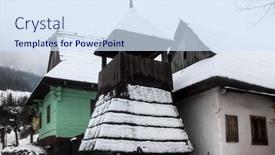
Vlkolinec Sk December 31,

The Corner Title PowerPoint template is a stunning design that embodies the essence of ancient architectural structures, transporting viewers to a world of history and grandeur. This template features a high resolution image of an impressive building on its background, showcasing its intricate details and majestic architecture. The Alice Blue color palette adds a touch of elegance, making it perfect for presentations, projects, or any occasion where you want to convey a sense of sophistication. The Corner Title template is designed for Widescreen format, ideal for delivering engaging slideshows to your audience. With the accompanying keywords ancient, architectural, architectural theme, architecture, building this template is sure to capture the attention of anyone interested in exploring the world of history and design. The Managed Process Layout ensures a seamless experience, with each slide seamlessly integrating into the next. The template includes four How To slides that help you get up and running quickly, featuring essential tools like images, icons, and buttons. These slides can be used to demonstrate how to create your own presentations or projects, making it an excellent addition to any presentation pack. Having a theme of "Building Inspiration" and enhanced with high resolution images, this template is sure to inspire your audience. For example, you could use the Managed Process Layout feature to include multiple elements on each slide, such as text overlays, icons, and images, creating an engaging visual experience for your viewers. By including a Background With setting, you can easily change the background image of any slide without having to manually upload or paste new content. This template is downloadable and compatible with Google Slides, making it easy to access and share with others. Whether you're creating presentations, projects, or just need a professional looking design for your slides, Corner Title is an excellent choice that will leave a lasting impression on your audience.

 Presentation with heritage buildings -

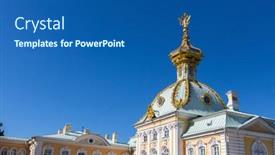
St.petersburg Russia Sep

The majestic architecture of St. Petersburg's Peterhof Palace, a UNESCO World Heritage Site and one of the most breathtaking palaces in Russia, beckons to be showcased on your desktop. As you begin designing your new Corner Title template, imagine yourself standing amidst the opulent grandeur of this ancient structure, surrounded by intricately carved stone and imposing marble. The Steel Blue color palette that dominates this template is a masterful choice, evoking the sense of luxury and refinement found in many Baroque era buildings. The high resolution images featured throughout this template will transport you to 18th century Russia, setting the tone for an immersive experience. Whether you're showcasing stunning views from the palace's gardens or highlighting its intricate architecture, this Steel Blue background ensures that your content stands out. With four How To slides at the start of your deck, getting started is a breeze, and before long you'll be creating stunning presentations with ease. To begin, try featuring the "Antique Architecture" slide, which showcases stunning examples of historic buildings from around the world. Include a Background With rich textures and muted colors to create a warm atmosphere that sets the tone for your presentation. Have a theme of enhancing your visuals with subtle gradient effects to add depth and dimensionality, or showcase high resolution images in their natural settings. Perhaps you could highlight some of the lesser known facets of Peterhof Palace, such as its beautiful fountains or ornate chapels. By incorporating these elements into your template, you'll create a truly unique and captivating presentation that will leave your audience in awe. By leveraging the Oposite Directional Arrows Layout slide, you can easily navigate through multiple slides with ease, creating an engaging and interactive experience for your viewers. This layout also allows you to quickly switch between different themes or sections, keeping your content fresh and exciting throughout. With this template as your starting point, the possibilities are endless create a presentation that's sure to impress!

 Presentation with heritage buildings -

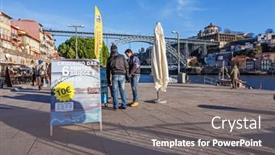
Porto Portugal December 29 2014:

Imagine standing in the midst of Porto's historic district on a crisp winter morning, surrounded by the sounds of gentle chatter and the soft glow of streetlights that reflect off the cobblestone streets, as you gaze upon the majestic Douro River unfolding before your eyes. The 6 Bridges Cruises' iconic Dom Luis I Bridge rises majestically in the distance, its arches a stunning testament to the city's rich history. The Split Title template is the perfect starting point for any presentation that needs to capture attention and convey a sense of grandeur and importance. Its Widescreen format ensures that every element of your design will be visible from every angle, creating an immersive experience for your audience. The Cornflower Blue color palette sets the tone for a sophisticated and elegant look, while the inclusion of high resolution images in the background will ensure that your visuals stay sharp and crisp. The template is compatible with Google Slides and comes with four How To slides to help you get up and running quickly, including Section Header Layout. The theme of this presentation can be showcased through the use of a subtle background image featuring Porto's historic district at dawn. Featuring vibrant colors such as the deep blues of the river and the warm tones of the buildings, along with having a focus on local landmarks like the 6 Bridges Cruises, will enhance your message. The Split Title template is perfect for creating an advertisement or attraction that needs to grab attention, whether it's through a billboards like display or a more subtle inclusion of this template in a larger presentation. With its Enhanced theme and Cornflower Blue color palette, you'll be sure to make a lasting impression on your audience.

 Presentation with heritage buildings -

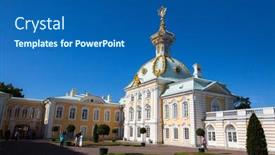
St.petersburg Russia Sep

The city of St. Petersburg, Russia is steeped in history and grandeur, its Baroque architecture a testament to the country's rich cultural heritage. As we delve into this captivating world, we find ourselves surrounded by intricate details and ornate designs that evoke the sense of wonder and awe. This exquisite Widescreen template is designed to transport you to the majestic Peterhof Palace, a UNESCO World Heritage Site featuring opulent gardens, fountains, and buildings that seem to stretch on forever. The Steel Blue color palette brings to life the city's signature hue, imbuing the design with a sense of sophistication and elegance. The 4 How To slides at the start of the deck will get you up and running quickly, providing a solid foundation for your presentation. But what truly sets this template apart is its ability to enhance the user experience, featuring a range of interactive elements that will keep your audience engaged from start to finish. Including a Background With stunning high resolution images, such as those found in top fashion magazines or architecture books, this template is sure to impress. Having a Theme Of grandeur and opulence, it's the perfect choice for anyone looking to convey a sense of majesty and drama. Enhanced with creative typography and elegant graphics, this Widescreen template will elevate your presentation to new heights. The inclusion of a Section Header Layout slide allows you to customize the design to fit your specific needs, making it an ideal tool for presenting complex information or highlighting key points. Whether you're using it to showcase images, include charts and graphs, or simply add some visual interest to your slides, this template is sure to provide a seamless and polished experience. As you embark on your presentation journey, this incredible Widescreen template will be your trusted companion, helping you to deliver engaging and captivating content that leaves a lasting impression on your audience.

▼Key features of this template

  • They are compatible with both PowerPoint and Google Slides running on either Windows PCs or Macs.

  • They are available in both standard and widescreen slide formats. You can choose your preferred format by clicking on the "Widescreen" check box or icon.

  • Each template includes a beautiful high-resolution background image or video to visually reinforce the theme of your presentation.

  • In addition, each template includes designer-created graphics and modern fonts to give your presentations an up-to-date, professional look.

  • Each template's default design and title text position have been carefully selected to complement its background without covering faces or other key elements.

  • All text includes backdrops whose transparency level is mathematically calculated to maximize text readability while still allowing the background to be seen.

  • And all the text, text backdrops and graphics in every slide are colored with a palette designed to beautifully complement the colors in the background.

  • Our Premium templates (those with the descriptor “Premium” in their subtitle) include over 64 slide layouts to give you maximum flexibility as you create your presentations.

    • Those layouts are available to you whenever you create a new slide or when you want to change the layout of an existing slide.
    • They include everything you need to make all sorts of presentations. In addition to the layouts for the title slide and the usual title and content slide, they include many other layouts for slide types including table of contents slides, org charts, charts, diagrams, infographics, photo slides, thank you slides and more.
    • While creating these layouts our template designers have ensured that all text in every layout adjusts as gracefully as possible to various numbers of words.
  • Customizable templates (those with the descriptor “Customizable” in their subtitle) may be easily modified online before you download them.

    • To modify them, simply click on the pencil editing icon, then select your choice of ready to go designs and title text positions.
    • The editing tool also makes it easy to reposition and scale the background image or video to best suit your needs.

▼FAQs

Please review these FAQs to see if your question is answered. Contact us for more info

  • What is a PowerPoint template?

    • A well designed PowerPoint template is a file that can tell PowerPoint how to make your ordinary templates look extraordinary. They won’t change what your words or numbers say. But they might change their size, color, font and placement. And, overall, they can give your presentations a professionally-designed look that will give your content more credibility and give you more confidence.
  • How many PowerPoint templates do you offer?

    • We have over 32,000 artist-created presentation templates in our PowerPlugs collection With a subscription, PowerPlugs templates are easy to download. Just sign in, find a template and click on the green Download button. ready for you to download. That alone offers you more variety to choose from than any of our competitors can offer. And, as if that weren’t enough, we also offer over 6 million templates in our Crystal collection. Crystal brand templates are our line of templates that have customization options. They have the word "CRYSTAL" on their web page images. You can customize several aspects of the templates. These templates include high-resolution background images from Shutterstock’s vast image collection matched up with artist-created presentation designs customized by our own proprietary AI software.
  • How many templates can I download as a subscriber?

    • You can download an unlimited number of PowerPlugs-brand With a subscription, PowerPlugs templates are easy to download. Just sign in, find a template and click on the green Download button. templates every day for an entire year. (Actually, by default, we set a limit of 25 templates per day to prevent our competitors from stealing our templates. But, if that is not enough, just let us know and we’ll try to accommodate you.) On top of that, with a subscription or an Ultimate Combo, you can also download any 50 Crystal-brand Crystal brand templates are our line of templates that have customization options. They have the word "CRYSTAL" on their web page images. You can customize several aspects of the templates. templates per year selected from our huge Crystal collection. Crystal brand templates are our line of templates that have customization options. They have the word "CRYSTAL" on their web page images. You can customize several aspects of the templates. .
  • Why should I choose your templates instead of the competition’s?

    • We’ve got a larger selection of professionally-designed PowerPoint templates than anyone else in the world.
    • Each template includes a high-resolution background image or video to visually inspire your audiences while reinforcing your message.
    • Each template includes 64 slide layouts to give you maximum flexibility as you create your presentations.
    • Our templates are available in both standard and widescreen slide formats. And our website lets you preview the slides each way.
    • Our free Template Finder™ plugin lets subscribers select and - with a single click - download and insert our templates into their presentations right from within PowerPoint.
    • We’ve been creating designer presentation templates for over 20 years. During that time we’ve won several awards and 5-star ratings for product quality. See About Us for more.
  • Do you offer a money-back guarantee?

    • Yes we do! We offer full 30-day money-back guarantee if you are not 100% satisfied with your purchase.
  • Can I still use my downloaded templates after my subscription runs out?

    • Yes. After your subscription expires, you won't lose any rights or ability to use your PowerPlugs: Templates for PowerPoint. You won't be able to download any new non-watermarked templates. But the non-watermarked templates you've already downloaded will still work and you can still use them as before.
  • Can I share my downloaded templates or passwords with friends or coworkers?

    • Sorry but no. You are authorized to download each paid-for template to up to 3 of your personal devices and to use the templates you download in as many presentations as you want. But you are not authorized to share the templates, themselves, with others. That said, we do offer highly discounted site licenses to suit the needs of both small and large teams. Just tell us your needs and we’ll give you a quote!
  • System requirements:

    • The templates use the standard POTX format. So they are compatible with Google Slides and all PC, Mac and mobile devices running any version of PowerPoint from PowerPoint 2007 up through and including Office 365 desktop.
    • Please note: Google Slides does not currently support background videos. It treats them as still images.
    • For PowerPoint for the Web, first open your template into a desktop version of PowerPoint, then save it back out as a PPTX file. Then you can open that in PowerPoint for the Web.
  • End user license agreement:

    • Click here to view.
  • How will I get my purchased templates?

    • You may download your selected templates as soon as your payment is received by PayPal. If you purchased an individual template, you will be provided with a download link both onscreen and via email. Just click on that link to begin the download process. If you purchased a subscription, you will receive an email containing a password to use along with your email address to sign in to any of the templates pages on CrystalGraphics.com. Once you are signed in, you can immediately start downloading your selected templates.
  • How do I use my templates after I download them?

    • You can either open a template to start a new presentation or you can add a template to an existing presentation. To open a template, just double click on it or use PowerPoint's File > Open tool. To add a template to an existing presentation, on the Design tab, in the Themes group, click Browse for Themes... then browse to select your template.

View more Heritage Buildings templates:

previous 1 2 next
93% of Fortune 1000
companies use our
PowerPoint Products
Templates Secure

Standing Ovation Award
Winner: Best PowerPoint
Template Collection
Fortune Logos
200,000+ satisfied
customers worldwide!
Guarantee
100% satisfaction guaranteed
- or send it back for a refund!

Sign up for our free newsletter! You'll get news about our PowerPoint-enhancing product line – including free updates, new product announcements and exclusive special offers. Plus you'll get a link to a free PowerPoint template with every newsletter you receive.
Privacy Policy
Loading...


Help

Contact Us
Product FAQs
Product License Agreements

Company Info

About Us
Privacy Policy
CrystalGraphics, Inc. 1999 S. Bascom Avenue Suite 700 Campbell, CA 95008 USA
© 2026 CrystalGraphics, Inc. All rights Reserved.    |     PowerPlugs is a trademark of CrystalGraphics, Inc.
Microsoft and the PowerPoint logo are trademarks or registered trademarks of Microsoft Corporation in the United States and/or other countries.
Loading...
Loading...