www.crystalgraphics.com CrystalGraphics
  • Ultimate Combo
  • Templates
  • Diagrams
  • Characters
  • Quizzes
  • shopping cart
  • Sign Out Sign Out Sign In
Home > Templates > Star > Hollywood Star Category
search icon
advanced icon

74 Best Hollywood Star-Themed Templates for PowerPoint and Google Slides

CrystalGraphics creates templates designed to make even average presentations look incredible. Below you’ll see thumbnail sized previews of the title slides of a few of our 74 best hollywood star templates for PowerPoint and Google Slides. The text you’ll see in in those slides is just example text. The hollywood star-related image or video you’ll see in the background of each title slide is designed to help you set the stage for your hollywood star-related topics and it is included with that template. In addition to the title slides, each of our templates comes with 17 additional slide layouts that you can use to create an unlimited number of presentation slides with your own added text and images. And every template is available in both widescreen and standard formats. With over 6 million presentation templates available for you to choose from, CrystalGraphics is the award-winning provider of the world’s largest collection of templates for PowerPoint and Google Slides. So, take your time and look around. You’ll like what you see! Whether you want 1 great template or an ongoing subscription, we've got affordable purchasing options and 24/7 download access to fit your needs. Thanks to our unbeatable combination of quality, selection and unique customization options, CrystalGraphics is the company you can count on for your presentation enhancement needs. Just ask any of our thousands of satisfied customers from virtually every leading company around the world. They love our products. We think you will, too!

Features & Pricing

Widescreen (16:9) Presentation Templates. Change size...

 Presentation with hollywood star -

Los Angeles 22 Matthew

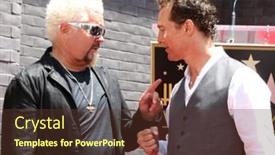
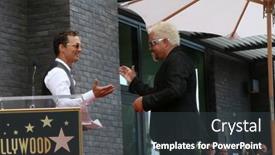
PPT layouts having los angeles - may 22 matthew mcconaughey chef guy fieri at the guy fieri star ceremony on the hollywood walk of fame on may 22 2019 in los angeles ca backdrop

 Presentation with hollywood star -

Los Angeles 22 Matthew

The spotlight is on you as you embark on creating a visual masterpiece that brings to life your favorite actor, actress, or celebrity, like Chef Guy Fieri, in all their glory. This stunning Split Title PowerPoint template takes inspiration from the vibrant colors and energetic vibes of Los Angeles, perfect for entertainment professionals who want to make a splash with their presentations. This dynamic template is designed in Widescreen format, featuring high resolution images that will leave your audience craving more. The Peru inspired color palette adds a touch of warmth and sophistication to any presentation, making it the perfect fit for anyone looking to enhance their branding or marketing materials. Whether you're promoting an event, launching a new product, or simply wanting to showcase your personality, this template is sure to deliver. Imagine featuring high quality images of celebrities in action, such as Chef Fieri at the Guy Fieri Star Ceremony, and having a theme of entertainment with every slide. You could include background images of iconic Hollywood landmarks, like the Walk of Fame, to add an extra layer of depth and excitement. The Growth Layout feature will help you easily customize each slide to fit your unique needs, making it easy to add or remove content as needed. The four How To slides at the start of the deck are designed to get you up and running quickly, covering essential topics like designing a template from scratch, adding images and text, creating a custom layout, and exporting your masterpiece as a downloadable file. With this template and these starting points, you'll be well on your way to creating engaging presentations that leave a lasting impression on your audience.

 Presentation with hollywood star - PPT layouts with hollywood star - sexy young couple posing background and a ocean colored foreground

Sexy Young Couple Posing Front

Imagine yourself posing in front of a sleek black car at sunset, surrounded by the opulent details of a luxury evening out high heels, designer clothes, and a hint of seduction. The mood is electric, the atmosphere is sophisticated, and the overall vibe exudes confidence and glamour. This stunning image, taken in Widescreen format with 4:3 ratio, dominates the center of the template as a background element that sets the tone for the entire design. Its high resolution images are carefully crafted to provide an authentic look and feel that will transport your audience into the world of this fabulous evening out. The theme is clear it's all about showcasing the beauty and allure of love, celebrity, and fashion. The template features a Powder Blue color palette, rich and luxurious, perfect for evoking feelings of romance and sophistication. Whether you're celebrating a birthday, anniversary, or simply wanting to express your affection through art, this template has got you covered with its captivating theme and design elements. The template is downloadable and compatible with Google Slides, ensuring seamless integration into any presentation. To help you get up and running quickly, the Corner Title slides provide a solid foundation for presenting your content in a clear and concise manner. From showcasing high resolution images to providing essential formatting and layout guidelines, these slides are designed to support your project's success. Whether you're including a background with a subtle gradient effect or having a theme of featuring high contrast colors, the Corner Title template is the perfect starting point for creating engaging presentations that captivate your audience. In terms of design elements, this template includes Enhanced Backgrounds and Customizable Text, allowing you to add your own personal touch and style to your slides. The Content Layout slide provides a flexible structure for organizing your content, with options for customizing font sizes, colors, and layouts to suit your needs. This stunning template is more than just a pretty face it's a powerful tool for creating visually striking presentations that leave a lasting impression on your audience. Whether you're showcasing a beautiful celebrity couple or celebrating a special occasion, this template has everything you need to create an unforgettable experience.

 Presentation with hollywood star -

Los Angeles Feb 5:

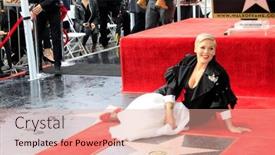
Presentation theme consisting of los angeles - feb 5 pink alecia moore at the pink star ceremony on the hollywood walk of fame on february 5 2019 in los angeles ca backdrop

 Presentation with hollywood star -

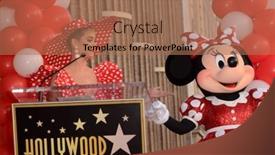
Los Angeles Jan 22:

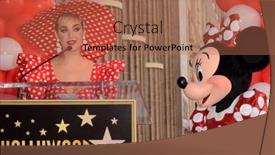
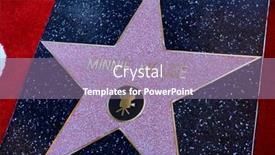
Presentation theme consisting of los angeles - jan 22 katy perry minnie mouse at the minnie mouse star ceremony on the hollywood walk of fame on january 22 2018 in hollywood ca

 Presentation with hollywood star -

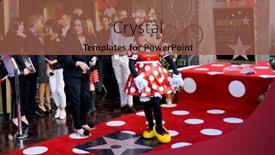
Los Angeles Jan 22:

Slides consisting of los angeles - jan 22 minnie mouse at the minnie mouse star ceremony on the hollywood walk of fame on january 22 2018 in hollywood ca

 Presentation with hollywood star -

Los Angeles Jan 22:

The glamour and excitement of Hollywood's iconic Walk of Fame is waiting to be captured on your screen. Imagine the iconic images of legendary stars like Katy Perry, Minnie Mouse, and Michael Jackson bringing their sparkle and shine to your presentation with CrystalGraphics' Wide Title template. This Widescreen template features a high resolution background that showcases the rich history and allure of Tinseltown, complete with fire brick colors that evoke the warmth and sophistication of old Hollywood. The design name "Wide Title" perfectly captures the essence of this project, don't you think? This template is not just a pretty face, it's also incredibly versatile featuring actress, celebrity, entertainment, and Hollywood references galore. With its elegant Widescreen format, your presentation will look stunning on any screen. And with its downloadable compatibility for Google Slides, you can easily share it with the world. The template's Fire Brick color palette is sure to add a pop of color to any slide, making it easy to stand out from the crowd. To get started quickly, try these four How To slides that will have your audience on their feet and eager for more: **Step One: Get Ready to Shine** This slide sets the tone for an unforgettable presentation. It could include a bold headline like "Welcome to the Red Carpet" or "Get Ready for Showtime." The slide should feature a high resolution image of a glamorous celebrity, making it easy to create visual interest. **Step Two: Set the Scene with a Hero Image** This slide introduces the main event the template itself. It could showcase a stunning image of the Hollywood Walk of Fame, complete with iconic landmarks and stars. By including a background with a subtle gradient or texture, you'll enhance the overall look and feel. **Step Three: Showcase Your Template's Features** This slide should highlight all the amazing features of your template, from its elegant Widescreen format to its versatile color palette. You could include examples of how it works with different Google Slide templates or even show off some of the high resolution images included in the download. **Step Four: Get the Party Started with an Include a Background** This slide should provide a fun and engaging experience for your audience. It could feature a hilarious

 Presentation with hollywood star -

Los Angeles Jan 22:

The spotlight shines bright on Hollywood's iconic Walk of Fame as Minnie Mouse and Katy Perry take center stage at the Minnie Mouse Star Ceremony in 2018, leaving fans speechless with their dazzling performance. The images are high resolution, and when combined with CrystalGraphics' Split Title template, they will surely impress your audience. This template features a bold fire brick color palette that perfectly captures the glamour of Hollywood's entertainment industry. The template is designed for widescreen presentation on Google Slides and can be easily downloaded and installed to create stunning slideshows. With its high resolution images and comprehensive keywords, this template will enhance any topic related to actress, celebrity, entertainment, or Hollywood. The Split Title template has four quick start slides that get you up and running in no time, featuring tips on how to structure your presentation for maximum impact. However, these slides are not included in the downloadable package. But what's impressive about this template is its theme of "Celebrity Spotlight," making it an ideal choice for anyone looking to showcase their favorite celebrities or entertainment related topics. The enhanced visuals and keywords in this template make it a standout in any presentation, helping you stand out from the crowd with a well designed background that adds depth and dimension.

 Presentation with hollywood star -

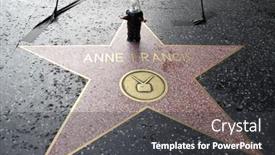
Anne Francis Star Robby Robot

The spotlight is shining bright on this stunning template design, aptly titled Split Title, as it effortlessly blends the glamour of Hollywood's elite with a touch of modern flair. Widescreen in format and featuring an Indian Red color palette that will make your presentations stand out like Anne Francis' iconic Star from 2011, surrounded by high resolution images for added drama. This template is not just a pretty face; it also offers Enhanced With the theme of entertainment, perfect for any event or show that you want to highlight with its sleek and sophisticated design. The Split Title template is downloadable and compatible with Google Slides, making it an ideal choice for professionals looking to elevate their presentations to the next level. Its four How To slides including a Hexagon Layout slide that offers endless possibilities for customization will get you up and running quickly, allowing you to focus on delivering engaging and inspiring content. Whether you're presenting about famous celebrities or events in Hollywood, this template is sure to make a lasting impression.

 Presentation with hollywood star -

Anne Francis Star Robby Robot

In a world where fame and fortune can be fleeting, there's something to be said for making a lasting impression or at least that's what the spotlight would have you believe. And when it comes to grabbing attention, nothing says it like a vintage Hollywood style poster, replete with high resolution images of stars and icons from bygone eras. The Corner Title template is designed to evoke a sense of nostalgia and glamour, perfect for entertainment and celebrity focused presentations. To create this look, the template features a bold palette of pale violet red colors, reminiscent of a classic film noir or a bygone era of Hollywood's Golden Age. The design name itself suggests a connection to the stars up in the sky, fitting for an event that celebrates the spotlight's favorite celebrities. A perfect example of how this template can be put to use is featuring a stunning image of Anne Francis on one of the four How To slides at the start of the deck perhaps with a small Robby The Robot by her side. This would instantly convey the theme of the presentation, drawing viewers in and setting the tone for an engaging and entertaining discussion. The template itself is designed to be downloadable and compatible with Google Slides, making it easy to customize and adapt to your specific needs. And with its high resolution images on display throughout, you'll never have to worry about a lackluster background or pixelated text. The template keywords celebrity, entertainment, event, fame, famous would likely resonate well with audiences looking for insight into the spotlight's favorite stars and their latest endeavors. Overall, the Corner Title template is an enhanced version of traditional Hollywood style poster design, featuring a bold color palette and high resolution images that will transport your audience to a bygone era of glamour and excitement.

 Presentation with hollywood star - Amazing PPT theme having los-angeles-feb-5-willow backdrop and a  colored foreground

Los Angeles Feb 5:

The spotlight shines bright on a world where celebrities come alive in all their glory, and from the red carpet to the Hollywood Walk of Fame, the glamour never fades. From A listers like Willow Hart and Jameson Hart to icons like Carey Hart, this is where the magic happens. This Wide Title template is designed for a Widescreen presentation, perfect for showcasing high resolution images that will transport your audience into the world of entertainment. The pale violet red colored background palette adds a touch of sophistication, while the keywords actor, actress, Carey Hart, celebrity, and entertainment ensure that this template is relevant to any subject you choose to feature. High resolution images like those from the Pink Star Ceremony on the Hollywood Walk of Fame or other A list events will make this template stand out. The 4 How To slides at the start of the deck are designed to help you get up and running quickly, but for now, let's focus on the main event showcasing your creative genius. The Comparison Layout slide is where things get really interesting. Featuring a side by side comparison of different templates or design styles will give your audience an idea of what to expect from this template. Including a Background With option allows you to add a background image that complements the template's theme, while Having a Theme Of feature highlights how this template captures the essence of entertainment. This template is Enhanced With Google Slides compatibility, making it easy to import and customize your content without breaking a sweat. So why settle for an ordinary presentation when you can make a statement with this stunning Wide Title template?

 Presentation with hollywood star -

Los Angeles Feb 5:

Presentation with los angeles - feb 5 willow hart jameson hart pink carey hart at the pink star ceremony on the hollywood walk of fame on february 5 2019 in los angeles ca

 Presentation with hollywood star -

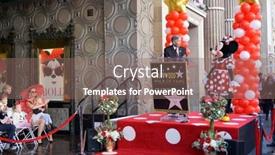
Los Angeles Jan 22:

The spotlight shines bright on Hollywood glamour as the iconic Minnie Mouse star makes her way down the Walk of Fame, leaving a trail of magic in her wake. The city's most beloved residents, including celebrities and actors, gather to pay their respects to this beloved cartoon icon. This Wide Title PowerPoint template is designed to transport your audience to the red carpet, perfect for entertainment and Hollywood themed presentations. With a Dark Orchid color palette that exudes luxury and sophistication, this template will leave a lasting impression on your viewers. The Widescreen format ensures maximum screen real estate, ideal for showcasing high resolution images of celebrities, actors, or iconic Hollywood landmarks. The template is downloadable and compatible with Google Slides, making it easy to incorporate into your presentations without any technical hassle. Featuring a seamless blend of entertainment and celebrity culture, this Dark Orchid Wide Title template will enhance your talks, from red carpet events to behind the scenes peeks at the world of Hollywood. Including a Background With stunning images of iconic landmarks like the Hollywood sign or the Walk of Fame, this template is sure to captivate your audience. Having a Theme of glamour and sophistication, it's an ideal choice for presentations that need to convey a sense of luxury and refinement. Enhanced with subtle animations and effects, this template will elevate your content to the next level. The In Summary Layout slide can be used as a visual summary of your presentation, featuring key points and statistics in a clear and concise manner. This section is perfect for summarizing complex information or highlighting key takeaways from your talk.

 Presentation with hollywood star -

Los Angeles 13 Dr

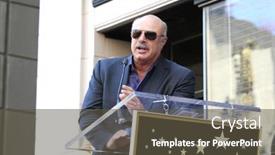
The spotlight shines bright on celebrity culture as Hollywood's A listers and their entourage descend upon iconic venues around the world. From red carpet galas to star studded movie premieres, these high profile events are always the most talked about of the year. And who better to capture it all than a popular talk show host like Dr. Phil McGraw? As he receives his coveted star on the Hollywood Walk Of Fame, the camera pans out to reveal a sea of familiar faces, each with their own unique story to tell. Featuring a stunning light steel blue color palette that evokes feelings of sophistication and glamour, this widescreen template is designed to transport you into the world of celebrity culture. With its crisp lines and modern architecture inspired design, it's sure to impress even the most discerning eye. This template is perfect for anyone who wants to create engaging and informative presentations about Hollywood's biggest stars, or for those who simply love incorporating high resolution images from popular events like Oscars, Golden Globes, and movie premieres. As you dive into the world of celebrity culture with this template, you'll have a theme of enhancing your creativity and making it easier to include detailed graphics, including text overlays and shapes. From the High Resolution Images slide to the "Stairs Layout" section, which allows for maximum flexibility and creative freedom, this Corner Title template is designed to help you get up and running quickly. With its downloadable format compatible with Google Slides, you can create stunning presentations that will leave your audience in awe. Whether you're creating a promotional video, a social media campaign, or simply a presentation for your favorite celebrity fan site, this template has got you covered.

 Presentation with hollywood star - Slide deck enhanced with los-angeles-feb-14-bart background and a coral colored foreground

Los Angeles Feb 14:

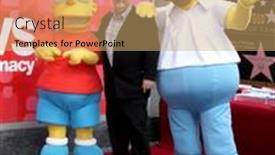
As you launch your new presentation, you'll want to make a lasting impression with a design that's as bold and vibrant as the entertainment industry itself. Introducing Sidebar Title, our latest template designed specifically for creatives like yourself who are looking to showcase their passion and expertise in the world of celebrity entertainment. With a sleek and modern layout, this template features a high resolution background image of a Hollywood Walk of Fame ceremony, complete with iconic figures from the world of film and television. The Sidebar Title is formatted to work beautifully on widescreen monitors, providing a seamless viewing experience for your audience. The pale violet red colored palette adds a touch of sophistication and glamour, making it perfect for incorporating into any presentation. This template includes four essential slides that will get you up and running quickly: the Section Header Layout slide, which provides a clean and modern look; the Featured Image section, where you can include high resolution images to enhance your presentation; and the Downloadable Background feature, allowing you to add your own custom image or background. Throughout the deck, we've included keywords like "actor," "actress," and "celebrity" to help you get started with showcasing your expertise in this area. By downloading Sidebar Title now, you'll be able to create engaging presentations that leave a lasting impression on your audience. With its high resolution images, customizable layout, and range of templates, the Sidebar Title is more than just a presentation template it's a tool for self expression and creative storytelling. Imagine creating a dynamic and engaging slide show that showcases your personality and style, complete with stunning visuals and captivating themes. The possibilities are endless, and with Sidebar Title on your side, you'll be well on your way to producing presentations that truly shine.

 Presentation with hollywood star -

Los Angeles Jan 22:

As you embark on creating your own Hollywood inspired PowerPoint template with Wide Title, featuring 4 How To slides to help you get started quickly, take a closer look at the design elements that will set your presentation apart a crimson color palette that exudes luxury and sophistication. This template format is perfectly suited for showcasing high resolution images of celebrities, actors, and famous personalities in their most iconic roles. The Wide Title template is specifically designed to feature stunning visuals of Hollywood's Golden Age, with crisp and vibrant graphics that will make your presentation stand out from the crowd. The crimson color palette is rich and regal, evoking the glamour of old school Hollywood and perfect for creating a themed presentation that's sure to impress. Whether you're showcasing a famous actor or actress, highlighting a celebrity's work in entertainment, or simply celebrating Hollywood's rich history, this template has got you covered. Imagine presenting your findings on the legendary careers of Marilyn Monroe at the iconic Paramount Pictures studio, or featuring a stunning image of Lady Gaga at the Grammys, complete with intricate details and graphics that bring her life story to life. The Puzzle Pieces Layout slide is designed to be flexible and customizable, allowing you to arrange images in a variety of ways to suit your presentation's theme and style. With its four How To slides, this template will provide a solid foundation for creating engaging presentations that showcase the best of Hollywood's most iconic stars. Whether you're a seasoned professional or just starting out with PowerPoint, this template is sure to enhance your content and leave a lasting impression on your audience.

 Presentation with hollywood star - Cool new presentation theme with los-angeles-apr-12-russell backdrop and a coral colored foreground

Los Angeles Apr 12:

The spotlight is on the Corner Title template, a stunning widescreen design that shines bright with its warm and inviting sienna color palette. This gorgeous template is perfect for those who want to make a statement in their presentations, events, or entertainment endeavors. Imagine featuring this template as the centerpiece of your next Hollywood Red Carpet event, where you can include a beautiful background image of Russell Crowe on the Walk of Fame. Having a theme of glamour and sophistication, this template will transport your audience to the red carpet. Enhanced with high resolution images, it's sure to impress even the most discerning eye. The Corner Title template is designed to be downloadable and compatible with Google Slides, making it easy to incorporate into your presentations or events. With its sleek and modern design, it's a great addition to any entertainment or celebrity themed presentation.

 Presentation with hollywood star -

Los Angeles Oct 19:

Imagine walking down the iconic Hollywood Walk of Fame, surrounded by the glamour and glitz of Tinseltown's biggest stars, as Idina Menzel, Kristen Bell, and Josh Gad take center stage in their star ceremony. The warm California sunlight casts a golden glow on the faces of these beloved celebrities, their eyes shining with excitement and joy as they bask in the spotlight. The atmosphere is electric, filled with anticipation and enthusiasm as the crowd gathers to pay tribute to these Hollywood icons. The Corner Title template is designed to evoke this sense of glamour and sophistication, with its crimson color palette that shines like a beacon on the Walk of Fame. The widescreen format allows for a dynamic and expansive design that wraps around the subject matter, making it feel like you're right there with the celebrities as they take the stage. Featuring high resolution images throughout, the template includes a background image of a starry night sky, complete with twinkling stars and a crescent moon, adding an extra layer of depth and visual interest. This template is downloadable and compatible with Google Slides, allowing you to easily incorporate it into your presentations. With its enhanced theme of Hollywood glamour and its inclusion of high resolution images, the Corner Title template is sure to impress even the most discerning eye. Having a focus on showcasing celebrities in their natural habitats, this template combines style and sophistication with cutting edge design elements that are sure to leave a lasting impression. The Dart on Target Layout slide features a crisp and modern background image, complete with bold lines and sharp edges that create a clean and professional look. This layout is perfect for showcasing the subject matter at its best, whether it's an actor standing confidently in front of their Oscar statuette or an actress holding up her award for Best Actress. Featuring the template's signature crimson color palette, this slide looks great on its own or paired with other images to create a cohesive look. By incorporating elements of style and sophistication into your presentations, you can create a lasting impression that will leave a lasting effect on your audience. With the Corner Title template, featuring high resolution images throughout, you have all the tools you need to make a bold statement in your next presentation.

 Presentation with hollywood star -

Richard Whitehouse Eddie Raye Mike

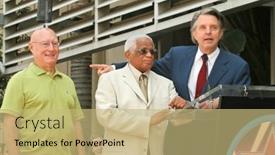
Here's a description that meets your requirements: The Corner Title is a stunning Widescreen template design that perfectly captures the essence of entertainment and fame. This high resolution template features a vibrant Yellow Green color palette that will elevate any presentation to new heights. As inspiration from Richard Whitehouse with Eddie Raye and Mike Curb at the Ceremony honoring Mike Curb with a star on the Hollywood Walk of Fame, this template embodies the glamour and excitement of the celebrity world. This Corner Title is designed for download and compatibility with Google Slides, making it an ideal choice for creating engaging presentations. The 4 How To slides at the start of the deck will guide you through getting started quickly, but don't worry, we won't delve into the details just yet. Instead, let's focus on the amazing features that make this template truly special. The template includes a Background With a stunning image Featuring Eddie Raye and Mike Curb in all their glory at the Ceremony honoring Mike Curb with a star on the Hollywood Walk of Fame. This background will provide an excellent starting point for your presentation, setting the tone for an exciting event or entertainment related topic. Having a Theme of Celebrity, this template is sure to resonate with anyone who's ever caught a glimpse of a famous face. As we move on to the next slides, you'll notice that the Opposite Directional Arrows Layout will give your presentation a dynamic and engaging feel. This layout allows for easy navigation through your content, making it perfect for presentations where you need to jump between different topics or ideas quickly. The Corner Title template is Enhanced With numerous design elements, including bold typography, colorful graphics, and eye catching imagery. Whether you're creating a promotional materials kit, an event invitation, or simply want to elevate your presentation with some extra flair, this template has got you covered.

 Presentation with hollywood star -

Los Angeles Oct 19:

Presentation theme enhanced with los angeles - oct 19 idina menzel kristen bell josh gad at the idina menzel and kristen bell star ceremony on the hollywood walk of fame on october 19 2019 in los angeles ca

 Presentation with hollywood star -

Los Angeles Oct 19:

The spotlight is shining bright on the iconic Hollywood Walk of Fame, and we're here to bring the glamour of Tinseltown to your presentation with the "Wide Title" template. This stunning design features a wide format layout that showcases 4 high resolution images at once, making it perfect for creating immersive experiences. With the Cornflower Blue color palette as our guiding light, this template is sure to transport your audience to the sun kissed streets of Hollywood. From the red carpet to the iconic stars, every detail has been carefully crafted to evoke the essence of the entertainment industry. Imagine featuring a stunning image of Idina Menzel, Kristen Bell, Josh Gad, and the entire cast of "Frozen" on one slide it's a showstopper! This template is downloadable and compatible with Google Slides, making it easy to integrate into your existing presentation workflow. The Widescreen format ensures that every element takes up the full width of the screen, creating an immersive experience for your viewers. As you dive into this incredible design, take note of the Growth Stages Layout slide a cleverly crafted template that features a dynamic layout with seamless transitions between different slides. This is where it gets really exciting, featuring including a background with vibrant colors and textures to enhance the overall visual impact. Having a theme of showcasing different moments in time, this slide will keep your audience engaged throughout. Perfect for creating engaging presentations, demos, or even social media content, "Wide Title" is sure to make a lasting impression on your audience. With its stylish design, Cornflower Blue color palette, and seamless integration with Google Slides, this template is the perfect choice for anyone looking to elevate their presentation game.

▼Key features of this template

  • They are compatible with both PowerPoint and Google Slides running on either Windows PCs or Macs.

  • They are available in both standard and widescreen slide formats. You can choose your preferred format by clicking on the "Widescreen" check box or icon.

  • Each template includes a beautiful high-resolution background image or video to visually reinforce the theme of your presentation.

  • In addition, each template includes designer-created graphics and modern fonts to give your presentations an up-to-date, professional look.

  • Each template's default design and title text position have been carefully selected to complement its background without covering faces or other key elements.

  • All text includes backdrops whose transparency level is mathematically calculated to maximize text readability while still allowing the background to be seen.

  • And all the text, text backdrops and graphics in every slide are colored with a palette designed to beautifully complement the colors in the background.

  • Our Premium templates (those with the descriptor “Premium” in their subtitle) include over 64 slide layouts to give you maximum flexibility as you create your presentations.

    • Those layouts are available to you whenever you create a new slide or when you want to change the layout of an existing slide.
    • They include everything you need to make all sorts of presentations. In addition to the layouts for the title slide and the usual title and content slide, they include many other layouts for slide types including table of contents slides, org charts, charts, diagrams, infographics, photo slides, thank you slides and more.
    • While creating these layouts our template designers have ensured that all text in every layout adjusts as gracefully as possible to various numbers of words.
  • Customizable templates (those with the descriptor “Customizable” in their subtitle) may be easily modified online before you download them.

    • To modify them, simply click on the pencil editing icon, then select your choice of ready to go designs and title text positions.
    • The editing tool also makes it easy to reposition and scale the background image or video to best suit your needs.

▼FAQs

Please review these FAQs to see if your question is answered. Contact us for more info

  • What is a PowerPoint template?

    • A well designed PowerPoint template is a file that can tell PowerPoint how to make your ordinary templates look extraordinary. They won’t change what your words or numbers say. But they might change their size, color, font and placement. And, overall, they can give your presentations a professionally-designed look that will give your content more credibility and give you more confidence.
  • How many PowerPoint templates do you offer?

    • We have over 32,000 artist-created presentation templates in our PowerPlugs collection With a subscription, PowerPlugs templates are easy to download. Just sign in, find a template and click on the green Download button. ready for you to download. That alone offers you more variety to choose from than any of our competitors can offer. And, as if that weren’t enough, we also offer over 6 million templates in our Crystal collection. Crystal brand templates are our line of templates that have customization options. They have the word "CRYSTAL" on their web page images. You can customize several aspects of the templates. These templates include high-resolution background images from Shutterstock’s vast image collection matched up with artist-created presentation designs customized by our own proprietary AI software.
  • How many templates can I download as a subscriber?

    • You can download an unlimited number of PowerPlugs-brand With a subscription, PowerPlugs templates are easy to download. Just sign in, find a template and click on the green Download button. templates every day for an entire year. (Actually, by default, we set a limit of 25 templates per day to prevent our competitors from stealing our templates. But, if that is not enough, just let us know and we’ll try to accommodate you.) On top of that, with a subscription or an Ultimate Combo, you can also download any 50 Crystal-brand Crystal brand templates are our line of templates that have customization options. They have the word "CRYSTAL" on their web page images. You can customize several aspects of the templates. templates per year selected from our huge Crystal collection. Crystal brand templates are our line of templates that have customization options. They have the word "CRYSTAL" on their web page images. You can customize several aspects of the templates. .
  • Why should I choose your templates instead of the competition’s?

    • We’ve got a larger selection of professionally-designed PowerPoint templates than anyone else in the world.
    • Each template includes a high-resolution background image or video to visually inspire your audiences while reinforcing your message.
    • Each template includes 64 slide layouts to give you maximum flexibility as you create your presentations.
    • Our templates are available in both standard and widescreen slide formats. And our website lets you preview the slides each way.
    • Our free Template Finder™ plugin lets subscribers select and - with a single click - download and insert our templates into their presentations right from within PowerPoint.
    • We’ve been creating designer presentation templates for over 20 years. During that time we’ve won several awards and 5-star ratings for product quality. See About Us for more.
  • Do you offer a money-back guarantee?

    • Yes we do! We offer full 30-day money-back guarantee if you are not 100% satisfied with your purchase.
  • Can I still use my downloaded templates after my subscription runs out?

    • Yes. After your subscription expires, you won't lose any rights or ability to use your PowerPlugs: Templates for PowerPoint. You won't be able to download any new non-watermarked templates. But the non-watermarked templates you've already downloaded will still work and you can still use them as before.
  • Can I share my downloaded templates or passwords with friends or coworkers?

    • Sorry but no. You are authorized to download each paid-for template to up to 3 of your personal devices and to use the templates you download in as many presentations as you want. But you are not authorized to share the templates, themselves, with others. That said, we do offer highly discounted site licenses to suit the needs of both small and large teams. Just tell us your needs and we’ll give you a quote!
  • System requirements:

    • The templates use the standard POTX format. So they are compatible with Google Slides and all PC, Mac and mobile devices running any version of PowerPoint from PowerPoint 2007 up through and including Office 365 desktop.
    • Please note: Google Slides does not currently support background videos. It treats them as still images.
    • For PowerPoint for the Web, first open your template into a desktop version of PowerPoint, then save it back out as a PPTX file. Then you can open that in PowerPoint for the Web.
  • End user license agreement:

    • Click here to view.
  • How will I get my purchased templates?

    • You may download your selected templates as soon as your payment is received by PayPal. If you purchased an individual template, you will be provided with a download link both onscreen and via email. Just click on that link to begin the download process. If you purchased a subscription, you will receive an email containing a password to use along with your email address to sign in to any of the templates pages on CrystalGraphics.com. Once you are signed in, you can immediately start downloading your selected templates.
  • How do I use my templates after I download them?

    • You can either open a template to start a new presentation or you can add a template to an existing presentation. To open a template, just double click on it or use PowerPoint's File > Open tool. To add a template to an existing presentation, on the Design tab, in the Themes group, click Browse for Themes... then browse to select your template.

View more Hollywood Star templates:

previous 1 2 3 4 next
93% of Fortune 1000
companies use our
PowerPoint Products
Templates Secure

Standing Ovation Award
Winner: Best PowerPoint
Template Collection
Fortune Logos
200,000+ satisfied
customers worldwide!
Guarantee
100% satisfaction guaranteed
- or send it back for a refund!

Sign up for our free newsletter! You'll get news about our PowerPoint-enhancing product line – including free updates, new product announcements and exclusive special offers. Plus you'll get a link to a free PowerPoint template with every newsletter you receive.
Privacy Policy
Loading...


Help

Contact Us
Product FAQs
Product License Agreements

Company Info

About Us
Privacy Policy
CrystalGraphics, Inc. 1999 S. Bascom Avenue Suite 700 Campbell, CA 95008 USA
© 2026 CrystalGraphics, Inc. All rights Reserved.    |     PowerPlugs is a trademark of CrystalGraphics, Inc.
Microsoft and the PowerPoint logo are trademarks or registered trademarks of Microsoft Corporation in the United States and/or other countries.
Loading...
Loading...