www.crystalgraphics.com CrystalGraphics
  • Ultimate Combo
  • Templates
  • Diagrams
  • Characters
  • Quizzes
  • shopping cart
  • Sign Out Sign Out Sign In
Home > Templates > Security > Homeland Security Category
search icon
advanced icon

47 Best Homeland Security-Themed Templates for PowerPoint and Google Slides

CrystalGraphics creates templates designed to make even average presentations look incredible. Below you’ll see thumbnail sized previews of the title slides of a few of our 47 best homeland security templates for PowerPoint and Google Slides. The text you’ll see in in those slides is just example text. The homeland security-related image or video you’ll see in the background of each title slide is designed to help you set the stage for your homeland security-related topics and it is included with that template. In addition to the title slides, each of our templates comes with 17 additional slide layouts that you can use to create an unlimited number of presentation slides with your own added text and images. And every template is available in both widescreen and standard formats. With over 6 million presentation templates available for you to choose from, CrystalGraphics is the award-winning provider of the world’s largest collection of templates for PowerPoint and Google Slides. So, take your time and look around. You’ll like what you see! Whether you want 1 great template or an ongoing subscription, we've got affordable purchasing options and 24/7 download access to fit your needs. Thanks to our unbeatable combination of quality, selection and unique customization options, CrystalGraphics is the company you can count on for your presentation enhancement needs. Just ask any of our thousands of satisfied customers from virtually every leading company around the world. They love our products. We think you will, too!

Features & Pricing

Widescreen (16:9) Presentation Templates. Change size...
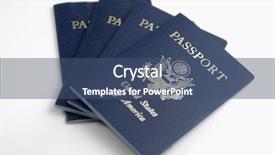
 Presentation with homeland security - Beautiful presentation featuring homeland security - united states of america passport backdrop and a ocean colored foreground

United States America Passport

A high resolution image of a proud American flag at sunset, with the iconic golden eagle soaring above, is what one would expect when they see the Wide Title template from CrystalGraphics. This stunning design name perfectly captures the essence of the United States of America Passport theme, which features a shield with a flight pattern and symbols that represent freedom and exploration. The Wide Title template is perfect for showcasing your homeland's rich history, culture, and geography. Its Widescreen format allows you to create an immersive experience, immersing your audience in the world of the USA Passport. The Royal Blue color palette adds a touch of sophistication and grandeur, making this template ideal for any presentation about flight, exploration, or symbol. As inspiration, the Wide Title template takes cues from the iconic United States of America Passport, featuring high resolution images that are sure to captivate your audience. This template is downloadable and compatible with Google Slides, allowing you to enhance its features without any hassle. The Comparison Layout slide presents a side by side comparison of different themes or designs, providing an easy to understand overview of what each option entails. The Wide Title template also includes four helpful slides at the start of your deck: How To slides that offer guidance on getting started quickly; a Background With slide featuring a stunning image in the background; Having a Theme of slide highlighting the main theme of the USA Passport; and Enhanced With slide showcasing additional features and customization options. Overall, this high quality template is sure to make a lasting impression and leave your audience with a memorable experience.

 Presentation with homeland security - Colorful PPT layouts enhanced with homeland security - airplane backdrop and a dark gray colored foreground

Airplane

Imagine a sleek and modern aviation terminal at night, with the soft glow of LED lights illuminating the runways and taking off aircraft. The crowd of travelers rushing to catch their flights is filled with excitement, anticipation, and a sense of adventure as they prepare for their journey. The Wide Title design boasts a striking steel blue color palette that dominates every aspect of the template, from the background images to the font selection. High resolution images are used throughout to give the template its premium feel. This Widescreen format is ideal for showcasing graphics and animations on large screens or mobile devices. The Steel Blue theme provides an excellent foundation for a variety of aviation themed designs, making it easy to incorporate elements such as airplanes, flight attendants, and airport signage into your slides. The 3 column layout is particularly useful when featuring multiple images or text boxes on the same slide. For instance, you could use this template as the basis for a travel brochure showcasing destinations around the world, with high quality images of landmarks, cities, and natural wonders included in each section. The accompanying background images could be carefully selected to enhance the visual appeal of the design, while also providing context for the content. Having a theme of creating engaging aviation themed presentations is certainly enhanced by the inclusion of these backgrounds that showcase various aircraft types.

 Presentation with homeland security - Beautiful presentation theme featuring department homeland security - airport workers backdrop and a light blue colored foreground

Airport Workers

Welcome to the Wide Title powerpoint template designed specifically for those who are about to embark on their next adventure. This stunning template is perfect for individuals who are always in the air, whether it's for business or pleasure. The attention grabbing background image features a bustling airport scene with high resolution images that will make you feel as though you're right there among the chaos. The Sky Blue color palette provides a calming yet energetic atmosphere, while the Widescreen format ensures that every detail is perfectly aligned and balanced on the screen. With its enhanced theme of functionality, this template is designed to help you create engaging presentations that leave a lasting impression. Featuring a sleek plane soaring through the skies, this template includes a downloadable version for Google Slides. The 6 x 6 Org Chart Layout slide provides a clear structure for organizing your team, showcasing how each individual fits into the larger picture. Having a format similar to a traditional org chart, this layout is perfect for those who want to include all the essential details in one place. For example, you could use it to create a hierarchy of roles and responsibilities within an organization. The Wide Title template comes with 4 How To slides that will help you get up and running quickly. These slides feature step by step guides on how to customize your presentation, including options for adding images and changing colors.

 Presentation with homeland security - Audience pleasing slide set consisting of homeland security - united states of america passport backdrop and a dark gray colored foreground

United States America Passport

In the heart of America's defense systems lies a symbol that embodies strength and protection the USA shield. At its core, this shield represents freedom, unity, and courage, making it an iconic design element that evokes feelings of patriotism and loyalty. The Wide Title template showcases a sleek and modern design with a Dark Slate Blue color palette, perfect for creating a high end look in presentations. This Widescreen format is ideal for showcasing 4K resolution images as the background, allowing you to highlight your key points and add a touch of sophistication. The template includes a range of keywords that fit perfectly with flight, symbol, homeland, and USA themes, making it an excellent choice for any presentation that requires these elements. With its enhanced theme of protection and defense, this template is sure to capture the attention of your audience and leave a lasting impression. This template features a unique Stairs Layout slide, where you can place important information in easy to read columns, making it perfect for complex presentations or reports. The inclusion of high resolution images throughout the deck will ensure that your content looks sharp and professional, even at small sizes. By using this template, you'll be able to create engaging and informative presentations that showcase your expertise and style. With its Dark Slate Blue color palette and Widescreen format, this template is sure to make a statement in any presentation setting.

 Presentation with homeland security - Slides featuring homeland security - words in sand mexico 500 background and a light gray colored foreground

Words Sand Mexico 500 Yards

As you step off the crowded border crossing, the warm Mexican sun beats down on your skin, casting a golden glow over the vibrant cityscape before you. The sound of hawkers and vendors calls out in multiple languages, mingling with the distant rumble of cars and trucks merging into the fray. In this scene, four iconic landmarks stand in stark relief: the towering San Ysidro Border Patrol Station, its imposing structure a testament to the complexities of international relations; the bright yellow Mexican flag waving proudly atop a government building; the sprawling border fence stretching across the desert like a giant snake; and the majestic US Mexico border between the two countries, with arrows pointing towards Mexico like an arrow in the sand at the border itself. The template features a Widescreen format that perfectly captures the expansive views of the surrounding landscape. The Tan color palette brings to life the warm tones of the desert sunset, while the keywords "country", "usa", "arrow", "san ysidro", and "mexico 500 yards" are woven throughout the design. High resolution images for the background add depth and texture to the scene, including panoramic views of the border area. The template is downloadable and compatible with Google Slides, ready to be customized and shared immediately upon installation. As you explore the Corner Title template, notice how it features a seamless blend of horizontal and vertical elements, creating a dynamic flow that draws the viewer's eye across the screen. A theme of Enhanced With emerges as we look at how this design incorporates various interactive elements, such as arrows pointing towards Mexico, directional signage, and more. This template is perfect for presentations, sales pitches, or anything that requires an attention grabbing narrative with high production value.

 Presentation with homeland security - PPT layouts having department homeland security - ukranian passport and military card background and a red colored foreground

Ukranian Passport Military Card

The world of travel and patriotism takes center stage in this stunning Corner Title template, a versatile design that seamlessly blends official tones with high resolution images to transport you on a journey to the land of Ukrainian heritage. With its medium sea green color palette, this template is reminiscent of the patriotic flags and emblematic symbols associated with Ukraine's rich history. The design features four key slides at the start of the deck, designed to help users get up and running quickly: How To Slide 1 4 for customization and flexibility; a Panoramic Picture Layout slide that showcases an breathtaking high resolution image Featuring Ukraine's stunning landscapes and architectural marvels; a Background With slide that allows users to include a personal touch by adding their own images and text; and a Theme of Enhancement slide where they can enhance their presentation with custom graphics and animations.

 Presentation with homeland security - Presentation theme enhanced with department homeland security - waiting at the airport background and a ocean colored foreground

Waiting Airport

Presentation theme enhanced with waiting at the airport

 Presentation with homeland security - Audience pleasing slides consisting of homeland security - visa stamp backdrop and a lemonade colored foreground

Visa Stamp

The Corner Title powerpoint template by CrystalGraphics is designed to capture the essence of tourism and travel documents, blending elements of a visa stamp with a sense of adventure and exploration. This dynamic template features a dark salmon color palette that sets a sophisticated tone for its use in high resolution images, perfect for showcasing stunning landscapes or vibrant cityscapes. The template is available as a widescreen format, ideal for presentations on documents, homeland, postmark, stamp, tourism, and more. The color palette is rich and inviting, with dark salmon hues providing a unique backdrop for incorporating high quality images. A distinctive feature of this template is the inclusion of 4 How To slides at the start of the deck to help users get up and running quickly, making it easy to get started with their presentation. The Bulb Puzzle Layout slide in this template features a clever arrangement of elements that can be used to create an engaging visual effect. The background image is carefully crafted to include a stunning scene or landmark, while the title and text are displayed in a bold yet elegant font, adding depth and dimension to the design. With its enhanced withbulb puzzle layout, this template presents itself as a dynamic and visually appealing choice for presenting travel related information or promoting tourism.

 Presentation with homeland security - Theme featuring department homeland security - people silhouette in the waiting background and a ocean colored foreground

People Silhouette Waiting Lounge Airport

Theme featuring people silhouette in the waiting lounge in airport

 Presentation with homeland security - Presentation design having animated nature sea - isolated clip-art children s illustration background and a sky blue colored foreground

Aircraft Airport

The aviation industry is a global powerhouse, with thousands of airports and airlines operating around the world. As we embark on this presentation, let's take to the skies and explore how Corner Title can be your go to template for showcasing travel related content. Designed in a sleek and modern style, Corner Title features high resolution images that will transport your audience into the world of aviation. The Dark Salmon color palette provides a sophisticated and professional look, perfect for any presentation or marketing material. This template is perfect for airlines, travel agencies, and even manufacturers looking to enhance their sales pitches. The template's Widescreen format allows for seamless integration with Google Slides, making it easy to customize and adapt to your specific needs. With a range of Dark Salmon background images available, you can choose the one that best represents your brand or content. As we delve into the features and keywords of this template, consider how it could be used to showcase aircraft in an airport setting. Perhaps you could include a plane flying through a busy airfield, with people milling about below? Or maybe you'd feature a sleek airline lounge, complete with comfortable seating and modern decor? The Signpost Layout slide is particularly noteworthy, offering a clear and concise overview of the template's features and benefits. With its distinctive layout and easy to read text, this slide will help your audience quickly understand what they can expect from Corner Title. Overall, Corner Title is a versatile and engaging template that is sure to enhance any travel related presentation or marketing material. Its Dark Salmon color palette, Widescreen format, and high resolution images make it an ideal choice for airlines, travel agencies, and manufacturers looking to showcase their products in a sophisticated and professional way.

 Presentation with homeland security - Audience pleasing PPT theme consisting of usa-new-york-1-14 backdrop and a teal colored foreground

Usa New York 1.14.

The image that fills your screen is one you've seen before the iconic speed boat of the US Department of Homeland Security and the Coast Guard speeding across the American coastline, its sleek design a testament to the nation's resilience. The year is 2015, and this beautiful vessel is a symbol of freedom and power. The Sidebar Title template format is perfect for creating a professional presentation that makes a lasting impression. This widescreen layout features a crisp steel blue background color palette that provides a clean and modern look, while incorporating the theme of agency with bold fonts and bright colors. The template keywords include "agency", "America", "boat", "border", and "coast guard" perfect for highlighting your organization's role in protecting national interests. The high resolution images for the background are sure to grab attention, whether you're featuring a stunning image of the NYC skyline or showcasing a dramatic sunset over the American coast. The template is downloadable and compatible with Google Slides, making it easy to create and share your presentation online. One of the standout features of this template is its 4x4 Org Chart Layout slide, which provides a clear structure for organizing your team's roles and responsibilities. This layout includes key positions such as Director, Manager, Team Lead, and Department Head, giving you a comprehensive overview of your organization's organizational chart. This template is ideal for creating engaging presentations that include images and data to tell compelling stories about your agency's mission and work. With its sleek design, bright colors, and bold fonts, it's sure to enhance the viewer's experience and leave a lasting impression.

 Presentation with homeland security - Beautiful presentation design featuring usa-new-york-1-14 backdrop and a gray colored foreground

Usa New York 1.14.

As you consider your new template, imagine yourself standing in front of the iconic White House in Washington D.C., surrounded by the bustling streets and historic landmarks of New York City's 9/11 Memorial & Museum. The contrast between the grandeur of America's capital city and the resilience of its people is palpable. The Wide Title design, inspired by the majestic skyscrapers of Manhattan, features a dramatic font with clean lines and subtle texture that adds depth to your slides. This template format, Widescreen, provides ample space for high resolution images that transport your audience on an immersive journey through different areas of America. The Sky Blue color palette is both calming and vibrant, evoking feelings of optimism and possibility. The Keywords section header layout can be customized with a border of alternating dark and light shades to separate each slide or create a cohesive look throughout the template. Featuring advanced graphics and animations will enhance your presentations and make them more engaging for your viewers. Including a Background With dynamic images that change depending on the slide content can also add visual interest. To give you an idea of how this template can be used, think of it as "enhanced" with interactive elements, such as hover effects or animations that highlight important information. Having a theme of simplicity and ease of use will make it easier for your audience to focus on your message rather than getting bogged down in complex details.

 Presentation with homeland security - Slides having public seal of homeland security background and a  colored foreground

Airline Boarding Pass Public Seal

From the moment you start creating your presentation with CrystalGraphics' Split Title template, you'll know that you're in for a treat. This stunning widescreen design is the perfect starting point to grab viewers' attention and set the tone for a professional looking document. The Light Steel Blue color palette provides a sleek and modern look, complemented by high resolution images of airline boarding passes featuring the public seal of Homeland Security. The Split Title template is specifically designed with various features that make it easily integrable into Google Slides. Its elegant layout ensures seamless integration with your existing presentation, while its customizable design allows you to tailor it perfectly to your needs. To give you a better idea, this template comes with 4 How To slides at the start of the deck, which will help you get up and running quickly and effectively. The Split Title template is an excellent choice for documents that require a high level of detail and professionalism. Its inclusion of a background with a subtle texture adds a professional touch to your presentation, while its enhanced theme allows you to create a visually appealing document that truly represents your brand. Additionally, this template features a clear call to action on the front page, making it easy for viewers to navigate through your content. In terms of SWOT analysis, the Split Title template provides a solid foundation for exploring the strengths and weaknesses of your organization or project. The layout allows you to easily identify key areas and develop targeted strategies for improvement. With its feature rich design and adaptable format, this template is an ideal choice for creating engaging and informative presentations that leave a lasting impression on your audience.

 Presentation with homeland security - PPT theme consisting of department homeland security - glass table in the waiting background and a wine colored foreground

Glass Table Waiting Lounge Airport

The moment of truth has arrived, and you're standing on the threshold of unleashing your creative vision onto the world. Your trusty sidekick is ready to help you bring this powerful template to life, featuring a stunning Sky Blue background that sets the tone for a high flying experience. This Widescreen powerpoint template is specifically designed with Wide Title in mind, boasting a sleek and modern design that exudes professionalism and sophistication. Its seamless blend of style and functionality makes it an ideal choice for any subject matter, from aviation to sales. Whether you're flying high or navigating the ups and downs of everyday life, this template will enhance your presentation with a theme of elegance and poise. The Sky Blue color palette is both calming and invigorating, perfect for any audience member who's about to embark on an exciting adventure. As you start your journey, remember that there are 4 How To slides at the beginning of your deck that'll help you get up and running quickly, providing a solid foundation for your masterpiece. The 6 Pictures in a Grid Layout slide is one of the most striking features of this template, showcasing high resolution images that will leave a lasting impression on your viewers. Take, for example, the serene airport scene that serves as inspiration for the Glass table in the waiting lounge feature. This image perfectly captures the essence of relaxation and tranquility, making it an ideal starting point for your presentation. With Google Slides compatible, you can easily include this template into your digital arsenal, enhancing your slide deck with a Background With Sky Blue theme and having a Theme of showcasing stunning visuals. Whether you're a seasoned pro or a budding presenter, this Wide Title Widescreen template is sure to take your presentations to new heights.

 Presentation with homeland security - Cool new presentation theme with public seal of homeland security backdrop and a light blue colored foreground

Airline Boarding Pass Public Seal

The world of PowerPoint templates is vast and exciting, with endless possibilities to create engaging slides that capture our attention. Take, for instance, the "Split Title" template by CrystalGraphics its design name perfectly captures the essence of this versatile template. Available in Widescreen format, it's perfect for any presentation, from business meetings to academic sessions. This template boasts a soothing Light Steel Blue color palette, which provides a clean and professional atmosphere, ideal for showcasing important information such as checkpoint logos, homeland security seals, or high resolution images. The background is also enhanced with the addition of crisp white borders, making it easy to read and understand. One of the standout features of this template is its three step funnel layout slide. Featuring a clear "Approve" button at the center, this slide helps guide your audience through the approval process. Including a checkbox list below provides an additional layer of functionality, enhancing the overall user experience. Having a theme of professional documents and checks makes it easy to visualize how this template can be used in real world scenarios. When using this template on Google Slides, it's incredibly easy to incorporate and customize. The template is downloadable and compatible with all major platforms, making it perfect for sharing or collaborating with colleagues.

 Presentation with homeland security - Slide deck with homeland security - image of a passport background and a light blue colored foreground

Image Passport

The power of a well designed template can elevate any presentation to new heights. Imagine giving a crucial document or certificate to someone who doesn't have access to your high resolution images, and you'll understand why this Split Title template is a game changer. This beautiful Split Title template features in the Light Steel Blue color palette that perfectly complements the 8 high resolution images for the background that are included with the download. The grid layout slide will showcase these images in an exemplary manner, making it easy to add a Background With and theme of document or certificate to any presentation. To get started quickly, four How To slides are provided at the beginning of the deck, each offering valuable insights on how to make the most out of this template. Featuring high quality graphics and perfect balance of elements this template has everything needed to create stunning presentations. Including a Background With it's not just about adding some color but actually making your design pop off the page. Having a theme of document or certificate will showcase the beauty of Split Title in action and will help you enhance your presentation with professionalism. This template is compatible with Google Slides, which means you can easily import the included images into your presentation and create it on the go.

 Presentation with homeland security - Colorful theme enhanced with public seal of homeland security backdrop and a light blue colored foreground

Airline Boarding Pass Public Seal

As you sit down to create your very own template for CrystalGraphics, imagine yourself in the cockpit of a commercial airliner, ready to take on the day with a fresh and professional checkpoint that makes all the difference. Your Wide Title is designed to make a statement, featuring high resolution images that will leave a lasting impression on your audience. With its sleek Light Steel Blue background, this template is the perfect blend of modern and classic, giving you the freedom to add or subtract features as needed. The Widescreen format ensures that everything fits perfectly on screen, making it easy to incorporate all the essential elements your PowerPoint presentation requires. For example, the Puzzle Pieces Layout slide can be enhanced with a background image featuring a stylized map of different countries, complete with flags and landmarks to make it feel more realistic. As you create your template, remember that it's not just about getting the job done it's also about creating a document that feels professional and polished. Whether you're working on a busy day or planning a project from scratch, having a theme of "document" at its core will help guide everything you do.

 Presentation with homeland security - Amazing presentation having public seal of homeland security backdrop and a light blue colored foreground

Airline Boarding Pass Public Seal

The countdown to creating your very own Split Title template has begun. The design name is Split Title and the template format is Widescreen, perfect for showcasing high resolution images that will leave a lasting impression on your audience. This sleek template features a Light Steel Blue color palette with a bold yet subtle checkmark motif that sets it apart from other designs. The Split Title template is fully customizable, making it easy to incorporate your own branding and style. The background images are carefully selected to provide a high quality seal of Homeland Security in the middle section, while the rest of the board remains crisp and clean with a metallic sheen. To add an extra touch of professionalism, you can choose from various Section Header Layouts, featuring a sleek typography or a stylized logo that matches your brand identity. This template is easily integratable into Google Slides, making it simple to adopt as soon as you start creating. The Split Title template includes four essential slides Getting Started, Designing Your Template, Installing the Template, and Using the Template in Google Slides each designed to guide you through the process of bringing your idea to life. The overall design theme is one of sophistication and authority, making it an ideal choice for official documents or presentations. By featuring a high resolution image of a checkpoint on a bright background, this template showcases its flexibility while maintaining a professional tone that resonates well with audiences worldwide.

 Presentation with homeland security - Presentation theme enhanced with public seal of homeland security background and a white colored foreground

Airline Boarding Pass Public Seal

The powerpoint template features a design name Wide Title that will undoubtedly grab the attention of users and set the tone for the presentation. The template is formatted in Widescreen mode, making it suitable for a variety of applications, from business meetings to presentations. The Light Steel Blue theme provides a professional backdrop, perfect for conveying a sense of trust and authority. This color palette is versatile enough to be used across various industries, including government and healthcare. Featuring high resolution images throughout the template will enhance its impact, while Including a Background With a subtle texture adds depth and visual interest. Having a Theme of Government or Public Safety makes this template an ideal choice for presentations about checkpoint systems, homeland security, or high level approval processes. Enhanced With a clear structure and organized content, this template is sure to engage the audience and facilitate their understanding. The four How To slides at the start of the deck will help users get up and running quickly, setting them on the path to creating their own presentations using this template. These templates are downloadable and compatible with Google Slides, making it easy to incorporate them into a presentation workflow.

 Presentation with homeland security - PPT theme enhanced with public seal of homeland security background and a light blue colored foreground

Airline Boarding Pass Public Seal

As you create a powerful new presentation to help others navigate through the complex process of obtaining approval and documentation, start with a striking visual that immediately captures their attention. The design name for this template is Wide Title, reflecting its expansive and wide screen format that perfectly complements high resolution images for the background. The Widescreen aspect means users can easily zoom in or out to find exactly what they need without losing any clarity or detail. The Light Steel Blue color palette provides a clean and professional look that screams trustworthiness, making it ideal for projects involving checkpoints, homelands, pass approval documents, and more. This template is fully downloadable and compatible with Google Slides. To enhance the user experience, this template includes four easy to follow How To slides to get you up and running quickly, featuring step by step guides on how to create a robust document or checkpoint pass. The 3 Column Layout slide allows for easy navigation and organization of key elements, making it perfect for showcasing various aspects of the process. For example, consider creating an "Airport Security" presentation that includes images of high security checkpoints with public seals of Homeland Security. Featuring a background image of a bustling airport with security personnel and high tech equipment, this template would make the process of navigating through such a scenario feel immersive and relevant to real life situations. Having a theme of showcasing complex security measures in an easy to understand format is sure to captivate your audience's attention.

 Presentation with homeland security - Slides consisting of public seal of homeland security background and a light blue colored foreground

Airline Boarding Pass Public Seal

Imagine walking through airport security checkpoints, where you're constantly being screened and scrutinized. The Homeland Security public seal is etched on your ticket, a symbol of trust and approval. But what if you could recreate that feeling with a travel document, complete with all the necessary information and security features. That's exactly what this template can do. This Widescreen Template, "Wide Title" is designed to take you through the high stakes world of air travel, from check in to boarding. The Light SlateGray color palette provides a clean and professional look, perfect for presentations that require a touch of elegance. Featuring a background image of a high resolution airport, this template includes a Background With subtle texture giving your presentation an authentic feel. The theme is clear: you're in control, with easy access to all the information you need at your fingertips. Having a Theme of navigation makes it simple for viewers to find their way through the content. Enhanced With advanced design elements, such as arrow tips and icons, this template can take your presentation to the next level. The "Wide Title" Template is compatible with Google Slides and provides numerous features, including: * 4 How To slides to get you up and running quickly * A customizable background image that enhances your presentation * A range of design elements to enhance engagement * Compatible with Chrome, Firefox, Safari, or Microsoft Edge Get started with the "Wide Title" Template today!

▼Key features of this template

  • They are compatible with both PowerPoint and Google Slides running on either Windows PCs or Macs.

  • They are available in both standard and widescreen slide formats. You can choose your preferred format by clicking on the "Widescreen" check box or icon.

  • Each template includes a beautiful high-resolution background image or video to visually reinforce the theme of your presentation.

  • In addition, each template includes designer-created graphics and modern fonts to give your presentations an up-to-date, professional look.

  • Each template's default design and title text position have been carefully selected to complement its background without covering faces or other key elements.

  • All text includes backdrops whose transparency level is mathematically calculated to maximize text readability while still allowing the background to be seen.

  • And all the text, text backdrops and graphics in every slide are colored with a palette designed to beautifully complement the colors in the background.

  • Our Premium templates (those with the descriptor “Premium” in their subtitle) include over 64 slide layouts to give you maximum flexibility as you create your presentations.

    • Those layouts are available to you whenever you create a new slide or when you want to change the layout of an existing slide.
    • They include everything you need to make all sorts of presentations. In addition to the layouts for the title slide and the usual title and content slide, they include many other layouts for slide types including table of contents slides, org charts, charts, diagrams, infographics, photo slides, thank you slides and more.
    • While creating these layouts our template designers have ensured that all text in every layout adjusts as gracefully as possible to various numbers of words.
  • Customizable templates (those with the descriptor “Customizable” in their subtitle) may be easily modified online before you download them.

    • To modify them, simply click on the pencil editing icon, then select your choice of ready to go designs and title text positions.
    • The editing tool also makes it easy to reposition and scale the background image or video to best suit your needs.

▼FAQs

Please review these FAQs to see if your question is answered. Contact us for more info

  • What is a PowerPoint template?

    • A well designed PowerPoint template is a file that can tell PowerPoint how to make your ordinary templates look extraordinary. They won’t change what your words or numbers say. But they might change their size, color, font and placement. And, overall, they can give your presentations a professionally-designed look that will give your content more credibility and give you more confidence.
  • How many PowerPoint templates do you offer?

    • We have over 32,000 artist-created presentation templates in our PowerPlugs collection With a subscription, PowerPlugs templates are easy to download. Just sign in, find a template and click on the green Download button. ready for you to download. That alone offers you more variety to choose from than any of our competitors can offer. And, as if that weren’t enough, we also offer over 6 million templates in our Crystal collection. Crystal brand templates are our line of templates that have customization options. They have the word "CRYSTAL" on their web page images. You can customize several aspects of the templates. These templates include high-resolution background images from Shutterstock’s vast image collection matched up with artist-created presentation designs customized by our own proprietary AI software.
  • How many templates can I download as a subscriber?

    • You can download an unlimited number of PowerPlugs-brand With a subscription, PowerPlugs templates are easy to download. Just sign in, find a template and click on the green Download button. templates every day for an entire year. (Actually, by default, we set a limit of 25 templates per day to prevent our competitors from stealing our templates. But, if that is not enough, just let us know and we’ll try to accommodate you.) On top of that, with a subscription or an Ultimate Combo, you can also download any 50 Crystal-brand Crystal brand templates are our line of templates that have customization options. They have the word "CRYSTAL" on their web page images. You can customize several aspects of the templates. templates per year selected from our huge Crystal collection. Crystal brand templates are our line of templates that have customization options. They have the word "CRYSTAL" on their web page images. You can customize several aspects of the templates. .
  • Why should I choose your templates instead of the competition’s?

    • We’ve got a larger selection of professionally-designed PowerPoint templates than anyone else in the world.
    • Each template includes a high-resolution background image or video to visually inspire your audiences while reinforcing your message.
    • Each template includes 64 slide layouts to give you maximum flexibility as you create your presentations.
    • Our templates are available in both standard and widescreen slide formats. And our website lets you preview the slides each way.
    • Our free Template Finder™ plugin lets subscribers select and - with a single click - download and insert our templates into their presentations right from within PowerPoint.
    • We’ve been creating designer presentation templates for over 20 years. During that time we’ve won several awards and 5-star ratings for product quality. See About Us for more.
  • Do you offer a money-back guarantee?

    • Yes we do! We offer full 30-day money-back guarantee if you are not 100% satisfied with your purchase.
  • Can I still use my downloaded templates after my subscription runs out?

    • Yes. After your subscription expires, you won't lose any rights or ability to use your PowerPlugs: Templates for PowerPoint. You won't be able to download any new non-watermarked templates. But the non-watermarked templates you've already downloaded will still work and you can still use them as before.
  • Can I share my downloaded templates or passwords with friends or coworkers?

    • Sorry but no. You are authorized to download each paid-for template to up to 3 of your personal devices and to use the templates you download in as many presentations as you want. But you are not authorized to share the templates, themselves, with others. That said, we do offer highly discounted site licenses to suit the needs of both small and large teams. Just tell us your needs and we’ll give you a quote!
  • System requirements:

    • The templates use the standard POTX format. So they are compatible with Google Slides and all PC, Mac and mobile devices running any version of PowerPoint from PowerPoint 2007 up through and including Office 365 desktop.
    • Please note: Google Slides does not currently support background videos. It treats them as still images.
    • For PowerPoint for the Web, first open your template into a desktop version of PowerPoint, then save it back out as a PPTX file. Then you can open that in PowerPoint for the Web.
  • End user license agreement:

    • Click here to view.
  • How will I get my purchased templates?

    • You may download your selected templates as soon as your payment is received by PayPal. If you purchased an individual template, you will be provided with a download link both onscreen and via email. Just click on that link to begin the download process. If you purchased a subscription, you will receive an email containing a password to use along with your email address to sign in to any of the templates pages on CrystalGraphics.com. Once you are signed in, you can immediately start downloading your selected templates.
  • How do I use my templates after I download them?

    • You can either open a template to start a new presentation or you can add a template to an existing presentation. To open a template, just double click on it or use PowerPoint's File > Open tool. To add a template to an existing presentation, on the Design tab, in the Themes group, click Browse for Themes... then browse to select your template.

View more Homeland Security templates:

previous 1 2 3 next
93% of Fortune 1000
companies use our
PowerPoint Products
Templates Secure

Standing Ovation Award
Winner: Best PowerPoint
Template Collection
Fortune Logos
200,000+ satisfied
customers worldwide!
Guarantee
100% satisfaction guaranteed
- or send it back for a refund!

Sign up for our free newsletter! You'll get news about our PowerPoint-enhancing product line – including free updates, new product announcements and exclusive special offers. Plus you'll get a link to a free PowerPoint template with every newsletter you receive.
Privacy Policy
Loading...


Help

Contact Us
Product FAQs
Product License Agreements

Company Info

About Us
Privacy Policy
CrystalGraphics, Inc. 1999 S. Bascom Avenue Suite 700 Campbell, CA 95008 USA
© 2026 CrystalGraphics, Inc. All rights Reserved.    |     PowerPlugs is a trademark of CrystalGraphics, Inc.
Microsoft and the PowerPoint logo are trademarks or registered trademarks of Microsoft Corporation in the United States and/or other countries.
Loading...
Loading...