www.crystalgraphics.com CrystalGraphics
  • Ultimate Combo
  • Templates
  • Diagrams
  • Characters
  • Quizzes
  • shopping cart
  • Sign Out Sign Out Sign In
Home > Templates > House > House Heating Category
search icon
advanced icon

90 Best House Heating-Themed Templates for PowerPoint and Google Slides

CrystalGraphics creates templates designed to make even average presentations look incredible. Below you’ll see thumbnail sized previews of the title slides of a few of our 90 best house heating templates for PowerPoint and Google Slides. The text you’ll see in in those slides is just example text. The house heating-related image or video you’ll see in the background of each title slide is designed to help you set the stage for your house heating-related topics and it is included with that template. In addition to the title slides, each of our templates comes with 17 additional slide layouts that you can use to create an unlimited number of presentation slides with your own added text and images. And every template is available in both widescreen and standard formats. With over 6 million presentation templates available for you to choose from, CrystalGraphics is the award-winning provider of the world’s largest collection of templates for PowerPoint and Google Slides. So, take your time and look around. You’ll like what you see! Whether you want 1 great template or an ongoing subscription, we've got affordable purchasing options and 24/7 download access to fit your needs. Thanks to our unbeatable combination of quality, selection and unique customization options, CrystalGraphics is the company you can count on for your presentation enhancement needs. Just ask any of our thousands of satisfied customers from virtually every leading company around the world. They love our products. We think you will, too!

Features & Pricing

Widescreen (16:9) Presentation Templates. Change size...

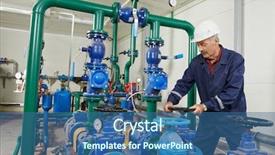
 Presentation with house heating - Amazing slide deck having repairman engineer of fire engineering backdrop and a ocean colored foreground

Repairman Engineer Fire Engineering System

Imagine yourself in the high pressure world of HVAC and electrician work, where every moment counts and attention to detail is crucial. The Split Title template is designed to help you stay focused and organized, even in the most chaotic environments. This Widescreen template features a light sea green color palette that evokes feelings of serenity and professionalism. High resolution images throughout will transport you into the world of check ins and measurements, where accuracy and precision are paramount. You can download this template and add your own content to create a custom look that's uniquely yours. The Split Title template is perfect for those who want to enhance their presentation with a theme of industry, featuring high quality visuals that showcase the latest trends in HVAC and electrician work. Including a background with images of industrial equipment and machinery can help illustrate complex concepts and make your slides more engaging. The four How To slides at the start of the deck are designed to help you get up and running quickly, providing a solid foundation for any presentation or meeting. With its straightforward layout and clear instructions, this template is an ideal starting point for anyone looking to present their expertise in HVAC or electrician work.

 Presentation with house heating - Beautiful slides featuring hvac engineering - maintenance repairman engineer of heating backdrop and a wine colored foreground

Maintenance Repairman Engineer Heating System

As you step into the world of engineering maintenance and repair, where every detail counts and precision is paramount, it's essential to have a template that not only reflects your expertise but also enhances your message. Introducing the Corner Title template, specifically designed for the Goldenrod color palette that shines like the golden light of dawn breaking over a new day in the boiler house. This Widescreen template features four How To slides at the start of the deck to help you get up and running quickly, providing a foundation for your presentation. The Four Arrows Layout slide stands out with its bold, graphic design, featuring stylized arrows that flow seamlessly into each other, creating a dynamic visual effect. Featuring high resolution images of real world boiler houses, this template is sure to captivate your audience. With the Goldenrod color palette, you'll be transported to a warm and inviting environment that exudes efficiency and professionalism. Having a theme of precision engineering and innovative solutions, this template is perfect for showcasing your expertise in HVAC equipment maintenance and repair. Including a Background With rich textures and subtle shading, this template provides an Enhanced With immersive experience that will leave your audience engaged. Having a Theme of industry standards, featuring real world examples and highlighting the importance of safety protocols, this template ensures your message is conveyed effectively. Featuring high resolution images of boiler houses in various settings, including cramped storage rooms and open workshop areas, this template showcases the Corner Title's versatility.

 Presentation with house heating - Presentation having repairman engineer of fire engineering background and a ocean colored foreground

Repairman Engineer Fire Engineering System

As you begin to create your new presentation on "Wide Title" for Widescreen templates from CrystalGraphics, you'll want to start with an attention grabbing sentence that sets the tone for the entire deck. Consider something like: "In this high resolution presentation, designed specifically for those who work with complex systems such as HVAC and electrician work, we'll dive into the world of repairmen engineers tasked with opening valves in boiler houses." The Widescreen template is perfect for showcasing high definition images that bring your content to life. With its royal blue color palette, this template is sure to make a statement on any slide. This Widescreen presentation will have a Managed Process Layout, making it easy to navigate through the various features and tools you'll be using. The 4 How To slides at the start of the deck are designed to get you up and running quickly including slides like "Featuring High Quality Images," "Including A Background With Detailed Illustrations," "Having A Theme Of Complex Systems Management" and "Enhanced With Interactive Elements." This presentation is downloadable on Google Slides, allowing you to easily share it with colleagues or clients.

 Presentation with house heating - Beautiful presentation theme featuring hvac engineering - maintenance engineer repairing water pump backdrop and a navy blue colored foreground

Maintenance Engineer Repairing Water Pump

In a world where precision and attention to detail are paramount, engineers like you are constantly faced with the challenge of ensuring the optimal performance of complex systems. As maintenance engineer repairing water pump of heating system equipment in a boiler house, you know that even the smallest mistake can have significant consequences. Corner Title is designed to elevate your presentation from ordinary to extraordinary, featuring high resolution images for the background and an immersive Crimson color palette that sets the tone for a comprehensive discussion on checking, HVAC, measuring, and more. Whether you're presenting to a large audience or a small group of colleagues, this template has got you covered. The Corner Title template is available in Widescreen format, perfect for showcasing your slides with ample space to breathe. With four How To slides at the start of the deck, you'll be able to get up and running quickly, covering topics such as "How to Choose the Right Tool" or "Best Practices for Measuring Temperature." Each slide is carefully curated to include a Background With high resolution images that add visual interest and depth. The Corner Title template includes a Member Bio Layout that highlights your professional expertise. You can Include a Background With a photo of yourself, highlighting your experience and accomplishments in the field. Having a Theme of having a strong online presence ensures that you're always able to showcase your skills and services with ease. Enhanced With this feature, you'll be able to easily update your profile and promote your business to a wider audience. By using Corner Title as your PowerPoint template, you'll be able to present yourself confidently and professionally, featuring a Crimson background that adds a touch of sophistication to any presentation. Whether you're presenting at an industry conference or pitching to potential clients, this template has got your back.

 Presentation with house heating - Colorful presentation design enhanced with hvac engineering - maintenance repairman engineer of heating backdrop and a coral colored foreground

Maintenance Repairman Engineer Heating System

As you embark on your journey to create a comprehensive and engaging PowerPoint template, I present to you the Wide Title design, carefully crafted to evoke the expertise of maintenance repairmen like yourself in heating system equipment. This Widescreen template is designed with you in mind, featuring Peru as its rich and vibrant color palette that will transport you to the boiler house where your skills are truly put to the test. The high resolution images for the background will give you a clear view of the intricate mechanisms within these systems, and the accompanying keywords such as "checking," "hvac," "electrician," "measuring," and "scheme" will help you tailor your presentation to your specific needs. The Wide Title itself is a masterclass in typography, with bold fonts and elegant layouts that exude confidence and expertise. The theme of this template is built around helping you navigate the complex world of heating system equipment, and includes 4 How To slides at the start of the deck to get you up and running quickly. These slides are designed to be interactive, making it easy for your audience to follow along and take away valuable insights. As you delve into the details, you'll notice that the Pictures + Captions Layout slide is a highlight reel of images showcasing various aspects of heating system equipment. Featuring high quality images with captions that provide context and clarity, this layout will keep your audience engaged and entertained throughout your presentation. Having a theme of showcasing the "inner workings" of these systems, this design is perfect for engineers and maintenance professionals who want to cut through the noise and get straight to the point. When it comes to enhancing the overall user experience, including a background with a subtle gradient effect will add depth and dimensionality to your slides. Having a theme of incorporating advanced graphics and animations, this template is sure to impress even the most discerning audiences.

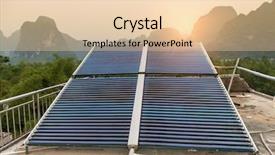
 Presentation with house heating - PPT theme consisting of solar water heating panel background and a lemonade colored foreground

Solar Water Heating Panel House

The sleek and modern design of this template is sure to grab attention from the start. The Wide Title features a bold, sans serif font with a subtle gradient effect that adds depth to the text. The Sandy Brown color palette provides a warm and inviting background that sets the tone for the rest of the template. This design is perfect for presentations where you need to convey complex information in a clear and concise manner. The Widescreen format allows for an expansive display of graphics, making it ideal for showing high resolution images on Googel Slides. The Template Format: WideScreen ensures that all elements are scaled correctly, ensuring a professional look and feel. With the Template Keywords: geliosystem, fuel, source, repetition, space, you can easily find relevant design elements to enhance your presentation. The template features a distinctive color scheme with warm beige tones that evoke feelings of comfort and energy. The Sandy Brown is reminiscent of natural materials like wood or stone, while the geliosystem adds a touch of modernity. This template is perfect for anyone looking to create a visually appealing presentation that showcases their expertise in solar water heating panels. Whether you're using it as a sales pitch, a promotional material, or an educational resource, this template has got you covered. To further enhance your presentation, consider incorporating a Background With warm colors and textures, such as wood grain or stone patterns, to create a sense of depth. Additionally, having a Theme of Renewable Energy can help reinforce your message and differentiate your content from others in the market. Enhanced with high resolution images and graphics, this template is sure to captivate your audience and leave a lasting impression. Using this template, you can create visually stunning presentations that showcase complex information in an engaging way. With its wide screen format, Sandy Brown color palette, and geliosystem design elements, you'll be able to convey your message with clarity and confidence. Featuring a theme of sustainability, you can also include graphics and images that highlight the benefits of solar water heating panels.

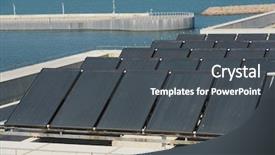
 Presentation with house heating - Theme consisting of solar water heating panel background and a dark gray colored foreground

Solar Water Heating Panel House

The world is rapidly shifting towards sustainable energy sources, and one such innovation is solar water heating panels. These systems are not only environmentally friendly but also provide a reliable source of heat for homes and businesses. As we continue to explore ways to harness the power of the sun, it's essential to showcase the various aspects of solar water heating panels. The design of these systems is crucial in determining their overall efficiency. A well designed panel can make all the difference in terms of its effectiveness. In this case, the Steel Blue template provides a sleek and modern look that enhances the presence of the Solar Water Heating Panel on a house roof image featured prominently throughout the presentation. The background is rendered in high resolution for an immersive experience. This template format allows for seamless integration with Google Slides, making it easy to download and use. The template's color palette is characterized by Steel Blue, providing a clean and professional look. Featuring a range of geliosystem images, including a close up of the sun's rays interacting with the panel, this background adds depth and visual interest. The template includes keywords such as fuel, source, repetition, space, and high resolution images, making it easily discoverable by users searching for related content. For those looking to enhance their presentation with more visual elements, featuring a repeating pattern of solar panels in various orientations can add variety and keep the audience engaged. Including a background with a subtle texture can provide additional depth and dimensionality. Having a theme of sustainability is also emphasized, highlighting the importance of renewable energy sources. This template's design language incorporates repetition and space effectively to create a visually appealing presentation. It showcases how different elements can be combined to convey a message, whether it's highlighting the benefits of solar water heating panels or illustrating their efficiency.

 Presentation with house heating - Colorful PPT theme enhanced with hvac engineering - maintenance engineer checking technical data backdrop and a ocean colored foreground

Maintenance Engineer Checking Technical Data

Imagine walking into a boiler house during a peak maintenance season, and being greeted by rows upon rows of massive equipment humming quietly in the background. The air is thick with the smell of diesel fuel and burning oil as you scan the room for any signs of trouble. You're here to check on the status of your heating system's high pressure boilers, and you need a template that can keep up with your work. This is where our Widescreen Powerpoint Template comes in a steel blue background that will transport you into the heart of the boiler house. The template features 4 How To slides that are sure to get you up and running quickly: 'Get Ready', 'Check System', 'Troubleshoot', and 'Repair'. Each slide is designed to help you stay focused on what matters most getting the job done. The background images for each slide are high resolution, taking up about 60% of the screen. A warm glow from a sunset in the boiler house lights can be seen emanating from the left side of the image, adding a sense of warmth and comfort to the overall design. The 'Get Ready' slide could feature an infographic highlighting the importance of checking for leaks and corrosion before starting work, while the 'Check System' slide might include a photo of the control panel in action, showcasing your skills at work. As you navigate through the template, you'll notice that it's enhanced with features like arrows to guide your eye through complex diagrams, including a line that extends from the top left corner of each slide, pointing towards the navigation menu. Having a theme of 'Maintenance Mode', this design style will keep your focus on the task at hand while providing essential visual cues for navigation. A section titled 'Loading...?' appears next to each background image, displaying an estimated loading time in seconds or minutes reassuring users that their content is being processed and preparing them for the next slide. The template's Steel Blue color palette ensures that all elements remain cohesive, creating a professional and trustworthy atmosphere.

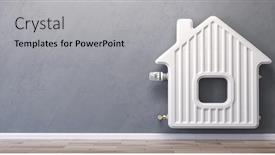
 Presentation with house heating - PPT theme featuring home-heating-radiator background and a light gray colored foreground

Home Heating Radiator Form House.

Imagine a warm and cozy home where the central heating system is the heart of the house, radiating warmth and comfort to all who enter. A 3D illustration of a radiator takes center stage, its curves and contours inviting you to explore the world of domestic heating. The Corner Title template is designed in a widescreen format, perfect for showcasing high resolution images that will transport your audience to a world of warmth and energy efficiency. The Cornflower Blue color palette provides a soothing background that complements the 3D radiator illustration, while the keywords central heating, fuel, supply, domestic, and 3d add an extra layer of depth to the design. This template is downloadable and compatible with Google Slides, making it easy to incorporate into your presentations. The Cornflower Blue color palette is a popular choice for corporate and business presentations, and its calming effect will help to reduce stress and increase focus. The template features 6 x 6 Org Chart Layout, which provides a clear structure for organizing your content and keeping it organized. This layout includes space for titles, subheadings, and bullet points, making it easy to create a visually appealing presentation. The template also includes a section called "Including a Background With" where you can add images or graphics to enhance the design. This template is perfect for anyone looking to showcase their domestic heating system in a creative and engaging way. Whether you're presenting at home or at work, this template will help you to create a warm and inviting atmosphere that will leave your audience feeling comfortable and informed.

 Presentation with house heating - Presentation theme with hvac engineering - maintenance repairman engineer of heating background and a wine colored foreground

Maintenance Repairman Engineer Heating System

As you step into the world of professional engineering, you'll often find yourself working with complex systems that require meticulous attention to detail and precise measurements. As a maintenance repairman engineer of heating system equipment in a boiler house, you know how crucial it is to have all the tools at your disposal. And let's face it, having access to high quality images can make all the difference when planning your workflow. The Corner Title template is designed to help you streamline your workflow and make the most of your time. The Widescreen format provides ample space for easy navigation, while the Brown color palette evokes a sense of warmth and professionalism. Featured in this template are four How To slides that will get you up and running quickly, allowing you to focus on the tasks at hand. The 3 Column Layout slide is perhaps one of the most versatile elements, as it allows for easy organization of text, images, and additional content. The image included a Background With warm lighting features is perfect for highlighting your HVAC equipment or measuring instruments. Enhanced with animations and transitions to make the template engaging, this Corner Title template is readily downloadable and compatible with Google Slides, making it an excellent choice for anyone looking to elevate their presentation style.

 Presentation with house heating - Cool new presentation theme with inspector of fire engineering backdrop and a dark gray colored foreground

Repairman Engineer Inspector Fire Engineering

As a seasoned repairman engineer or inspector specializing in fire engineering systems and heating systems with valve equipment in boiler houses, you know the importance of precision and attention to detail. To help you get up and running quickly in your work, we've designed this template, featuring high resolution images for the background that will transport you into the world of HVAC maintenance. Our Wide Title template is perfectly suited for a dark olive green color palette that evokes trust and expertise. This theme enhanced layout ensures it resonates with electricians and HVAC professionals who appreciate a robust and professional look. The resulting design allows users to showcase their work, including images of high pressure valves, gauges, or thermometers, while incorporating essential information like "indicator" devices, checking procedures, and hvac components. On the Content Layout slide, you can include a picture on the left hand side that highlights your expertise in boiler houses, electrician hardware, fire engineering systems, and HVAC maintenance. This would be an ideal spot to showcase 4 How To slides at the start of the deck to help users get up and running quickly. These slides could feature detailed illustrations or photographs of common problems, step by step solutions, and troubleshooting tips. This template is not only visually appealing but also fully downloadable, compatible with Google Slides, making it a convenient solution for you and your team to enhance their workflow.

 Presentation with house heating - Cool new slide deck with hvac engineering - maintenance repairman engineer of heating backdrop and a yellow colored foreground

Maintenance Repairman Engineer Heating System

As a maintenance repairman engineer responsible for upkeep and repair of heating system equipment in a boiler house, you spend most of your days navigating complex machinery and intricate electrical systems. The hum of electric motors, the hiss of steam escaping from pipes, and the warmth emanating from furnaces create an immersive atmosphere that demands attention to detail. To help ensure your tasks are completed efficiently, we have created a bespoke template, Split Title, designed specifically for you. This Widescreen template features high resolution images in a soothing Wheat color palette, creating a calm yet professional ambiance perfect for engaging with the world of HVAC and electrical systems. The background images include illustrations of boiler houses, furnace components, and wiring diagrams, providing valuable insight into the inner workings of these critical systems. The Split Title template is ideal for including a Background With dynamic graphics that enhance your presentation's visual appeal. Having an Enhanced With theme in your deck can easily be achieved by incorporating relevant elements such as gauge scales, temperature indicators, or circuit breakers to create a seamless blend with your background. This template includes four How To slides at the start of the deck, featuring illustrations and concise instructions to help you get up and running quickly. The Arrow Stages Layout slide is particularly noteworthy, allowing for clear navigation through complex diagrams and processes. As an added touch, this feature can be customized to include relevant icons or graphics, further enhancing your presentation's effectiveness.

 Presentation with house heating - Colorful slides enhanced with furnace - boiler and pipes backdrop and a light gray colored foreground

Boiler Pipes Heating System House

As you embark on your journey to create stunning presentations with CrystalGraphics, imagine standing in front of a high resolution image of a sleek boiler, its pipes and heat exchangers gleaming in the dim light. The air is thick with anticipation as you prepare to dive into the world of design. The Corner Title template is designed for Widescreen presentation format, providing an immersive experience for your audience. Its Dark Khaki color palette is both sophisticated and modern, perfectly complementing any decor. The template's keywords heat, appliance, furnace, apparatus, consume are carefully crafted to evoke a sense of urgency and importance. The images featured throughout the template are high resolution, meticulously designed to transport you to the heart of a bustling heating system. From the intricate pipes to the sleek furnaces, every detail is precision crafted to capture the essence of this vital system. To give you an idea of what's possible with this template, consider using it as a starting point for creating presentations that highlight your expertise in appliance maintenance or troubleshooting. For example, you could create a deck featuring high resolution images of various heating systems, each accompanied by a concise overview of their components and functions. With the Corner Title template, you're given the freedom to showcase your creativity and technical knowledge, making it an ideal choice for professionals and experts alike. As you explore the countless possibilities with this template, remember that the Growth Stages Layout slide can be a valuable starting point for developing a comprehensive presentation structure. By dividing your content into clear sections and using headings to define each stage, you'll create a cohesive narrative that keeps your audience engaged throughout.

 Presentation with house heating - Slide deck featuring water management - repairman engineer of fire engineering background and a coral colored foreground

Repairman Engineer Fire Engineering System

As you unlock the Corner Title template, you're about to embark on a journey that will transform your presentation into a powerhouse of data driven insights and visual appeal. This template is designed to captivate your audience with high resolution images, evoking the essence of industry professionals who navigate complex systems with precision. With its sleek Steel Blue color palette, this template exudes a sense of professionalism and sophistication, perfect for presentations that require attention to detail and technical expertise. The downloadable nature of the template makes it accessible to users across various platforms, including Google Slides. To enhance the user experience, the template includes 4 How To slides at the start of the deck, providing valuable guidance on how to get up and running quickly. This template is inspired by the high stakes world of fire engineering systems and HVAC maintenance, where technicians must navigate complex equipment with ease. The use of a Pentagon Layout design ensures that key components are well featured and easily identifiable. Take the example of a boiler house inspection featuring a background image of machinery and pipes, this slide could help users visualize the importance of proper equipment maintenance. The template includes a "Measuring" keyword to emphasize its focus on data driven insights, while also highlighting the inclusion of a Background With image feature to enhance the visual appeal. Having a theme of technical diagrams, it provides an enhanced understanding of how systems operate and troubleshoot issues. The Enhanced With feature allows for easy integration with images and graphics, making it perfect for complex presentations that require technical expertise.

 Presentation with house heating - Cool new slides with inspector of fire engineering backdrop and a ocean colored foreground

Repairman Engineer Inspector Fire Engineering

Imagine a repairman engineer or inspector of fire engineering system or heating system with valve equipment in a boiler house, tasked with ensuring the safe and efficient operation of complex machinery. To visualize this scenario, consider using a high resolution image featuring a detailed drawing of HVAC components, including valves, pumps, and boilers, set against a rich royal blue background that dominates the widescreen format. In this template, designers have crafted a unique Widescreen design with a striking Royal Blue color palette that evokes feelings of trust, reliability, and expertise. This bold color scheme is enhanced by subtle texture effects to add depth and visual interest. This template is Ideal for presentations where you need to showcase complex technical information in an engaging and easy to understand way. Perfect for fire engineering systems or HVAC technicians, the template will help you convey your message to a wide audience with confidence and authority. The How To slides at the start of the deck provide valuable guidance on getting up and running quickly, so you can focus on delivering high quality content without compromising on presentation quality. To take it a step further, consider enhancing this template by adding more background images or including a Background With option to make it truly unique. Having a theme of showcasing key components or systems will give your slides an added layer of meaning and visual appeal. Featuring a "Before After" comparison slide can also help illustrate the impact of your work, making the content even more impactful and memorable for your audience. This template is downloadable and compatible with Google Slides, allowing you to easily share it with others or integrate it into your existing presentation workflow.

 Presentation with house heating - Slide set consisting of repairman engineer of fire engineering background and a ocean colored foreground

Three Repairman Engineer Fire Engineering

In the midst of a bustling boiler house, a team of highly skilled engineer repairmen face their most daunting task opening the valve on the high pressure HVAC system to facilitate a crucial maintenance procedure. As they peer into the labyrinthine pipes and valves, they must rely on precise measurements to ensure the process is executed flawlessly, or risk catastrophic consequences. The air is thick with tension as they work to diagnose and repair a faulty electrical panel that's causing a malfunctioning thermostat. The team's high resolution images for the background are set against a stark steel blue backdrop, evoking a sense of industrial grandeur and precision engineering. This template features a robust design name "Wide Title" that commands attention with its bold font and modern aesthetic. The Widescreen format provides an expansive canvas for showcasing detailed graphics, 4x6 inch images, or even custom illustrations. The Steel Blue color palette is both soothing and striking, conveying trustworthiness and reliability perfect for projects involving high stakes engineering work. With a theme of precision measurement and diagnostic tools, this template seamlessly integrates the necessary hardware and equipment into its design. For instance, a corresponding slide could highlight the inclusion of a thermal imaging camera to enhance the team's ability to diagnose complex issues. The four How To slides at the start of the deck are designed to provide users with an efficient setup process, but they remain largely unspoken allowing the user to quickly get up and running without interruption. These slides would serve as a comprehensive guide, featuring clear instructions on how to configure the template, access additional resources, set up high resolution images, and explore related templates for further customization. This template is ideal for engineering professionals working with HVAC systems or electrical panels, where precision measurement and diagnostic tools are crucial. Its Steel Blue color palette offers an upscale feel that's perfect for presentations at industry conferences or networking events. Having a robust Member Bio Layout slide, featuring the team members' names, backgrounds, and interests, can be enhanced by including a background image of their work environment such as a boiler house with high pressure pipes and valves. By combining precision engineering with sleek industrial design, this template offers an impressive solution for those seeking to elevate their presentations with advanced features and customization options.

 Presentation with house heating - Audience pleasing PPT theme consisting of solar water heating panel backdrop and a light blue colored foreground

Solar Water Heating Panel House

As you step into your home's energy efficiency journey, imagine the warmth and comfort of a solar water heating panel on your house roof, radiating from every corner. In this Corner Title template by CrystalGraphics, you'll embark on a design adventure that seamlessly blends functionality with visual appeal. This high resolution widescreen template features a sky blue color palette that evokes feelings of serenity and tranquility, perfect for showcasing the benefits of renewable energy. The Sky Blue scheme is carefully curated to reflect the soothing atmosphere of your home's solar system, while also conveying a sense of innovation and modernity. The template includes four How To slides at the beginning of the deck, providing a solid foundation for your presentation. Each slide is designed to help you get up and running quickly, with clear instructions on how to enhance your presentation with a custom background featuring high quality images of water heaters, fuel storage facilities, sources of energy, and spaces where they're installed. The 4 Pictures + Captions Layout slide allows you to include multiple visuals within a single slide, creating an engaging visual flow that draws the audience in. For example, you could feature a dramatic before and after image showcasing a solar panel installation, accompanied by captions highlighting its benefits and technical specifications. The Enhanced With theme ensures that each element complements the overall design, creating a cohesive look that's easy to follow. By incorporating these design elements into your presentation, you'll be able to effectively convey your message and leave a lasting impression on your audience.

 Presentation with house heating - Theme having crowd of people watching new year s eve fireworks waiting the new year background and a navy blue colored foreground

Repairman Engineer Fire Engineering System

Theme having repairman engineer of fire engineering system or heating system open the valve equipment in a boiler house

 Presentation with house heating - Presentation theme with loss of energy when heat background and a seafoam green colored foreground

House Wuurde Photographed Infrared Camera.

A house built with inadequate insulation can quickly lose its heat and become cold to the touch, a stark reminder that even the best designs can fall short without proper consideration for energy efficiency. In a world where heat is a major concern, it's essential to incorporate features that enhance energy saving capabilities into our designs. And when it comes to showcasing these ideas, nothing beats a high resolution image as a backdrop. Featuring goldenrod hues and bold typography, this Widescreen template brings a sense of sophistication and warmth to any presentation. The Goldenrod color palette is carefully curated to evoke feelings of comfort and relaxation, perfect for creating an inviting atmosphere in your slides. Having a theme of 'Energy Saving' is nicely reflected on this template with the inclusion of high resolution images showcasing efficient buildings from around the world. One of the standout features is the Ansoff Matrix Diagram Layout slide, which provides valuable insights into market opportunities and competition. This slide can be enhanced with animations to bring the data to life. As you delve into the details of your design, you'll notice that this template is compatible with Google Slides, making it easy to create and customize your presentation. With a range of how to slides at the start of the deck to help get up and running quickly, you can focus on crafting compelling content that showcases your unique perspective on energy efficiency. Featuring a beautiful goldenrod background, bold fonts, and high resolution images, this template is sure to set your presentations ablaze with inspiration.

 Presentation with house heating - PPT theme having hvac engineering - maintenance repairman engineer of heating background and a yellow colored foreground

Maintenance Repairman Engineer Heating System

As a maintenance repairman engineer in a boiler house, you're always on the go, juggling multiple tasks to ensure the safe and efficient operation of the heating system equipment. Your work is crucial, and your attention to detail is unparalleled whether it's measuring temperatures or setting alarms for potential issues. In this Corner Title template, you'll find a stylish and informative design that features high resolution images throughout. The Burly Wood Colored theme provides a warm and inviting backdrop for your presentation, with warm shadows and rich textures adding depth and visual interest. The 4 How To slides at the start of the deck are designed to get you up and running quickly, covering essential topics such as indicator placement, hvac system integration, electrician tools, and measuring techniques. This template is perfect for engineers, technicians, and anyone who needs to present complex information in a clear and concise manner. Its seamless integration with Google Slides makes it easy to create and share presentations on the fly. You can feature your presentation as part of a larger slideshow or include it with a background image from our extensive library. Plus, having a theme of "Professional" Enhancements will make you look like an expert in no time!

 Presentation with house heating - Cool new presentation with operating ystem - maintenance engineer checking technical data backdrop and a tawny brown colored foreground

Maintenance Engineer Checking Technical Data

As you step into the boiler house, your gaze falls upon a complex network of heating system equipment, a landscape of pipes and valves that humming with life. The task at hand is to ensure that this intricate infrastructure operates efficiently, and it all begins with accurate measurement and analysis. The Wide Title "Wide Title" presents in a beautiful Goldenrod color scheme against a Widescreen backdrop, perfectly capturing the attention of the viewer. The design is clean and professional, inviting you to dive into the world of HVAC maintenance engineering. This template is designed specifically for Googleslide compatibility, featuring a range of high resolution images that bring your presentation to life. From the industrial atmosphere of the boiler house to the technical data displayed on screens, every element is crafted with attention to detail and an understanding of the industry's nuances. The Goldenrod color palette ensures a harmonious blend of warmth and sophistication, while the four How To slides at the start of the deck will have you up and running quickly. Each slide is carefully designed to enhance your presentation, with the opposite directional arrows layout providing ample space for text and images to shine. The theme of "measuring" is particularly well suited to this template, allowing you to Include a Background With high resolution images featuring HVAC equipment in action. The Enhanced With feature makes it easy to create a seamless blend of content, ensuring that your presentation looks polished and professional from start to finish. Whether you're a seasoned expert or just starting out, this template is sure to meet your needs, Providing Features a comprehensive range of design elements that will help take your presentation to the next level.

▼Key features of this template

  • They are compatible with both PowerPoint and Google Slides running on either Windows PCs or Macs.

  • They are available in both standard and widescreen slide formats. You can choose your preferred format by clicking on the "Widescreen" check box or icon.

  • Each template includes a beautiful high-resolution background image or video to visually reinforce the theme of your presentation.

  • In addition, each template includes designer-created graphics and modern fonts to give your presentations an up-to-date, professional look.

  • Each template's default design and title text position have been carefully selected to complement its background without covering faces or other key elements.

  • All text includes backdrops whose transparency level is mathematically calculated to maximize text readability while still allowing the background to be seen.

  • And all the text, text backdrops and graphics in every slide are colored with a palette designed to beautifully complement the colors in the background.

  • Our Premium templates (those with the descriptor “Premium” in their subtitle) include over 64 slide layouts to give you maximum flexibility as you create your presentations.

    • Those layouts are available to you whenever you create a new slide or when you want to change the layout of an existing slide.
    • They include everything you need to make all sorts of presentations. In addition to the layouts for the title slide and the usual title and content slide, they include many other layouts for slide types including table of contents slides, org charts, charts, diagrams, infographics, photo slides, thank you slides and more.
    • While creating these layouts our template designers have ensured that all text in every layout adjusts as gracefully as possible to various numbers of words.
  • Customizable templates (those with the descriptor “Customizable” in their subtitle) may be easily modified online before you download them.

    • To modify them, simply click on the pencil editing icon, then select your choice of ready to go designs and title text positions.
    • The editing tool also makes it easy to reposition and scale the background image or video to best suit your needs.

▼FAQs

Please review these FAQs to see if your question is answered. Contact us for more info

  • What is a PowerPoint template?

    • A well designed PowerPoint template is a file that can tell PowerPoint how to make your ordinary templates look extraordinary. They won’t change what your words or numbers say. But they might change their size, color, font and placement. And, overall, they can give your presentations a professionally-designed look that will give your content more credibility and give you more confidence.
  • How many PowerPoint templates do you offer?

    • We have over 32,000 artist-created presentation templates in our PowerPlugs collection With a subscription, PowerPlugs templates are easy to download. Just sign in, find a template and click on the green Download button. ready for you to download. That alone offers you more variety to choose from than any of our competitors can offer. And, as if that weren’t enough, we also offer over 6 million templates in our Crystal collection. Crystal brand templates are our line of templates that have customization options. They have the word "CRYSTAL" on their web page images. You can customize several aspects of the templates. These templates include high-resolution background images from Shutterstock’s vast image collection matched up with artist-created presentation designs customized by our own proprietary AI software.
  • How many templates can I download as a subscriber?

    • You can download an unlimited number of PowerPlugs-brand With a subscription, PowerPlugs templates are easy to download. Just sign in, find a template and click on the green Download button. templates every day for an entire year. (Actually, by default, we set a limit of 25 templates per day to prevent our competitors from stealing our templates. But, if that is not enough, just let us know and we’ll try to accommodate you.) On top of that, with a subscription or an Ultimate Combo, you can also download any 50 Crystal-brand Crystal brand templates are our line of templates that have customization options. They have the word "CRYSTAL" on their web page images. You can customize several aspects of the templates. templates per year selected from our huge Crystal collection. Crystal brand templates are our line of templates that have customization options. They have the word "CRYSTAL" on their web page images. You can customize several aspects of the templates. .
  • Why should I choose your templates instead of the competition’s?

    • We’ve got a larger selection of professionally-designed PowerPoint templates than anyone else in the world.
    • Each template includes a high-resolution background image or video to visually inspire your audiences while reinforcing your message.
    • Each template includes 64 slide layouts to give you maximum flexibility as you create your presentations.
    • Our templates are available in both standard and widescreen slide formats. And our website lets you preview the slides each way.
    • Our free Template Finder™ plugin lets subscribers select and - with a single click - download and insert our templates into their presentations right from within PowerPoint.
    • We’ve been creating designer presentation templates for over 20 years. During that time we’ve won several awards and 5-star ratings for product quality. See About Us for more.
  • Do you offer a money-back guarantee?

    • Yes we do! We offer full 30-day money-back guarantee if you are not 100% satisfied with your purchase.
  • Can I still use my downloaded templates after my subscription runs out?

    • Yes. After your subscription expires, you won't lose any rights or ability to use your PowerPlugs: Templates for PowerPoint. You won't be able to download any new non-watermarked templates. But the non-watermarked templates you've already downloaded will still work and you can still use them as before.
  • Can I share my downloaded templates or passwords with friends or coworkers?

    • Sorry but no. You are authorized to download each paid-for template to up to 3 of your personal devices and to use the templates you download in as many presentations as you want. But you are not authorized to share the templates, themselves, with others. That said, we do offer highly discounted site licenses to suit the needs of both small and large teams. Just tell us your needs and we’ll give you a quote!
  • System requirements:

    • The templates use the standard POTX format. So they are compatible with Google Slides and all PC, Mac and mobile devices running any version of PowerPoint from PowerPoint 2007 up through and including Office 365 desktop.
    • Please note: Google Slides does not currently support background videos. It treats them as still images.
    • For PowerPoint for the Web, first open your template into a desktop version of PowerPoint, then save it back out as a PPTX file. Then you can open that in PowerPoint for the Web.
  • End user license agreement:

    • Click here to view.
  • How will I get my purchased templates?

    • You may download your selected templates as soon as your payment is received by PayPal. If you purchased an individual template, you will be provided with a download link both onscreen and via email. Just click on that link to begin the download process. If you purchased a subscription, you will receive an email containing a password to use along with your email address to sign in to any of the templates pages on CrystalGraphics.com. Once you are signed in, you can immediately start downloading your selected templates.
  • How do I use my templates after I download them?

    • You can either open a template to start a new presentation or you can add a template to an existing presentation. To open a template, just double click on it or use PowerPoint's File > Open tool. To add a template to an existing presentation, on the Design tab, in the Themes group, click Browse for Themes... then browse to select your template.

View more House Heating templates:

previous 1 2 3 4 5 next
93% of Fortune 1000
companies use our
PowerPoint Products
Templates Secure

Standing Ovation Award
Winner: Best PowerPoint
Template Collection
Fortune Logos
200,000+ satisfied
customers worldwide!
Guarantee
100% satisfaction guaranteed
- or send it back for a refund!

Sign up for our free newsletter! You'll get news about our PowerPoint-enhancing product line – including free updates, new product announcements and exclusive special offers. Plus you'll get a link to a free PowerPoint template with every newsletter you receive.
Privacy Policy
Loading...


Help

Contact Us
Product FAQs
Product License Agreements

Company Info

About Us
Privacy Policy
CrystalGraphics, Inc. 1999 S. Bascom Avenue Suite 700 Campbell, CA 95008 USA
© 2026 CrystalGraphics, Inc. All rights Reserved.    |     PowerPlugs is a trademark of CrystalGraphics, Inc.
Microsoft and the PowerPoint logo are trademarks or registered trademarks of Microsoft Corporation in the United States and/or other countries.
Loading...
Loading...