www.crystalgraphics.com CrystalGraphics
  • Ultimate Combo
  • Templates
  • Diagrams
  • Characters
  • Quizzes
  • shopping cart
  • Sign Out Sign Out Sign In
Home > Templates > Jaw Category
search icon
advanced icon

123 Best Jaw-Themed Templates for PowerPoint and Google Slides

CrystalGraphics creates templates designed to make even average presentations look incredible. Below you’ll see thumbnail sized previews of the title slides of a few of our 123 best jaw templates for PowerPoint and Google Slides. The text you’ll see in in those slides is just example text. The jaw-related image or video you’ll see in the background of each title slide is designed to help you set the stage for your jaw-related topics and it is included with that template. In addition to the title slides, each of our templates comes with 17 additional slide layouts that you can use to create an unlimited number of presentation slides with your own added text and images. And every template is available in both widescreen and standard formats. With over 6 million presentation templates available for you to choose from, CrystalGraphics is the award-winning provider of the world’s largest collection of templates for PowerPoint and Google Slides. So, take your time and look around. You’ll like what you see! Whether you want 1 great template or an ongoing subscription, we've got affordable purchasing options and 24/7 download access to fit your needs. Thanks to our unbeatable combination of quality, selection and unique customization options, CrystalGraphics is the company you can count on for your presentation enhancement needs. Just ask any of our thousands of satisfied customers from virtually every leading company around the world. They love our products. We think you will, too!

Features & Pricing

Widescreen (16:9) Presentation Templates. Change size...

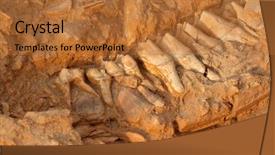
 Presentation with jaw - Slides with five million year old fossil background and a red colored foreground

Five Million Year Old Fossil

The ancient landscape of South Africa, once home to majestic creatures like the relic short necked giraffe, now stands as a testament to time's relentless march forward. The fossilized remains of this prehistoric beast lie exposed in remote areas, waiting for the attention of geologists and historians alike. A new template is born Wide Title designed specifically with a Widescreen format in mind, perfect for showcasing high resolution images that will transport your audience to the depths of time. This Chocolate inspired color palette brings warmth and depth to your presentation, creating an immersive experience for all who view it. Featuring intricate patterns and textures reminiscent of ancient fossils, this template is sure to captivate. As a reliable resource, Wide Title is compatible with Google Slides, making it easy to download and integrate into your presentations. Its design keywords relic, South Africa, dead, remains, geology will surely resonate with historians and paleontologists, who will appreciate the inclusion of these relevant terms. With its high resolution images and rich color palette, this template is an enhanced offering for anyone looking to take their presentation to the next level. Imagine a slide that showcases the 5 million year old fossil jaw bone of an extinct short necked giraffe (Sivathere), suspended in mid air above a vast expanse of South African landscape. This could be achieved with a background image of a rugged coastline, complete with towering cliffs and hidden coves all rendered in fine detail to bring the scene to life. In terms of layout, Wide Title offers a flexible structure that allows you to mix and match elements to suit your needs. On the Layout slide, you might include additional design features such as a "Geology" section, highlighting key concepts related to this particular fossil specimen. This could be accompanied by images of minerals and rocks, providing an engaging visual aid for your audience. The pros of using Wide Title are clear: its modern design and high resolution images make it an ideal choice for presentations that require a professional yet approachable tone. By incorporating relevant keywords and themes, you'll ensure that your content is both informative and engaging essential elements in any successful presentation.

 Presentation with jaw - Beautiful slides featuring woodworking wood working project backdrop and a tawny brown colored foreground

Woodworking Wood Working Project Work

The art of woodworking projects takes on a new level of sophistication with this stunning Wide Title template. Designed to inspire creativity in woodworkers and crafters alike, it's the perfect companion for any DIY enthusiast who wants to elevate their project from ordinary to extraordinary. This Widescreen template features a high resolution background image that showcases the intricate details of a woodworking project, including the jaw section of a clamp. The Sandy Brown color palette provides a warm and inviting ambiance, reminiscent of a cozy woodshop. The Thompson Woodshop theme is evident in the use of wooden textures and distressed effects throughout the template. The template's layout is carefully designed to provide ample space for showcasing high quality images from top to bottom. Featuring a prominent background image, this template provides an engaging way to display your project's features, including the joint that holds everything together. Including a Background With subtle textures and patterns, you can enhance the visual interest of your presentation. Having a Theme of High Resolution Images, this template is perfect for showcasing your woodworking creations. Having a seamless transition from concept to completion, it's ideal for presentations that require attention grabbing visuals. Enhanced with creative formatting options and advanced graphics tools, you'll be able to craft an unforgettable experience for your audience.

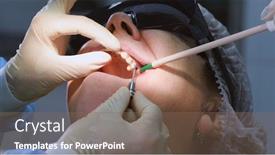
 Presentation with jaw - Presentation theme featuring oral-surgeon-shows-installed-dental background and a coral colored foreground

Oral Surgeon Shows Installed Dental

Imagine walking into a modern dental clinic where the team of an oral surgeon is carefully installing dental implants in a patient's gums and jawbone. The scene is set with high resolution images of medical equipment, including 3D models of implants and surgical tools, displayed prominently on the background. To enhance this visual experience, CrystalGraphics has designed a stunning Widescreen template called Corner Title, featuring a royal blue color palette that exudes professionalism and trust. This template is specifically tailored to dental clinics and medical practices, incorporating keywords like "ejector," "medical," "practice," "surgeon," and "stomatology equipment" to make it easily recognizable. The high resolution images used in this template are carefully curated from various sources to provide a comprehensive visual representation of the industry. The Corner Title template is available for download on Google Slides, making it accessible to anyone looking to create engaging presentations or designs for their dental clinics or medical practices. With its grid layout featuring 8 beautifully designed images, you'll have ample space to include background elements with ease and enhance your presentation's overall visual appeal. This unique design combines traditional and modern elements, perfectly blending the elegance of a royal blue color scheme with a touch of dynamism from the 4 How To slides that serve as the foundation for getting up and running quickly. The Crown Title template is not only visually stunning but also packed with interactive features, making it an ideal choice for creating compelling presentations that engage and inform your audience. When paired with high resolution images like those featured in this template, you'll be able to create a truly immersive experience that leaves a lasting impression on your viewers.

 Presentation with jaw - Presentation theme having patient-at-a-dentist-appointment background and a red colored foreground

Patient Dentist Appointment Dental Clinic.

You're about to unleash your inner dental design guru with the Wide Title template from CrystalGraphics. This stunning widescreen masterpiece is perfect for anyone who wants to showcase their passion for dentistry and medical treatment in a visually captivating way. The Wide Title template features a warm and inviting salmon color palette, making it ideal for promoting health, wellness, and professionalism. The template's background is made up of high resolution images that give you the chance to create a unique dental clinic or doctor's office setting, complete with subtle textures and lighting effects. This will draw your audience in and leave them wanting more. The template itself has been carefully crafted to be downloadable and compatible with Google Slides, ensuring seamless integration into your presentation. Featuring a theme of dental treatment and medical professionals, this template is sure to resonate with anyone looking for a professional and engaging design solution. The Wide Title template includes four How To slides that will get you up and running quickly. These slides are perfect for explaining the basics of creating a stunning presentation, including tips on how to use design elements, add texture, and enhance your content. Don't worry, these steps are easy to follow you can even skip them if you prefer. If you want to give your presentation an extra boost, why not include some background images or animations that highlight the importance of proper dental treatment? Perhaps including a 3D model of the human mouth or showcasing different dental procedures could be just what you need. Having a theme of medical professionals and their treatments is also perfect for a dentist's office or hospital setting. The Wide Title template includes a Member Bio Layout slide, where you can showcase your own credentials and expertise in dentistry. This could include images of yourself with patients, testimonials from satisfied clients, or even a brief bio that highlights your qualifications and experience. Having this feature on the template will make it easy to share your story and connect with your audience. Overall, the Wide Title template is an excellent choice for anyone looking to create a professional and engaging presentation about dentistry or medical treatment. With its stunning design, high resolution images, and easy to use features, you'll be able to create a compelling and informative slide that will leave a lasting impression on your audience.

 Presentation with jaw - PPT theme consisting of dentist-looking-at-photopolymer-jaw background and a light gray colored foreground

Dentist Looking Photopolymer Jaw Printed

Imagine walking into a modern medical office where cutting edge technology and innovative design come together to revolutionize the way we approach healthcare. This is the vision behind our new template, featuring photopolymerization, medical, hands, and Caucasian subjects in a sleek and sophisticated setting. Our template is designed for Widescreen presentation, with a Light Blue color palette that exudes trust and professionalism. The template keywords are photopolymerization, medical, hands, Caucasian, office, and high resolution images for the background, ensuring an immersive experience for your audience. Featuring a grid layout, you can include 8 pictures of dental models or patient records to enhance the theme of the presentation. The template is downloadable and compatible with Google Slides, making it easy to integrate into your workflow. With its modern design and high resolution images, this template is perfect for dentists, medical professionals, and anyone looking to showcase their work in a professional and engaging way. Having a theme of innovation and cutting edge technology, this template is sure to impress. The 4 How To slides at the start of the deck will help you get up and running quickly, providing valuable tips and tricks to ensure your presentation runs smoothly. From setting up the template to creating engaging visuals, these slides will guide you through the process with ease.

 Presentation with jaw - Audience pleasing slides consisting of oral health education - dentist educating little boy backdrop and a lemonade colored foreground

Dentist Educating Boy Brushing Teeth

Slides consisting of dentist educating little boy about brushing teeth demonstrating on dental jaw model in clinic backdrop

 Presentation with jaw - Presentation with upper-and-lower-jaw background and a  colored foreground

Upper Lower Jaw Man Printed

A stunning photopolymerized illustration featuring four distinct hands, crafted in deep sky blue, is set against a high resolution background of intricate medical illustrations, creating an immersive and visually striking visual representation perfect for presenting any number of presentations, including healthcare conferences, demonstrations, training sessions, or even product showcases. The Corner Title's professional theme aligns seamlessly with the overall aesthetic, showcasing its unique blend of photopolymerization and medical expertise. The template is ideal for those seeking a high quality, versatile solution that can be easily customized to fit various needs and requirements, thanks to its comprehensive feature set. This innovative layout allows users to explore different combinations of images, colors, and fonts to tailor the design to their specific message or content. Featuring the same stunning illustration on multiple slides ensures consistency throughout the presentation, making it a great option for medical professionals, researchers, engineers, and anyone else looking to create engaging visual content. The Corner Title template includes several exciting features that enhance its overall impact, such as having a theme of "Medical Marvels" or "Cutting Edge Technology," which can be customized according to the user's preferences. Additional options like including a background with medical illustrations, high resolution images, or even a professional style layout make it an excellent choice for those seeking a visually appealing and informative presentation solution. The template is compatible with Google Slides and comes with 4 How To slides that facilitate getting up and running quickly, providing users with the tools they need to create their own custom design. Whether used for presentations at conferences, training sessions, or product showcases, the Corner Title will undoubtedly make a lasting impression on your audience.

 Presentation with jaw - Colorful presentation design enhanced with composition-of-artificial-jaw backdrop and a  colored foreground

Composition Artificial Jaw Dental Instruments

This template is designed to showcase the latest advancements in orthodontic treatment and medical technology, featuring cutting edge concepts and digitally generated images that will transport your audience into the world of dentistry. The Widescreen format allows for an immersive viewing experience, with high resolution images on a 16:9 aspect ratio that can be displayed at maximum brightness. The template's Light Steel Blue color palette provides a clean and professional look, perfect for presentations about medical science and technology. The keywords "orthodontic", "treatment", "medical", "dentistry", and "concept" will help users quickly identify the focus of the presentation. The high resolution images on this template are sure to be a feast for the eyes, featuring intricate details of artificial jaws and dental instruments with subtle motion blur effects. The Grid Layout slide showcases a visual representation of these concepts in an organized and easy to understand format. Featuring a background with a stunning image of a futuristic laboratory equipment station, having a theme of showcasing cutting edge technology, and enhanced with a modern aesthetic will make this template stand out. This template is fully downloadable and compatible with Google Slides, allowing users to easily integrate it into their presentations. The 8 Pictures in the Grid Layout slide can be used to illustrate key concepts such as tooth straightening techniques, dental implants, or orthodontic appliances. For example, you could include a photo of a patient undergoing treatment, a 3D model of an artificial jaw, or a shot of a dental instrument being used for its intended purpose. The template's background images can be customized to fit your specific needs, and the inclusion of Google Slides integration ensures seamless compatibility with this popular presentation platform.

 Presentation with jaw - Colorful slide deck enhanced with gingiva - clean teeth denture dental jaw backdrop and a white colored foreground

Clean Teeth Denture Dental Jaw

Imagine walking into a state of the art dentist's office where you can see the latest orthodontic treatments and dental surgeries being performed in real time. The background is dominated by high resolution images of clean teeth, denture models, and dental equipment, all set against a calming white or light colored background that exudes professionalism. The template features a modern, sleek design with a predominantly dark color palette, but it's not too sterile there are subtle hints of warmth and coziness to be found in the inclusion of earthy tones and natural textures. One of the standout elements is the Level Piramid Layout slide, which provides a clear structure for your presentation. The slide features five interconnected pyramids that represent different levels of detail, from the broadest overview to the most detailed aspects of orthodontic treatment. This layout makes it easy to visualize the relationships between different elements and to help your audience see how each level builds upon the previous one. This template is ideal for dental professionals who want a professional looking presentation without breaking the bank or requiring extensive design expertise. It's also perfect for students, researchers, and anyone else looking to showcase their knowledge of orthodontic treatments in an engaging way.

 Presentation with jaw - Amazing slide set having coast fossil park south africa backdrop and a red colored foreground

Five Million Year Old Fossil

The majesty of prehistoric landscapes, where fossils and geological wonders wait to be unearthed. Imagine standing in the midst of a lush, green savannah, surrounded by towering trees and the gentle rustle of leaves, as if time itself had stood still for millions of years. Our design, Wide Title, is the perfect canvas for capturing this sense of history and mystery. This Widescreen template features a stunning background image of a high resolution fossilized giraffe jawbone from South Africa's West coast fossil park, surrounded by lush greenery and ancient tree roots. The Chocolate color palette brings warmth and depth to the overall design, evoking the rich hues of earthy soil and aged stone. The template is carefully crafted to include a range of features that enhance the user experience, such as an introductory slide with 4 helpful tips on getting started, including How To slides for users who need a little extra guidance. Who We Are will be showcased in a clean, modern layout featuring a prominent title and logo placement, giving viewers a sense of your brand identity. As the presentation unfolds, the theme of exploration and discovery comes alive through the inclusion of background images that feature fossils, geological formations, and other natural wonders from around the world. With Enhanced Backgrounds, Including a Background With stunning visuals and dynamic animations, users are transported to remote locations, immersing themselves in the sights and sounds of our ancient landscapes. Whether you're a geology enthusiast, paleontologist, or simply someone who appreciates the beauty of prehistoric times, Wide Title is an ideal template for presenting your ideas and sharing your passion with others.

 Presentation with jaw - Audience pleasing theme consisting of five million year old fossil backdrop and a coral colored foreground

Five Million Year Old Fossil

The raw and untamed power of nature has left behind remnants of a bygone era, whispering tales of a world that once was. Imagine standing before a sprawling fossil park in South Africa, surrounded by the eerie silence of relics frozen in time. The air is thick with anticipation as you approach one of these ancient fossils a five million year old jaw bone of an extinct short necked giraffe, its bones weathered to perfection, telling the story of a species that once thrived. The template for this presentation, dubbed "Wide Title", will feature a Widescreen format, perfect for showcasing intricate details and grandiose visuals. The Burly Wood Colored palette is a masterstroke, evoking the rugged beauty of South Africa's natural landscapes. This theme of ancient relics and fossilized remains will be woven throughout the template, featuring high resolution images as the background for backgrounds that include intricate textures and detailed geology. This presentation will enhance your audience's understanding of the geological significance of fossils, taking them on a journey through the south African landscape. As you delve into the world of relic fossils, consider including a Background With feature to showcase 3D models or animations that bring these ancient creatures to life. The Signpost Layout slide will serve as a central hub for your presentation, featuring key points and images in an easy to follow structure. The template itself is included with this downloadable presentation, allowing you to create stunning visuals without compromising on compatibility with Google Slides. Whether you're a geologist, paleontologist, or simply someone fascinated by the natural world, "Wide Title" will be your perfect companion on this journey through time. With its attention grabbing design and enhanced features, this template is sure to captivate your audience and leave them inspired.

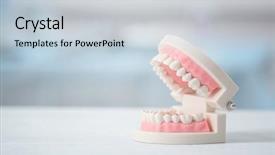
 Presentation with jaw - Amazing PPT theme having periodontal - artificial jaw model on table backdrop and a lemonade colored foreground

Artificial Jaw Model Table

PPT theme having artificial jaw model on table

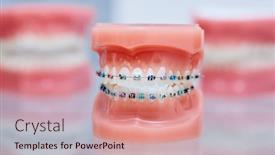
 Presentation with jaw - PPT theme featuring braces-on-teeth-lower background and a coral colored foreground

Braces Teeth Lower Upper Dental

Imagine a world where your smile is more than just a reflection of your health, but a work of art that showcases your unique personality. That's what the Corner Title template from CrystalGraphics promises to deliver, with its attention grabbing design and high resolution images that will leave you feeling inspired. This template is specifically designed for dental professionals, featuring a pale violet red colored background that sets it apart from other templates on the market. The template format is Widescreen, perfect for showcasing your work in all its glory. With a focus on aligning teeth, bite, braces, bracket, and cases, this template is sure to impress even the most discerning dental professionals. The template color palette is carefully curated to evoke a sense of sophistication and elegance, with pale violet red tones that add a touch of warmth and coziness to your presentation. The high resolution images for the background will transport you to a world of dental wonders, featuring detailed models of lower and upper dental jaw cases. This template is not just about looks; it's also highly functional. With 4 How To slides at the start of the deck, you'll be able to get up and running quickly and easily. The 3 Member Bio Layout slide will allow you to showcase your expertise and credentials in a clear and concise manner, featuring images that highlight your achievements. The Corner Title template is a game changer for dental professionals looking to elevate their online presence. With its enhanced theme of showcasing dental work and high resolution images, this template is sure to make a lasting impression on your audience. Featuring a background with a subtle gradient effect, having a theme of showcasing dental cases, and including a clear call to action, this template is the perfect addition to any dental professional's toolkit.

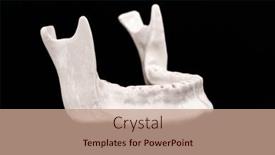
 Presentation with jaw - Slides having lower-jaw-of-a-man background and a light blue colored foreground

Lower Jaw Man Created 3d

Imagine creating a stunning presentation that showcases your expertise in medical and dental fields by incorporating high resolution images into your slides. The Wide Title template from CrystalGraphics is the perfect solution for you. This Widescreen template features a Sky Blue color palette that will transport your audience to a world of precision and accuracy. The template design name, Wide Title, perfectly captures the essence of this presentation. It's a fitting title that sets the tone for an informative and engaging discussion on medical and dental topics. The Widescreen format ensures that all elements are displayed in their entirety, creating a seamless viewing experience. This template is ideal for showcasing high resolution images, such as those featured in a 3D printer model of a lower jaw. You can include these images to highlight the details of dentures, implants, and lab equipment, making your presentation more engaging and informative. The Sky Blue color palette will provide a clean and professional background that complements the medical theme. The template is downloadable and compatible with Google Slides, allowing you to easily incorporate it into your presentations. With its enhanced features, including a grid layout slide that showcases 6 high resolution images, this template is sure to impress your audience.

 Presentation with jaw - PPT layouts enhanced with dentist-looking-at-photopolymer-jaw background and a  colored foreground

Dentist Looking Photopolymer Jaw Printed

As you start your presentation on medical imaging and photopolymerization techniques, you're likely to want to grab the audience's attention with an eye catching image that sets the tone for the rest of the content. A stunning photo of a dentist examining a 3D printed jaw on a photopolymer printer could be the perfect introduction. This setup offers ample opportunities for creative styling and design elements that will enhance your visual communication skills. To create a template that complements this captivating image, we need to select a fitting short name and format for our presentation. "Polymer Print" or "Dental Imaging 3D" would be ideal choices. The wider screen feature will allow the background images and graphics to dominate the slide, making it easy to focus on the photopolymerization process. The template color palette features an enchanting Alice Blue that exudes a sense of trust and professionalism. This soothing hue is perfect for conveying the medical aspect of your presentation while also highlighting the innovative technology involved in photopolymerization. By including a background image with a subtle gradient effect, you can add depth and visual interest to your slides. To further enhance your presentation, we could include a few key features like having a theme of "Medical Innovation" or "Printing Technologies". This will help set the context for your discussion on dental imaging and photopolymerization. For instance, on slide 2, featuring an image of a dentist examining a 3D printed jaw, you could say something like: "Get started with our downloadable template that showcases the latest advancements in medical technology." The AIDA block layout will guide your audience through your presentation, making it easy for them to follow along and absorb all the information. By including some background images featuring high resolution photopolymerization processes, we can create a sense of excitement and urgency around your topic.

 Presentation with jaw - Presentation theme having upper-human-jaw-without-teeth background and a coral colored foreground

Upper Human Jaw Without Teeth

The corner of your attention is about to shift dramatically as you embark on this journey with the Corner Title template. Imagine standing in front of a majestic upper human jaw without teeth model, its contours and shapes eerily evoking a sense of medical precision and orthodontic expertise. The rich sienna color palette takes center stage, transporting you to a world of dental care and implant innovation. This stunning template is specifically designed for those who appreciate the intricacies of denture design and implant placement. With its Widescreen format and high resolution images galore, it's the perfect companion for your Google Slides journey. Featuring a bold theme of orthodontic expertise, this template will enhance your presentation with confidence. From the get go, you'll start with four invaluable How To slides that cater to your needs. The Two Content Layout slide presents an innovative design where you can include a Background With dynamic elements such as animations or transitions seamlessly integrating into a compelling narrative. This Corner Title template is not just for aesthetics; its medical and dental themes are rooted in the finest features of orthodontic expertise, making it an invaluable addition to your arsenal. This high quality template is downloadable and compatible with Google Slides, ready to be unleashed at your fingertips, enhancing your content with a theme of confidence and authority.

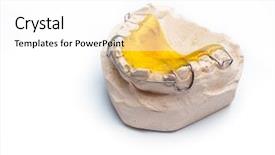
 Presentation with jaw - Slide set consisting of deontology - gypsum cast of the jaw background and a white colored foreground

Gypsum Cast Jaw Braces

The art of teaching and education takes center stage in this PowerPoint template, featuring a gypsum cast of the jaw with braces as the focal point. A warm yellow color palette sets the tone for a medical and educational theme, evoking feelings of comfort and expertise. As you delve into the anatomy of the human face, the template's bold strokes of gray and white create a striking contrast against the soft yellow background. The overall design is Enhanced With a sense of realism, making it an excellent tool for showcasing complex dental procedures or medical conditions. From the intricate details of the jaw to the subtle nuances of facial Anatomy, this template provides a detailed and informative resource for educators, medical professionals, and anyone interested in learning more about the human face. Featuring a background with images from real-life cases or illustrations of various conditions can add an extra layer of realism and engagement. Incorporating educational content into your presentation is Easy With Our Template, which includes four How-To slides that provide step-by-step instructions on how to create presentations quickly and efficiently. Having a Theme Of Educational Content in the template allows users to tailor it to their specific needs. The Dart On Target Layout slide provides an ideal starting point for creating engaging and informative slides, with its bold lines and clear typography making it simple to include essential information while keeping distractions at bay. With high-resolution images readily available, users can easily enhance the visual quality of their templates and add a professional touch to their presentations. Downloadable and compatible with Google Slides, this template is an excellent choice for anyone looking to elevate their presentation game.

 Presentation with jaw - Amazing presentation theme having oral-surgeon-shows-installed-dental backdrop and a violet colored foreground

Oral Surgeon Shows Installed Dental

The spotlight is shining on a high stakes dental operation, where a skilled oral surgeon expertly places a dental implant into the gums and jawbone of a patient. The camera pans across the room, capturing the busy atmosphere of the modern dental clinic, with dentists and assistants busily working together to get the job done efficiently. A sleek white table holds a 3D model of the implant, awaiting its final placement. This visually stunning template is designed to bring your presentation to life, perfectly capturing the essence of high end medical procedures. The Slate Gray color palette provides a sophisticated backdrop for showcasing detailed images and graphics. The Corner Title template features a dramatic background that complements the medical theme, with subtle texture elements adding depth and realism. High resolution images of dental equipment, such as surgical drills or implant guides, are used to enhance the visual interest of each slide. The layout is carefully crafted to include a clear hierarchy of information, making it easy for your audience to follow along. The template also includes four How To slides that provide valuable tips and tricks for your presentation, including a detailed breakdown of key steps and best practices. These slides are designed to help you get up and running quickly, while still showcasing the complexity and nuance of the dental procedure.

 Presentation with jaw - PPT layouts consisting of dental jaw model and tools background and a soft green colored foreground

Student Holding Dental Jaw Model

PPT layouts consisting of student holding dental jaw model and tools closeup

 Presentation with jaw - Presentation theme consisting of oral health education - gypsum cast of the jaw background and a coral colored foreground

Gypsum Cast Jaw Braces

In the midst of a dense and intricate medical landscape, where anatomy takes center stage, a striking visual representation is needed to grab attention. The Split Title template, aptly named Split Title, presents a unique canvas for showcasing complex information in an engaging and easy to digest manner. This breathtaking Widescreen template features Peru as its vibrant color palette, evoking the warmth and richness of this cultural heritage. A carefully curated selection of high resolution images for the background adds depth and visual interest to the design. The Split Title template is not just a stunning visual representation but also an ideal platform for incorporating keywords that resonate with medical education and dentistry. From Featuring detailed illustrations of dental anatomy to Including intricate details of surgical procedures, this template has something for everyone. When it comes to layout, the 5 Step Piramid Layout slide provides an excellent structure for organizing information in a logical and easy to follow manner. This hierarchical design allows viewers to navigate through key points without feeling overwhelmed, making it perfect for educational content that requires clear explanations.

 Presentation with jaw - Amazing PPT theme having dentaire - young female dentist show jaw backdrop and a light blue colored foreground

Young Female Dentist Show Jaw

In the world of orthodontic treatment and medical dentistry, there's no shortage of inspiring stories that showcase the dedication and expertise of professionals like young female dentists. One such story is that of a talented dentist who takes her patients on a journey through their smiles, highlighting the importance of proper alignment and oral health. The Split Title template is designed to be eye catching and informative, featuring high resolution images for the background that will transport your audience into the world of orthodontic treatment and medical dentistry. The Steel Blue color palette provides a professional and sophisticated look, perfect for showcasing the latest advancements in dental technology and techniques. This template is ideal for creating presentations that include a range of features, such as Featuring a Background With a 3 Member Bio Layout slide to showcase your expertise and credentials. For example, you could Include a Background With a photo of yourself, highlighting your experience and qualifications as an orthodontist or dentist. Having a Theme of Professionalism and Expertise is also evident in the template's design, which includes Enhanced With a subtle gradient effect that adds depth and dimension to the images. The Split Title template is downloadable and compatible with Google Slides, making it easy to use and customize for your specific needs. Whether you're creating a presentation for a conference, workshop, or online course, this template is sure to impress your audience and leave a lasting impression.

▼Key features of this template

  • They are compatible with both PowerPoint and Google Slides running on either Windows PCs or Macs.

  • They are available in both standard and widescreen slide formats. You can choose your preferred format by clicking on the "Widescreen" check box or icon.

  • Each template includes a beautiful high-resolution background image or video to visually reinforce the theme of your presentation.

  • In addition, each template includes designer-created graphics and modern fonts to give your presentations an up-to-date, professional look.

  • Each template's default design and title text position have been carefully selected to complement its background without covering faces or other key elements.

  • All text includes backdrops whose transparency level is mathematically calculated to maximize text readability while still allowing the background to be seen.

  • And all the text, text backdrops and graphics in every slide are colored with a palette designed to beautifully complement the colors in the background.

  • Our Premium templates (those with the descriptor “Premium” in their subtitle) include over 64 slide layouts to give you maximum flexibility as you create your presentations.

    • Those layouts are available to you whenever you create a new slide or when you want to change the layout of an existing slide.
    • They include everything you need to make all sorts of presentations. In addition to the layouts for the title slide and the usual title and content slide, they include many other layouts for slide types including table of contents slides, org charts, charts, diagrams, infographics, photo slides, thank you slides and more.
    • While creating these layouts our template designers have ensured that all text in every layout adjusts as gracefully as possible to various numbers of words.
  • Customizable templates (those with the descriptor “Customizable” in their subtitle) may be easily modified online before you download them.

    • To modify them, simply click on the pencil editing icon, then select your choice of ready to go designs and title text positions.
    • The editing tool also makes it easy to reposition and scale the background image or video to best suit your needs.

▼FAQs

Please review these FAQs to see if your question is answered. Contact us for more info

  • What is a PowerPoint template?

    • A well designed PowerPoint template is a file that can tell PowerPoint how to make your ordinary templates look extraordinary. They won’t change what your words or numbers say. But they might change their size, color, font and placement. And, overall, they can give your presentations a professionally-designed look that will give your content more credibility and give you more confidence.
  • How many PowerPoint templates do you offer?

    • We have over 32,000 artist-created presentation templates in our PowerPlugs collection With a subscription, PowerPlugs templates are easy to download. Just sign in, find a template and click on the green Download button. ready for you to download. That alone offers you more variety to choose from than any of our competitors can offer. And, as if that weren’t enough, we also offer over 6 million templates in our Crystal collection. Crystal brand templates are our line of templates that have customization options. They have the word "CRYSTAL" on their web page images. You can customize several aspects of the templates. These templates include high-resolution background images from Shutterstock’s vast image collection matched up with artist-created presentation designs customized by our own proprietary AI software.
  • How many templates can I download as a subscriber?

    • You can download an unlimited number of PowerPlugs-brand With a subscription, PowerPlugs templates are easy to download. Just sign in, find a template and click on the green Download button. templates every day for an entire year. (Actually, by default, we set a limit of 25 templates per day to prevent our competitors from stealing our templates. But, if that is not enough, just let us know and we’ll try to accommodate you.) On top of that, with a subscription or an Ultimate Combo, you can also download any 50 Crystal-brand Crystal brand templates are our line of templates that have customization options. They have the word "CRYSTAL" on their web page images. You can customize several aspects of the templates. templates per year selected from our huge Crystal collection. Crystal brand templates are our line of templates that have customization options. They have the word "CRYSTAL" on their web page images. You can customize several aspects of the templates. .
  • Why should I choose your templates instead of the competition’s?

    • We’ve got a larger selection of professionally-designed PowerPoint templates than anyone else in the world.
    • Each template includes a high-resolution background image or video to visually inspire your audiences while reinforcing your message.
    • Each template includes 64 slide layouts to give you maximum flexibility as you create your presentations.
    • Our templates are available in both standard and widescreen slide formats. And our website lets you preview the slides each way.
    • Our free Template Finder™ plugin lets subscribers select and - with a single click - download and insert our templates into their presentations right from within PowerPoint.
    • We’ve been creating designer presentation templates for over 20 years. During that time we’ve won several awards and 5-star ratings for product quality. See About Us for more.
  • Do you offer a money-back guarantee?

    • Yes we do! We offer full 30-day money-back guarantee if you are not 100% satisfied with your purchase.
  • Can I still use my downloaded templates after my subscription runs out?

    • Yes. After your subscription expires, you won't lose any rights or ability to use your PowerPlugs: Templates for PowerPoint. You won't be able to download any new non-watermarked templates. But the non-watermarked templates you've already downloaded will still work and you can still use them as before.
  • Can I share my downloaded templates or passwords with friends or coworkers?

    • Sorry but no. You are authorized to download each paid-for template to up to 3 of your personal devices and to use the templates you download in as many presentations as you want. But you are not authorized to share the templates, themselves, with others. That said, we do offer highly discounted site licenses to suit the needs of both small and large teams. Just tell us your needs and we’ll give you a quote!
  • System requirements:

    • The templates use the standard POTX format. So they are compatible with Google Slides and all PC, Mac and mobile devices running any version of PowerPoint from PowerPoint 2007 up through and including Office 365 desktop.
    • Please note: Google Slides does not currently support background videos. It treats them as still images.
    • For PowerPoint for the Web, first open your template into a desktop version of PowerPoint, then save it back out as a PPTX file. Then you can open that in PowerPoint for the Web.
  • End user license agreement:

    • Click here to view.
  • How will I get my purchased templates?

    • You may download your selected templates as soon as your payment is received by PayPal. If you purchased an individual template, you will be provided with a download link both onscreen and via email. Just click on that link to begin the download process. If you purchased a subscription, you will receive an email containing a password to use along with your email address to sign in to any of the templates pages on CrystalGraphics.com. Once you are signed in, you can immediately start downloading your selected templates.
  • How do I use my templates after I download them?

    • You can either open a template to start a new presentation or you can add a template to an existing presentation. To open a template, just double click on it or use PowerPoint's File > Open tool. To add a template to an existing presentation, on the Design tab, in the Themes group, click Browse for Themes... then browse to select your template.

View more Jaw templates:

previous 1 2 3 4 5 6 next
93% of Fortune 1000
companies use our
PowerPoint Products
Templates Secure

Standing Ovation Award
Winner: Best PowerPoint
Template Collection
Fortune Logos
200,000+ satisfied
customers worldwide!
Guarantee
100% satisfaction guaranteed
- or send it back for a refund!

Sign up for our free newsletter! You'll get news about our PowerPoint-enhancing product line – including free updates, new product announcements and exclusive special offers. Plus you'll get a link to a free PowerPoint template with every newsletter you receive.
Privacy Policy
Loading...


Help

Contact Us
Product FAQs
Product License Agreements

Company Info

About Us
Privacy Policy
CrystalGraphics, Inc. 1999 S. Bascom Avenue Suite 700 Campbell, CA 95008 USA
© 2025 CrystalGraphics, Inc. All rights Reserved.    |     PowerPlugs is a trademark of CrystalGraphics, Inc.
Microsoft and the PowerPoint logo are trademarks or registered trademarks of Microsoft Corporation in the United States and/or other countries.
Loading...
Loading...