www.crystalgraphics.com CrystalGraphics
  • Ultimate Combo
  • Templates
  • Diagrams
  • Characters
  • Quizzes
  • shopping cart
  • Sign Out Sign Out Sign In
Home > Templates > Pain > Knee Pain Category
search icon
advanced icon

115 Best Knee Pain-Themed Templates for PowerPoint and Google Slides

CrystalGraphics creates templates designed to make even average presentations look incredible. Below you’ll see thumbnail sized previews of the title slides of a few of our 115 best knee pain templates for PowerPoint and Google Slides. The text you’ll see in in those slides is just example text. The knee pain-related image or video you’ll see in the background of each title slide is designed to help you set the stage for your knee pain-related topics and it is included with that template. In addition to the title slides, each of our templates comes with 17 additional slide layouts that you can use to create an unlimited number of presentation slides with your own added text and images. And every template is available in both widescreen and standard formats. With over 6 million presentation templates available for you to choose from, CrystalGraphics is the award-winning provider of the world’s largest collection of templates for PowerPoint and Google Slides. So, take your time and look around. You’ll like what you see! Whether you want 1 great template or an ongoing subscription, we've got affordable purchasing options and 24/7 download access to fit your needs. Thanks to our unbeatable combination of quality, selection and unique customization options, CrystalGraphics is the company you can count on for your presentation enhancement needs. Just ask any of our thousands of satisfied customers from virtually every leading company around the world. They love our products. We think you will, too!

Features & Pricing

Widescreen (16:9) Presentation Templates. Change size...
 Presentation with knee pain - Slide set enhanced with bone disorders - health care concept man suffering background and a light gray colored foreground

Health Care Concept Man Suffering

Slide set enhanced with health care concept man suffering from pain in knee on white background

 Presentation with knee pain - Cool new presentation with truma - sport trauma and winter concept backdrop and a sky blue colored foreground

Sport Trauma Winter Concept -

As we step into the frozen world of winter sports, a poignant scene unfolds a young woman sits on the rink, her knee throbbing with pain as she struggles to navigate the ice, her eyes scanning the horizon for solace. The camera pans across the rink, revealing the intricate details of the court, the players gliding effortlessly across the surface as they engage in their passion. But amidst this beauty, a sense of vulnerability and determination shines through a woman determined to overcome the challenges that life has thrown her way. The Corner Title template is designed to evoke this emotion, featuring a pale violet red color palette that sets the tone for a theme of resilience and strength. The high resolution images for the background will transport your audience to the frozen landscape, immersing them in the world of winter sports. With four How To slides at the start of the deck, you'll be able to get up and running quickly, guiding users through the process of creating their own Corner Title decks. The template's overall theme of entertainment and young people will appeal to a wide range of audiences, making it an ideal choice for organizations involved in youth sports or health initiatives. And with Google Slides compatibility, you can easily incorporate featured images, including background slides that showcase different winter sports, having a theme of excellence and achievement. As users explore the template's various layouts, they'll find themselves drawn into the world of Corner Title. The Thank You Layout slide is particularly noteworthy, featuring a warm and inviting design that promises to put your audience at ease. A welcome message, a thank you note, or a simple acknowledgement all these elements come together in this thoughtful layout, making it an ideal choice for presentations, pitches, or any other setting where you need to express gratitude. The enhanced background images will add a new level of depth and visual interest to your presentation, making it stand out from the crowd. And with the Corner Title template's pale violet red color palette, you'll be able to create visually appealing slides that match your brand's unique tone and style. Whether you're using it for entertainment purposes or presenting information about health initiatives, this template is sure to impress.

 Presentation with knee pain - Slides featuring fracture - mature man lying background and a white colored foreground

Mature Man Lying Floor Pain

The powerpoint template provided by CrystalGraphics is a striking Corner Title design that demands attention. This beautifully crafted template features a salmon color palette, evoking a sense of warmth and sophistication. The Widescreen format provides an immersive experience, while the mature design conveys a sense of complexity and depth. The template keywords are intentionally used to evoke a sense of being isolated and vulnerable, with phrases like "stumble" and "mature" hinting at feelings of nervousness or anxiety. This is further enhanced by the inclusion of Caucasian subjects, which adds a touch of gentleness to the overall design. The background images, high resolution photographs, are seamlessly integrated into the template, creating an immersive experience. As you begin your presentation, featuring this template as a valuable resource in enhancing your slides can set the tone for a sophisticated and engaging lecture. Including a Background With an isolated scene to demonstrate how the template works can also illustrate its versatility. Having a Theme of creating visual interest by using contrasting colors can be particularly useful when pairing with high resolution images. Enhanced with additional images or graphics, this template can also add a touch of drama to your presentation, making it more engaging for your audience.

 Presentation with knee pain - Colorful slide deck enhanced with luxation - closeup of a young caucasian backdrop and a coral colored foreground

Closeup Young Caucasian Sportsman Wearing

In the midst of a grueling workout, you can't help but feel a surge of confidence as you push through your usual routine with ease thanks to the powerful effects of exercise on muscle strength and joint health. The warm glow of the gym's lights illuminates the determined look on your face, a testament to your unwavering dedication to fitness. As you lift weights and stretch, you can't help but feel proud of yourself for tackling this tough workout despite feeling soreness in your knee. The Corner Title template is designed to capture that essence perfectly, featuring a high resolution image of a young Caucasian sportsman wearing sport clothes with his hands in his knees, highlighting the struggles he faces. The yellow green color palette adds a vibrant and energetic touch, while the muscular design elements emphasize the importance of proper exercise technique and joint health. The template is formatted to be showcased on widescreen presentations, making it ideal for Google Slides users who want to share their content with colleagues and friends. With four How To slides at the start of the deck to help you get up and running quickly, you can get started right away. On a related note, if you were using a "Before" image on these slides, you could include a background with a subtle gradient that transitions from dark blue to bright green, setting the tone for the presentation's focus on healthy living. The template is downloadable and compatible with Google Slides, making it easy to incorporate into your own presentations. Having a theme of using high resolution images to enhance engagement and convey complex information in an accessible way, this template offers endless possibilities for creative expression. The use of multiple colored backgrounds, textures, and illustrations can add visual interest and create a unique selling point for any presentation or workshop. On a practical note, having a layout that includes space for notes, diagrams, or handouts can make it easy to include supporting materials with your slides. You could feature a section on the importance of identifying myalgia through signs and symptoms, providing valuable insights into this often misunderstood condition.

 Presentation with knee pain - Slide set enhanced with joint pain - old man with a knee background and a coral colored foreground

Old Man Knee Injury Gets

The Corner Title PowerPoint template is designed to capture attention with its unique and eye catching layout, featuring a bold and vibrant yellow green color palette that screams for interaction. As you begin this document, take note of the four key slides at the start of the deck How To Slides 1 4 which will guide you through getting started quickly, but be warned: these aren't just speed bumps on your journey to creating stunning presentations, they're game changers that will elevate your content and leave a lasting impression. The template itself is a masterpiece of design, boasting an impressive grid layout featuring six high resolution images throughout the slide that are sure to grab your audience's attention. The Corner Title template is a dynamic blend of classic and modern elements, perfectly capturing the essence of a couple's joint celebration in the midst of high stakes treatment. Featuring a stunning image of a happy couple surrounded by bright yellow green balloons and confetti, this slide sets the tone for a lively and celebratory atmosphere. Including a background with subtle text overlays, having a theme of joyful milestones and accomplishments is perfectly encapsulated within these vibrant colors. A glimpse into what you can expect from this template is evident in the feature filled How To Slides 1 4 which include showcasing how to create engaging content for your audience, enhance their presentations with dynamic transitions and animations, incorporating interactive elements, and making it easy to share your work. By downloading and customizing Corner Title, you'll be able to bring this eye catching theme into your Google Slides document and create a truly unique visual identity that will leave a lasting impact on your viewers.

 Presentation with knee pain - PPT theme enhanced with 50s mature asian man knee background and a white colored foreground

Portrait Casual 50s Mature Asian

PPT theme enhanced with portrait of casual 50s mature asian man knee pain pressing on knee joint with painful expression sitting on sofa at home medicines and water on table

 Presentation with knee pain - PPT theme with painless - painful signpost isolated background and a yellow colored foreground

Painless Painful Signpost Isolated

The Corner Title template is a stunning design that will grab your audience's attention from the very first glance. This high resolution widescreen template features a khaki color palette with a bold and modern theme that exudes professionalism and sophistication. The background image is a high quality symbol of a medical signpost, perfectly complemented by the khaki color scheme. The Corner Title template is downloadable and compatible with Google Slides, making it easy to incorporate into your presentations. With its sleek and minimalist design, this template will enhance your slides and make them stand out from the crowd. The khaki color palette provides a clean and neutral background that allows you to feature high resolution images of medical symbols, painkillers, joints, and other relevant elements. The 5 P's of Marketing Diagram Layout slide is an essential component of any marketing strategy. Featuring a clear and concise design, this template includes key elements such as the problem (painful signpost), the solution (medical symbol), the benefits (painless relief), the features (high resolution images), and the call to action (downloadable template). This template will help you create engaging and informative slides that drive results. The Corner Title template is perfect for presentations, reports, and marketing materials. It's ideal for showcasing medical information, pain management solutions, or any other topic related to health and wellness. With its high resolution images and sleek design, this template is sure to impress your audience and leave a lasting impression.

 Presentation with knee pain - PPT theme consisting of male-runner-resting-taking background and a lemonade colored foreground

Male Runner Resting Taking Break

As you finally step out into the morning light after a rejuvenating beach jog, your smartwatch vibrates with an important reminder: weight loss requires more than just dedication it demands patience and perseverance. Your eyes scan the horizon, taking in the breathtaking view of the sea, but your mind is already racing with the thought of getting back to the daily grind or rather getting up from that comfortable beach chair. The tan colored template features a stunning high resolution image of a runner in mid stride, with a subtle motion blur effect giving it a sense of dynamic energy. The screen of the smartwatch glows softly, highlighting the words "4 Quick Ways to Boost Your Motivation" emblazoned across the top. As you navigate through the template, you'll notice that each slide is carefully crafted to enhance your visual experience. The design features four How To slides at the start of the deck, designed to help you get up and running quickly on your fitness journey. These slides are presented in a visually appealing Timeline Layout, showcasing key events and milestones along your progress. For example, "Start Your Day with a Healthy Breakfast" could be featured prominently, complete with a mouth watering image of scrambled eggs or avocado toast. The background color is a warm beige (#F5F5DC), while the text is a crisp white (#FFFFFF). This combination creates a relaxing and calming atmosphere, perfect for unwinding after a morning jog. As you scroll through the deck, you'll notice that each slide includes a section called "Including a Background With" featuring high resolution images of nature scenes, cityscapes, or abstract patterns to add depth and visual interest. Having a theme of Smartwatch Fitness is also evident throughout the design, from the sleek smartwatch icons to the bold font used for key statistics and progress tracking. The Enhanced With feature allows you to customize your template with your own personal style, making it uniquely yours.

 Presentation with knee pain - Slide set consisting of young-hispanic-woman-suffering background and a light gray colored foreground

Young Hispanic Woman Suffering Knee

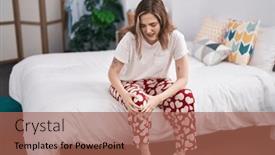
The moment you've been waiting for is here your brand new Wide Title PowerPoint template, featuring a pale violet red colored palette that's sure to grab attention. This high resolution image showcasing a young Hispanic woman suffering from knee pain sitting on her bed at night perfectly embodies the theme of our template: helping users find their inner strength and overcome challenges. The design name "Wide Title" conveys a sense of grandeur, sophistication, and modernity. Our template is specifically designed for widescreen formats, making it perfect for presentations that require a full screen effect or to make your content stand out. We've carefully crafted the color palette to be both elegant and vibrant, with a subtle gradient effect that gives it a premium feel. Whether you're using our template for academic purposes, business presentations, or marketing materials, this will surely enhance the user experience. You'll notice we include four valuable How To slides at the start of your deck: an "Enhanced With" background image to set the tone, Featuring a high quality illustration of a young woman getting professional help, Including a keynote presentation on overcoming challenges, and Having a visually appealing design that's sure to engage your audience. All these features are easily accessible within our downloadable template, making it simple for you to create an engaging presentation in no time. Our template has a unique Growth Stages Layout slide where users can see the different stages of their journey from the "Stable" stage at the beginning to the "Overcoming Challenges" stage towards the end. This layout provides a clear visual representation of your content, helping you better understand your audience's needs and preferences. As for what it could be used for, think about showcasing a patient overcoming her knee pain by starting with an empowering message. You can showcase high resolution images from various angles, adding texture to make them more engaging. The key is to present this in a clear, concise manner that resonates with your audience's needs and interests.

 Presentation with knee pain - Colorful presentation design enhanced with vegetable background fresh peppers tomatoes basil on the blue wooden background backdrop and a light blue colored foreground

Young Man Knee Pain Isolated

The Corner Title template is designed to grab attention with its striking image of a young man isolated on a white background, his knee pain radiating from the screen. The Misty Rose color palette adds a touch of sophistication and elegance, while the muscular theme showcases strength and resilience. This template is perfect for medical professionals who want to convey a sense of professionalism and expertise. The Corner Title template features high resolution images throughout, including detailed backgrounds that enhance the overall look and feel of the presentation. The Circular Approach Layout slide allows you to include multiple elements in a single slide, making it easy to showcase your content in a visually appealing way. This layout is particularly useful when featuring a background image or having a theme of. The template is downloadable and compatible with Google Slides, ensuring that you can easily import the images and customize the design to fit your needs. The Misty Rose color palette provides a calming and soothing atmosphere, making it ideal for presentations where you want to convey a sense of serenity and trustworthiness.

 Presentation with knee pain - Presentation theme with brunette-woman-with-down-syndrome background and a mint green colored foreground

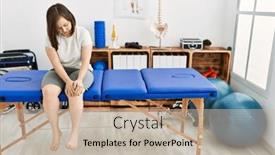
Brunette Woman Down Syndrome Knee

Presentation theme with brunette woman with down syndrome with knee pain at physiotherapy clinic

 Presentation with knee pain - Slides consisting of young-woman-suffering-for-knee background and a coral colored foreground

Young Woman Suffering Knee Pain

Slides consisting of young woman suffering for knee pain sitting on bed at bedroom background

 Presentation with knee pain - Beautiful theme featuring runner knee injury and pain on mornign jogging backdrop and a teal colored foreground

Runner Knee Injury Pain Mornign

As you sit down to create your new presentation, start with a thought that will grab the attention of your audience, highlighting the devastating consequences of runner knee injury and pain on mornings jogging. You're in luck because CrystalGraphics has provided a stunning template called Corner Title, specifically designed for widescreen presentations, featuring a steel blue color palette that exudes professionalism and high end style. The template is ideal for showcasing couple's joint exercises, perfect for a couples' workout session or a romantic evening routine. It can also be used to highlight the importance of having a theme of fitness motivation, making it easy to incorporate inspiring images and text that motivate your audience. One example of how you could use this template is by featuring a high resolution image of a beautiful woman in motion, running alongside her partner, with a caption that reads "Together We Run" a perfect representation of the strong bond between partners who share similar fitness goals. The Corner Title template comes with four How To slides to help you get up and running quickly. The first slide is designed to be a great introduction, setting the tone for your presentation while providing valuable insights on how to overcome runner knee injury and pain on mornings jogging. The slide will feature a high quality background image of a serene landscape, accompanied by text that explains the importance of proper warm up exercises, stretching routines, and recovery techniques. The second slide is where you can include a comparison layout feature, highlighting the benefits of incorporating different types of exercises, such as yoga or Pilates, alongside jogging. This will give your audience a better understanding of how to create a well rounded fitness routine that addresses their specific needs and goals.

 Presentation with knee pain - Slides having young man with knee pain isolated on white background and a coral colored foreground

Young Man Knee Pain Isolated

The world of medical graphics is a vast and complex one, but with the right template, you can create stunning visuals that grab attention and convey important information. The Corner Title template from CrystalGraphics is designed to be eye catching and informative, featuring a muscular young man isolated on a white background, surrounded by high resolution images of medical equipment and supplies. This template is perfect for creating presentations about healthcare, medicine, or any other topic related to the medical field. Its sleek silver color palette provides a clean and professional look, while its 3x3 Org Chart Layout slide can be used to organize your content in a clear and concise manner. This layout allows you to feature key team members, departments, or locations, making it easy to visualize the structure of your organization. The template is also downloadable and compatible with Google Slides, so you can easily import it into your presentation software. With its high resolution images and modern design, this template is sure to enhance your presentations and make them stand out from the crowd.

 Presentation with knee pain - PPT theme featuring young-woman-suffering-for-knee background and a violet colored foreground

Young Woman Suffering Knee Pain

PPT theme featuring young woman suffering for knee pain sitting on bed at bedroom background

 Presentation with knee pain - Slides with male patient medical cap - highlighted pain against mid section background and a coral colored foreground

Highlighted Pain Against Mid Section

Slides with highlighted pain against mid section of man with knee injury background

 Presentation with knee pain - Presentation theme enhanced with middle-age-hispanic-woman background and a light gray colored foreground

Middle Age Hispanic Woman Knee

The art of creating a visually stunning PowerPoint template that showcases medical treatment and anatomy in a engaging way is not just about aesthetics; it's also about conveying the importance of physical health. By incorporating a Royal Blue color palette, which exudes trust and professionalism, you'll create an immersive experience that grabs the audience's attention from the very beginning. This Corner Title template is designed for widescreen presentations with a high resolution background image featuring a serene physiotherapy clinic setting. The Royal Blue theme ensures that every element stands out, while the inclusion of words like "treatment", "medical", and "joint" paints a clear picture of its purpose. A prominent woman model in the background adds a touch of femininity, making it an ideal choice for presentations focused on women's health. The layout is carefully crafted to guide the audience through the presentation, with 4 How To slides at the start that provide valuable insights and tips. This In Summary Layout slide sets the tone for what's to come, summarizing the key points in a concise manner that leaves a lasting impression. Featuring high quality images from various medical sources will enhance the credibility of your presentation, making it an invaluable resource for any healthcare professional or office. In this template, you'll find engaging elements such as icons and graphics that complement the Royal Blue theme, adding depth and visual interest to your slides. By including background images and features like "Having a Theme of" medical treatment, having a high resolution image, you create a cohesive and polished presentation that showcases excellence in medical illustration.

 Presentation with knee pain - Audience pleasing PPT theme consisting of morning jogging with skelethon backdrop and a gray colored foreground

Runner Knee Injury Pain Morning

PPT theme consisting of runner knee injury and pain on morning jogging with skelethon

 Presentation with knee pain - Slide deck enhanced with runner knee injury and pain on mornign jogging background and a ocean colored foreground

Runner Knee Injury Pain Mornign

The sun rises over the horizon, casting a warm glow on the face of a young woman as she slowly begins her morning jogging routine. The rhythmic pounding of her feet on the pavement is music to her ears, and for many women, it's a daily ritual that provides an opportunity to clear their minds and start the day off right. The Steel Blue color palette dominates this Widescreen template, evoking feelings of calmness and serenity. High resolution images of serene landscapes and gentle cityscapes adorn the background, creating a soothing atmosphere that invites viewers to relax and unwind. Featuring intricate details, such as dew drops on grass or misty fog, these images add texture and depth to each slide. The template's theme is centered around health and wellness, with features like "Find Your Personal Running Pace" and "Track Your Progress". Having a robust design system in place ensures that the design adapts seamlessly across various platforms and devices. The inclusion of high resolution images makes it easy for users to enhance their slides with images from their own collections. The Dart Layout slide is designed to showcase key statistics, such as running times or mileage, in a clean and concise manner. It's ideal for designers who want to present complex data in an easily digestible format. Having a theme of "Fitness" makes it easy to create engaging presentations that appeal to users' interests.

 Presentation with knee pain - Amazing presentation theme having physiotherapist examining patients knee backdrop and a light gray colored foreground

Highlighted Pain Against Physiotherapist Examining

Presentation theme having highlighted pain against physiotherapist examining patients knee

 Presentation with knee pain - Theme with running injury - male runner background and a yellow colored foreground

Running Injury Male Runner

As people around the world lace up their running shoes and hit the trails, the sound of footsteps echoes through the wilderness, with one particular runner standing out a muscular male trail runner clutching his knee in pain, jogging back to the starting line with a determined look on his face. His medical background as an athlete means he's aware of the importance of staying healthy while pushing oneself to new limits. The template that CrystalGraphics has provided is designed specifically for fitness enthusiasts like this individual, featuring a high resolution image of a running trail in the background. The theme revolves around the idea of taking on challenges and overcoming obstacles both physically and mentally. This powerpoint template is ideal for download and use with Google Slides, offering an enhanced visual experience that complements the text. The four How To slides at the start of the deck are designed to be quick fixes for runners who need a boost in their fitness journey, but there's more to this template than just getting started it also includes some valuable insights into staying motivated and pushing through pain. For example, you could include images of motivational quotes on the "Before You Start" slide, featuring a background image of a person reading a book or working out in their backyard. This could be accompanied by an arrow pointing to the next slide, highlighting the idea that even small steps can lead to significant progress. The template also includes arrows to highlight some key features such as the "Get Fit at Home" and "Join a Local Running Group" options on the "Step 1: Get Moving" slide. Having a theme of staying active and healthy throughout life is always an important one, and this template encourages users to think creatively about how they can stay fit and motivated. The template includes an image of a well equipped gym in the background for the "Exercise Tips" slide, featuring arrows pointing to different areas of focus such as strength training or cardio. Having a theme of staying healthy while working out is also enhanced by including images of healthy eating options on the "Eat to Thrive" and "Fuel Your Body" slides. Overall, this template provides an inspiring starting point for anyone looking to get back into running or start their fitness journey from scratch, with plenty of features and opportunities to

▼Key features of this template

  • They are compatible with both PowerPoint and Google Slides running on either Windows PCs or Macs.

  • They are available in both standard and widescreen slide formats. You can choose your preferred format by clicking on the "Widescreen" check box or icon.

  • Each template includes a beautiful high-resolution background image or video to visually reinforce the theme of your presentation.

  • In addition, each template includes designer-created graphics and modern fonts to give your presentations an up-to-date, professional look.

  • Each template's default design and title text position have been carefully selected to complement its background without covering faces or other key elements.

  • All text includes backdrops whose transparency level is mathematically calculated to maximize text readability while still allowing the background to be seen.

  • And all the text, text backdrops and graphics in every slide are colored with a palette designed to beautifully complement the colors in the background.

  • Our Premium templates (those with the descriptor “Premium” in their subtitle) include over 64 slide layouts to give you maximum flexibility as you create your presentations.

    • Those layouts are available to you whenever you create a new slide or when you want to change the layout of an existing slide.
    • They include everything you need to make all sorts of presentations. In addition to the layouts for the title slide and the usual title and content slide, they include many other layouts for slide types including table of contents slides, org charts, charts, diagrams, infographics, photo slides, thank you slides and more.
    • While creating these layouts our template designers have ensured that all text in every layout adjusts as gracefully as possible to various numbers of words.
  • Customizable templates (those with the descriptor “Customizable” in their subtitle) may be easily modified online before you download them.

    • To modify them, simply click on the pencil editing icon, then select your choice of ready to go designs and title text positions.
    • The editing tool also makes it easy to reposition and scale the background image or video to best suit your needs.

▼FAQs

Please review these FAQs to see if your question is answered. Contact us for more info

  • What is a PowerPoint template?

    • A well designed PowerPoint template is a file that can tell PowerPoint how to make your ordinary templates look extraordinary. They won’t change what your words or numbers say. But they might change their size, color, font and placement. And, overall, they can give your presentations a professionally-designed look that will give your content more credibility and give you more confidence.
  • How many PowerPoint templates do you offer?

    • We have over 32,000 artist-created presentation templates in our PowerPlugs collection With a subscription, PowerPlugs templates are easy to download. Just sign in, find a template and click on the green Download button. ready for you to download. That alone offers you more variety to choose from than any of our competitors can offer. And, as if that weren’t enough, we also offer over 6 million templates in our Crystal collection. Crystal brand templates are our line of templates that have customization options. They have the word "CRYSTAL" on their web page images. You can customize several aspects of the templates. These templates include high-resolution background images from Shutterstock’s vast image collection matched up with artist-created presentation designs customized by our own proprietary AI software.
  • How many templates can I download as a subscriber?

    • You can download an unlimited number of PowerPlugs-brand With a subscription, PowerPlugs templates are easy to download. Just sign in, find a template and click on the green Download button. templates every day for an entire year. (Actually, by default, we set a limit of 25 templates per day to prevent our competitors from stealing our templates. But, if that is not enough, just let us know and we’ll try to accommodate you.) On top of that, with a subscription or an Ultimate Combo, you can also download any 50 Crystal-brand Crystal brand templates are our line of templates that have customization options. They have the word "CRYSTAL" on their web page images. You can customize several aspects of the templates. templates per year selected from our huge Crystal collection. Crystal brand templates are our line of templates that have customization options. They have the word "CRYSTAL" on their web page images. You can customize several aspects of the templates. .
  • Why should I choose your templates instead of the competition’s?

    • We’ve got a larger selection of professionally-designed PowerPoint templates than anyone else in the world.
    • Each template includes a high-resolution background image or video to visually inspire your audiences while reinforcing your message.
    • Each template includes 64 slide layouts to give you maximum flexibility as you create your presentations.
    • Our templates are available in both standard and widescreen slide formats. And our website lets you preview the slides each way.
    • Our free Template Finder™ plugin lets subscribers select and - with a single click - download and insert our templates into their presentations right from within PowerPoint.
    • We’ve been creating designer presentation templates for over 20 years. During that time we’ve won several awards and 5-star ratings for product quality. See About Us for more.
  • Do you offer a money-back guarantee?

    • Yes we do! We offer full 30-day money-back guarantee if you are not 100% satisfied with your purchase.
  • Can I still use my downloaded templates after my subscription runs out?

    • Yes. After your subscription expires, you won't lose any rights or ability to use your PowerPlugs: Templates for PowerPoint. You won't be able to download any new non-watermarked templates. But the non-watermarked templates you've already downloaded will still work and you can still use them as before.
  • Can I share my downloaded templates or passwords with friends or coworkers?

    • Sorry but no. You are authorized to download each paid-for template to up to 3 of your personal devices and to use the templates you download in as many presentations as you want. But you are not authorized to share the templates, themselves, with others. That said, we do offer highly discounted site licenses to suit the needs of both small and large teams. Just tell us your needs and we’ll give you a quote!
  • System requirements:

    • The templates use the standard POTX format. So they are compatible with Google Slides and all PC, Mac and mobile devices running any version of PowerPoint from PowerPoint 2007 up through and including Office 365 desktop.
    • Please note: Google Slides does not currently support background videos. It treats them as still images.
    • For PowerPoint for the Web, first open your template into a desktop version of PowerPoint, then save it back out as a PPTX file. Then you can open that in PowerPoint for the Web.
  • End user license agreement:

    • Click here to view.
  • How will I get my purchased templates?

    • You may download your selected templates as soon as your payment is received by PayPal. If you purchased an individual template, you will be provided with a download link both onscreen and via email. Just click on that link to begin the download process. If you purchased a subscription, you will receive an email containing a password to use along with your email address to sign in to any of the templates pages on CrystalGraphics.com. Once you are signed in, you can immediately start downloading your selected templates.
  • How do I use my templates after I download them?

    • You can either open a template to start a new presentation or you can add a template to an existing presentation. To open a template, just double click on it or use PowerPoint's File > Open tool. To add a template to an existing presentation, on the Design tab, in the Themes group, click Browse for Themes... then browse to select your template.

View more Knee Pain templates:

previous 1 2 3 4 5 6 next
93% of Fortune 1000
companies use our
PowerPoint Products
Templates Secure

Standing Ovation Award
Winner: Best PowerPoint
Template Collection
Fortune Logos
200,000+ satisfied
customers worldwide!
Guarantee
100% satisfaction guaranteed
- or send it back for a refund!

Sign up for our free newsletter! You'll get news about our PowerPoint-enhancing product line – including free updates, new product announcements and exclusive special offers. Plus you'll get a link to a free PowerPoint template with every newsletter you receive.
Privacy Policy
Loading...


Help

Contact Us
Product FAQs
Product License Agreements

Company Info

About Us
Privacy Policy
CrystalGraphics, Inc. 1999 S. Bascom Avenue Suite 700 Campbell, CA 95008 USA
© 2026 CrystalGraphics, Inc. All rights Reserved.    |     PowerPlugs is a trademark of CrystalGraphics, Inc.
Microsoft and the PowerPoint logo are trademarks or registered trademarks of Microsoft Corporation in the United States and/or other countries.
Loading...
Loading...