www.crystalgraphics.com CrystalGraphics
  • Ultimate Combo
  • Templates
  • Diagrams
  • Characters
  • Quizzes
  • shopping cart
  • Sign Out Sign Out Sign In
Home > Templates > Books > Many Books Category
search icon
advanced icon

115 Best Many Books-Themed Templates for PowerPoint and Google Slides

Amazingly, CrystalGraphics offers an unparalleled collection of Many Books PowerPoint templates that cater to diverse learning styles and professional needs. With over 6.7 million templates in its vast library, this platform boasts a staggering range of options for individuals seeking to elevate their presentations.

Beyond the title slide and additional 60+ slides, these templates are available in both widescreen and standard formats, ensuring compatibility with Google Slides and seamless integration into various applications. The customizable elements allow users to tailor their designs to suit their unique branding and preferences.

The possibilities are vast: explore a wide range of themes inspired by the worlds most beloved books, from classic novels to modern bestsellers. Discover stunning visualizations that evoke the cozy atmosphere of an audiobook library or the vibrant colors of a students bookstore collection.

With instant 24/7 download access, users can quickly and effortlessly incorporate these templates into their presentations. Customization options enable full personalization, allowing individuals to make a lasting impression on their audiences.

Ready to unleash your creativity? Browse through our extensive collection and discover the perfect template for your needs today! Select the perfect theme, customize it to perfection, and start creating visually stunning presentations that captivate your audience. With CrystalGraphics, youll find the ideal tools to elevate your message and leave a lasting impression on all who witness your presentation.

Features & Pricing

Widescreen (16:9) Presentation Templates. Change size...
 Presentation with many-books - Slides featuring legal paper - many books on the white background and a white colored foreground

Many Books White

You're looking to create a visually stunning PowerPoint template that perfectly captures the essence of historical education with its rich brown color palette and high resolution images featuring educational objects. This is where "Wide Title" comes in a timeless classic that exudes elegance and sophistication, perfect for showcasing your subject matter. With Widescreen format in mind, we're creating a template that's optimized to captivate the audience from all angles. The Brown color palette will transport viewers to a world of nostalgia, while the inclusion of high resolution images of historical objects will evoke a sense of wonder and curiosity. The template is designed to be downloadable and compatible with Google Slides, making it easy to incorporate into your presentation workflow. Each slide is carefully crafted to feature unique textures, patterns, and colors that enhance the overall theme. Imagine starting your presentation on an attention grabbing image perhaps one of a group of students surrounded by stacks of old books or historical artifacts, their faces filled with excitement and curiosity. The template's design will transport viewers to a world where learning is not just about information, but also about discovery and exploration. The Bulb Puzzle Layout slide showcases how the template can be enhanced with interactive elements that engage the audience and promote learning. This slide could feature an intricate illustration of a puzzle piece being inserted into place, highlighting the connection between different pieces and the concept of teamwork and collaboration in education.

 Presentation with many-books - Presentation theme enhanced with books sitting in the classroom background and a light blue colored foreground

Female Student Many Books Sitting

The scene is set: a bright and cheerful classroom filled with the sounds of lively discussions, smart notes scattered on desks, and high res images plastered all over the walls. The atmosphere is electric, full of anticipation and excitement as students eagerly prepare for their upcoming exams. A young female student sits at the front of the room, surrounded by piles of textbooks and books, her bright smile radiating confidence and determination. The Corner Title template from CrystalGraphics is a stunning addition to any classroom or study space. The widescreen format ensures maximum impact on desktop screens and presentation devices alike. This template boasts an impressive Crimson color palette that perfectly complements its themes of education, happiness, preparation, and success. As you scan the page, you'll notice high resolution images featuring a group of friends studying together, a bespectacled student typing away on their laptop, and a confident instructor standing in front of a chalkboard filled with complex equations. The Corner Title template is an excellent choice for educational institutions looking to enhance their branding and create a professional atmosphere. Its Grid Layout slide showcases the template's versatility, allowing you to include a background image featuring colorful books, notes, or a university logo. Having a theme of "Happy Learning" this template is sure to put students in the right mindset for success. Incorporating high resolution images like these will surely make your presentation stand out from the rest. With its download compatibility and seamless integration with Google Slides, you can trust that the Corner Title template is both feature rich and easy to use.

 Presentation with many-books - Audience pleasing slide deck consisting of stacks computer science - male student with many books backdrop and a  colored foreground

Male Student Many Books Home

As you click on your way through college life, it's easy to get lost in the sea of textbooks and notes, but sometimes it feels like exhaustion is taking over. That's why we've created Corner Title, a unique PowerPoint template designed specifically for education settings. This template combines a bright and cheerful peach puff color palette with high resolution images that will transport you into a world of learning. At Corner Title, you'll find four easy to follow slides to get you started quickly: "How To 1: Setting Up Your Template", "How To 2: Customizing Your Background", "How To 3: Adding Essential Graphics", and "How To 4: Creating a Engaging Layout". These slides will show you how to leverage the template's features, including Featuring a Background With gorgeous high resolution images of stacks of books and enhancing your content with animations and transitions. Having a Theme of Education in mind, Corner Title is perfect for creating engaging presentations that inspire and motivate students. The 5 Point Level Piramid Layout is also worth mentioning, which offers flexibility and customization options to suit your needs. This layout can be used to organize your content in a visually appealing way, making it easier to present complex ideas in a clear and concise manner. For example, you could feature a dramatic image of a professor standing at the front of a classroom, with books and notes scattered around them, while showcasing a slide with high quality images of students working on projects. Having a Theme of Education also ensures that your presentation stays focused and cohesive throughout.

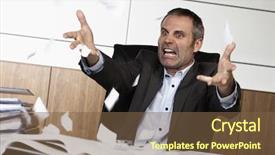
 Presentation with many-books - Slides enhanced with scream desperation - overloaded senior businessman being upset background and a tawny brown colored foreground

Overloaded Senior Businessman Being Upset

In a world where stress and frustration are ever present, one man's office is a reflection of the chaos that lies within. The fluorescent lights hum overhead, casting an eerie glow over the desk cluttered with papers, files, and empty coffee cups. The senior businessman's eyes widen in desperation as he slams down his pen, sending it clattering to the floor. His face twisted in anguish, he tosses aside a stack of documents, only to be met with more paperwork and deadlines looming in the distance. As we step into this office environment, our gaze is drawn to the Cornflower Blue background that dominates the screen. The color palette is soothing yet jarring, mirroring the turmoil brewing inside the mind of its inhabitant. We see a picture of the businessman sitting at his desk, surrounded by stacks of books and files, looking overwhelmed by the sheer volume of work. The scene is vividly depicted in high resolution images that have been Featured on various publications to convey the sense of overwhelm. This Corner Title template is designed for those who are desperate to make a statement with their presentations. It's perfect for showcasing your frustrations and emotions, or perhaps just highlighting the chaos that can arise when too much work piles up. The 3 column layout allows you to Include a Background With high quality images from around the web, making it Easy To Enhance Your Presentation Without Breaking A Sweat. Let's say our hero is standing in front of a Whiteboard covered in notes and reminders. He's Featuring an image of a clock ticking away, emphasizing the urgency of his tasks. He's Including a Background With a picture of a chaotic office environment, complete with papers flying everywhere. And he's Having a Theme of Emphasizing the importance of staying organized, perhaps even mentioning a few simple tools or apps that can help him manage his workload better. All of this is Enhanced With the Cornflower Blue background and 3 column layout, making it Easy To Convey your message in style.

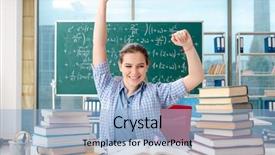
 Presentation with many-books - Cool new PPT layouts with scare times - young female student preparing backdrop and a coral colored foreground

Young Female Student Preparing Exams

In the midst of a long and arduous examination period, college students often find themselves struggling to keep up with their coursework, as they juggle multiple assignments, research papers, and lectures. The pressure to perform well can be overwhelming, leaving many feeling frustrated and uncertain about how to manage their time effectively. As you prepare for your exams, it's essential to stay organized and focused, but the sheer volume of study materials can make it difficult to prioritize what needs to be done first. That's why we've created a powerful PowerPoint template designed specifically with college students like you in mind. This Corner Title Widescreen template features a calming light green color palette that will help you relax and boost your productivity. High resolution images are included for the background, creating a professional yet approachable look that's perfect for academic settings. The template also comes with a range of keywords that will appeal to educators looking for a reliable solution to streamline their research and study processes. As you explore this template, you'll notice a unique combination of design elements and features. For example, the Comparison Layout slide allows you to easily compare different study materials and resources, making it an excellent feature to include in your presentation. The inclusion of a Background With option will enhance the overall look and feel of your slides, while Having a Theme of academic success provides a clear direction for your content. You can use this template as inspiration to create engaging presentations that are sure to capture your audience's attention. By incorporating high quality images and design elements, you'll be able to convey complex ideas in an easy to understand manner. With its intuitive layout and comprehensive features, this Corner Title Widescreen template is the perfect solution for anyone looking to elevate their PowerPoint game.

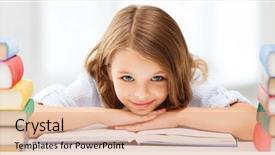
 Presentation with many-books - Colorful presentation design enhanced with prescholar - education and school concept backdrop and a coral colored foreground

Education School Concept Smiling

As you begin your educational journey, take control with our Corner Title template, designed to inspire young minds and foster a love for learning. This stylish and modern presentation is the perfect starting point for anyone looking to create engaging and informative content about education and school concepts. The high resolution images for the background are simply stunning, featuring smiling little student girls surrounded by books, creating a warm and inviting atmosphere that perfectly captures the essence of educational endeavors. The template is also compatible with Google Slides, making it easy to import into your favorite presentation software and easily shareable with colleagues and students alike. This template boasts an impressive color palette, boasting a sleek silver design that exudes professionalism and sophistication. With its friendly tone and welcoming theme, this template is sure to put your audience at ease, making it the ideal choice for presentations about study habits, educational policies, or any other topic related to school going youth. The layout is well structured with clear headings, subheadings, and bullet points to enhance comprehension and engagement. The Pros of using Corner Title include its versatile design that can be easily customized to fit various branding styles and themes, making it a great starting point for businesses looking to create educational content. With the "Include a Background With" feature, you can easily add your own images or logos to make your presentation truly unique.

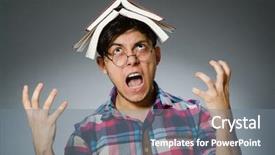
 Presentation with many-books - Cool new PPT theme with funny student with many books backdrop and a gray colored foreground

Funny Student Many Books

In a world where knowledge and learning are the ultimate goals, the Corner Title template from CrystalGraphics is the perfect companion to help you create stunning presentations that capture your audience's attention. Imagine a powerful and engaging title that stands out from the crowd, featuring a high resolution image of a stack of books with a bright steel blue background it's the perfect blend of inspiration and professionalism. This template is designed for college students who are about to embark on their educational journey, but sometimes feel upset or discouraged along the way. With Corner Title, you can overcome these feelings and showcase your dedication to education, featuring a Venn Diagram Layout slide that showcases how learning and self improvement intersect. The high resolution images of a stack of books will give your presentation a personal touch, and the steel blue background will provide a clean and professional contrast. The template is compatible with Google Slides and is downloadable, making it easy to import into your preferred presentation software. As you build upon this foundation, consider adding other graphics such as illustrations or icons to enhance the overall design. The corner of the slide features a simple and approachable title, while still conveying the theme of education and learning. The inclusion of a background with a subtle texture adds depth and visual interest, making it perfect for showcasing your image or graphic content.

 Presentation with many-books - Audience pleasing slide deck consisting of telephone laptop and many books backdrop and a coral colored foreground

Young Student Sitting Ground Telephone,

The moment you start using Corner Title is your ticket to elevating your presentations with a winning formula a mix of sharp typography and stunning visuals that will have your audience hooked. This Widescreen template is designed to transport your viewers into the comfort of a young student's study zone, where they can delve into the world of knowledge like never before. Corner Title is all about creating an immersive experience with its warm and inviting Tan color palette that perfectly balances sophistication with approachability. This template features 4 How To slides at the start to get you up and running quickly but for now, let's just say it has a certain je ne sais quoi that will make your life as a presenter much easier. Imagine using this template to teach someone how to create an engaging presentation on 'The Importance of Study Habits' or how to craft a compelling title slide on 'Student Success'. The result is always something visually stunning, with 6 Pictures in a Grid Layout that showcase the perfect blend of personality and professionalism. Take it for example if you're using Corner Title to promote your TED style talk Featuring high resolution images of students working diligently on their laptops while studying, having a theme of 'Success Stories' where it highlights a particular student's journey from struggling to achieving academic excellence. It's the kind of template that will make your presentations stand out and leave a lasting impression on your audience. The combination of stylish fonts, bold graphics, and high quality images makes Corner Title an ideal choice for anyone looking to elevate their presentation game. Having a theme of 'Study Tips' where it includes a Background With vibrant colors, Enhanced with premium effects to really make the images pop off the screen you can't go wrong!

 Presentation with many-books - Colorful theme enhanced with books sitting in the classroom backdrop and a soft green colored foreground

Female Student Many Books Sitting

Imagine being a college student surrounded by stacks of books and textbooks, feeling exhausted from all the preparation that lies ahead. But with this template, you can transform your classroom into a haven of learning, where knowledge shines bright and productivity reigns supreme. The design name is "College Prep Hub", the short title is "StudyStack", and it's a Widescreen template featuring a turquoise color palette to evoke a sense of trust and reliability. This template is specifically designed for Google Slides and is compatible with all versions, making it a versatile tool for educators and students alike. The design has been carefully crafted to include high resolution images throughout, adding depth and visual interest to each slide. The background features a stunning image of the inside of a classroom library, complete with bookshelves and a few well placed study tables. The template is packed with keywords that are sure to resonate with educators: college, stack, education, exhausted, preparation. With its enhanced theme of creating an immersive learning environment, this template is sure to inspire creativity and engagement in your students. The Table of Contents slide includes features such as a "Getting Started" section, including a high quality image of a student's desk with various textbooks and study materials, along with the option to download the full template for further customization. This template is perfect for incorporating a background with a colorful and lively design that will draw students in and make them feel motivated to learn. The template has been carefully designed to include a variety of visual elements, such as icons, charts, and graphs, to enhance the overall user experience.

 Presentation with many-books - Amazing theme having many books are completely messed backdrop and a seafoam green colored foreground

Many Books Completely Messed Up

Imagine a vast library where books of varying sizes and shapes are stacked haphazardly on top of each other, their titles and authors jumbled together in a chaotic mess. This is the world we're creating here a stunning Widescreen template designed to evoke a sense of energy and creativity, perfect for presentations that require visual impact. Our design name is Wide Title, and it's tailored to showcase your ideas on a widescreen format with a Cornflower Blue color palette. The template features a stack of high resolution images, including illustrations, icons, and graphics, all carefully curated to fit the theme of education and learning. The 4 How To slides at the start of the deck will get you up and running quickly, providing valuable shortcuts for you to take your presentations to the next level. And with a focus on stacked elements, this template allows you to create visual hierarchies that are both engaging and informative. As an added feature, we've included a Growth Layout slide that showcases how our template can be used as a blank canvas, allowing you to include background images, add text overlays, or even enhance the design with interactive features. This is where creativity comes in you get to experiment with different layouts, colors, and effects until you find the perfect look for your presentation. The Growth Layout slide also includes an example of how our template can be used as a starting point for creating educational content, featuring a stack of books with various titles and authors, each one carefully curated to provide a specific learning experience. It's the ultimate recipe for engaging audiences and driving results. As you explore this stunning Widescreen template, remember that we've also included a Background With feature, allowing you to have a theme for your presentation or add custom backgrounds to enhance the design. This is Enhanced With our creative expertise and attention to detail, ensuring that your presentation stands out from the crowd.

 Presentation with many-books - Beautiful presentation design featuring female student with many books backdrop and a coral colored foreground

Female Student Many Books Sitting

In today's fast paced college environment, students need to stay organized and focused to succeed academically. A well designed template can help students prepare for exams, complete assignments, and manage their time effectively. The Corner Title template is designed to provide a stylish and functional solution for educators who want to enhance the learning experience of their students. The template features a light sea green background that provides a clean and calming atmosphere, perfect for studying or working on projects. The design name itself conveys a sense of organization and preparation, making it an excellent choice for educators looking to inspire their students. The Widescreen format ensures that the content takes up the full screen, providing a immersive experience for the viewer. This is particularly useful when featuring high resolution images for the background, as they will be showcased in all their glory. For those who are new to creating presentations like this one, 4 How To slides at the start of the deck can help them get up and running quickly. These slides provide a roadmap for success, guiding students through the basics of using the template. The four steps outlined here are designed to be easy to follow, with concise instructions on how to include relevant content, such as key features or essential widgets. When it comes to creating a engaging and interactive presentation, including a background with high resolution images can add depth and visual interest. Having a theme of customization allows users to personalize their presentation by selecting from various backgrounds, colors, and fonts. Additionally, having an enhanced feature set with additional tools and options provides educators with the flexibility to tailor the template to their specific needs. This template is not only visually appealing but also easy to use, making it perfect for teachers looking to enhance their students' learning experience.

 Presentation with many-books - Beautiful slide deck featuring assignment - young female student preparing backdrop and a coral colored foreground

Young Female Student Preparing Exams

The moment you start exploring the Wide Title PowerPoint template from CrystalGraphics, your eyes are drawn to its eye catching design. The template features a sleek and modern look that exudes professionalism, perfect for college students or professionals preparing for exams. At first glance, it's clear that this template is designed with research and preparation in mind. The Widescreen format ensures a seamless viewing experience, making it ideal for presentations on computer screens as well. The Light Green color palette is crisp and clean, evoking feelings of calmness and serenity. This palette is perfect for educational institutions or any organization looking to convey a sense of approachability. As you delve deeper into the template, you'll notice that it includes four How To slides at the start of the deck, each one offering valuable tips to help you get up and running quickly with your presentation. The 3 Pictures + Captions Layout slide is particularly noteworthy, as it showcases a beautifully styled picture of a young female student preparing for exams, surrounded by high resolution images that feature a combination of professional background elements with a subtle hint of warm colors. What this template could be used for is showcasing the preparation process before an important exam or presentation. For example, you could include pictures like these on slides 2 and 3 to help set the scene. On slide 1, the How To tips could be presented in a clear and concise manner, featuring images of computer screens with Googel Slides installed.

 Presentation with many-books - Theme enhanced with prescholar - education and school concept background and a cool aqua colored foreground

Education School Concept Smiling

As students sit at their desks, surrounded by piles of books and notes, they dream of a world where learning is fun and accessible to all. The Corner Title template is the perfect place to start this journey, featuring bright pink backgrounds that will brighten up any study space. This trendy template is designed for education and school concept, with a theme that's guaranteed to put a smile on your face. From high resolution images of smiling little student girls holding books to many colorful decorations, every detail has been carefully crafted to create an engaging atmosphere. With four easy to follow slides at the start of the deck, you'll be up and running in no time. The first slide is often referred to as a "Feature" of the template it showcases the bright pink background that sets the tone for the entire design. Featuring a beautiful illustration of students working together on a project, this slide sets the stage for all the fun activities that follow. The second slide includes a list of keywords that are sure to enhance your presentation: study, education, student, young, and friendly. Including a Background With a subtle gradient effect, this slide provides a smooth transition to the next slide. Having a Theme of Educational Elements, this slide is filled with engaging graphics and colorful images that will keep your audience interested. The third slide is where things get really interactive having a Slide with a Call to Action (CTA) that encourages your audience to participate in the educational process. Featuring a fun illustration of students working together towards a common goal, this slide sets the tone for a engaging and informative presentation. The final slide is often referred to as a "Highlight" it features a beautifully designed image that showcases the template's capabilities. Having a Theme of Educational Icons, this slide includes illustrations of various educational elements, from textbooks to laptops.

 Presentation with many-books - Audience pleasing presentation theme consisting of female student with many books backdrop and a white colored foreground

Female Student Many Books Isolated

The moment you start building your PowerPoint presentation has finally arrived where creativity meets functionality as we dive into designing the ultimate Corner Title template that brings to life the perfect blend of design and function with its Sky Blue color palette, featuring high resolution images for the background that will transport your audience into an immersive educational experience.

 Presentation with many-books - PPT theme with young female student with many background and a lemonade colored foreground

Young Female Student Many Study

As you start your academic journey, you find yourself drowning in a sea of study materials, textbooks stacked haphazardly on your cluttered desk. The fluorescent lights overhead cast an unforgiving glare on the papers scattered across the floor, making it seem like any moment, one of them will be accidentally knocked over and bury the entire collection beneath its soggy surface. You're not alone in this struggle, millions of students around the world face similar frustrations as they strive to balance their academic responsibilities with an ever increasing workload. Design Name: Corner Title Template Format: Widescreen Template Color Palette: Medium Turquoise Template Keywords: college, study, education, frustrated, beauty The template is designed to evoke a sense of elegance and sophistication while also conveying the essence of collegiate life. The medium turquoise color palette creates an inviting atmosphere that sets the tone for relaxation and learning. High resolution images are seamlessly integrated into the background, providing a clean and modern look. The template features a subtle pattern of staircases and railings, giving it a sense of depth and texture. On the Stairs Layout slide, you can include a photo of a beautifully designed library with intricately carved wooden banisters that seem to stretch up to the stars. As you dive into your studies, this template is the perfect companion to help you stay organized and focused. Featuring a clean and simple design, it's easy to use and adapts seamlessly to any desktop or laptop setup. Including a Background With, Having a Theme of,Enhanced With, the Corner Title template provides a versatile solution that will elevate your presentations and documents to new heights.

 Presentation with many-books - Beautiful PPT theme featuring much education - young woman student with many backdrop and a coral colored foreground

Young Woman Student Many Books

As you dive into the world of education and study, you may wonder how to create a template that truly stands out from the rest. Look no further than Corner Title, a stunning widescreen template designed specifically for college students like yourself. This template is perfect for anyone looking to enhance their presentation skills or simply add a touch of style to their slides. Corner Title features a rich Crimson color palette, reminiscent of a warm and inviting study space, where books and notes are stacked high. The template's design name highlights the importance of corner spaces in offices and study rooms alike making it the perfect fit for any student looking to create a cohesive look across their entire presentation. With four How To slides at the start of the deck, you'll be equipped with everything needed to get started quickly. The Timeline Layout slide is particularly noteworthy, as it allows you to add a touch of realism to your presentations by including background images and animations that showcase different timelines for various subjects like history, science, or literature. Featuring a background image of a campus library with rows upon rows of books and notes, this slide is sure to enhance any presentation. Having a theme of showcasing the importance of education in today's fast paced world, Corner Title is the perfect template for anyone looking to make a lasting impression on their audience. By adding high resolution images throughout the template, you'll be able to showcase your personality and style while still staying focused on the core message of your presentation.

 Presentation with many-books - PPT theme consisting of books sitting in the classroom background and a coral colored foreground

Female Student Many Books Sitting

The scene is set in a crowded college classroom where students are desperately trying to stay awake and focused as they pour over textbooks and notes with a look of frustration on their faces. The fluorescent lights overhead cast a harsh glare, making it seem like the entire room is conspiring against them. As the teacher drags out yet another outdated textbook from the shelf, the student sitting next to her slumps forward, eyes drooping as she struggles to keep up. The air is thick with tension and sleepiness, and it's clear that this isn't going to be an easy lesson. The background of the screen features a blurred image of a stack of books, while the table behind the teacher has a few empty cups of coffee scattered about. Despite the chaos, there are some bright spots in the room a group of students working together on a project, a student who's found solace in an old favorite book, and a teacher who's willing to go the extra mile to help her students succeed. These moments of kindness and connection can be the spark that ignites something inside. The template is designed to evoke this sense of community and connection, with a light sea green color palette that adds a touch of warmth and friendliness to the overall design. The high resolution images for the background are sure to enhance the feel good factor and make it difficult not to get caught up in the excitement. As you work through these four key slides, you'll get a chance to create your own customized PowerPoint template with all the right elements including a Venn Diagram Layout slide that lets you explore complex concepts in a clear and concise way. You can have this design feature Featuring high contrast images, bold typography, and plenty of white space to make it easy to read and understand. And when you're ready to take your presentation to the next level, simply Click Download and get ready to share with the world. This template is not just a pretty face it's also incredibly customizable, making it simple to match your own brand and style. The Light Sea Green color palette can be combined with any number of additional colors to create a truly unique look that reflects your personality and style. And as always, the template is fully compatible with Google Slides, so you

 Presentation with many-books - Audience pleasing theme consisting of background library - many open books isolated backdrop and a light gray colored foreground

Many Open Books Isolated White

Theme consisting of many open books isolated on white

 Presentation with many-books - Presentation theme enhanced with many hardcover books toned image background and a mint green colored foreground

Many Hardcover Books Toned Image

You're about to enter a world where data and education come alive in stunning visualizations that inspire and educate. Imagine standing in front of a towering stack of high resolution books, their gold tinged spines glistening in the light. The background features a warm toned image of a lush forest, evoking a sense of exploration and discovery. The Wide Title template is designed to make a statement, setting the tone for an engaging presentation that draws your audience in. Its Widescreen format allows you to showcase high definition images throughout the deck, creating a visually stunning experience. This template is specifically tailored to educators and learners, incorporating keywords like "stack", "study", "education", "data", and "accessibility" into its color palette, ensuring an inclusive and engaging environment for all. The tan background provides a sophisticated backdrop for your content, complemented by the high contrast colors that enhance readability. The template's downloadable format makes it easily accessible to users worldwide, compatible with Google Slides as well. This means you can showcase your data driven insights in a professional and polished manner, showcasing the features and benefits of this template on social media platforms. With its built in design elements like "stack" and "study", this template is an excellent starting point for creating engaging and informative content.

 Presentation with many-books - Amazing PPT theme having stacks computer science - male student with many books backdrop and a  colored foreground

Male Student Many Books Home

Imagine sitting in a cozy library with a stack of books, surrounded by the warm glow of high resolution images that transport you to a world of learning and discovery. The Corner Title template is designed to make your presentations stand out from the crowd, featuring a charming male student who's passionate about education. The Bisque color palette provides a soothing background for your content, while the happy and engaging theme ensures that every slide has a positive vibe. With a focus on college and stack structures, this template is perfect for presentations that require a sense of depth and complexity. Including a Background With element, Featuring a high resolution image of books on a desk creates a visually appealing layout. The Corner Title template is compatible with Google Slides and can be downloaded instantly. With the 4 How To slides at the start of the deck to help you get up and running quickly, you'll be well on your way to creating engaging presentations in no time.

 Presentation with many-books - Theme featuring many books on wooden shelf background and a lemonade colored foreground

Many Books Wooden Shelf

Theme featuring many books on wooden shelf

▼Key features of this template

  • They are compatible with both PowerPoint and Google Slides running on either Windows PCs or Macs.

  • They are available in both standard and widescreen slide formats. You can choose your preferred format by clicking on the "Widescreen" check box or icon.

  • Each template includes a beautiful high-resolution background image or video to visually reinforce the theme of your presentation.

  • In addition, each template includes designer-created graphics and modern fonts to give your presentations an up-to-date, professional look.

  • Each template's default design and title text position have been carefully selected to complement its background without covering faces or other key elements.

  • All text includes backdrops whose transparency level is mathematically calculated to maximize text readability while still allowing the background to be seen.

  • And all the text, text backdrops and graphics in every slide are colored with a palette designed to beautifully complement the colors in the background.

  • Our Premium templates (those with the descriptor “Premium” in their subtitle) include over 64 slide layouts to give you maximum flexibility as you create your presentations.

    • Those layouts are available to you whenever you create a new slide or when you want to change the layout of an existing slide.
    • They include everything you need to make all sorts of presentations. In addition to the layouts for the title slide and the usual title and content slide, they include many other layouts for slide types including table of contents slides, org charts, charts, diagrams, infographics, photo slides, thank you slides and more.
    • While creating these layouts our template designers have ensured that all text in every layout adjusts as gracefully as possible to various numbers of words.
  • Customizable templates (those with the descriptor “Customizable” in their subtitle) may be easily modified online before you download them.

    • To modify them, simply click on the pencil editing icon, then select your choice of ready to go designs and title text positions.
    • The editing tool also makes it easy to reposition and scale the background image or video to best suit your needs.

▼FAQs

Please review these FAQs to see if your question is answered. Contact us for more info

  • What is a PowerPoint template?

    • A well designed PowerPoint template is a file that can tell PowerPoint how to make your ordinary templates look extraordinary. They won’t change what your words or numbers say. But they might change their size, color, font and placement. And, overall, they can give your presentations a professionally-designed look that will give your content more credibility and give you more confidence.
  • How many PowerPoint templates do you offer?

    • We have over 32,000 artist-created presentation templates in our PowerPlugs collection With a subscription, PowerPlugs templates are easy to download. Just sign in, find a template and click on the green Download button. ready for you to download. That alone offers you more variety to choose from than any of our competitors can offer. And, as if that weren’t enough, we also offer over 6 million templates in our Crystal collection. Crystal brand templates are our line of templates that have customization options. They have the word "CRYSTAL" on their web page images. You can customize several aspects of the templates. These templates include high-resolution background images from Shutterstock’s vast image collection matched up with artist-created presentation designs customized by our own proprietary AI software.
  • How many templates can I download as a subscriber?

    • You can download an unlimited number of PowerPlugs-brand With a subscription, PowerPlugs templates are easy to download. Just sign in, find a template and click on the green Download button. templates every day for an entire year. (Actually, by default, we set a limit of 25 templates per day to prevent our competitors from stealing our templates. But, if that is not enough, just let us know and we’ll try to accommodate you.) On top of that, with a subscription or an Ultimate Combo, you can also download any 50 Crystal-brand Crystal brand templates are our line of templates that have customization options. They have the word "CRYSTAL" on their web page images. You can customize several aspects of the templates. templates per year selected from our huge Crystal collection. Crystal brand templates are our line of templates that have customization options. They have the word "CRYSTAL" on their web page images. You can customize several aspects of the templates. .
  • Why should I choose your templates instead of the competition’s?

    • We’ve got a larger selection of professionally-designed PowerPoint templates than anyone else in the world.
    • Each template includes a high-resolution background image or video to visually inspire your audiences while reinforcing your message.
    • Each template includes 64 slide layouts to give you maximum flexibility as you create your presentations.
    • Our templates are available in both standard and widescreen slide formats. And our website lets you preview the slides each way.
    • Our free Template Finder™ plugin lets subscribers select and - with a single click - download and insert our templates into their presentations right from within PowerPoint.
    • We’ve been creating designer presentation templates for over 20 years. During that time we’ve won several awards and 5-star ratings for product quality. See About Us for more.
  • Do you offer a money-back guarantee?

    • Yes we do! We offer full 30-day money-back guarantee if you are not 100% satisfied with your purchase.
  • Can I still use my downloaded templates after my subscription runs out?

    • Yes. After your subscription expires, you won't lose any rights or ability to use your PowerPlugs: Templates for PowerPoint. You won't be able to download any new non-watermarked templates. But the non-watermarked templates you've already downloaded will still work and you can still use them as before.
  • Can I share my downloaded templates or passwords with friends or coworkers?

    • Sorry but no. You are authorized to download each paid-for template to up to 3 of your personal devices and to use the templates you download in as many presentations as you want. But you are not authorized to share the templates, themselves, with others. That said, we do offer highly discounted site licenses to suit the needs of both small and large teams. Just tell us your needs and we’ll give you a quote!
  • System requirements:

    • The templates use the standard POTX format. So they are compatible with Google Slides and all PC, Mac and mobile devices running any version of PowerPoint from PowerPoint 2007 up through and including Office 365 desktop.
    • Please note: Google Slides does not currently support background videos. It treats them as still images.
    • For PowerPoint for the Web, first open your template into a desktop version of PowerPoint, then save it back out as a PPTX file. Then you can open that in PowerPoint for the Web.
  • End user license agreement:

    • Click here to view.
  • How will I get my purchased templates?

    • You may download your selected templates as soon as your payment is received by PayPal. If you purchased an individual template, you will be provided with a download link both onscreen and via email. Just click on that link to begin the download process. If you purchased a subscription, you will receive an email containing a password to use along with your email address to sign in to any of the templates pages on CrystalGraphics.com. Once you are signed in, you can immediately start downloading your selected templates.
  • How do I use my templates after I download them?

    • You can either open a template to start a new presentation or you can add a template to an existing presentation. To open a template, just double click on it or use PowerPoint's File > Open tool. To add a template to an existing presentation, on the Design tab, in the Themes group, click Browse for Themes... then browse to select your template.

View more many books templates:

previous 1 2 3 4 5 6 next
93% of Fortune 1000
companies use our
PowerPoint Products
Templates Secure

Standing Ovation Award
Winner: Best PowerPoint
Template Collection
Fortune Logos
200,000+ satisfied
customers worldwide!
Guarantee
100% satisfaction guaranteed
- or send it back for a refund!

Sign up for our free newsletter! You'll get news about our PowerPoint-enhancing product line – including free updates, new product announcements and exclusive special offers. Plus you'll get a link to a free PowerPoint template with every newsletter you receive.
Privacy Policy
Loading...


Help

Contact Us
Product FAQs
Product License Agreements

Company Info

About Us
Privacy Policy
CrystalGraphics, Inc. 1999 S. Bascom Avenue Suite 700 Campbell, CA 95008 USA
© 2026 CrystalGraphics, Inc. All rights Reserved.    |     PowerPlugs is a trademark of CrystalGraphics, Inc.
Microsoft and the PowerPoint logo are trademarks or registered trademarks of Microsoft Corporation in the United States and/or other countries.
Loading...
Loading...