www.crystalgraphics.com CrystalGraphics
  • Ultimate Combo
  • Templates
  • Diagrams
  • Characters
  • Quizzes
  • shopping cart
  • Sign Out Sign Out Sign In
Home > Templates > Maximum Category
search icon
advanced icon

55 Best Maximum-Themed Templates for PowerPoint and Google Slides

CrystalGraphics creates templates designed to make even average presentations look incredible. Below you’ll see thumbnail sized previews of the title slides of a few of our 55 best maximum templates for PowerPoint and Google Slides. The text you’ll see in in those slides is just example text. The maximum-related image or video you’ll see in the background of each title slide is designed to help you set the stage for your maximum-related topics and it is included with that template. In addition to the title slides, each of our templates comes with 17 additional slide layouts that you can use to create an unlimited number of presentation slides with your own added text and images. And every template is available in both widescreen and standard formats. With over 6 million presentation templates available for you to choose from, CrystalGraphics is the award-winning provider of the world’s largest collection of templates for PowerPoint and Google Slides. So, take your time and look around. You’ll like what you see! Whether you want 1 great template or an ongoing subscription, we've got affordable purchasing options and 24/7 download access to fit your needs. Thanks to our unbeatable combination of quality, selection and unique customization options, CrystalGraphics is the company you can count on for your presentation enhancement needs. Just ask any of our thousands of satisfied customers from virtually every leading company around the world. They love our products. We think you will, too!

Features & Pricing

Widescreen (16:9) Presentation Templates. Change size...
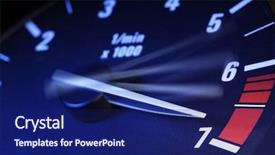
 Presentation with maximum - PPT theme consisting of speedometer - tachometer on maximum level background and a navy blue colored foreground

Tachometer Maximum Level

In the heart of every high performance vehicle, there's a crucial component that measures its speed: the tachometer. And in the world of power and precision, this device is the unsung hero that keeps everything running smoothly. The Corner Title template from CrystalGraphics is here to take your presentations to the next level, featuring a Royal Blue color palette that exudes sophistication and style. This stunning Widescreen template is designed for maximum impact, with high resolution images of sleek, modern machines perfectly integrated into the background. The template's theme is clear: speed, precision, and performance. To get you started quickly, there are four How To slides at the beginning of the deck that will help you navigate your presentation like a pro. The first slide showcases a close up shot of a speeding car on the right hand side, with the caption "Featuring a high resolution image of a racing car" providing context for the theme. This is just one example of how the template's design elements can be used to create a cohesive and engaging visual identity. As you delve into your presentation, the Corner Title template will enhance your slides with a dynamic background that matches its Royal Blue color scheme. With this template, you'll have everything you need to deliver an impressive show, complete with visuals that are sure to grab your audience's attention.

 Presentation with maximum - Presentation theme with dangerous sports - tachometer on maximum level background and a navy blue colored foreground

Tachometer Maximum Level

As you navigate the world of PowerPoint templates, there's one thing that stands out the need for attention grabbing introductions. When designing a template from scratch or selecting an existing one like Corner Title, it's essential to create a hook that draws users in and makes them want to dive deeper into what your template has to offer. One way to achieve this is by incorporating dynamic imagery. High resolution images play a crucial role in enhancing the overall visual appeal of your PowerPoint template. Take the tachometer on maximum level example, for instance it's an image that grabs attention with its rapid movement and sleek design, making it perfect for a speeding theme or any other context where you want to convey energy and dynamism. When using images, incorporating high resolution graphics can also help make your slide stand out. The Corner Title template is designed in Widescreen format, making it a versatile choice for presentations that require flexibility. The template color palette features Crimson, providing a bold and dramatic backdrop for your content. A key aspect of the design is the inclusion of four How To slides at the start of the deck to help users get up and running quickly these can include tips on setting up animations, using templates, or other relevant topics. The layout of the Pictures + Captions slide is particularly noteworthy. This area typically features a combination of images and captions that work together to tell a story or convey information in an engaging way. The Corner Title template includes a Background With option to enhance the overall look and feel of your slide by featuring high quality background images. Having a theme of speed, this element can add a dynamic edge to your presentations. In terms of compatibility, the Corner Title template is easily downloadable on Google Slides, ensuring that users can access it seamlessly throughout their workflow. Overall, the Corner Title template offers a comprehensive and customizable solution for individuals looking to boost their presentation game with a high quality, Crimson infused PowerPoint template.

 Presentation with maximum - Presentation design having strawberry isolated on a white background clipping path maximum sharpness background and a coral colored foreground

Strawberry Isolated White Background Clipping

The world of branding and design is where the lines between aesthetics and functionality blur. But with the right tools at your disposal, you can elevate even the most mundane elements into something truly captivating. In this Sidebar Title template for Widescreen formats, we've crafted a design that will leave your audience mesmerized from start to finish. The overall design revolves around high resolution images of berry inspired artwork, creating an immersive experience that's sure to draw in viewers. Crisp and bold colors dominate the palette, particularly in the Crimson color scheme, providing a striking backdrop for your content. As you delve into this template, be sure to explore the various ways it can enhance your presentations, from featuring high quality images of fruit inspired illustrations on the background to including advanced features like clipping paths and isolated elements. The inclusion of a grid layout allows for seamless organization of related content, making navigation a breeze. With 4 easy to follow How To slides at the start of the deck, you'll be well on your way to getting up and running quickly with minimal effort. The template's versatility can extend beyond its initial purpose, as it seamlessly integrates into Google Slides, allowing for seamless integration and compatibility. Whether you're looking to revamp your existing content or create something entirely new, this Sidebar Title template is sure to meet your needs. Its crisp design and eye catching color scheme make it an ideal choice for presentations that demand attention and engagement.

 Presentation with maximum - Colorful presentation design enhanced with oranges with slice and orange backdrop and a yellow colored foreground

Oranges Slice Orange Leaves Isolated

In the world of design, there's no shortage of inspiration to spark creativity. From sleek and modern layouts to warm and inviting atmospheres, the possibilities are endless. The Sidebar Title template is designed to provide a clean and sophisticated look for your presentations, perfect for showcasing your studio work or sharing your latest projects with colleagues. This widescreen template features a rich chocolate color palette that's sure to enhance any visual content you include. The high resolution images for the background will transport your audience to a world of vibrant colors and textures. The Sidebar Title is a versatile template that can be used in various contexts, from studio showcases to half day meetings. Its isolated keywords studio, half, color, fruit, and isolated make it an ideal choice for presentations that require a clean and focused theme. The chocolate color palette will feature prominently on the background images, creating a warm and inviting atmosphere. The template is downloadable and compatible with Google Slides, making it easy to incorporate into your workflow. With its rich design elements and high resolution images, this template is sure to enhance any presentation or meeting.

 Presentation with maximum - PPT layouts enhanced with max - maximum headroom height restriction sign background and a light blue colored foreground

Maximum Headroom Height Restriction Sign.

The world of PowerPoint templates is vast and exciting, offering endless possibilities for creative expression. Imagine a template that stands out from the crowd, one that showcases your unique style and flair. Introducing Wide Title, a stunning Widescreen template designed to make a lasting impression. This template features a Cornflower Blue color palette, perfect for creating a professional yet approachable look. The high resolution images on the background will transport you to a world of possibilities, from bustling city streets to serene landscapes. With its sleek and modern design, Wide Title is sure to be a hit with your audience. The template's keywords are carefully selected to ensure it meets your needs: feet, obstruction, color, centimeters, truck. These words will help you create engaging slides that are both informative and visually appealing. The 4 How To slides at the start of the deck will guide you through the process of getting up and running quickly, providing valuable tips and tricks to enhance your presentation. The template's design is inspired by the concept of a maximum headroom height restriction sign, where features and details take center stage. This theme is Featured, Including a Background With, Having a Theme Of, Enhanced With, making it easy to create visually stunning slides that grab attention. The 5 Stages Pentagon Layout slide is also included, providing a clear structure for your presentation. Wide Title is compatible with Google Slides, allowing you to easily import and customize the template to suit your needs. Download this fantastic template today and take your presentations to the next level!

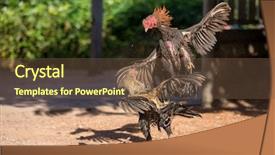
 Presentation with maximum - Presentation theme consisting of fighting cocks in a vicious background and a tawny brown colored foreground

Fighting Cocks Vicious Attack Clawing

The art of brutal fowl fighting is on full display in this intense and dramatic template that brings the thrill of a rooster's battle to life. The Corner Title template is designed to deliver a visceral experience, with a focus on realism and a high level of detail. This Widescreen template features a stunning background image that sets the tone for an immersive viewing experience, while the olive drab color palette provides a gritty backdrop for the action to unfold. The template's keywords are all about drama and intensity gaffs, clawing, plumage, strength, and training which perfectly capture the ferocity of a rooster in the midst of battle. Whether you're looking to present information on high stakes competitive fighting or simply want to enhance your presentation with a bold theme, this template is the perfect choice. The Corner Title template's Venn Diagram Layout slide is particularly noteworthy, featuring a carefully designed diagram that highlights the key differences between various bird species and their characteristics. This type of slide allows for easy inclusion of background images and other visual elements, making it an essential part of any presentation. And with its enhanced theme of featuring real life imagery, you'll be able to showcase stunning photos that will really bring your presentation to life. The high resolution images in the template are truly exceptional, providing crisp and detailed backgrounds that will take your presentations to the next level. The Corner Title template is downloadable and compatible with Google Slides, so you can easily integrate it into your workflow and share it with others without any issues.

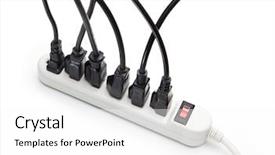
 Presentation with maximum - PPT theme featuring maximum number of electrical cords background and a white colored foreground

Maximum Number Electrical Cords Connected

Imagine yourself surrounded by a complex network of electrical cords and appliances, each one a vital part of the intricate system that keeps your devices powered up. The Corner Title is the perfect visual representation of this high tech setup, taking you on a journey through the world of power management and data visualization. The Corner Title template format features widescreen resolution, making it ideal for presentations on topics ranging from electrical engineering to design concepts. The pale violet red colored background provides a striking contrast against the white isolated isolation of your devices, creating a visually appealing scene that is sure to grab attention. At its core, the Corner Title is designed around the theme of supply and demand in the world of power management. Featuring four key slides that provide quick insights into getting up and running quickly including an example of how a complex network can be simplified by introducing clear visuals, having an engaging slide with visual effects, enhancing your presentation with animations, and including real life examples of electrical circuits. At the 5 Level Piramid Layout slide you get to explore the structure in detail. This advanced layout is perfect for those who want to dive deeper into the complexities of power management systems.

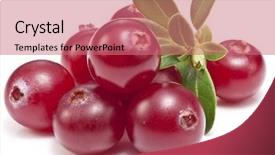
 Presentation with maximum - Slide set consisting of white background image with maximum background and a  colored foreground

Cranberries Leaves White Background Image

Imagine starting your PowerPoint presentation with a stunning image that immediately grabs attention and sets the tone for the rest of the deck. A high resolution image of cranberries surrounded by leaves on a crisp white background is just what you need to do so. Featuring a bright and cheerful color palette, Pale Violet Red Colored is the perfect backdrop for showcasing your creative vision. This template is specifically designed for widescreen presentations, providing a seamless viewing experience across different devices. The high resolution images included are vibrant and detailed, making it easy to visualize your ideas. Having a theme of elegant sophistication, this design is sure to impress your audience. The Corner Title is a versatile and customizable element that can be used as a header or footer on your slides. Featuring a stylish font and subtle shadows, it adds a touch of professionalism to any presentation. Including a background with a natural forest background and incorporating the theme of berries, fruit, and isolated elements will enhance the overall aesthetic. With this template, you're already off to a great start. Four How To slides at the beginning will help you get up and running quickly, ensuring your audience is on the same page as soon as possible. Having a clear structure in place will allow you to focus on the content rather than getting bogged down in technical details. Enhanced with animations and transitions, these slides will make your presentation engaging and memorable. As you work through each slide, take note of how the Pictures + Captions Layout works together to create a cohesive visual flow. This layout is particularly useful for showcasing multiple images on one slide, making it easy to highlight key points or add visual interest. Having a theme of simplicity and elegance ensures that your presentation stays focused and avoid clutter. When using this template in Google Slides, you'll be able to download the files with ease, allowing you to customize them to fit your specific needs. The 3 Pictures + Captions Layout slide provides an excellent example of how to incorporate multiple images on one slide, making it perfect for presentations that require a lot of visual information.

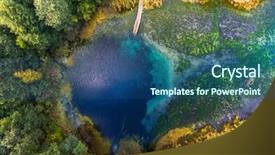
 Presentation with maximum - Amazing slide set having lake named goluboye ozero blue backdrop and a ocean colored foreground

Aerial View Karst Lake Named

Imagine standing at the edge of a breathtaking aerial view of the karst lake Goluboye Ozero in Russia, surrounded by lush forest and crystal clear water that stretches up to 18 meters in depth. The image is not just beautiful, but also steeped in history and mythology, as it has been a sacred place for the local people for centuries. The Dark Goldenrod color palette used in this template creates a sense of drama and mystery, perfect for conveying the serenity and majesty of the natural surroundings. From the high resolution images featured on the background slides to the carefully curated keywords that enhance your presentation's overall theme of "ponds, forests, trees", every detail is carefully considered to create an immersive experience. This template is specifically designed for use with Google Slides, offering a seamless and compatible solution for those looking to elevate their presentations. The format is Widescreen, ensuring that all content remains perfectly proportioned and visually appealing on the screen. With its Dark Goldenrod color palette, this template provides a sophisticated yet approachable backdrop for your presentation, allowing you to focus on the valuable information you're about to share with your audience. Throughout the deck, a Theme of "Elegant Presentation" is evident, with Each slide carefully designed to enhance and support its surrounding content. From the subtle inclusion of a Background With a stunning aerial view in Slide 1, featuring a High Resolution Image Of The Karst Lake Goluboye Ozero, showcasing its breathtaking beauty, to the Enhanced With the theme of "Forest" being present throughout, making it easy for your audience to visualize and connect with the information presented. When designing your presentation, you may want to consider including a Slide 2 featuring a SWOT Analysis Layout, which provides an in depth analysis of the key factors affecting Goluboye Ozero's ecosystem. This slide would feature a detailed diagram highlighting the strengths, weaknesses, opportunities, and threats facing the lake, helping to provide valuable insights for your audience. On Slide 3, you could include an Image Of The Lake At Sunset, capturing its vibrant colors and serene atmosphere during this time of day.

 Presentation with maximum - Presentation featuring white background image with maximum background and a coral colored foreground

Almond Nut Almond Leaves Isolated

The world of graphic design is all about elevating your message with eye catching visuals. By incorporating high resolution images and precise clipping paths, we can create a truly engaging and immersive experience for your audience. At the heart of this design is a powerful template that combines cutting edge technology with timeless elegance, perfect for showcasing your brand's unique personality. This Corner Title template is designed to make a statement in any presentation or visual project. Its striking yellow green color palette will grab attention and leave a lasting impression, making it an ideal choice for a gourmet themed presentation. From the elegant font to the sophisticated clipping path, every element works together to create a cohesive look that's sure to impress. The high resolution images used throughout this template are carefully selected to bring out the best in your design, providing maximum sharpness and clarity. Whether you're featuring a beautiful fruit arrangement or showcasing a gourmet inspired dish, these images will transport your audience to a world of culinary delight. With four helpful slides at the start of the deck, including How To guides that make getting started quick and easy, this template is an excellent choice for anyone looking to enhance their visual presentation. The Comparison Layout slide provides a clear overview of what's possible with this design, while also showcasing its unique features. From Including a Background With high end visuals to Having a Theme of sophistication and elegance, every aspect of this template is carefully crafted to meet the needs of your audience. Whether you're using it for a conference presentation, marketing materials, or any other visual project, this Corner Title template is sure to make a lasting impression with its stunning yellow green color palette, precise clipping paths, and high resolution images.

 Presentation with maximum - Presentation design enhanced with white background image with maximum background and a coral colored foreground

Almonds Leaves Isolated White Background.

In the realm of presentation design, few templates stand out from the rest like Corner Title, a stunning Widescreen template that promises to elevate your content to new heights. This masterpiece is designed with a singular focus: to deliver an attention grabbing visual experience that sets the tone for your entire presentation. Corner Title boasts a vibrant Yellow Green color palette, evoking feelings of warmth and vibrancy, perfectly complemented by high resolution images of juicy fruits and gourmet delights. The template's two content layout features are sure to captivate your audience: on one side is a crisp white background perfect for text overlays, while the other side provides ample space to include various elements, such as screenshots or diagrams. With Corner Title, you'll be able to enhance your presentation with easy to access How To slides at the start of your deck. These slides will help you get up and running quickly, providing a solid foundation for your content. Whether you're presenting about anything from cutting edge technology to innovative business strategies, this template is sure to feature a background with a theme of professionalism and expertise. As an added bonus, Corner Title is downloadable and compatible with Google Slides, making it easy to incorporate into your workflow. So why settle for ordinary presentation design when you can have a gourmet feast for the eyes? Tap into the power of this stunning template and take your presentations to new heights.

 Presentation with maximum - PPT theme consisting of spectra - array of compact discs refracting background and a wine colored foreground

Array Compact Discs Refracting Light.

PPT theme consisting of array of compact discs refracting light shot with t-s lens for maximum dof

 Presentation with maximum - Colorful slide deck enhanced with almonds with leaves isolated on white background image with maximum sharpness clipping path backdrop and a coral colored foreground

Almonds Leaves Isolated White Background.

The moment you launch the Corner Title template in CrystalGraphics, your slides come to life like a vibrant alabaster sculpture showcasing the intricate details of nature. Imagine high resolution images on a crisp white background with maximum sharpness and precision, perfectly encapsulated by its Widescreen format that elevates each slide to new heights. This stunning template features an engaging theme of "macro" visuals that showcase textures, patterns, and shapes in exquisite detail. Including a Background With a gradient of greens to evoke the natural world, this Corner Title template is designed to bring your presentation to life. The high resolution images throughout the template are truly exceptional, and with the template being downloadable and compatible with Google Slides, you can easily incorporate them into your slideshows. One notable aspect of this design is its use of clipping paths which ensures a seamless transition between elements, creating an enhanced visual experience that draws your audience in. The Corner Title template also offers four How To slides to get you started quickly on the path to success, featuring interactive links and clickable annotations that make it easy to add depth and interactivity to your presentation. For instance, when designing with this theme, you could create a chart with Caption Layout slide that effectively showcases key statistics or data, perhaps including an animation or transition effect to enhance visual engagement.

 Presentation with maximum - PPT layouts enhanced with maximum speed background and a  colored foreground

Maximum Speed

Imagine you're speeding down a long straight road on your motorcycle, the wind rushing past you as you pump your fist in triumph that's what it feels like to reach maximum speed. Now imagine this feeling in a digital presentation, where every slide is a thrilling ride of information. This template is designed with speed and excitement in mind, featuring 4 easy to follow slides at the start of the deck to help you get up and running quickly. The Royal Blue color palette adds a touch of luxury and professionalism, while the macro keyword emphasizes the power of animation and motion. Auto key is included for ease of use, and the kph keyword highlights speed and agility. The template itself features high resolution images throughout, showcasing bold graphics and dynamic animations to enhance your message. With seamless integration with Google Slides, you can easily add your own content and customize the look and feel of your presentation. The background design is stunning, featuring a powerful image that complements the royal blue color scheme perfectly. The template's keywords are carefully chosen to make it easy for users to find what they need, whether they're including a background with a rich texture or having a theme of speed and performance. The enhanced functionality ensures that your presentation stands out from the crowd, featuring a range of interactive elements that will keep your audience engaged.

 Presentation with maximum - Amazing PPT theme having fighting cocks in a vicious backdrop and a tawny brown colored foreground

Fighting Cocks Vicious Attack Clawing

In the heat of battle, two birds lock talons in a vicious clawing frenzy, their feathers ruffled and glistening with sweat as they fight for dominance. The air is electric with tension, and the ground trembles beneath their feet as they clash in a flurry of beaks and claws. This is not just any ordinary bird fight it's a high stakes spectacle of strength, cunning, and primal ferocity. The Wide Title template from CrystalGraphics features a dramatic background image that transports you to the midst of this intense battle scene. The Widescreen format allows for an immersive experience, with an 18:9 aspect ratio that wraps around your entire screen. The Yellow Green color palette is eye catching and modern, giving the template a sleek and sophisticated feel. The template is designed to be downloaded and compatible with Google Slides, making it easy to use as is or enhance with additional design elements. Whether you're creating a presentation for a poultry farm or just want to add some excitement to your next meeting, this template has got you covered. Featuring high resolution images of birds in various stages of preening and grooming, this template is sure to delight. Including a background image of fighting roosters in a muddy pit with gaffs on their feet, showcasing their strength and agility in combat, or perhaps a serene landscape of plumage clad birds flying overhead. Having a theme of avian battles and fierce competitions, the Wide Title template offers endless opportunities for creativity and storytelling. Enhanced with animations and transitions that bring this scene to life, you'll be able to convey the intensity and drama of this spectacle in your presentation. The In Summary Layout slide could include images of different stages of a bird fight, from the initial scuffle to the climax of the battle, providing context for your audience and summarizing the key points of the presentation. From the Get Started slides to the advanced customization options, this template is designed to help you create a compelling and engaging presentation that will leave your audience in awe.

 Presentation with maximum - Beautiful presentation theme featuring maximum occupancy 350 sign backdrop and a tawny brown colored foreground

Maximum Occupancy 350 Sign

The future of urban living is becoming increasingly desirable, and with that comes the need for efficient and spacious dwellings. As we continue to push the boundaries of what is possible in design and architecture, it's clear that our homes will have to adapt to meet the needs of a growing population. With that in mind, we're excited to introduce "Elegance at 350" a stunning new template designed specifically with the modern office space in mind. Featuring a dark slate gray color palette, this template is perfect for creating a sophisticated and elegant atmosphere in any setting. For those looking to create a truly immersive experience, our templates offer the option of featuring high resolution images throughout the background of each slide. This not only adds visual interest but also helps to enhance the overall ambiance of your presentation. Whether you're showcasing a bustling cityscape or a sleek corporate office, our template's dark slate gray color palette will provide the perfect backdrop for your message. Our "Occupancy" and "People" keywords are designed to help you create engaging slides that showcase the human side of any subject, from office workers to residents. With 35 high resolution images included in each slide, our template is ideal for creating a cohesive brand identity across all your presentations. The Growth Layout slide provides an excellent opportunity to showcase dynamic imagery and movement, helping to keep your audience engaged and interested. By including background images or animations, you can create a truly engaging visual experience that sets your presentation apart from the rest.

 Presentation with maximum -

Doha Qatar 2018 Sailing

As you embark on creating a stunning PowerPoint template, Corner Title presents to you a design name that embodies the essence of Arabian elegance a masterpiece that will transport your audience to the majestic waters of Doha Bay, Qatar. This breathtaking template features in Widescreen format, boasting a seamless blend of light blue hues and arab inspired graphics that evoke the vibrant atmosphere of this magnificent city. The Light Blue color palette shines through with every element, from the background images to the keywords included on each slide Arabic, Arabia, Arabian, Bay, Boat all perfectly crafted to create an immersive experience. To give you a glimpse into what's in store for your visual feast, corner titles will include four How To slides that walk you through the setup process. These slides are designed to provide instant benefits, helping you get up and running quickly with ease. But don't worry, we've got you covered these slides are carefully crafted to feature high resolution images of sailing boats gliding across Doha Bay at sunset. The Panoramic Picture Layout slide is where the magic happens showcasing a panoramic view of the city's skyline against a stunning backdrop of towering skyscrapers. This layout will be enhanced with even more depth and dimension, providing an unparalleled visual experience that will leave your audience in awe. And when you include a Background With feature on this slide, you'll have complete control over the customization possibilities adding your own text, images, or shapes to create a truly unique look. As for what it could be used for, this template is perfect for presentations, pitches, and marketing materials that need to convey the essence of Arabian hospitality. Whether it's an event proposal, product launch, or conference presentation, Corner Title has got you covered providing a versatile and engaging solution that will leave your audience feeling welcome and inspired.

 Presentation with maximum -

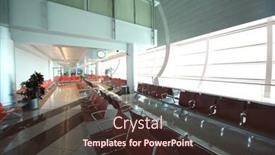
Dubai April 19 Dubai

The thrill of exploring Dubai International Airport on a typical day. The moment when millions of passengers come together to connect the world is truly awe inspiring. In this template, we've created a stunning visual landscape that captures the essence of this iconic airport. The Wide Title "Airports Around the World" is designed in Light Steel Blue, a modern and sleek color palette that sets the tone for a high end presentation. The template features 4 How To slides at the start of the deck to help you get up and running quickly: Building Your Brand, Creating Engaging Content, Designing Effective Slides, and Developing a Professional Onboarding Process. The Thank You Layout slide is sure to impress your audience with its sleek design and high resolution image featuring Dubai International Airport on April 19, 2010. This template is ideal for Google Slides users who want to enhance their presentations with a beautiful airport landscape and includes a background with subtle textures and detailed architecture. As you navigate through the slides, you'll find that each one is Enhanced With stunning images, inspirational quotes, and helpful design tips to get your audience engaged and excited about your topic. This template is designed to be compatible with Googles Slides and can be used for presentations on air travel, airports, architecture, area, and more. It's perfect for anyone looking to showcase their passion for aviation or urban planning in a visually stunning way. So why wait? Download this template now and start creating engaging and professional presentations that will leave your audience flying high!

 Presentation with maximum -

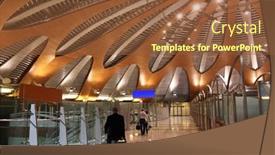
Moscow April 19 Modern

From the moment you step into the new terminal at Sheremetyevo Airport in Moscow, Russia, your senses are overwhelmed by the sheer scale and grandeur of this modern marvel of engineering. The high resolution images for the background create an immersive experience, transporting you to a world of sleek lines and cutting edge technology. The Wide Title, with its bold and eye catching font, sets the tone for an engaging presentation that showcases the unique features and themes of the airport's new terminal. Featuring a warm and inviting color palette inspired by the rich cultural heritage of Russia, this template will help you convey the sense of comfort and sophistication that comes with traveling through one of the world's busiest airports. The Wide Title is perfectly suited for showcasing the key statistics and facts about the airport, such as its capacity and passenger numbers. You can include a Background With a subtle texture or pattern to add depth and visual interest to your slide. Having a theme of "Airport Innovation" this template will help you highlight the cutting edge features and technologies that make this terminal an industry leader. For example, if you're presenting on the airport's baggage handling systems, you could feature a high resolution image of a state of the art conveyor belt or elevator, accompanied by a caption such as "With advanced automation and AI powered sorting, our baggage handling systems are designed to improve efficiency and reduce wait times."

 Presentation with maximum -

Dubai April 19 Interior

The cityscape of Dubai's iconic Burj Khalifa stands tall and proud, its sleek glass and steel façade glinting in the desert sun as it dominates the urban landscape. The contrast between the modern architecture and the traditional Arabic influences is striking, a testament to the city's rich cultural heritage. As you explore this template, you'll notice that it's designed with a focus on creating a visually stunning presentation that showcases the beauty of Dubai's buildings and landmarks. The medium aquamarine color palette provides a calming yet vibrant backdrop for your slides, while the high resolution images featured throughout will transport your audience to the bustling streets of Dubai. The template is specifically formatted for widescreen presentations, making it perfect for showcasing 4K videos or live footage. With its sleek and modern design, this template is sure to enhance any presentation, whether you're featuring a stunning aerial view of the city or including a background with a dramatic sunset over the Burj Khalifa. The four How To slides at the start of the deck are designed to get you up and running quickly, providing a solid foundation for your presentation. These slides feature a clear layout that includes key elements such as slide numbers, titles, and images, making it easy to navigate through your content. The arrow steps layout is particularly useful in this template, allowing you to easily move between sections of your presentation. For example, the "Airport" section could be enhanced with including a background image of Dubai International Airport's iconic logo, while the "Architecture" section features high resolution images of various buildings throughout the city. Having a theme of showcasing Dubai's unique blend of modern and traditional architecture is sure to captivate your audience.

 Presentation with maximum - Presentation theme enhanced with april-08-2022-martinsville-va background and a lemonade colored foreground

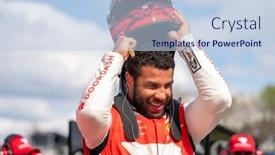
April 08 2022 Martinsville,

Presentation theme enhanced with april 08 2022 - martinsville va usa bubba wallace prepares for the blue-emu maximum pain relief 400 at martinsville speedway in martinsville va

▼Key features of this template

  • They are compatible with both PowerPoint and Google Slides running on either Windows PCs or Macs.

  • They are available in both standard and widescreen slide formats. You can choose your preferred format by clicking on the "Widescreen" check box or icon.

  • Each template includes a beautiful high-resolution background image or video to visually reinforce the theme of your presentation.

  • In addition, each template includes designer-created graphics and modern fonts to give your presentations an up-to-date, professional look.

  • Each template's default design and title text position have been carefully selected to complement its background without covering faces or other key elements.

  • All text includes backdrops whose transparency level is mathematically calculated to maximize text readability while still allowing the background to be seen.

  • And all the text, text backdrops and graphics in every slide are colored with a palette designed to beautifully complement the colors in the background.

  • Our Premium templates (those with the descriptor “Premium” in their subtitle) include over 64 slide layouts to give you maximum flexibility as you create your presentations.

    • Those layouts are available to you whenever you create a new slide or when you want to change the layout of an existing slide.
    • They include everything you need to make all sorts of presentations. In addition to the layouts for the title slide and the usual title and content slide, they include many other layouts for slide types including table of contents slides, org charts, charts, diagrams, infographics, photo slides, thank you slides and more.
    • While creating these layouts our template designers have ensured that all text in every layout adjusts as gracefully as possible to various numbers of words.
  • Customizable templates (those with the descriptor “Customizable” in their subtitle) may be easily modified online before you download them.

    • To modify them, simply click on the pencil editing icon, then select your choice of ready to go designs and title text positions.
    • The editing tool also makes it easy to reposition and scale the background image or video to best suit your needs.

▼FAQs

Please review these FAQs to see if your question is answered. Contact us for more info

  • What is a PowerPoint template?

    • A well designed PowerPoint template is a file that can tell PowerPoint how to make your ordinary templates look extraordinary. They won’t change what your words or numbers say. But they might change their size, color, font and placement. And, overall, they can give your presentations a professionally-designed look that will give your content more credibility and give you more confidence.
  • How many PowerPoint templates do you offer?

    • We have over 32,000 artist-created presentation templates in our PowerPlugs collection With a subscription, PowerPlugs templates are easy to download. Just sign in, find a template and click on the green Download button. ready for you to download. That alone offers you more variety to choose from than any of our competitors can offer. And, as if that weren’t enough, we also offer over 6 million templates in our Crystal collection. Crystal brand templates are our line of templates that have customization options. They have the word "CRYSTAL" on their web page images. You can customize several aspects of the templates. These templates include high-resolution background images from Shutterstock’s vast image collection matched up with artist-created presentation designs customized by our own proprietary AI software.
  • How many templates can I download as a subscriber?

    • You can download an unlimited number of PowerPlugs-brand With a subscription, PowerPlugs templates are easy to download. Just sign in, find a template and click on the green Download button. templates every day for an entire year. (Actually, by default, we set a limit of 25 templates per day to prevent our competitors from stealing our templates. But, if that is not enough, just let us know and we’ll try to accommodate you.) On top of that, with a subscription or an Ultimate Combo, you can also download any 50 Crystal-brand Crystal brand templates are our line of templates that have customization options. They have the word "CRYSTAL" on their web page images. You can customize several aspects of the templates. templates per year selected from our huge Crystal collection. Crystal brand templates are our line of templates that have customization options. They have the word "CRYSTAL" on their web page images. You can customize several aspects of the templates. .
  • Why should I choose your templates instead of the competition’s?

    • We’ve got a larger selection of professionally-designed PowerPoint templates than anyone else in the world.
    • Each template includes a high-resolution background image or video to visually inspire your audiences while reinforcing your message.
    • Each template includes 64 slide layouts to give you maximum flexibility as you create your presentations.
    • Our templates are available in both standard and widescreen slide formats. And our website lets you preview the slides each way.
    • Our free Template Finder™ plugin lets subscribers select and - with a single click - download and insert our templates into their presentations right from within PowerPoint.
    • We’ve been creating designer presentation templates for over 20 years. During that time we’ve won several awards and 5-star ratings for product quality. See About Us for more.
  • Do you offer a money-back guarantee?

    • Yes we do! We offer full 30-day money-back guarantee if you are not 100% satisfied with your purchase.
  • Can I still use my downloaded templates after my subscription runs out?

    • Yes. After your subscription expires, you won't lose any rights or ability to use your PowerPlugs: Templates for PowerPoint. You won't be able to download any new non-watermarked templates. But the non-watermarked templates you've already downloaded will still work and you can still use them as before.
  • Can I share my downloaded templates or passwords with friends or coworkers?

    • Sorry but no. You are authorized to download each paid-for template to up to 3 of your personal devices and to use the templates you download in as many presentations as you want. But you are not authorized to share the templates, themselves, with others. That said, we do offer highly discounted site licenses to suit the needs of both small and large teams. Just tell us your needs and we’ll give you a quote!
  • System requirements:

    • The templates use the standard POTX format. So they are compatible with Google Slides and all PC, Mac and mobile devices running any version of PowerPoint from PowerPoint 2007 up through and including Office 365 desktop.
    • Please note: Google Slides does not currently support background videos. It treats them as still images.
    • For PowerPoint for the Web, first open your template into a desktop version of PowerPoint, then save it back out as a PPTX file. Then you can open that in PowerPoint for the Web.
  • End user license agreement:

    • Click here to view.
  • How will I get my purchased templates?

    • You may download your selected templates as soon as your payment is received by PayPal. If you purchased an individual template, you will be provided with a download link both onscreen and via email. Just click on that link to begin the download process. If you purchased a subscription, you will receive an email containing a password to use along with your email address to sign in to any of the templates pages on CrystalGraphics.com. Once you are signed in, you can immediately start downloading your selected templates.
  • How do I use my templates after I download them?

    • You can either open a template to start a new presentation or you can add a template to an existing presentation. To open a template, just double click on it or use PowerPoint's File > Open tool. To add a template to an existing presentation, on the Design tab, in the Themes group, click Browse for Themes... then browse to select your template.

View more Maximum templates:

previous 1 2 3 next
93% of Fortune 1000
companies use our
PowerPoint Products
Templates Secure

Standing Ovation Award
Winner: Best PowerPoint
Template Collection
Fortune Logos
200,000+ satisfied
customers worldwide!
Guarantee
100% satisfaction guaranteed
- or send it back for a refund!

Sign up for our free newsletter! You'll get news about our PowerPoint-enhancing product line – including free updates, new product announcements and exclusive special offers. Plus you'll get a link to a free PowerPoint template with every newsletter you receive.
Privacy Policy
Loading...


Help

Contact Us
Product FAQs
Product License Agreements

Company Info

About Us
Privacy Policy
CrystalGraphics, Inc. 1999 S. Bascom Avenue Suite 700 Campbell, CA 95008 USA
© 2026 CrystalGraphics, Inc. All rights Reserved.    |     PowerPlugs is a trademark of CrystalGraphics, Inc.
Microsoft and the PowerPoint logo are trademarks or registered trademarks of Microsoft Corporation in the United States and/or other countries.
Loading...
Loading...