www.crystalgraphics.com CrystalGraphics
  • Ultimate Combo
  • Templates
  • Diagrams
  • Characters
  • Quizzes
  • shopping cart
  • Sign Out Sign Out Sign In
Home > Templates > Christmas > Merry Christmas Category
search icon
advanced icon

364 Best Merry Christmas-Themed Templates for PowerPoint and Google Slides

Add a touch of festive cheer to your presentation with our exclusive Merry Christmas template collection from CrystalGraphics. With a vast array of stunning designs, including Winter background with Christmas decoration, balls for Xmas design and Merry Christmas keyword in foreground, we've got you covered for any occasion.

Imagine starting your slide deck with a golden Christmas theme that sets the tone for a joyful and elegant presentation, complete with gift box and Christmas globes. Or picture yourself creating an Amazing slide deck featuring merry christmas and happy holidays backdrop and a ocean colored foreground that's sure to captivate your audience.

Our Merry Christmas templates are fully customizable, allowing you to personalize them to fit your unique style and branding. With over 60+ slides included in each template, you'll have everything you need to create an engaging and memorable presentation. Plus, with compatibility with Google Slides, you can easily import and share your content with others.

Browse through our vast collection of Merry Christmas templates, featuring a range of styles and themes to suit any occasion or design preference. And when you're ready to download and customize your perfect template, simply head to CrystalGraphics website and click Download Now to start creating your masterpiece.

Features & Pricing

Widescreen (16:9) Presentation Templates. Change size...
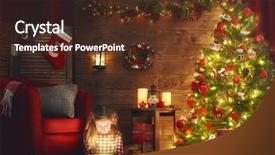
 Presentation with merry christmas - Cool new presentation design with girl with magic gift box backdrop and a tawny brown colored foreground

Merry Christmas Happy Holiday Cute

Presentation design with merry christmas and happy holiday cute little child girl with magic gift box on christmas

 Presentation with merry christmas - Colorful presentation enhanced with the text merry christmas backdrop and a tawny brown colored foreground

Blackboard Text Merry Christmas Swedish)

The magic of Christmas is in the details, and that's exactly what our design name "Midnight Winter Wonderland" embodies a captivating, immersive experience that transports your audience to a winter wonderland. This stunning template features a majestic blackboard background adorned with intricate, high resolution images that will leave your viewers spellbound. Our template format is Widescreen, allowing you to showcase your content in full glory, and our Saddle Brown color palette brings a warm, inviting feel to the table. The theme is centered around gift giving and celebration, making it an ideal choice for holiday themed presentations, such as "Decorate Your Workspace" or "Gift Ideas for Friends". The inspiration behind this template comes from a beautiful conceptual image of a blackboard with festive words written in Swedish "Merry Christmas" in bold, golden letters. The result is a visually stunning backdrop that sets the tone for an unforgettable presentation. Incorporating this template into your Google Slides is easy and convenient, thanks to its compatibility with the platform. Once installed, you can use it as is or enhance it with additional features, such as adding animations or transitions to make it truly stand out. With our "Midnight Winter Wonderland" template, you'll be able to create engaging, eye catching presentations that will leave your audience wanting more. Who We Are Bio: At CrystalGraphics, we're passionate about helping businesses like yours showcase their brand and products in the most effective way possible. Our templates are designed to inspire creativity and drive results. With "Midnight Winter Wonderland" as your new go to template, you'll be well on your way to creating stunning presentations that will leave a lasting impression. Let's get started! Featuring high resolution images throughout this deck, including a background image of snow covered trees, the template is perfect for showcasing your brand or business. Having a theme of celebrating special occasions and holidays, it's ideal for events like weddings, baby showers, and more. Enhanced with colorful icons and graphics, it adds an extra layer of visual interest to any presentation.

 Presentation with merry christmas - Beautiful theme featuring santa animation - digital composite of merry christmas backdrop and a navy blue colored foreground

Digital Composite Merry Christmas Text

Imagine yourself in a winter wonderland scene where snowflakes gently fall from the sky and a festive Christmas tree stands tall amidst the frosty landscape, its branches adorned with sparkling ornaments that seem to shimmer and shine in the soft light of the setting sun. This enchanting vision is brought to life through the Corner Title PowerPoint template, designed to make your presentations stand out and leave a lasting impression on your audience. The template features a high resolution image for the background, showcasing a beautiful midnight blue color palette that evokes feelings of luxury, sophistication, and elegance. The theme of the template is "Gift" and it's clear that this is a design name that perfectly captures the essence of what you're about to create. With its delicate patterns and snowman inspired graphics, this template will make your presentations feel warm and inviting. The Midnight Blue color palette is not just a simple background color, but rather an entire theme for the template, with keywords like "gift", "delicate", "dress" and "snowman" all woven together to create a cohesive look. This unique blend of elements will help you stand out in a crowded presentation room. The template is compatible with Google Slides and can be easily customized to fit your specific needs. The 6x6 Organ Chart Layout slide provides a useful starting point for organizing your content, featuring a clear grid structure that helps you visualize the flow of your presentation. With this template, you'll have everything you need to create engaging and memorable presentations that will leave a lasting impression on your audience.

 Presentation with merry christmas - Presentation design featuring signboard with words merry christmas background and a lavender colored foreground

Signboard Words Merry Christmas Pink

Presentation design featuring signboard with words merry christmas on pink wooden table background close-up

 Presentation with merry christmas - Slides with merry christmas happy family are background and a red colored foreground

Merry Christmas Happy Family Having

The festive atmosphere of the season is upon us and it's time to gather 'round the tree with loved ones. The warm glow of twinkling lights and the scent of freshly baked treats fill the air as families come together to celebrate another year of life and love. In this Corner Title template, you'll find a beautiful and elegant design that perfectly captures the essence of the holiday season. This Widescreen template features a stunning high resolution image of a cozy living room with a Christmas tree in the center, surrounded by plush throw blankets, warm candles, and a festive vase filled with red roses. The Olive color palette provides a soothing backdrop for this celebration, while the Seasonal keywords highlight the joy and togetherness that comes with the holiday season. The template is designed to be downloadable and compatible with Google Slides, so you can easily add your own images and customize it to fit your needs. And, as an added bonus, it's Enhanced With a theme of warm and inviting winter wonderland landscapes to create a truly unique look. The Grid Layout slide features four beautiful high resolution images that showcase the diversity of gifts under the tree, from plush toys for kids to luxury items for parents. The template includes a Background With a subtle texture that adds depth and interest to the design. Having a Theme of elegant and sophisticated graphics to enhance your presentation or website with a touch of holiday cheer. The corner title slide is perfect for adding a personal touch to your project, featuring a warm greeting and a festive background. Using this template is easy as pie, just drag and drop in high resolution images from the included library, and you're ready to go.

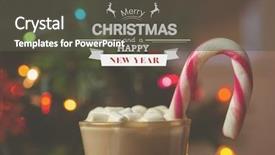
 Presentation with merry christmas - Presentation theme having religion theme - digitally composite image of merry background and a coral colored foreground

Digitally Composite Image Merry Christmas

Imagine walking into a cozy coffee shop on a chilly winter morning to experience the joy and warmth of a holiday season. The aroma of freshly brewed cappuccino fills the air as you approach the counter, where a festive Christmas display awaits your delight. Featuring high resolution images of merry Christmas decorations against a cup of hot chocolate with marshmallows, this beautifully designed PowerPoint template is sure to put a smile on your face and set the tone for a happy and welcoming atmosphere. The Wide Title feature allows you to customize your branding instantly, making it perfect for Christian themed presentations or any occasion that calls for a warm and inviting message. The Widescreen format ensures an optimal viewing experience across devices, featuring 16:9 aspect ratio and a stunning high definition image of the festive scene. The template is also available in Indian Red color palette, offering a rich and vibrant background that complements the holiday spirit. To make your presentation even more engaging, you can include a Background With feature to seamlessly blend the design elements with your existing slides or text. Having a Theme of Incorporating A Christmas Decor, this template showcases how easily you can enhance your content with fun and festive elements. For example, you could incorporate images of decorated trees, snowflakes, or Santa's workshop into your slides, creating a visually appealing and engaging presentation. The High Resolution Images, Including Backgrounds With Feature ensure that every slide will be crisp and clear, providing an immersive experience for your audience. Having a Theme of Enhancing With A Personal Touch is particularly useful in this case, where you can add personal touches such as handwritten notes or quotes to make the presentation even more special.

 Presentation with merry christmas - PPT layouts consisting of inside a christmas snow globe background and a coral colored foreground

Merry Christmas Happy Holidays Santa

As you gaze upon the winter wonderland of Peru inspired colors and patterns, your imagination is set ablaze with visions of festive joy and merriment. Corner Title is ready to bring this magical atmosphere to life on your presentation slides, transporting your audience to a world of enchantment. With its captivating design and vibrant color palette, this template is sure to capture the hearts of all who behold it. Corner Title is specifically crafted for widescreen presentations, boasting stunning high resolution images that feature dynamic patterns and textures to elevate your content. As you create your slides, you'll have access to a range of keywords to help guide your design decisions: gift, magic, sparkle, symbol, seasonal perfect for capturing the essence of this special time of year. The template's color palette is carefully curated to evoke the rich tones of Peru's culture and landscape, providing a warm and inviting backdrop for your message. You'll have access to a range of compatible images featuring the country's iconic landmarks and landmarks, including high resolution versions that can be easily incorporated into your presentation slides. On the first slide of this ever popular tutorial format, you'll find four key action steps that will help you get up and running quickly: enhancing your content with compelling visuals, incorporating a background with subtle patterns, having a theme of festive cheer, and showcasing your template's versatility. While some users may struggle to navigate these features, others have reported using Corner Title for presentations as varied as holiday parties and awards ceremonies. As the ultimate go to template for Google Slides users, Corner Title is sure to provide you with all the inspiration and guidance needed to create stunning slides that leave a lasting impression.

 Presentation with merry christmas - Beautiful presentation featuring their daughter prepare xmas backdrop and a red colored foreground

Merry Christmas Happy Holidays Mother,

The magic of the holiday season is in full swing, and we're excited to bring you the most festive and creative PowerPoint template ever designed Corner Title. This stunning template is perfect for businesses looking to enhance their online presence with a touch of holiday cheer. Corner Title is specifically tailored to create a warm and inviting atmosphere, featuring a rich brown color palette that will transport your audience to a cozy winter wonderland. The high resolution images on the background are sure to delight anyone who lays eyes on it, making for an unforgettable visual experience. From the top view of the Christmas family traditions to the joyful moments between loved ones, this template has everything you need to create a magical atmosphere. To get started quickly, Corner Title includes four How To slides that will guide you through the process of customizing your presentation with ease. But don't worry, we've got you covered if you're feeling stuck, just refer to our comprehensive resource pack, which features detailed guidance and expert advice on how to take your Corner Title to the next level. When it comes to content layout, Corner Title is designed to feature a clean and modern theme that's easy to navigate. The template includes a responsive design that adapts perfectly to any screen size, ensuring your presentation looks great whether you're using it in person or online. With its enhanced background images and crisp text, this template is the perfect choice for businesses looking to showcase their brand's personality. Corner Title can be used to create a variety of presentations, from product launches to holiday marketing campaigns. For example, imagine presenting your company's new product line during the holiday season simply add some festive decorations and captions to highlight the features and benefits of each item, and you'll have a presentation that's sure to delight customers.

 Presentation with merry christmas - Colorful presentation theme enhanced with merry christmas happy family are backdrop and a red colored foreground

Merry Christmas Happy Family Having

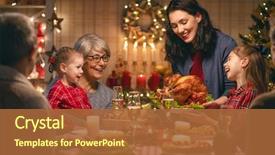
The scene is set in a cozy living room filled with twinkling fairy lights, lush greenery, and the warm glow of candles. The atmosphere is merry and bright, as if it's Christmas morning all over again. The walls are adorned with festive decorations that seem to dance in the gentle breeze. As you gaze upon this winter wonderland, your eyes widen with excitement at the prospect of creating a stunning presentation for family gatherings and celebrations. This Wide Title template is specifically designed to capture the essence of happiness and joy, featuring 4 How To slides to help you get up and running quickly. The Widescreen format will transport your audience into this festive world, showcasing high resolution images that will enhance the overall experience. The Dark Goldenrod color palette adds a touch of sophistication and warmth, while the inclusion of red accents brings a pop of energy to the design. This template is perfect for Google Slides, and with its compatibility feature, you can easily share it with others who may need it. Featuring a background with subtle texture, including a warm wooden planks and lush greenery, this template will complement your presentation perfectly. Having a theme of "Winter Wonderland" or "Family Gathering" would be perfect for showcasing the happy and joyful atmosphere. On this Slide 5, you can include a background image that captures the essence of the celebration, such as a family enjoying a festive holiday dinner together. The layout is designed to guide your audience through the 5 Steps to Success, with clear headings and concise descriptions to help them follow along easily.

 Presentation with merry christmas - Slides with merry-christmas-and-happy-holidays background and a coral colored foreground

Merry Christmas Happy Holidays Family

The warm and inviting atmosphere that Christmas brings to our lives is in full swing, filled with the sweet scent of freshly baked cookies wafting from Grandma's kitchen, where mother and daughter are getting ready for the holiday season. The anticipation builds as they carefully plan their menu, complete with decadent treats featuring high quality ingredients, all perfectly executed in a visually appealing way. The Peach Puff Colored Template is designed to transport you to a winter wonderland, with its vibrant and cheerful hues reminiscent of sun kissed days by the fireplace. The template features four How To slides that will guide you through the process of getting started quickly: Firstly, the "Create Your Master Slide" slide helps you design your presentation from scratch, featuring customizable backgrounds and templates to enhance your content. This is where you can put all your ideas together, incorporating the background images with the right number of text boxes. Secondly, the "Organize Your Content" slide provides a clear 4 x 4 Org Chart Layout to visualize your hierarchy, making it easy to track progress and assign tasks to team members. This feature is ideal for large scale projects or complex workflows that require coordination among multiple stakeholders. Thirdly, the "Insert Images and Graphics" section showcases how to effectively use images to illustrate key points, highlighting their importance in the context of your presentation. By including a Background With interactive image feature, you can dynamically display images with animations and transitions, adding depth and visual interest to your slides. Fourthly, the "Download and Share Your Master Slide" slide offers a seamless way to share your final product with colleagues, clients, or family members, ensuring everyone is on the same page. Having a Theme of downloadable presentations in mind, you can easily embed the template into Google Slides and export it as a high resolution image for future reference. The Peach Puff Colored Template is designed to enhance your presentation experience, making sure you stay focused and on track throughout the holiday season.

 Presentation with merry christmas - PPT layouts featuring merry-christmas-happy-family background and a tawny brown colored foreground

Merry Christmas Happy Family Having

Imagine walking into a cozy winter wonderland where warm lighting and soft colors create a festive atmosphere perfect for celebrating the holiday season. The scene unfolds before your eyes as a happy family gathers around a beautifully set table, surrounded by lush greenery and vibrant flowers. The camera pans across the room, capturing the joy and togetherness that fills every corner. As you delve deeper into the presentation, you'll notice that the Corner Title design is tailored specifically for this project, featuring a warm and inviting font in a saddle brown color palette that complements the elegant feel of the image. The background image itself is a stunning high resolution panoramic photo that showcases a serene winter landscape, complete with snow covered trees, sparkling ice, and a hint of magic in the air. Using Corner Title as the centerpiece for this presentation will ensure a visually appealing and engaging experience for your audience. By including a Background With feature, you'll be able to seamlessly integrate this beautiful image into your slides, creating a cohesive look that ties everything together. Having a Theme of Warmth and Cozyness is perfect for conveying the feeling of a joyful family gathering. Enhanced with festive patterns and colors, such as red and green stripes or snowflakes, will add an extra touch of magic to each slide.

 Presentation with merry christmas - Audience pleasing PPT theme consisting of merry christmas happy family are backdrop and a tawny brown colored foreground

Merry Christmas Happy Family Having

In the midst of winter's chill, the warmth and love of family gatherings radiate through the air like a festive glow, illuminating the faces of loved ones gathered around the dinner table. The joyous occasion is met with an atmosphere of togetherness, as people come together to share in the magic of the holiday season. Merry Christmas! The Wide Title template features a beautifully designed background that showcases 4 high resolution images of happy families and festive scenes. At its heart, this design presents a warm and inviting theme, perfect for conveying the spirit of joy and love. To enhance the overall look, the Saddle Brown color palette is used, providing a rich and earthy backdrop for your slides. This will allow all elements to blend seamlessly into one another, creating a cohesive and polished appearance. The template includes four key features that make it an ideal starting point: four How To slides at the beginning of the deck to help users get up and running quickly, Featuring high quality images including a Background With vibrant colors and festive patterns. The template is compatible with Google Slides and can be downloaded, making it easy to incorporate into your presentation. With its warm and inviting design, this Wide Title template will add a touch of magic to any presentation, perfect for showcasing family gatherings, holiday celebrations, or simply sharing the joy of the season with others.

 Presentation with merry christmas - Theme having reindeer - merry christmas and happy holidays background and a tawny brown colored foreground

Merry Christmas Happy Holidays Cute

Merry Christmas is in the air and happy holidays is just around the corner showcasing the magic of childhood innocence through beautiful images of a small child looking out window at night with a smile on her face as Santa Claus flies by in his sleigh against a full moon sky. Our new template design features a traditional Widescreen format that will perfectly fit your presentation needs, complete with an Olive color palette that's sure to add warmth and coziness to your slides. The template includes four How To slides to help you get up and running quickly: Getting Started, Mastering the Basics, Enhancing Your Content, and Troubleshooting. This beautiful template is designed to feature a sleigh ride under the light of a full moon sky with a small child looking out window at night, complete with a smile on her face as Santa Claus flies by. It's a perfect theme for a presentation that celebrates childhood innocence and magic. With its high resolution images and crisp text, this template will enhance your slides and make them look stunning. This template includes an included Background With image featuring the sleigh ride under the moon sky, making it easy to incorporate a background with ease into your presentation. Having a Theme of High Quality Images is perfectly captured in our template where you can simply choose from high resolution images of sleigh rides to include on each slide or use them as backgrounds. The Who We Are Bio Layout slides are simple yet effective and include space for adding text, logos, and other elements to personalize your presentation. With its clean design and modern layout, this template is sure to make a great impression on your audience.

 Presentation with merry christmas - Audience pleasing PPT theme consisting of cards gifts and decoration backdrop and a violet colored foreground

Merry Christmas Happy Holidays Wooden

PPT theme consisting of merry christmas and happy holidays wooden desk with cards gifts and decorations for the holiday christmas creativity a beautiful living room decorated for xmas

 Presentation with merry christmas - PPT theme featuring january - merry christmas and happy holidays background and a coral colored foreground

Merry Christmas Happy Holidays Beautiful

Imagine stepping into a winter wonderland, surrounded by the serene beauty of snow covered trees and the gentle sparkle of reindeer as they frolic in the frosty air. The iconic colors of Crimson are carefully chosen to evoke a sense of warmth and coziness, perfect for capturing the festive spirit of the season. This is the Corner Title template, specifically designed with Googles Slides in mind. This template is available for immediate download, ensuring you can set it up quickly and easily on your Google Slide. The high resolution images that come with this template will give your slides a professional finish, complete with crisp and clear backgrounds that showcase stunning visuals of reindeer, winter landscapes, and all the festive touches that make this season so magical. The Corner Title template features four How To slides at the start of the deck, each one designed to help you get up and running quickly. These might include templates for featuring a background image with text, including a caption in Crimson font, having a theme of decorating your slides, or even enhancing your slide backgrounds with additional visual elements. A perfect example of how this template can be used is the "Winter Wonderland" slide, which features images of snow covered trees and reindeer frolicking in the frosty air. The background image itself is downloadable from this template, making it an ideal choice for creating a seamless look that complements your winter wonderland theme. The Corner Title template also makes great use of the 4 Pictures + Captions Layout slide, which allows you to showcase multiple images with text captions on a single slide. This layout is perfect for creating visually appealing slides that highlight different aspects of your presentation or topic, such as showcasing the beauty of reindeer or highlighting key statistics related to Christmas decorations. By incorporating this template into your Google Slides setup, you can create stunning presentations that are sure to impress your audience and capture their attention with a beautiful decorated for Christmas window.

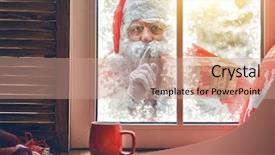
 Presentation with merry christmas - PPT layouts enhanced with knock - merry christmas santa claus is background and a coral colored foreground

Merry Christmas Santa Claus Knocking

PPT layouts enhanced with merry christmas santa claus is knocking at window room decorated for holidays view indoors home

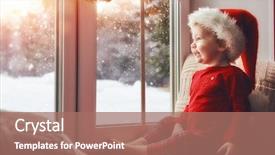
 Presentation with merry christmas - Slides having happy holidays cute little baby background and a coral colored foreground

Merry Christmas Happy Holidays Cute

Slides having merry christmas and happy holidays cute little baby girl sitting by the window and looking at the winter forest room decorated on christmas kid enjoys the snowfall

 Presentation with merry christmas - Beautiful PPT theme featuring religion theme - digitally composite image of merry backdrop and a dark gray colored foreground

Digitally Composite Image Merry Christmas

As you scroll through our latest PowerPoint template collection, one design stands out from the rest Corner Title. This beautifully crafted template is designed to make a lasting impression on your audience, featuring a vibrant and playful blend of warm colors that evoke feelings of happiness and warmth. Corner Title is a widescreen template available in various resolutions, making it easy to use with high end graphics software like Google Slides. The template's unique color palette, including olive tones, will transport you and your viewers to a festive winter wonderland. Imagine a digitally composite image of merry Christmas and a cup of hot chocolate with marshmallows and candy canes on a wooden table this is what Corner Title brings to life. The template includes four How To slides that are designed to help you get up and running quickly, making it easy for you to create engaging presentations. However, we'll leave the specifics to your imagination. One of the standout features of Corner Title is its arrowhead layout slide, which allows you to add a touch of whimsy to your presentation while still keeping it professional. Imagine featuring this slide as a centerpiece or including it as a background with some creative text overlays the possibilities are endless. Corner Title is fully compatible with Google Slides and can be downloaded for free. So why wait? Get started on creating your own engaging presentations today!

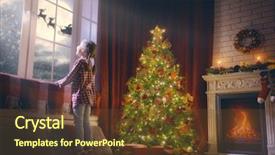
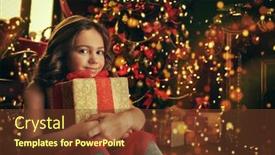
 Presentation with merry christmas - Cool new PPT layouts with merry-christmas-and-happy-new backdrop and a tawny brown colored foreground

Merry Christmas Happy New Year!

PPT layouts with merry christmas and happy new year portrait of a happy cute girl in red dress sitting with a gift box by a beautiful christmas tree and fireplace

 Presentation with merry christmas - Colorful theme enhanced with ice flakes - merry christmas and happy new backdrop and a sky blue colored foreground

Merry Christmas Happy New Year

The snow covered trees and the frozen lake in the Widescreen Winter Wonderland template by CrystalGraphics are a stunning backdrop for your presentation. As the clock strikes midnight, it's time to ring in the new year with a merry Christmas greeting. This template is designed to transport you to a serene winter landscape, perfect for capturing the essence of the season. The Widescreen format ensures an immersive experience, while the Light Blue color palette brings warmth and coziness to your presentation. The Ice inspired design elements, such as shadow effects and crisp lines, enhance the overall theme. The high resolution images featured throughout this template showcase a beautiful scenic winter scene, complete with snow covered trees, frozen lakes, and charming snow capped mountains in the background. The template is downloadable and compatible with Google Slides, allowing you to easily import the high quality images into your presentation. As you begin your slide deck, be sure to start by exploring the 4 How To slides at the front of the deck Features a Background With, Including a Theme Of, Enhanced With Each one will provide valuable tips and tricks to help you create engaging and visually stunning presentations.

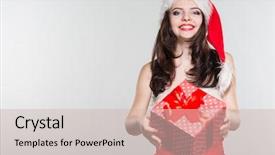
 Presentation with merry christmas - Presentation theme featuring woman in a red mrs background and a soft green colored foreground

Merry Christmas Beautiful Young Woman

Presentation theme featuring merry christmas beautiful young woman in a red mrs claus costume and santa cap holding gift box on a white background

▼Key features of this template

  • They are compatible with both PowerPoint and Google Slides running on either Windows PCs or Macs.

  • They are available in both standard and widescreen slide formats. You can choose your preferred format by clicking on the "Widescreen" check box or icon.

  • Each template includes a beautiful high-resolution background image or video to visually reinforce the theme of your presentation.

  • In addition, each template includes designer-created graphics and modern fonts to give your presentations an up-to-date, professional look.

  • Each template's default design and title text position have been carefully selected to complement its background without covering faces or other key elements.

  • All text includes backdrops whose transparency level is mathematically calculated to maximize text readability while still allowing the background to be seen.

  • And all the text, text backdrops and graphics in every slide are colored with a palette designed to beautifully complement the colors in the background.

  • Our Premium templates (those with the descriptor “Premium” in their subtitle) include over 64 slide layouts to give you maximum flexibility as you create your presentations.

    • Those layouts are available to you whenever you create a new slide or when you want to change the layout of an existing slide.
    • They include everything you need to make all sorts of presentations. In addition to the layouts for the title slide and the usual title and content slide, they include many other layouts for slide types including table of contents slides, org charts, charts, diagrams, infographics, photo slides, thank you slides and more.
    • While creating these layouts our template designers have ensured that all text in every layout adjusts as gracefully as possible to various numbers of words.
  • Customizable templates (those with the descriptor “Customizable” in their subtitle) may be easily modified online before you download them.

    • To modify them, simply click on the pencil editing icon, then select your choice of ready to go designs and title text positions.
    • The editing tool also makes it easy to reposition and scale the background image or video to best suit your needs.

▼FAQs

Please review these FAQs to see if your question is answered. Contact us for more info

  • What is a PowerPoint template?

    • A well designed PowerPoint template is a file that can tell PowerPoint how to make your ordinary templates look extraordinary. They won’t change what your words or numbers say. But they might change their size, color, font and placement. And, overall, they can give your presentations a professionally-designed look that will give your content more credibility and give you more confidence.
  • How many PowerPoint templates do you offer?

    • We have over 32,000 artist-created presentation templates in our PowerPlugs collection With a subscription, PowerPlugs templates are easy to download. Just sign in, find a template and click on the green Download button. ready for you to download. That alone offers you more variety to choose from than any of our competitors can offer. And, as if that weren’t enough, we also offer over 6 million templates in our Crystal collection. Crystal brand templates are our line of templates that have customization options. They have the word "CRYSTAL" on their web page images. You can customize several aspects of the templates. These templates include high-resolution background images from Shutterstock’s vast image collection matched up with artist-created presentation designs customized by our own proprietary AI software.
  • How many templates can I download as a subscriber?

    • You can download an unlimited number of PowerPlugs-brand With a subscription, PowerPlugs templates are easy to download. Just sign in, find a template and click on the green Download button. templates every day for an entire year. (Actually, by default, we set a limit of 25 templates per day to prevent our competitors from stealing our templates. But, if that is not enough, just let us know and we’ll try to accommodate you.) On top of that, with a subscription or an Ultimate Combo, you can also download any 50 Crystal-brand Crystal brand templates are our line of templates that have customization options. They have the word "CRYSTAL" on their web page images. You can customize several aspects of the templates. templates per year selected from our huge Crystal collection. Crystal brand templates are our line of templates that have customization options. They have the word "CRYSTAL" on their web page images. You can customize several aspects of the templates. .
  • Why should I choose your templates instead of the competition’s?

    • We’ve got a larger selection of professionally-designed PowerPoint templates than anyone else in the world.
    • Each template includes a high-resolution background image or video to visually inspire your audiences while reinforcing your message.
    • Each template includes 64 slide layouts to give you maximum flexibility as you create your presentations.
    • Our templates are available in both standard and widescreen slide formats. And our website lets you preview the slides each way.
    • Our free Template Finder™ plugin lets subscribers select and - with a single click - download and insert our templates into their presentations right from within PowerPoint.
    • We’ve been creating designer presentation templates for over 20 years. During that time we’ve won several awards and 5-star ratings for product quality. See About Us for more.
  • Do you offer a money-back guarantee?

    • Yes we do! We offer full 30-day money-back guarantee if you are not 100% satisfied with your purchase.
  • Can I still use my downloaded templates after my subscription runs out?

    • Yes. After your subscription expires, you won't lose any rights or ability to use your PowerPlugs: Templates for PowerPoint. You won't be able to download any new non-watermarked templates. But the non-watermarked templates you've already downloaded will still work and you can still use them as before.
  • Can I share my downloaded templates or passwords with friends or coworkers?

    • Sorry but no. You are authorized to download each paid-for template to up to 3 of your personal devices and to use the templates you download in as many presentations as you want. But you are not authorized to share the templates, themselves, with others. That said, we do offer highly discounted site licenses to suit the needs of both small and large teams. Just tell us your needs and we’ll give you a quote!
  • System requirements:

    • The templates use the standard POTX format. So they are compatible with Google Slides and all PC, Mac and mobile devices running any version of PowerPoint from PowerPoint 2007 up through and including Office 365 desktop.
    • Please note: Google Slides does not currently support background videos. It treats them as still images.
    • For PowerPoint for the Web, first open your template into a desktop version of PowerPoint, then save it back out as a PPTX file. Then you can open that in PowerPoint for the Web.
  • End user license agreement:

    • Click here to view.
  • How will I get my purchased templates?

    • You may download your selected templates as soon as your payment is received by PayPal. If you purchased an individual template, you will be provided with a download link both onscreen and via email. Just click on that link to begin the download process. If you purchased a subscription, you will receive an email containing a password to use along with your email address to sign in to any of the templates pages on CrystalGraphics.com. Once you are signed in, you can immediately start downloading your selected templates.
  • How do I use my templates after I download them?

    • You can either open a template to start a new presentation or you can add a template to an existing presentation. To open a template, just double click on it or use PowerPoint's File > Open tool. To add a template to an existing presentation, on the Design tab, in the Themes group, click Browse for Themes... then browse to select your template.

View more Merry Christmas templates:

previous 1 2 3 4 5 6 7 8 9 10 11 12 13 14 15 16 17 18 next
93% of Fortune 1000
companies use our
PowerPoint Products
Templates Secure

Standing Ovation Award
Winner: Best PowerPoint
Template Collection
Fortune Logos
200,000+ satisfied
customers worldwide!
Guarantee
100% satisfaction guaranteed
- or send it back for a refund!

Sign up for our free newsletter! You'll get news about our PowerPoint-enhancing product line – including free updates, new product announcements and exclusive special offers. Plus you'll get a link to a free PowerPoint template with every newsletter you receive.
Privacy Policy
Loading...


Help

Contact Us
Product FAQs
Product License Agreements

Company Info

About Us
Privacy Policy
CrystalGraphics, Inc. 1999 S. Bascom Avenue Suite 700 Campbell, CA 95008 USA
© 2026 CrystalGraphics, Inc. All rights Reserved.    |     PowerPlugs is a trademark of CrystalGraphics, Inc.
Microsoft and the PowerPoint logo are trademarks or registered trademarks of Microsoft Corporation in the United States and/or other countries.
Loading...
Loading...