www.crystalgraphics.com CrystalGraphics
  • Ultimate Combo
  • Templates
  • Diagrams
  • Characters
  • Quizzes
  • shopping cart
  • Sign Out Sign Out Sign In
Home > Templates > Disaster > Natural Disaster Category
search icon
advanced icon

65 Best Natural Disaster-Themed Templates for PowerPoint and Google Slides

CrystalGraphics creates templates designed to make even average presentations look incredible. Below you’ll see thumbnail sized previews of the title slides of a few of our 65 best natural disaster templates for PowerPoint and Google Slides. The text you’ll see in in those slides is just example text. The natural disaster-related image or video you’ll see in the background of each title slide is designed to help you set the stage for your natural disaster-related topics and it is included with that template. In addition to the title slides, each of our templates comes with 17 additional slide layouts that you can use to create an unlimited number of presentation slides with your own added text and images. And every template is available in both widescreen and standard formats. With over 6 million presentation templates available for you to choose from, CrystalGraphics is the award-winning provider of the world’s largest collection of templates for PowerPoint and Google Slides. So, take your time and look around. You’ll like what you see! Whether you want 1 great template or an ongoing subscription, we've got affordable purchasing options and 24/7 download access to fit your needs. Thanks to our unbeatable combination of quality, selection and unique customization options, CrystalGraphics is the company you can count on for your presentation enhancement needs. Just ask any of our thousands of satisfied customers from virtually every leading company around the world. They love our products. We think you will, too!

Features & Pricing

Widescreen (16:9) Presentation Templates. Change size...
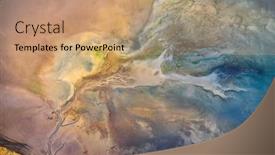
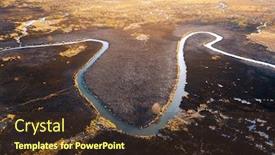
 Presentation with natural disaster - Beautiful slide deck featuring dry-lake-or-swamp backdrop and a coral colored foreground

Dry Lake Swamp Process Drought

As the world's top natural disaster unfolds, like a dry lake or swamp in the process of drought and lack of rain or moisture, a global phenomenon erupts an aerial drone view capturing the devastation, with features of rough terrain, jagged vegetation, and scattered dead remains. In this devastating scene, we see destruction that is both beautiful and brutal, where life lies on the brink of collapse. High resolution images of the aftermath provide a stark reminder of the powerlessness of nature. The background of our slide could be an Enhanced With image of a dry lake or swamp with rough terrain and jagged vegetation in the distance, creating a hauntingly beautiful landscape that evokes feelings of unease. Featuring this layout as one of the first slides on the deck can help set the tone for the rest of the presentation. The template is designed to be Downloadable With ease, compatible with Google Slides, and featuring a unique theme of natural disasters, including damage, rough terrain, patterned vegetation, and dead remains. The Venn Diagram Layout slide could have features such as overlapping circles or rectangles to highlight key similarities between these different elements, creating an engaging visual representation of the relationships between them. The Venn Diagram Layout is not just for fun it can be used to show how certain patterns emerge from a combination of natural disasters and their aftermath. For example, you could include a Background With image of a dry lake or swamp with rough terrain and jagged vegetation, featuring a list of characteristics common to these environments, such as scarcity of water, barren landscapes, and loss of life. With this template, your presentation will be Enhanced With visual elements that draw the audience in and make them think about the power of nature. The combination of images, layout design, and keywords like "damage", "rough", "pattern", "vegetation" and "dead" will create a compelling narrative that resonates with viewers. The template is suitable for use on PowerPoint as it can be customized to fit specific needs and requirements. With its unique theme of natural disasters, the template provides a visually appealing way to convey complex information in an engaging manner. As you get started with your presentation, remember to include How To slides to help your audience quickly grasp the

 Presentation with natural disaster - Slide deck with dry-lake-or-swamp background and a tawny brown colored foreground

Dry Lake Swamp Process Drought

Slide deck with dry lake or swamp in the process of drought and lack of rain or moisture a global natural disaster - aerial drone view

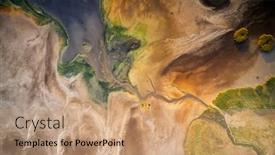
 Presentation with natural disaster - Presentation theme with dry-lake-or-swamp background and a gray colored foreground

Dry Lake Swamp Process Drought

As the world continues to grapple with the devastating effects of climate change, a stark and unforgiving landscape emerges from the dry lake bed a desolate expanse of cracked earth and withered vegetation. A global natural disaster unfolding before our eyes like a macabre dance, leaving in its wake a trail of destruction and devastation. The Royal Blue template design is both soothing and foreboding, evoking the somber mood of a parched and barren world. The Widescreen format ensures that every aspect of this image is magnified and amplified, drawing the viewer's eye into the heart of the disaster. The high resolution images that make up the background are carefully selected to convey the sense of decay and neglect that pervades this desolate landscape. As we delve deeper into the world of this template, our attention will be drawn to four How To slides at the start of the deck each one designed to help you get up and running quickly. But for now, let us focus on the sheer scale and beauty of this image. Consider using it as the featured slide in your presentation, and imagine having a theme of "Disasters and Natural Phenomena" woven throughout your content. The Royal Blue background would make this easy to do, while the high resolution images would ensure that every detail is crisp and clear. One example of how you could use this template is in an educational setting, perhaps as part of a course on environmental science or climate change. You could include a Background With a Pattern slide featuring a stylized representation of vegetation in a state of distress, having a Theme of "The Impact of Climate Change" woven throughout your content. The Royal Blue color scheme would provide a striking contrast to the green and blue hues that

 Presentation with natural disaster - PPT layouts featuring dry-lake-or-swamp background and a tawny brown colored foreground

Dry Lake Swamp Process Drought

PPT layouts featuring dry lake or swamp in the process of drought and lack of rain or moisture a global natural disaster - aerial drone view

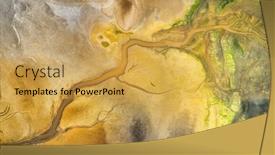
 Presentation with natural disaster - Audience pleasing presentation design consisting of dry-lake-or-swamp backdrop and a yellow colored foreground

Dry Lake Swamp Process Drought

This dynamic powerpoint template designed specifically for CrystalGraphics offers a unique and attention grabbing visual representation of a dry lake or swamp in the midst of drought and a global natural disaster, captured through aerial drone view. The use of goldenrod color palette creates a sense of warmth and vitality amidst the desolate environment. The Widescreen format provides an immersive viewing experience, allowing the viewer to fully immerse themselves in the intricate patterns and textures featured throughout the design. This Goldenrod themed template is engineered to enhance the overall visual appeal of any presentation or slide show. Featuring 4 How To slides at the start of the deck can help users quickly get up and running with their new template. The 5 Year Calendar Timeline Layout on this template showcases an interesting approach to organizing data, effectively combining the theme of a natural disaster with a chronological representation of time. With its high resolution images for backgrounds being included in the download feature on Google Slides, this template is compatible with this platform and enables seamless collaboration among users. By incorporating these elements, this Goldenrod themed template helps establish a strong visual foundation for presentations that include damaged or rough environments, showcasing vegetation amidst dead plant life. This makes for an engaging visual representation of natural disasters and environmental degradation.

 Presentation with natural disaster - PPT theme consisting of dry-lake-or-swamp background and a yellow colored foreground

Dry Lake Swamp Process Drought

The dry landscape stretches out before you, a desolate expanse of cracked earth and twisted vegetation. The sun beats down relentlessly, draining the life from the very air itself. This is not just a photograph it's a visual representation of the devastating effects of drought on a global scale. As we explore this template, you'll notice that it's designed to evoke the raw power and beauty of nature, with a focus on creating a immersive and engaging experience for your audience. The Wide Title template features a goldenrod inspired color palette that perfectly captures the earthy tones of the natural world. The high resolution images used in the background create a sense of depth and dimensionality, drawing your viewer's eye into the scene. This is a theme that runs throughout the entire template featuring dramatic aerial views of dry landscapes, including rough textures and patterns that evoke the rugged beauty of the environment. The Dead vegetation serves as a great example of this theme, with its twisted branches and dead leaves serving as a metaphor for the natural world's ability to reclaim even in the most devastated of environments. The overall effect is one of contrast between life and death, where decay and renewal are constantly at play. This is enhanced by having a theme of destruction and recovery the idea that even in the most barren landscapes, there is always the potential for growth and transformation. With its focus on creating an immersive experience, this template would be well suited to presentations about environmental disasters, natural history, or any subject where you want to evoke a sense of drama and tension. As with any presentation, having a downloadable background image makes it easy to create a customized look that fits your specific needs.

 Presentation with natural disaster - PPT theme enhanced with dry-lake-or-swamp background and a coral colored foreground

Dry Lake Swamp Process Drought

In the depths of a parched and barren landscape, where once verdant vegetation now lies dead and still, a catastrophic event threatens to unleash its full fury upon an unsuspecting world. A global disaster unfolding like a dark, foreboding shroud, leaving nothing but devastation in its wake. The Corner Title template is designed to evoke this sense of despair and hopelessness, with its ominous background images and eerie atmosphere. The Dark Goldenrod color palette adds to the somber mood, transporting you to a desolate wasteland where life has been all but extinguished. This is a template that will enhance your presentation's impact, featuring high resolution images for the background that will transport your audience to this unforgiving environment. The template itself features a widescreen format, providing ample space to showcase dramatic aerial drone views or sweeping vistas of the desolate landscape. The Managed Process Layout ensures that all elements remain in harmony, creating a seamless and polished look that is sure to impress. The template is also downloadable and compatible with Google Slides, making it easy to incorporate into your presentation. This is where things get interesting there are four How To slides at the start of the deck that will help you get up and running quickly, but don't worry about getting started just yet. Just let the images speak for themselves, providing a glimpse into the harsh reality of this devastated world. Perhaps one slide could showcase how to create a dramatic title slide, while another could demonstrate how to include a background image with enhanced effects. The Managed Process Layout is also showcased in action on this slide, as you can see how the various elements are carefully arranged and aligned to create a visually appealing layout that is sure to impress. By using the Corner Title template, you'll be able to enhance your presentation's impact and leave a lasting impression on your audience.

 Presentation with natural disaster - PPT layouts enhanced with dry-lake-or-swamp background and a yellow colored foreground

Dry Lake Swamp Process Drought

PPT layouts enhanced with dry lake or swamp in the process of drought and lack of rain or moisture a global natural disaster - aerial drone view

 Presentation with natural disaster - Theme featuring aerial-photography-of-the-burning background and a tawny brown colored foreground

Aerial Photography Burning Scorched Dry

As you step into the heart of rural landscapes, where the beauty of nature is juxtaposed with the harsh realities of natural disasters, your attention will be drawn to the devastating impact of wildfires on farmland and ecosystems. The once green fields now lie scorched and barren, a testament to the fury of flames that ravage the land. Aerial photography of the burning and scorched dry fields paints a picture of destruction, with dry grass burns in the reserve, and natural disaster unfolding before our eyes. The ground is covered with black ash after the fire, a stark reminder of the devastation wrought by these devastating events. The image is further enhanced with a dramatic top view drone shot, giving you a bird's eye view of the chaos that has unfolded. But don't be left in awe there are 4 How To slides at the start of this deck to help you get up and running quickly. The template features a rich brown color palette that evokes the earthy tones of the natural world, with imagery of dry grass and black ash dominating the background. Incorporating a wildlife theme is particularly fitting, given the presence of animals such as birds and deer in the images featured above. This template is downloadable and compatible with Google Slides, making it an ideal choice for presentations that require flexibility and ease of use. With its high resolution images and customizable layout options, you can create a presentation that showcases your expertise on this crucial topic, and enhances the overall viewing experience with vibrant visuals and engaging captions.

 Presentation with natural disaster - Beautiful PPT theme featuring bushfire - wildfire fire global warming environmental backdrop and a sky blue colored foreground

Wildfire Fire Global Warming Environmental

The wildfire rages on, fueled by global warming and environmental catastrophe, leaving destruction in its wake. The image is stark: a massive blaze consuming everything in its path. The sky is a deep, foreboding grey, as if the heavens themselves are crying out in agony. A desperate man stands before the inferno, his eyes scanning the horizon for any sign of salvation. But there is none. Only hope remains, and it's dwindling fast. This is the world we're facing: a complex web of human neglect, environmental degradation, and the ever present threat of natural disasters like wildfire. In the midst of this chaos, we are reminded that even in the darkest moments, there are those who fight to protect our planet. Featuring images of firefighters battling blazes, conservationists working tirelessly to preserve forests, and community leaders pushing for sustainable practices these individuals embody the spirit of hope. The template is a Widescreen PowerPoint presentation, designed to be displayed on a high resolution monitor. Lavender is the dominant color palette, evoking a sense of calm yet intense emotion. This theme is enhanced with images of natural landscapes, such as forests and mountains, which serve as a backdrop for the emergency situations unfolding before our eyes. The template includes four How To slides to help you get started quickly: one for inserting high resolution images into your presentation; another for adding text overlays and animations; a third for incorporating interactive elements like links and videos; and the fourth for setting up templates, themes, and design layouts. Having a theme of "Emergency Response" is included a Background With the template is downloadable from CrystalGraphics, compatible with Google Slides, providing you with the flexibility to enhance your presentation with additional images or customizations as needed. The 3 Column Layout slide is particularly useful for organizing your content effectively. It features two columns side by side, allowing you to present information in a clear and concise manner. Have a Theme of "Survival" included this layout can be easily customized to fit your needs.

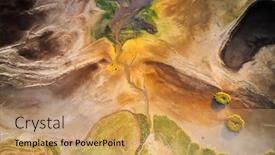
 Presentation with natural disaster - Slides having dry-lake-or-swamp background and a gold colored foreground

Dry Lake Swamp Process Drought

The corner title is a stunning widescreen template that perfectly captures the essence of a harsh and barren environment in desperate need of relief. Imagine starting your presentation with a breathtaking aerial drone view of a dry lake or swamp struggling to survive due to severe drought and lack of rain, yet still holding on to life against all odds. The goldenrod color palette brings warmth and optimism to this somber scene, but be warned the damage inflicted by harsh weather conditions has left behind a trail of rough and uneven vegetation, while eerie patterns hint at a world in shambles. This unique template is not just for presentations; it's also an excellent starting point for creating engaging Google Slides content. Its high resolution images will make your slides look sharp and professional, whether you're showcasing success stories, highlighting key statistics, or sharing inspiring messages. The goldenrod color palette provides a versatile background that can be easily enhanced with additional elements such as bright hues or subtle textures to create a visually appealing contrast. One of the standout features of this template is its ability to include high quality backgrounds, making it seamless to integrate into your existing Google Slides setup. Having a theme of "Natural Disasters" and featuring dramatic aerial drone views will make your presentations truly memorable. The layout itself is clean and minimalist, allowing you to focus on the message without distractions. Imagine using this template to create an engaging overview slide that sets the tone for your entire presentation. You could include a striking image of a parched landscape and highlight key statistics or facts about droughts, highlighting their devastating impact on the environment and local communities. By including a background with a subtle pattern of twigs and leaves, you'll add depth to your design without overwhelming your audience. The Pros and Cons slide is an excellent opportunity to showcase the template's capabilities while also addressing potential drawbacks such as high resolution requirements or compatibility issues with certain software versions. With its sleek design and attention grabbing visuals, this template is sure to leave a lasting impression on your viewers and set you apart from others in your field.

 Presentation with natural disaster - Audience pleasing presentation theme consisting of aerial-photography-of-the-burning backdrop and a wine colored foreground

Aerial Photography Burning Scorched Dry

As the wildfires ravage the rural landscape and the earth cries out in desperation, a haunting aerial photograph comes to mind one that showcases the beauty of nature juxtaposed with the brutality of destruction. The dry fields, once lush and green, now burn with an intense intensity, black ash covering the ground as far as the eye can see. The camera captures this moment with unflinching precision, revealing the devastation in a way that is both powerful and poignant. The template you're about to explore is designed for wide screen presentations, with a format that's perfect for showcasing dramatic vistas and telling stories of crisis management. At its core, it's a template built around Peru, a rich and vibrant color palette that evokes the warmth and diversity of this South American nation. This template features four essential slides at the start to help you get up and running quickly: "Emergency Response", "Disaster Relief", "Aerial View", and "Ecosystem Balance". However, don't worry if you're new to our premium templates there's a wealth of creative options available. Our range includes 60+ layouts slide that cater to different needs and styles. Whether you're using it for presentations about rural emergencies or showcasing the beauty of an ecosystem in crisis, this template is sure to enhance your message with its features, including "Featuring Aerial Footage", "Including High Resolution Images", and "Having a Theme Of Dramatic Landscapes". With so many customization options available, you're free to express yourself and make it truly unique.

 Presentation with natural disaster - Audience pleasing slides consisting of emergency natural disaster - firefighters danger work backdrop and a gold colored foreground

Firefighters Danger Work

Slides consisting of firefighters danger work

 Presentation with natural disaster - Presentation consisting of aerial-photography-of-the-burning background and a coral colored foreground

Aerial Photography Burning Scorched Dry

The Corner Title template is designed to capture the essence of a natural disaster scenario, with a focus on the beauty and danger that comes with it. This Widescreen template features a Peru inspired color palette, complete with high resolution images for the background that will transport your audience to the heart of the action. The Corner Title template is compatible with Google Slides and can be easily downloaded and installed to enhance your presentations. The accompanying Stairs Layout slide provides a clear structure for your presentation, featuring a prominent title slide at the top, followed by four How To slides that provide quick start guides for creating engaging content. This template is perfect for anyone looking to create visually striking presentations that showcase the power of nature's fury. With its bold and dramatic imagery, it's sure to grab attention and leave a lasting impression on your audience. Featuring a background with a stunning aerial view of dry fields, this template includes a Background With option, allowing you to customize the image to fit your needs. Including a theme of disaster management, this template provides a comprehensive resource for anyone looking to create presentations that highlight the importance of emergency preparedness and response. Having a Theme of natural disasters, this template is sure to resonate with audiences who are interested in learning more about these critical topics. Enhanced With high resolution images, this template ensures that your presentation looks its best on any device. The Corner Title template is ideal for anyone looking to create presentations that showcase the beauty and danger of natural disasters. Whether you're a professional presenter or an educator, this template provides a comprehensive resource for creating engaging and informative content.

 Presentation with natural disaster - Slide deck enhanced with aerial-photography-of-the-burning background and a violet colored foreground

Aerial Photography Burning Scorched Dry

Slide deck enhanced with aerial photography of the burning and scorched dry fields dry grass burns in the reserve natural disaster the ground is covered with black ash after the fire top view drone shot beauty of earth background

 Presentation with natural disaster - Audience pleasing slide deck consisting of situations such as natural disaster backdrop and a coral colored foreground

Objects Useful Emergency Situations Such

The powerpoint template is designed to showcase emergency objects and features that can help protect individuals from various hazards. The Wide Title has a clean and modern design, perfect for presentations and slideshows. To enhance the presentation, high resolution images are featured prominently in the background of each slide. This particular template format, Widescreen, allows for an immersive experience, making it ideal for showcasing dramatic views and emphasizing key information. The Pale Violet Red Colored theme adds a touch of sophistication to the overall design, complementing the emergency theme. This color palette includes subtle undertones that evoke a sense of protection and safety. The template is downloadable and compatible with Google Slides, ensuring seamless integration into your existing workflow. For instance, the template can be used to create a compelling visual aid for a presentation on natural disasters, highlighting key features such as canned emergency supplies or protection equipment. The included How To slides at the start of the deck will help viewers quickly grasp the essentials, while the SWOT Analysis Layout slide provides an in depth examination of the design's strengths and weaknesses.

 Presentation with natural disaster - Cool new presentation theme with natural disaster - fire backdrop and a wine colored foreground

Natural Disaster Fire

Presentation theme with natural disaster - fire

 Presentation with natural disaster - PPT layouts enhanced with emergency natural disaster - burning dry grass at springtime background and a light gray colored foreground

Burning Dry Grass Springtime

PPT layouts enhanced with burning dry grass at springtime

 Presentation with natural disaster - Colorful PPT layouts enhanced with emergency natural disaster - firemen in action backdrop and a white colored foreground

Firemen Action

PPT layouts enhanced with firemen in action

 Presentation with natural disaster - Slide set enhanced with emergency natural disaster - big smoke and fire background and a teal colored foreground

Smoke Fire Horizon

In the heart of rural America lies a county shrouded in danger, where the pastures are as vast as the horizon stretches far. A fire crackles in the distance, fueling the imagination and sparking creativity. This is where Corner Title comes in a stunning widescreen template designed to transport you to a world of rugged beauty and raw power. This is not just any template, it's a statement piece that sets the tone for your presentations and projects with its cornflower blue color palette. The subtle nuances of this design will enhance the high resolution images featured throughout the template, creating a visually stunning backdrop for your content. The theme of rural America permeates every aspect of the template, from the county to the pastures, giving it an air of authenticity that's sure to captivate. The four How To slides at the start of the deck are designed to help you get up and running quickly, providing a solid foundation for your presentations. But don't worry, we've got you covered with some words about this layout featuring a background with subtle texture and gradient effects will give your presentation a professional touch. This template is not just for presentations, it's also compatible with Google Slides, making it easy to share and collaborate with others. With its vast open spaces and dramatic lighting, Corner Title is the perfect choice for any project that requires a sense of drama and tension. Having a theme of rural America will give your presentation a unique edge, setting you apart from the crowd and showcasing your creativity.

 Presentation with natural disaster - Amazing presentation having emergency natural disaster - fire and firefighter rescue photo backdrop and a gray colored foreground

Fire Firefighter Rescue Photo

Presentation having fire and firefighter rescue photo backdrop

▼Key features of this template

  • They are compatible with both PowerPoint and Google Slides running on either Windows PCs or Macs.

  • They are available in both standard and widescreen slide formats. You can choose your preferred format by clicking on the "Widescreen" check box or icon.

  • Each template includes a beautiful high-resolution background image or video to visually reinforce the theme of your presentation.

  • In addition, each template includes designer-created graphics and modern fonts to give your presentations an up-to-date, professional look.

  • Each template's default design and title text position have been carefully selected to complement its background without covering faces or other key elements.

  • All text includes backdrops whose transparency level is mathematically calculated to maximize text readability while still allowing the background to be seen.

  • And all the text, text backdrops and graphics in every slide are colored with a palette designed to beautifully complement the colors in the background.

  • Our Premium templates (those with the descriptor “Premium” in their subtitle) include over 64 slide layouts to give you maximum flexibility as you create your presentations.

    • Those layouts are available to you whenever you create a new slide or when you want to change the layout of an existing slide.
    • They include everything you need to make all sorts of presentations. In addition to the layouts for the title slide and the usual title and content slide, they include many other layouts for slide types including table of contents slides, org charts, charts, diagrams, infographics, photo slides, thank you slides and more.
    • While creating these layouts our template designers have ensured that all text in every layout adjusts as gracefully as possible to various numbers of words.
  • Customizable templates (those with the descriptor “Customizable” in their subtitle) may be easily modified online before you download them.

    • To modify them, simply click on the pencil editing icon, then select your choice of ready to go designs and title text positions.
    • The editing tool also makes it easy to reposition and scale the background image or video to best suit your needs.

▼FAQs

Please review these FAQs to see if your question is answered. Contact us for more info

  • What is a PowerPoint template?

    • A well designed PowerPoint template is a file that can tell PowerPoint how to make your ordinary templates look extraordinary. They won’t change what your words or numbers say. But they might change their size, color, font and placement. And, overall, they can give your presentations a professionally-designed look that will give your content more credibility and give you more confidence.
  • How many PowerPoint templates do you offer?

    • We have over 32,000 artist-created presentation templates in our PowerPlugs collection With a subscription, PowerPlugs templates are easy to download. Just sign in, find a template and click on the green Download button. ready for you to download. That alone offers you more variety to choose from than any of our competitors can offer. And, as if that weren’t enough, we also offer over 6 million templates in our Crystal collection. Crystal brand templates are our line of templates that have customization options. They have the word "CRYSTAL" on their web page images. You can customize several aspects of the templates. These templates include high-resolution background images from Shutterstock’s vast image collection matched up with artist-created presentation designs customized by our own proprietary AI software.
  • How many templates can I download as a subscriber?

    • You can download an unlimited number of PowerPlugs-brand With a subscription, PowerPlugs templates are easy to download. Just sign in, find a template and click on the green Download button. templates every day for an entire year. (Actually, by default, we set a limit of 25 templates per day to prevent our competitors from stealing our templates. But, if that is not enough, just let us know and we’ll try to accommodate you.) On top of that, with a subscription or an Ultimate Combo, you can also download any 50 Crystal-brand Crystal brand templates are our line of templates that have customization options. They have the word "CRYSTAL" on their web page images. You can customize several aspects of the templates. templates per year selected from our huge Crystal collection. Crystal brand templates are our line of templates that have customization options. They have the word "CRYSTAL" on their web page images. You can customize several aspects of the templates. .
  • Why should I choose your templates instead of the competition’s?

    • We’ve got a larger selection of professionally-designed PowerPoint templates than anyone else in the world.
    • Each template includes a high-resolution background image or video to visually inspire your audiences while reinforcing your message.
    • Each template includes 64 slide layouts to give you maximum flexibility as you create your presentations.
    • Our templates are available in both standard and widescreen slide formats. And our website lets you preview the slides each way.
    • Our free Template Finder™ plugin lets subscribers select and - with a single click - download and insert our templates into their presentations right from within PowerPoint.
    • We’ve been creating designer presentation templates for over 20 years. During that time we’ve won several awards and 5-star ratings for product quality. See About Us for more.
  • Do you offer a money-back guarantee?

    • Yes we do! We offer full 30-day money-back guarantee if you are not 100% satisfied with your purchase.
  • Can I still use my downloaded templates after my subscription runs out?

    • Yes. After your subscription expires, you won't lose any rights or ability to use your PowerPlugs: Templates for PowerPoint. You won't be able to download any new non-watermarked templates. But the non-watermarked templates you've already downloaded will still work and you can still use them as before.
  • Can I share my downloaded templates or passwords with friends or coworkers?

    • Sorry but no. You are authorized to download each paid-for template to up to 3 of your personal devices and to use the templates you download in as many presentations as you want. But you are not authorized to share the templates, themselves, with others. That said, we do offer highly discounted site licenses to suit the needs of both small and large teams. Just tell us your needs and we’ll give you a quote!
  • System requirements:

    • The templates use the standard POTX format. So they are compatible with Google Slides and all PC, Mac and mobile devices running any version of PowerPoint from PowerPoint 2007 up through and including Office 365 desktop.
    • Please note: Google Slides does not currently support background videos. It treats them as still images.
    • For PowerPoint for the Web, first open your template into a desktop version of PowerPoint, then save it back out as a PPTX file. Then you can open that in PowerPoint for the Web.
  • End user license agreement:

    • Click here to view.
  • How will I get my purchased templates?

    • You may download your selected templates as soon as your payment is received by PayPal. If you purchased an individual template, you will be provided with a download link both onscreen and via email. Just click on that link to begin the download process. If you purchased a subscription, you will receive an email containing a password to use along with your email address to sign in to any of the templates pages on CrystalGraphics.com. Once you are signed in, you can immediately start downloading your selected templates.
  • How do I use my templates after I download them?

    • You can either open a template to start a new presentation or you can add a template to an existing presentation. To open a template, just double click on it or use PowerPoint's File > Open tool. To add a template to an existing presentation, on the Design tab, in the Themes group, click Browse for Themes... then browse to select your template.

View more Natural Disaster templates:

previous 1 2 3 4 next
93% of Fortune 1000
companies use our
PowerPoint Products
Templates Secure

Standing Ovation Award
Winner: Best PowerPoint
Template Collection
Fortune Logos
200,000+ satisfied
customers worldwide!
Guarantee
100% satisfaction guaranteed
- or send it back for a refund!

Sign up for our free newsletter! You'll get news about our PowerPoint-enhancing product line – including free updates, new product announcements and exclusive special offers. Plus you'll get a link to a free PowerPoint template with every newsletter you receive.
Privacy Policy
Loading...


Help

Contact Us
Product FAQs
Product License Agreements

Company Info

About Us
Privacy Policy
CrystalGraphics, Inc. 1999 S. Bascom Avenue Suite 700 Campbell, CA 95008 USA
© 2025 CrystalGraphics, Inc. All rights Reserved.    |     PowerPlugs is a trademark of CrystalGraphics, Inc.
Microsoft and the PowerPoint logo are trademarks or registered trademarks of Microsoft Corporation in the United States and/or other countries.
Loading...
Loading...