www.crystalgraphics.com CrystalGraphics
  • Ultimate Combo
  • Templates
  • Diagrams
  • Characters
  • Quizzes
  • shopping cart
  • Sign Out Sign Out Sign In
Home > Templates > Navigation Category
search icon
advanced icon

188 Best Navigation-Themed Templates for PowerPoint and Google Slides

Accessible

Introducing our Navigation template collection from CrystalGraphics, featuring stunning themes that will guide you through the world of presentation design. With a vast array of options, including a compass on plain map, navigation chart, and more, weve curated a selection of templates that cater to various needs and styles.

Our Navigation theme boasts 60+ slides, each carefully crafted with a focus on clarity and visual appeal. This comprehensive collection includes a title slide plus a wide range of additional slides, covering everything from basic presentations to elaborate multimedia experiences.

All of our navigation templates are fully compatible with Google Slides, ensuring seamless integration into your existing workflow. Whether youre creating a simple presentation or an immersive experience, our Navigation templates provide the flexibility and customization options you need to make them truly unique.

With CrystalGraphics Navigation template collection, you can create engaging and professional looking presentations in both widescreen and standard formats. Our templates are also fully customizable, allowing you to add your own text, images, and design elements to make them truly personalized.

To unlock the full potential of our Navigation templates, explore our extensive library of categories, including Travel, Education, Business, and more. Browse through other themes that might inspire new ideas or help you find the perfect template for your specific needs. Select the ideal template, download it instantly 24/7, and start creating your masterpiece today.

Dive into the world of presentation design with CrystalGraphics Navigation templates, and discover a vast array of possibilities to elevate your creativity and productivity.

Features & Pricing

Widescreen (16:9) Presentation Templates. Change size...

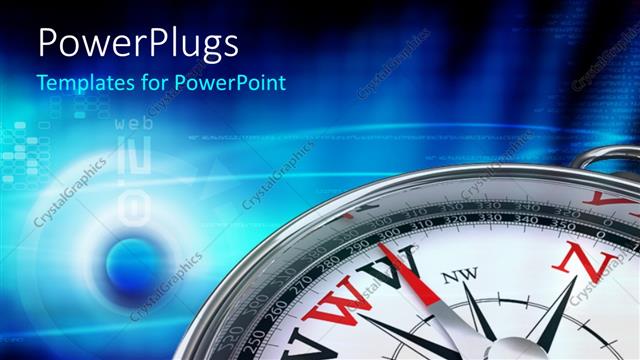
 Presentation with navigation - A compass with bluish background and place for text

Business Navigation

The world of real estate and construction is a complex one, full of intricate plots and navigational challenges. With the right tool at your disposal, you can conquer even the most daunting projects with ease. As you embark on your journey, it's essential to have a solid foundation to build upon. That's where PowerPlugs comes in a premium template designed specifically for real estate and construction professionals like yourself. This 64+ slide template is packed with useful features that will help you streamline your workflow and stay organized on the go. The PowerPlugs template contains all the essentials, from navigation guides to survey plots, along with a comprehensive compass system featuring a bluish background and plenty of space for text. The high resolution images used throughout the template ensure that every detail is crisp and clear, making it easy to get your bearings. And when you're ready to dive deeper into your project, our four How To slides will have you up and running in no time. But don't just take our word for it PowerPlugs is designed with you in mind. With its compatible Google Slides format, you can easily import the template into your own presentation. And when you need to make changes or updates, simply adjust as needed.

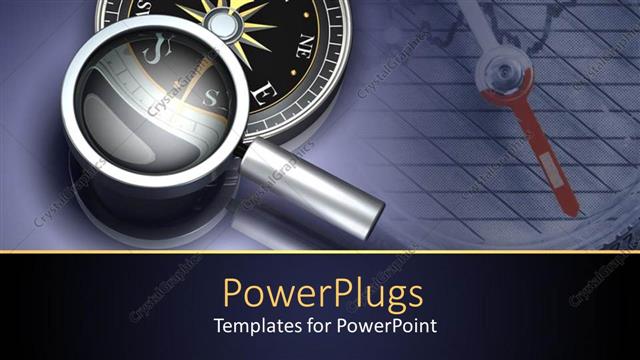
 Presentation with navigation - Compass under magnifying glass, chart background, navigation

Find The Way

As you embark on a journey through the world of travel and adventure, you'll want a premium template that complements your presentations with style and sophistication. Introducing PowerPlugs, a high quality template designed specifically for Googles Slides users. This comprehensive package contains 64+ slides, making it an ideal choice for transportation, navigation, and any other topic related to travel. With 4 How To slides at the start of each deck, you can get up and running quickly and efficiently. These slides cover essential topics such as setting up your presentation, adding a compass, and mapping out your route. But that's not all PowerPlugs also includes stunning high resolution images for backgrounds, ensuring that your presentations are visually appealing. PowerPlugs is downloadable and compatible with Googles Slides, allowing you to easily import the template into your presentation software. Whether you're creating a travel brochure, an adventure guide, or simply need a versatile template for any purpose, PowerPlugs has got you covered. This premium template features navigation slides that provide a clear call to action, as well as transportation themed elements that showcase various modes of transport. The compass icon under magnifying glass adds a touch of whimsy to the design, while the

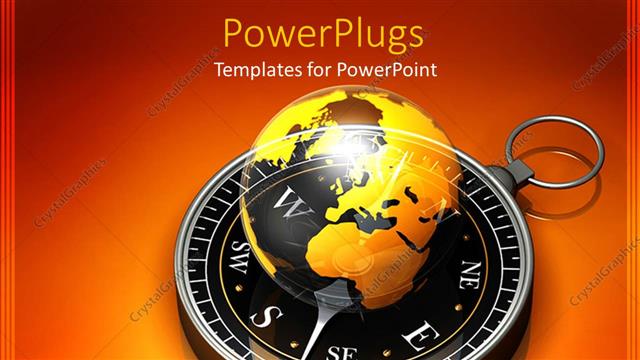
 Presentation with navigation - A golden globe with compass in the background

Global Navigation

As you embark on your next expedition or simply want to elevate your presentation's visual impact, consider launching your project with a premium template from CrystalGraphics PowerPlugs. This stunning template is not just a pretty face; it's packed with features that will take your slides from dull to dynamite. PowerPlugs boasts an incredible 64+ slide layout, allowing you to create a comprehensive and engaging presentation that's perfect for any subject matter. The template's foundation is built on high resolution images of the earth, navigation, expedition, trek, and compass adding depth and visual interest to your slides without compromising on quality. The template is downloadable and compatible with Google Slides, ensuring seamless integration into your existing workflow. With its in widescreen format (16x9) , you can take full advantage of the template's unique design. A golden globe with a trusty compass marks the background, setting the tone for a visually striking presentation that will leave a lasting impression. And to get you started quickly, PowerPlugs comes equipped with 4 expertly crafted How To slides, providing a valuable resource and a helping hand whenever needed.

 Presentation with navigation - Navigation and travel theme showing compass placed on plain map

Map And Compass

Imagine embarking on a journey around the world with ease, navigating through unfamiliar territories with confidence, and charting your course with precision. Welcome to PowerPlugs, a premium PowerPoint template that turns any presentation into a high quality travel experience. This template is packed with 64+ slides, each designed to transport you to new destinations and inspire your audience's sense of adventure. From map projections to industrial grade navigation tools, every element has been crafted to create an immersive environment that sets the tone for an unforgettable journey. With PowerPlugs, you can customize the layout to suit your specific needs, inserting maps, graphs, and other visual elements with ease. The template is built on a robust base, ensuring seamless integration with Google Slides. And when it's time to share your presentation, download the template in widescreen (16x9) format for optimal compatibility. What sets PowerPlugs apart? High resolution images provide breathtaking backgrounds that elevate your presentation, while 64+ slides offer plenty of opportunities to customize and personalize. This template is designed with travel enthusiasts and professionals alike in mind, making it an ideal choice for How To sessions, case studies, or any presentation that requires a sense of adventure.

 Presentation with navigation - Colorful PPT theme enhanced with vintage-compass-and-old-navigation backdrop and a coral colored foreground

Vintage Compass Old Navigation Map.

The world was never the same after stumbling upon a mysterious treasure map etched onto a worn leather journal. The faded parchment depicted a vintage compass and an old navigation map, set against a backdrop of rich Saddle Brown hues that seemed to radiate warmth and sophistication. This isn't just any treasure map it's a masterpiece of design, perfectly balanced between nostalgia and modernity. The Corner Title template is the perfect starting point for your presentation, featuring a 4 slide introduction that sets the tone for the rest of the deck. At the very beginning, you'll find four How To slides that provide a brief overview of how to get started with the template, including tips on customization and integration with other Google Slides tools. On this slide, you can include a stunning background image that showcases the Saddle Brown color palette in all its glory, perhaps featuring high resolution images of vintage navigational instruments or distressed maps. The 5 x 5 Org Chart Layout is also showcased here, showcasing how easy it is to navigate and customize your presentation with CrystalGraphics' intuitive tools. This template is not just a pretty face it's also highly functional, Featuring a seamless integration with Google Slides for effortless sharing and collaboration. Having a theme of enhancing your presentation with dynamic graphics and animations will keep your audience engaged throughout the duration of your talk.

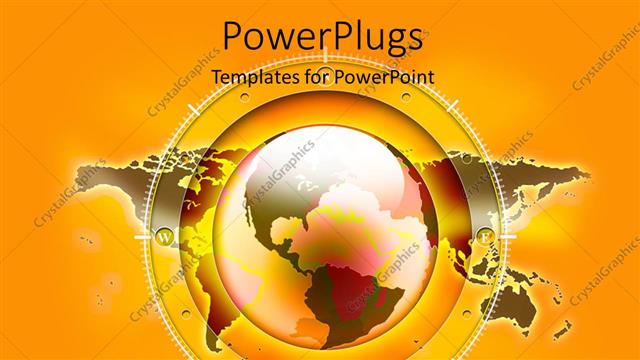
 Presentation with navigation - A globe in yellow color with map in the background

Map Navigation

In a world where travel and exploration are at your fingertips, you can bring the globe to life with PowerPlugs, a premium PowerPoint template from CrystalGraphics. Imagine being able to present India's diverse landscapes to your audience, from lush green tea plantations to bustling cities like Mumbai. With 64+ slides to choose from, you'll have endless options for creating engaging and informative presentations that captivate any audience. This high resolution globe in yellow color with map on the background provides a stunning visual backdrop for your content. The template is compatible with Google Slides and can be easily downloaded for further use. The accompanying How To slides will guide you through the process of getting started quickly, so you can focus on delivering exceptional content to your audience. Perfect for business presentations, academic projects, or any other occasion where you need a professional looking presentation, PowerPlugs is the perfect choice for anyone looking for a premium template that meets high standards. And with its widescreen format (16x9), you'll be able to easily view and print your slides on large screens or in small meetings. The globe in yellow color with map on the background provides an eye catching visual element that sets PowerPlugs apart from other templates. Whether you're presenting about time

 Presentation with navigation - Beautiful slide deck featuring transport destination and modern technology backdrop and a wine colored foreground

Transport Destination Modern Technology Concept

As you embark on your interactive journey with CrystalGraphics' Wide Title powerpoint template, imagine yourself stepping into a sleek and modern car salon where the latest electronics meet cutting edge technology. The destination is clear: to create an immersive experience that transports your audience to a world of innovation and style. This template is designed for high resolution backgrounds, ensuring your presentation looks stunning on any screen. With its steel blue color palette, it's the perfect choice for showcasing your brand's sleek and modern vibe. Featuring a seamless blend of elements, this template includes auto, electronics, interactive, navigator, and screen keywords to help you create an engaging and dynamic visual experience. When it comes to getting started, don't be afraid to dive right in with four essential slides at the beginning of the deck. These are where your audience will likely begin their journey. Perhaps a Stairs Layout slide could showcase how these elements come together to create a cohesive and visually appealing design. Alternatively, you might want to include an "Including a Background With" slide featuring high resolution images that transport your audience into the world of car salon technology. Having a Theme of Enhancing Your Slides' Design with CrystalGraphics' templates is also a great idea – their expertise will surely elevate your presentation. The steel blue background provides a clean and professional look, perfect for any industry or business. Whether you're showcasing innovative electronics or interactive features, this template has got you covered. With its download compatibility and seamless integration with Google Slides, you'll be able to create presentations that are truly memorable.

 Presentation with navigation - Navigation compass points to WWW as the right path

Web Compass

PowerPlugs is a premium PowerPoint template that takes your presentations to the next level. With its rich features and stunning visuals, it's no wonder why it's become one of our most popular templates among professionals. This template contains 64+ slides packed with useful elements such as navigation menus, earthy backgrounds, computer icons, and compasses to help you create engaging and informative presentations. The high resolution images in the background ensure that your presentation looks sharp on any device, whether it's a laptop or desktop. The template is downloadable and compatible with Google Slides, making it easy to import into your favorite software. What sets PowerPlugs apart is its versatility and customization options. With 64+ slides, you can tailor your presentation to fit your specific needs and brand identity. Whether you're presenting on the go or creating a professional looking brochure, this template has got you covered. As you dive in, be sure to check out our four How To slides that provide a quick guide to getting started with PowerPlugs. However, don't worry, they won't hold your back the real magic happens once you start creating your own content. Now it's time to take control and showcase your skills. With its extensive features and stunning visuals,

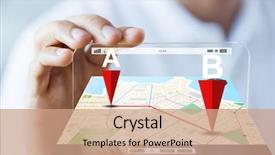
 Presentation with navigation - Presentation theme featuring indoor navigation - hand with navigator map background and a light blue colored foreground

Hand Navigator Map Smart Phone

The moment you click on your favorite smartwatch or smartphone and glance at its screen, the Corner Title template comes to life with a vibrant Light Steel Blue background that exudes freshness and sophistication. Designed for individuals who crave style and functionality in their mobile devices, this template is the perfect companion to help you stay connected and navigate through your day efficiently. Widescreen format offers an immersive experience, making it ideal for presentations, business meetings, or simply showcasing your latest gadgets. This template features 4 How To slides at the start of the deck to get you up and running quickly, but don't worry too much about those first steps we'll dive right into how to enhance your mobile navigation skills in a fun and engaging way. With this Corner Title template as your guide, you can easily include a background with stunning high resolution images that bring your presentation to life. The Member Bio Layout slide is where things get interesting. This section showcases your personality, interests, or hobbies, making it perfect for those who want to humanize their brand. For example, if you're a tech enthusiast, you could have a "Techy Me" bio that highlights your love for coding, robotics, or gadget reviews. As a companion to this template, the Enhanced Navigation feature allows you to customize your mobile navigation experience with ease. With this template as your starting point, you can include background images and videos that showcase your favorite gadgets or apps, making it easier than ever to enhance your mobile navigation skills. Having a theme of "Smart Gadget Navigator" is already in place, but feel free to add your own flair and personal touches after all, that's what makes the template truly unique!

 Presentation with navigation - Presentation theme featuring workplace-of-the-air-traffic background and a ocean colored foreground

Workplace Air Traffic Controllers Control

The world of aviation is a vast and fascinating one, with high resolution images and expert details that will take your presentation to the next level. Imagine walking into a control tower, surrounded by the hum of machinery and the chatter of air traffic controllers, as you navigate through the intricate workings of the operation. To bring this vision to life, we've created the Corner Title template, featuring a striking cyan color palette that sets the tone for an immersive experience. The template is designed for widescreen presentation, making it perfect for Googel Slides users. With 4 How To slides at the start of your deck, you'll be able to quickly get up and running with your presentation. The Corner Title template includes a Section Header Layout slide that showcases your logo or branding prominently, creating a strong visual identity for your presentation. This is Featured, Including A Background With high resolution images of aircraft control towers from around the world, set against a sleek cyan background. The design gives you an Enhanced With look, making it easy to incorporate this template into your presentation. For example, imagine featuring an image of a Boeing 737 taking off from a US airport, with high resolution details that showcase its advanced avionics and control systems. Alternatively, using a more professional approach, you could include a screenshot of an aviation software dashboard, highlighting the team's expertise in navigation and communication. With this template, you'll have all the tools to create a compelling presentation that draws your audience in.

 Presentation with navigation - PPT theme enhanced with transportation - transport destination modern technology background and a soft green colored foreground

Transport Destination Modern Technology People

As you create your new presentation on high tech transportation and navigation systems, you're about to take your audience on a thrilling journey through the world of modern electronics and technology. Imagine being able to visualize this futuristic concept using a professional looking template that truly transports viewers to an exciting destination a cutting edge car dashboard with interactive features. Our Wide Title template is specifically designed to showcase the high resolution images for the background, creating a visually stunning and engaging visual experience. The template format is ideal for showcasing your presentation's modern tech vibes, as it comes in Widescreen and can be easily integrated into Google Slides. To enhance the overall look and feel of your slide deck, we've carefully crafted a Royal Blue color palette that exudes sophistication and luxury. Featuring an auto inspired design, including interactive features like navigation systems and high tech gadgets, this template is sure to impress even the most discerning eye. When it comes to layout, our 6 x 6 Org Chart Layout ensures clarity and organization, making it easy for your audience to follow along as you take them on a journey through the world of transportation and electronics. For instance, including a Background With feature that enables you to easily switch between different slides or images can be particularly useful. The template also includes four How To slides at the start of the deck to help you get up and running quickly, each featuring a unique element of navigation systems on car dashboard screens. Having a Theme of showcasing modern technology, this section will provide your audience with valuable insights and practical tips to enhance their own tech savvy. With enhanced graphics and visuals, these slides are sure to engage and educate viewers.

 Presentation with navigation - PPT theme enhanced with man-hand-using-gps-navigation background and a wine colored foreground

Man Hand Using Gps Navigation

Imagine yourself sitting in your car, fingers trailing across the steering wheel as you navigate through unfamiliar streets, the GPS guiding you to your destination with ease. The background is a high resolution image of a sleek cityscape at dusk, the steel blue color palette adding a touch of sophistication to the overall design. The Corner Title template is designed for the digital age, featuring a cutting edge layout that makes it easy to add auto generated content, including a navigator and screen. The template is perfectly suited for showcasing your company's expertise in technology, with the high resolution images providing ample space for graphics and animations. This template is also incredibly versatile, making it an ideal fit for presentations on both personal use and professional settings. Whether you're creating a sales pitch or a training program, the Corner Title template has got you covered. With its elegant design and seamless integration of modern features, this template is sure to impress your audience with ease. The Dart on Target Layout slide is a standout feature in this template, providing a clear visual representation of the navigation process. Featuring a dynamic background that moves along the way, this layout adds a touch of excitement to even the most mundane presentations. Having a theme of "inner workings" running through it all, this design element ties everything together and makes for an engaging presentation.

 Presentation with navigation - Slides having concept - close up of map background and a white colored foreground

Cartography Location Navigation Concept -

As you embark on your destination marketing journey, imagine yourself standing in front of a vibrant cityscape at sunset, the warm light casting a golden glow on the bustling streets and towering skyscrapers. The combination of stunning high resolution images, rich dark salmon background color palette, and carefully curated keywords like "city", "concept", "destination", "pattern", and "tourism" will transport you to an immersive experience that will engage your audience and leave a lasting impression. The Corner Title template is designed to provide a dynamic and modern look for your presentations. As a Widescreen template, it's perfect for showcasing high quality images and videos while maintaining an engaging display. The Dark Salmon color palette adds depth and sophistication, making the template stand out in any slideshow setting. Featuring stunning 4K resolution backgrounds, this template is ideal for featuring cities, destination marketing campaigns, or tourism boards. The six x six Org Chart Layout slide is a powerful tool to organize your information and make it easy to follow. With clear headings, concise bullet points, and enough whitespace to breathe, this layout will help you create an effective organizational system that keeps your audience engaged. Having a theme of clear structure and hierarchy, this template provides a solid foundation for any presentation. Including a Background With custom backgrounds are available as part of the downloadable package. With over 500 high resolution images to choose from, including panoramic views, detailed maps, and breathtaking vistas, you'll be able to enhance your presentations with the perfect visual element. Having a Theme of seamless integration with other template features is also included in the download.

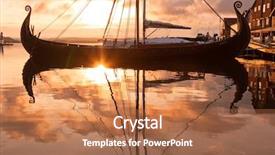
 Presentation with navigation - Beautiful slide set featuring sunset with viking ship backdrop and a coral colored foreground

Seafront Sunset Viking Ship

The world of cinematic experiences is yours to create with our Wide Title template, specifically designed to transport you to the high seas, where wooden houses stand tall on the horizon and the wind whispers secrets of the past. This stunning Widescreen template features a Sandy Brown color palette that evokes the warmth of a crackling fire, perfect for creating an atmosphere of relaxation and tranquility. The intricate design includes circular arcs, reminiscent of sailboats gliding across the ocean, while Viking ships dot the horizon, adding a touch of rugged adventure. The High Resolution images used in this template will take your presentation to the next level, featuring high quality visuals that are sure to captivate your audience. The Sandy Brown color palette brings all these elements together, creating a cohesive and visually stunning visual identity for your cinematic experience. As you explore our Wide Title template, keep in mind that its theme of atmosphere and wooden houses is perfect for showcasing classic movies like "Titanic" or "The Poseidon Adventure". To enhance this theme, we've included a Background With option on the Social Media Concept Layout slide, featuring an image of a vintage movie poster with a circular arc effect. This will allow you to include a background with your template in just one click. Our downloadable template is compatible with Google Slides and comes with four helpful slides at the start of the deck Get Started Guide, Template Tips & Tricks, Tutorial Overview, and Inspiration Board to get your creative juices flowing quickly.

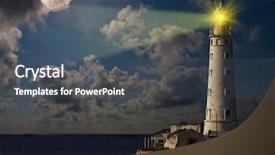
 Presentation with navigation - Colorful PPT theme enhanced with moon navigation - lighthouse at night backdrop and a dark gray colored foreground

Lighthouse Night

The majestic lighthouse stands tall at night, its beam piercing through the darkness like a guiding light to those who navigate its rocky shores. As you gaze out upon the horizon, the steel blue template that awaits you is not just a backdrop for your presentation but an integral part of it, bringing all the elements together in perfect harmony. The Wide Title font "Wide Title" features bold and elegant lettering with subtle texture, giving it a refined touch that complements the overall look. The template's Widescreen format ensures an immersive viewing experience, making you feel as though you're standing right beside the lighthouse. As you begin your presentation, you'll notice the Steel Blue color palette, featuring high resolution images throughout to create an atmospheric setting. A key element of the template is the inclusion of a Background With eery nighttime landscape that adds depth and dimensionality to your visuals. Featuring enhanced with subtle lighting effects, this background comes alive in your slide deck as you showcase stunning imagery. Having a theme of using natural elements also ensures seamless integration throughout your presentation.

 Presentation with navigation - Slides having travel geography navigation concept background background and a tawny brown colored foreground

Travel Geography Navigation Concept Background

As you embark on your modern travel or geography journey, imagine yourself standing in front of an authentic ancient map, the rugged rope wrapped around the compass needle, with the high resolution images for the background taking center stage. The Wide Title template features a stunning design that is sure to turn heads. The Widescreen format allows for an immersive experience on large screens, while the Saddle Brown color palette evokes a sense of warmth and earthiness. The template keywords "old fashioned", "rope", "sun clock", "instrument", and "styled" add a touch of whimsy, perfectly capturing the essence of travel geography navigation. The template is available for download on Google Slides, making it easy to incorporate into your presentation or website. With its compatibility feature, you can ensure that your content looks great on any device. The template also comes with four helpful slides at the start of the deck: How To's to get you up and running quickly, a Comparison Layout slide that showcases the design elements, including how it could be used as an overlay for images, or simply as a background feature.

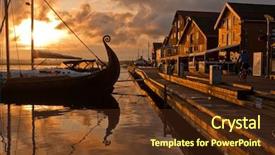
 Presentation with navigation - PPT theme enhanced with sunset with viking ship background and a tawny brown colored foreground

Seafront Sunset Viking Ship

As the sun sets over the horizon, casting a warm orange glow on the landscape, you can almost hear the sound of seagulls flying overhead. The camera pans down to reveal a quaint little village perched on the edge of a serene lake, with wooden houses nestled among the trees and a circular arc of sailboats drifting lazily across the water. It's as if time has stopped, and all that remains is the gentle rustle of the wind through the leaves. This is where you come in Corner Title is your go to template for creating stunning presentations that transport audiences to breathtaking destinations. Designed with Widescreen resolution in mind, this template will make your slides pop with its rich Saddle Brown color palette, perfect for evoking a sense of warmth and coziness. For those new to using Corner Title, don't worry it's easy to get started quickly. The four How To slides at the top of the deck will guide you through the process, from setting up your presentation slide master to fine tuning your animations. But even if you're a seasoned pro, these steps are designed to be as straightforward as possible. When it comes to creating a compelling narrative with your slides, don't forget that Featuring a Background With High Resolution Images is key imagine high quality photos of the landscape or cityscape featured in your presentation, looking crisp and clear from any angle. Having a Theme of Cinematic Quality Enhancing Your Slides means that you can incorporate elements like movie like transitions and subtle animations to really make your presentation shine. With Corner Title, you'll be able to create presentations that are not only visually stunning but also engaging and dynamic. From business meetings to product launches, this template is the perfect companion for any type of presentation.

 Presentation with navigation - PPT theme featuring automobile - transport modern technology and people background and a teal colored foreground

Transport Modern Technology People Concept

The world is rapidly transforming into a digital landscape where technology and innovation reign supreme. At the heart of this revolution lies the humble device that powers our daily lives: the smartphone. To truly understand the impact of this shift, we need to look at how it influences our navigation systems. A city's infrastructure would be significantly impacted by an efficient network management system that seamlessly integrates various technologies. Imagine walking down a bustling street in a modern city, where high resolution images for the background create an immersive experience. The streets are paved with precision lines and symbols, guiding you through the labyrinth of towering skyscrapers. You're navigating through this urban jungle without relying on outdated maps or physical directions. As you approach a busy intersection, the Template Colors Steel Blue dominate your vision, giving you an enhanced visual understanding of what's coming up ahead. The template is called "Cityscape Navigator" and is designed to resemble a digital map with cutting edge features that bring the city to life. It's short, concise, and easy to use, featuring four How To slides that are included at the start of the deck for those who want to jump right in and get started quickly. As you begin exploring this template, you'll notice it includes a Background With High Resolution Image and Having A Theme Of Cityscapes, making it an ideal choice for presentations about technology, innovation, or urban planning. By using this template, your audience will be able to visualize the impact of modern technology on our daily lives, without needing any special software or plugins to get started.

 Presentation with navigation - Colorful slides enhanced with travel geography navigation concept background backdrop and a wine colored foreground

Travel Geography Navigation Concept Background

This template is designed to evoke the feeling of an old fashioned travel geography navigation concept background, perfect for creating a visually appealing presentation that transports your audience on a journey across different regions and cultures. The Wide Title font style gives it a classic feel, while the brown color palette brings warmth and coziness to the overall design. The template is available as a Widescreen version, ideal for presentations with a full screen content. You can include high resolution images of ancient maps, vintage compasses, and other travel related elements to give your presentation an authentic touch. As you explore this template, you'll notice that it's been inspired by the classic "Travel Geography Navigation Concept Background" style, which often features retro styled illustrations, cross processing effects, and a focus on old fashioned navigation tools. The 5 Point Pyramid Layout is also prominent throughout the template, with each level building upon the previous one to create a sense of depth and visual hierarchy. Including a background with a vintage map, ancient ruins, or even an old fashioned lantern can enhance your presentation's theme and add an extra layer of meaning. Having a theme of "Exploring New Horizons" would be perfect for showcasing this template in action just imagine presenting on the discovery of new lands, trade routes, or cultural exchanges. You're also sure to appreciate the "Cross Processing" effect that adds texture and depth to your images, while "Instrument" inspired graphics can add a touch of whimsy to your presentation. Adding these interactive elements will surely make your audience engaged and entertained.

 Presentation with navigation - Audience pleasing PPT theme consisting of smartphone with gps navigator map backdrop and a coral colored foreground

Business Technology Navigation Location People

In a world where smartphones are an integral part of daily life, businesses and technology companies need to stay ahead of the curve by creating innovative and engaging content. This is where our new template, "Smart Destination", comes in a sleek and modern widescreen design that's sure to captivate your audience. At the heart of this template is a stunning light steel blue color palette, perfect for evoking feelings of trust, reliability, and expertise. The background is designed to feature high resolution images of smartphones and gadget designs, creating an immersive experience that will leave your viewers eager for more. But what really sets "Smart Destination" apart is its unique Dart on Target Layout slide. This innovative design is seamlessly integrated into the template, providing a clear and concise presentation of key business concepts and technologies. Imagine being able to include a background with a map of a major destination, having a theme of travel and exploration, or enhancing your presentation with real world examples of how technology is used in various industries. The template itself is fully downloadable and compatible with Google Slides, ensuring that you can easily incorporate it into your existing presentations. With its sleek design and engaging features, "Smart Destination" is the perfect addition to any business or technology project, featuring a clear theme of innovation and progress. Whether you're looking to enhance your presentation on business, technology, navigation, location, or people concepts, this template is sure to deliver. So why wait? Get started today and start building a destination for your audience with "Smart Destination".

 Presentation with navigation - Theme featuring travel geography navigation concept background background and a tawny brown colored foreground

Travel Geography Navigation Concept Background

This stunning Wide Title template is designed to transport you back in time to the golden age of exploration and navigation. Its unique blend of old fashioned charm and rope inspired details will evoke feelings of adventure and discovery. Featuring high resolution images for every aspect of this template, including a 4x3 inch logo area, this Widescreen design is ideal for showcasing your brand's personality and style on Googel Slides. With a rich Saddle Brown color palette that echoes the warmth of aged leather, this template is sure to add a touch of sophistication and elegance to any presentation. The intricate details, such as the high resolution image of an ancient world map, will transport your audience to a bygone era where geography and navigation held unparalleled importance. The Wide Title's styled design language means it can be used to create menus, guidelines, and even social media posts with ease. Featuring a unique Arrowheads Layout that allows for clean typography and balanced images, this template is perfect for creating visually appealing slideshows. Including a Background With the map of the world on an old inspired compass, you'll have all the elements you need to craft a captivating presentation that will leave your audience feeling like they're navigating by the stars. Having a Theme of showcasing travel geography and navigation concepts makes this template a unique addition to any project. Enhanced With the help of this template, you can create engaging slides that captivate and inspire your audience, making it an invaluable resource for designers, navigators, and explorers alike.

▼Key features of this template

  • They are compatible with both PowerPoint and Google Slides running on either Windows PCs or Macs.

  • They are available in both standard and widescreen slide formats. You can choose your preferred format by clicking on the "Widescreen" check box or icon.

  • Each template includes a beautiful high-resolution background image or video to visually reinforce the theme of your presentation.

  • In addition, each template includes designer-created graphics and modern fonts to give your presentations an up-to-date, professional look.

  • Each template's default design and title text position have been carefully selected to complement its background without covering faces or other key elements.

  • All text includes backdrops whose transparency level is mathematically calculated to maximize text readability while still allowing the background to be seen.

  • And all the text, text backdrops and graphics in every slide are colored with a palette designed to beautifully complement the colors in the background.

  • Our Premium templates (those with the descriptor “Premium” in their subtitle) include over 64 slide layouts to give you maximum flexibility as you create your presentations.

    • Those layouts are available to you whenever you create a new slide or when you want to change the layout of an existing slide.
    • They include everything you need to make all sorts of presentations. In addition to the layouts for the title slide and the usual title and content slide, they include many other layouts for slide types including table of contents slides, org charts, charts, diagrams, infographics, photo slides, thank you slides and more.
    • While creating these layouts our template designers have ensured that all text in every layout adjusts as gracefully as possible to various numbers of words.
  • Customizable templates (those with the descriptor “Customizable” in their subtitle) may be easily modified online before you download them.

    • To modify them, simply click on the pencil editing icon, then select your choice of ready to go designs and title text positions.
    • The editing tool also makes it easy to reposition and scale the background image or video to best suit your needs.

▼FAQs

Please review these FAQs to see if your question is answered. Contact us for more info

  • What is a PowerPoint template?

    • A well designed PowerPoint template is a file that can tell PowerPoint how to make your ordinary templates look extraordinary. They won’t change what your words or numbers say. But they might change their size, color, font and placement. And, overall, they can give your presentations a professionally-designed look that will give your content more credibility and give you more confidence.
  • How many PowerPoint templates do you offer?

    • We have over 32,000 artist-created presentation templates in our PowerPlugs collection With a subscription, PowerPlugs templates are easy to download. Just sign in, find a template and click on the green Download button. ready for you to download. That alone offers you more variety to choose from than any of our competitors can offer. And, as if that weren’t enough, we also offer over 6 million templates in our Crystal collection. Crystal brand templates are our line of templates that have customization options. They have the word "CRYSTAL" on their web page images. You can customize several aspects of the templates. These templates include high-resolution background images from Shutterstock’s vast image collection matched up with artist-created presentation designs customized by our own proprietary AI software.
  • How many templates can I download as a subscriber?

    • You can download an unlimited number of PowerPlugs-brand With a subscription, PowerPlugs templates are easy to download. Just sign in, find a template and click on the green Download button. templates every day for an entire year. (Actually, by default, we set a limit of 25 templates per day to prevent our competitors from stealing our templates. But, if that is not enough, just let us know and we’ll try to accommodate you.) On top of that, with a subscription or an Ultimate Combo, you can also download any 50 Crystal-brand Crystal brand templates are our line of templates that have customization options. They have the word "CRYSTAL" on their web page images. You can customize several aspects of the templates. templates per year selected from our huge Crystal collection. Crystal brand templates are our line of templates that have customization options. They have the word "CRYSTAL" on their web page images. You can customize several aspects of the templates. .
  • Why should I choose your templates instead of the competition’s?

    • We’ve got a larger selection of professionally-designed PowerPoint templates than anyone else in the world.
    • Each template includes a high-resolution background image or video to visually inspire your audiences while reinforcing your message.
    • Each template includes 64 slide layouts to give you maximum flexibility as you create your presentations.
    • Our templates are available in both standard and widescreen slide formats. And our website lets you preview the slides each way.
    • Our free Template Finder™ plugin lets subscribers select and - with a single click - download and insert our templates into their presentations right from within PowerPoint.
    • We’ve been creating designer presentation templates for over 20 years. During that time we’ve won several awards and 5-star ratings for product quality. See About Us for more.
  • Do you offer a money-back guarantee?

    • Yes we do! We offer full 30-day money-back guarantee if you are not 100% satisfied with your purchase.
  • Can I still use my downloaded templates after my subscription runs out?

    • Yes. After your subscription expires, you won't lose any rights or ability to use your PowerPlugs: Templates for PowerPoint. You won't be able to download any new non-watermarked templates. But the non-watermarked templates you've already downloaded will still work and you can still use them as before.
  • Can I share my downloaded templates or passwords with friends or coworkers?

    • Sorry but no. You are authorized to download each paid-for template to up to 3 of your personal devices and to use the templates you download in as many presentations as you want. But you are not authorized to share the templates, themselves, with others. That said, we do offer highly discounted site licenses to suit the needs of both small and large teams. Just tell us your needs and we’ll give you a quote!
  • System requirements:

    • The templates use the standard POTX format. So they are compatible with Google Slides and all PC, Mac and mobile devices running any version of PowerPoint from PowerPoint 2007 up through and including Office 365 desktop.
    • Please note: Google Slides does not currently support background videos. It treats them as still images.
    • For PowerPoint for the Web, first open your template into a desktop version of PowerPoint, then save it back out as a PPTX file. Then you can open that in PowerPoint for the Web.
  • End user license agreement:

    • Click here to view.
  • How will I get my purchased templates?

    • You may download your selected templates as soon as your payment is received by PayPal. If you purchased an individual template, you will be provided with a download link both onscreen and via email. Just click on that link to begin the download process. If you purchased a subscription, you will receive an email containing a password to use along with your email address to sign in to any of the templates pages on CrystalGraphics.com. Once you are signed in, you can immediately start downloading your selected templates.
  • How do I use my templates after I download them?

    • You can either open a template to start a new presentation or you can add a template to an existing presentation. To open a template, just double click on it or use PowerPoint's File > Open tool. To add a template to an existing presentation, on the Design tab, in the Themes group, click Browse for Themes... then browse to select your template.

View more navigation templates:

previous 1 2 3 4 5 6 7 8 9 next
Categories related to Navigation:
Compass Indoor
93% of Fortune 1000
companies use our
PowerPoint Products
Templates Secure

Standing Ovation Award
Winner: Best PowerPoint
Template Collection
Fortune Logos
200,000+ satisfied
customers worldwide!
Guarantee
100% satisfaction guaranteed
- or send it back for a refund!

Sign up for our free newsletter! You'll get news about our PowerPoint-enhancing product line – including free updates, new product announcements and exclusive special offers. Plus you'll get a link to a free PowerPoint template with every newsletter you receive.
Privacy Policy
Loading...


Help

Contact Us
Product FAQs
Product License Agreements

Company Info

About Us
Privacy Policy
CrystalGraphics, Inc. 1999 S. Bascom Avenue Suite 700 Campbell, CA 95008 USA
© 2026 CrystalGraphics, Inc. All rights Reserved.    |     PowerPlugs is a trademark of CrystalGraphics, Inc.
Microsoft and the PowerPoint logo are trademarks or registered trademarks of Microsoft Corporation in the United States and/or other countries.
Loading...
Loading...