www.crystalgraphics.com CrystalGraphics
  • Ultimate Combo
  • Templates
  • Diagrams
  • Characters
  • Quizzes
  • shopping cart
  • Sign Out Sign Out Sign In
Home > Templates > Obsolete Category
search icon
advanced icon

66 Best Obsolete-Themed Templates for PowerPoint and Google Slides

CrystalGraphics creates templates designed to make even average presentations look incredible. Below you’ll see thumbnail sized previews of the title slides of a few of our 66 best obsolete templates for PowerPoint and Google Slides. The text you’ll see in in those slides is just example text. The obsolete-related image or video you’ll see in the background of each title slide is designed to help you set the stage for your obsolete-related topics and it is included with that template. In addition to the title slides, each of our templates comes with 17 additional slide layouts that you can use to create an unlimited number of presentation slides with your own added text and images. And every template is available in both widescreen and standard formats. With over 6 million presentation templates available for you to choose from, CrystalGraphics is the award-winning provider of the world’s largest collection of templates for PowerPoint and Google Slides. So, take your time and look around. You’ll like what you see! Whether you want 1 great template or an ongoing subscription, we've got affordable purchasing options and 24/7 download access to fit your needs. Thanks to our unbeatable combination of quality, selection and unique customization options, CrystalGraphics is the company you can count on for your presentation enhancement needs. Just ask any of our thousands of satisfied customers from virtually every leading company around the world. They love our products. We think you will, too!

Features & Pricing

Widescreen (16:9) Presentation Templates. Change size...
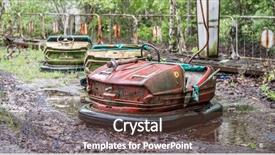
 Presentation with obsolete - Slide set enhanced with obsolete rusty cars in pripyat background and a tawny brown colored foreground

Obsolete Rusty Cars Pripyat Amusement

In the depths of a forgotten amusement park, Pripyat's rusty steel façades stand as a haunting reminder of a bygone era, their intricate details slowly being consumed by time and decay. The once vibrant colors have faded to a muted dark khaki hue, a testament to the passage of time. Chernobyl, the nuclear power plant that loomed over the city, now serves as a stark contrast to the abandoned funfair. The air is thick with an otherworldly silence, broken only by the distant hum of forgotten machinery. As you navigate this wondrous world, you'll discover hidden gems, featuring stunning high resolution images that bring the past to life. These pictures will include captions that paint vivid scenes of Pripyat's former glory, its occupants who once laughed and played beneath these steel behemoths. Imagine yourself walking through the deserted streets, taking in the eerie silence, as you uncover the secrets of this forgotten city. The template is designed for Widescreen compatibility, making it perfect for projecting onto a large screen. Featuring a dark khaki color palette that echoes the abandoned theme, this template includes features and enhancements to create an immersive experience. With its inclusion of background images and seamless transitions, your presentation will transport your audience to a world long since gone obsolete. As you delve deeper into this template, be sure to check out the four How To slides at the start of the deck to get up and running quickly. Don't forget to enhance your skills with creative tools like Zoom, SlideShow, and more, to take your presentation to the next level. With its rich content, stunning visuals, and engaging design, this template is sure to leave a lasting impression on your audience.

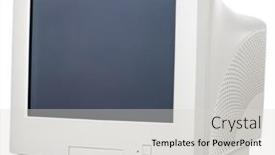
 Presentation with obsolete - Presentation theme with obsolete-crt-computer-monitor-isolated background and a light gray colored foreground

Obsolete Crt Computer Monitor Isolated

As the world continues to evolve at breakneck speed, we find ourselves surrounded by relics of the past, like obsolete CRT computer monitors that once dominated our screens. But what happens when we want to showcase them in a new and innovative way? That's where this template comes in featuring a design name that's sure to grab your attention, along with a template format that's perfect for showcasing high resolution images on widescreen backgrounds. Our "Wide Title" template is the perfect choice for anyone looking to create a visually striking presentation that showcases electronics, blank spaces, and isolated elements. This template is designed to be versatile, featuring a steel blue color palette that provides a clean and professional backdrop for any display. Whether you're highlighting high resolution images of old computers, or using it as a base for your own content, this template will have you feeling like a master of design. To get started quickly, the template comes with four easy to follow slides to help you build your presentation from scratch featuring a Who We Are Bio Layout slide that showcases your company's unique personality and values. Having a theme of showcasing specific aspects of electronics, such as screens or components, this layout will take center stage on any background. This template is fully compatible with Google Slides, making it easy to download and incorporate into your existing presentation workflow. So why wait? Dive in and see what you can do with "Wide Title" featuring a design name that's sure to make your presentation stand out from the crowd.

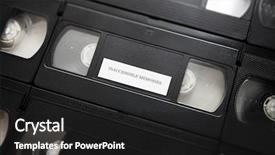
 Presentation with obsolete - Beautiful slides featuring information tecnologhy alignment - inaccessible memories memories or recordings backdrop and a dark gray colored foreground

Inaccessible Memories Memories Recordings Life

As we delve into the mysterious realm of inaccessible memories, let's unleash a visual feast that transports you to a bygone era of analog technology and cassette tapes, where the sound of static and crackle fills the air. This Dark Goldenrod themed template is designed to evoke the feeling of digging through dusty archives and forgotten footage, where VHS tapes and cassettes hold secrets waiting to be uncovered. This template features a massive Widescreen format that will leave your audience in awe, with high resolution images of grainy old videos serving as the perfect background for this theme. The Dark Goldenrod color palette adds a sense of nostalgia, reminiscent of old movie projectors and film reels. The template is downloadable and compatible with Google Slides, making it easy to sync with your presentation software. The design language is simple yet effective, allowing the user to create engaging presentations that highlight the themes of data, memory, and accessibility. As inspiration for this theme, let's take a cue from old VHS tapes, which often feature cryptic labels and mysterious messages. This template would be perfect for including a background with a VHS inspired design, complete with grainy textures and distorted colors. The 3 Member Bio Layout slide could showcase the creators' passion for analog technology, featuring high quality images of vintage cameras, computers, and other gear that helped shape their work in the digital age. This theme has the potential to include a quote or two from notable figures who have explored the intersection of analog and digital, such as musicians, artists, or historians. The template Enhances With the theme's focus on accessibility and memory by incorporating features like "Inaccessible Memories" at the top, complete with a VHS inspired label. The background images could be included to create a visually striking presentation that showcases the power of analog technology. As we delve deeper into this world of inaccessible memories, let's enhance our understanding of what it means to be connected to the past through technology. With this Dark Goldenrod themed template and its accompanying features, you'll be well on your way to creating engaging presentations that leave your audience with a lasting impression.

 Presentation with obsolete - Cool new PPT layouts with epistel - grunge vintage old paper blank backdrop and a lemonade colored foreground

Grunge Vintage Old Paper Blank

The power of nostalgia is a powerful tool in creating visually striking presentations, and this CrystalGraphics template is no exception. Think back to the days when you were printing out postcards with old fashioned photographs and writing messages on vintage paper scraps it's time to bring that same essence into your digital presentation. This stunning template features a design name of "Vintage Scrapbook" and has been formatted specifically for Widescreen presentation, making it perfect for showcasing your graphics against a high resolution background. The template color palette is dominated by warm, earthy tones reminiscent of old fashioned wheat fields, providing a cozy and inviting atmosphere for your audience to engage with. With its rich texture and distressed finishes, this template is sure to evoke feelings of nostalgia in anyone who lays eyes on it. Imagine presenting your presentation as if you were creating a beautiful scrapbook page from scratch that's what this template promises to deliver. The four How To slides at the start of the deck are designed to help new users get started quickly and easily, but be warned: once they're up and running, it's hard to put down. This template is not just for presentations, however. You can also use it as a starting point for your next scrapbooking project or even create some amazing advertising graphics featuring a vintage inspired theme. With high resolution images included throughout the template, you'll have all the materials you need right at your fingertips and with its unique color palette, you're sure to make a statement in your creative endeavors.

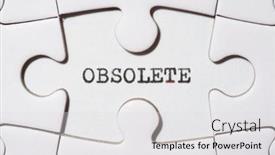
 Presentation with obsolete - Presentation theme consisting of obsolete-word-written background and a light gray colored foreground

Obsolete Word Written Typewriter.

Presentation theme consisting of obsolete word written with a typewriter

 Presentation with obsolete - Slide deck featuring obsolete money background background and a light blue colored foreground

Obsolete Money Background

The art of creating a breathtakingly beautiful PowerPoint template, one that will leave your audience in awe and begging for more. Imagine presenting your findings on the world's most valuable currency, or showcasing the latest denomination of banknotes the possibilities are endless. This stunning template is designed to make your slides stand out from the crowd, with its sleek and modern Light Steel Blue color palette that evokes feelings of high end luxury and sophistication. The Widescreen format ensures that all your visuals are fully immersive, whether you're featuring a dramatic image or including a background with subtle animations. The perfect combination of style and functionality is on full display here the smooth white accents provide a crisp contrast to the rich textures of the high resolution images embedded in the template. Whether you're using it for commercial purposes or as part of a denomination presentation, this template is sure to enhance your message and leave a lasting impression. As you begin building your presentation, you'll appreciate the layout on Growth Stages where four key slides will help guide your audience through the process of creating their own bespoke PowerPoint template. The slides are designed to be flexible and adaptable, allowing you to easily modify them as needed to suit your specific needs. For instance, you could use these slides to explore different design elements, such as fonts, colors, and images, to create a unique look that reflects your brand or style. This is just the beginning with its seamless integration with Google Slides and downloadable compatibility, this template is ready to take on your next project. So why wait? Dive in and discover how you can turn your presentation into a stunning visual experience featuring a beautiful Light Steel Blue background, enhanced with high resolution images, smooth animations, and flexible design elements.

 Presentation with obsolete - Cool new slides with factory free - obsolete rusty water armature backdrop and a tawny brown colored foreground

Obsolete Rusty Water Armature

The old steel water armature, once a proud and powerful structure, now gathers dust in the corner of a forgotten workshop, its rusty metal bones slowly silencing the whispers of innovation that once coursed through its veins. This is where our design story begins, a journey to breathe new life into a piece that's been deemed obsolete. Our template for "Wide Title" features a stunning Widescreen layout with high resolution images as backgrounds, perfectly capturing the essence of steel and rust. The Medium Aquamarine color palette provides a soothing contrast to the gritty textures, elevating the overall aesthetic. Our keywords – steel, arrow, part, unpainted, and obsolete – are woven seamlessly into the design, ensuring it resonates with audiences familiar with these terms. This template is now available for download on Google Slides, ideal for those seeking a unique visual identity that's both functional and inspirational. Its compatibility with various software ensures smooth transitions between presentations. The simplicity of its layout belies a depth of detail, making it an excellent starting point for any project that demands balance and harmony. The template features several essential elements, including the "Part" keyword, which highlights key components in relation to the rest of the design. This is where we envision using our Pictures With Captions Layout slide – simply include a background image featuring this very concept, accompanied by text that explains its relevance in various contexts, and you'll have an engaging example for your audience to grasp. Throughout this template, we've carefully included "Feature" elements such as the steel armature, providing a tangible reference point. Incorporating a Background With theme ensures cohesion between the design elements, while Having a Theme of enhancing overall visual appeal takes it to the next level. Enhanced with vibrant colors and textures, this template is ready to be tailored to your specific needs, waiting for you to bring it to life on Google Slides.

 Presentation with obsolete - Presentation design featuring obsolete-word-written background and a white colored foreground

Obsolete Word Written Typewriter.

The crux of creating a visually striking and interactive template lies in elevating the overall aesthetic of your presentation. For this purpose, we present to you the Wide Title template, designed with an attention grabbing phrase that sets the tone for an engaging discussion. This template is comprised of a Widescreen format, ideal for showcasing high resolution images on a large screen. The Sandy Brown color palette serves as a fitting backdrop for the lettering and design elements, providing a warm and inviting atmosphere. The template incorporates keywords such as idea, concept, changes, obsolete to cater to users with diverse needs and interests. Furthermore, it includes a Background With option to enhance the overall visual appeal. The template is downloadable and compatible with Google Slides, allowing for seamless incorporation into your existing presentation. As inspiration, consider utilizing outdated words like "typewriter" in a creative way to convey a sense of nostalgia or retro charm. The high resolution images on the background can be used as a starting point for creating engaging animations or transitions, while the Timeline Layout slide can feature a mix of static and dynamic elements to keep your audience engaged. You may also include additional interactive features like hover effects, enabling your users to explore the template's various components in greater depth. Including a Background With option would allow you to experiment with different visual styles, such as featuring a vintage inspired background or having a theme of minimalism. Enhancing the template with images from Creative Commons or other sources can also add variety and interest to your presentation.

 Presentation with obsolete - Theme consisting of soviet obsolete coins closeup background background and a tawny brown colored foreground

Soviet Obsolete Coins Closeup Background.

Theme consisting of soviet obsolete coins closeup background

 Presentation with obsolete - Slides enhanced with depressed young man thinking background and a ocean colored foreground

Depressed Young Man Thinking Waiting

In the midst of despair, a young man's mind is consumed by the darkest thoughts as he sits alone on a dirty mattress, surrounded by the bleakness of an abandoned prison cell. The dimly lit room seems to stretch on forever, a constant reminder of his confinement and regret. As you begin this PowerPoint template for CrystalGraphics, you'll notice that it's designed with high resolution images in mind. Featuring four essential slides at the start of your presentation will help get you up and running quickly the "Getting Started" slide will guide users through the process of downloading and installing the template on Google Slides. You can include a Background With a soothing Dark Olive Green theme to set the tone for your presentation, and enhance it with animations and transitions to keep your audience engaged. The Four Arrows Layout is a unique feature of this template, allowing you to create visually striking slides that tell a story. Having a Theme of showcasing important data or information in a clear and concise manner can be particularly effective just as the arrows on the traditional Four Arrows symbol represent the four directions, your slides will guide users through key points of interest. This Dark Olive Green color palette is not only aesthetically pleasing but also provides a professional edge to any presentation. It's enhanced with subtle shadows and textures to add depth and dimension to your visuals. Whether you're using this template for a product launch, training session, or presentation on a particular topic, the high quality images will ensure that your message is conveyed effectively. The template includes 4 slides to help users get started quickly Getting Started, Slide 2: Mattress Concept, Slide 3: Waiting for Answers, and Slide 4: Regret and Loss. You can include Background With a Dark Olive Green theme to set the tone and enhance with animations and transitions as needed.

 Presentation with obsolete - Presentation theme featuring old and obsolete vcr background and a light gray colored foreground

Interior Mechanics Old Obsolete Vcr

Imagine standing in front of a dusty old VCR or Video Cassette Recorder, surrounded by cobwebs and the faint smell of aged electronics. The flickering fluorescent lights cast an eerie glow on the worn dashboard, revealing the intricate mechanics that once held so much promise. As you gaze upon this relic of the past, you can't help but wonder what it was like to be a part of it all. The Corner Title template is designed with a sleek and modern aesthetic in mind, featuring a stunning light steel blue color palette that will transport your audience back to a bygone era. The high resolution images for the background are sure to evoke the nostalgia of old VHS tapes and cassette players. This downloadable template is compatible with Google Slides and is the perfect starting point for any presentation on electronics, obsolete technology, or video. Featuring an Arrowheads Layout slide that showcases the intricate mechanics of a vintage VCR or Video Cassette Recorder, this template provides a unique visual element to enhance your content. Have a theme of nostalgia? Incorporate images of old phones and computers to create a sense of continuity between past and present. Enhanced with custom fonts and text effects, this template is sure to grab attention and leave a lasting impression. The Corner Title template includes four How To slides that will help you get up and running quickly, guiding your audience through the process of setting up your presentation in Google Slides. And with its downloadable format, you can easily share it with others who want to use it as well.

 Presentation with obsolete -

Old Obsolete Red Tile Closeup

PPT layouts having old obsolete red tile closeup background backdrop

 Presentation with obsolete - Slides featuring obsolete calculator isolated on white background background and a white colored foreground

Obsolete Calculator Isolated White Background

Slides featuring obsolete calculator isolated on white background

 Presentation with obsolete - Cool new presentation theme with road-warning-sign-traffic backdrop and a sky blue colored foreground

Road Warning Sign Traffic Prohibited,

In the midst of a bustling city, a road warning sign stands tall, its old paint chipped and faded, as if warning of a traffic jam to come. The background features high resolution images of the highway at sunset, with the sign's metal body against a backdrop of neon lights. The overall design is one of isolation, emphasizing the sign as a lone sentinel on the side of the road. The Corner Title template is designed for widescreen presentations, ideal for conveying complex information in a visually striking way. This Indian Red colored template features a bold, painted look, with intricate details that add to its allure. The isolated object theme ensures that every element stands out, from the sign's shape to the surrounding scenery. With four How To slides at the start of your deck, you'll be able to get up and running quickly, having the confidence to tackle any presentation with ease. Each slide is designed to include a background with a specific theme, such as Featured or Including a Background With Google Slides' seamless transitions, making it easy to create polished looks on the fly. The Puzzle Pieces Layout slide could feature an illustration of a map pin scattered across different colors and sizes, representing the various pieces that come together to form your presentation. This design element adds an extra layer of visual interest, as the sign's shape is broken down into individual components that are then reassembled in creative ways.

 Presentation with obsolete - Cool new slides with old obsolete wooden radio cutout backdrop and a coral colored foreground

Old Obsolete Wooden Radio Cutout

Slides with old obsolete wooden radio cutout backdrop

 Presentation with obsolete - Cool new presentation theme with obsolete-calculator-isolated-on-white backdrop and a light gray colored foreground

Obsolete Calculator Isolated White Background

Presentation theme with obsolete calculator isolated on white background

 Presentation with obsolete - Cool new PPT theme with kazan-russia-dec-08-2017 backdrop and a gray colored foreground

Kazan Russia Dec 08,

Imagine yourself standing at the banks of the majestic Bulak river, surrounded by the breathtaking landscape of Russia's KAZAN, on this serene winter evening. The icy waters glisten under the fading sunlight, creating a mesmerizing scene that will leave you in awe. This is what your presentation could look like, featuring an 8 piece grid layout slide showcasing stunning high resolution images of the river and its surroundings. Your template is designed to be a Dark Slate Blue themed widescreen, perfect for creating a sophisticated and professional atmosphere on Google Slides. The background feature a high resolution image of the Bulak river under ice and snow, with subtle texture and depth that adds dimension to the scene. This will provide a stunning visual anchor for your entire presentation. Your template is compatible with Google Slides and can be easily downloaded, making it perfect for sharing on social media or embedding in presentations. The Dark Slate Blue color palette creates a dramatic and elegant look, which suits any architecture or design theme. Featuring a prominent use of this theme throughout the slide deck will ensure that your presentation stands out from the crowd. With 4 How To slides at the start of the deck to help you get up and running quickly, such as "Get Started With Your Presentation" and "Designing Your Template", you'll be off to a flying start. Having a clear guide on how to create your template will save you time and frustration, allowing you to focus on delivering an exceptional presentation. This template includes a range of design elements that cater to different design themes, such as the inclusion of a background with subtle texture and depth, or having a theme of enhancing your visuals with high resolution images.

 Presentation with obsolete - Presentation featuring road-work-warning-sign-old background and a tawny brown colored foreground

Road Work Warning Sign Old

As you embark on your journey to create a visually striking presentation, take note of the Corner Title template provided by CrystalGraphics. This design name sets the tone for a powerful and attention grabbing visual identity that will leave a lasting impression on your audience. The Corner Title template is available in Widescreen format, perfect for showcasing high resolution images that add depth and texture to your presentation. The Saddle Brown color palette provides a warm and earthy background that complements the distressed or painted look of many objects featured throughout the template. This theme is particularly evident on the "Repair" keyword slide, where an old or obsolete object is prominently displayed in a close up shot. The template includes four How To slides to help you get up and running quickly, but for now, let's focus on the visual elements that make this template truly stand out. The background images are rich in detail, featuring a road work warning sign with bold typography and distressed textures. This is where the "Road Work Ahead" keyword slide comes into play imagine having an image of a crumbling asphalt road with a faded warning sign in the corner, complete with a subtle gradient effect to enhance the sense of wear and tear. The template also includes a Bulb Puzzle Layout slide that showcases a close up shot of a bulb, surrounded by intricate details and textures. This is where you can include a Background With element, such as a blurred cityscape or a textured background to add depth and interest to your image. Having a Theme of Enhanced With this slide would allow you to experiment with different lighting effects, shadows, and highlights to really bring the bulb to life. The Corner Title template is not just a design name it's a visual identity that sets the tone for your entire presentation

 Presentation with obsolete - Theme enhanced with smiling consultant preferring modern technology to obsolete forms of doing business background and a light blue colored foreground

Smiling Consultant Preferring Modern Technology

Theme enhanced with smiling consultant preferring modern technology to obsolete forms of doing business

 Presentation with obsolete - Colorful presentation design enhanced with obsolete camera close-up backdrop and a coral colored foreground

Obsolete Camera Close-up

The Corner Title template is a stunning design that will transport your audience to the world of old fashioned photography studios. This Widescreen template features a dark salmon color palette that exudes a sense of nostalgia and sophistication. The design name "Corner Title" perfectly captures the essence of this template, which includes four How To slides at the start of the deck to help you get up and running quickly. The template is designed with a classical theme in mind, featuring high resolution images for the background that will enhance your presentation's visual appeal. The 1 Picture on Right With Caption Layout slide showcases a beautiful image of an antique camera, perfectly complemented by the caption "Capturing Memories Like a Pro". This layout is ideal for showcasing a single image or a small group of images. The template is downloadable and compatible with Google Slides, making it easy to import into your presentation software. The Dark Salmon color palette provides a dramatic backdrop for your content, while the 1 Picture on Right With Caption Layout slide adds a touch of elegance to each slide. Featuring a background with a subtle texture and having a theme of showcasing high quality images will make this template stand out from the crowd. The Corner Title template is perfect for anyone looking to create a professional and visually appealing presentation that exudes classic style and sophistication.

 Presentation with obsolete - Beautiful presentation theme featuring road-work-warning-sign-old backdrop and a lemonade colored foreground

Road Work Warning Sign Old

Presentation theme featuring road work warning sign old or obsolete object closeup isolated on white

▼Key features of this template

  • They are compatible with both PowerPoint and Google Slides running on either Windows PCs or Macs.

  • They are available in both standard and widescreen slide formats. You can choose your preferred format by clicking on the "Widescreen" check box or icon.

  • Each template includes a beautiful high-resolution background image or video to visually reinforce the theme of your presentation.

  • In addition, each template includes designer-created graphics and modern fonts to give your presentations an up-to-date, professional look.

  • Each template's default design and title text position have been carefully selected to complement its background without covering faces or other key elements.

  • All text includes backdrops whose transparency level is mathematically calculated to maximize text readability while still allowing the background to be seen.

  • And all the text, text backdrops and graphics in every slide are colored with a palette designed to beautifully complement the colors in the background.

  • Our Premium templates (those with the descriptor “Premium” in their subtitle) include over 64 slide layouts to give you maximum flexibility as you create your presentations.

    • Those layouts are available to you whenever you create a new slide or when you want to change the layout of an existing slide.
    • They include everything you need to make all sorts of presentations. In addition to the layouts for the title slide and the usual title and content slide, they include many other layouts for slide types including table of contents slides, org charts, charts, diagrams, infographics, photo slides, thank you slides and more.
    • While creating these layouts our template designers have ensured that all text in every layout adjusts as gracefully as possible to various numbers of words.
  • Customizable templates (those with the descriptor “Customizable” in their subtitle) may be easily modified online before you download them.

    • To modify them, simply click on the pencil editing icon, then select your choice of ready to go designs and title text positions.
    • The editing tool also makes it easy to reposition and scale the background image or video to best suit your needs.

▼FAQs

Please review these FAQs to see if your question is answered. Contact us for more info

  • What is a PowerPoint template?

    • A well designed PowerPoint template is a file that can tell PowerPoint how to make your ordinary templates look extraordinary. They won’t change what your words or numbers say. But they might change their size, color, font and placement. And, overall, they can give your presentations a professionally-designed look that will give your content more credibility and give you more confidence.
  • How many PowerPoint templates do you offer?

    • We have over 32,000 artist-created presentation templates in our PowerPlugs collection With a subscription, PowerPlugs templates are easy to download. Just sign in, find a template and click on the green Download button. ready for you to download. That alone offers you more variety to choose from than any of our competitors can offer. And, as if that weren’t enough, we also offer over 6 million templates in our Crystal collection. Crystal brand templates are our line of templates that have customization options. They have the word "CRYSTAL" on their web page images. You can customize several aspects of the templates. These templates include high-resolution background images from Shutterstock’s vast image collection matched up with artist-created presentation designs customized by our own proprietary AI software.
  • How many templates can I download as a subscriber?

    • You can download an unlimited number of PowerPlugs-brand With a subscription, PowerPlugs templates are easy to download. Just sign in, find a template and click on the green Download button. templates every day for an entire year. (Actually, by default, we set a limit of 25 templates per day to prevent our competitors from stealing our templates. But, if that is not enough, just let us know and we’ll try to accommodate you.) On top of that, with a subscription or an Ultimate Combo, you can also download any 50 Crystal-brand Crystal brand templates are our line of templates that have customization options. They have the word "CRYSTAL" on their web page images. You can customize several aspects of the templates. templates per year selected from our huge Crystal collection. Crystal brand templates are our line of templates that have customization options. They have the word "CRYSTAL" on their web page images. You can customize several aspects of the templates. .
  • Why should I choose your templates instead of the competition’s?

    • We’ve got a larger selection of professionally-designed PowerPoint templates than anyone else in the world.
    • Each template includes a high-resolution background image or video to visually inspire your audiences while reinforcing your message.
    • Each template includes 64 slide layouts to give you maximum flexibility as you create your presentations.
    • Our templates are available in both standard and widescreen slide formats. And our website lets you preview the slides each way.
    • Our free Template Finder™ plugin lets subscribers select and - with a single click - download and insert our templates into their presentations right from within PowerPoint.
    • We’ve been creating designer presentation templates for over 20 years. During that time we’ve won several awards and 5-star ratings for product quality. See About Us for more.
  • Do you offer a money-back guarantee?

    • Yes we do! We offer full 30-day money-back guarantee if you are not 100% satisfied with your purchase.
  • Can I still use my downloaded templates after my subscription runs out?

    • Yes. After your subscription expires, you won't lose any rights or ability to use your PowerPlugs: Templates for PowerPoint. You won't be able to download any new non-watermarked templates. But the non-watermarked templates you've already downloaded will still work and you can still use them as before.
  • Can I share my downloaded templates or passwords with friends or coworkers?

    • Sorry but no. You are authorized to download each paid-for template to up to 3 of your personal devices and to use the templates you download in as many presentations as you want. But you are not authorized to share the templates, themselves, with others. That said, we do offer highly discounted site licenses to suit the needs of both small and large teams. Just tell us your needs and we’ll give you a quote!
  • System requirements:

    • The templates use the standard POTX format. So they are compatible with Google Slides and all PC, Mac and mobile devices running any version of PowerPoint from PowerPoint 2007 up through and including Office 365 desktop.
    • Please note: Google Slides does not currently support background videos. It treats them as still images.
    • For PowerPoint for the Web, first open your template into a desktop version of PowerPoint, then save it back out as a PPTX file. Then you can open that in PowerPoint for the Web.
  • End user license agreement:

    • Click here to view.
  • How will I get my purchased templates?

    • You may download your selected templates as soon as your payment is received by PayPal. If you purchased an individual template, you will be provided with a download link both onscreen and via email. Just click on that link to begin the download process. If you purchased a subscription, you will receive an email containing a password to use along with your email address to sign in to any of the templates pages on CrystalGraphics.com. Once you are signed in, you can immediately start downloading your selected templates.
  • How do I use my templates after I download them?

    • You can either open a template to start a new presentation or you can add a template to an existing presentation. To open a template, just double click on it or use PowerPoint's File > Open tool. To add a template to an existing presentation, on the Design tab, in the Themes group, click Browse for Themes... then browse to select your template.

View more Obsolete templates:

previous 1 2 3 4 next
93% of Fortune 1000
companies use our
PowerPoint Products
Templates Secure

Standing Ovation Award
Winner: Best PowerPoint
Template Collection
Fortune Logos
200,000+ satisfied
customers worldwide!
Guarantee
100% satisfaction guaranteed
- or send it back for a refund!

Sign up for our free newsletter! You'll get news about our PowerPoint-enhancing product line – including free updates, new product announcements and exclusive special offers. Plus you'll get a link to a free PowerPoint template with every newsletter you receive.
Privacy Policy
Loading...


Help

Contact Us
Product FAQs
Product License Agreements

Company Info

About Us
Privacy Policy
CrystalGraphics, Inc. 1999 S. Bascom Avenue Suite 700 Campbell, CA 95008 USA
© 2026 CrystalGraphics, Inc. All rights Reserved.    |     PowerPlugs is a trademark of CrystalGraphics, Inc.
Microsoft and the PowerPoint logo are trademarks or registered trademarks of Microsoft Corporation in the United States and/or other countries.
Loading...
Loading...