www.crystalgraphics.com CrystalGraphics
  • Ultimate Combo
  • Templates
  • Diagrams
  • Characters
  • Quizzes
  • shopping cart
  • Sign Out Sign Out Sign In
Home > Templates > Participant Category
search icon
advanced icon

107 Best Participant-Themed Templates for PowerPoint and Google Slides

CrystalGraphics creates templates designed to make even average presentations look incredible. Below you’ll see thumbnail sized previews of the title slides of a few of our 107 best participant templates for PowerPoint and Google Slides. The text you’ll see in in those slides is just example text. The participant-related image or video you’ll see in the background of each title slide is designed to help you set the stage for your participant-related topics and it is included with that template. In addition to the title slides, each of our templates comes with 17 additional slide layouts that you can use to create an unlimited number of presentation slides with your own added text and images. And every template is available in both widescreen and standard formats. With over 6 million presentation templates available for you to choose from, CrystalGraphics is the award-winning provider of the world’s largest collection of templates for PowerPoint and Google Slides. So, take your time and look around. You’ll like what you see! Whether you want 1 great template or an ongoing subscription, we've got affordable purchasing options and 24/7 download access to fit your needs. Thanks to our unbeatable combination of quality, selection and unique customization options, CrystalGraphics is the company you can count on for your presentation enhancement needs. Just ask any of our thousands of satisfied customers from virtually every leading company around the world. They love our products. We think you will, too!

Features & Pricing

Widescreen (16:9) Presentation Templates. Change size...
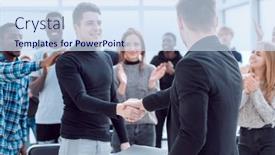
 Presentation with participant - PPT theme featuring speaker-welcoming-a-new-participant background and a sky blue colored foreground

Speaker Welcoming New Participant Seminar

As you step into the seminar room, you notice a warm and inviting atmosphere that sets the tone for a productive and engaging learning experience. The wide screen presentation allows for a seamless integration of high resolution images that feature inspiring leaders, experts, and thought leaders in various fields, including education and seminars. The Light SlateGray color palette adds a touch of sophistication to the design, providing a calming background that complements the energetic and motivational content ahead. With this template, you can create a professional and engaging visual identity for your presentations, perfect for showcasing your expertise and building trust with your audience. The high resolution images in the Background feature a prominent quote from a renowned leader on the importance of education, accompanied by a stunning image of a person engaged in active learning. This adds depth and visual interest to the design, making it easier to convey complex ideas and messages. The Grid Layout slide showcases a grid of 8 photographs that highlight the benefits of attending this seminar, including expert panel discussions, interactive workshops, and inspiring stories of success. The template is downloadable and compatible with Google Slides, ensuring seamless integration into your existing presentation workflow. With its elegant design and versatile features, it's an ideal choice for creating professional looking presentations that showcase your expertise and build a strong reputation as a leader in your field.

 Presentation with participant - Theme featuring speaker-welcoming-a-new-participant background and a dark gray colored foreground

Speaker Welcoming New Participant Seminar

Theme featuring speaker welcoming a new participant of the seminar

 Presentation with participant - Slide deck having female-speaker-shaking-hands background and a sky blue colored foreground

Female Speaker Shaking Hands New

The spotlight shines brightly on the Split Title template, designed to captivate your audience with its striking Crimson color palette and dynamic layout. This Widescreen template is perfect for presentations that require a professional yet approachable tone, making it ideal for occupation seminars, greetings, projects, or any event where you want to convey enthusiasm and energy. The high resolution images featured throughout the template will transport your viewers to a vibrant world of creativity and innovation, setting the stage for an engaging experience. The Crimson color scheme is both bold and sophisticated, providing a striking backdrop for your content. This template is downloadable and compatible with Google Slides, ensuring seamless integration into your existing workflow. The Split Title template boasts four How To slides that will help you get up and running quickly, but one of the most exciting features is the inclusion of a Background With option, allowing you to customize the layout to suit your needs. Having a Theme of Enhanced With, this template seamlessly integrates with other CrystalGraphics templates, making it easy to create a cohesive look across all your presentations. The Split Title template is perfect for creating a memorable impression on your audience, whether you're featuring a high profile guest or showcasing a new project. Its dynamic layout and striking color palette make it an ideal choice for occupation seminars, greetings, projects, or any event where you want to convey enthusiasm and energy.

 Presentation with participant - PPT theme enhanced with disabled-businesswoman-and-congress-participant background and a light gray colored foreground

Disabled Businesswoman Congress Participant Wheelchair

In a world where accessibility and inclusivity are paramount, we created a design that shines a light on the experiences of women in leadership roles, particularly those who have overcome significant challenges to achieve their goals. This template is our take on what it means to be an accessible congress participant featuring high resolution images of disabled women on key stages, conveying a sense of empowerment and inclusivity. The Sky Blue background provides a calming yet eye catching backdrop for the design, making it easy to focus on the content below. The Widescreen format ensures that every detail is preserved, from the subtle curves of the wheelchair to the high resolution images that bring these women's stories to life. This template is designed with accessibility in mind, incorporating features such as font size adjustment and color contrast options to ensure that all users can easily read and navigate the content. And for those who want an extra layer of flexibility, we've included a downloadable version compatible with Google Slides, making it easy to share or modify at will. The Sky Blue theme is rich in imagery, from the sun setting behind the wheelchair to the subtle gradient that adds depth and dimension to the overall design. The Quotation Layout slide is perfect for highlighting key statistics or quotes that drive home the importance of inclusivity and accessibility, featuring a high resolution image of a conference speaker with their words highlighted in bright colors. As you explore this template, you'll notice that we've included four How To slides at the start to help you get up and running quickly: Featuring High Resolution Images, Including Backgrounds With Enhanced Visuals, Having A Theme Of Accessibility And Inclusivity, and Enhancing With Customization Options.

 Presentation with participant - Slides enhanced with young-participant-follows-a-draft background and a  colored foreground

Young Participant Follows Draft During

In a professional setting where documents and discussions are key to success, a well designed template is essential to convey a sense of authority and expertise. This Wide Title template is specifically crafted for those who want to make a lasting impression with its sleek and modern design. The template features a light steel blue color palette that exudes professionalism and sophistication, perfect for business meetings, conferences, or any other setting where high quality content is required. The background images are high resolution and carefully selected to enhance the overall look and feel of the template. This template is designed to be downloadable and compatible with Google Slides, making it easy to incorporate into your workflow. It also includes four How To slides at the start of the deck to help you get up and running quickly, featuring a clear instruction on how to customize the template to fit your specific needs. The Content with Caption Layout slide is particularly useful for showcasing the template's features and benefits in a visually appealing way. For example, it could include a screenshot of the template in action, highlighting its ability to enhance discussions and documents with a professional theme. This template is perfect for anyone looking to elevate their presentation game with a high quality design that exudes confidence and expertise. With its customizable layout and seamless integration with Google Slides, you'll be able to create engaging content that resonates with your audience.

 Presentation with participant - Presentation with speaker-welcoming-a-new-participant background and a sky blue colored foreground

Speaker Welcoming New Participant Seminar

As you step up to the podium, the room falls silent and gazes at you with expectant eyes, eager to hear your words of wisdom and expertise. The warm glow of a high resolution image adorns the screen behind you, setting the tone for an engaging and informative presentation. You take a deep breath, adjust the mic stand, and begin. Your seminar is titled "Unlocking Success," and your theme revolves around leadership, with a focus on education and empowering individuals to achieve their full potential. As you welcome the new participant of the event, you feature them as a special guest in front of our live audience. You note that this template will be compatible with Google Slides, making it easy to incorporate into your presentations. The template itself is a stunning example of Cornflower Blue's soothing color palette, evoking feelings of professionalism and trust. With four How To slides to get you up and running quickly, these slides provide an excellent starting point for any presentation. Featuring a beautiful image as the background of each slide will help draw attention to your message. Having a theme that resonates with your audience is crucial for keeping them engaged throughout your lecture. As you begin sharing your knowledge, you may want to consider including a background image featuring a simple, yet powerful design element – perhaps a subtle pattern or texture that adds depth and interest to the presentation. With this template, Having a Theme of Enhanced With, you can take your presentation to the next level and leave a lasting impression on your audience. The Hexagon Layout slide is a great place to start, providing a clean and organized visual representation of your content. You may want to consider using a background image that complements your theme, such as a simple geometric pattern or a scenic landscape photo. This will help create a cohesive look for your presentation and make it more visually appealing. Your seminar "Unlocking Success" is sure to be an enlightening experience for all attendees. With this template, you'll be well on your way to delivering a engaging and informative presentation that leaves a lasting impression on everyone in the room.

 Presentation with participant - Cool new slide deck with side view of female participant swimming underwater backdrop and a teal colored foreground

Side View Female Participant Swimming

In the world of creative professionals, striking visuals have become a key factor in captivating audiences and making lasting impressions. The Split Title template is designed to take your presentations on an unforgettable journey, seamlessly integrating stunning images, dynamic graphics, and captivating text combinations that will leave viewers eager for more. The Split Title template features a unique design named after its ability to split titles into two distinct parts that can be easily tailored to suit any style or theme. This distinctive layout is ideal for showcasing your creativity and flair, making it perfect for individuals with an artistic eye or those who enjoy taking risks in their work. The Dodger Blue color palette provides a professional yet contemporary look that complements various business styles and formats. For a visually appealing and engaging presentation, consider incorporating the high resolution images from this template on its background. These stunning visuals will not only add to the overall aesthetic but also provide ample opportunities for creative expression and storytelling. By using the Oposite Directional Arrows Layout on certain slides, you can create a dynamic flow that guides your audience's attention through the deck. The Split Title template is easily accessible via Google Slides, making it simple to download and integrate into your workflow. Its compatibility also means you can trust its functionality will translate seamlessly across different devices and software platforms. With four easy to use How To slides at the start of your presentation, getting started is a breeze – just dive in and explore what's possible with this incredible template.

 Presentation with participant - Theme featuring young-male-participant-is-having background and a tawny brown colored foreground

Young Male Participant Having Pleasant

As you begin your PowerPoint presentation, imagine yourself seated in a warm and inviting conference room, surrounded by the buzz of business discussions and the gentle hum of expertise being shared. The atmosphere is relaxed yet productive, allowing for thoughtful questioning and insightful discussions to unfold. The Corner Title template is designed to be a dynamic and engaging starting point for your presentation. Widescreen format ensures that all elements are visible from start to finish, creating an immersive experience for your audience. The Dark Goldenrod color palette sets the tone for a professional yet approachable atmosphere, perfect for conveying confidence and expertise. For those who want to dive in quickly, four How To slides will provide a solid foundation to get up and running on their presentation. However, you can skip these if you prefer an even faster setup process. The Content with Caption Layout slide is where you'll find the key elements of your presentation, including background images that enhance your message. This slide is a great place to include a call to action, such as "Share Your Thoughts" or "Join the Discussion." For example, you could feature high resolution images of business leaders, experts, and everyday people participating in meaningful conversations, all set against a rich Dark Goldenrod background. This template is compatible with Google Slides and offers a seamless experience for your audience. With its easy to use design and professional color palette, it's the perfect fit for anyone looking to convey their message effectively and engage their viewers.

 Presentation with participant -

France Paris January 28:

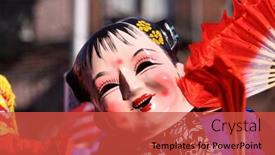
This Corner Title template is designed to bring excitement and energy to your presentations, making them stand out from the crowd with its unique steel blue color palette that evokes the vibrant atmosphere of an Asian carnival celebration. The high resolution images for the background add a touch of realism, transporting viewers to the bustling streets of China where dragons are celebrated throughout the year. As inspiration, consider using the iconic Hotel de Ville in Paris as a reference point. To get started quickly, you can use four foundational slides that will help you build upon your presentation: How To slides to ease into the content, a Bulb Puzzle Layout slide to create visual interest and keep your audience engaged, and an example featuring image to showcase how you can apply the design elements. For instance, you could include a photo of a Chinese lion dance performance in front of a colorful background with subtle lighting effects to enhance the mood. This template is ideal for presentations that celebrate special occasions or holidays, such as Chinese New Year. It's a versatile and dynamic design that can be enhanced with different themes, including incorporating a background image that represents your chosen celebration. Whether you're creating a professional conference presentation, an educational lecture, or simply a social media post, this template has the power to captivate your audience and leave a lasting impression.

 Presentation with participant -

France Paris January 28:

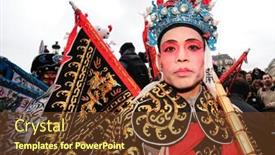
As you step into the vibrant city of China, where the air is sweet with the scent of springtime, and the streets come alive with festive energy, imagine yourself surrounded by the excitement of a dragon themed carnival celebration. The night sky is ablaze with hot pink lights, as if the very heavens themselves are celebrating the arrival of the Chinese New Year. The design name for this template is Split Title, a stunning widescreen masterpiece that sets the tone for an unforgettable experience. Featuring a dynamic theme and high resolution images throughout, Split Title is more than just a template it's an immersive celebration of China's rich culture and traditions. With its bold hot pink color palette, this template is sure to add a pop of excitement to any presentation or event. The template keywords used are "asia", "carnival", "celebrate", "celebration", and "china" to evoke the festive atmosphere of a Chinese New Year celebration in Paris. This vibrant and energetic template is ideal for those who want to enhance their presentations with a unique blend of Asian culture, carnival excitement, and celebratory spirit. The template format is suitable for Google Slides, allowing you to create stunning visuals and animations that will captivate your audience. The hot pink background images will add a touch of sophistication and elegance, while the high resolution images throughout will ensure that every detail is crisp and clear. With four helpful slides at the start of the deck, you'll be up and running quickly, with the template providing a solid foundation for your presentations. The opposite directional arrows layout on this slide could easily be used to create a dynamic visual effect, such as highlighting key points or adding emphasis to specific sections of the presentation. Featuring a background with subtle animations can add an extra layer of excitement, while including a background with fun and colorful graphics can help bring the whole template together in style. Incorporating this template into your presentations will surely enhance their celebratory spirit, making them more engaging and memorable for your audience. With Split Title by CrystalGraphics, you'll be able to create stunning visuals and animations that will leave a lasting impression on everyone who sees it.

 Presentation with participant - Theme with elderly-female-lecturer-is-happy background and a tawny brown colored foreground

Elderly Female Lecturer Happy Help

In the heart of any academic setting, a warm and inviting atmosphere is created by a visually appealing template that effortlessly conveys expertise in documents, questions, discussion, office, and professionalism. The Goldenrod color palette, a soothing blend of golden hues, sets the tone for a relaxing environment where participants can feel comfortable sharing their thoughts. This template, featuring a high resolution image background, is specifically designed to enhance the user experience. With its extensive range of keywords, including documents, questions, discussion, office, and expertise, this template is perfectly tailored to facilitate engaging sessions. The 5 Year Calendar Timeline Layout slide, with its detailed structure and precise organization, is particularly useful for illustrating long term objectives and timelines. This layout can be used to present complex information in a clear and concise manner, making it an invaluable tool for enhancing presentations. The Goldenrod color palette, which emphasizes warmth and approachability, adds a touch of sophistication to the template while maintaining its friendly atmosphere. Featuring a relaxed background image, this template is ideal for creating a calming environment that encourages open communication and collaboration. Having a theme of professionalism and expertise, it seamlessly integrates with the Google Slides platform, making it easily downloadable and compatible. This template is an excellent starting point for anyone looking to create engaging presentations in the workplace or academic setting. With its emphasis on simplicity, clarity, and visual appeal, it provides the perfect foundation for delivering effective meetings, discussions, and conferences.

 Presentation with participant - Presentation theme consisting of colorful-costumes-by-participant background and a tawny brown colored foreground

Colorful Costumes Participant Manila's Yearly

As you dive into the world of PowerPoint templates, there's nothing quite like sparking inspiration with vibrant, energetic designs that bring your ideas to life. The Split Title template is no exception, offering a stunning Widescreen format that sets the tone for an editorial grade presentation. This magnificent template boasts a captivating Sienna color palette that perfectly complements the high resolution images used as backgrounds, creating a visually stunning visual feast. Featuring four expertly crafted slides to get you started on your project, including a Two Content Layout slide that will help you craft a cohesive narrative throughout your presentation, this template is sure to leave a lasting impression. With its emphasis on colorful designs and competition themed content, the Split Title template is an ideal choice for anyone looking to make their presentations stand out from the crowd. Including a Background With subtle texture and shading, this template promises to enhance the visual impact of your slides, having a Theme of showcasing creativity and originality that will leave your audience eager to learn more. This incredible template can be used to feature costumes by participants at Manila's yearly street parade, incorporating playful elements and vibrant colors that are sure to captivate. Enhanced with detailed graphics and animations, this template is the perfect way to bring your ideas to life, making it an ideal choice for anyone looking to create engaging presentations that leave a lasting impression.

 Presentation with participant - Theme with new-year-city-february-21 background and a red colored foreground

New Year City February

As the clock strikes midnight on February 21st every year, a kaleidoscope of cultures converge in New York City to celebrate the Chinese Lunar New Year. The vibrant streets come alive with music, dance, and colorful lanterns, casting a spell that attracts millions of visitors from all over the world. This breathtaking display of Asian inspired traditions is showcased in "NEW YEAR CITY" FEBRUARY 21: Participant parades during Chinese Lunar New Year Parade on February 21, 2010 in New York City. The Corner Title template is designed to be a stunning visual representation of this cultural phenomenon, featuring high resolution images of traditional Asian architecture and festive decorations. The template's Fire Brick color palette adds a pop of warmth and energy to the design, perfectly capturing the excitement of the occasion. With its sleek and modern aesthetic, "Corner Title" is sure to grab attention and leave a lasting impression. This template is not just about aesthetics; it also features some amazing elements that enhance your presentation. AIDA Block Layout is where it comes into play imagine presenting your key points in three clear sections: Attention (A), Interest (I), and Desire (D). "NEW YEAR CITY" includes these blocks, making it easy to get your message across quickly and effectively. The template also Includes a Background With slide that lets you choose from some of the most breathtaking high resolution images available online. Having a theme of capturing the essence of Asian traditions is well represented throughout the design, showcasing how these themes can be incorporated in a visually appealing way. Enhanced With elements such as borders and textures add an extra layer of depth to your presentation.

 Presentation with participant -

Kyoto June 11 Participant

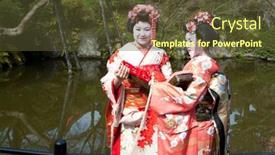
Slides enhanced with kyoto - june 11 a participant on the jidai matsuri festival of the ages held on june 11 2010 in kyoto japan it is one of kyoto's renowned three great festiva

 Presentation with participant -

France Paris January 28:

In the heart of Asia's vibrant cities, where the scent of street food and spices fills the air, there exists a world of celebration that knows no bounds Carnival celebrations that bring people together in joyous abandon. From bustling streets to elegant palaces, this template captures the essence of these festive events in all their glory. The Corner Title Widescreen template features high resolution images for the background, showcasing stunning scenes from China's most iconic carnival celebrations. The tomato inspired color palette is both bold and playful, making it perfect for any slide that needs a pop of color. Whether you're featuring a dramatic shot of a fireworks display or including a beautiful landscape of a Chinese New Year parade, this template has got you covered. This template is designed to be downloadable and compatible with Google Slides, allowing you to tailor the look and feel to your specific needs. The four How To slides at the start of the deck will get you up and running quickly, featuring essential elements such as icons, buttons, and text boxes to help you create engaging content. The SWOT Analysis Layout slide is where things get interesting it's a strategic plan for using this template to drive your next project forward. By breaking down the key elements of the template into their component parts, you can see how it all comes together to form a cohesive whole. And with the enhanced features of this template, including the ability to add custom text and images, you're never limited in your creativity. This template is perfect for anyone looking to celebrate life's special moments whether it's a birthday, anniversary, or just a celebration of life itself. With its vibrant colors, dynamic graphics, and engaging layout, it's sure to leave a lasting impression on your audience.

 Presentation with participant -

London January 30 Instructor

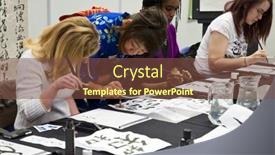
In the midst of a chaotic world, where creativity and productivity reign supreme, the demand for innovative templates has never been higher. The search for inspiration is on high alert, as designers and educators alike seek out tools to elevate their work. To meet this demand, we present the Wide Title template, a masterpiece that seamlessly blends art and functionality. Crafted in Widescreen format, this stunning design is sure to captivate your audience. Featured prominently at the beginning of each slide, our template will guide you through the process of creating engaging presentations with ease. This template boasts a rich Dark Magenta color palette, perfect for adding depth and sophistication to any presentation. The carefully curated keywords art, Britain, calligraphy, collaboration, course will give your slides a unique identity that resonates with modern learning environments. Incorporating high resolution images throughout the background, this template is optimized for seamless integration into Google Slides. As you delve into the Wide Title template, you'll discover four key How To slides to help you get up and running quickly: "Getting Started", "Designing Your Template", "Customizing Your Content", and "Enhancing your Presentation". The SWOT Analysis Layout slide serves as a masterclass in layout design, showcasing how to create visually appealing content with strategic placement of text, images, and graphics. This template is designed to be enhanced with bold fonts, vibrant colors, and clever arrangements to maximize engagement. With the Wide Title template, you'll have everything you need to elevate your presentations and drive results. Featuring a striking theme that blends art and functionality, this template will leave a lasting impression on your audience.

 Presentation with participant -

Venice Italy March 04,

Imagine walking along the picturesque canal in Venice during Carnival, surrounded by vibrant colors and lively music, as you witness the traditional masks and costumes of San Giorgio Maggiore. This breathtaking scene is captured in stunning high resolution images that will transport your audience to a world of beauty and celebration. The CrystalGraphics template features a beautiful and colorful design, perfect for showcasing the magic of Carnival. The Sky Blue color palette provides a soothing and uplifting atmosphere, while the Canal theme adds a sense of movement and energy. This template is ideal for presentations, websites, or social media platforms that require a lively and engaging visual identity. The high resolution images used in this template will provide an immersive experience for your audience, making it perfect for showcasing 4 How To slides at the start of the deck to help you get up and running quickly. These slides can include features such as "Get Started with Google Slides" or "Customizing Your Template", providing a clear call to action for users. The Growth Stages Layout slide is an excellent example of how this template can be used to enhance your presentation. This slide showcases the different stages of creating and customizing a PowerPoint deck, from designing the layout to adding images and text. It provides a clear visual representation of the process, making it easy for users to follow along. The template includes a Background With option, allowing you to include a high resolution image of your choice as the background for your presentation. Having a Theme of "Carnival Celebration" adds an extra layer of excitement and energy to your presentation, making it perfect for showcasing vibrant colors and lively music.

 Presentation with participant -

New York June 12

Imagine walking through a vibrant carnival in 5th Avenue, surrounded by traditional Puerto Rican costumes and the sounds of laughter and music filling the air, as you take in the sights and sounds of this iconic celebration. The image is quintessential New York June 12, 2016: A participant wearing a traditional carnival costume in the 59th annual National Puerto Rican Day Parade marches with a Puerto Rican flag on 5th Ave in NYC, June 12 2016. The Sidebar Title template is designed to capture this essence perfectly. With its crimson color palette that features a deep red hue as the dominant background color, paired with crisp white accents and subtle texture, it's sure to transport your audience to a world of vibrant colors and lively energy. As you browse through the image gallery, which includes 5 high resolution images showcasing the beauty of carnival celebrations from around the globe, you'll notice how each image is carefully curated to showcase the unique theme of "America Avenue of Wonders". From historic landmarks to modern marvels, this collection of images provides a diverse range of inspiration for your presentation. The Sidebar Title template includes a Managed Process Layout that ensures a seamless flow of information and keeps your audience engaged throughout the deck. When it comes to creating a presentation that's equal parts engaging and informative, you'll want to make sure you have all your bases covered. To help you get up and running quickly, theSidebar Title template offers 4 How To slides at the start of the deck, each providing valuable guidance on how to use this stunning template. From featuring high resolution images for maximum impact to having a theme of "America Avenue of Wonders" that ties everything together, these slides are designed to support your presentation and help you showcase your expertise.

 Presentation with participant - PPT theme with krakow-poland-june-11-2016 background and a navy blue colored foreground

Krakow Poland June 11,

The art of creating eye catching presentations is a delicate balance of design, color, and content. To craft a visually stunning template that will leave your audience in awe, you need to start with a statement that grabs their attention. Imagine walking into a vibrant festival in Krakow, Poland, surrounded by the sounds of laughter and music, and being immersed in a world of high energy art and creativity. The Corner Title template is designed for adults who appreciate the finer things in life, featuring arm waving artists and body positive individuals. This template format is perfect for showcasing your artistic side, whether you're an artist yourself or just someone who appreciates the beauty of human form. The Dark Turquoise color palette provides a sophisticated backdrop for high resolution images that will enhance the overall experience. The Corner Title template includes four How To slides to help you get up and running quickly: "Get Started with Ease", "Mastering the Art of Design", "Adding Texture and Depth", and "Enhancing Your Presentation". But don't worry, we won't leave you hanging these steps are designed to be easy to follow, so you can focus on creating a presentation that truly showcases your creativity. The Arrowheads Layout slide is a great place to start, featuring intricate designs and patterns that will add an extra layer of visual interest to your presentation. Imagine using this layout to create a stunning background image for your slides, or incorporating it into the design of your title slide. With the Corner Title template, you'll have all the tools you need to create a presentation that's both visually stunning and engaging. When it comes to showcasing your artistic side, the Dark Turquoise color palette is the perfect choice. This rich, vibrant hue will enhance the overall look and feel of

 Presentation with participant - Cool new PPT theme with moscow-october-6-audience backdrop and a coral colored foreground

Moscow October 6 Audience

The Corner Title template is a stunning and versatile design that perfectly captures the essence of high energy events such as conferences, presentations, and exhibitions. Designed in a sophisticated Dark Salmon color palette, this template boasts high resolution images that will transport you to the vibrant atmosphere of major sporting events like the Olympics Winter Games Sochi 2014 and FIFA World Cup 2018 in Russia. The Corner Title's dramatic background featuring a majestic image of a Moscow landmark or stadium against a dark blue or purple gradient creates an immersive experience. The template's sleek and modern design ensures that it will enhance your presentation, while the included Background With option allows for seamless integration with any 2012 2018 compatible PowerPoint software. This template is ideal for creating engaging slideshows featuring "Ask" and audience participation. Including a Background With option, you can easily add dynamic images or videos to create an interactive experience. Having a Theme of "High Resolution Images", this template will deliver crisp and clear visuals that showcase your message effectively.

 Presentation with participant -

2018 June 24 New York:

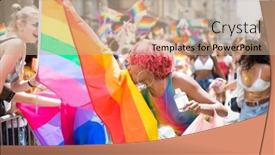
The vibrant colors and energetic atmosphere of NYC Pride March are sure to electrify your presentation, setting the tone for a celebratory and inclusive theme. As you launch this stunning Wide Title template, imagine it as the centerpiece of your celebration, radiating warmth and energy that will draw in your audience. This Widescreen template is designed with precision, featuring high resolution images for a vibrant and engaging visual display, perfectly capturing the spirit of NYC Pride March. The coral color palette is carefully curated to create a lively atmosphere, infusing your presentation with a sense of excitement and enthusiasm. Incorporating a background image of a rainbow flag, a striking element that celebrates diversity and inclusivity. For an authentic touch, featuring a 3 Member Bio Layout slide that showcases the diverse experiences and stories of LGBTQ+ individuals, providing valuable insights into the complexities of being part of this community. This layout is not only visually appealing but also provides a unique opportunity to highlight the accomplishments and contributions of these remarkable people. As you include a background with imagery that resonates with your audience, having a theme of celebrating diversity, inclusivity, and self expression will surely resonate deeply with your viewers. This template is truly a treat for anyone looking to enhance their presentation with vibrant visuals and inspiring content. With its coral color palette, Widescreen format, and 3 Member Bio Layout, it's the perfect choice for anyone looking to celebrate LGBTQ+ pride and inclusivity in a creative and engaging way. Having a theme of celebrating diversity, inclusivity, and self expression will surely make this presentation stand out from the crowd, leaving a lasting impression on your audience.

▼Key features of this template

  • They are compatible with both PowerPoint and Google Slides running on either Windows PCs or Macs.

  • They are available in both standard and widescreen slide formats. You can choose your preferred format by clicking on the "Widescreen" check box or icon.

  • Each template includes a beautiful high-resolution background image or video to visually reinforce the theme of your presentation.

  • In addition, each template includes designer-created graphics and modern fonts to give your presentations an up-to-date, professional look.

  • Each template's default design and title text position have been carefully selected to complement its background without covering faces or other key elements.

  • All text includes backdrops whose transparency level is mathematically calculated to maximize text readability while still allowing the background to be seen.

  • And all the text, text backdrops and graphics in every slide are colored with a palette designed to beautifully complement the colors in the background.

  • Our Premium templates (those with the descriptor “Premium” in their subtitle) include over 64 slide layouts to give you maximum flexibility as you create your presentations.

    • Those layouts are available to you whenever you create a new slide or when you want to change the layout of an existing slide.
    • They include everything you need to make all sorts of presentations. In addition to the layouts for the title slide and the usual title and content slide, they include many other layouts for slide types including table of contents slides, org charts, charts, diagrams, infographics, photo slides, thank you slides and more.
    • While creating these layouts our template designers have ensured that all text in every layout adjusts as gracefully as possible to various numbers of words.
  • Customizable templates (those with the descriptor “Customizable” in their subtitle) may be easily modified online before you download them.

    • To modify them, simply click on the pencil editing icon, then select your choice of ready to go designs and title text positions.
    • The editing tool also makes it easy to reposition and scale the background image or video to best suit your needs.

▼FAQs

Please review these FAQs to see if your question is answered. Contact us for more info

  • What is a PowerPoint template?

    • A well designed PowerPoint template is a file that can tell PowerPoint how to make your ordinary templates look extraordinary. They won’t change what your words or numbers say. But they might change their size, color, font and placement. And, overall, they can give your presentations a professionally-designed look that will give your content more credibility and give you more confidence.
  • How many PowerPoint templates do you offer?

    • We have over 32,000 artist-created presentation templates in our PowerPlugs collection With a subscription, PowerPlugs templates are easy to download. Just sign in, find a template and click on the green Download button. ready for you to download. That alone offers you more variety to choose from than any of our competitors can offer. And, as if that weren’t enough, we also offer over 6 million templates in our Crystal collection. Crystal brand templates are our line of templates that have customization options. They have the word "CRYSTAL" on their web page images. You can customize several aspects of the templates. These templates include high-resolution background images from Shutterstock’s vast image collection matched up with artist-created presentation designs customized by our own proprietary AI software.
  • How many templates can I download as a subscriber?

    • You can download an unlimited number of PowerPlugs-brand With a subscription, PowerPlugs templates are easy to download. Just sign in, find a template and click on the green Download button. templates every day for an entire year. (Actually, by default, we set a limit of 25 templates per day to prevent our competitors from stealing our templates. But, if that is not enough, just let us know and we’ll try to accommodate you.) On top of that, with a subscription or an Ultimate Combo, you can also download any 50 Crystal-brand Crystal brand templates are our line of templates that have customization options. They have the word "CRYSTAL" on their web page images. You can customize several aspects of the templates. templates per year selected from our huge Crystal collection. Crystal brand templates are our line of templates that have customization options. They have the word "CRYSTAL" on their web page images. You can customize several aspects of the templates. .
  • Why should I choose your templates instead of the competition’s?

    • We’ve got a larger selection of professionally-designed PowerPoint templates than anyone else in the world.
    • Each template includes a high-resolution background image or video to visually inspire your audiences while reinforcing your message.
    • Each template includes 64 slide layouts to give you maximum flexibility as you create your presentations.
    • Our templates are available in both standard and widescreen slide formats. And our website lets you preview the slides each way.
    • Our free Template Finder™ plugin lets subscribers select and - with a single click - download and insert our templates into their presentations right from within PowerPoint.
    • We’ve been creating designer presentation templates for over 20 years. During that time we’ve won several awards and 5-star ratings for product quality. See About Us for more.
  • Do you offer a money-back guarantee?

    • Yes we do! We offer full 30-day money-back guarantee if you are not 100% satisfied with your purchase.
  • Can I still use my downloaded templates after my subscription runs out?

    • Yes. After your subscription expires, you won't lose any rights or ability to use your PowerPlugs: Templates for PowerPoint. You won't be able to download any new non-watermarked templates. But the non-watermarked templates you've already downloaded will still work and you can still use them as before.
  • Can I share my downloaded templates or passwords with friends or coworkers?

    • Sorry but no. You are authorized to download each paid-for template to up to 3 of your personal devices and to use the templates you download in as many presentations as you want. But you are not authorized to share the templates, themselves, with others. That said, we do offer highly discounted site licenses to suit the needs of both small and large teams. Just tell us your needs and we’ll give you a quote!
  • System requirements:

    • The templates use the standard POTX format. So they are compatible with Google Slides and all PC, Mac and mobile devices running any version of PowerPoint from PowerPoint 2007 up through and including Office 365 desktop.
    • Please note: Google Slides does not currently support background videos. It treats them as still images.
    • For PowerPoint for the Web, first open your template into a desktop version of PowerPoint, then save it back out as a PPTX file. Then you can open that in PowerPoint for the Web.
  • End user license agreement:

    • Click here to view.
  • How will I get my purchased templates?

    • You may download your selected templates as soon as your payment is received by PayPal. If you purchased an individual template, you will be provided with a download link both onscreen and via email. Just click on that link to begin the download process. If you purchased a subscription, you will receive an email containing a password to use along with your email address to sign in to any of the templates pages on CrystalGraphics.com. Once you are signed in, you can immediately start downloading your selected templates.
  • How do I use my templates after I download them?

    • You can either open a template to start a new presentation or you can add a template to an existing presentation. To open a template, just double click on it or use PowerPoint's File > Open tool. To add a template to an existing presentation, on the Design tab, in the Themes group, click Browse for Themes... then browse to select your template.

View more Participant templates:

previous 1 2 3 4 5 6 next
93% of Fortune 1000
companies use our
PowerPoint Products
Templates Secure

Standing Ovation Award
Winner: Best PowerPoint
Template Collection
Fortune Logos
200,000+ satisfied
customers worldwide!
Guarantee
100% satisfaction guaranteed
- or send it back for a refund!

Sign up for our free newsletter! You'll get news about our PowerPoint-enhancing product line – including free updates, new product announcements and exclusive special offers. Plus you'll get a link to a free PowerPoint template with every newsletter you receive.
Privacy Policy
Loading...


Help

Contact Us
Product FAQs
Product License Agreements

Company Info

About Us
Privacy Policy
CrystalGraphics, Inc. 1999 S. Bascom Avenue Suite 700 Campbell, CA 95008 USA
© 2026 CrystalGraphics, Inc. All rights Reserved.    |     PowerPlugs is a trademark of CrystalGraphics, Inc.
Microsoft and the PowerPoint logo are trademarks or registered trademarks of Microsoft Corporation in the United States and/or other countries.
Loading...
Loading...