www.crystalgraphics.com CrystalGraphics
  • Ultimate Combo
  • Templates
  • Diagrams
  • Characters
  • Quizzes
  • shopping cart
  • Sign Out Sign Out Sign In
Home > Templates > Password Category
search icon
advanced icon

75 Best Password-Themed Templates
for PowerPoint & Google Slides

CrystalGraphics creates templates designed to make even average presentations look incredible. Below you’ll see thumbnail sized previews of the title slides of a few of our 75 best password templates for PowerPoint and Google Slides. The text you’ll see in in those slides is just example text. The password-related image or video you’ll see in the background of each title slide is designed to help you set the stage for your password-related topics and it is included with that template. In addition to the title slides, each of our templates comes with 17 additional slide layouts that you can use to create an unlimited number of presentation slides with your own added text and images. And every template is available in both widescreen and standard formats. With over 6 million presentation templates available for you to choose from, CrystalGraphics is the award-winning provider of the world’s largest collection of templates for PowerPoint and Google Slides. So, take your time and look around. You’ll like what you see! Whether you want 1 great template or an ongoing subscription, we've got affordable purchasing options and 24/7 download access to fit your needs. Thanks to our unbeatable combination of quality, selection and unique customization options, CrystalGraphics is the company you can count on for your presentation enhancement needs. Just ask any of our thousands of satisfied customers from virtually every leading company around the world. They love our products. We think you will, too!

Features & Pricing

Widescreen (16:9) Presentation Templates. Change size...

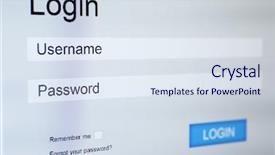
 Presentation with password - Colorful PPT layouts enhanced with login and password on monitor backdrop and a light blue colored foreground

Login Password Monitor Screen

PPT layouts enhanced with login and password on monitor screen

 Presentation with password - Audience pleasing slide set consisting of combination puzzle box or lock backdrop and a gray colored foreground

Maybe Password Set Combination

Imagine a cryptic puzzle box with intricate rings and letters waiting to be solved, its secrets hidden behind a mask of uncertainty. The Wide Title template is your gateway to unlocking the world of high resolution images for backgrounds, providing you with the perfect canvas to showcase your unique personality. This Dark Goldenrod inspired template features Widescreen format that will make your presentation stand out on any screen. Its 5 x 5 Org Chart Layout slide allows you to visualize your team's structure and hierarchy in a crisp and easy to understand manner. Featuring a mix of dynamic shapes and subtle patterns, this layout ensures a visually appealing theme throughout the template. By including a background with a rich texture, you'll create an immersive experience for your audience. Having a theme of "Unlocking Ideas" Enhanced With a hint of mystery and intrigue, this template is sure to spark curiosity and inspire creativity. Whether you're presenting research findings or discussing industry trends, this Dark Goldenrod inspired template will leave a lasting impression. With high resolution images available on Google Slides, you can download and incorporate them into your presentation with ease. And the best part? This 4 How To slides at the start of the deck help you get up and running quickly, so you can dive straight into designing your masterpiece.

 Presentation with password - Audience pleasing PPT layouts consisting of email scanning - confident young hacker working hard backdrop and a ocean colored foreground

Confident Young Hacker Working Hard

The world of coding and computer security is a fascinating one, where young minds are constantly pushing the boundaries of innovation and creativity. As we delve into the realm of online password cracking, it's essential to have a solid foundation in design and layout that can help convey complex concepts in an engaging and accessible way. To create a visually appealing template for this presentation, we'll be using the Corner Title style, which features a bold and modern font with a subtle gradient effect. The template will be designed in widescreen format, making it perfect for showcasing high resolution images of code snippets, computer screens, or even a young hacker working on their laptop. The Steel Blue color palette is a great choice to evoke a sense of professionalism and trust, while the Caucasian theme ensures that the template is inclusive and appealing to a wide range of audiences. To enhance the overall look and feel, we can include a background image with a subtle texture or pattern, such as a metallic finish or a gradient effect. The template will also feature four How To slides at the start of the deck, each designed to help viewers quickly get up and running with their presentation. These slides will be formatted in a clean and simple manner, with clear headings and concise instructions. For example, the "Getting Started" slide could include an image of a computer keyboard with code snippets displayed on the screen, while the "Designing Your Template" slide might feature a layout template with space for adding custom images or graphics. The resulting template will be a powerful tool for presenting complex coding concepts in an engaging and accessible way. By incorporating high resolution images, a modern font, and a professional color palette, we can create a template that is both visually appealing and easy to use.

 Presentation with password - Slides enhanced with login password background and a white colored foreground

Login Password

In the realm of digital communication, a well designed presentation can make all the difference between a professional and a professional looking message. A Corner Title is the perfect solution to enhance your PowerPoint slides with a bold and attention grabbing design that commands immediate attention. This template features a Widescreen format, perfect for showcasing high resolution images on any device, from laptops to tablets. The Cornflower Blue color palette provides a soothing yet sophisticated background that sets the tone for a professional presentation. Featuring a rich and vibrant background, this template includes a Background With a 400 DPI resolution image of a login password, making it ideal for creating a theme of credentials. The Corner Title template is compatible with Google Slides and can be downloaded instantly to enhance your productivity. This enhanced version of the template takes you through four key slides: Getting Started Quickly, Designing Your First Slide, Choosing a Layout, and Visualizing Your Final Product. Each slide provides valuable insights into the design principles that will help you create professional looking presentations. The 5 Stages Pentagon Layout is an essential element in this template, providing a clear structure for your presentation. By following this layout, you can create a cohesive and well organized visual hierarchy that showcases key points clearly. This enhanced version of the template features arrows at key stages to guide you through the design process. This Corner Title template is not just a pretty face; it also includes an Enhanced With a theme of passwords, making it perfect for creating presentations about security, data protection, or any other topic related to credentials.

 Presentation with password - Presentation theme having email scanning - confident young hacker working hard background and a ocean colored foreground

Confident Young Hacker Working Hard

Presentation theme having confident young hacker working hard on solving online password codes concept with a computer keyboard and illustrated digital screen numbers in the background

 Presentation with password - Colorful slide deck enhanced with login and password on monitor backdrop and a coral colored foreground

Login Password Monitor Screen

Slide deck enhanced with login and password on monitor screen backdrop

 Presentation with password - Presentation enhanced with login and password on monitor background and a sky blue colored foreground

Login Password Monitor Screen

Presentation enhanced with login and password on monitor screen

 Presentation with password - Audience pleasing presentation consisting of group-of-people-in-front backdrop and a light blue colored foreground

Group People Front Laptop Password

As you begin your journey to creating a secure and password protected digital workspace, imagine yourself standing in front of a laptop, surrounded by a group of people who understand the importance of safeguarding sensitive information. A prominent inscription on the screen reads "PASSWORD SECURITY" emblazoned across the top in crisp, light sky blue text that seems to glow in the bright illumination of your computer's display. This template is specifically designed for widescreen presentations and features a high resolution image for the background, perfect for showcasing your laptop or other devices. The Light Sky Blue color palette provides a clean and trustworthy atmosphere, ideal for conveying an air of security and reliability. Incorporating this theme in various slides will make it clear that you're taking data protection seriously. On the first slide, there are four How To slides available to help users get up and running quickly. However, these can be tailored to suit your needs and preferences. The Dart on Target Layout features a striking design element where arrows appear to be pointing directly at specific targets, creating an engaging visual experience that draws viewers in. A great example of how this template could be used is when you're presenting a security audit report. You could showcase the various measures taken to secure your data, such as antivirus software and password management systems. The background image featuring a cityscape with buildings rendered in light blue, conveying a sense of stability and protection.

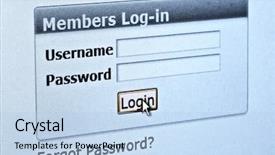
 Presentation with password - PPT layouts consisting of web security - log in and password background and a sky blue colored foreground

Log Password Computer Internet Account

As you log in and password on your computer's internet account screen, you'll notice a seamless interface that makes navigating through various features and functions a breeze. The Corner Title template from CrystalGraphics is designed to provide a distraction free workspace that promotes productivity and efficiency. This high resolution template includes 4 key slides to get you started quickly: To begin, the template comes in a widescreen format perfect for use on large screens such as projectors or external monitors. The light sky blue color palette provides a clean and professional look that's ideal for showcasing your work. The design features an arrow cursor pointing upwards, suggesting movement and progression. This arrow is included a background with subtle gradient effects giving it a sense of depth, making the text appear more prominent. Having a theme of "online banking" or "internet usage", this template includes various images such as log in icons, password fields, and arrows to enhance its functionality. The Growth Stages Layout slide could be used to showcase your progress towards achieving your online banking goals, highlighting the steps you've taken so far, and what's on track. The template features a simple yet effective design that makes it easy to understand and follow along.

 Presentation with password - Slides consisting of computer screen with login background and a light blue colored foreground

Computer Screen Login Password Form

The world of PowerPoint templates is vast and exciting, offering endless possibilities for creating stunning presentations that capture the audience's attention. Imagine a computer screen with login and password form it's a familiar scene, but one that can be transformed into a visually striking presentation with the right template. Our Corner Title template is designed to deliver just that. Featuring a light steel blue color palette, this template is perfect for creating professional looking presentations that convey trust and reliability. The high resolution images on the background will transport your audience to a world of data, arrows, links, and patterns all elements that are sure to grab their attention. The Corner Title template is available in widescreen format, making it ideal for showcasing your presentation's content in full glory. With its downloadable compatibility with Google Slides, you can easily integrate this template into your workflow. The theme of this template is centered around the idea of enhancing user experience, and we're confident that it will deliver just that. The Arrow Stages Layout slide is a great example of how our Corner Title template can be used to create a visually appealing presentation. This slide features an arrow stage layout, which provides a clear visual representation of the different stages of your process. By including a background with a subtle gradient effect, you'll add depth and dimension to this slide, making it even more effective. With four How To slides at the start of the deck, you'll have everything you need to get up and running quickly. These slides feature high quality images that showcase the template's features in action, from data visualization to arrow based navigation. Having a theme of enhancing user experience is evident throughout these slides, as they all incorporate elements that will help your audience follow along with your presentation seamlessly. Overall, our Corner Title

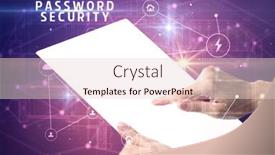
 Presentation with password - Cool new slide deck with holding-futuristic-tablet-with-password backdrop and a lemonade colored foreground

Holding Futuristic Tablet Password Security

A sleek and futuristic template that showcases powerful shield symbols, evoking feelings of digital security and high tech innovation, ideal for presentations on cybersecurity and data protection. This design features a medium purple color palette with subtle gradients and metallic accents, creating a striking visual identity. The Widescreen format ensures an immersive experience for your audience, while the resolution is crisp enough to showcase detailed images. The template includes 4 essential slides that get you up and running quickly: "Featuring High Resolution Images", "Including A Background With Advanced Gradients", "Having A Theme Of Dark Tech", and "Enhanced With Realistic Code Elements". These guides provide a solid foundation for your presentation, while the template itself is customizable with various Googel Slides compatible styles. The background images are high resolution, providing ample space to add dynamic elements and enhance the overall visual appeal. The shield symbol motif dominates this template, incorporating a digital security theme that resonates with your audience's concerns about online safety and data protection. By using medium purple as the primary color scheme, you create an ominous yet sophisticated atmosphere that exudes confidence in protecting sensitive information. This design features various dynamic elements, such as the tablet icon and the password inscription "PASSWORD SECURITY" which adds a touch of sophistication to the overall presentation. The template is ideal for presentations, reports, and marketing materials showcasing advanced cyber security concepts and strategies.

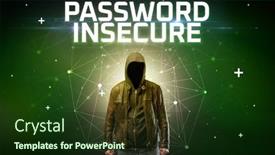
 Presentation with password - Audience pleasing slides consisting of mysterious-hacker-with-password-insecure backdrop and a tawny brown colored foreground

Mysterious Hacker Password Insecure Inscription,

In a world where data is the ultimate currency, a mysterious hacker lurks in the shadows, their passwords insecure and easily crackable. Their online presence is shrouded in secrecy, making it a daunting task to uncover their true identity. The consequences of being caught are dire, with hackers being considered high priority targets for law enforcement agencies. The Corner Title template, aptly named "Corner Title", is designed to evoke the sense of unease and danger that comes with dealing with unrecognizable threats. This widescreen template features a dark khaki color palette that exudes sophistication and mystery. The background image is high resolution and engaging, providing the perfect blend of style and substance. The Corner Title is available in Google Slides format, making it easy to use as a versatile tool for presentations and online projects alike. With its unique design and dark khaki color scheme, this template is sure to make a statement. The 4 How To slides at the start of the deck will help you get up and running quickly, providing an essential foundation for any presentation. When creating your Corner Title presentation, be sure to include a picture on the right with caption layout that showcases your skills in action. For example, you could feature a high resolution image of yourself working on a complex data visualization project, highlighting your expertise as a professional data analyst. The image can also be used as an enhancement to showcase your creativity and attention to detail. The Corner Title template is ideal for presentations that require a bold and mysterious tone, such as online security concepts or hacking techniques. With its dark khaki color scheme and high resolution background images, this template will help you create a visually engaging presentation that grabs the audience's attention.

 Presentation with password - Cool new PPT layouts with concept with binary code security backdrop and a light blue colored foreground

Computer Concept Binary Code Security

The world of technology is a complex and ever evolving landscape, where security and data protection are paramount. As we navigate this digital realm, we must be mindful of the access we grant to our sensitive information, lest it fall into the wrong hands. The code that governs our online interactions is a delicate balance of power and control, with software playing a crucial role in shaping our digital destiny. In the world of computer graphics, the Corner Title template is designed to provide a visually striking backdrop for your presentation. This widescreen template features a high resolution image of a binary code pattern, set against a cadet blue background that exudes sophistication and professionalism. The design name "Corner Title" pays homage to the corner of the screen where our attention is drawn first. The template's color palette is carefully curated to evoke a sense of security and trust, with shades of navy blue and silver used throughout. This theme is reinforced through the inclusion of a background image featuring a stylized lock and key design element, adding an extra layer of depth and visual interest. As you delve into your presentation, you'll notice that there are four How To slides at the start to help you get up and running quickly. These slides will provide valuable guidance on setting up your presentation, including tips on how to customize your template and add interactive elements. With this template as your foundation, you're ready to take your presentation to the next level. The 5 Level Piramid Layout slide is a great place to start, featuring a clear hierarchy of information that will help you organize your thoughts and keep your audience engaged. This layout is perfect for presentations that require a lot of visual content, such as software demonstrations or technical explanations. By including a background image with a subtle

 Presentation with password - Cool new slide deck with network monitoring - computer concept with binary code backdrop and a ocean colored foreground

Computer Concept Binary Code Security

Imagine a sleek and modern computer screen, with lines of binary code dancing across the background in a mesmerizing display of digital art. The Steel Blue color palette shines through, evoking feelings of trust and reliability. This is what you'll see when you open the Wide Title template from CrystalGraphics. The Widescreen format ensures that every detail is showcased, making it perfect for presentations that require maximum impact. The template's high resolution images will transport your audience to a world of security and data protection, where access is controlled and code is secure. Featuring a prominent background image with subtle animations, this template includes a Background With element that adds depth and visual interest. The 3 Column Layout slide provides a clear structure for your presentation, making it easy to organize your content. Having a Theme of Professionalism ensures that the design stays on brand throughout the deck. Enhanced With features like customizable fonts and colors give you the flexibility to tailor the template to your specific needs. This template is downloadable and compatible with Google Slides, allowing you to easily import images and add interactive elements. The Steel Blue color palette provides a sophisticated look that's sure to impress.

 Presentation with password - Theme with madagascar highlighted in red on globe with surrounding region 3d illustration with highly detailed realistic planet surface elements of this image furnished by nasa background and a light gray colored foreground

Computer Concept Binary Code Security

The world of computer security is a complex and fascinating one, where access to sensitive information is paramount. As we delve into the realm of code and data, it's essential to prioritize privacy and protect our digital assets from unauthorized tampering. In this Corner Title template, you'll find a sleek and modern design that perfectly captures the essence of high resolution images for the background, featuring intricate patterns and subtle gradients. The Steel Blue color palette provides a sophisticated backdrop for your content, while the 6 Pictures in a Grid Layout slide will give you a clear idea of what to expect. The template is specifically designed for widescreen presentations, making it perfect for Google Slides. With its enhanced theme of security and data protection, this template is sure to impress your audience with its high quality visuals and engaging design elements. Featuring a grid layout that showcases the importance of organization and structure, you'll be able to effectively convey complex concepts in an easy to understand manner. Including a background with subtle animations and transitions will add a touch of sophistication to your presentation, while having a theme of data visualization will help illustrate key points and make them more memorable. With its compatibility with Google Slides, you can easily enhance the template's features and customize it to suit your needs.

 Presentation with password - Audience pleasing slides consisting of blue-sign-in-button backdrop and a black colored foreground

Blue Sign Button Lcd Screen,

As you begin to create your new Corner Title template, you'll want to start with something that grabs attention and sets the tone for your entire presentation. Imagine walking into a dimly lit room filled with the soft glow of blue lights, evoking feelings of trust and security that's what our Dark Blue theme will provide. Our Corner Title template is specifically designed for widescreen presentations, making it perfect for grabbing the audience's attention from the very beginning. And with its sleek dark blue color palette, you'll be sure to make a statement. This template is ideal for anyone working in private industries or requiring high levels of security and confidentiality. One of the standout features of our Corner Title template is its seamless integration with other slide templates. Featuring a background image of an LCD screen, this theme will give your presentation that high tech feel you're looking for. Including a Background With a subtle gradient effect, it adds depth and visual interest to any slide. Having a Theme of a professional and corporate look, our template is perfect for business presentations or company profiles. For the 4 Member Bio Layout slide, I envision a clean and simple design that showcases each member's expertise in a concise and effective manner. Perhaps we could include a background image featuring a globe or a map to represent the global reach of your organization? Having a Theme of showcasing individual strengths and accomplishments would make for a compelling presentation. Enhanced With a subtle animation effect, it adds an extra layer of engagement and impact to each slide. And when you need to add some extra flair to your presentation, don't hesitate to use our template's built in design elements from the sign on the LCD screen to the links on the login page, there are plenty of options to enhance your content. Having access to a library of high resolution images will give you the flexibility to create visually stunning presentations that truly stand out.

 Presentation with password - Presentation theme featuring hacker hacking email address password background and a  colored foreground

Talented Young Hacker Hacking Email

The world of coding and technology is always in high demand, and with the rise of online platforms, the need for skilled professionals has never been greater. As we navigate this digital landscape, it's essential to have a solid foundation in programming languages like code, which can be applied to various fields such as web development, artificial intelligence, and more. When it comes to creating engaging content, designers often rely on dark slate gray backgrounds that provide a sleek and professional look. This template is designed to deliver just that, with its high resolution images for the background that will leave your audience in awe. The Dark Slate Gray color palette is both sophisticated and modern, making it an ideal choice for any presentation or slide deck. This template features a unique theme of "Code" that includes a variety of elements such as hands, keyboards, and coding concepts. It's perfect for showcasing your skills and expertise in the world of technology. The Managed Process Layout ensures that each element is carefully placed to create a visually appealing design. The four How To slides at the start of the deck are designed to help you get up and running quickly, providing valuable tips and tricks to enhance your coding skills. These slides can be used as a starting point for any presentation or project, and their Managed Process Layout ensures that they will look great on any device. Including a Background With high resolution images, Featuring a theme of "Code" Including a background with dark slate gray color palette Having a Theme of code Enhanced With various elements such as hands, keyboards, and coding concepts makes this template an ideal choice for anyone looking to showcase their skills in the world of technology.

 Presentation with password - Colorful slide set enhanced with hawaii - gorgeous sunset on the coast backdrop and a black colored foreground

Fingerprint Password Lock Office Building

Slide set enhanced with fingerprint and password lock in a office building

 Presentation with password - Audience pleasing slide deck consisting of thief entering password on safe backdrop and a wine colored foreground

Thief Entering Password Safe

Slide deck consisting of thief entering password on safe backdrop

 Presentation with password - Presentation theme with security - close up of woman hand background and a coral colored foreground

Close Up Woman Hand Using

As you dive into the world of financial management and secure online transactions, you'll want to create a template that not only looks sleek but also conveys a sense of professionalism and reliability. Introducing "Secure Banking" a stunning Widescreen PowerPoint template designed specifically for accounting professionals and business owners who value data security. This template is perfect for showcasing your expertise in online banking and financial transactions, featuring high resolution images of smartphones and laptops to give it a modern and dynamic feel. The Cornflower Blue color palette provides a clean and trustworthy look that will appeal to clients and colleagues alike. The "Secure Banking" template includes four How To slides at the start of the deck to help you get up and running quickly, but don't worry we won't list them here just yet. Instead, let's focus on what makes this template truly special: its seamless integration with Google Slides, making it easy to download and use in your own presentations. The Dart on Target Layout slide is a standout feature of this template, providing a clear and concise overview of the key elements you'll need to include in your presentation. With its bold fonts and eye catching graphics, it's sure to grab attention and draw viewers in. And with "Including a Background With" and "Having a Theme of Financial Data", you can create a cohesive look that ties everything together. This template is designed to enhance your online banking experience, featuring a range of interactive elements and customizable options to make it truly unique. Whether you're creating a presentation for clients or colleagues, or just want to showcase your expertise in financial management, "Secure Banking" has got you covered.

 Presentation with password - Slide set with password crack - businessman in digital security concept background and a gray colored foreground

Businessman Digital Security Concept

In the heart of the digital realm, where the lines between security and innovation blur, lies the perfect blend of style and sophistication. The Wide Title template is an attention grabbing showcase that will leave your audience mesmerized, evoking the image of a polished businessman in the world of high stakes digital security. This template boasts a goldenrod color palette that exudes warmth and professionalism, perfectly capturing the essence of a cutting edge tech firm. The Widescreen format ensures a stunning visual experience, as if you're standing in front of a sleek screen displaying the latest software updates. Featuring vibrant high resolution images for the background, this template is sure to make your presentations stand out from the crowd. The Managed Process Layout slide showcases a harmonious blend of functionality and design, where the intricate workings of the software are presented with clarity and precision. It's as if having a theme of "Control" in action, where each element is carefully curated to convey the sense of security and reliability that comes with navigating complex digital landscapes. The template is also accompanied by four How To slides at the start of the deck, providing valuable insights into getting up and running quickly, including the essentials for coding, data management, software implementation, and program development. These slides are sure to be a valuable resource for anyone embarking on this journey, offering expert advice and practical tips to help you succeed in the digital realm.

More Password templates for PowerPoint and Google Slides:

previous 1 2 3 4 next
Categories related to Password:
Login
93% of Fortune 1000
companies use our
PowerPoint Products
Templates Secure

Standing Ovation Award
Winner: Best PowerPoint
Template Collection
Fortune Logos
200,000+ satisfied
customers worldwide!
Guarantee
100% satisfaction guaranteed
- or send it back for a refund!

Sign up for our free newsletter! You'll get news about our PowerPoint-enhancing product line – including free updates, new product announcements and exclusive special offers. Plus you'll get a link to a free PowerPoint template with every newsletter you receive.
Privacy Policy
Loading...


Help

Contact Us
Product FAQs
Product License Agreements

Company Info

About Us
Privacy Policy
CrystalGraphics, Inc. 1999 S. Bascom Avenue Suite 700 Campbell, CA 95008 USA
© 2025 CrystalGraphics, Inc. All rights Reserved.    |     PowerPlugs is a trademark of CrystalGraphics, Inc.
Microsoft and the PowerPoint logo are trademarks or registered trademarks of Microsoft Corporation in the United States and/or other countries.
Loading...
Loading...