www.crystalgraphics.com CrystalGraphics
  • Ultimate Combo
  • Templates
  • Diagrams
  • Characters
  • Quizzes
  • shopping cart
  • Sign Out Sign Out Sign In
Home > Templates > Pharmacy Category
search icon
advanced icon

354 Best Pharmacy-Themed Templates for PowerPoint and Google Slides

Imagine stepping into a world where presentations come alive with vibrant colors, professional graphics, and attention to detail. Welcome to CrystalGraphics Pharmacy category, where our vast collection of PowerPoint templates awaits to transform your visual storytelling.

Inspired by the intricacies of medicine and healthcare, these templates bring the pharmacy world to life in stunning ways. From prescription symbols and stethoscopes to pill capsules and medical reports, every element is meticulously designed to capture the essence of this specialized field. Whether you're a pharmacist looking for professional branding or a medical student seeking to convey complex concepts with ease, our Pharmacy template collection has got you covered.

With our Pharmacy templates, you can create engaging presentations that not only convey information but also evoke a sense of calm and authority. The title slide sets the tone, while 60+ additional slides showcase a range of possibilities - from detailed medical reports to stethoscope-wielding pharmacists. All templates are compatible with Google Slides, making it easy to import and customize them on any device.

Take your presentation to new heights with our Pharmacy templates, designed to deliver instant 24/7 download access. Customize every element to fit your unique style and branding needs. Browse through our extensive collection or explore other categories like Business, Education, and more - we have something for everyone.

So why wait? Dive into the world of Pharmacy templates and unlock the potential for effective visual storytelling in your presentations. With CrystalGraphics Pharmacy category, you can create memorable content that sets you apart from the crowd. Browse now and discover how our templates can elevate your presentation game.

Features & Pricing

Widescreen (16:9) Presentation Templates. Change size...

 Presentation with pharmacy - PPT layouts with pharmacist filling prescription in pharmacy background and a sky blue colored foreground

Pharmacist Filling Prescription Pharmacy

The world of pharmacy is full of excitement and precision, where pharmacists meticulously prepare medication and interact with patients in a professional setting. As you delve into the colorful world of medications and prescriptions, you'll notice a specific theme emerging one that combines the aspects of work, occupation, and commerce. The Corner Title template is designed to capture this essence, featuring a warm and inviting Burly Wood Colored scheme that evokes a sense of professionalism and approachability. The high resolution images on the background will transport you to the bustling shelves of a local pharmacy, where medications and products are neatly organized and easily accessible. This template is downloadable and compatible with Google Slides, ensuring seamless integration into your workflow. The Burly Wood Colored theme provides a unique contrast against the monochromatic backgrounds, creating a striking visual effect that draws attention. As you explore this template, you'll notice the prominent placement of the picture with caption layout slide "Pharmacist Filling Prescription in Pharmacy." This image showcases a pharmacist at work, carefully preparing a medication and discussing it with a patient, highlighting the importance of human interaction in pharmacy. The Corner Title template is designed to enhance your presentations by featuring a simple yet effective design that incorporates background images. With its Burly Wood Colored theme and high resolution images, this template provides an ideal backdrop for showcasing various medical and occupational themes, making it an excellent choice for professionals who work in the healthcare industry or pharmacy setting. This template includes four How To slides at the start of the deck to help you get up and running quickly. These interactive slides can be used as a starting point to introduce yourself and your professional background. For example, you could begin by introducing yourself with a brief bio on the "About Me" slide, followed by a link to your LinkedIn profile or personal website. Overall, the Corner Title template is an excellent choice for those who want to make a lasting impression with their presentations while highlighting the unique aspects of pharmacy and its professionals.

 Presentation with pharmacy - Slide set with drugs - pharmaceutical scientific female researcher background and a sky blue colored foreground

Pharmaceutical Scientific Female Researcher Protective

In the realm of pharmaceutical research and industry manufacturing, where precision and safety are paramount, a professional and engaging template is necessary to convey the seriousness and importance of producing high quality products. To create a compelling visual identity for this purpose, we have designed the Corner Title template. This template features a modern and sleek design with a pale turquoise color palette that exudes serenity and professionalism. The high resolution images on the background will transport you to the sterile environment of a pharmacy, laboratory or manufacturing facility. Featuring intricate details of lab equipment and production processes, this template includes a Background With subtle texture and shadows to enhance realism. The Corner Title template is specifically designed for pharmaceutical and pharmaceutics applications, with keywords such as "medical", "pharmaceutical", "pharmaceutics" and "sterility" prominently displayed. The theme of the template remains consistent throughout, creating an cohesive and professional look that will help you convey your message effectively. As a downloadable template compatible with Google Slides, this Corner Title template is perfect for anyone looking to elevate their presentation on pharmaceutical research and industry manufacturing.

 Presentation with pharmacy - Amazing PPT layouts having drugs - pharmacist and client at pharmacy backdrop and a light blue colored foreground

Pharmacist Client Pharmacy

The world of pharmacy is one that requires precision, attention to detail, and a deep understanding of the profession. As a pharmacist, your expertise is not just limited to dispensing medication, but also encompasses a vast range of skills, from prescribing to patient counseling. To convey this message effectively, you'll want a template that showcases your professionalism and trustworthiness. That's why we've created Corner Title, a stunning Widescreen template featuring high resolution images that will help you establish authority in the industry. The Khaki color palette is clean and modern, evoking feelings of reliability and expertise. The template itself is designed to be versatile, with keywords such as "pills", "medical", "occupation", "pharmacist", and "expertise" included to ensure it resonates with your target audience. By having a theme that celebrates the profession, you'll create a cohesive look that sets you apart from competitors. The template is compatible with Google Slides, making it easy for users to customize and adapt it to their needs. And when it comes to showcasing your expertise, Corner Title Features a Background With high resolution images of pharmacies and medical facilities, Included a simple yet elegant layout that allows for easy navigation through the template's various slides. To get started quickly, four How To slides are included to help you master the template. These can be accessed from any slide, making it Easy To Use And Accessible For Users Of All Levels. The template is also Enhanced With Googles Built In Add ons, allowing users to further customize and personalize their presentations.

 Presentation with pharmacy - Slides consisting of female customer with digital background and a lemonade colored foreground

Medicine Healthcare Technology Concept -

Imagine walking into a cozy pharmacy where the scent of freshly brewed coffee and the soft glow of digital screens fill the air, creating an inviting atmosphere that makes customers feel at ease. The walls are adorned with rows of high end medical equipment, while the shelves are lined with bottles of prescription medication, each one carefully packaged and labeled for maximum visibility. The Corner Title template is a unique and captivating design that seamlessly integrates elements of medicine, healthcare, and technology to create a visually stunning presentation. This Widescreen template features a rich Burly Wood Colored color palette, which adds warmth and sophistication to any visual element. The background images are high resolution, featuring beautiful landscapes or cityscapes with subtle medical references. The template is carefully crafted to include a digital prescription on the pharmacy counter, as well as a senior apothecary's workstation with a tablet PC computer screen displaying detailed patient information. This creates an immersive experience that allows users to visualize their own prescriptions and treatments in vivid detail. The Social Media Concept Layout slide showcases the corner of the page featuring a beautiful image of a person taking a digital prescription, with hashtags and social media handles included for easy sharing. The template is downloadable and compatible with Google Slides, allowing you to enhance your presentation with additional visuals and animations.

 Presentation with pharmacy - Presentation design featuring pharmacy - closeup of a young caucasian background and a sky blue colored foreground

Closeup Young Caucasian Doctor Man

In the world of medical and insurance industries, healthcare costs can be a significant burden on individuals and families, often taking a heavy toll on their finances. A doctor's hands are always in demand, but as the costs rise, it's essential to present valuable information in an engaging way that sets your presentation apart. A Wide Title is designed to capture attention with its simple yet impactful phrase: "Healthcare Costs: The Untold Story". This template format showcases a stunning high resolution image of a young Caucasian doctor holding a dollar symbol in his hand, conveying the concepts of healthcare costs and insurance. The Light Steel Blue color palette provides a clean and professional backdrop for your slide. This template is engineered to enhance the visual appeal of any presentation with its rich Background With images showcasing various aspects of the medical industry and pharmaceuticals. Featuring a mix of informative graphics and engaging visuals, this template has everything you need to create an immersive experience for your audience. With 4 How To slides at the start of the deck, you'll be able to get up and running quickly with minimal setup. But what makes our template truly stand out is its seamless integration with Google Slides, making it easy to incorporate high resolution images into your presentation with ease. Having a theme of professionalism and expertise, this template has everything you need to present valuable information in an engaging way that leaves a lasting impression on your audience.

 Presentation with pharmacy - PPT layouts featuring medicine in shelf at pharmacy background and a light blue colored foreground

Pharmacist Checking Medicine Shelf Pharmacy

Pharmacist checking medicine in shelf at pharmacy stands out against the backdrop of high resolution images of various pharmaceuticals and medical equipment, creating a visually appealing and professional atmosphere that immediately conveys the theme of the template. The Dodger Blue color palette adds a touch of sophistication, while also evoking feelings of trust and reliability. The Wide Title design name is perfectly suited for this theme, as it exudes grandeur and authority. With its bold font and prominent placement, it sets the tone for the rest of the deck. Widescreen compatibility ensures that users can easily view the template across various devices, making it a versatile choice for presentations, brochures, or other materials where a consistent layout is essential. This template features images of medical professionals working in pharmacies, highlighting the importance of proper medication management and adherence to pharmaceutical regulations. The inclusion of a Background With feature allows for seamless integration with Googel Slides, enabling users to easily create custom backgrounds that match their specific needs. Having a Theme of adds to the overall cohesion of the template, making it easy to tell apart from other designs. Enhanced With is particularly useful when combining images with text or graphics, as it creates a visually appealing and professional appearance. In this case, the use of Dodger Blue and high resolution images ensures that the template looks stunning, even with simple text overlays. By starting with a striking attention grabber, this template sets the stage for a presentation that's informative, engaging, and easy to follow. Its compatibility with Google Slides makes it an excellent choice for users who want to create presentations that are both professional and reliable.

 Presentation with pharmacy - Presentation theme consisting of happy-friendly-multiethnic-pharmacist-doing background and a coral colored foreground

Happy Friendly Multiethnic Pharmacist Doing

In the vibrant world of pharmaceuticals and medicine, Corner Title is here to revolutionize your presentation with its captivating design. This stunning template features a modern pharmacy scene that's perfect for displaying important information about medications, medical procedures, or even the latest scientific breakthroughs. The high resolution images used as backgrounds will transport you to a world of comfort and familiarity. The Lavender color palette adds a touch of warmth and friendliness to this digital masterpiece. As you navigate through your presentation, you'll notice that Corner Title seamlessly incorporates various design elements that make it easy to follow along. For instance, the Timeline Layout slide is perfectly placed before diving into your main content, featuring a simple yet effective interface that allows you to easily scan the information you need. With its modern and friendly vibe, Corner Title is ideal for anyone looking to create engaging presentations about pharmaceuticals or medicine. Whether you're showcasing high resolution images, including a background with interactive elements, having a theme of conveying a sense of professionalism, or enhancing your presentation with animations, this template has got you covered.

 Presentation with pharmacy - PPT theme consisting of liquid solution in gas background and a sky blue colored foreground

Pharmacy Chemistry Theme Female Scientific

Imagine yourself in a bustling laboratory, surrounded by rows of equipment and high tech apparatus, as you prepare to conduct your next experiment. The fluorescent lights overhead cast an ethereal glow on the sterile surfaces, illuminating the intricate details of the instruments. The air is filled with the sweet scent of chemicals and the soft hum of machinery. The Corner Title template, featuring a sophisticated design name that immediately conveys its purpose, is the perfect starting point for your educational journey. With its Widescreen format, this template provides an expansive canvas to showcase your content, making it ideal for presenting complex scientific concepts to a wide audience. The Light Blue color palette adds a touch of serenity and professionalism, evoking feelings of trust and expertise. This template is not just limited to laboratory settings; it can also be applied to medical research, education, or even biotechnology applications. The high resolution images that come with the template will transport you to a world of precision and accuracy, where the boundaries between reality and experimentation are blurred. As you embark on your educational journey, four How To slides will guide you through the process of creating an engaging presentation. These slides will provide valuable tips and tricks to enhance your content, such as how to include high quality images, use advanced layout features, and tailor your design to specific applications. The Corner Title template is not just a static image; it's an interactive tool that can be customized with different fonts, colors, and layouts. You can have a theme of "Laboratory Essentials" or "Biochemistry Basics," for instance, and incorporate relevant images and text into the design. This allows you to tailor the template to your specific needs, making it easy to enhance its functionality. With its light blue background, high resolution images, and sophisticated keywords, this Corner Title template is an ideal starting point for anyone looking to create a professional looking presentation. Whether you're a student, teacher, or researcher, this template has got you covered, providing the perfect foundation for your educational journey.

 Presentation with pharmacy - Happy cheerful pharmacist chemist woman standing in pharmacy drugstore

World Health

Happy cheerful pharmacist chemist woman standing in pharmacy drugstore

 Presentation with pharmacy - Audience pleasing slides consisting of pharmacy - portrait of a dedicated female backdrop and a light gray colored foreground

Portrait Dedicated Female Pharmacist Taking

The Corner Title template is a stunning presentation piece that boasts a warm and inviting design, perfectly capturing the essence of a modern pharmacy. The Widescreen format ensures maximum impact, while the Tan color palette brings to mind the classic, timeless feel of traditional pharmacy settings. High resolution images for the background feature various pharmaceutical products and medical equipment, creating an immersive experience that draws viewers in. The template is downloadable and compatible with Google Slides, making it easy to customize and adapt to different needs. Featuring a serene and professional atmosphere, this template is ideal for showcasing your expertise as a pharmacist or highlighting a specific aspect of the industry. The 3 x 3 Org Chart Layout slide offers an informative way to organize key personnel, departments, and projects, providing a clear structure for presenting organizational information. Having a theme of featuring a clean and organized layout, this slide helps to emphasize the importance of effective communication within a medical setting. Enhanced with icons and graphics, it adds a touch of personality to the presentation. This template can be used as a starting point for various applications, such as training programs for new pharmacists or showcasing success stories in the pharmaceutical industry. Including a background with plenty of images and text can help to stimulate engagement and make the content more memorable. Having a theme of featuring a modern and sleek design ensures that the presentation remains fresh and relevant over time. For example, you could use this template to create a slide titled "Meet Our Team," including a photo of each member, along with their role and achievements. Alternatively, you could incorporate a background image of a pharmacy store or hospital setting, highlighting the various departments and services offered by the institution.

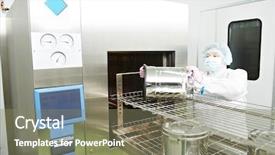
 Presentation with pharmacy - Colorful PPT theme enhanced with sterilized - pharmaceutical factory woman worker operating backdrop and a coral colored foreground

Pharmaceutical Factory Woman Worker Operating

Imagine yourself standing in front of a pharmaceutical factory, surrounded by rows of sterile workstations and machinery. The sounds of hummed equipment and soft whispers of workers create an immersive experience. As you glance at the walls, you notice the high resolution images of medical equipment on display, including the autoclave, steam sterilization units, and pharmacy shelves stocked with countless pharmaceutical products. This template is a dynamic and informative presentation that transports your audience to the world of pharmaceutical manufacturing. Its design name is "Pharmaceutical Factories" and it's a Widescreen template in the Powder Blue color palette, featuring a theme of medical equipment and sterile environments. The template includes four easy to follow How To slides at the start of the deck, each one providing valuable insights to get your audience up and running quickly. The 5 Stages Pentagon Layout slide showcases the workflow and process of pharmaceutical production, highlighting key areas such as raw material sourcing, formulation, testing, and packaging. This layout is enhanced with detailed images and graphs illustrating the intricate steps involved in creating life saving medicines. This template is ideal for presentations at conferences, trade shows, or even internal meetings focused on pharmaceutical industry best practices. By featuring a background image of a pharmaceutical factory, you'll be able to convey the importance and complexity of this industry. Including a Background With some high resolution images of medical equipment, such as pipettes, test tubes, and sterile storage containers, will help your audience visualize the scope of the topic. Having a theme of medical equipment and a focus on sterility will also give you an edge when working with Google Slides.

 Presentation with pharmacy - Colorful slides enhanced with lab coats in the pharmacy backdrop and a light blue colored foreground

Rear View Pharmacist Working Lab

This is just a brief setup. Let's get started. Imagine walking into a pharmaceutical lab where the pharmacist is treating patients with precision and care, surrounded by high resolution images that showcase the latest medical advancements and breakthroughs in half life treatments. The pharmacy setting is vibrant with Light Steel Blue hues, evoking feelings of modernity and professionalism. This design concept combines medical expertise with pharmaceutical innovation, creating an engaging template for presentations, reports, and marketing materials. As part of a comprehensive PowerPoint template, this Widescreen design features the following key elements: A theme of enhancing engagement through interactive visuals, making it easy to get up and running quickly. The Light Steel Blue color palette is both soothing and stimulating, perfect for conveying medical expertise and pharmaceutical innovation. There are four How To slides that come with the purchase, designed to help users master this template in no time but they won't be listed here. This template is fully customizable, allowing you to make it your own by adding 5 P's of Marketing Diagram Layout, such as featuring a clear background image, including essential graphics and having an overall theme of clarity and simplicity.

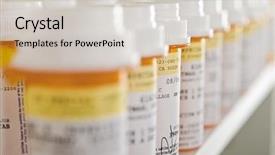
 Presentation with pharmacy - Colorful theme enhanced with pharmacy - bottles of pills arranged backdrop and a lemonade colored foreground

Bottles Pills Arranged Shelf Drugstore

In a world where design reigns supreme, a simple yet effective template emerges to elevate your presentation game. This Wide Title template is the perfect starting point for any user, whether you're a seasoned pro or just beginning your journey. Its distinctive Burly Wood Colored theme sets it apart from the rest, evoking a sense of warmth and professionalism. The Widescreen format allows for maximum visual impact, making this template an excellent choice for presentations that need to make a statement. The high resolution images featured throughout the template will transport you to a world of style and sophistication, perfect for showcasing your products or services. As you begin your presentation journey, four essential slides come to mind: How To 1: Designing Your Layout, which helps you get started quickly; How To 2: Creating Effective Pillars, including a Background With a seamless transition between elements; How To 3: Crafting Engaging Texts, featuring the Theme of Storytelling; and How To 4: Enhancing Your Design with Visuals. This template is a feast for the eyes, particularly on those early slides. For instance, imagine presenting your latest product assortment to an audience, or showcasing how it enhances their lifestyle. The Dart on Target Layout slide takes center stage, offering ample space for visuals and information that will keep your message engaging. With this template in hand, you're ready to take your presentation to the next level – featuring a Background With a stunning visual effect, including a seamless transition between elements, having a Theme of Storytelling, enhancing with high resolution images, or creating an immersive experience that will leave your audience captivated.

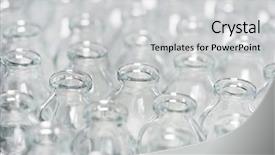
 Presentation with pharmacy - Colorful slides enhanced with glass bottle packaging - close-up pharmacy contaner glassware background backdrop and a light gray colored foreground

Close-up Pharmacy Contaner Glassware Background

In a world where pharmaceuticals are the backbone of modern medicine, there is no room for imperfections in presentation. The importance of a visually striking and informative PowerPoint template cannot be overstated, especially when it comes to showcasing high quality images and text that convey the essence of medical and pharmaceutical content. One such template that stands out from the crowd is the Wide Title design featuring four How To slides at the start of the deck will help you get up and running quickly, while also showcasing how easily this template can be customized to fit your specific needs. The Widescreen format ensures a seamless viewing experience on any device, making it perfect for presentations, pitches, or marketing materials. And with a Pale Turquoise color palette that exudes a sense of calmness and serenity, this template will make you feel like you're entering a sterile environment where precision and attention to detail are paramount. The template's keywords medical, pharmaceutical, stack, pharmaceutics, sterility align perfectly with the theme, making it an excellent choice for those looking to create high quality content that meets industry standards. For instance, featuring a background image of a close up pharmacy container glassware can give your audience an idea of what to expect from this template. This template is also compatible with Google Slides and offers enhanced functionality when compared to other similar templates on the market. It's lightweight, yet robust enough to handle demanding presentations and slideshows. Whether you're showcasing high resolution images or simple text layouts, this template will provide you with everything you need to create a visually appealing and informative presentation that meets your audience's expectations.

 Presentation with pharmacy - Cool new PPT layouts with pharmacy - pharmaceutical industry production line machine backdrop and a coral colored foreground

Pharmaceutical Industry Production Line Machine

Imagine being at the heart of a bustling factory, surrounded by the hum of machinery and the whir of production lines, where bottles roll off the conveyor belt and into the awaiting hands of customers this is what the pharmaceutical industry is all about. As you scan through the scene before you, you can almost smell the distinct aromas of chemicals and ingredients being mixed together, creating life changing medicines that improve people's lives. Our Corner Title template is designed to take your presentation to the next level, featuring high resolution images of a conveyor line at work, complete with bottles and medical equipment. The pale goldenrod color palette adds a touch of sophistication and elegance, while the keywords 'conveyor', 'medical', 'pharmaceutical', 'pharmaceutics', and 'sterility' are carefully included to ensure your presentation is relevant and engaging. This template is not just for presentation purposes, but also for use in Google Slides. It's a downloadable resource that you can easily edit and enhance with our interactive elements, such as customizable backgrounds and animations. And when it comes to compatibility, we've got your back this template is compatible with all Google Slides versions. As you embark on your presentation journey, remember that the 5 Steps to Success Layout slide will guide you through the key stages of creating a successful show. From defining your purpose to presenting your findings, this layout offers a clear and concise framework for delivering an engaging and informative speech. And with our Corner Title template as your starting point, you'll be well on your way to crafting a compelling narrative that leaves a lasting impression on your audience. With four easy to follow slides to get you started featuring the 'Getting Started' slide where you can customize your presentation, the 'Content Creation' slide where you can create and format your content, the 'Visuals and Illustrations' slide where you can enhance with high resolution images, and the 'Design Elements' slide where you can add interactive elements, you'll be able to put together a stunning presentation that showcases your expertise in pharmaceutical industry production.

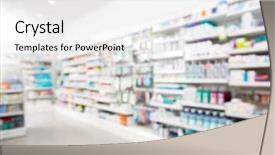
 Presentation with pharmacy - Presentation design featuring arranged in shelves at pharmacy background and a white colored foreground

Products Arranged Shelves Pharmacy

Imagine a vast pharmacy shop filled with rows of shelves stacked high with an assortment of medications, each one carefully arranged to showcase the latest products and treatments on display. The air is crisp and clean, with the scent of fresh herbs and spices wafting through the air as shoppers browse the aisles. This is what it would be like if we were to bring this image to life in a PowerPoint template. The template features a Sky Blue background that provides a bright and calming backdrop for your presentation. The theme is set with Pharmaceutical products, showcasing a range of high resolution images that will help you visualize the different types of treatments and medications on display. Featuring a mix of colorful labels and packaging, this template has a fun and engaging feel to it. The Sky Blue color palette provides a soothing atmosphere that's perfect for medical presentations or pharmaceutical training materials. The Section Header Layout slide is designed to have a clear and easy to read format, with the title "Treatment Flow" prominently displayed at the top. This section can include additional information such as a map of the pharmacy layout or diagrams showing how different treatments are administered. Having a theme that includes pharmaceutical products allows you to showcase a range of images that will help your audience understand the importance and relevance of these products in real world scenarios. With the inclusion of high resolution background images, users can get an immersive experience that makes their job easier.

 Presentation with pharmacy - PPT layouts featuring pharmacist and client at pharmacy background and a sky blue colored foreground

Pharmacist Client Pharmacy

Imagine yourself sitting in front of a pharmacy counter, surrounded by rows of neatly organized medication bottles and pill containers, as you carefully examine the various prescriptions written on them. The warm glow of the overhead lighting casts a cozy ambiance over the scene, inviting you to take your time and thoroughly review each item. You can see the pharmacist carefully labeling the pills with precise markings, making sure they are used correctly in order to ensure the patient's safety. The background image for this template features high resolution photos of medical equipment, such as prescription pads and test strips, arranged artfully on a wooden cabinet. The overall design exudes a sense of professionalism and attention to detail. The tan colored background palette provides a natural and earthy tone that complements the warm lighting, creating a visually appealing atmosphere. The template is compatible with Google Slides, making it easy to insert into presentations and share with others. It's also downloadable, allowing you to print or save it to your computer for later use. The design is enhanced with the inclusion of a background image that adds depth and dimensionality to the layout. With this Corner Title template, you can create engaging presentations that showcase your expertise in pharmacy and the importance of accurate labeling. The opposite directional arrows layout is particularly useful on slides like "How To: Dispensing Medications" where it's necessary to show the correct path for dispensing medications from one container to another. This slide would feature a series of arrows pointing out the correct sequence, creating a clear visual hierarchy and making it easy for viewers to follow along. By using this template as the foundation for your presentation, you'll be able to create a professional and informative look that showcases your knowledge of pharmacy and its importance in patient care. With just a few minutes

 Presentation with pharmacy - PPT theme with arranged in shelves at pharmacy background and a white colored foreground

Products Arranged Shelves Pharmacy

In the heart of any pharmacy, nestled among shelves stacked high with pharmaceuticals and medical products, lies a treasure trove of innovative treatments waiting to be discovered. From the intricately designed displays to the precise categorization of each item, every aspect of this virtual storefront is meticulously crafted to provide an immersive experience that sets it apart from other online platforms. The Corner Title template offers a unique blend of style and functionality, perfectly capturing the essence of a shop where customers can browse through shelves to discover the latest medical treatments and pharmaceuticals. This iconic layout is designed in Widescreen format with a Sky Blue color palette, providing a clean and modern look that is both visually appealing and easy on the eyes. The template includes high resolution images for the background, featuring beautiful high end photography of various products arranged in creative ways. These stunning visuals are sure to enhance your presentation and make it truly eye catching. Furthermore, this template is downloadable and compatible with Google Slides, making it a great choice for businesses looking to create engaging presentations that can be easily shared with colleagues or clients. With a focus on treatment and medical applications, the Corner Title template offers valuable keywords such as "treatment", "medical", "pharmaceutical", "pharmaceutics" to help you stand out in search results. This template also incorporates the theme of arrangement by creating a visually appealing design that showcases products neatly arranged on shelves. A 3 Step Funnel Layout slide could be an excellent feature, where customers are guided through their desired outcome, from the top shelf displaying high end medications to the bottom shelf featuring affordable options. By breaking down the process into manageable steps, this template provides a clear and structured approach that encourages users to take action.

 Presentation with pharmacy - Beautiful presentation featuring customer choosing product at pharmacy backdrop and a teal colored foreground

Mid Adult Female Customer Choosing

Imagine walking into a bustling pharmacy on a sunny day, surrounded by the sights and sounds of modern medicine, as you compare various options to make an informed decision. The warm glow of high resolution images adorns the background, transporting you to a world of abundance and possibility. The Wide Title "Wide Open" features a beautiful, light sea green color palette that sets the tone for a versatile and engaging template. This Widescreen design lends itself perfectly to showcasing various products or services, making it an ideal choice for a pharmacy themed presentation. The Light Sea Green background creates a calming yet energetic atmosphere, perfect for highlighting key points or creating visual interest. As you explore this template, you may notice the incorporation of 5 Year Calendar Timeline Layout, which allows you to visualize the progression of medical advancements and discoveries over time. This unique layout could be particularly useful when discussing pharmaceutical innovations or comparing different products over an extended period. As you begin your presentation, the high resolution images and light sea green color scheme provide a dynamic backdrop for showcasing various elements, from patient information to product features. The template's flexibility and customization options make it an excellent choice for businesses looking to enhance their brand identity through engaging visuals.

 Presentation with pharmacy - PPT theme having drugs - pharmacy medicine pill production conveyor background and a light gray colored foreground

Pharmacy Medicine Pill Production Conveyor

The pharmaceutical industry is a complex and intricate world where precision and attention to detail are paramount. As we delve into the intricacies of production and manufacturing, it's essential to showcase the right visuals to convey the message effectively. Our design name for this template is "Pharmaceutical Production". The resulting Short Title could be "Production Process" or simply "Manufacturing". This template format offers a wide screen (1920x1080) aspect ratio, ideal for showcasing high resolution images in action. The Steel Blue color palette provides a clean and professional look that will resonate with pharmaceutical related projects. Incorporating the theme of medical imaging, we incorporate images of pills and capsules as well as machinery like conveyors and production lines. Adding a touch of sterile design elements to enhance the theme, featuring high end images of medical equipment in use. Incorporating backgrounds showcasing real world production environments will provide an authentic feel, while having a Theme of "Sterile Production" and using words like "Featured With" and "Including A Background With" will add depth to each slide. The template features 4 How To slides at the start, but they can be easily customized with our downloadable Excel file, making it accessible for users worldwide. These slides are designed to guide users through a step by step process of setting up their new PowerPoint presentation. The Social Media Concept Layout could include images from pharmaceutical related websites or social media platforms showcasing similar themes. For example, "Pharmaceutical Manufacturing" would be an excellent slide concept that includes images of pills and capsules being manufactured on production lines, with real world examples featured in key points such as "Using Real World Images" and "Including A Background With".

 Presentation with pharmacy - Amazing PPT theme having purchaser choosing product at pharmacy backdrop and a seafoam green colored foreground

Mid Adult Female Purchaser Choosing

Imagine being at the pharmacy, carefully comparing prices and reading labels, while being surrounded by the sights and sounds of a bustling medical environment. That's what this Wide Title template is all about helping you create an attention grabbing presentation that showcases your product in a way that resonates with your target audience. Our Crimson themed template features high resolution images for the background, giving it a professional and sophisticated look. Whether you're selling a pharmaceutical product or something entirely different, our design will help you stand out from the crowd. This template is specifically formatted to work on Widescreen devices, making it perfect for presentations that need to be viewed at their largest size possible. Plus, its rich Crimson color palette ensures that your content looks great in any situation. We've also included four How To slides at the start of this deck to help you get up and running quickly just think about how much time you'll save when you can launch your presentation immediately after creating it. And with our 5 Step to Success layout, you'll be able to create a seamless experience for your audience every single time. What makes this template truly special is that it's featuring an exclusive Background With image of a pharmacy interior giving you the perfect opportunity to enhance and showcase your product in an engaging way. And having a Theme of Medical and Pharmaceutics will ensure that your presentation stays focused on what matters most: showcasing your product and reaching your target audience. Whether you're looking to launch a new product or simply need a professional looking presentation for work, this Wide Title template is the perfect solution.

▼Key features of this template

  • They are compatible with both PowerPoint and Google Slides running on either Windows PCs or Macs.

  • They are available in both standard and widescreen slide formats. You can choose your preferred format by clicking on the "Widescreen" check box or icon.

  • Each template includes a beautiful high-resolution background image or video to visually reinforce the theme of your presentation.

  • In addition, each template includes designer-created graphics and modern fonts to give your presentations an up-to-date, professional look.

  • Each template's default design and title text position have been carefully selected to complement its background without covering faces or other key elements.

  • All text includes backdrops whose transparency level is mathematically calculated to maximize text readability while still allowing the background to be seen.

  • And all the text, text backdrops and graphics in every slide are colored with a palette designed to beautifully complement the colors in the background.

  • Our Premium templates (those with the descriptor “Premium” in their subtitle) include over 64 slide layouts to give you maximum flexibility as you create your presentations.

    • Those layouts are available to you whenever you create a new slide or when you want to change the layout of an existing slide.
    • They include everything you need to make all sorts of presentations. In addition to the layouts for the title slide and the usual title and content slide, they include many other layouts for slide types including table of contents slides, org charts, charts, diagrams, infographics, photo slides, thank you slides and more.
    • While creating these layouts our template designers have ensured that all text in every layout adjusts as gracefully as possible to various numbers of words.
  • Customizable templates (those with the descriptor “Customizable” in their subtitle) may be easily modified online before you download them.

    • To modify them, simply click on the pencil editing icon, then select your choice of ready to go designs and title text positions.
    • The editing tool also makes it easy to reposition and scale the background image or video to best suit your needs.

▼FAQs

Please review these FAQs to see if your question is answered. Contact us for more info

  • What is a PowerPoint template?

    • A well designed PowerPoint template is a file that can tell PowerPoint how to make your ordinary templates look extraordinary. They won’t change what your words or numbers say. But they might change their size, color, font and placement. And, overall, they can give your presentations a professionally-designed look that will give your content more credibility and give you more confidence.
  • How many PowerPoint templates do you offer?

    • We have over 32,000 artist-created presentation templates in our PowerPlugs collection With a subscription, PowerPlugs templates are easy to download. Just sign in, find a template and click on the green Download button. ready for you to download. That alone offers you more variety to choose from than any of our competitors can offer. And, as if that weren’t enough, we also offer over 6 million templates in our Crystal collection. Crystal brand templates are our line of templates that have customization options. They have the word "CRYSTAL" on their web page images. You can customize several aspects of the templates. These templates include high-resolution background images from Shutterstock’s vast image collection matched up with artist-created presentation designs customized by our own proprietary AI software.
  • How many templates can I download as a subscriber?

    • You can download an unlimited number of PowerPlugs-brand With a subscription, PowerPlugs templates are easy to download. Just sign in, find a template and click on the green Download button. templates every day for an entire year. (Actually, by default, we set a limit of 25 templates per day to prevent our competitors from stealing our templates. But, if that is not enough, just let us know and we’ll try to accommodate you.) On top of that, with a subscription or an Ultimate Combo, you can also download any 50 Crystal-brand Crystal brand templates are our line of templates that have customization options. They have the word "CRYSTAL" on their web page images. You can customize several aspects of the templates. templates per year selected from our huge Crystal collection. Crystal brand templates are our line of templates that have customization options. They have the word "CRYSTAL" on their web page images. You can customize several aspects of the templates. .
  • Why should I choose your templates instead of the competition’s?

    • We’ve got a larger selection of professionally-designed PowerPoint templates than anyone else in the world.
    • Each template includes a high-resolution background image or video to visually inspire your audiences while reinforcing your message.
    • Each template includes 64 slide layouts to give you maximum flexibility as you create your presentations.
    • Our templates are available in both standard and widescreen slide formats. And our website lets you preview the slides each way.
    • Our free Template Finder™ plugin lets subscribers select and - with a single click - download and insert our templates into their presentations right from within PowerPoint.
    • We’ve been creating designer presentation templates for over 20 years. During that time we’ve won several awards and 5-star ratings for product quality. See About Us for more.
  • Do you offer a money-back guarantee?

    • Yes we do! We offer full 30-day money-back guarantee if you are not 100% satisfied with your purchase.
  • Can I still use my downloaded templates after my subscription runs out?

    • Yes. After your subscription expires, you won't lose any rights or ability to use your PowerPlugs: Templates for PowerPoint. You won't be able to download any new non-watermarked templates. But the non-watermarked templates you've already downloaded will still work and you can still use them as before.
  • Can I share my downloaded templates or passwords with friends or coworkers?

    • Sorry but no. You are authorized to download each paid-for template to up to 3 of your personal devices and to use the templates you download in as many presentations as you want. But you are not authorized to share the templates, themselves, with others. That said, we do offer highly discounted site licenses to suit the needs of both small and large teams. Just tell us your needs and we’ll give you a quote!
  • System requirements:

    • The templates use the standard POTX format. So they are compatible with Google Slides and all PC, Mac and mobile devices running any version of PowerPoint from PowerPoint 2007 up through and including Office 365 desktop.
    • Please note: Google Slides does not currently support background videos. It treats them as still images.
    • For PowerPoint for the Web, first open your template into a desktop version of PowerPoint, then save it back out as a PPTX file. Then you can open that in PowerPoint for the Web.
  • End user license agreement:

    • Click here to view.
  • How will I get my purchased templates?

    • You may download your selected templates as soon as your payment is received by PayPal. If you purchased an individual template, you will be provided with a download link both onscreen and via email. Just click on that link to begin the download process. If you purchased a subscription, you will receive an email containing a password to use along with your email address to sign in to any of the templates pages on CrystalGraphics.com. Once you are signed in, you can immediately start downloading your selected templates.
  • How do I use my templates after I download them?

    • You can either open a template to start a new presentation or you can add a template to an existing presentation. To open a template, just double click on it or use PowerPoint's File > Open tool. To add a template to an existing presentation, on the Design tab, in the Themes group, click Browse for Themes... then browse to select your template.

View more Pharmacy templates:

previous 1 2 3 4 5 6 7 8 9 10 11 12 13 14 15 16 17 next
Categories related to Pharmacy:
Drug Hospital Medical Tablet
93% of Fortune 1000
companies use our
PowerPoint Products
Templates Secure

Standing Ovation Award
Winner: Best PowerPoint
Template Collection
Fortune Logos
200,000+ satisfied
customers worldwide!
Guarantee
100% satisfaction guaranteed
- or send it back for a refund!

Sign up for our free newsletter! You'll get news about our PowerPoint-enhancing product line – including free updates, new product announcements and exclusive special offers. Plus you'll get a link to a free PowerPoint template with every newsletter you receive.
Privacy Policy
Loading...


Help

Contact Us
Product FAQs
Product License Agreements

Company Info

About Us
Privacy Policy
CrystalGraphics, Inc. 1999 S. Bascom Avenue Suite 700 Campbell, CA 95008 USA
© 2026 CrystalGraphics, Inc. All rights Reserved.    |     PowerPlugs is a trademark of CrystalGraphics, Inc.
Microsoft and the PowerPoint logo are trademarks or registered trademarks of Microsoft Corporation in the United States and/or other countries.
Loading...
Loading...