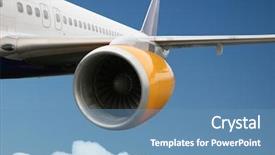
www.crystalgraphics.com CrystalGraphics
  • Ultimate Combo
  • Templates
  • Diagrams
  • Characters
  • Quizzes
  • shopping cart
  • Sign Out Sign Out Sign In
Home > Templates > Plane Category
search icon
advanced icon

294 Best Plane-Themed Templates for PowerPoint and Google Slides

Introducing our vast collection of Plane PowerPoint templates, featuring stunning visuals and expertly crafted design elements that bring your presentations to life. With thousands of options to explore, you can easily find the perfect template to match your unique style and brand.

Take flight with one of these incredible templates: a white airplane parked at the airport, a serene blue sky, or an airplane taking off from the runway - each one is designed to inspire creativity and engagement in your audience. From business presentations to educational materials, our Plane templates are here to help you stand out from the crowd.

With our vast collection of templates, you can browse through thousands of options with ease. Whether you're a designer, educator, or professional looking for a fresh template, we have something for everyone. And when you need it most - in just 24 hours - don't worry about compatibility concerns. Our Plane templates are compatible with Google Slides, so you can easily integrate them into your workflow.

But that's not all - our Plane templates come in both widescreen and standard formats, ensuring that every aspect of the template is perfect for your needs. Plus, with our extensive collection, you're guaranteed to find a template that perfectly complements your brand and style.

Ready to explore? Browse through our vast collection today and discover the perfect template for your next presentation or project. Select the one that resonates with you the most, customize it to suit your unique needs, and download with ease. Don't settle for ordinary templates - elevate your presentations with CrystalGraphics exceptional Plane templates.

Features & Pricing

Widescreen (16:9) Presentation Templates. Change size...
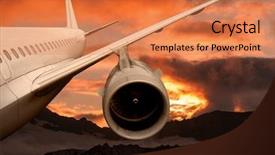
 Presentation with plane - Audience pleasing presentation design consisting of the dawn sky landing backdrop and a coral colored foreground

Plane Flying Sunset Airplane Background

As you step into the world of commercial aviation, the sky is no longer just a canvas for planes to take off and land, but a breathtaking backdrop for your presentation. Imagine soaring through the clouds on a plane flying at sunset, with the warm tones of golden light illuminating the horizon it's a sight that will leave your audience in awe. The Wide Title "Wide Sky" is designed to capture this essence, with its bold and eye catching font, perfect for grabbing attention from afar. The template format is Widescreen, ensuring that every detail is showcased in stunning high resolution images of planes taking off and landing on a beautiful background of the dawn sky. The Chocolate color palette brings warmth and coziness to your presentation, while the plane keywords "plane", "big", "commercial", "sunshine", and "aeroplane" will transport you and your audience to the world of aviation. The template is downloadable and compatible with Google Slides, making it easy to incorporate into your presentations. The theme of this template is to enhance your presentation with a sense of excitement and adventure, featuring high resolution images that showcase planes in action. For example, you could include a picture of an airplane taking off from a runway, or one landing on the ground after a long journey. Having a theme of showcasing aviation will not only make your presentation more engaging but also provide valuable insights into the world of commercial aviation. The template is perfect for use as a starting point, with four How To slides to help you get up and running quickly. These slides can include features such as including a background with a stunning image of an airplane taking off or landing, having a theme of showcasing different types of planes, enhancing your presentation with animations or transitions, and

 Presentation with plane - Amazing theme having model of plane isolated backdrop and a white colored foreground

Model Plane Isolated White Background

The Corner Title PowerPoint template is designed to take your presentations to the next level with its sleek and modern design. This template features a high resolution image of a plane isolated on a white background, providing a clean and professional look that's perfect for any business or commercial presentation. The Corner Title template is available in Widescreen format, making it ideal for showcasing your content on large screens. The Royal Blue color palette adds a touch of sophistication and elegance to the design, while the inclusion of high resolution images throughout ensures that your presentation looks sharp and professional from start to finish. This template is designed with you in mind, featuring a Hexagon Layout slide that allows you to easily organize your content and add visual interest. The layout is enhanced with a theme of organization and clarity, making it easy to follow along with your presentation. Whether you're creating a business pitch or a marketing proposal, this template has got you covered. The Corner Title template is downloadable and compatible with Google Slides, so you can easily import the images and customize the design to fit your needs. With its high resolution images and sleek design, this template is sure to make a lasting impression on your audience.

 Presentation with plane - Theme with aka contrails short for condensation background and a gray colored foreground

Blue Sky Plane Vapour Trails (

A stunning PowerPoint template featuring a breathtaking blue sky with plane vapour trails (aka contrails), perfectly capturing the essence of flight and aviation, is now available for you to showcase your creativity. This Corner Title template is designed to take your presentation to new heights, offering a professional and engaging visual experience that will leave your audience in awe. The template is presented in a widescreen format, ideal for displaying images and videos without compromising on detail or resolution. The Light SlateGray color palette provides a soothing background for your content, setting the tone for a calming and serene atmosphere. The template features high resolution images throughout, including 4 How To slides that will help you get started quickly. However, one of these slides showcases a Pro tip on creating a visually appealing layout that enhances the overall presentation. This slide includes an example of how to incorporate subtle animations, such as rotating plane icons or adding text effects, to make your content more engaging. The template also has a Theme of "Flight Simulation" and Includes a Background With an image of an airport runway at sunset, Having a unique theme for each presentation will allow you to highlight specific aspects of your message. Featuring stunning plane graphics with contrails is sure to draw the attention of your audience

 Presentation with plane - Beautiful presentation theme featuring the geoglyphs plateau nazca backdrop and a gray colored foreground

View Plane Geoglyphs Plateau Nazca

View from plane on the geoglyphs plateau Nazca, where the intricate designs seem to come alive with every movement. The Wide Title template is designed to evoke a sense of mystery and wonder, perfect for creating visually stunning presentations that showcase your creativity and expertise. This Widescreen template features a steel blue color palette that will transport your audience to a world of high end visuals. With its industrial chic aesthetic, it's the perfect choice for those who want to create a unique and captivating presentation. The background image of a Nazca geoglyph on a desert plateau is a high resolution example of what this template can deliver. The Steel Blue color palette is used throughout the template, adding a touch of sophistication and elegance to your slides. Featuring a subtle gradient effect that gives it a sense of depth, it will enhance any design you feature within its borders. Including a background with images of ancient civilizations, such as the Nazca Lines, will showcase your theme of symbol and civilization. Having a theme of enhancing visual storytelling, this template is designed to be paired with charts and captions to create an immersive experience for your audience. With four How To slides at the start of the deck, you'll have everything you need to get up and running quickly.

 Presentation with plane - Slides having very high resolution image three different colored pebbles in a row on a white surface with reflection high key shot with shallow depth of field background and a light gray colored foreground

Plane Flying Sky Light Dark

As you gaze out at the vast expanse of the horizon, where the plane is flying in the sky among light and dark clouds, your attention is drawn to a world that may seem mundane yet holds a multitude of possibilities for design. The Corner Title template is here to elevate your presentations from ordinary to extraordinary, featuring a cornflower blue background that sets the tone for a polished and professional look. With its widescreen format, you'll be able to showcase images at their highest resolution, providing an immersive experience for your audience. The Cornflower Blue color palette adds a touch of sophistication and elegance to the overall design. Whether you're looking to present information related to aviation or simply want to add some visual interest to your slides, this template has got you covered. The Corner Title template includes four How To slides that will help you get up and running quickly, but if you do decide to dive into more details, be sure to check out our "Getting Started" section. This will cover everything from downloading the file to customizing your design. For now, let's take a look at what it could feature – perhaps an image of a plane taking off in front of a beautiful overcast sky, with some creative text overlay that adds depth and dimension. Having a theme of showcasing images is one way to enhance your presentation, but if you want to try something different, our "Including a Background With" slide offers a range of design elements to choose from, including textures and patterns. By featuring these features together in the same template, we've created a cohesive look that's both visually appealing and professional. And with having a theme of enhancing your presentation, you can give it an edge over others by adding a touch of personality to your slides. The Enhanced With slide allows you to add images or other design elements to enhance your presentation, creating a unique visual identity for each slide. By using our template as a starting point and then adding these features yourself, you'll be able to create presentations that truly stand out from the crowd.

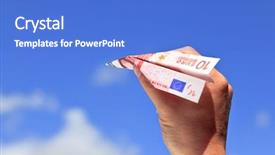
 Presentation with plane - Slides with flying money - photo of a paper plane background and a cobalt blue colored foreground

Photo Paper Plane Made Ten

Slides with photo of a paper plane made from a ten euro banknote isolated on a white background

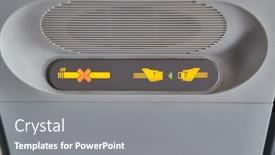
 Presentation with plane - Presentation with interior-of-a-plane-ovehead background and a gray colored foreground

Interior Plane Ovehead Panel Seatbelt

Creating a PowerPoint template inspired by the interior of a plane can be a unique and captivating idea. The attention grabbing opening sentence sets the tone for an informative and engaging presentation. The design name is "High Altitude Insights" featuring a Goldenrod color palette that perfectly complements the theme. A versatile Widescreen format ensures maximum flexibility when displaying high resolution images as backgrounds. This template is designed to be downloadable and compatible with Google Slides, making it accessible to users worldwide. Incorporating the keywords "plane," "flight," "no mobile devices sign," and "electronics" will provide a clear understanding of the content of the presentation. The Goldenrod color palette creates a warm and inviting atmosphere, while the high resolution images for the background will enhance the overall visual appeal. A downloadable template is available to users, featuring an interactive design that allows for seamless integration with their own content. Four How To slides at the start of the deck (Let's Get Started, Navigation, Controls, and Safety Features) will provide a quick overview of the essential elements to get up and running quickly, while showcasing the best practices and guidelines. This layout is enhanced with clear headings and concise descriptions, making it easy for users to follow along.

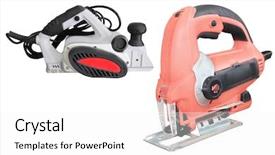
 Presentation with plane - Theme enhanced with new joinees - plane and fret-saw background and a white colored foreground

Plane Fret-saw Under White Background

Theme enhanced with plane and fret-saw under the white background

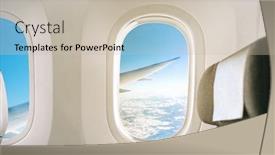
 Presentation with plane - Slide deck having inside-of-a-plane-window background and a soft green colored foreground

Inside Plane Window View Wing

As you step into the cockpit of your dream project, you're about to take off on a journey that will leave a lasting impression, with Split Title as your trusted co pilot. This stunning widescreen template is designed to transport you and your audience to a world of high flying excitement, where the boundaries of commercial aviation are pushed to new heights. The Tan color palette is a masterstroke, evoking the warmth and comfort of a bygone era while still conveying the thrill of modern technology. As you delve into this captivating template, you'll discover that it's packed with elements that will enhance your presentation: high resolution images for the background, a plane view of wing during flight scene, complete with seat interior details. Featuring a sophisticated flare design and a dash of sunrise inspired hues, Split Title is sure to leave a lasting impression on both yourself and your viewers. The template is indeed downloadable and compatible with Google Slides, making it an absolute gem for anyone looking to elevate their presentation game. As you start creating, you'll notice that the 4 How To slides will help you get up and running quickly, allowing you to focus on crafting a compelling narrative that will engage your audience from start to finish. This template is truly a commercial grade product, with its theme of flight perfectly encapsulating the essence of aviation. Have a Theme of showcasing key features or highlighting specific design elements? Split Title delivers in spades, making it an ideal choice for anyone looking to highlight their template's standout qualities. With its Enhanced With ability to include backgrounds and have a beautiful high resolution image, this template is sure to impress. The Pro side of things: this template is incredibly versatile, featuring flight inspired icons and graphics that will add an extra layer of excitement to any presentation. As you put your template to the test, you'll notice that it's surprisingly easy to use – even for those new to PowerPoint!

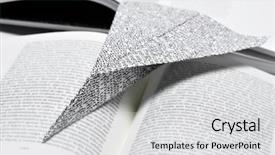
 Presentation with plane - Presentation theme having printed paper with non background and a  colored foreground

Closeup Paper Plane Made Printed

Imagine sitting in a cozy café sipping your morning coffee and getting lost in the pages of a worn leather bound book. As you turn the pages, you start to notice intricate illustrations of planes soaring through the skies, their wings spread wide as they glide effortlessly above the landscape below. The Split Title template is designed to transport you to a world of fantasy and adventure. Widescreen format ensures that every element of your presentation fits perfectly on the screen, creating an immersive experience for your audience. The Light Steel Blue color palette is reminiscent of a clear summer sky, perfect for evoking feelings of freedom and possibility. This template includes four key slides that can help you get up and running quickly: Introduction Featuring High Resolution Images For Background Including A Background With Having A Theme Of Fiction And Legend. These slides provide a solid foundation for your presentation and are easily downloadable and compatible with Google Slides, making it easy to share and collaborate on your project.

 Presentation with plane - Beautiful PPT theme featuring using-the-seatback-screen backdrop and a violet colored foreground

Using Seatback Screen Plane Trip,

As you take to the skies in your aircraft, the plane's seatback screen comes alive with a world of possibilities. The dim LED lights flicker to life, casting an eerie glow on the dashboard display. You're transported to a digital landscape where you can select a flight itinerary, check in for your destination, and even browse in flight magazines. But what if you could take it up a notch? With this template, you can enhance your presentation with a theme of "Flight Mode" and add a high resolution image of the plane's controls to give it that authentic feel. Featuring a stunning background image of a plane taking off or landing, you'll be sure to grab your audience's attention. This interactive template is compatible with Google Slides and features four How To slides at the start of the deck to help you get up and running quickly. These include "Setting Up Your Template", "Customizing Your Theme", "Using the Dart on Target Layout" and "Adding Images". With its unique design, this template is perfect for anyone who wants to take their presentations to the next level. Having a theme of "Flight Mode" adds an extra layer of engagement, making it easier for your audience to get excited about what's happening next. When you click on the Dart on Target Layout slide, you'll be surprised by how smoothly it integrates with other slides in the presentation. This template is designed to enhance your content and make it more engaging, so don't be afraid to experiment and see what works best for you. With its customizable background, high resolution images, and interactive design elements, this template is sure to take your presentations to new heights.

 Presentation with plane - Presentation theme having empty-rows-of-seats background and a gray colored foreground

Empty Rows Seats Old Plane

The thrill of flight is not just limited to modern jets but evokes feelings of nostalgia and adventure. Imagine yourself stepping into the cockpit of an oldtimer plane, surrounded by the hum of engines and the gentle swaying motion of the aircraft. The high resolution images on the background provide a detailed view of the plane's interior, showcasing intricate details like seats, control panels, and navigation instruments. The Wide Title template is designed to evoke a sense of simplicity and authenticity, perfect for showcasing your aviation themed presentations. This Widescreen format ensures that all content remains centered and balanced across the screen, creating a visually appealing composition. A light steel blue color palette adds a touch of sophistication to the design, making it suitable for any aviation related presentation. The template features 8 Picture Grid Layout slides that highlight some of the key elements from an oldtimer plane's interior. For instance, you could include pictures of: * High resolution images of aircraft seats and control panels * A vintage style navigation instrument panel with detailed graphics * A classic Boeing 737 jet engine with intricate details * The cockpit itself, showcasing pilot instruments and controls * Some photographs of old airplane maintenance equipment The template is also downloadable and compatible with Google Slides, making it easy to import and customize. With its simple design and high resolution images, the Wide Title template is an ideal choice for aviation enthusiasts who want to create engaging presentations that transport their audience to the world of flight.

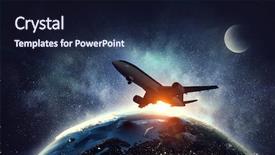
 Presentation with plane - Audience pleasing PPT theme consisting of airliner over earth planet mixed backdrop and a wine colored foreground

Airliner Over Earth Planet Mixed

PPT theme consisting of airliner over earth planet mixed media backdrop

 Presentation with plane - Cool new presentation design with care health - doctor's hands with a plane-table backdrop and a white colored foreground

Doctor's Hands Plane-table Pen White

Presentation design with doctor's hands with a plane-table and pen on white background

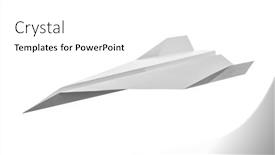
 Presentation with plane - PPT layouts having paper-plane-on-white-background background and a white colored foreground

Paper Plane White Background Including

Imagine starting your presentation with a stunning image that sets the tone for the rest of the deck. The Corner Title template features a beautiful paper plane design on a crisp white background, complete with intricate details and textures that will capture your audience's attention from the very beginning. This high resolution image is featured prominently in the center of the page, accompanied by a subtle border to give it a professional touch. The contrast between the bright colors and the simple line work creates a visually appealing effect that will draw viewers in. The Corner Title template is available for download on Google Slides, making it easy to share with your colleagues or clients. With its unique lavender color palette, this theme adds a touch of elegance and sophistication to any presentation. The accompanying background image includes a plane flight route, symbolizing freedom and exploration perfect for an origami themed presentation. The template is compatible with all the latest Google Slides features, including the dynamic backgrounds that enhance your content. Adding more images or graphics can further enhance the overall design, making it stand out from the crowd.

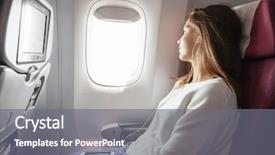
 Presentation with plane - Beautiful presentation design featuring girl looking at plane window backdrop and a gray colored foreground

Teenage Girl Looking Plane Window

The world of high resolution images is full of endless possibilities and one of the most inspiring themes is Featured plane landing at the airport. Our Wide Title template features a stunning Widescreen design with a warm and inviting Sienna color palette that perfectly captures the essence of this theme, making it perfect for any presentation or slideshow. The template format is specifically designed to showcase high resolution images, including detailed How To slides that will guide you through the process of creating your own customized presentations. The Sienna color palette is rich and earthy, evoking a sense of warmth and sophistication that's sure to grab the audience's attention. Whether you're presenting about flying or just want to showcase your creativity, this template is the perfect choice for you. The inclusion of a Background With theme will allow you to enhance your presentation with a fully customizable image that adds depth and visual interest. Having a Theme of showcases your personality and style, making it easier to stand out from the crowd. It's an example of how our templates can help you express yourself and make your presentations truly memorable. In this case, Featuring plane landing at the airport is just one way to create a sense of excitement and adventure that will keep your audience engaged. With 4 How To slides at the start of the deck, getting started is easy all you need to do is get familiar with the template and have fun creating your customized presentation. Our goal is to provide a seamless experience for our users, so don't hesitate to try out this template and see how it can help you achieve your goals.

 Presentation with plane - Audience pleasing theme consisting of qran - wreck of a us military backdrop and a dark gray colored foreground

Wreck Military Plane Crashed Middle

As you delve into the world of aviation history, a crash in the middle of nowhere can leave behind only remnants of a once intimate relationship between pilot and machine. On that fateful day in 1973, four US military planes were on a routine training exercise when disaster struck. The wreckage of one plane was found miles away from Vik, South Iceland, leaving the survivors to piece together what had happened. The image of the plane's remains, battered but still intact after such a long journey, is a powerful reminder of the human spirit's capacity for resilience. In the design of this template, we've opted for a sleek and modern look that pays homage to the aviation industry's rich heritage. The Wide Title "Plane" dominates the center of the screen, set against a soothing slate blue background that evokes the vast expanses of the Icelandic wilderness. As you explore further, you'll discover four How To slides that will guide you through the process of setting up your presentation. From here, we feature an enhanced with image of a Viking longship in the background for added context and interest. The template is designed to be fully customizable, making it easy to incorporate your own images and branding. Our Widescreen format ensures a seamless viewing experience on large screens, while our 4:3 aspect ratio will work beautifully on modern devices. The Growth Stages Layout slide provides a clear visual representation of the presentation's structure, helping you stay on track as you build out your content. With its theme of dynamic progression and development, this layout is ideal for showing how your ideas unfold from concept to conclusion. Looking at the template in action, it's clear that our design has been carefully crafted to evoke a sense of drama and awe. Having a theme of dramatic imagery and immersive storytelling, we've created an atmosphere that will draw your audience in and keep them engaged throughout. Whether you're showcasing aviation history or simply looking for a new way to present complex information, this template is sure to impress.

 Presentation with plane - Colorful presentation enhanced with twin-engined turboprop passenger plane backdrop and a  colored foreground

Twin-engined Turboprop Passenger Plane Landing

As the sun sets over the horizon, casting a warm orange glow on the landscape below, the twin engined turboprop passenger plane begins its descent onto the runway, creating a trail of wispy clouds that stretch out behind it like a celestial map. The Corner Title template is a high resolution image showcasing a serene and inviting atmosphere, complete with lush greenery and a subtle blend of steel and stone textures. The Light Steel Blue color palette provides a clean and sophisticated backdrop for the plane's majestic shape, which takes center stage in this rendering. Featuring a detailed fuselage design, the template includes a propjet engine at the rear, giving it an edge as a commercial airliner. With 4 How To slides to help you get started quickly, including a slide that provides an overview of the Org Chart Layout, making it easy for users to understand their hierarchy and responsibilities. This beautiful image is sure to feature prominently in your presentations, including slides such as "Arrival" or "Departure", offering inspiration for creative and engaging visual content. Having a theme of showcasing commercial aviation, this template enhances its relevance and showcases the plane's role in facilitating travel. Enhancing with 6 x 6 Org Chart Layout allows users to create interactive charts that illustrate their departments' structure, making it an ideal choice for business presentations and marketing materials. Including background images with subtle animations can also be a great feature of this template, as seen on slides like "Fly by" or "Engine Cutaway". Having a clear call to action such as "Download Now" on the homepage or download page adds another layer of usability to your product.

 Presentation with plane - Theme featuring aviation career - businessman flying on paper plane background and a gray colored foreground

Businessman Flying Paper Plane Business

Theme featuring businessman flying on paper plane in business concept

 Presentation with plane - Cool new presentation theme with propeller - vintage plane on a white backdrop and a white colored foreground

Vintage Plane White Background Retro

As you take off on your design journey with CrystalGraphics' template, you're in for a treat a nostalgic and retro inspired plane that's sure to bring a smile to your face. The short name for this look is Vintage Wings, featuring a classic plane on a crisp white background that exudes a sense of timelessness. The Widescreen format offers maximum screen real estate for stunning images, whether you're showcasing a vintage aircraft in all its glory or incorporating a modern twist with high resolution graphics. The Light Steel Blue color palette provides a clean and sleek backdrop, reminiscent of an oldtimer's dashboard. This design element adds a touch of sophistication to the overall look. In this template, you'll find keywords like plane, oldtimer, white background, design elements, high resolution images for the background, and retro technology, giving your presentation a unique flair. The plane in question is a stylized representation, with bold lines and subtle shading that enhance its nostalgic charm. With four easy to follow How To slides to get you started, you'll be designing like a pro in no time. As you delve into this template, think about how to incorporate additional design elements to give your presentation an enhanced theme of retro futurism or vintage aviation. Perhaps Featuring could include a background with colorful stickers or icons, while Including a Background With might have you using a unique texture or pattern. Having a Theme of is all about choosing the right images to match your desired tone and style in this case, it's all about evoking a sense of nostalgia and adventure.

 Presentation with plane - Amazing slides having aero engine - passengerplane flying above the clouds backdrop and a teal colored foreground

Passengerplane Flying Above Clouds Logos

Slides having passengerplane flying above the clouds no logos on the plane

▼Key features of this template

  • They are compatible with both PowerPoint and Google Slides running on either Windows PCs or Macs.

  • They are available in both standard and widescreen slide formats. You can choose your preferred format by clicking on the "Widescreen" check box or icon.

  • Each template includes a beautiful high-resolution background image or video to visually reinforce the theme of your presentation.

  • In addition, each template includes designer-created graphics and modern fonts to give your presentations an up-to-date, professional look.

  • Each template's default design and title text position have been carefully selected to complement its background without covering faces or other key elements.

  • All text includes backdrops whose transparency level is mathematically calculated to maximize text readability while still allowing the background to be seen.

  • And all the text, text backdrops and graphics in every slide are colored with a palette designed to beautifully complement the colors in the background.

  • Our Premium templates (those with the descriptor “Premium” in their subtitle) include over 64 slide layouts to give you maximum flexibility as you create your presentations.

    • Those layouts are available to you whenever you create a new slide or when you want to change the layout of an existing slide.
    • They include everything you need to make all sorts of presentations. In addition to the layouts for the title slide and the usual title and content slide, they include many other layouts for slide types including table of contents slides, org charts, charts, diagrams, infographics, photo slides, thank you slides and more.
    • While creating these layouts our template designers have ensured that all text in every layout adjusts as gracefully as possible to various numbers of words.
  • Customizable templates (those with the descriptor “Customizable” in their subtitle) may be easily modified online before you download them.

    • To modify them, simply click on the pencil editing icon, then select your choice of ready to go designs and title text positions.
    • The editing tool also makes it easy to reposition and scale the background image or video to best suit your needs.

▼FAQs

Please review these FAQs to see if your question is answered. Contact us for more info

  • What is a PowerPoint template?

    • A well designed PowerPoint template is a file that can tell PowerPoint how to make your ordinary templates look extraordinary. They won’t change what your words or numbers say. But they might change their size, color, font and placement. And, overall, they can give your presentations a professionally-designed look that will give your content more credibility and give you more confidence.
  • How many PowerPoint templates do you offer?

    • We have over 32,000 artist-created presentation templates in our PowerPlugs collection With a subscription, PowerPlugs templates are easy to download. Just sign in, find a template and click on the green Download button. ready for you to download. That alone offers you more variety to choose from than any of our competitors can offer. And, as if that weren’t enough, we also offer over 6 million templates in our Crystal collection. Crystal brand templates are our line of templates that have customization options. They have the word "CRYSTAL" on their web page images. You can customize several aspects of the templates. These templates include high-resolution background images from Shutterstock’s vast image collection matched up with artist-created presentation designs customized by our own proprietary AI software.
  • How many templates can I download as a subscriber?

    • You can download an unlimited number of PowerPlugs-brand With a subscription, PowerPlugs templates are easy to download. Just sign in, find a template and click on the green Download button. templates every day for an entire year. (Actually, by default, we set a limit of 25 templates per day to prevent our competitors from stealing our templates. But, if that is not enough, just let us know and we’ll try to accommodate you.) On top of that, with a subscription or an Ultimate Combo, you can also download any 50 Crystal-brand Crystal brand templates are our line of templates that have customization options. They have the word "CRYSTAL" on their web page images. You can customize several aspects of the templates. templates per year selected from our huge Crystal collection. Crystal brand templates are our line of templates that have customization options. They have the word "CRYSTAL" on their web page images. You can customize several aspects of the templates. .
  • Why should I choose your templates instead of the competition’s?

    • We’ve got a larger selection of professionally-designed PowerPoint templates than anyone else in the world.
    • Each template includes a high-resolution background image or video to visually inspire your audiences while reinforcing your message.
    • Each template includes 64 slide layouts to give you maximum flexibility as you create your presentations.
    • Our templates are available in both standard and widescreen slide formats. And our website lets you preview the slides each way.
    • Our free Template Finder™ plugin lets subscribers select and - with a single click - download and insert our templates into their presentations right from within PowerPoint.
    • We’ve been creating designer presentation templates for over 20 years. During that time we’ve won several awards and 5-star ratings for product quality. See About Us for more.
  • Do you offer a money-back guarantee?

    • Yes we do! We offer full 30-day money-back guarantee if you are not 100% satisfied with your purchase.
  • Can I still use my downloaded templates after my subscription runs out?

    • Yes. After your subscription expires, you won't lose any rights or ability to use your PowerPlugs: Templates for PowerPoint. You won't be able to download any new non-watermarked templates. But the non-watermarked templates you've already downloaded will still work and you can still use them as before.
  • Can I share my downloaded templates or passwords with friends or coworkers?

    • Sorry but no. You are authorized to download each paid-for template to up to 3 of your personal devices and to use the templates you download in as many presentations as you want. But you are not authorized to share the templates, themselves, with others. That said, we do offer highly discounted site licenses to suit the needs of both small and large teams. Just tell us your needs and we’ll give you a quote!
  • System requirements:

    • The templates use the standard POTX format. So they are compatible with Google Slides and all PC, Mac and mobile devices running any version of PowerPoint from PowerPoint 2007 up through and including Office 365 desktop.
    • Please note: Google Slides does not currently support background videos. It treats them as still images.
    • For PowerPoint for the Web, first open your template into a desktop version of PowerPoint, then save it back out as a PPTX file. Then you can open that in PowerPoint for the Web.
  • End user license agreement:

    • Click here to view.
  • How will I get my purchased templates?

    • You may download your selected templates as soon as your payment is received by PayPal. If you purchased an individual template, you will be provided with a download link both onscreen and via email. Just click on that link to begin the download process. If you purchased a subscription, you will receive an email containing a password to use along with your email address to sign in to any of the templates pages on CrystalGraphics.com. Once you are signed in, you can immediately start downloading your selected templates.
  • How do I use my templates after I download them?

    • You can either open a template to start a new presentation or you can add a template to an existing presentation. To open a template, just double click on it or use PowerPoint's File > Open tool. To add a template to an existing presentation, on the Design tab, in the Themes group, click Browse for Themes... then browse to select your template.

View more Plane templates:

previous 1 2 3 4 5 6 7 8 9 10 11 12 13 14 next
93% of Fortune 1000
companies use our
PowerPoint Products
Templates Secure

Standing Ovation Award
Winner: Best PowerPoint
Template Collection
Fortune Logos
200,000+ satisfied
customers worldwide!
Guarantee
100% satisfaction guaranteed
- or send it back for a refund!

Sign up for our free newsletter! You'll get news about our PowerPoint-enhancing product line – including free updates, new product announcements and exclusive special offers. Plus you'll get a link to a free PowerPoint template with every newsletter you receive.
Privacy Policy
Loading...


Help

Contact Us
Product FAQs
Product License Agreements

Company Info

About Us
Privacy Policy
CrystalGraphics, Inc. 1999 S. Bascom Avenue Suite 700 Campbell, CA 95008 USA
© 2026 CrystalGraphics, Inc. All rights Reserved.    |     PowerPlugs is a trademark of CrystalGraphics, Inc.
Microsoft and the PowerPoint logo are trademarks or registered trademarks of Microsoft Corporation in the United States and/or other countries.
Loading...
Loading...