www.crystalgraphics.com CrystalGraphics
  • Ultimate Combo
  • Templates
  • Diagrams
  • Characters
  • Quizzes
  • shopping cart
  • Sign Out Sign Out Sign In
Home > Templates > Port Category
search icon
advanced icon

304 Best Port-Themed Templates for PowerPoint and Google Slides

At CrystalGraphics, we're passionate about helping you create visually stunning presentations that captivate your audience. Our extensive collection of 6.7 million PowerPoint templates is the perfect starting point for any project. Within this vast library, our Port category offers a diverse range of templates that perfectly capture the essence of summer and the sea.

Take, for example, our Sea Ship at the Port on a White and Blue Background template, which embodies the beauty of a bustling port with its majestic sea ships against a serene white and blue backdrop. Or how about our Port Depiction with Naval Ships at Sunset with River Water template, where naval ships sail into sunset while rivers flow gently in the foreground? Both of these templates are designed to transport you to the vibrant atmosphere of a thriving port city.

This is just the beginning. Our Port category boasts an array of stunning presentation themes that cater to various needs and styles. Whether it's a title slide or 60+ additional slides, we've got you covered. Plus, our templates come in both widescreen and standard formats, ensuring compatibility with any device. And when you're ready to take your presentation to the next level, don't worry about maintenance - you can customize our templates with ease, adding your personal touch to make them truly unique.

Explore the immense variety of Port templates available at CrystalGraphics. Browse through other categories like Business, Travel, and more to find inspiration for your next project. Select the perfect template that resonates with your needs, and instantly download it with 24/7 access. Get creative, get inspired, and unlock the full potential of your presentations.

Features & Pricing

Widescreen (16:9) Presentation Templates. Change size...
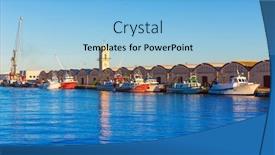
 Presentation with port - Slide deck having gandia port puerto valencia background and a light blue colored foreground

Gandia Port Puerto Valencia Sunset

Imagine yourself standing on the sun kissed docks of Gandia port in the picturesque city of Valencia, Spain, as the warm Mediterranean sunset casts a golden glow over the bustling harbor. The sound of seagulls fills the air, and the smell of saltwater and freshly baked bread wafts through the atmosphere. The Wide Title template is designed to transport you to this idyllic setting, with its sky blue color palette that evokes feelings of serenity and tranquility. The Widescreen format ensures that every detail is showcased in stunning high resolution images, making it perfect for showcasing your slideshows or presentations. This template features a theme of scenic landscapes, highlighting the beauty of Spain's coastlines and ports. It includes a range of keywords such as "spain", "harbor", "ship", "valencian", and "scenic" to help you create visually appealing content that resonates with your audience. The 5 Steps to Success Layout slide is designed to provide a clear roadmap for creating engaging presentations, featuring high quality images and graphics that enhance the overall viewing experience. This template is also downloadable and compatible with Google Slides, making it easy to incorporate into your workflow. With its sky blue color palette and Widescreen format, this template is sure to make a lasting impression on your audience. Whether you're creating a presentation for work or personal use, this template is the perfect starting point for showcasing your creativity and expertise.

 Presentation with port - Audience pleasing PPT theme consisting of boat dock - passenger ship expects passengers backdrop and a ocean colored foreground

Passenger Ship Expects Passengers Port

As you step onto the bustling harbor, the steel blue waters stretch out before you like an endless canvas waiting to be filled with your vibrant designs. The sound of seagulls fills the air, and the smell of saltwater and freshly brewed coffee wafts through the crowds, setting the tone for a day of creativity and inspiration. This stunning template is designed to transport you to a world of high seas adventure, where the thrill of exploration meets the comfort of relaxation. With its sleek steel blue color palette, this template is sure to evoke feelings of power and sophistication, perfect for showcasing your artistic skills or simply adding a touch of elegance to any presentation. The 4 How To slides at the start of the deck are designed to help you get up and running quickly, with clear instructions and helpful tips to ensure that you're creating stunning designs in no time. But don't worry, we've got you covered our template is easy to use and customize, making it perfect for both beginners and experienced designers. The 3 Column Layout slide is a great place to start, featuring a beautiful image of a ship sailing through the harbor, with high resolution images included to give your design a professional touch. This layout allows for easy navigation and flexibility, making it ideal for showcasing multiple elements or adding interactive features to your presentation. This template is also enhanced with a theme of "Harbor City", where you can include a background with a cityscape at sunset, complete with towering skyscrapers and bustling streets. Having a theme of this type allows you to add depth and context to your design, making it more engaging and memorable for your audience. As you explore the world of CrystalGraphics, you'll discover that our templates are not only visually stunning but also incredibly

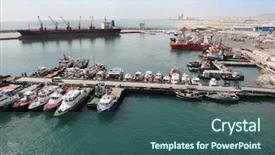
 Presentation with port - Slide deck with water petrol - landscape from bird view background and a light blue colored foreground

Landscape Bird View Industrial Port.

As you embark on your journey to create stunning presentations with CrystalGraphics, imagine yourself standing at the helm of a majestic ship navigating through treacherous waters, with the vast expanse of an industrial port stretching out before you like a canvas waiting to be brought to life. The Wide Title, designed specifically for this purpose, is a masterpiece that sets the tone for your presentation, featuring a panoramic view of the polluted landscape from a bird's eye perspective. The Widescreen template format ensures that every detail is showcased in stunning high resolution, making it an ideal choice for showcasing your creativity and expertise. The Light Steel Blue color palette provides a clean and professional backdrop for your visuals, while the Managed Process Layout slide allows you to organize your content with ease, featuring a seamless blend of text and images. The template keywords "container", "panoramic", "ship", "aerial", and "pollution" are carefully crafted to evoke the theme of industrial port, providing a rich source of inspiration for your presentation. The inclusion of high resolution images for the background ensures that every detail is crisp and clear, making it an enhanced experience for your audience. This template is not only visually stunning but also downloadable and compatible with Google Slides, allowing you to easily integrate it into your workflow. With its unique blend of design elements and functional features, the Wide Title is sure to make a lasting impression on your viewers, featuring a background with a theme of showcasing the beauty in industrial pollution.

 Presentation with port - Presentation enhanced with twelve apostles australia victoria port background and a teal colored foreground

Twelve Apostles Australia Victoria Port

Imagine yourself standing at the edge of the world's most breathtaking cliffside, with the stunning Twelve Apostles towering above you as the sun rises over the vast expanse of the Great Ocean Road. You're in Australia, and you've come to experience the country's unique beauty for yourself. The template you'll find is designed to take your presentations to the next level, providing a seamless blend of style and functionality that will elevate your audience's attention. The Coral color palette creates a vibrant and inviting atmosphere, perfect for showcasing stunning images of Australia's iconic landmarks. This template is ideal for tourism boards, travel agencies, and anyone looking to highlight the best scenic spots in Australia. With its enhanced theme of showcasing beautiful landscapes, you'll be able to feature the country's most breathtaking views on your slides, including high resolution images that will leave a lasting impression. One of the standout features of this template is the Arrowheads Layout slide, which provides a unique and eye catching design element that adds a touch of sophistication to any presentation. It's easy to include a background with stunning scenery and add text or graphics to enhance its visual impact. The template includes four How To slides at the start of your deck, helping you get up and running quickly and easily. These slides provide a comprehensive guide on how to customize your template and make it truly unique, so you can tailor it to suit your specific needs.

 Presentation with port - PPT theme featuring waiting room with many seats shiny floor and big flower in pot against window background and a tawny brown colored foreground

Twelve Apostles Australia Victoria Port

The moment you step foot on Australia's stunning coastline, you'll understand why the Twelve Apostles stand out as one of its most breathtaking attractions. The iconic limestone stacks, perched precariously atop rocky cliffs, evoke a sense of awe and wonder that will leave you in awe. A visit to this natural wonderland is a must do for any traveler looking to experience the best of Australia's scenic beauty. The Corner Title template is designed to make your presentation stand out from the crowd with its beautiful light steel blue background, perfectly capturing the essence of this stunning destination. The high resolution images that come with the template are truly breathtaking, featuring majestic cliff faces, serene lake shores, and vibrant Australian landscapes. Whether you're showcasing a stunning sunset view or highlighting the unique features of your tour, the Corner Title will enhance your presentation with its elegant design. The template is available for download on Google Slides, making it easy to edit and customize to fit your specific needs. The high resolution images are sure to bring life to your slides, featuring beautiful Australian scenery that you can include a background with if desired. With the four how to slides at the start of the deck helping you get up and running quickly, you'll be able to focus on delivering an engaging presentation that will leave your audience in awe. The Corner Title template is not just about aesthetics it's also designed with functionality in mind. The included background images can be used as a starting point for any tour or travel themed presentation, and the high resolution images ensure that your content looks stunning even at maximum size. When paired with this template, you'll have a theme of exceptional visuals that will elevate your presentation to new heights.

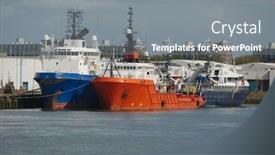
 Presentation with port - PPT layouts with marine pilot - many cutters at its mooring background and a ocean colored foreground

Many Cutters Mooring Port People

Imagine yourself standing on the deck of a massive ship, surrounded by hundreds of small cutters busy at their mooring in port. The sound of laughter and seagulls fills the air as people gather to admire the majestic vessels. This is what you can expect from our new template, featuring a high resolution image of a large ship docked in harbor, complete with the cutter on its side. Our template is designed to showcase stunning steel blue backgrounds that will enhance your presentation with a sense of professionalism and sophistication. The Steel Blue theme is perfect for any business or educational slide, whether it's a lecture on maritime history or an introduction to the concept of ship design. You can include a background with images from real life ports and harbors, providing a realistic and immersive visual experience. To get started quickly, we recommend following our 4 How To slides at the beginning of your deck, which will guide you through the process of customizing your template to fit your specific needs. Alternatively, you can enhance your presentation by including some engaging images, such as a photo of a ship's captain welcoming visitors or a shot of a busy harbor scene. This template is fully downloadable and compatible with Google Slides, making it easy to incorporate into your presentations. With its simple yet effective design, you'll be able to create stunning slides that captivate your audience and leave them impressed.

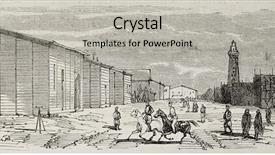
 Presentation with port - Beautiful slide deck featuring isthmus - antique illustration of storehouses backdrop and a light gray colored foreground

Antique Illustration Storehouses Port During

The world was forever changed when the Suez Canal was dug, and with it, the story of Port Said's rich history came alive in the form of an antique illustration. The original drawing by Blanchard and Anastasi, published in L'Illustration, Journal Universel, Paris in 1860, showcases the grandeur of a bygone era. Now, imagine revisiting this captivating scene on your computer screen with crystal clear images for the background that will transport you to the momentous day when the canal was completed. The Wide Title template is designed for Widescreen use and features a warm tan color palette, evoking the feeling of old world charm. As you work through this download, note how the high resolution images in the background have been carefully crafted to bring out the textures and details that make this scene so iconic. Adding a touch of historical flair with red accents adds depth and sophistication. This template is perfectly suited for presentations where you want to highlight important dates or events in history. For instance, the Dart on Target Layout can be enhanced with colorful graphics to draw attention to key milestones like the construction of the Suez Canal itself. Imagine including a background image that simulates the excitement of the excavation era, complete with workers digging and machinery at work. Alternatively, featuring a historical figure or building from Port Said during this time period can add an air of authenticity to your presentation.

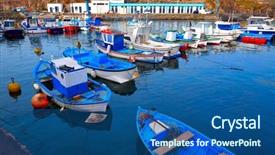
 Presentation with port - Colorful slide set enhanced with cotillo port fisherboats in fuerteventura backdrop and a ocean colored foreground

El Cotillo Port Fisherboats Fuerteventura

As you step onto the sun kissed shores of Fuerteventura's El Cotillo harbor, the warm steel blue waters meet your gaze like an inviting smile. The gentle lapping of waves against the shore creates a soothing melody that awakens the senses and sets the tone for a visually stunning presentation. This Wide Title template is designed to evoke the sense of adventure and seafaring excitement that defines Spain's scenic coastlines, particularly in its islands. Inspired by the picturesque fishing villages of El Cotillo, this template features high resolution images that will transport your audience to a world of beauty and tranquility. With a focus on the steel blue color palette, this template is perfect for creating a cohesive and professional visual identity. The use of metallic accents adds a touch of luxury and sophistication, making it an ideal choice for presentations featuring stunning scenic shots of Spain's harbors and islands. To enhance your presentation, consider including high resolution images of shipwrecks, sea life, or other oceanic elements that capture the essence of these incredible destinations. For example, you could feature a shot of a historic lighthouse against a dramatic sunset over the ocean, creating an unforgettable visual narrative. As you create and customize this template, remember to keep in mind its Member Bio Layout slide. This section features a beautifully designed background image, accompanied by a brief paragraph that highlights your expertise in delivering engaging presentations. You could also include additional images or graphics to enhance the narrative, such as a map of Spain's coastlines or a quote about the importance of scenic presentation design. The four How To slides are designed to provide quick and easy access to essential tips and tricks for creating stunning visuals. From mastering the art of text formatting to customizing your template with ease, these slides will help you get up and running in no time. With its focus on ease of use and customization, this template is a valuable resource for anyone looking to elevate their presentation game.

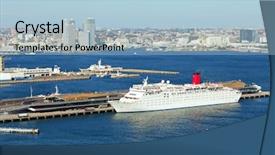
 Presentation with port - PPT theme enhanced with yokohama port background and a light blue colored foreground

Yokohama Port

The cityscape of Tokyo's harbor is a breathtaking sight to behold, with its towering skyscrapers and bustling ports. Imagine yourself standing on the waterfront, surrounded by the sights and sounds of this vibrant metropolis. The Split Title template is designed to transport you to this world, with its sleek and modern design that perfectly captures the essence of Japan's iconic skyline. This template features a high resolution image of Yokohama port as its background, providing an immersive experience for your audience. The Sky Blue color palette adds a touch of serenity and sophistication, while the city themed keywords such as "city", "Japan", "harbor", "tourism", and "skyline" will resonate with anyone interested in exploring this fascinating country. The Split Title template is designed to be downloadable and compatible with Google Slides, making it easy to incorporate into your presentations. The high resolution images for the background are sure to impress, and the theme of featuring a stunning cityscape will leave a lasting impression on your viewers.

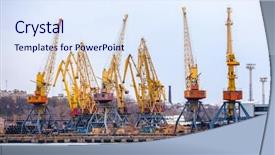
 Presentation with port - Slides featuring port cranes background and a lemonade colored foreground

Port Cranes

Imagine a dynamic and immersive presentation that transports your audience to a bustling port, where containers are loaded with goods, ready to set sail on their journey. To bring this vision to life, we've created the Wide Title template, a stunning Widescreen presentation that's sure to captivate and engage your viewers. With a Peach Puff Colored theme that exudes warmth and vitality, this template is perfect for showcasing high resolution images of ships in action. Featuring four How To slides to get you started quickly, including a Showcase slide with an eye catching background that makes a bold statement it's the perfect way to take your presentation to the next level. The Wide Title template is designed to enhance your message and draw attention to key points, making it easy to include a Background With a scenic shot of a ship setting sail in the distance. Having a theme of dynamic movement and energy, this template is sure to leave a lasting impression on your audience. By including Enhanced With images of cargo cranes lifting heavy containers into the air, you'll be able to showcase your creativity and expertise. This template is downloadable and compatible with Google Slides, making it easy to import into your preferred presentation software. From embarking on new projects to debarquement from a successful launch, this Wide Title template is sure to inspire and motivate your audience.

 Presentation with port - Colorful slide set enhanced with battleship - attack to the monarca backdrop and a light gray colored foreground

Attack Monarca Vessel Castellammare Port,

The battle scarred hull of a 19th century warship dominates the dark khaki background of this high resolution image, its majestic form a testament to the power and might of the cannons that once rang out across the harbour. As the eye sweeps across the template, it is clear that CrystalGraphics has carefully curated every detail to create an immersive experience that will transport you to the midst of a fierce battle. The design name "Masters of War" perfectly captures the essence of this template, featuring an engraving inspired mast rising triumphantly above a turbulent sea. A battleship in the distance, its hull gleaming with a subtle sheen, adds drama and tension to the scene. Meanwhile, cannonballs litter the background, their high contrast images adding depth and visual interest. The Dark Khaki colour palette is a staple of this template, bringing a sense of gravitas and solemnity to every aspect of the design. Whether you're using it for a slideshow about naval history or simply want to add a touch of authenticity to your presentation, this template is sure to enhance the overall impact of your visuals. The inclusion of a Background With feature ensures that the high resolution images featured throughout the template remain crisp and clear, while the theme of "Forged in Battle" adds an extra layer of meaning to the design. This enhanced theme of storytelling allows you to weave a narrative around your presentation, drawing your audience into the world of naval combat. The four How To slides at the start of the deck can help get you up and running quickly with a range of creative ideas for using this template in different contexts. The Opposite Directional Arrows Layout slide, featuring an arrow pointing upwards from the bottom of the image, allows you to create dramatic transitions and effects that will draw attention to key points in your presentation. As you explore the features and capabilities of "Masters of War", you'll discover a wealth of design options and tools at your disposal. From adding custom backgrounds with images of naval vessels or landmarks to incorporating interactive elements like hyperlinks and animations, this template is sure to inspire your creativity and help you achieve your goals.

 Presentation with port - Cool new presentation theme with barcelona-port backdrop and a ocean colored foreground

Barcelona Port

Presentation theme with barcelona port

 Presentation with port - Beautiful PPT layouts featuring fishing port in thailand backdrop and a sky blue colored foreground

Fishing Port Thailand

As you step onto the sun kissed docks of a picturesque harbour in Thailand, the warm glow of a golden sunrise paints a serene picture in your mind. The sound of gentle waves gently lapping against the shore is like music to your ears. You can almost feel the salty sea air filling your lungs as you gaze out at the breathtaking view before you. In this tranquil scene, a majestic fishing vessel rises majestically from the waters, its sails billowing in the breeze. A small wooden shack stands discreetly on the shore, its thatched roof blending seamlessly into the surroundings. The entire scene is bathed in a warm, golden light, evoking a sense of tranquility and relaxation. To bring this idyllic scene to life, our Corner Title template features a beautiful Widescreen format with high resolution images that will transport you to the heart of the harbour. This template is designed to be downloadable and compatible with Google Slides, making it easy to incorporate into your presentations. The Light Blue colour palette provides a soothing backdrop for the entire scene, while the Harbour keyword sparks inspiration for potential slides that would feature this stunning setting. High resolution images are included on each slide, enhancing the overall visual impact. This template is the perfect starting point for any presentation that requires an authentic and immersive destination feel.

 Presentation with port - Cool new slide set with air resorces - elevating cranes in port backdrop and a sky blue colored foreground

Elevating Cranes Port

As you step into the bustling metropolis of South America, where steel skyscrapers pierce through the clouds and the sound of hammering echoes through the air, imagine yourself in the midst of a city's vibrant production, teeming with activity and energy. Welcome to Corner Title, a powerpoint template designed to elevate your presentations to new heights. Corner Title is a widescreen formatted template that features 4 key elements container, steel, city, and production all coming together to create a visually striking background for your slides. With its Alice Blue color palette, the template seamlessly blends modern and classic design elements to provide a timeless theme for your presentations. High resolution images of elevating cranes in port add an air of sophistication, while the 5 x 5 Org Chart Layout slide provides a clear framework for organizing complex information. The Corner Title template is downloadable and compatible with Google Slides, making it easy to incorporate into your existing workflow. Each slide features Featuring high quality background images, Including a Background With stunning cityscapes and industrial landscapes, Having a Theme of corporate branding and production in mind, Enhanced With vibrant colors and bold typography to create a dynamic visual identity.

 Presentation with port - Audience pleasing slides consisting of ships-in-the-port backdrop and a gray colored foreground

Ships Port Rotterdam

This Split Title template is designed to bring your presentations to life with its captivating Steel Blue color palette and nautical inspired theme, perfect for showcasing big ideas in a visually stunning way. The high resolution images for the background feature stunning views of ships navigating through the harbor, adding an air of realism to your slides. Whether you're showing a ship docking at the port of Rotterdam or highlighting a shipping industry's impact on the environment, this template has got you covered. The Split Title template is compatible with Google Slides and can be easily downloaded for use in your presentations. The Steel Blue color palette, featuring shades of Navy Blue, Dark Grey, and White, creates a cohesive look that will enhance any presentation. This theme is ideal for showcasing big ideas and would feature nicely on a slide about the channel or harbor. The Venn Diagram Layout slide allows you to create complex relationships between different themes, making it perfect for including a background with your images. Imagine featuring an image of a ship in the port of Rotterdam, surrounded by other slides that showcase various aspects of shipping, such as cargo containers and maritime regulations. The Enhanced With feature would be particularly useful here, allowing you to add additional details or features to each slide without disrupting the overall design. The template includes four How To slides at the start of the deck, designed to help your audience get up and running quickly with their presentations. These include tips on how to create custom templates, optimize images for web use, and learn more about the different themes and layouts available in CrystalGraphics' library.

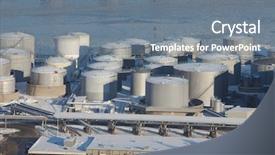
 Presentation with port - Slide set consisting of oil silos of a port background and a gray colored foreground

Oil Silos Port

The world of industrial design is set to take center stage as you explore the Wide Title template designed to showcase your branding and visual identity. This stunning Widescreen design is perfect for commercial use, featuring a dramatic background with oil silos of a port, evoking the image of a bustling hub of activity. The Steel Blue color palette provides a sleek and modern contrast that will leave a lasting impression on your audience. By incorporating key terms such as container, big, fuel, and stack into its design elements, this template is sure to grab attention. The High Resolution images featured throughout the background are designed to provide an immersive experience, allowing you to showcase your products or services in their most vibrant form. These images can be used to enhance the overall visual appeal of your presentation, making it more engaging for your viewers. This template's compatibility with Google Slides ensures seamless integration and allows users to easily adjust font sizes, colors, and layout to suit their specific needs. The four How To slides at the start of the deck are included as a valuable resource for anyone looking to get started quickly and efficiently. These slides feature key takeaways such as tips on creating effective templates, understanding design principles, and best practices for using the template. By featuring these practical guides alongside high quality graphics and images, this template is designed to empower users with the knowledge they need to create stunning presentations. With its grid layout design, this template makes it easy to organize your content and add visual interest to your slides. Having a theme of showcasing visuals that are both informative and engaging will keep your audience captivated throughout the presentation.

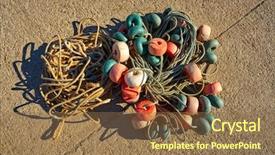
 Presentation with port - Presentation design consisting of cambrils port fishing tackle buoys background and a tawny brown colored foreground

Cambrils Port Fishing Tackle Buoys

As you step into the world of digital presentations with CrystalGraphics' Wide Title template, imagine yourself standing on the sun kissed docks of Port of Tarragona in Catalonia, surrounded by the majestic Cambrils port fishing tackle buoys that have captivated the hearts of anglers and sailors alike. This Dark Goldenrod inspired template is designed to evoke a sense of professionalism and expertise, perfect for businesses that need to convey their authority on the fishing industry. The Widescreen format ensures that all your visuals are perfectly in view, whether you're featuring high resolution images of fish or buoys, or Including a Background With stunning sunsets over the Mediterranean. Having a Theme of coastal landscapes and nautical elements adds an Enhanced With touch of authenticity to your presentation. The contrast between the Dark Goldenrod background and crisp white text creates a visually appealing contrast that will leave your audience engaged. This template is also Compatible With Google Slides, making it easy to import and customize with your own content. And don't worry about running out of space the 4 How To slides at the start of the deck are there to help you get up and running quickly, covering topics such as Setting Up Your Template, Customizing Your Design, Adding Footnotes and References, and Troubleshooting Common Issues. These features make it easy for new users to dive right in and start creating their own presentations.

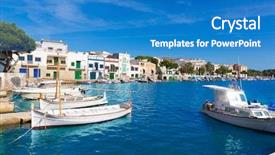
 Presentation with port - Presentation theme enhanced with majorca porto colom felanitx port in mallorca balearic island of spain background and a teal colored foreground

Majorca Porto Colom Felanitx Port

Imagine yourself standing on the picturesque harbor in Majorca Porto Colom, surrounded by crystal clear waters and towering palm trees. As you take in the breathtaking views, you can't help but feel a sense of excitement and anticipation for your upcoming trip to this stunning island in Spain. The warm Spanish sun shines brightly overhead, casting a golden glow over the entire scene. The Steel Blue template is perfect for showcasing the beauty of Majorca's harbor and its surroundings. With 4 high resolution images as the background, you can enhance the visual impact with additional elements such as vibrant colors, intricate textures, or dynamic patterns. This template is not only visually stunning but also easy to navigate, making it an ideal choice for your presentation. As you begin, take note of the four How To slides that will guide you through the process of creating a captivating PowerPoint presentation featuring Majorca Porto Colom Felanitx port in Mallorca Balearic island of Spain. These slides are designed to be used as a foundation for your content and can help you stay organized throughout your project. The 4 x 4 Org Chart Layout slide is a great way to visualize the structure of your presentation, featuring a hierarchical design that includes main sections such as objectives, key messages, supporting details, and calls to action. This layout will ensure that all your slides are well organized and easy to read, making it simple for your audience to follow along. By incorporating these elements into your template, you'll be able to create a presentation that is not only visually appealing but also informative and engaging. With the Steel Blue template as your starting point, you're off to a great beginning.

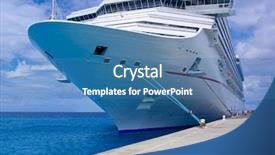
 Presentation with port - Slides consisting of boat dock - passenger ship in port background and a teal colored foreground

Passenger Ship Port.

The moment you load this template into your Google Slides presentation, you'll instantly transport yourself to the bustling port city where the majestic passenger ship anchors in its berth. The scene is set with 4 How To slides at the top of the deck, each one giving you a quick primer on how to get started and make the most out of this incredible template. As you begin creating your own content using Wide Title, Widescreen format, Cornflower Blue as the background color palette, and featuring big harbor scenes, multistory ships and bows, you'll be able to showcase the full potential of this design. With high resolution images that will give your slides a stunning backdrop, you can include a Background With feature that lets viewers dive into the rich history of these iconic vessels. As they navigate through each slide, they'll encounter an Enhanced With theme where features like font styles and colors are tailored to match the nautical theme seamlessly. The overall Look and Feel is one of sophistication and luxury, perfect for any presentation about port cities or high stakes shipping operations. By incorporating this template into your slides, you can add a dash of excitement and flair to your presentations, featuring images that showcase the majesty of these magnificent structures at their best. Imagine presenting on the bustling docks where cargo ships are loaded and unloaded, featuring iconic images like vintage tugboats or modern container vessels alongside sleek passenger liners, all set against a deep blue background that evokes the feeling of being anchored in place. The result is an unforgettable visual experience that will leave your audience in awe, thank you to the creators who crafted this magnificent template, which we're thrilled to offer for download and use with ease.

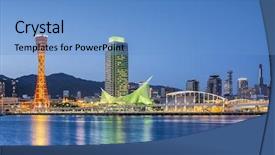
 Presentation with port - Presentation theme having skyline of kobe japan background and a teal colored foreground

Skyline Kobe Japan Port.

The moment you've all been waiting for has finally arrived Corner Title is here to take your PowerPoint game to the next level with its sleek and modern design that perfectly captures the essence of Tokyo's iconic cityscape, specifically the scenic skyline along the harbor. This stunning template features high resolution images that will transport your audience to the bustling streets of Japan's capital city. Corner Title boasts a powerful Steel Blue color palette that exudes sophistication and elegance, making it perfect for presentations that require a touch of luxury and refinement. The template is designed with Googles Slides in mind, featuring a seamless and smooth user experience that is sure to impress. This Corner Title template includes four How To slides to help you get up and running quickly, but don't worry, they're not as complicated as the design itself. Just start by including a Background With an image of a vibrant Tokyo harbor scene, complete with towering skyscrapers and bustling street life. You can also have Having a Theme of featuring iconic landmarks such as the Tokyo Tower or the famous Shibuya Crossing. The In Summary Layout slide is a great place to showcase your key points and ideas in a clear and concise manner, making it easy for your audience to follow along and stay engaged throughout the presentation. This template is Enhanced With numerous design elements such as borders, shapes, and graphics that add depth and visual interest to your slides. When you're ready to present, Corner Title is sure to impress your audience with its stunning visuals and engaging design. Whether you're presenting a destination, highlighting the best of Japan's city life, or showcasing the country's unique culture, this template has got you covered.

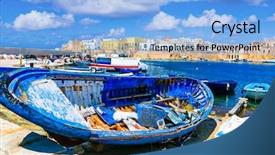
 Presentation with port - Amazing presentation design having port of gallipoli traditional coastal backdrop and a light blue colored foreground

Travel Italy Old Port

Presentation design having travel in italy - old port of gallipoli traditional coastal town in puglia

▼Key features of this template

  • They are compatible with both PowerPoint and Google Slides running on either Windows PCs or Macs.

  • They are available in both standard and widescreen slide formats. You can choose your preferred format by clicking on the "Widescreen" check box or icon.

  • Each template includes a beautiful high-resolution background image or video to visually reinforce the theme of your presentation.

  • In addition, each template includes designer-created graphics and modern fonts to give your presentations an up-to-date, professional look.

  • Each template's default design and title text position have been carefully selected to complement its background without covering faces or other key elements.

  • All text includes backdrops whose transparency level is mathematically calculated to maximize text readability while still allowing the background to be seen.

  • And all the text, text backdrops and graphics in every slide are colored with a palette designed to beautifully complement the colors in the background.

  • Our Premium templates (those with the descriptor “Premium” in their subtitle) include over 64 slide layouts to give you maximum flexibility as you create your presentations.

    • Those layouts are available to you whenever you create a new slide or when you want to change the layout of an existing slide.
    • They include everything you need to make all sorts of presentations. In addition to the layouts for the title slide and the usual title and content slide, they include many other layouts for slide types including table of contents slides, org charts, charts, diagrams, infographics, photo slides, thank you slides and more.
    • While creating these layouts our template designers have ensured that all text in every layout adjusts as gracefully as possible to various numbers of words.
  • Customizable templates (those with the descriptor “Customizable” in their subtitle) may be easily modified online before you download them.

    • To modify them, simply click on the pencil editing icon, then select your choice of ready to go designs and title text positions.
    • The editing tool also makes it easy to reposition and scale the background image or video to best suit your needs.

▼FAQs

Please review these FAQs to see if your question is answered. Contact us for more info

  • What is a PowerPoint template?

    • A well designed PowerPoint template is a file that can tell PowerPoint how to make your ordinary templates look extraordinary. They won’t change what your words or numbers say. But they might change their size, color, font and placement. And, overall, they can give your presentations a professionally-designed look that will give your content more credibility and give you more confidence.
  • How many PowerPoint templates do you offer?

    • We have over 32,000 artist-created presentation templates in our PowerPlugs collection With a subscription, PowerPlugs templates are easy to download. Just sign in, find a template and click on the green Download button. ready for you to download. That alone offers you more variety to choose from than any of our competitors can offer. And, as if that weren’t enough, we also offer over 6 million templates in our Crystal collection. Crystal brand templates are our line of templates that have customization options. They have the word "CRYSTAL" on their web page images. You can customize several aspects of the templates. These templates include high-resolution background images from Shutterstock’s vast image collection matched up with artist-created presentation designs customized by our own proprietary AI software.
  • How many templates can I download as a subscriber?

    • You can download an unlimited number of PowerPlugs-brand With a subscription, PowerPlugs templates are easy to download. Just sign in, find a template and click on the green Download button. templates every day for an entire year. (Actually, by default, we set a limit of 25 templates per day to prevent our competitors from stealing our templates. But, if that is not enough, just let us know and we’ll try to accommodate you.) On top of that, with a subscription or an Ultimate Combo, you can also download any 50 Crystal-brand Crystal brand templates are our line of templates that have customization options. They have the word "CRYSTAL" on their web page images. You can customize several aspects of the templates. templates per year selected from our huge Crystal collection. Crystal brand templates are our line of templates that have customization options. They have the word "CRYSTAL" on their web page images. You can customize several aspects of the templates. .
  • Why should I choose your templates instead of the competition’s?

    • We’ve got a larger selection of professionally-designed PowerPoint templates than anyone else in the world.
    • Each template includes a high-resolution background image or video to visually inspire your audiences while reinforcing your message.
    • Each template includes 64 slide layouts to give you maximum flexibility as you create your presentations.
    • Our templates are available in both standard and widescreen slide formats. And our website lets you preview the slides each way.
    • Our free Template Finder™ plugin lets subscribers select and - with a single click - download and insert our templates into their presentations right from within PowerPoint.
    • We’ve been creating designer presentation templates for over 20 years. During that time we’ve won several awards and 5-star ratings for product quality. See About Us for more.
  • Do you offer a money-back guarantee?

    • Yes we do! We offer full 30-day money-back guarantee if you are not 100% satisfied with your purchase.
  • Can I still use my downloaded templates after my subscription runs out?

    • Yes. After your subscription expires, you won't lose any rights or ability to use your PowerPlugs: Templates for PowerPoint. You won't be able to download any new non-watermarked templates. But the non-watermarked templates you've already downloaded will still work and you can still use them as before.
  • Can I share my downloaded templates or passwords with friends or coworkers?

    • Sorry but no. You are authorized to download each paid-for template to up to 3 of your personal devices and to use the templates you download in as many presentations as you want. But you are not authorized to share the templates, themselves, with others. That said, we do offer highly discounted site licenses to suit the needs of both small and large teams. Just tell us your needs and we’ll give you a quote!
  • System requirements:

    • The templates use the standard POTX format. So they are compatible with Google Slides and all PC, Mac and mobile devices running any version of PowerPoint from PowerPoint 2007 up through and including Office 365 desktop.
    • Please note: Google Slides does not currently support background videos. It treats them as still images.
    • For PowerPoint for the Web, first open your template into a desktop version of PowerPoint, then save it back out as a PPTX file. Then you can open that in PowerPoint for the Web.
  • End user license agreement:

    • Click here to view.
  • How will I get my purchased templates?

    • You may download your selected templates as soon as your payment is received by PayPal. If you purchased an individual template, you will be provided with a download link both onscreen and via email. Just click on that link to begin the download process. If you purchased a subscription, you will receive an email containing a password to use along with your email address to sign in to any of the templates pages on CrystalGraphics.com. Once you are signed in, you can immediately start downloading your selected templates.
  • How do I use my templates after I download them?

    • You can either open a template to start a new presentation or you can add a template to an existing presentation. To open a template, just double click on it or use PowerPoint's File > Open tool. To add a template to an existing presentation, on the Design tab, in the Themes group, click Browse for Themes... then browse to select your template.

View more Port templates:

previous 1 2 3 4 5 6 7 8 9 10 11 12 13 14 15 next
Categories related to Port:
Container Industry
93% of Fortune 1000
companies use our
PowerPoint Products
Templates Secure

Standing Ovation Award
Winner: Best PowerPoint
Template Collection
Fortune Logos
200,000+ satisfied
customers worldwide!
Guarantee
100% satisfaction guaranteed
- or send it back for a refund!

Sign up for our free newsletter! You'll get news about our PowerPoint-enhancing product line – including free updates, new product announcements and exclusive special offers. Plus you'll get a link to a free PowerPoint template with every newsletter you receive.
Privacy Policy
Loading...


Help

Contact Us
Product FAQs
Product License Agreements

Company Info

About Us
Privacy Policy
CrystalGraphics, Inc. 1999 S. Bascom Avenue Suite 700 Campbell, CA 95008 USA
© 2026 CrystalGraphics, Inc. All rights Reserved.    |     PowerPlugs is a trademark of CrystalGraphics, Inc.
Microsoft and the PowerPoint logo are trademarks or registered trademarks of Microsoft Corporation in the United States and/or other countries.
Loading...
Loading...