www.crystalgraphics.com CrystalGraphics
  • Ultimate Combo
  • Templates
  • Diagrams
  • Characters
  • Quizzes
  • shopping cart
  • Sign Out Sign Out Sign In
Home > Templates > Power > Power Button Category
search icon
advanced icon

45 Best Power Button-Themed Templates
for PowerPoint & Google Slides

CrystalGraphics creates templates designed to make even average presentations look incredible. Below you’ll see thumbnail sized previews of the title slides of a few of our 45 best power button templates for PowerPoint and Google Slides. The text you’ll see in in those slides is just example text. The power button-related image or video you’ll see in the background of each title slide is designed to help you set the stage for your power button-related topics and it is included with that template. In addition to the title slides, each of our templates comes with 17 additional slide layouts that you can use to create an unlimited number of presentation slides with your own added text and images. And every template is available in both widescreen and standard formats. With over 6 million presentation templates available for you to choose from, CrystalGraphics is the award-winning provider of the world’s largest collection of templates for PowerPoint and Google Slides. So, take your time and look around. You’ll like what you see! Whether you want 1 great template or an ongoing subscription, we've got affordable purchasing options and 24/7 download access to fit your needs. Thanks to our unbeatable combination of quality, selection and unique customization options, CrystalGraphics is the company you can count on for your presentation enhancement needs. Just ask any of our thousands of satisfied customers from virtually every leading company around the world. They love our products. We think you will, too!

Features & Pricing

Widescreen (16:9) Presentation Templates. Change size...
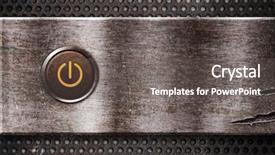
 Presentation with power button - Presentation theme with rusty power button background and a gray colored foreground

Rusty Power Button

Presentation theme with rusty power button

 Presentation with power button - Amazing presentation having abstract design red - power button on pc panel backdrop and a dark gray colored foreground

Power Button Pc Panel

Presentation having power button on pc panel backdrop

 Presentation with power button - Audience pleasing theme consisting of computer hardware - power button on rusty metal backdrop and a gray colored foreground

Power Button Rusty Metal Texture

The world of power tools is alive with sleek designs that exude sophistication and functionality, just like the powerful machines that wield them. A high resolution image of a rugged but refined power drill, surrounded by intricately designed metal components, takes center stage on this template's background. The Wide Title, featuring a stunning sienna colored design that evokes a sense of warmth and energy, is perfectly suited for showcasing your brand or product. This template format, specifically Widescreen, provides an immersive viewing experience for audiences across the globe, from offices to workshops. The 5 x 5 Org Chart Layout slide is enhanced with beautifully designed icons, making it easy to visualize company structures and power dynamics. The sienna color palette brings a sense of sophistication to this template, featuring warm tones that complement any brand identity. With its rustic metal texture background and high resolution images throughout, this template is fully downloadable and compatible with Google Slides, allowing users to customize their presentation without limitations. The use of symbol, powerbutton, poweron, led, and plate keywords adds depth to the template's functionality, making it an ideal choice for presentations that require a sense of engineering or innovation. As inspiration draws from the likes of steam punk designs, this template is sure to feature high quality images and 3D elements that bring to life any presentation. Incorporating a Background With, Having a Theme Of, and Featuring elements perfectly complements the overall design, making it an excellent choice for presentations that require visual interest and professionalism.

 Presentation with power button - PPT layouts with high end - power button background and a black colored foreground

Power Button

PPT layouts with power button

 Presentation with power button - PPT theme consisting of tech abstract - power button background and a gray colored foreground

Power Button

PPT theme consisting of power button

 Presentation with power button - Audience pleasing theme consisting of power button macro with narrow backdrop and a gray colored foreground

Power Button Macro Narrow Focus

Theme consisting of power button macro with narrow focus

 Presentation with power button - Audience pleasing presentation theme consisting of turn up - power button backdrop and a light gray colored foreground

Power Button

Presentation theme consisting of power button

 Presentation with power button - Slide set with power button background and a dark gray colored foreground

Power Button

Slide set with power button

 Presentation with power button - Presentation with close up of power button background and a mint green colored foreground

Close Up Power Button

As you create your own studio setting with Corner Title, imagine yourself in a sleek and modern environment where the tools of the trade are always within reach. The corner title is designed to be eye catching, featuring high resolution images for the background that will transport you to a world of power and possibility. The template format is Widescreen, perfect for showcasing your studio's operations on large screens. To enhance your design, the Dark Khaki color palette provides a sophisticated backdrop that complements any style or theme. The template keywords are carefully curated to help you get started quickly: "studio", "no fuss", "colorful", and "fuel" it's all here. You can create a dynamic standby slide with images of power tools, electric motors, or high performance machinery to give your studio an edge. Having a theme of energy and dynamism is essential when showcasing your work in action. The 4 How To slides at the start of the deck will help you get up and running quickly, but for now let's focus on creating a template that inspires creativity. To make it even more engaging, we can include some high resolution images as backgrounds. Perhaps something featuring a power button in close up, or a stylized representation of fuel tanks. Having a theme of energy is always beneficial when showcasing your work. For instance, you could use an image of a gasoline pump alongside the template's Dark Khaki color palette.

 Presentation with power button - Theme with save electricity - power on off button background and a light blue colored foreground

Power Button.

The moment you click on your browser's download button and get ready to unleash a sophisticated presentation that captures the essence of electronics and technology. This Widescreen Wide Title PowerPoint template features a design name that perfectly encapsulates its unique blend of style and functionality. The template is formatted in high resolution images, providing an impressive background for your presentations, while maintaining a seamless transition between slides. The theme is carefully crafted to give it a distinctive Pale Violet Red Colored color palette, which adds a touch of sophistication and elegance to any presentation. This palette is not just visually appealing; it also complements the technical nature of the electronics industry. As you explore this template, you'll notice how easily it can be customized to fit your specific needs. Featuring advanced symbols that evoke feelings of innovation and progress, it's the perfect starting point for your presentations on standby, technical topics, or any subject related to electronics. With its easy to use interface, having a theme of simplicity and clean lines is clear. Additionally, including a Background With high resolution images as background slides adds depth and dimension to your presentations, while the Enhanced With feature allows you to make minor adjustments to the layout for a more polished look.

 Presentation with power button - Slides with silver power button background and a light blue colored foreground

Silver Power Button

Slides with silver power button

 Presentation with power button - PPT theme featuring button of a hybrid vehicle background and a dark gray colored foreground

Power Button Hybrid Vehicle

The moment you think you're ready to turn up the heat on your presentation has arrived with Corner Title, the ultimate template designed to ignite your audience's interest and leave them wanting more. This powerful Widescreen design is the perfect canvas for showcasing high resolution images that will make your content pop. The Dark Khaki color palette is both sleek and sophisticated, providing a professional backdrop for any topic. This template is specifically crafted to feature a hybrid vehicle power on button, with intricate details that showcase the complexity of automotive engineering. The interior elements are carefully included to enhance the theme of innovation and technology. When using this template, you can easily add your own images or customize it to fit your needs. Corner Title includes a Background With section, allowing you to create custom backgrounds for your slides. You can also use their Theme Of feature to turn any slide into an engaging interactive experience. The How To slides at the start of the deck will help you get up and running quickly, but don't worry, they're not required – just point them out whenever you need a nudge. For instance, the "How To" slide could include a tutorial on how to seamlessly integrate images into your presentation using the included Background With feature. By having a Theme of your presentation, you can create an enhanced experience that leaves a lasting impression on your viewers. Corner Title is indeed the key to unlocking your full potential and turning your audience's attention towards your main goal – showcasing your expertise in ignition technology. With its high resolution images, Dark Khaki color palette, and Oposite Directional Arrows Layout, this template is sure to spark excitement and drive engagement in your presentation. Download Corner Title today and take the first step towards igniting your audience's interest!

 Presentation with power button - Audience pleasing theme consisting of button of a hybrid vehicle backdrop and a dark gray colored foreground

Power Button Hybrid Vehicle

Theme consisting of power on button of a hybrid vehicle

 Presentation with power button - Amazing slides having lit power button in orange backdrop and a black colored foreground

Lit Power Button Orange Color

Slides having lit power button in orange color

 Presentation with power button - Cool new PPT theme with  backdrop and a  colored foreground

Modern Laptop Computer Close-up View

PPT theme with modern laptop computer close-up view of power button backdrop

 Presentation with power button - PPT theme with house energy efficiency - isolated power outlet with red background and a white colored foreground

Isolated Power Outlet Red Button

The world of electrical engineering is full of mysterious and fascinating devices that keep us connected to the power grid. From isolated power outlets to electricians who specialize in keeping our homes safe and functional, there's no shortage of intrigue surrounding these often overlooked tools. And when it comes to showcasing their importance, a well designed template can make all the difference. The Corner Title template is designed to be eye catching, with its pale violet red colored background that sets it apart from other power related templates. The high resolution images for the background are sure to grab your attention, featuring isolated power outlets and electricians at work. This template is perfect for anyone who wants to highlight the importance of electrical safety in their presentations. The Corner Title template is a versatile tool that can be used to showcase various aspects of electricity, from disconnecting appliances to highlighting the benefits of standby power. The pale violet red color palette adds a touch of sophistication and elegance to any presentation, making it an ideal choice for professionals who want to convey complex information in a clear and concise manner. The template is downloadable and compatible with Google Slides, allowing you to easily incorporate high resolution images into your presentations. With its unique design and features, the Corner Title template is sure to enhance your presentations and make them more engaging for your audience.

 Presentation with power button - Audience pleasing PPT theme consisting of bargaining power - sale button on the computer backdrop and a  colored foreground

Sale Button Computer Keyboard

PPT theme consisting of sale button on the computer keyboard backdrop

 Presentation with power button - Amazing PPT layouts having high tech people - young man in a light backdrop and a sky blue colored foreground

Young Man Light Shirt Blue

PPT layouts having young man in a light shirt and blue tie press the power button shallow depth of field

 Presentation with power button - Amazing slides having stop light - close-up of a power button backdrop and a  colored foreground

Close-up Power Button

Slides having close-up of a power button

 Presentation with power button - Amazing theme having power shutdown office - button backdrop and a black colored foreground

Button

The Corner Title template is designed to make a bold statement in any office setting. This stunning Widescreen template features a high resolution image of a corner sign with a bright and eye catching design that's sure to grab attention. The Saddle Brown color palette provides a warm and inviting atmosphere, perfect for an office or workspace where you want to create a welcoming environment for your team. The template is compatible with Google Slides, making it easy to import high resolution images of the background to enhance the overall look and feel of your presentation. This template features four How To slides that will help you get up and running quickly. These slides are designed to provide step by step instructions on how to customize your Corner Title template to fit your specific needs. From adding a background with a bold font to having a theme of a modern cityscape, these slides will guide you through the process of creating a unique and professional looking presentation. The Quotation Layout slide is particularly useful for showcasing quotes or messages that you want to include in your presentation. This slide provides a blank template where you can add your own text and design elements to create a visually appealing layout. For example, you could use this slide to feature a quote from a famous leader on the topic of leadership, and then include additional design elements such as icons or images to enhance the message. The Corner Title template is an enhanced version of the original design, featuring a range of customization options that will allow you to create a truly unique and professional looking presentation. With its high resolution images, Saddle Brown color palette, and four How To slides, this template is the perfect choice for anyone looking to elevate their office presentation game.

 Presentation with power button - Beautiful slide set featuring glowing power button backdrop and a seafoam green colored foreground

Glowing Power Button

Slide set featuring glowing power button

More Power Button templates for PowerPoint and Google Slides:

previous 1 2 3 next
93% of Fortune 1000
companies use our
PowerPoint Products
Templates Secure

Standing Ovation Award
Winner: Best PowerPoint
Template Collection
Fortune Logos
200,000+ satisfied
customers worldwide!
Guarantee
100% satisfaction guaranteed
- or send it back for a refund!

Sign up for our free newsletter! You'll get news about our PowerPoint-enhancing product line – including free updates, new product announcements and exclusive special offers. Plus you'll get a link to a free PowerPoint template with every newsletter you receive.
Privacy Policy
Loading...


Help

Contact Us
Product FAQs
Product License Agreements

Company Info

About Us
Privacy Policy
CrystalGraphics, Inc. 1999 S. Bascom Avenue Suite 700 Campbell, CA 95008 USA
© 2025 CrystalGraphics, Inc. All rights Reserved.    |     PowerPlugs is a trademark of CrystalGraphics, Inc.
Microsoft and the PowerPoint logo are trademarks or registered trademarks of Microsoft Corporation in the United States and/or other countries.
Loading...
Loading...