www.crystalgraphics.com CrystalGraphics
  • Ultimate Combo
  • Templates
  • Diagrams
  • Characters
  • Quizzes
  • shopping cart
  • Sign Out Sign Out Sign In
Home > Templates > Queue Category
search icon
advanced icon

105 Best Queue-Themed Templates for PowerPoint and Google Slides

CrystalGraphics creates templates designed to make even average presentations look incredible. Below you’ll see thumbnail sized previews of the title slides of a few of our 105 best queue templates for PowerPoint and Google Slides. The text you’ll see in in those slides is just example text. The queue-related image or video you’ll see in the background of each title slide is designed to help you set the stage for your queue-related topics and it is included with that template. In addition to the title slides, each of our templates comes with 17 additional slide layouts that you can use to create an unlimited number of presentation slides with your own added text and images. And every template is available in both widescreen and standard formats. With over 6 million presentation templates available for you to choose from, CrystalGraphics is the award-winning provider of the world’s largest collection of templates for PowerPoint and Google Slides. So, take your time and look around. You’ll like what you see! Whether you want 1 great template or an ongoing subscription, we've got affordable purchasing options and 24/7 download access to fit your needs. Thanks to our unbeatable combination of quality, selection and unique customization options, CrystalGraphics is the company you can count on for your presentation enhancement needs. Just ask any of our thousands of satisfied customers from virtually every leading company around the world. They love our products. We think you will, too!

Features & Pricing

Widescreen (16:9) Presentation Templates. Change size...
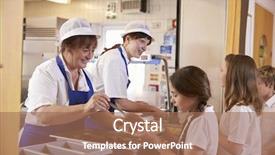
 Presentation with queue - Slide deck with a school cafeteria queue background and a coral colored foreground

Two Women Serving Food Girl

The powerpoint template provided by CrystalGraphics is called Wide Title and it's designed to capture the essence of lunchtime in an educational setting. This template is perfect for presentations that aim to convey the importance of education amidst the hustle and bustle of modern life. The Wide Title template features a warm and inviting tan color palette, which sets the tone for a welcoming atmosphere. The high resolution images used throughout the template provide a detailed view of various lunchtime scenarios, from students enjoying their meals in the cafeteria to teachers guiding their pupils through a lesson. These visuals are ideal for showcasing how education can be a source of happiness and fulfillment. The template's design is versatile enough to incorporate various Caucasian friendly backgrounds, making it suitable for presentations that require an inclusive approach. The happy expressions on the faces of the individuals featured in the template add a touch of warmth and friendliness, creating a positive ambiance for your audience. Overall, this template provides a comprehensive starting point for creators looking to produce engaging educational content. One notable feature of this template is its Comparison Layout slide, which allows you to highlight key differences between various scenarios or themes. For instance, you could include a comparison slide featuring the traditional school lunch versus the modern school meal menu, emphasizing the importance of adaptability and innovation in the education sector. The Wide Title template is downloadable and compatible with Google Slides, making it easily accessible for creators looking to produce professional looking presentations on the go.

 Presentation with queue - PPT theme having counter in airport with queue background and a light blue colored foreground

Senior Businessman Passport Ticket Standing

As you step into the world of business and formal events with Wide Title, a timeless template that exudes elegance and sophistication, you'll be sure to make a lasting impression. This stunning Widescreen template is designed for those who want to make a statement without being overwhelming, perfect for agent, formalwear, woman, waiting, mature audiences. With its rich Tan color palette, Featuring high resolution images of the iconic airport setting as your background, Wide Title offers a unique and captivating theme that will leave a lasting impression on your audience. This template is designed to enhance the overall look and feel of your presentation, making it stand out in a crowd. From its formal attire themed keywords to its waiting patient inspired design, this template is sure to resonate with those who appreciate the nuances of business etiquette. Imagine yourself standing confidently by the check in counter at an airport, ticket in hand, passport securely clipped to your belt, ready to take on whatever challenges lie ahead this is what Wide Title can do for you. The template's layout is carefully crafted to fit perfectly into any Googel Slides presentation, with a seamless integration of the High Res Images featuring an iconic image that highlights the theme of formal wear and business attire. With its comprehensive range of customization options and easy to use interface, this template will help you create a truly professional and polished look for your next presentation. By incorporating Wide Title into your PowerPoint deck, you'll be able to showcase high quality images that perfectly complement your brand and style, making it the perfect addition to any business or formal events presentation.

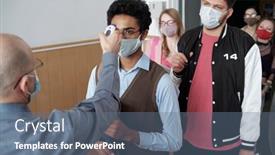
 Presentation with queue - Audience pleasing PPT theme consisting of mature-bald-male-professor backdrop and a ocean colored foreground

Mature Bald Male Professor Thermometer

In the heart of Africa's bustling cities, where young women with vibrant smiles and determination lead the way, there is a tale that needs to be told the story of education and empowerment. A group of people from diverse backgrounds come together, united by their quest for knowledge and success. The scene unfolds against a backdrop of high resolution images, featuring stunning photographs of students, professors, and community members working together towards a common goal. In this captivating template, Wide Title is designed to take center stage, its crimson color palette evoking the warmth and energy of Africa's vibrant culture. The Widescreen format ensures that every detail is showcased, from the intricate patterns on the professor's robes to the intricate textures in the students' clothing. As users navigate through the deck, they will encounter a seamless blend of features, including Including a Background With dynamic images, Having a Theme of education and empowerment, and Enhanced With interactive elements. The Ansoff Matrix Diagram Layout slide is designed to showcase the possibilities, featuring a clear and concise diagram that highlights the potential for growth and expansion. As users explore this feature, they will see how it can be used to illustrate the different stages of a business's life cycle, from the market exploration phase to the launch and growth phases. The template itself is downloadable and compatible with Google Slides, making it easy to incorporate into any presentation or meeting. Whether you're presenting on education, occupation, or simply sharing inspiring stories, this template has got you covered. With its stunning design, high resolution images, and interactive features, Wide Title is the perfect addition to your PowerPoint arsenal.

 Presentation with queue - Amazing presentation design having asian-woman-using-kiosk backdrop and a coral colored foreground

Asian Woman Using Kiosk Food

As you navigate through the world of digital transformation, the concept of queuing has become a ubiquitous phenomenon that transcends borders and cultures. From restaurants to kiosks, people are using technology to manage their interactions with increasingly complex systems. The rise of online ordering and self service has created new challenges for businesses to adapt to this new normal. The design name Corner Title reflects the theme of cornering your customers' attention on a single aspect in this case, the queuing experience. This template is specifically tailored to showcase a Dark Khaki color palette that evokes a sense of professionalism and sophistication. The background images will feature high resolution Panoramic Pictures, giving you a realistic representation of what a cafe or restaurant might look like. The template keywords are designed to be inclusive of features such as touch screens, cafeteria environments, robot interactions, and social distancing measures. With these elements incorporated seamlessly into the design, you'll have an enhanced experience for your users. Imagine being able to feature a stunning image of a busy food ordering process in one of our slides, complete with customers using their devices to place orders from a kiosk. Or picture yourself having a theme of interactive learning, where students can engage with animations that simulate the queuing system they'd encounter in real life. The possibilities are endless. The template is designed for use on Google Slides, making it easy to download and incorporate into your own presentations. With its Dark Khaki color palette and high resolution images, this design will set you apart from the crowd and help you stand out as a modern leader in customer service.

 Presentation with queue - Amazing presentation having queue - full length portrait of men backdrop and a white colored foreground

Full Length Portrait Men Women

In a world where education and innovation reign supreme, you need a template that not only inspires, but also helps you succeed. Introducing the Wide Title powerpoint template, designed to make your presentations stand out from the crowd with its attention grabbing background images and design name that exudes confidence and authority. This 8 picture grid layout slide features high resolution images of men and women standing together in a line, symbolizing unity and cooperation, which will surely give you the boost you need to get up and running quickly. This template is not just any ordinary template, it's a dynamic and engaging one that incorporates a light green color palette, perfect for conveying a sense of freshness and vitality. The design name Wide Title itself is a great starting point, as it sets the tone for a comprehensive and well rounded presentation. With its 4 how to slides at the start of the deck, you'll be able to quickly get started on your project with ease. Featuring a background image that showcases the importance of teamwork in education, including a picture of a group of students working together on a project. Having a theme of collaboration and creativity, this template is sure to inspire your audience. You can enhance your presentation with a light green background, adding a touch of elegance and sophistication. And with its grid layout design, you'll be able to easily organize your content and present it in an engaging manner.

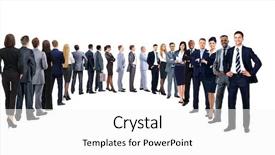
 Presentation with queue - Amazing slides having queue - profile of a business team backdrop and a ocean colored foreground

Profile Business Team Single Line

In the heart of any successful business, there's a team that drives the company forward with their leadership and vision. A well designed template can bring this team to life on your presentation slides, making it easier for them to showcase their personality and style. The Corner Title template is designed in a widescreen format, perfect for showcasing high resolution images of the team against a crisp white background. The Crimson color palette provides a bold and professional look that's sure to grab attention. Featuring a mix of leader, crowd, office, smile, and white elements, this template has everything you need to create an engaging and dynamic presentation. The 4 How To slides at the start of the deck are designed to help you get up and running quickly, providing valuable tips and tricks for using the template effectively. These slides can include features like including a background with a subtle gradient effect or having a theme of "Business Team" with enhanced images and fonts. This template is downloadable and compatible with Google Slides, making it easy to import into your presentation software. With its high resolution images and Crimson color palette, you'll be able to create stunning slides that showcase your team's personality and style. Having a theme of "Office" can also help to enhance the overall look and feel of the template. The Corner Title template is perfect for business presentations, conferences, and meetings where you need to showcase a team's leadership and vision. Featuring a mix of leader, crowd, office, smile, and white elements, this template has everything you need to create an engaging and dynamic presentation.

 Presentation with queue - Presentation theme consisting of their turn people in queue background and a white colored foreground

Waiting Turn People Queue

The moment you've all been waiting for, and that's when the leader steps forward to take charge, signaling the start of your presentation Waiting for their Turn People in Queue. This Split Title template is designed to make a bold statement, drawing attention with its vibrant Cornflower Blue color palette that sets the tone for an engaging office themed presentation. With four How To slides at the start, you'll be able to get up and running quickly and confidently, setting the stage for a successful delivery. The 3 Step Funnel Layout slide will help break down complex information into easy to understand stages, making it easier for your audience to follow along. The template is available as a downloadable PDF file and can be easily integrated with Google Slides, allowing you to enhance the presentation with high resolution images of leader symbols and signs. You'll also have access to a range of inspiring visuals that will add depth and context to your message. On screen, imagine yourself taking the stage, facing an audience waiting for their turn to contribute. The Split Title template provides a clear structure, featuring a crowd in the background, holding up a sign that reads "Lead the Way". Having a theme of leadership and teamwork, this design is perfect for presentations about innovation, success, or productivity.

 Presentation with queue - Slides consisting of queue - full length portrait of men background and a lemonade colored foreground

Full Length Portrait Men Women

In a world where fashion and functionality come together in perfect harmony, the Corner Title template is the ultimate solution for creating visually stunning presentations that leave a lasting impression. This design name perfectly captures the essence of the template, which boasts a handsome and stylish theme that's sure to turn heads. The Corner Title template features a widescreen format, making it ideal for showcasing high resolution images in all their glory. The Cornflower Blue color palette provides a soothing and calming background that complements any subject matter, while the accompanying keywords dress, handsome, parent, wait, queuing add an extra layer of depth to your presentation. The template is designed to enhance your online presence with its stylish design, making it perfect for professionals who want to make a lasting impression. The high resolution images featured in this template are sure to be a hit, and the grid layout slide will give you a clear idea of what's included in the download. This template is not just about looks; it's also designed to work seamlessly with Google Slides, making it easy to incorporate into your existing workflow. With its 4 How To slides at the start of the deck, you'll be up and running quickly, getting started on creating stunning presentations that will leave a lasting impression. The Corner Title template is the perfect solution for anyone looking to elevate their presentation game with style and sophistication.

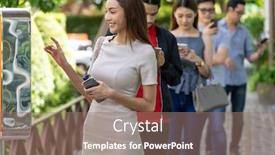
 Presentation with queue - Cool new PPT theme with woman-standing-in-queue backdrop and a ocean colored foreground

Woman Standing Queue Cash Desk

The latest trend in corporate branding is on a roll, and our new template, Wide Title, is the perfect addition to your business's visual identity. This stunning widescreen template features a light sky blue color palette that's sure to make a statement, as it perfectly complements any modern design scheme. With its neutral tones, you can easily pair it with a wide range of fonts and typography styles to suit your brand's unique voice. The Wide Title template is designed for those who want to showcase their products or services in all their glory, whether that means highlighting a specific product or feature. The two content layout options allow you to choose between a clean and simple layout or one that features bold and eye catching graphics. On the Template Format slide, we show how to use our high resolution images for the background to create a professional looking image that will really draw attention. This template is not just about looks, however it's also highly customizable to fit your brand's unique style and tone. With its inclusion of a background with a subtle texture, featuring a beautiful Caucasian woman in the foreground, you can enhance your design scheme and make it truly stand out from the crowd. Having a theme of showcasing products or services in a real world setting, having a clear call to action to drive engagement, making it easy for visitors to explore your site, including an interactive map, and allowing you to showcase case studies and testimonials from satisfied customers, Enhanced With all these features, this template is the perfect solution for businesses looking to establish their brand identity in a crowded market.

 Presentation with queue - PPT theme consisting of taxi-queue-up-in-city background and a wine colored foreground

Taxi Queue Up City Street

As you click on the "Get Started" button in the CrystalGraphics platform, you're immediately immersed in a high resolution image that captures the essence of city life. The taxi queue stretches across the wide screen, with each vehicle standing out against the dark slate gray background. This is your chance to create an attention grabbing slide that sets the tone for the rest of your presentation. The Wide Title "Taxi Queue" perfectly conveys the theme and setting of this image, while also incorporating a symbol that adds depth and visual interest. The HK logo subtly features in the corner of the screen, adding a touch of authenticity to the design. As you work with this template, consider including other elements like cab rides or vintage vehicles to enhance the theme. The high resolution images used for the background are carefully selected to create a realistic representation of city streets at night. This is particularly important when it comes to showcasing taxi queues and traffic flow, where every detail matters. Having a Managed Process Layout will help you organize your content in a clear and concise manner, making it easier to navigate through your deck. This template is ideal for presentations that require a dramatic and engaging visual representation of city life. Featuring high quality images and a dark slate gray color palette, this design is sure to grab the attention of your audience. Including a Background With bold taxi icons and having a theme of "City Streets at Night" will help you create an immersive experience that leaves a lasting impression. As you work on your presentation, consider using Managed Process Layout to organize your content in a clear and concise manner. This will make it easier for your audience to follow along, even if they're not familiar with taxi queues or city life. Enhanced With a focus on visual elements like the taxi queue and iconic symbols will help take your presentation to the next level.

 Presentation with queue - Amazing presentation theme having their turn people in queue backdrop and a white colored foreground

Waiting Turn People Queue

The powerpoint template provided by CrystalGraphics is called "Waiting for Their Turn People in Queue". This classic design has been revived to capture the essence of people lining up or waiting in line, symbolizing anticipation and patience. The template's dark salmon color palette adds a sense of sophistication and elegance to any presentation. The template format is Widescreen, which means it will fill your entire slide with a generous amount of space for customization. This layout ensures that all text, images, and graphics are perfectly balanced and visually appealing. Featuring high resolution images for the background, this template is sure to enhance the professionalism of any presentation. The theme of this template revolves around leading individuals or groups in line, emphasizing their importance and priority. The inclusion of a dark salmon color palette adds a sense of luxury and refinement to the design. Having a theme of waiting, it's no surprise that this template is compatible with Google Slides and can be easily downloaded and used. One of the standout features of "Waiting for Their Turn People in Queue" is its ability to create a grid layout featuring four key images: people from diverse ethnic backgrounds standing in line, a group of individuals dressed in formal attire waiting at an entrance, a single person taking their place in line, and a background image representing a bustling crowd. These images will provide valuable context for your presentation and help convey the theme effectively.

 Presentation with queue - Cool new slide deck with young woman in supermarket queue backdrop and a red colored foreground

Young Woman Supermarket Queue Missing

As you stand in front of the supermarket's grand entrance, your eyes scan the crowded hallway, searching for that elusive wallet to pay for your groceries. The fluorescent lights above seem to hum with a monotone excitement, as if waiting for something momentous to happen. But nothing seems to be happening yet. The Wide Title dominates the top half of the screen, its goldenrod background glinting in the light like a promise of excitement to come. Below it, in smaller text, is "Unlock the Power of Your Product", highlighting the potential to enhance your sales and attract customers with your brand's theme. The font used for this text is a clean sans serif, perfect for conveying a sense of modernity and approachability. In the bottom left corner, you'll see four How To slides that will guide you through getting started quickly. However, no specific details about these slides are provided here for now. Just know that they're designed to get you up and running with your new template in no time. The Panoramic Picture Layout slide is where things start to come together. The background images of a bustling supermarket floor, complete with colorful baskets and commodity displays, create a sense of depth and atmosphere. In the center, you'll see an image of a young woman standing at the checkout counter, looking frustrated as she realizes she's missing money for payment. This image is sure to grab your attention and set the tone for the rest of the presentation. The goldenrod color palette used throughout the template adds a warm, inviting feel to the design. It's perfect for creating a sense of trust and reliability with your customers especially when they're about to make a purchase. And speaking of purchases, having an enhanced theme that showcases your brand's personality will surely enhance your shop's presence in the minds of potential customers. As you explore this template further, you'll notice that it's fully downloadable and compatible with Google Slides, making it easy to share with others or customize to fit your specific needs.

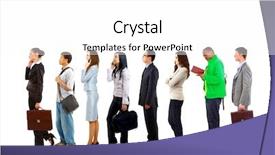
 Presentation with queue - Cool new presentation theme with communication - full length profile shot backdrop and a lemonade colored foreground

Full Length Profile Shot Long

The moment you've been waiting for, Corner Title, is finally here. This stunning template takes your presentation to the next level with its engaging design that will capture your audience's attention from start to finish. Corner Title is a Widescreen slideshow featuring a high resolution image of a long queue of people walking and using their mobile phone on a white background. The image is carefully crafted to convey a sense of movement, energy, and activity, perfectly capturing the essence of smartphones in today's fast paced world. The perfect background sets the tone for your presentation, showcasing the theme of connectivity and innovation. The template is downloadable and compatible with Google Slides, ensuring that you can easily insert the image into your presentation without any hassle. With a focus on Caucasian features, a happy demeanor, and a white color palette, Corner Title exudes a sense of calmness and approachability, making it an excellent choice for casual presentations. This template is designed to be versatile, with a wide range of keywords that can enhance its functionality. Featuring a Puzzle Pieces Layout slide, where you can insert multiple images in different layouts, will keep your audience engaged and interested. Including a Background With modern design elements and having a Theme of showcasing various presentation tools, the possibilities are endless. Overall, Corner Title is an excellent choice for any presentation that requires a creative and engaging visual identity. Whether it's to promote a new product launch or a technology conference, this template has something to offer. Enhancing your presentation with high resolution images will surely impress your audience, making Corner Title a must have for anyone looking to take their presentations to the next level.

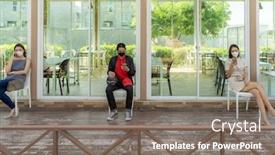
 Presentation with queue - PPT theme with asian-waitress-with-face-mask background and a coral colored foreground

Asian Waitress Face Mask Taking

The world is slowly returning to normal after the devastating effects of the coronavirus pandemic. The concept of new normal restaurants has emerged, where health and safety are the top priorities. These establishments, often referred to as "measuring" spaces, aim to provide an enhanced experience for customers while maintaining social distancing measures. The striking design of these cafes is inspired by everyday life during this period. Incorporating images of people wearing face masks, taking temperatures in a cafeteria style setting, or waiting in line with a physical barrier in between all of which are taking part in the new normal. Featuring high resolution images that accurately convey the mood and atmosphere needed to promote social distancing, the background for this template is designed to resemble a bustling street scene during the pandemic. Including a background with subtle gradient effects can enhance the overall visual appeal. The template's color palette is predominantly yellow green, creating a soothing yet energetic ambiance that reflects the importance of caution and safety. The theme of "measuring" spaces is seamlessly incorporated throughout the design, from the layout to the font choices, to convey the idea of taking necessary precautions. Enhanced with subtle animations and interactive elements, this template is not only visually appealing but also easy to use in presentations. With 4 How To slides at the start of the deck to help users get up and running quickly, these are perfect for a new normal restaurant concept presentation. A picture + caption layout could be used to showcase the initial setup process. The images could feature employees wearing face masks and gloves while taking customer temperatures, accompanied by captions highlighting the importance of social distancing measures in such establishments. Having a theme of "new beginnings" or "reopening after pandemic", this design is sure to grab attention and set the tone for your presentation.

 Presentation with queue - Theme with young-businessman-in-suit-talking background and a coral colored foreground

Young Businessman Suit Talking Mobile

Imagine yourself standing in front of a bustling office building, surrounded by young women typing away on their laptops while chatting with one another. The sound of phones ringing and keyboards clacking fills the air as they hurry to reach their meeting time. In this environment, you would feel the importance of staying organized and connected, making it essential to have a template that reflects your professional persona. That's where Wide Title comes in a stunning Widescreen template designed specifically for high resolution images featuring beautiful graphics, including a background with a subtle cityscape at night. Wide Title is tailored for those who want to convey their occupation and lifestyle. With its crisp design, the template features young women wearing casual clothing, from bright pink dresses to distressed denim jeans, all set against a vibrant backdrop of crimson hues. The overall look is relaxed yet professional, showcasing your personality and creating a welcoming atmosphere. When you're ready to get started, you can dive into the four How To slides at the beginning of the deck featuring an interactive table of contents that guides you through the installation process in just a few clicks. These slides are designed to help you set up your template quickly and easily, with clear instructions on how to access high resolution images for backgrounds and customize the Stairs Layout to fit your needs. As you work with Wide Title, you'll find yourself having a theme of seamless collaboration and inclusivity making it an ideal choice for presentations, group projects, or team meetings.

 Presentation with queue - Amazing slide set having asian-woman-using-kiosk backdrop and a coral colored foreground

Asian Woman Using Kiosk Food

The streets of Tokyo are bustling with life as people navigate through crowded cafes and restaurants under the strict social distancing measures enforced by the government. In this new normal, technology has become the backbone of daily life, and self service kiosks have emerged as the go to solution for ordering food online. A simple yet effective way to make a big impact is with the Corner Title template from CrystalGraphics. This Widescreen template features high resolution images that will transport you to the vibrant streets of Tokyo, where people are moving with ease through queuing lines on their touch screens. The theme of this template is "Queuing and Touching Screens" a perfect blend of functionality and user experience. The Corner Title template includes four How To slides at the start of the deck to help you get up and running quickly. For instance, the first slide "Getting Started" features a background image with a cityscape and social distancing measures in place, while the second slide "Customizing Your Template" showcases how easy it is to include background images with text overlays, having a theme of enhancing your presentation. This template is not only visually stunning but also compatible with Google Slides. With its stylish design and high resolution images, this template will make your presentations stand out from the crowd.

 Presentation with queue - Slide set with asian-woman-customer-wear-face background and a coral colored foreground

Asian Woman Customer Wear Face

The world is changing fast, and with it comes new challenges. The pandemic has forced us to adapt, to find ways to connect and interact with each other in the midst of uncertainty. But what if we could create a space where people can come together, safely and comfortably? A space that celebrates community, connection, and innovation. In this world, smartphones have become an integral part of our daily lives. We use them to stay connected with friends and family, to access information, and to navigate through the unknown. But what if we could take it a step further? What if we could create a physical space that reflects the same values of connection and community? Imagine a restaurant where people can gather, safely and comfortably, to enjoy good food and company. A place where social distancing is not just a concept, but a way of life. Where the atmosphere is electric, with high resolution images of Asian women enjoying their meals while wearing face masks, or sitting in waiting lines for social distance queues. This restaurant concept is not just about serving food; it's about creating an experience that brings people together. It's about featuring a unique theme, including a background with a stunning image of a bustling cityscape, having a theme of sustainability and eco friendliness, enhanced with interactive elements such as touch sensitive tables and digital menus. But what if we could take this concept to the next level? What if we could create a 5 level pyramid layout that reflects the different aspects of our lives? Level one would be the entrance, where customers are greeted by a warm welcome and a clear message about the restaurant's values. Level two would be the dining area, where tables are arranged in a way that encourages social distancing while still allowing for comfortable conversation. Level

 Presentation with queue - Cool new presentation with asian-customers-wear-face-mask backdrop and a gray colored foreground

Asian Customers Wear Face Mask

As we navigate through the challenges of the pandemic and the shift to social distancing measures, restaurants are finding innovative ways to adapt and thrive in this new normal. One such concept is the "New Normal Restaurant" a space that not only serves delicious food but also promotes healthy habits and community bonding. The Split Title template is designed to capture the essence of this concept with its dark sea green color palette, which evokes feelings of calmness and serenity. The high resolution images for the background will feature Asian customers wearing face masks while waiting in line at a restaurant, creating a visually striking image that sets the tone for the presentation. The template is formatted as a widescreen design, perfect for showcasing the layout and graphics. It's also downloadable and compatible with Google Slides, making it easy to edit and customize on the fly. The Dark Sea Green color palette will provide a sophisticated and modern look, while the social distancing theme will add an extra layer of relevance. The Split Title template is enhanced with a unique Chart with Caption Layout slide that includes a graph illustrating the rise in demand for take out and delivery services during the pandemic. This feature will help to drive home the importance of adapting to changing consumer behavior and providing solutions that cater to their needs. This template is perfect for restaurants, cafes, or any business looking to create a modern and engaging brand identity. Featuring a background with a subtle texture, including a photo of a bustling restaurant scene, this template has everything you need to create a visually appealing presentation that showcases your brand's personality and values.

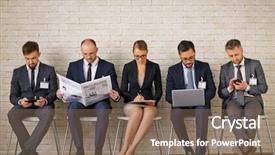
 Presentation with queue - Amazing slide set having queue - modern business people in elegant backdrop and a violet colored foreground

Modern Business People Elegant Suits

In a world where work and life meet, professionals gather to network, share experiences, and make connections that can lead to new opportunities. The scene is set in a modern office, where sleek lines, minimalist decor, and an abundance of natural light create an atmosphere of sophistication and elegance. A powerful figure stands at the forefront, sipping coffee and addressing a room full of people eager to learn from their experiences. The crowd quiets down, awaiting the speaker's words. As they begin, the theme of "Hiring and Recruitment" takes center stage, highlighting the importance of finding the right candidate for the job. In this template, the design name is Wide Title, with a focus on showcasing bold, attention grabbing text that commands the viewer's attention. The Widescreen format ensures maximum impact, featuring high resolution images that bring the scene to life. The Burly Wood Colored palette provides a warm and inviting background for the professionals within. This theme of Featuring, Including a Background With, Having a Theme of, Enhanced With, creates a cohesive look that complements the modern office setting. A downloadable template compatible with Google Slides allows users to easily enhance their presentation with your own images. For those looking to streamline their workflow, four How To slides are included at the start of the deck: Getting Started, Advanced Techniques, Troubleshooting, and Conclusion. However, these topics are not presented in a traditional format, but rather as interactive guides that walk users through each step. This approach allows for a more immersive learning experience. The In Summary Layout slide sets the stage for what's to come, summarizing key points and providing a clear structure for the presentation. It could be an opportunity to feature a shot of a modern office with a large conference table at its center, surrounded by a mix of comfortable chairs and futuristic tech gadgets. The focus is on showcasing how this template can help users create engaging presentations that captivate their audience. By using high quality images as the background for the presentation, you can have a theme of Featuring, Including a Background With, Having a Theme of, Enhanced With to enhance the overall visual appeal. For example, the template could be used in an HR setting to showcase job applications and resumes, with colorful

 Presentation with queue - Slides with portrait-attractive-asian-waitress-wear background and a coral colored foreground

Portrait Attractive Asian Waitress Wear

In a world where social distancing measures are in place and face masks have become a norm, the dining scene has shifted dramatically to cater to this new normal. Amidst the chaos, a unique concept of a cafeteria style restaurant has emerged as a haven for those seeking comfort food while adhering to safety protocols. The design name is Wide Title, a masterpiece that embodies the essence of this new era in hospitality. Its template format is Widescreen, providing ample space for vibrant graphics and high resolution images to take center stage. This Dark Khaki color palette exudes sophistication and warmth, setting the tone for an immersive experience. With a focus on measuring and screening, the template includes numerous elements that encourage users to interact with its design. The inclusion of alcohol gel, cafeteria style seating, and a cafeteria atmosphere creates an inviting ambiance perfect for a pandemic era dining experience. A cafeteria is not just a place to eat, it's also a gathering space where people can come together and connect. A central theme ties the entire template together – social distancing. This has given birth to the concept of measuring the distance between individuals while enjoying their meal. The template includes a section called "Measure Your Distance" which will be discussed on this slide. The layout is enhanced with interactive features, making it easy for users to navigate through the design. For instance, featuring a background image that showcases a bustling cafeteria atmosphere will enhance the overall user experience. One of the standout elements is the inclusion of Google Slides compatibility, allowing users to easily share their customized versions with colleagues and clients alike. This feature makes it seamless to take the template offline and use it for presentations, meetings, or even social media content.

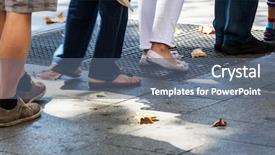
 Presentation with queue - Colorful presentation enhanced with queue - turn on the sidewalk backdrop and a ocean colored foreground

Turn Sidewalk City

Imagine standing in the midst of a bustling city at night, with towering skyscrapers and neon lights that seem to stretch on forever. The sounds of car horns and chatter fill the air as people move swiftly through the crowded streets, their faces aglow with anticipation. In this scene, you're waiting waiting for something exciting to happen, waiting for the moment when the city comes alive. This is what our template, Wide Title, promises to deliver. With its sleek design, featuring a sophisticated steel blue color palette, it's sure to turn heads and make a statement. The high resolution images that come with this template are perfect for creating a dynamic background that sets the tone for your presentation. Whether you're sharing an idea or showcasing a product, our template is the perfect canvas to enhance your message. To get started, simply download and import the template into Google Slides. Once installed, you'll have access to four easy to follow slides Introduction, Key Takeaways, Conclusion, and Bonus Content. These slides are designed to help you quickly grasp the key points of your presentation and leave your audience wanting more. As you dive into your presentation, be sure to include a Background With slide that sets up the scene for your talk. This can feature an image of the city or a dramatic shot of the skyline at night. You may also want to Have a Theme of slide to tie together all the key points and create a cohesive visual flow. The Ansoff Matrix Diagram Layout slide is a great place to showcase how you've structured your presentation around different market opportunities. This slide will feature a simple, yet effective design that showcases your key takeaways in a clear and concise manner. By featuring high resolution images of cityscapes or product demonstrations, this slide will help grab the audience's attention from the very start. With our template, you'll have everything you need to create an engaging and memorable presentation that will leave your audience eager to learn more. So why wait? Get started with Wide Title today and make a lasting impression on your audience.

▼Key features of this template

  • They are compatible with both PowerPoint and Google Slides running on either Windows PCs or Macs.

  • They are available in both standard and widescreen slide formats. You can choose your preferred format by clicking on the "Widescreen" check box or icon.

  • Each template includes a beautiful high-resolution background image or video to visually reinforce the theme of your presentation.

  • In addition, each template includes designer-created graphics and modern fonts to give your presentations an up-to-date, professional look.

  • Each template's default design and title text position have been carefully selected to complement its background without covering faces or other key elements.

  • All text includes backdrops whose transparency level is mathematically calculated to maximize text readability while still allowing the background to be seen.

  • And all the text, text backdrops and graphics in every slide are colored with a palette designed to beautifully complement the colors in the background.

  • Our Premium templates (those with the descriptor “Premium” in their subtitle) include over 64 slide layouts to give you maximum flexibility as you create your presentations.

    • Those layouts are available to you whenever you create a new slide or when you want to change the layout of an existing slide.
    • They include everything you need to make all sorts of presentations. In addition to the layouts for the title slide and the usual title and content slide, they include many other layouts for slide types including table of contents slides, org charts, charts, diagrams, infographics, photo slides, thank you slides and more.
    • While creating these layouts our template designers have ensured that all text in every layout adjusts as gracefully as possible to various numbers of words.
  • Customizable templates (those with the descriptor “Customizable” in their subtitle) may be easily modified online before you download them.

    • To modify them, simply click on the pencil editing icon, then select your choice of ready to go designs and title text positions.
    • The editing tool also makes it easy to reposition and scale the background image or video to best suit your needs.

▼FAQs

Please review these FAQs to see if your question is answered. Contact us for more info

  • What is a PowerPoint template?

    • A well designed PowerPoint template is a file that can tell PowerPoint how to make your ordinary templates look extraordinary. They won’t change what your words or numbers say. But they might change their size, color, font and placement. And, overall, they can give your presentations a professionally-designed look that will give your content more credibility and give you more confidence.
  • How many PowerPoint templates do you offer?

    • We have over 32,000 artist-created presentation templates in our PowerPlugs collection With a subscription, PowerPlugs templates are easy to download. Just sign in, find a template and click on the green Download button. ready for you to download. That alone offers you more variety to choose from than any of our competitors can offer. And, as if that weren’t enough, we also offer over 6 million templates in our Crystal collection. Crystal brand templates are our line of templates that have customization options. They have the word "CRYSTAL" on their web page images. You can customize several aspects of the templates. These templates include high-resolution background images from Shutterstock’s vast image collection matched up with artist-created presentation designs customized by our own proprietary AI software.
  • How many templates can I download as a subscriber?

    • You can download an unlimited number of PowerPlugs-brand With a subscription, PowerPlugs templates are easy to download. Just sign in, find a template and click on the green Download button. templates every day for an entire year. (Actually, by default, we set a limit of 25 templates per day to prevent our competitors from stealing our templates. But, if that is not enough, just let us know and we’ll try to accommodate you.) On top of that, with a subscription or an Ultimate Combo, you can also download any 50 Crystal-brand Crystal brand templates are our line of templates that have customization options. They have the word "CRYSTAL" on their web page images. You can customize several aspects of the templates. templates per year selected from our huge Crystal collection. Crystal brand templates are our line of templates that have customization options. They have the word "CRYSTAL" on their web page images. You can customize several aspects of the templates. .
  • Why should I choose your templates instead of the competition’s?

    • We’ve got a larger selection of professionally-designed PowerPoint templates than anyone else in the world.
    • Each template includes a high-resolution background image or video to visually inspire your audiences while reinforcing your message.
    • Each template includes 64 slide layouts to give you maximum flexibility as you create your presentations.
    • Our templates are available in both standard and widescreen slide formats. And our website lets you preview the slides each way.
    • Our free Template Finder™ plugin lets subscribers select and - with a single click - download and insert our templates into their presentations right from within PowerPoint.
    • We’ve been creating designer presentation templates for over 20 years. During that time we’ve won several awards and 5-star ratings for product quality. See About Us for more.
  • Do you offer a money-back guarantee?

    • Yes we do! We offer full 30-day money-back guarantee if you are not 100% satisfied with your purchase.
  • Can I still use my downloaded templates after my subscription runs out?

    • Yes. After your subscription expires, you won't lose any rights or ability to use your PowerPlugs: Templates for PowerPoint. You won't be able to download any new non-watermarked templates. But the non-watermarked templates you've already downloaded will still work and you can still use them as before.
  • Can I share my downloaded templates or passwords with friends or coworkers?

    • Sorry but no. You are authorized to download each paid-for template to up to 3 of your personal devices and to use the templates you download in as many presentations as you want. But you are not authorized to share the templates, themselves, with others. That said, we do offer highly discounted site licenses to suit the needs of both small and large teams. Just tell us your needs and we’ll give you a quote!
  • System requirements:

    • The templates use the standard POTX format. So they are compatible with Google Slides and all PC, Mac and mobile devices running any version of PowerPoint from PowerPoint 2007 up through and including Office 365 desktop.
    • Please note: Google Slides does not currently support background videos. It treats them as still images.
    • For PowerPoint for the Web, first open your template into a desktop version of PowerPoint, then save it back out as a PPTX file. Then you can open that in PowerPoint for the Web.
  • End user license agreement:

    • Click here to view.
  • How will I get my purchased templates?

    • You may download your selected templates as soon as your payment is received by PayPal. If you purchased an individual template, you will be provided with a download link both onscreen and via email. Just click on that link to begin the download process. If you purchased a subscription, you will receive an email containing a password to use along with your email address to sign in to any of the templates pages on CrystalGraphics.com. Once you are signed in, you can immediately start downloading your selected templates.
  • How do I use my templates after I download them?

    • You can either open a template to start a new presentation or you can add a template to an existing presentation. To open a template, just double click on it or use PowerPoint's File > Open tool. To add a template to an existing presentation, on the Design tab, in the Themes group, click Browse for Themes... then browse to select your template.

View more Queue templates:

previous 1 2 3 4 5 next
93% of Fortune 1000
companies use our
PowerPoint Products
Templates Secure

Standing Ovation Award
Winner: Best PowerPoint
Template Collection
Fortune Logos
200,000+ satisfied
customers worldwide!
Guarantee
100% satisfaction guaranteed
- or send it back for a refund!

Sign up for our free newsletter! You'll get news about our PowerPoint-enhancing product line – including free updates, new product announcements and exclusive special offers. Plus you'll get a link to a free PowerPoint template with every newsletter you receive.
Privacy Policy
Loading...


Help

Contact Us
Product FAQs
Product License Agreements

Company Info

About Us
Privacy Policy
CrystalGraphics, Inc. 1999 S. Bascom Avenue Suite 700 Campbell, CA 95008 USA
© 2026 CrystalGraphics, Inc. All rights Reserved.    |     PowerPlugs is a trademark of CrystalGraphics, Inc.
Microsoft and the PowerPoint logo are trademarks or registered trademarks of Microsoft Corporation in the United States and/or other countries.
Loading...
Loading...