www.crystalgraphics.com CrystalGraphics
  • Ultimate Combo
  • Templates
  • Diagrams
  • Characters
  • Quizzes
  • shopping cart
  • Sign Out Sign Out Sign In
Home > Templates > Santa Category
search icon
advanced icon

546 Best Santa-Themed Templates for PowerPoint and Google Slides

Experience the magic of Christmas with our exclusive Santa series of PowerPoint templates, designed to transport you to a world of wonder and joy. Our AI-powered templates are crafted with love and care, featuring stunning visuals that will set your presentations ablaze with festive cheer.

From the Christmas theme with Santa Claus ringing golden bell and snow flakes background to the Amazing slide deck having merry christmas and happy holidays backdrop and a ocean colored foreground, our templates offer a diverse range of options to suit your unique style and needs. With a total of 60+ slides, you'll have ample opportunities to explore different angles and create visually stunning presentations that will leave your audience feeling jolly.

But what really sets our Santa templates apart is their versatility. Compatible with Google Slides, these templates can be seamlessly integrated into your workflow, providing instant access to a wide range of customization options. Whether you're looking for a festive title slide or a custom background image, our templates are designed to help you bring your ideas to life.

And the best part? These incredible templates are available in both widescreen and standard formats, ensuring that you can customize them to fit your specific needs. Plus, with instant 24/7 download access, you're free to download and start using these templates right away.

So why wait? Dive into our extensive collection of Santa PowerPoint templates today and discover a world of creative possibilities. Browse through other categories or select the perfect template for your needs - we've got you covered.

Features & Pricing

Widescreen (16:9) Presentation Templates. Change size...
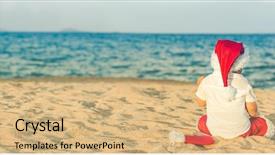
 Presentation with santa - Presentation theme featuring little santa on the beach background and a coral colored foreground

Santa Beach Panorama

Presentation theme featuring little santa on the beach panorama

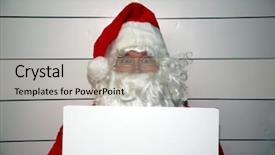
 Presentation with santa - Cool new presentation design with holds a blank white book backdrop and a light gray colored foreground

Santa Claus Mugshot Santa Holds

Imagine walking into a festive holiday market, where vibrant colors and joyful sounds fill the air, all while seeing a striking image of Santa Claus holding a blank white booking sign. The background is adorned with high resolution images that showcase various Indian inspired designs, creating an immersive experience. The template format is Widescreen, allowing for stunning visuals to take center stage. And when it comes to the color palette, the Indian Red hue provides a warm and inviting atmosphere, perfect for conveying emotions like anger, excitement, or cheerfulness. The bold and playful colors used throughout this template are sure to leave a lasting impression. As you delve into this design, you'll notice that it's packed with inspiring keywords: bad, booking sign, sign, and merry. Featuring a blank white space where users can insert their text, the template provides a clean canvas for showcasing creative content. Including a Background With an image of a Christmas tree or presents to enhance its festive atmosphere, having a theme of holidays and celebrations is evident throughout this design. The Pros and Cons section will give you an idea of what this template offers: four How To slides to help users get up and running quickly, making it easy for them to customize their own templates and create unique designs. With the ability to download this template on Google Slides, users can easily experiment with different layouts and designs without any compatibility issues. As an example, you could use this template as a starting point for creating a holiday booking page, where users can enter their travel dates and book flights or hotels in just a few clicks. The blank white space provides ample room for them to type their preferred destinations, while the Indian Red color palette adds a touch of warmth and coziness to the design. By incorporating this template into your project, you'll be able to create visually appealing and engaging content that will leave your audience impressed.

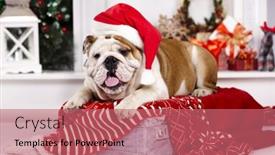
 Presentation with santa - PPT theme having christmas pooch dog english - bulldog in santa hats background and a coral colored foreground

Bulldog Santa Hats

The powerpoint template is a stunning celebration of joy and festivity perfect for creating unforgettable gifts or simply adding to your studio's cheer. Imagine yourself as Santa Claus, donning a pair of high resolution bulldog style hats amidst a winter wonderland backdrop that is sure to delight. The Wide Title design name suggests grandeur, making it the perfect fit for showcasing this unique template. This template features a crimson color palette that will add a touch of elegance and sophistication to any presentation or project. A key aspect of its design is its high resolution images for the background, which will provide crisp and vibrant visuals throughout. The theme "gift" and "studio" perfectly capture the essence of this template, making it ideal for creating merry and wonderful content. The template keywords "merry", "ho", "hats", and "gifts" convey a clear idea of what this design is all about, setting the tone for an engaging and festive presentation. The inclusion of the word "merry" immediately draws the audience's attention to the theme, making it perfect for use in marketing campaigns or holiday themed presentations. The template is downloadable and compatible with Google Slides, ensuring that users can easily import and customize their content without any hassle. With four How To slides available at the start of the deck, users will be able to get up and running quickly and efficiently. The Thank You Layout slide could include a background feature, having a theme of "Thank you" to emphasize the idea of appreciation and gratitude. As an inspiration for this template, let's consider a scenario where it is used in conjunction with a high resolution image, such as a photo of a happy couple celebrating their anniversary amidst a festive holiday setting. Featuring a bright red balloon floating above them, the image would be enhanced by having a theme of "love" to convey the idea of cherished memories and emotions. Incorporating this template into your presentation or project can add an extra layer of depth and sophistication, making it stand out from the crowd. By harnessing its unique features and color palette, you'll be well on your way to creating unforgettable content that leaves a lasting impression on your audience.

 Presentation with santa - Presentation theme with santa claus is coming background and a light gray colored foreground

Santa Claus Coming

Presentation theme with santa claus is coming

 Presentation with santa - Theme consisting of santa hat isolated on white background and a white colored foreground

Santa Hat Isolated White

Theme consisting of santa hat isolated on white

 Presentation with santa - Slides having trees city - santa barbara from the pier background and a lemonade colored foreground

Santa Barbara Pier

The sun sets over Santa Barbara's picturesque pier, casting a warm golden glow on the bustling city below. As the day comes to a close, the sky transforms into a breathtaking canvas of hues, with the palm trees swaying gently in the gentle breeze. In this stunning Widescreen template, Wide Title, you'll find yourself surrounded by 4 high resolution images that showcase the best of usa cities from bustling metropolises like New York and Los Angeles to quaint coastal towns like Santa Barbara. The Sandy Brown color palette brings warmth and coziness to your slides, perfect for Featuring a background with palm trees or Having a theme of beachy relaxation. The template's Downloadable and compatible with Google Slides format makes it easy to use as is or customize to fit your specific needs. With Ansoff Matrix Diagram Layout slide at the beginning, you'll get a clear idea of how to take your presentation To new heights. This layout features 2V1C4R3W6L0U1S5 image sections, showcasing different ways to feature the background with high resolution images. Having a theme of USA cities will make it easy to Incorporate a Background With iconic landmarks like Statue of Liberty or Grand Canyon.

 Presentation with santa - Slides featuring funny-santa-in-a-grass background and a tawny brown colored foreground

Funny Santa Grass Field

As you step into the serene winter landscape, imagine yourself standing in a lush grass field, surrounded by the majestic sky stretching above, its gentle hues of blue and grey blending seamlessly with the dark olive green of the foliage. The air is crisp, carrying the scent of woodsmoke and damp earth, transporting you to a cozy winter wonderland where laughter and joy fill the air. The Wide Title, featuring a playful illustration of a jolly old Santa Claus in a grass field, beckons you to embark on an adventure through nature's magic. With its elegant design, Warm Gray is accompanied by rich Brown accents that evoke a sense of nostalgia and warmth. The Dark Olive Green background provides a dramatic contrast to the bright colors, creating a visually appealing visual flow. As you explore this winter wonderland, you'll discover four How To slides that will help you get up and running quickly. These shortcuts will have your presentation looking polished and professional in no time. For instance, the Puzzle Pieces Layout slide is an ideal tool for organizing your content, featuring interlocking pieces that can be easily rearranged to fit your needs. In Featured Image mode, Featuring a stunning high resolution image of a snow covered forest with winding paths, you can showcase the beauty of nature while keeping your audience engaged. Including a Background With feature allows you to have a theme of winter wonderland at play, enhancing your presentation's visual appeal. Having a Theme of featuring a cozy cabin in the woods adds an extra layer of warmth and intimacy, perfect for showcasing how to create a captivating story around your concept. Enhanced with textures like wood grain and stone adds depth and dimensionality to your design.

 Presentation with santa - Beautiful presentation theme featuring santa claus sneaking into home backdrop and a  colored foreground

Santa Claus Sneaking Home

Imagine walking into your home on a cold winter's night and being greeted by the warm glow of candles flickering in the fireplace. The crackle of the flames creates a cozy atmosphere that instantly makes you feel happy and welcoming. And when you take a step back to admire the scene, you're presented with a beautiful image Santa Claus sneaking into your home, spreading joy and cheer. It's a moment that transcends time and brings people together. The Corner Title template is designed to transport you to this winter wonderland, where everything feels magical and festive. The fire brick color palette adds a warm and inviting tone, perfect for creating a sense of coziness and relaxation. With four easy to follow slides at the start of your deck, you'll be able to get up and running quickly from setting up the slide to adding your own personal touches. The Comparison Layout slide is a great place to showcase your images, featuring a large background with a subtle gradient that enhances the overall visual effect. You could include a high resolution image of the fireplace or a cozy reading nook, set against a warm and inviting color palette. Having a theme of capturing special moments in time can also help you incorporate more elements into your presentation. When it comes to adding text, consider using phrases like "Welcome to our winter wonderland" or "A perfect spot for enjoying some quality time together". You could also include a quote or two that captures the essence of the season. By including a Background With feature, you can add depth and dimension to your images, making them even more engaging and shareable. The Corner Title template is not just about looks it's also designed with functionality in mind. Having a theme of featuring high resolution images makes it easy to include relevant content without cluttering the slide. And having a Theme of including a Background With allows you to add extra visual interest and make your presentation stand out.

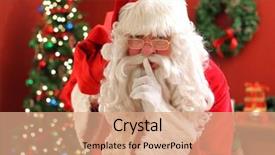
 Presentation with santa - Beautiful slide deck featuring grinch - santa claus hand shows finger backdrop and a  colored foreground

Santa Claus Hand Shows Finger

In the midst of winter's chill, where fingers wrap tightly around cups of hot cocoa, the image of Santa Claus comes to life, his jolly face radiating warmth and welcome. The year is 2023, and yet, in this moment, one can't help but feel a sense of nostalgia for the magic that once was. The Crimson theme dominates this design, evoking feelings of luxury, sophistication, and holiday cheer. The Corner Title template features a bold, crimson background with intricate gold filigree, perfectly complementing the high resolution images that cradle it. From the snow covered rooftops to the festive lights aglow in the night sky, each element is carefully crafted to evoke a sense of wonder and enchantment. The template includes four How To slides to help users get up and running quickly – featuring an easy to use interface, clear instructions, and plenty of space for customization. The Hexagon Layout slide showcases a beautifully rendered illustration of fingers weaving together to form a festive wreath, complete with delicate ornaments and ribbons. This slide is particularly striking, as it demonstrates the template's ability to seamlessly integrate high resolution images into the design. Whether used in conjunction with the background image or displayed separately, this slide adds an extra layer of visual interest to the overall presentation. The Corner Title template is not just a pretty face; it's also highly compatible with Google Slides, allowing users to easily incorporate its features into their own presentations. With its sleek Crimson theme and festive imagery, this template is sure to add a touch of holiday cheer to any slide or presentation.

 Presentation with santa - Slide deck enhanced with santa claus is not coming this year background and a light gray colored foreground

Santa Claus Coming Year

Slide deck enhanced with santa claus is not coming this year

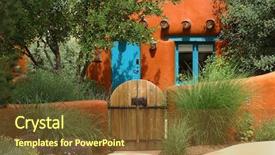
 Presentation with santa - Presentation theme consisting of orange adobe santa fe cottage background and a tawny brown colored foreground

Orange Adobe Santa Fe Cottage

This stunning PowerPoint template is sure to captivate your audience with its rich and inviting atmosphere. Designed in the style of a charming adobe cabin nestled deep within the breathtaking landscapes of the southwest US, this Wide Title template brings the warmth and coziness of the Old West to life. The Chocolate color palette is used throughout, evoking the richness and depth of high quality materials like chocolate, perfect for creating a sophisticated and professional look. The 5 Level Piramid Layout, with its seamless transitions between sections, adds a touch of elegance to each slide, making it easy to navigate through your presentation. With four How To slides at the start of the deck, you'll be well on your way to getting up and running quickly. These expertly crafted tutorials will guide you through setting up your template for maximum impact and showcasing its full features. Featuring a background with subtle textures and patterns that perfectly capture the essence of the American West, this template is sure to enhance your presentation with style and sophistication. Including a Background With a stunning high resolution image of a Taos adobe style building, this template offers you endless possibilities for adding visual interest and depth to your slides. Having a theme of showcasing the natural beauty of the southwest US, this template will transport your audience to the sun kissed landscapes of New Mexico with ease. This richly detailed template is designed to be compatible with Google Slides, making it easy to customize and adapt to fit your specific needs. And don't forget, featuring a Background With a beautiful image, having a theme that showcases the beauty of the southwest US, enhancing with its sophistication, this Wide Title template is sure to make you the talk of the town in no time.

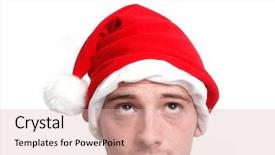
 Presentation with santa - Colorful PPT layouts enhanced with christmas elf - santa hat and man looking backdrop and a lemonade colored foreground

Santa Hat Man Looking Up

The moment you click on this template, you'll be transported to a world where happiness is just around the corner, and the anticipation is palpable. Imagine yourself standing in front of a snowy town square, with a bright red roof and a giant Christmas tree looming above, its branches adorned with festive lights that twinkle like stars in the night sky. The scene is set with high resolution images that will transport you to this magical world, making it feel as if you're really there. The Corner Title template features a Caucasian man looking up at the sky, his eyes filled with wonder, and a hint of a smile on his face, suggesting that he's wondering what the future holds. The happy atmosphere is enhanced by the inclusion of a warm and inviting color palette, which will make your slides feel cozy and welcoming. This template is designed to be visually appealing, with a high resolution background featuring a subtle gradient effect, making it look like you're standing in front of a beautiful winter wonderland. The contrast between light and dark colors creates a sense of depth, adding dimensionality to the design. The theme of the template is clear: it's all about conveying happiness and positivity. The download feature allows for seamless integration with Google Slides, making it easy to add your own text, images, and effects to make the template truly unique. What's more, this template has a built in Comparison Layout slide that showcases four key features of the design, including the high resolution background image and the theme of happiness. By featuring a bright red roof and giant Christmas tree, you'll be able to demonstrate how easily this template can enhance your presentations with an engaging background image. You can include a background With image in your slides, having a Theme of Creating a Winter Wonderland, making it easy for your audience to envision the scene unfolding before their eyes. The enhanced version allows for greater customization flexibility, giving you more creative control over the design elements and layout.

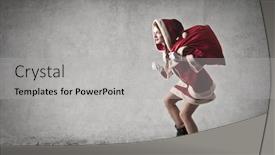
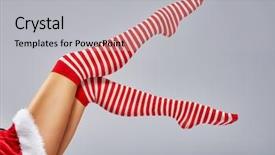
 Presentation with santa - Slide deck enhanced with beautiful sexy woman in santa claus clothes background and a light gray colored foreground

Beautiful Sexy Woman Santa Claus

The Corner Title template is a stunning design that will undoubtedly grab the attention of anyone who lays eyes on it. This high resolution image features a beautiful sexy woman in Santa Claus clothes, complete with fur trim and a fitted miniskirt, showcasing her curves in all the right places. The overall effect is one of glamour and sophistication, making it perfect for any occasion. The Corner Title template is designed to be used as a standalone presentation, but its versatility knows no bounds. It can be easily customized to fit your specific needs, featuring high resolution images that will enhance the overall look and feel of your slides. The template's fire brick color palette adds a pop of warmth and energy to any presentation, making it perfect for showcasing your personality. The Corner Title template is compatible with Google Slides and offers a range of features that make it easy to create engaging presentations. One of its standout features is the Quotation Layout slide, which allows you to add a touch of elegance and sophistication to your slides. This feature can be used to include a background image or text, making it perfect for adding visual interest to your presentation. The Corner Title template is also enhanced with a theme of "Dress to Impress," making it easy to create presentations that are both stylish and professional. Whether you're looking to showcase your personality or simply want to add some flair to your slides, this template has got you covered. With its high resolution images, versatile design, and range of customization options, the Corner Title template is a must have for anyone who wants to make a lasting impression.

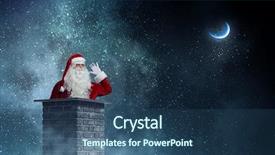
 Presentation with santa - Audience pleasing slide deck consisting of coming top - santa claus is already here backdrop and a ocean colored foreground

Santa Claus Already Here Mixed

The winter wonderland is just around the corner and with it comes the jolly old elf himself, Santa Claus. This festive season has brought us all together, but what makes this holiday truly special is the magic that fills our homes, spreading joy and cheer to all who hear the sound of laughter and music. As we gather 'round the fire, sharing stories and making memories with loved ones, our minds wander back to the chimney of time, where countless tales of adventure and bravery have been kindled. A timeless classic like Snowman, featuring a snowy landscape and intricate details, is sure to bring a touch of whimsy to your presentation. Its high resolution images will be perfectly captured in this 4:3 widescreen format, making it an ideal choice for showcasing the majestic beauty of the winter season. With a Dark Slate Gray color palette, we'll transport our audience to a world of enchantment and wonder. This Corner Title template is perfect for those who want to add some warmth and personality to their slides. The sleek design will have your content Enhanced with fonts and colors that evoke the feeling of a crackling fire on a chilly winter's night. Having a theme of Winter Wonderland, featuring snowflakes, trees, and cozy cabins, you'll be able to Include a Background With stunning high resolution images from various sources to create a visually appealing atmosphere. The template is downloadable and compatible with Google Slides, allowing you to share it with colleagues or clients easily. Its compatibility ensures that your presentation will run smoothly on any device, providing the highest level of quality and performance.

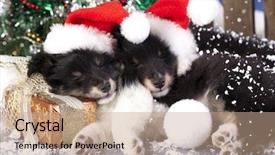
 Presentation with santa - Amazing PPT layouts having christmas puppies sheltie wearing backdrop and a coral colored foreground

Christmas Puppies Sheltie Wearing Santa

PPT layouts having christmas puppies sheltie wearing a santa hat

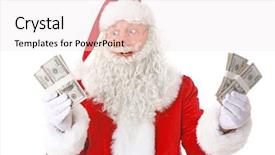
 Presentation with santa - PPT theme featuring santa claus holding money on white background background and a sky blue colored foreground

Santa Claus Holding Money White

The Corner Title PowerPoint template is designed to make your presentations stand out from the crowd with its eye catching design and high resolution images. This template features a light coral color palette that evokes feelings of warmth and approachability, perfect for showcasing gifts or products in an American context. The template is formatted as a widescreen presentation, ideal for displaying high quality images and graphics. The background image is a beautiful high resolution photo featuring Santa Claus holding money on a white background, creating a festive atmosphere that's sure to grab the audience's attention. This template is downloadable and compatible with Google Slides, making it easy to import into your preferred presentation software. The Corner Title template includes four How To slides at the start of the deck to help you get up and running quickly, but don't worry, we won't reveal them just yet. The Section Header Layout slide will feature a prominent title that sets the tone for the rest of the presentation, while the Background With slide will showcase a stunning image or graphic that enhances the overall look and feel of your presentation. This template is perfect for anyone looking to create engaging and informative presentations about gifts, products, or any other topic. Featuring a theme of showcasing products in an American context, this template includes all the necessary elements to make your presentation stand out from the crowd. Having a theme of highlighting high quality images and graphics, this template will help you create visually appealing slides that will leave a lasting impression on your audience.

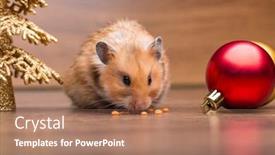
 Presentation with santa - Slide deck featuring cute hamster with santa hat background and a coral colored foreground

Cute Hamster Santa Hat Table

In the midst of the holiday season, a small but cheerful greeting is in order with our unique and playful template, Wide Title. This Widescreen design features a bright and bold Indian Red color palette that will add a pop of color to any presentation. The high resolution images for the background are sure to bring a touch of festivity to your slides. Wide Title is designed with small details in mind, making it perfect for creating a sense of studio like intimacy. The template includes four How To slides to help you get up and running quickly. These slides feature inspiring illustrations that showcase the fun and creativity of working on greeting cards or gifts during the holidays. The Two Content Layout slide features a beautiful combination of images and text, showcasing a small hamster with Santa hat on the table, surrounded by festive decorations and colorful garlands. This layout is particularly Enhanced With, featuring a clear hierarchy of elements that draws the viewer's eye to the main topic. This template is also Included a Background With feature, Featuring a high resolution image of a snowy winter wonderland scene in the background. Having a Theme of, showcasing the joy and excitement of the holiday season, this template is sure to delight your audience. Enhanced With, additional design elements such as textures, patterns, and shapes add an extra layer of depth and interest to the presentation. In addition to its high quality templates, Wide Title is also Downloadable And Compatible With Google Slides, making it easy to access and use in a variety of presentations. Whether you're creating a traditional style greeting card or a more modern digital display, Wide Title is the perfect template for adding a touch of whimsy and fun to your holiday season.

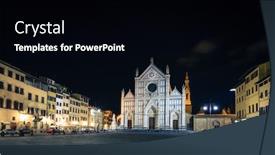
 Presentation with santa - Amazing presentation design having basilica-di-santa-croce backdrop and a black colored foreground

Basilica Di Santa Croce Piazza

Presentation design having basilica di santa croce and the piazza di santa croce in florence italy at night

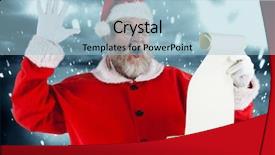
 Presentation with santa - Amazing PPT layouts having santa claus reading wish list backdrop and a light blue colored foreground

Santa Claus Reading Wish List

Create a visual feast that captures the magic of Christmas with this stunning Crimson themed template. Imagine Santa Claus surrounded by high resolution images of festive woodland creatures and snow covered trees, set against a backdrop of gleaming white ice and twinkling lights. This template is designed to be a masterpiece in Widescreen format, perfect for showcasing your creativity and flair on Google Slides. The Crimson color palette will transport your audience to a world of warm and cozy feelings, featuring a Caucasian character with a heartwarming smile as the main subject. The theme of this template includes facial expressions that perfectly capture the joy and excitement of Christmas, while also paying homage to traditional Christian celebrations. You can even include a Background With feature by adding a snowy landscape or a winter wonderland scene to your slides, making it an Enhanced With option for you to explore different designs. This template is not just about aesthetics; it's also designed to be user friendly and easy to navigate. The included How To slides at the start of the deck will guide you through getting up and running quickly, with clear instructions on how to customize your template to fit your unique style. With four steps ahead of you to get started, this template is a great place to begin your creative journey. The Thank You Layout slide can be used as a starting point for your presentation by featuring a warm welcome message with a lovely illustration of the Christmas season. This layout will set the tone for the rest of your deck and provide a polished finish for your slides. Don't forget that this template is compatible with Google Slides, allowing you to enhance your content with features such as images, charts, and even shapes.

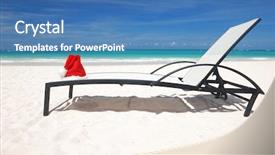
 Presentation with santa - PPT theme consisting of s hat and chaise lounge background and a  colored foreground

Santa's Hat Chaise Lounge Beach

Imagine yourself relaxing on a tropical beach, surrounded by palm trees and the sound of waves gently lapping at the shore. The warm sun shines down on your chaise lounge, where you're enjoying a refreshing cocktail and a good book. That's what it looks like when you create a beautiful and eye catching presentation with our Split Title template. This stunning Widescreen template is designed to showcase your most important messages in a clear and concise manner. The Steel Blue color palette sets the tone for a professional yet inviting look, perfect for gift related presentations, palm themed gatherings, or any occasion where you want to add a touch of elegance. The template features high resolution images throughout, providing a rich background that will help draw your audience's attention. We've also included 5 Stages Pentagon Layout, which allows you to easily organize and structure your content into sections and sub sections. This layout is ideal for creating visually appealing slideshows or presentations with multiple elements. Including a Background With the template allows you to add your own images or graphics on top of it, enhancing its visual appeal even further. Having a Theme of this template gives you the flexibility to create unique and personalized designs that reflect your brand or style. When designing your presentation, remember to keep things simple yet effective. Consider featuring 4 How To slides at the start of the deck to help your audience get up and running quickly, but don't worry too much about listing them out just yet. Instead, focus on creating a cohesive look throughout the template that will keep your audience engaged from start to finish.

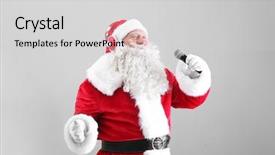
 Presentation with santa - PPT layouts with santa claus singing christmas songs background and a light gray colored foreground

Santa Claus Singing Christmas Songs

PPT layouts with santa claus singing christmas songs on light background background

▼Key features of this template

  • They are compatible with both PowerPoint and Google Slides running on either Windows PCs or Macs.

  • They are available in both standard and widescreen slide formats. You can choose your preferred format by clicking on the "Widescreen" check box or icon.

  • Each template includes a beautiful high-resolution background image or video to visually reinforce the theme of your presentation.

  • In addition, each template includes designer-created graphics and modern fonts to give your presentations an up-to-date, professional look.

  • Each template's default design and title text position have been carefully selected to complement its background without covering faces or other key elements.

  • All text includes backdrops whose transparency level is mathematically calculated to maximize text readability while still allowing the background to be seen.

  • And all the text, text backdrops and graphics in every slide are colored with a palette designed to beautifully complement the colors in the background.

  • Our Premium templates (those with the descriptor “Premium” in their subtitle) include over 64 slide layouts to give you maximum flexibility as you create your presentations.

    • Those layouts are available to you whenever you create a new slide or when you want to change the layout of an existing slide.
    • They include everything you need to make all sorts of presentations. In addition to the layouts for the title slide and the usual title and content slide, they include many other layouts for slide types including table of contents slides, org charts, charts, diagrams, infographics, photo slides, thank you slides and more.
    • While creating these layouts our template designers have ensured that all text in every layout adjusts as gracefully as possible to various numbers of words.
  • Customizable templates (those with the descriptor “Customizable” in their subtitle) may be easily modified online before you download them.

    • To modify them, simply click on the pencil editing icon, then select your choice of ready to go designs and title text positions.
    • The editing tool also makes it easy to reposition and scale the background image or video to best suit your needs.

▼FAQs

Please review these FAQs to see if your question is answered. Contact us for more info

  • What is a PowerPoint template?

    • A well designed PowerPoint template is a file that can tell PowerPoint how to make your ordinary templates look extraordinary. They won’t change what your words or numbers say. But they might change their size, color, font and placement. And, overall, they can give your presentations a professionally-designed look that will give your content more credibility and give you more confidence.
  • How many PowerPoint templates do you offer?

    • We have over 32,000 artist-created presentation templates in our PowerPlugs collection With a subscription, PowerPlugs templates are easy to download. Just sign in, find a template and click on the green Download button. ready for you to download. That alone offers you more variety to choose from than any of our competitors can offer. And, as if that weren’t enough, we also offer over 6 million templates in our Crystal collection. Crystal brand templates are our line of templates that have customization options. They have the word "CRYSTAL" on their web page images. You can customize several aspects of the templates. These templates include high-resolution background images from Shutterstock’s vast image collection matched up with artist-created presentation designs customized by our own proprietary AI software.
  • How many templates can I download as a subscriber?

    • You can download an unlimited number of PowerPlugs-brand With a subscription, PowerPlugs templates are easy to download. Just sign in, find a template and click on the green Download button. templates every day for an entire year. (Actually, by default, we set a limit of 25 templates per day to prevent our competitors from stealing our templates. But, if that is not enough, just let us know and we’ll try to accommodate you.) On top of that, with a subscription or an Ultimate Combo, you can also download any 50 Crystal-brand Crystal brand templates are our line of templates that have customization options. They have the word "CRYSTAL" on their web page images. You can customize several aspects of the templates. templates per year selected from our huge Crystal collection. Crystal brand templates are our line of templates that have customization options. They have the word "CRYSTAL" on their web page images. You can customize several aspects of the templates. .
  • Why should I choose your templates instead of the competition’s?

    • We’ve got a larger selection of professionally-designed PowerPoint templates than anyone else in the world.
    • Each template includes a high-resolution background image or video to visually inspire your audiences while reinforcing your message.
    • Each template includes 64 slide layouts to give you maximum flexibility as you create your presentations.
    • Our templates are available in both standard and widescreen slide formats. And our website lets you preview the slides each way.
    • Our free Template Finder™ plugin lets subscribers select and - with a single click - download and insert our templates into their presentations right from within PowerPoint.
    • We’ve been creating designer presentation templates for over 20 years. During that time we’ve won several awards and 5-star ratings for product quality. See About Us for more.
  • Do you offer a money-back guarantee?

    • Yes we do! We offer full 30-day money-back guarantee if you are not 100% satisfied with your purchase.
  • Can I still use my downloaded templates after my subscription runs out?

    • Yes. After your subscription expires, you won't lose any rights or ability to use your PowerPlugs: Templates for PowerPoint. You won't be able to download any new non-watermarked templates. But the non-watermarked templates you've already downloaded will still work and you can still use them as before.
  • Can I share my downloaded templates or passwords with friends or coworkers?

    • Sorry but no. You are authorized to download each paid-for template to up to 3 of your personal devices and to use the templates you download in as many presentations as you want. But you are not authorized to share the templates, themselves, with others. That said, we do offer highly discounted site licenses to suit the needs of both small and large teams. Just tell us your needs and we’ll give you a quote!
  • System requirements:

    • The templates use the standard POTX format. So they are compatible with Google Slides and all PC, Mac and mobile devices running any version of PowerPoint from PowerPoint 2007 up through and including Office 365 desktop.
    • Please note: Google Slides does not currently support background videos. It treats them as still images.
    • For PowerPoint for the Web, first open your template into a desktop version of PowerPoint, then save it back out as a PPTX file. Then you can open that in PowerPoint for the Web.
  • End user license agreement:

    • Click here to view.
  • How will I get my purchased templates?

    • You may download your selected templates as soon as your payment is received by PayPal. If you purchased an individual template, you will be provided with a download link both onscreen and via email. Just click on that link to begin the download process. If you purchased a subscription, you will receive an email containing a password to use along with your email address to sign in to any of the templates pages on CrystalGraphics.com. Once you are signed in, you can immediately start downloading your selected templates.
  • How do I use my templates after I download them?

    • You can either open a template to start a new presentation or you can add a template to an existing presentation. To open a template, just double click on it or use PowerPoint's File > Open tool. To add a template to an existing presentation, on the Design tab, in the Themes group, click Browse for Themes... then browse to select your template.

View more Santa templates:

previous 1 2 3 4 5 6 7 8 9 10 11 12 13 14 15 16 17 18 19 20 21 22 23 24 25 26 next
Categories related to Santa:
Sleigh
93% of Fortune 1000
companies use our
PowerPoint Products
Templates Secure

Standing Ovation Award
Winner: Best PowerPoint
Template Collection
Fortune Logos
200,000+ satisfied
customers worldwide!
Guarantee
100% satisfaction guaranteed
- or send it back for a refund!

Sign up for our free newsletter! You'll get news about our PowerPoint-enhancing product line – including free updates, new product announcements and exclusive special offers. Plus you'll get a link to a free PowerPoint template with every newsletter you receive.
Privacy Policy
Loading...


Help

Contact Us
Product FAQs
Product License Agreements

Company Info

About Us
Privacy Policy
CrystalGraphics, Inc. 1999 S. Bascom Avenue Suite 700 Campbell, CA 95008 USA
© 2026 CrystalGraphics, Inc. All rights Reserved.    |     PowerPlugs is a trademark of CrystalGraphics, Inc.
Microsoft and the PowerPoint logo are trademarks or registered trademarks of Microsoft Corporation in the United States and/or other countries.
Loading...
Loading...