www.crystalgraphics.com CrystalGraphics
  • Ultimate Combo
  • Templates
  • Diagrams
  • Characters
  • Quizzes
  • shopping cart
  • Sign Out Sign Out Sign In
Home > Templates > Halloween > Scary Halloween Category
search icon
advanced icon

278 Best Scary Halloween-Themed Templates for PowerPoint and Google Slides

CrystalGraphics creates templates designed to make even average presentations look incredible. Below you’ll see thumbnail sized previews of the title slides of a few of our 278 best scary halloween templates for PowerPoint and Google Slides. The text you’ll see in in those slides is just example text. The scary halloween-related image or video you’ll see in the background of each title slide is designed to help you set the stage for your scary halloween-related topics and it is included with that template. In addition to the title slides, each of our templates comes with 17 additional slide layouts that you can use to create an unlimited number of presentation slides with your own added text and images. And every template is available in both widescreen and standard formats. With over 6 million presentation templates available for you to choose from, CrystalGraphics is the award-winning provider of the world’s largest collection of templates for PowerPoint and Google Slides. So, take your time and look around. You’ll like what you see! Whether you want 1 great template or an ongoing subscription, we've got affordable purchasing options and 24/7 download access to fit your needs. Thanks to our unbeatable combination of quality, selection and unique customization options, CrystalGraphics is the company you can count on for your presentation enhancement needs. Just ask any of our thousands of satisfied customers from virtually every leading company around the world. They love our products. We think you will, too!

Features & Pricing

Widescreen (16:9) Presentation Templates. Change size...
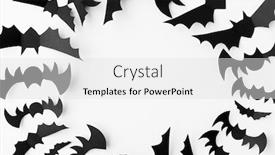
 Presentation with scary halloween - Presentation consisting of halloween-decoration-concept-black-paper background and a dark gray colored foreground

Halloween Decoration Concept Black

In the midst of a spooky Halloween evening, when the moon casts its silvery glow through the windows and the wind whispers eerie tales in your ear, it's time to create an atmosphere that will leave your audience shivering with delight. The Sidebar Title template from CrystalGraphics is the perfect way to bring this theme to life on your slide deck. The Sidebar Title template boasts a unique design name that perfectly captures the essence of its Halloween inspired concept. This widescreen template features a high resolution image of black paper bats flying in the background, surrounded by sculls and eerie trees, with soft shadows cast across the scene. The overall effect is one of foreboding yet captivating atmosphere. The template's color palette is carefully curated to evoke a sense of mystery and danger, featuring shades of Saddle Brown that add warmth and depth to the design. This theme is enhanced with symbols, such as jack o lanterns and spiders, which add an extra layer of scare factor to your presentation. The template is also included in Google Slides format for seamless integration into your slides. The Sidebar Title template can be used to create a variety of visually striking presentations, including how to guides that feature step by step instructions on how to decorate your home for Halloween. For example, you could include a slide with "5 Easy Steps to Create a Spooky Backdrop" or "How to Build a DIY Spider Web". Having a theme of themed decorations and props is also included in the template. The Sidebar Title template is downloadable and compatible with Google Slides, making it easy to customize and update your presentations as needed. With its unique design and high resolution images, this template is sure to leave a lasting impression on your audience.

 Presentation with scary halloween - Beautiful PPT theme featuring scary concept - black bat backdrop and a white colored foreground

Halloween Decoration Scary Concept -

Imagine transforming your presentation into a hauntingly beautiful still life, as if the very walls are alive with an eerie glow. The result is a captivating concept that will leave your audience spellbound and it all starts with the Wide Title design, created in Widescreen format for maximum impact. The template features a sleek and sophisticated lavender color palette, expertly crafted to evoke feelings of luxury and mystery. It's not just about aesthetics; our design incorporates high resolution images from around the world, giving your presentation a truly immersive experience. The overall look is enhanced with glossy effects, making each slide feel like a treasure trove of creative possibilities. This template is downloadable and compatible with Google Slides, so you can easily share it with others or use it as inspiration to create your own unique presentations. Featuring a clear theme of concept art and design, this template is sure to spark interesting discussions and debates about the intersection of technology and creativity. Including a background with an atmospheric cityscape or abstract shapes will add visual interest to your slides. Having a theme of glossy, stylized images will provide a cohesive look throughout your presentation. The 5 P's of Marketing Diagram Layout slide are expertly woven into this design, featuring bold headers, clear typography, and precise formatting that guide the viewer through the key elements of a successful marketing strategy. Whether you're using this template to showcase your portfolio or simply looking for inspiration for your next big project, it will undoubtedly enhance your presentation and leave a lasting impression on your audience.

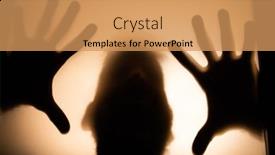
 Presentation with scary halloween - Presentation theme enhanced with scary-picture-of-hands-behind background and a coral colored foreground

Scary Picture Hands Behind Glass,

As you step into the world of Halloween graphics, your eyes will widen with excitement at the Corners Title template that CrystalGraphics has carefully crafted for you. This design name exudes a sense of foreboding and intrigue, inviting you to dive deeper into its creepy charm. The template is specifically tailored for widescreen format presentations, ensuring that every detail is perfectly proportioned to maximize visual impact. The Peru color palette adds a touch of warmth and sophistication to the overall aesthetic, while the 5 P's of Marketing Diagram Layout slide provide inspiration on how to effectively incorporate this design into your workflow. This Corners Title template is designed with danger lurking around every corner, featuring high resolution images of doorways that seem to lead to an unknown fate. Shadows dance across the screen, creating a sense of tension and foreboding. The ghostly figure behind the door seems to whisper ominous warnings, keeping you on edge. To get started quickly, you can use these 4 How To slides to launch your presentation: "How To Create a Compelling Title Slide," "How To Use a Widescreen Template for Maximum Impact," "How To Incorporate Shadows and Textures for Enhanced Visual Interest," and "How To Add a Theme of Scare and Fun to Your Presentation." The Corners Title template is downloadable and compatible with Google Slides, so you can enhance its features by adding your own high resolution images and backgrounds. With this design, you'll be able to create presentations that are both visually striking and engaging, perfect for showcasing your brand or theme in a spooky yet sophisticated way.

 Presentation with scary halloween - Colorful presentation design enhanced with halloween-decoration-and-scary-concept backdrop and a white colored foreground

Halloween Decoration Scary Concept -

The world of PowerPoint templates has never been more exciting, with countless options to enhance your presentations and ideas. One such template that stands out is the "Midnight Flock" design, featuring a stunning flock of black paper bats flying over a white background, setting the tone for a spooky yet atmospheric Halloween themed presentation. This widescreen template format will transport you and your audience into the heart of the night, with crisp high resolution images that will surely leave a lasting impression. The slate blue color palette provides a sleek and mysterious backdrop, perfect for any topic that requires an air of intrigue. What makes this template truly unique is its bold use of keywords such as flock, symbol, blank, concept, isolated. These design elements are carefully curated to provide endless opportunities for creative expression, ensuring your presentation stands out from the crowd. With its high resolution images and seamless integration with Google Slides, you'll be able to easily enhance and customize this template to fit your unique style. By featuring a high quality background image that showcases a dramatic flock of bats flying above a darkened landscape, the "Midnight Flock" design will provide an immersive experience for your viewers. Take it as inspiration for creating a visually stunning presentation that combines spooky atmosphere with crisp, modern design elements the possibilities are endless.

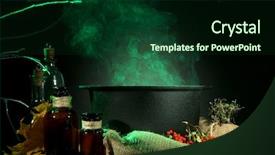
 Presentation with scary halloween - Cool new PPT theme with cauldron - scary halloween laboratory backdrop and a ocean colored foreground

Scary Halloween Laboratory

PPT theme with scary halloween laboratory

 Presentation with scary halloween - Theme with horrible scary zombie man background and a tawny brown colored foreground

Horrible Scary Zombie Man Ruins

Imagine yourself standing on a creepy, abandoned house that has been ravaged by flames and now stands as a haunting monument to the horrors that lurk within its walls. The once white walls are now covered in dark, mossy green paint, giving the building an eerie, post apocalyptic feel. The Corner Title template is designed for those who dare to unleash their inner darkness. This powerpoint template features a dramatic, horror inspired design that perfectly captures the essence of the werewolf, danger, hell, and satan themes commonly associated with Halloween. The Dark Slate Gray color palette adds depth and mystery to the design, creating an immersive experience for your audience. The high resolution images used as backgrounds bring the abandoned house to life, making it easy to visualize the scene in stunning detail. Whether you're showcasing a how to slide on crafting a haunted house or featuring a background image of the spooky ruins, this template has got you covered. Who We Are Bio Layout In this section, you can highlight your company's brand story, values, and mission. This could include a brief introduction to your team, their expertise, and what sets them apart from others in the industry. For example, "At [Company Name], we're passionate about creating immersive experiences that transport our audience to new worlds." Featuring high quality images or illustrations can add an extra layer of authenticity to this section, making it more engaging and memorable for your viewers. Including a Background With This template is easy. Simply place the image you've chosen as the background onto your slide. Having a Theme of, Enhancing the overall look and feel of the presentation with a consistent design element can elevate it to the next level. For instance, if you're using this template on a how to slide on crafting a haunted house, the theme could be "Spooky Decorations for Your Next Party."

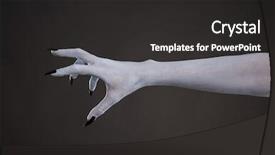
 Presentation with scary halloween - Colorful PPT theme enhanced with lucifer - scary pale skin hand backdrop and a dark gray colored foreground

Scary Pale Skin Hand Black

As you delve into the world of creative design, you're about to embark on a journey that will take your visuals from bland to grand. Get ready to unleash your inner artist and bring magic to your presentations with CrystalGraphics' Split Title template. This stunning template is perfect for those who dare to be different, featuring a rich Royal Blue color palette that exudes sophistication and power. The Split Title template boasts a widescreen format, ideal for showcasing high resolution images of studio settings, haunted mansions, or eerie landscapes. The theme of this template is built around the idea of embracing your darker side, with bold fonts and striking graphics that will leave your audience gasping in awe. As you begin to work on your presentation, remember that there are 4 How To slides at the start of the deck that will help you get up and running quickly. But don't worry, you're not alone we've got you covered. The template is downloadable and compatible with Google Slides, making it easy to incorporate into your workflow. The Split Title template features a unique 6 x 6 Org Chart Layout slide, perfect for visualizing your organization and hierarchy of ideas. This slide will help you create a clear structure for your presentation, ensuring that your message shines through. Imagine including a background with dramatic lighting effects, having a theme of dark and mysterious, or enhancing it with bold colors to make it truly unforgettable. This template is the perfect starting point for those who want to take their presentations to the next level. With its royal blue color palette and high resolution images, you'll be able to showcase your creativity in style. So why wait? Dive into the world of creative design and get ready to unleash your inner artist with CrystalGraphics' Split Title template.

 Presentation with scary halloween - Audience pleasing presentation design consisting of scary-ugly-witch-stands backdrop and a navy blue colored foreground

Scary Ugly Witch Stands Abandoned

The darkness surrounding the abandoned witch's den beckons you to enter a world of magic and mayhem, where the lines between reality and fantasy are blurred. The eerie atmosphere is perfectly captured in this Widescreen template featuring a dark cyan color palette that sets the tone for a mysterious and ominous mood. This Corner Title template is designed for creatives who want to bring their own unique brand to Google Slides, with high resolution images of the background available for download. Featuring an iconic image of a Halloween themed witch's den in the corner of your slide, this template includes a range of keywords such as "magic", "makeup", "bad", and "movie" that will help you enhance your presentation. With a focus on dark and moody visuals, this template is perfect for showcasing scary tales or highlighting the more macabre side of Halloween. The inclusion of an Arrowheads Layout slide adds a touch of sophistication to the design, while also providing a clear structure for organizing your content. Having a theme of "bad beauty" in mind, this template could be used to create slides that showcase makeup tutorials with a dark and edgy twist, or to feature images of scary movie icons. Enhanced with high quality graphics and animations, this template is sure to make a lasting impression on your audience.

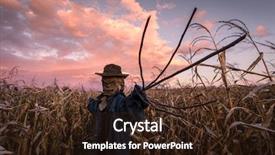
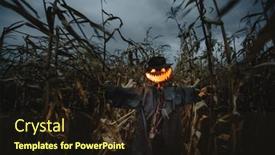
 Presentation with scary halloween - Slides having scary pumpkin scarecrow background and a wine colored foreground

Scary Pumpkin Scarecrow Hat Cornfield

The darkness that falls on Halloween nights is not just a fleeting feeling but a permanent state of mind that is perfectly captured in this unique PowerPoint template design Corner Title. This template takes inspiration from the ominous atmosphere of a scary pumpkin scarecrow standing atop a hill, surrounded by a lush cornfield under a grey and cloudy sky, evoking an air of eeriness and foreboding. High resolution images for the background will transport your audience into this chilling world. The Dark Slate Gray color palette is a masterstroke in creating an ominous ambiance that complements the scarecrow's menacing presence perfectly. The contrast between the dark colors and the natural elements like cornstalks adds to the overall sense of unease, drawing your viewers in with its foreboding theme. This template is ideal for presentations that require a stark yet unsettling visual identity. Corner Title has an Enhanced With design aesthetic, featuring bold typography and sharp lines that create a dramatic effect on the screen. The inclusion of a background image will make it easier to create contrast and emphasize key elements within your presentation, making the most of this dark theme. By Including a Background With scary pumpkin scarecrow in a hat on a cornfield in cloudy weather you can add an extra layer of visual tension to your design.

 Presentation with scary halloween - Presentation theme featuring scary scarecrow in a hat background and a wine colored foreground

Scary Scarecrow Hat Cornfield Orange

Presentation theme featuring scary scarecrow in a hat on a cornfield in orange sunset background halloween holiday concept

 Presentation with scary halloween - Slide set enhanced with halloween pumpkin and black cat background and a wine colored foreground

Halloween Pumpkin Black Cat Scary

As the witching hour approaches, the air is thick with anticipation, and the shadows cast by the jack lanterns on the windowsill seem to whisper eerie tales of the supernatural. The evil eye gazes out from the carving pattern, while the black cat's piercing eyes seem to watch your every move. The holiday spirit is in full swing, but amidst the festivities, a sense of unease creeps in, as if something lurking in the darkness is watching and waiting. With a design name that exudes an air of mystery and foreboding, this Sidebar Title template is sure to cast a spell on your audience. Its Widescreen format is perfect for showcasing high resolution images that will make your presentation truly jump out at the viewer. The Goldenrod color palette is a masterstroke, evoking feelings of warmth and nostalgia, while the evil eye and jack lantern motifs add a touch of macabre whimsy. To create an immersive experience, this template Includes a Background With a spooky atmosphere, Featuring high resolution images that will transport your audience to a world of Halloween magic. Having a Theme Of enhancing your presentation with themed transitions and animations is also included, Enhanced With options for customizing the look and feel to fit your brand. The Table of Contents slide would feature a simple yet effective layout, highlighting the four How To slides at the start of the deck that will get you up and running quickly. This template is downloadable and compatible with Google Slides, making it easy to bring to life in your presentation.

 Presentation with scary halloween - Amazing slide deck having grim reaper - halloween human skull evil laughing backdrop and a dark gray colored foreground

Halloween Human Skull Evil Laughing

The darkness descends, and the spirits rise, as you prepare to unleash your most unholy creations with the Corner Title template. This ominous masterpiece is designed for those who dare to be different, featuring four How To slides that will help you get up and running quickly, but first, let's dive into its eerie charm. The Corner Title template is a masterclass in contrast, seamlessly blending dark, gothic elements with modern twists and creative flourishes. The Dark Slate Blue color palette is a deep, foreboding hue that sets the tone for a haunting experience. High resolution images of Halloween icons, such as halloween human skulls, evil laughing faces, and spooky creatures, are carefully featured throughout the template to create an immersive atmosphere. The background is a stunning high res image of a creepy abandoned mansion, with crumbling walls, broken windows, and overgrown bushes that seem to writhe in agony. It's the perfect canvas for your most macabre creations, and it's easily included as a Background With slide, enhancing your template's already eerie ambiance. The Corner Title template is also available for download on Google Slides, making it easy to sync with your presentation software of choice. With its unique blend of modern and traditional elements, this template is sure to set you apart from the crowd and leave your audience shivering in fear.

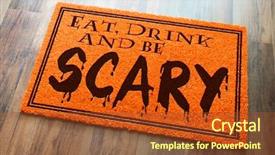
 Presentation with scary halloween - Audience pleasing PPT theme consisting of eat drink and be scary backdrop and a tawny brown colored foreground

Eat Drink Scary Halloween Orange

Imagine stepping into a warm and inviting atmosphere that screams Halloween, and features high resolution images of colorful pumpkins, ghosts, and bats adorning the walls. The theme is set, and it's time to unleash your creativity with this unique and eye catching Welcome Mat template by CrystalGraphics. The "Wide Title" design name perfectly captures the essence of a welcoming sign for anyone who walks through the door, while "Widescreen" ensures that every detail is showcased in breathtaking clarity. The "Chocolate" color palette adds a rich and decadent touch to this already stunning design, with warm tones and deep browns evoking feelings of comfort and relaxation. This template features blank spaces where you can add your own creative flair, perfect for designers who want to get hands on and build upon this foundation. The high resolution images included are sure to inspire, as is the accompanying background that simulates a wooden floor on a spooky Halloween night. With "blank" spaces to explore, you can create a unique custom design that reflects your personality or brand. The 3 Step Funnel Layout could be incorporated by creating sections for different types of content, such as the "Welcome" section featuring the main heading and a background image, followed by a "Greeting" area with additional images and text, and finally an "Encouragement" zone where you can add personal messages or reminders. By using this layout, you can create a seamless transition between sections and keep your audience engaged. As you work on your presentation, consider featuring high quality images of Halloween decorations to enhance the theme, including a grand welcome sign that sets the tone for your event. You could also include a "List" of essential items or supplies needed, such as pumpkins, candles, and spooky sound effects. With this template as your guide, you'll be able to create a memorable and engaging presentation that will leave your audience in awe.

 Presentation with scary halloween - Slide set consisting of scary-scarecrow-with-pumpkin-head background and a wine colored foreground

Scary Scarecrow Pumpkin Head Hat

To create a captivating and immersive experience for your audience, we'll start with a sentence that sets the tone for our powerpoint template. As the leaves begin to change colors and the air grows crisp, it's time to bring out the spookiest of Halloween themes a cornfield on a dark night. This is where Wide Title comes in, showcasing a scarecrow standing tall amidst a sea of golden pumpkins, his ragged hat and coat a perfect match for the autumnal evening. The background image of a haunted cornfield with flickering jack o lanterns will have your audience's attention, setting the scene for a thrilling exploration of this seasonal concept. Our template is specifically designed to be compatible with Google Slides, featuring a Dark Slate Gray color palette that exudes mystery and sophistication. It's perfect for creating a themed presentation that enhances the mood and atmosphere of any Halloween event or celebration. As you delve into your project, we'll introduce four easy to use How To slides that will help you get started quickly. These slides will guide you through the process of incorporating High Resolution Images (HRIs) into your presentation, featuring a customized background with a seasonal theme. These HRIs can be used as is or enhanced further to fit your specific needs, making it easier to include them in your presentation. One example of what this could look like is a slide that includes a full resolution image of a Halloween themed backdrop, complete with spooky details and textures. When designing your template, remember to keep the theme in mind, using keywords such as "legend," "scare," and "yellow" to create an immersive experience for your audience. You can also include social media elements by embedding images or videos that showcase your presentation's visuals in action, making it a great tool for sharing on platforms like Facebook or Twitter. In the Social Media Concept Layout slide, you'll find a beautifully designed template featuring a dark and moody background with subtle animations and transitions, enhancing the overall theme of your presentation. It's an ideal spot to showcase any additional social media content you want to share, such as animated GIFs or short videos.

 Presentation with scary halloween - Beautiful slide deck featuring horrible scary zombie man backdrop and a coral colored foreground

Horrible Scary Zombie Man Ruins

Slide deck featuring horrible scary zombie man on the ruins of an old house horror halloween

 Presentation with scary halloween - Slide deck enhanced with brain teeth - close-up portrait of a horrible background and a teal colored foreground

Close-up Portrait Horrible Scary Zombie

Slide deck enhanced with close-up portrait of a horrible scary zombie man horror halloween

 Presentation with scary halloween - Presentation theme having spooky halloween pumpkin placed background and a light blue colored foreground

Spooky Halloween Pumpkin Placed Wooden

In the realm of design, where creativity knows no bounds and imagination runs wild, there exists a template that embodies the perfect blend of form and function the Wide Title. This stunning Widescreen template is designed to make a statement, with its sleek steel blue color palette that evokes feelings of sophistication and elegance. The high resolution images on the background create a depth and dimensionality that will leave your audience mesmerized. The template's keyword rich design allows for maximum flexibility when it comes to customization symbol, treat, candlestick, happy, halloween are just a few examples that can be included or featured prominently throughout the slide deck. The theme of this template is clear: it's a go to solution for those who want to convey a sense of fun and playfulness, perfect for use in presentations that fall under the Halloween theme. With four How To slides at the start of the deck to get you up and running quickly, you'll be well on your way to creating engaging content. These slides are designed to provide valuable information and insights, making them an invaluable resource for anyone looking to enhance their presentation skills. For example, featuring a background with a subtle texture that adds depth and interest to the slide is just one of the many ways this template can be used having a theme of "Enhanced with High Resolution Images" makes it easy to incorporate high quality visuals into your deck. The 5 Level Pyramid Layout slide can also serve as an excellent starting point for creating visually appealing slides. With multiple sections and callouts, you'll have the flexibility to organize your content in a way that's both informative and engaging this layout is perfect for use in presentations where complex information needs to be conveyed clearly.

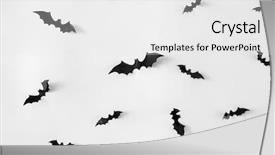
 Presentation with scary halloween - Presentation design with halloween-decoration-and-scary-concept background and a white colored foreground

Halloween Decoration Scary Concept -

Presentation design with halloween decoration and scary concept - flock of black paper bats flying over white background

 Presentation with scary halloween - Colorful presentation design enhanced with scary-scarecrow-in-a-hat backdrop and a tawny brown colored foreground

Scary Scarecrow Hat Cornfield Orange

Presentation design enhanced with scary scarecrow in a hat on a cornfield in orange sunset background halloween holiday concept

 Presentation with scary halloween - Slide deck with energy efficiency - diode lamps and compact fluorescent background and a light gray colored foreground.

Scary Halloween Laboratory Dark Color

Slide deck with scary halloween laboratory on dark color background

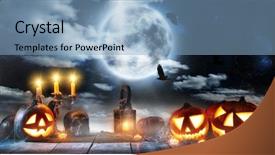
 Presentation with scary halloween - Audience pleasing slides consisting of picture of halloween glowing pumpkins backdrop and a crimson colored foreground

Picture Halloween Glowing Pumpkins Border,

Slides consisting of picture of halloween glowing pumpkins border three orange carved pumpkins and old dry leaves on wooden background scary holiday shadow traditional halloween decoration jack-o-lantern backdrop

▼Key features of this template

  • They are compatible with both PowerPoint and Google Slides running on either Windows PCs or Macs.

  • They are available in both standard and widescreen slide formats. You can choose your preferred format by clicking on the "Widescreen" check box or icon.

  • Each template includes a beautiful high-resolution background image or video to visually reinforce the theme of your presentation.

  • In addition, each template includes designer-created graphics and modern fonts to give your presentations an up-to-date, professional look.

  • Each template's default design and title text position have been carefully selected to complement its background without covering faces or other key elements.

  • All text includes backdrops whose transparency level is mathematically calculated to maximize text readability while still allowing the background to be seen.

  • And all the text, text backdrops and graphics in every slide are colored with a palette designed to beautifully complement the colors in the background.

  • Our Premium templates (those with the descriptor “Premium” in their subtitle) include over 64 slide layouts to give you maximum flexibility as you create your presentations.

    • Those layouts are available to you whenever you create a new slide or when you want to change the layout of an existing slide.
    • They include everything you need to make all sorts of presentations. In addition to the layouts for the title slide and the usual title and content slide, they include many other layouts for slide types including table of contents slides, org charts, charts, diagrams, infographics, photo slides, thank you slides and more.
    • While creating these layouts our template designers have ensured that all text in every layout adjusts as gracefully as possible to various numbers of words.
  • Customizable templates (those with the descriptor “Customizable” in their subtitle) may be easily modified online before you download them.

    • To modify them, simply click on the pencil editing icon, then select your choice of ready to go designs and title text positions.
    • The editing tool also makes it easy to reposition and scale the background image or video to best suit your needs.

▼FAQs

Please review these FAQs to see if your question is answered. Contact us for more info

  • What is a PowerPoint template?

    • A well designed PowerPoint template is a file that can tell PowerPoint how to make your ordinary templates look extraordinary. They won’t change what your words or numbers say. But they might change their size, color, font and placement. And, overall, they can give your presentations a professionally-designed look that will give your content more credibility and give you more confidence.
  • How many PowerPoint templates do you offer?

    • We have over 32,000 artist-created presentation templates in our PowerPlugs collection With a subscription, PowerPlugs templates are easy to download. Just sign in, find a template and click on the green Download button. ready for you to download. That alone offers you more variety to choose from than any of our competitors can offer. And, as if that weren’t enough, we also offer over 6 million templates in our Crystal collection. Crystal brand templates are our line of templates that have customization options. They have the word "CRYSTAL" on their web page images. You can customize several aspects of the templates. These templates include high-resolution background images from Shutterstock’s vast image collection matched up with artist-created presentation designs customized by our own proprietary AI software.
  • How many templates can I download as a subscriber?

    • You can download an unlimited number of PowerPlugs-brand With a subscription, PowerPlugs templates are easy to download. Just sign in, find a template and click on the green Download button. templates every day for an entire year. (Actually, by default, we set a limit of 25 templates per day to prevent our competitors from stealing our templates. But, if that is not enough, just let us know and we’ll try to accommodate you.) On top of that, with a subscription or an Ultimate Combo, you can also download any 50 Crystal-brand Crystal brand templates are our line of templates that have customization options. They have the word "CRYSTAL" on their web page images. You can customize several aspects of the templates. templates per year selected from our huge Crystal collection. Crystal brand templates are our line of templates that have customization options. They have the word "CRYSTAL" on their web page images. You can customize several aspects of the templates. .
  • Why should I choose your templates instead of the competition’s?

    • We’ve got a larger selection of professionally-designed PowerPoint templates than anyone else in the world.
    • Each template includes a high-resolution background image or video to visually inspire your audiences while reinforcing your message.
    • Each template includes 64 slide layouts to give you maximum flexibility as you create your presentations.
    • Our templates are available in both standard and widescreen slide formats. And our website lets you preview the slides each way.
    • Our free Template Finder™ plugin lets subscribers select and - with a single click - download and insert our templates into their presentations right from within PowerPoint.
    • We’ve been creating designer presentation templates for over 20 years. During that time we’ve won several awards and 5-star ratings for product quality. See About Us for more.
  • Do you offer a money-back guarantee?

    • Yes we do! We offer full 30-day money-back guarantee if you are not 100% satisfied with your purchase.
  • Can I still use my downloaded templates after my subscription runs out?

    • Yes. After your subscription expires, you won't lose any rights or ability to use your PowerPlugs: Templates for PowerPoint. You won't be able to download any new non-watermarked templates. But the non-watermarked templates you've already downloaded will still work and you can still use them as before.
  • Can I share my downloaded templates or passwords with friends or coworkers?

    • Sorry but no. You are authorized to download each paid-for template to up to 3 of your personal devices and to use the templates you download in as many presentations as you want. But you are not authorized to share the templates, themselves, with others. That said, we do offer highly discounted site licenses to suit the needs of both small and large teams. Just tell us your needs and we’ll give you a quote!
  • System requirements:

    • The templates use the standard POTX format. So they are compatible with Google Slides and all PC, Mac and mobile devices running any version of PowerPoint from PowerPoint 2007 up through and including Office 365 desktop.
    • Please note: Google Slides does not currently support background videos. It treats them as still images.
    • For PowerPoint for the Web, first open your template into a desktop version of PowerPoint, then save it back out as a PPTX file. Then you can open that in PowerPoint for the Web.
  • End user license agreement:

    • Click here to view.
  • How will I get my purchased templates?

    • You may download your selected templates as soon as your payment is received by PayPal. If you purchased an individual template, you will be provided with a download link both onscreen and via email. Just click on that link to begin the download process. If you purchased a subscription, you will receive an email containing a password to use along with your email address to sign in to any of the templates pages on CrystalGraphics.com. Once you are signed in, you can immediately start downloading your selected templates.
  • How do I use my templates after I download them?

    • You can either open a template to start a new presentation or you can add a template to an existing presentation. To open a template, just double click on it or use PowerPoint's File > Open tool. To add a template to an existing presentation, on the Design tab, in the Themes group, click Browse for Themes... then browse to select your template.

View more Scary Halloween templates:

previous 1 2 3 4 5 6 7 8 9 10 11 12 13 14 next
93% of Fortune 1000
companies use our
PowerPoint Products
Templates Secure

Standing Ovation Award
Winner: Best PowerPoint
Template Collection
Fortune Logos
200,000+ satisfied
customers worldwide!
Guarantee
100% satisfaction guaranteed
- or send it back for a refund!

Sign up for our free newsletter! You'll get news about our PowerPoint-enhancing product line – including free updates, new product announcements and exclusive special offers. Plus you'll get a link to a free PowerPoint template with every newsletter you receive.
Privacy Policy
Loading...


Help

Contact Us
Product FAQs
Product License Agreements

Company Info

About Us
Privacy Policy
CrystalGraphics, Inc. 1999 S. Bascom Avenue Suite 700 Campbell, CA 95008 USA
© 2026 CrystalGraphics, Inc. All rights Reserved.    |     PowerPlugs is a trademark of CrystalGraphics, Inc.
Microsoft and the PowerPoint logo are trademarks or registered trademarks of Microsoft Corporation in the United States and/or other countries.
Loading...
Loading...