www.crystalgraphics.com CrystalGraphics
  • Ultimate Combo
  • Templates
  • Diagrams
  • Characters
  • Quizzes
  • shopping cart
  • Sign Out Sign Out Sign In
Home > Templates > Scary Category
search icon
advanced icon

263 Best Scary-Themed Templates for PowerPoint and Google Slides

CrystalGraphics creates templates designed to make even average presentations look incredible. Below you’ll see thumbnail sized previews of the title slides of a few of our 263 best scary templates for PowerPoint and Google Slides. The text you’ll see in in those slides is just example text. The scary-related image or video you’ll see in the background of each title slide is designed to help you set the stage for your scary-related topics and it is included with that template. In addition to the title slides, each of our templates comes with 17 additional slide layouts that you can use to create an unlimited number of presentation slides with your own added text and images. And every template is available in both widescreen and standard formats. With over 6 million presentation templates available for you to choose from, CrystalGraphics is the award-winning provider of the world’s largest collection of templates for PowerPoint and Google Slides. So, take your time and look around. You’ll like what you see! Whether you want 1 great template or an ongoing subscription, we've got affordable purchasing options and 24/7 download access to fit your needs. Thanks to our unbeatable combination of quality, selection and unique customization options, CrystalGraphics is the company you can count on for your presentation enhancement needs. Just ask any of our thousands of satisfied customers from virtually every leading company around the world. They love our products. We think you will, too!

Features & Pricing

Widescreen (16:9) Presentation Templates. Change size...
 Presentation with scary - Beautiful PPT theme featuring scary-picture-of-hands-behind backdrop and a tawny brown colored foreground

Scary Picture Hands Behind Glass

Imagine walking through a dark and mysterious mansion on Halloween night, your hands trembling with fear as you peer into the shadows. The air is thick with an eerie presence, making it difficult to breathe. This is what happens when you least expect it danger lurking in the darkness. CrystalGraphics has created this stunning powerpoint template, "Peru Horror Mansion", a design name short and to the point, perfect for capturing the essence of Halloween themed designs. The Widescreen format ensures that every aspect of your presentation is showcased beautifully, while the Peru color palette brings a sense of unease and foreboding. This template features high resolution images of creepy backgrounds, including old glass and mysterious shadows, which can be included as background elements in your presentation. With these four How To slides at the start of the deck to help you get up and running quickly, you'll be well on your way to creating a compelling presentation that will leave your audience on edge. The template's layout is designed to enhance an sense of tension, with subtle hints of danger lurking around every corner. Featuring an alluring theme of mystery and suspense, this template is the perfect choice for anyone looking to convey a dark and foreboding atmosphere in their presentation. This template is Enhanced With Googles Slides compatibility, allowing you to share it with ease and customize it to suit your needs.

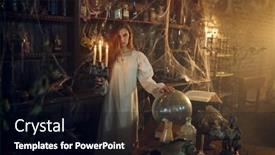
 Presentation with scary - PPT theme featuring scary-woman-with-candle-standing background and a black colored foreground

Scary Woman Candle Standing Near

PPT theme featuring scary woman with candle standing near the potions

 Presentation with scary - Slide set having halloween medical - scary monster doctor working background and a lemonade colored foreground

Scary Monster Doctor Working Lab

As you step into the high stakes world of medical practice, where the pursuit of excellence is paramount and the art of healing is a delicate balance between science and compassion, one must be prepared to unleash their inner monster doctor or villain, depending on your perspective. Corner Title is here to deliver just that, with a template that embodies the very essence of this unforgiving yet fascinating profession. This Widescreen masterpiece boasts a Medium Purple color palette that evokes a sense of foreboding and mystery, while high resolution images for the background create an immersive experience, drawing you into the world of medical practice. With Corner Title, you'll be able to enhance your presentation with vivid backgrounds, vibrant colors, and engaging graphics, making it easier than ever to showcase the expertise of your medical practice. This template is indeed downloadable and compatible with Google Slides, so you can bring it to life on any platform or device. But don't just take our word for it let's take a closer look at what this template has in store for you. Annoying villains often rely on their cunning and intelligence to outsmart their enemies, whereas the Corner Title theme boasts an effortless sense of sophistication and refinement. Featuring intricate medical illustrations and expertly crafted typography, this template is sure to include a Background With approach that showcases your practice's unique personality. Having a Theme of cutting edge technology adds an extra layer of depth to this already impressive design, making it Enhanced With Google Slides capabilities for seamless integration. Whether you're presenting to a packed audience or a select group of peers, Corner Title is the perfect choice for delivering a compelling and engaging message about your medical practice.

 Presentation with scary - PPT layouts with group-of-five-scary-figures background and a wine colored foreground

Group Five Scary Figures Hooded

Imagine your presentation is a dark and foreboding portal, drawing in your audience with its eerie atmosphere and featuring four sinister figures lurking in the shadows. The Split Title PowerPoint template by CrystalGraphics is the perfect way to create this intimidating scene. Designed for widescreen presentations, this template will transport you and your viewers to a world of danger and suspense. The Midnight Blue color palette adds an air of mystery, making it easy to get lost in the darkness, while high resolution images featuring hooded cloaks and menacing figures will leave a lasting impression. With its bold and ominous tone, this template is ideal for presentations that aim to evoke fear or fascination. The Split Title template comes with four How To slides that will help you get up and running quickly. These slides provide valuable guidance on how to create the perfect dark and spook atmosphere in your presentation. The layout slide is particularly useful, as it enables you to include a background image or video of your own, enhancing your theme and making it more engaging for your audience. The template is also compatible with Google Slides, allowing you to easily incorporate all the elements you need into your presentation. Featuring high quality images and a range of customization options, this template is sure to impress your viewers, whether they're looking for a dramatic or suspenseful atmosphere.

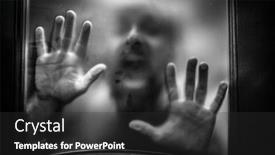
 Presentation with scary - Slide set with scary-picture-of-hands-behind background and a dark gray colored foreground

Scary Picture Hands Behind Glass

In the depths of a haunted mansion, where shadows dance and darkness reigns supreme, a figure emerges from the gloom, their hands grasping for something to hold onto as they step into a world of terror. The air is thick with foreboding, the sound of creaking floorboards echoing through the halls like the whispers of the damned. This design is a masterclass in creating an immersive and eerie atmosphere, one that will leave your audience on the edge of their seats. The Dark Slate Blue color palette provides a somber backdrop for this unsettling scene, while the inclusion of high resolution images for the background adds to the sense of depth and visual interest. The template features intricate details, from the rusty ironwork to the broken glass, all blending together to create an eerie still life that is sure to send chills down your viewers' spines. The four How To slides at the start of the deck will help you get up and running quickly, providing a solid foundation for creating your own unique Halloween theme. These slides are designed to be easy to use, with features like including a Background With option allowing you to customize the layout and enhancing the template's overall look and feel. The Comparison Layout slide allows you to compare different fonts, colors, and effects to find what works best for your specific needs. It also provides a handy reference point for selecting colors that will enhance the theme of your presentation. The Enhanced With feature enables you to add custom illustrations or images to give your template an extra boost of personality. As you create your own unique Halloween theme, remember to keep in mind the overall look and feel you want to achieve. Featuring a dark color palette with bold fonts and eerie imagery can create a truly immersive experience, while including a subtle texture or pattern can add depth and visual interest to your design. Have fun experimenting with different combinations of colors and effects to find what works best for your presentation.

 Presentation with scary - Colorful PPT layouts enhanced with scary-figure-in-hooded-cloak backdrop and a wine colored foreground

Scary Figure Hooded Cloak Mask

The darkness creeps in like a thief in the night, leaving you with nothing but fear and uncertainty as the clock strikes midnight. Corner Title is your guide through this Halloween horror story, presenting a powerpoint template that will leave viewers shivering with delight. This stunning widescreen template features a design name that screams "corner title" a fitting introduction to our spooky scene. The midnight blue color palette is the perfect backdrop for our dark and ominous theme. The high resolution images on the background are sure to transport you to a world of ghostly apparitions and creepy crawlies, setting the tone for an unforgettable experience. With 4 easy to use How To slides at the start of your deck, you'll be well on your way to creating a killer presentation that will leave your audience screaming for more. The template's theme is expertly woven together with Featuring a Background With spooky graphics and Having a Theme of "Darkness and Fear" to create an Enhanced With atmosphere that's sure to unsettle. Whether you're using this template to scare up some attention or simply to add a touch of darkness to your presentation, the Corner Title will deliver on its promise of spook tacular visuals. As the spotlight shines bright, the three step funnel layout is expertly designed to take your audience through a journey from fear to fascination. With Featuring a Background With and Having a Theme of "Darkness and Fear", you'll be able to craft an engaging narrative that will keep viewers on the edge of their seats. The template's compatibility with Google Slides ensures smooth integration into any presentation, making it easy to enhance your content with additional visuals and effects.

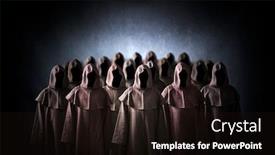
 Presentation with scary - Audience pleasing slide set consisting of group-of-scary-figures backdrop and a wine colored foreground

Group Scary Figures Hooded Cloaks

Imagine walking into a dark and eerie abandoned mansion at night, only to be face to face with a group of bizarre figures in hooded cloaks, their sinister faces twisted into menacing grins. The air is thick with the scent of decay and rot, and the sound of distant whispers seems to come from nowhere. This image has been etched into your mind forever, a haunting reminder of the danger lurking just beneath the surface. The Corner Title template is designed to take this eerie scene and elevate it to new heights, featuring high resolution images for every aspect of the design. The template's Royal Blue color palette adds a sense of drama and foreboding, while the inclusion of bold fonts and graphics creates a sense of tension that will keep your audience on edge. The template is compatible with Google Slides and can be downloaded for free, making it the perfect solution for anyone looking to create engaging presentations. With its unique blend of spooky atmosphere and modern design elements, this template is sure to enhance any presentation or multimedia project. Whether you're creating a horror themed video course, a marketing campaign, or simply a collection of creepy graphics, this template has got you covered. As you dive into the world of Corner Title, you'll find that the Two Content Layout slide provides a flexible framework for organizing your content in creative and innovative ways. The layout can be used to feature key messages and statistics, or to include background images and animations to enhance the overall experience. It's also worth noting that this template has been Enhanced With high quality graphics and illustrations, making it an ideal choice for presentations that require a lot of visual interest. With its eerie atmosphere, bold design elements, and flexible layout options, Corner Title is the perfect template for anyone looking to create engaging and memorable multimedia content. Whether you're a student, teacher, or professional, this template has got something for everyone.

 Presentation with scary - Colorful PPT theme enhanced with medieval carnival - happy couple dressed in scary backdrop and a coral colored foreground

Happy Couple Dressed Scary Haloween

PPT theme enhanced with happy couple dressed in scary haloween costumes standing isolated over yellow background backdrop

 Presentation with scary - PPT layouts enhanced with boy-scares-father background and a coral colored foreground

Boy Scares Father Sister Scary

Imagine a dark and stormy night where a young boy is hiding behind his sister's tent, trying to scare her with a terrifying story. The sound of thunder rumbles in the background as he whispers "Boys are always getting what they deserve" a phrase that sends shivers down their spines. The Corner Title template is designed to transport you to this eerie atmosphere, featuring high resolution images for the background that will make your presentation come alive. The Tan color palette provides a warm and inviting tone, perfect for creating a sense of unease. This template is ideal for presentations about scary stories, horror movies, or even just a spooky theme. The Corner Title template includes four How To slides to help you get up and running quickly: "Setting Up Your Slide Show", "Creating Engaging Transitions", "Adding Visual Effects", and "Customizing Your Template". But don't worry, these steps are easy to follow after all, the template is downloadable and compatible with Google Slides. The Timeline Layout slide can be used as a starting point for your presentation. Imagine featuring a background image of an old, abandoned bookshelf with creepy quotes written on the walls. Having a theme of "Spooky Storytelling" would enhance this idea, while also including a Background With feature to make it look even more eerie. The Corner Title template is the perfect choice for anyone looking to create a dark and suspenseful presentation about scary stories or horror movies. Its high resolution images, Tan color palette, and easy to use features make it an ideal solution for those who want to create a compelling and engaging presentation.

 Presentation with scary - Audience pleasing slide deck consisting of haunted house - scary scene backdrop and a dark gray colored foreground

Scary Scene

As you delve into the eerie world of Dark Olive Green, beware of the shadows that lurk within a foreboding cemetery, where the crumbling stone walls seem to whisper ominous warnings of what's to come. The Split Title template is designed to transport your audience to this dark and mystical realm, with its high resolution images for a visually stunning background that will leave them sleeping with the lights on. This Dark Olive Green template boasts a dramatic theme of medieval architecture, featuring imposing castles, ancient ruins, and forgotten cemeteries. The Split Title style ensures that every slide has a unique, split title that highlights the main message or key takeaway. As you explore this eerie landscape, you'll notice that each slide is carefully crafted to deliver a high level of detail and sophistication. From the detailed Dart on Target Layout slide, which showcases intricate illustrations of ravens, bats, and other mysterious creatures, to the Featured Background With image, which takes center stage with its hauntingly beautiful night sky, every element has been thoughtfully designed to enhance your message. The Split Title template is downloadable and compatible with Google Slides, making it an ideal choice for presentations, webinars, or even social media content. To get started quickly, you'll find four helpful slides at the beginning of this deck: How To Slide 1, How To Slide 2, How To Slide 3, and How To Slide 4. These slides will guide you through the basics of using Split Title in your presentation, from creating custom titles to enhancing your design with a background that's sure to send chills down viewers' spines. With its dark and dramatic aesthetic, this template is sure to leave a lasting impression on your audience. Whether you're looking to create a spooky, yet engaging educational content or simply want to add a touch of mystery to your promotional materials, the Split Title template is an excellent choice.

 Presentation with scary - Slide set enhanced with group-of-three-scary-figures background and a black colored foreground

Group Three Scary Figures Hooded

As you delve into the world of digital design, Corner Title is a powerpoint template that promises to unleash your creativity and take your presentations to new heights. With its sleek and modern design, this template is perfect for anyone looking to add a touch of sophistication to their slides. The Corner Title template features a midnight blue color palette that evokes feelings of mystery and intrigue. The theme of the template revolves around bizarre and dark elements, including high resolution images of the group of three scary figures in hooded cloaks in the dark. These images are showcased on a grid layout slide, providing a visually appealing and attention grabbing starting point for your presentation. The template is designed to be downloadable and compatible with Google Slides, making it easy to use and customize as needed. With its intricate details and bold lines, this template will enhance any presentation it's used in, featuring an immersive theme that includes a background image of a spooky castle at sunset. Including a background with this image will have a dramatic effect on the slide, drawing attention to key points and adding depth to your message. Having a theme of darkness and mystery is enhanced with features such as devilish icons and eerie graphics, providing the perfect environment for your presentations. With its dark and moody aesthetic, Corner Title is sure to draw in your audience and leave them wanting more.

 Presentation with scary - Slides featuring fine art - scary monster clown background and a wine colored foreground

Scary Monster Clown

In the depths of a dark and foreboding forest, where the trees loom tall and menacing, a figure emerges from the shadows a woman with a twisted grin, her eyes glowing like embers in the night. The air is thick with an eerie atmosphere, as if death itself has descended upon this forsaken land. It's a scene that would make even the most seasoned horror fans shiver with fear. The Corner Title template is designed to evoke this sense of unease, with its bold and ominous design elements. This Widescreen format is perfect for showcasing high resolution images of scary monsters, clowns, or any other dark theme you can think of. The Saddle Brown color palette adds a sense of warmth and danger, while the keywords "woman", "bad", "death", "movie", and "young" give it a clear direction this template is perfect for creating a movie themed presentation. The Circular Approach Layout slide is a great place to start, as it allows you to include multiple elements in a single slide. For example, you could feature a high resolution image of a scary monster clown on one side, while including a background with a dark and stormy sky on the other. Having a theme of "Creating a Dark and Ominous Atmosphere" is perfect for this type of presentation. The template is also downloadable and compatible with Google Slides, making it easy to incorporate into your existing workflow. The high resolution images are all included in the download, so you can enhance your presentation with even more scary and suspenseful visuals.

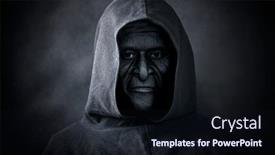
 Presentation with scary - Beautiful presentation theme featuring specter - scary figure in hooded cloak backdrop and a wine colored foreground

Scary Figure Hooded Cloak

In the depths of the night, a mysterious figure emerges from the shadows, cloaked in a hooded cloak that casts an air of mystery and foreboding. The air is thick with an otherworldly aura, as if the very fabric of reality is being warped by this bizarre entity. The Corner Title template is designed for those who dare to be different, featuring a high resolution image for the background that will transport you to a world of spookiness and awfulness. With a theme of creating a bold and striking visual identity, this template is perfect for designers who want to make their brand stand out from the crowd. As you embark on your design journey with Corner Title, you'll discover a downloadable template in your preferred format, ready to be customized with high resolution images that will enhance your content. This template includes keywords like "hands", "bad", and "spook" that will help you convey a sense of unease and tension. This template is included as a bonus, featuring four slides to get you started quickly: Who We Are Bio Layout, Showcase Your Portfolio, Advanced Slidesharing, and Design Tips. The design name Corner Title reflects the mysterious and intriguing nature of its subject matter, while the Midnight Blue color palette adds an air of sophistication and intrigue. As with any template from CrystalGraphics, corner title is downloadable and compatible with Google Slides, making it easy to incorporate into your workflow. Take advantage of its features and enhance your design process with a bold and striking visual identity that will leave a lasting impression on your audience.

 Presentation with scary - PPT theme with specter - scary figure in hooded cloak background and a wine colored foreground

Scary Figure Hooded Cloak

PPT theme with scary figure in hooded cloak

 Presentation with scary - Presentation consisting of intelligent opportunism - scary businessman with pumpkin head background and a wine colored foreground

Scary Businessman Pumpkin Head

The fluorescent lights in the office hummed to life as the presenter began their presentation, "Corner Title", a design driven template that promised to elevate your corporate brand to new heights. Designed specifically for business professionals on the go, this widescreen masterpiece boasts a dark and moody Midnight Blue color palette, perfect for making a statement. The high resolution images of the "stupid" executive with a pumpkin head background will make you laugh out loud, while also showcasing the template's versatility. The template is optimized to include a strong career theme, featuring bold fonts, and sharp graphics that scream "get ahead in the corporate world". You'll be able to enhance your presentation with high quality images of office settings, laptops, and other relevant elements. You can create custom branding using this template as a starting point, enhancing it with new logos, colors, or patterns to suit your unique style. Or, you could include a background with a fun "Stupid" executive character to add some humor to your presentation. The Social Media Concept Layout slide will take center stage on the first of four How To slides, showcasing how to customize your template for specific social media platforms. The design is sleek and modern, making it easy to incorporate into any existing PowerPoint deck. For example, you could include a background with a business logo or a playful "Career Goal" graphic to make your presentation truly stand out.

 Presentation with scary - Amazing PPT theme having hands forhead - scary man with white eyes backdrop and a tawny brown colored foreground

Scary Man White Eyes.

In the depths of darkness lies a figure with piercing white eyes, his presence seeming to draw you in as he holds forth on the concept of mortality. Like a twisted fossil, this image has been frozen in time for eternity, waiting to be unleashed upon the world. The Corner Title template is designed in a widescreen format, perfect for showcasing high resolution images that will bring your presentation to life. A palette of earthy tones Peru's rich terracotta, mossy stone, and dusty earth sets the tone for a theme of unease and foreboding. The contrast between these warm colors and the dark subject matter creates a sense of tension that will keep your audience on edge. As you create your presentation, think back to the Who We Are bio layout slide. This section is all about showcasing your brand's personality and style in this case, a mysterious figure with an air of darkness around him. You could include a background image of an abandoned asylum or a decaying cityscape to set the tone for your theme. This template is enhanced with features like dynamic text, bold fonts, and subtle animations that will elevate your presentation beyond the ordinary. Whether you're giving a talk about the existential crises of modern life or exploring the darker side of human nature, this template is sure to deliver the impact you need to make an impression.

 Presentation with scary - PPT layouts having medico legal - scary monster doctor working background and a lemonade colored foreground

Scary Monster Doctor Working Lab

Imagine yourself as a fearsome villain doctor, standing in front of a dark and ominous laboratory, surrounded by high resolution images of sinister medical equipment, eerie fluorescent lights, and mysterious potions. The air is thick with the scent of disinfectant and the sound of beeping machines fills your ears. The Wide Title "Villainous Expertise" dominates the screen, featuring a bold, curved font that seems to stretch across the entire width of the template. The Medium Purple color palette provides a dramatic backdrop for the villainous doctor's persona, while the keywords "biochemist", "medical", and "villain" hint at the darker themes that will be explored in this presentation. The Widescreen format ensures that every detail is showcased, from the intricate designs on the lab coats to the menacing grins of the medical equipment. The template is downloadable and compatible with Google Slides, making it easy to import into your own presentations. As you explore the template, you'll notice a rich background image featuring a high resolution painting of a dark and foreboding forest, complete with twisted trees and glowing mushrooms. This will be Featured in the "Background With" slide, where you can include a Background With feature that adds an extra layer of depth to your presentation. The Dart Layout is designed to keep your slides organized and easy to navigate, with clear headings and concise bullet points making it simple to follow along. The template also includes four How To slides at the start of the deck, providing a quick and easy way to get started with your presentation.

 Presentation with scary - Amazing presentation theme having scary-figure-in-the-darkness backdrop and a wine colored foreground

Scary Figure Darkness Night

The darkness creeps in like a specter, shrouding all in its sinister grasp. As the clock strikes midnight, a figure emerges from the shadows, its presence growing more menacing with each passing second. The air is thick with foreboding, as if the very fabric of reality is about to tear apart. This haunting image has been chilling audiences for centuries, and now it's your turn to bring it to life on your computer screen. The Corner Title template, designed to set the tone for a spine tingling presentation, is perfect for those who dare to delve into the darker side of human nature. This dramatic layout features 4 How To slides at the start of the deck, guiding you through the process with ease and precision. The high resolution images on the background will transport your audience to a world of fear and unease, making them sit up and take notice. The Midnight Blue color palette is a masterstroke, evoking feelings of mystery and sophistication. It's the perfect accompaniment to the dark themes that this template has in store for you. Featuring a haunting image with bold typography, this layout will have your audience on the edge of their seats from start to finish. Having a theme of dramatic storytelling, this presentation will leave them sleeping with the lights on. Enhanced with intricate details and creepy imagery, this template is sure to deliver a chilling experience that will leave your audience in awe. Whether you're looking for a way to showcase your personality or simply want to tap into the darker side of human nature, this Corner Title template has got you covered.

 Presentation with scary - Cool new theme with gore - abstract fantasy cave-like scary background backdrop and a wine colored foreground

Abstract Fantasy Cave Scary Background

Theme with abstract fantasy cave-like scary background

 Presentation with scary - Slides consisting of specter - scary figure in hooded cloak background and a navy blue colored foreground

Scary Figure Hooded Cloak

As you delve into the world of high stakes visuals, where danger lurks around every corner and the line between reality and the unknown is blurred, it's time to unleash your creativity with Corner Title, the ultimate powerpoint template designed to send chills down audiences' spines. This wickedly crafted design features a menacing figure in a hooded cloak, lurking in the shadows, waiting to strike. The Midnight Blue color palette is the perfect canvas for this macabre masterpiece, evoking feelings of foreboding and unease. The 4 How To slides at the start of the deck will guide you through the process of getting up and running quickly with Corner Title, but don't worry, we've got you covered just click on this link to download your very own copy. The Who We Are Bio Layout slide is where things get really interesting. This section is not only a great way to showcase your brand's personality but also a perfect opportunity to include a background image or video that sets the tone for your entire presentation. For example, you could feature a dark and stormy night with lightning illuminating the sky, perfectly capturing the essence of this deadly theme. Corner Title is all about enhancing the viewer's experience with its high resolution images and engaging design elements. Whether you're presenting to a group of executives or pitching an idea to investors, this template has got you covered it's the perfect way to add some serious edge to your presentation. And don't worry if you're not tech savvy, featuring a background with a subtle animation will give you that extra oomph without requiring any coding skills.

 Presentation with scary - Colorful slide set enhanced with scary-monster-doctor-working backdrop and a lemonade colored foreground

Scary Monster Doctor Working Lab

Slide set enhanced with scary monster doctor working in lab backdrop

▼Key features of this template

  • They are compatible with both PowerPoint and Google Slides running on either Windows PCs or Macs.

  • They are available in both standard and widescreen slide formats. You can choose your preferred format by clicking on the "Widescreen" check box or icon.

  • Each template includes a beautiful high-resolution background image or video to visually reinforce the theme of your presentation.

  • In addition, each template includes designer-created graphics and modern fonts to give your presentations an up-to-date, professional look.

  • Each template's default design and title text position have been carefully selected to complement its background without covering faces or other key elements.

  • All text includes backdrops whose transparency level is mathematically calculated to maximize text readability while still allowing the background to be seen.

  • And all the text, text backdrops and graphics in every slide are colored with a palette designed to beautifully complement the colors in the background.

  • Our Premium templates (those with the descriptor “Premium” in their subtitle) include over 64 slide layouts to give you maximum flexibility as you create your presentations.

    • Those layouts are available to you whenever you create a new slide or when you want to change the layout of an existing slide.
    • They include everything you need to make all sorts of presentations. In addition to the layouts for the title slide and the usual title and content slide, they include many other layouts for slide types including table of contents slides, org charts, charts, diagrams, infographics, photo slides, thank you slides and more.
    • While creating these layouts our template designers have ensured that all text in every layout adjusts as gracefully as possible to various numbers of words.
  • Customizable templates (those with the descriptor “Customizable” in their subtitle) may be easily modified online before you download them.

    • To modify them, simply click on the pencil editing icon, then select your choice of ready to go designs and title text positions.
    • The editing tool also makes it easy to reposition and scale the background image or video to best suit your needs.

▼FAQs

Please review these FAQs to see if your question is answered. Contact us for more info

  • What is a PowerPoint template?

    • A well designed PowerPoint template is a file that can tell PowerPoint how to make your ordinary templates look extraordinary. They won’t change what your words or numbers say. But they might change their size, color, font and placement. And, overall, they can give your presentations a professionally-designed look that will give your content more credibility and give you more confidence.
  • How many PowerPoint templates do you offer?

    • We have over 32,000 artist-created presentation templates in our PowerPlugs collection With a subscription, PowerPlugs templates are easy to download. Just sign in, find a template and click on the green Download button. ready for you to download. That alone offers you more variety to choose from than any of our competitors can offer. And, as if that weren’t enough, we also offer over 6 million templates in our Crystal collection. Crystal brand templates are our line of templates that have customization options. They have the word "CRYSTAL" on their web page images. You can customize several aspects of the templates. These templates include high-resolution background images from Shutterstock’s vast image collection matched up with artist-created presentation designs customized by our own proprietary AI software.
  • How many templates can I download as a subscriber?

    • You can download an unlimited number of PowerPlugs-brand With a subscription, PowerPlugs templates are easy to download. Just sign in, find a template and click on the green Download button. templates every day for an entire year. (Actually, by default, we set a limit of 25 templates per day to prevent our competitors from stealing our templates. But, if that is not enough, just let us know and we’ll try to accommodate you.) On top of that, with a subscription or an Ultimate Combo, you can also download any 50 Crystal-brand Crystal brand templates are our line of templates that have customization options. They have the word "CRYSTAL" on their web page images. You can customize several aspects of the templates. templates per year selected from our huge Crystal collection. Crystal brand templates are our line of templates that have customization options. They have the word "CRYSTAL" on their web page images. You can customize several aspects of the templates. .
  • Why should I choose your templates instead of the competition’s?

    • We’ve got a larger selection of professionally-designed PowerPoint templates than anyone else in the world.
    • Each template includes a high-resolution background image or video to visually inspire your audiences while reinforcing your message.
    • Each template includes 64 slide layouts to give you maximum flexibility as you create your presentations.
    • Our templates are available in both standard and widescreen slide formats. And our website lets you preview the slides each way.
    • Our free Template Finder™ plugin lets subscribers select and - with a single click - download and insert our templates into their presentations right from within PowerPoint.
    • We’ve been creating designer presentation templates for over 20 years. During that time we’ve won several awards and 5-star ratings for product quality. See About Us for more.
  • Do you offer a money-back guarantee?

    • Yes we do! We offer full 30-day money-back guarantee if you are not 100% satisfied with your purchase.
  • Can I still use my downloaded templates after my subscription runs out?

    • Yes. After your subscription expires, you won't lose any rights or ability to use your PowerPlugs: Templates for PowerPoint. You won't be able to download any new non-watermarked templates. But the non-watermarked templates you've already downloaded will still work and you can still use them as before.
  • Can I share my downloaded templates or passwords with friends or coworkers?

    • Sorry but no. You are authorized to download each paid-for template to up to 3 of your personal devices and to use the templates you download in as many presentations as you want. But you are not authorized to share the templates, themselves, with others. That said, we do offer highly discounted site licenses to suit the needs of both small and large teams. Just tell us your needs and we’ll give you a quote!
  • System requirements:

    • The templates use the standard POTX format. So they are compatible with Google Slides and all PC, Mac and mobile devices running any version of PowerPoint from PowerPoint 2007 up through and including Office 365 desktop.
    • Please note: Google Slides does not currently support background videos. It treats them as still images.
    • For PowerPoint for the Web, first open your template into a desktop version of PowerPoint, then save it back out as a PPTX file. Then you can open that in PowerPoint for the Web.
  • End user license agreement:

    • Click here to view.
  • How will I get my purchased templates?

    • You may download your selected templates as soon as your payment is received by PayPal. If you purchased an individual template, you will be provided with a download link both onscreen and via email. Just click on that link to begin the download process. If you purchased a subscription, you will receive an email containing a password to use along with your email address to sign in to any of the templates pages on CrystalGraphics.com. Once you are signed in, you can immediately start downloading your selected templates.
  • How do I use my templates after I download them?

    • You can either open a template to start a new presentation or you can add a template to an existing presentation. To open a template, just double click on it or use PowerPoint's File > Open tool. To add a template to an existing presentation, on the Design tab, in the Themes group, click Browse for Themes... then browse to select your template.

View more Scary templates:

previous 1 2 3 4 5 6 7 8 9 10 11 12 13 next
93% of Fortune 1000
companies use our
PowerPoint Products
Templates Secure

Standing Ovation Award
Winner: Best PowerPoint
Template Collection
Fortune Logos
200,000+ satisfied
customers worldwide!
Guarantee
100% satisfaction guaranteed
- or send it back for a refund!

Sign up for our free newsletter! You'll get news about our PowerPoint-enhancing product line – including free updates, new product announcements and exclusive special offers. Plus you'll get a link to a free PowerPoint template with every newsletter you receive.
Privacy Policy
Loading...


Help

Contact Us
Product FAQs
Product License Agreements

Company Info

About Us
Privacy Policy
CrystalGraphics, Inc. 1999 S. Bascom Avenue Suite 700 Campbell, CA 95008 USA
© 2026 CrystalGraphics, Inc. All rights Reserved.    |     PowerPlugs is a trademark of CrystalGraphics, Inc.
Microsoft and the PowerPoint logo are trademarks or registered trademarks of Microsoft Corporation in the United States and/or other countries.
Loading...
Loading...