www.crystalgraphics.com CrystalGraphics
  • Ultimate Combo
  • Templates
  • Diagrams
  • Characters
  • Quizzes
  • shopping cart
  • Sign Out Sign Out Sign In
Home > Templates > School > School Building Category
search icon
advanced icon

171 Best School Building-Themed Templates for PowerPoint and Google Slides

Beautifully

Create an impactful School Building PowerPoint template that embodies the essence of learning and growth with our exclusive collection from CrystalGraphics, featuring:

Inspiring presentation titles such as "Game On! Elementary School Gym Indoor Background" and "Proud Students: Primary School Kids Wearing School Backdrop" to set the tone for engaging educational content.

Experience a dynamic design that seamlessly blends the warmth of school buildings with the vibrancy of primary school kids, effortlessly transitioning from the background to the foreground. Our templates cater to diverse needs and preferences by offering:

Compatibility with Google Slides
A comprehensive template library featuring 60+ slides in both widescreen and standard formats
Customizable elements that allow for full personalization
Instant 24/7 download access

Unlock a world of creative possibilities with our School Building PowerPoint templates, designed to elevate your presentation game. Browse through our extensive collection and discover the perfect theme to match your unique needs. Select the ideal template for your audience and customize it with ease to make a lasting impression. Download and unleash your creativity today!

Features & Pricing

Widescreen (16:9) Presentation Templates. Change size...
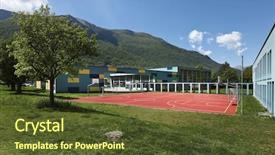
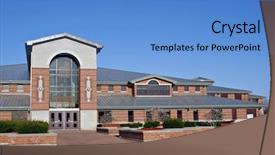
 Presentation with school-building - Audience pleasing theme consisting of public school building backdrop and a tawny brown colored foreground

Public School Building Outside Playground,

Imagine walking through a beautiful public school building on a sunny day, surrounded by lush greenery and vibrant flowers that line the exterior of the structure. The warm sunlight casts long shadows across the playground, creating a sense of coziness and informality. The iconic school mascot, a friendly looking character with a basket in its hand, stands proudly at the entrance, welcoming students and their families to this special place. The Corner Title template is designed for widescreen presentations, featuring high resolution images that will transport your audience to a world of learning and growth. Its Cornflower Blue color palette provides a soothing and calming atmosphere, perfect for educational themes or projects involving outdoor spaces. The template is compatible with Google Slides, making it easy to customize and integrate into your existing presentation tools. The Corner Title template includes four How To slides that can be accessed at the start of the deck to help you get up and running quickly. These pre made templates feature a range of design elements, including high resolution images for backgrounds, bold lines, and playful graphics that will add visual interest to your presentations. The Oposite Directional Arrows Layout slide is particularly useful when featuring important data or statistics on a large scale, as it ensures that the arrows are pointing in the correct direction and adding emphasis to key points. The template also includes a "Including a Background With" section, where you can select from various pre designed backgrounds, including images of schools, classrooms, playgrounds, and more. This feature allows you to easily enhance your presentations with high quality visuals that will engage your audience and reinforce your message. Having a Theme of,Enhanced With, this template provides you with all the tools and resources you need to create engaging and informative presentations that showcase your expertise in education and outdoor spaces.

 Presentation with school-building - PPT theme enhanced with american school building under blue background and a teal colored foreground

American School Building Under Blue

The modern educational landscape is constantly evolving, and institutions are in need of a visually stunning template that reflects their brand identity while also conveying the message of innovative learning. The Corner Title is designed to showcase a dynamic American School Building under blue sky, with clean lines and minimalist details that evoke a sense of professionalism and sophistication. The template's design name incorporates the idea of cornering excellence, where education takes center stage amidst a backdrop of limitless possibility. The Cornflower Blue color palette provides a soothing yet vibrant hue that is sure to grab attention. Featuring high resolution images of glass skyscrapers, brick façades, and lush greenery, this template will transport you to a world of academic rigor. The Widescreen format ensures an immersive viewing experience, while the custom designed keywords bricks, college, commercial, glass, education are woven throughout the template's layout. The 6 x 6 Organ Chart Layout slide is particularly noteworthy, as it presents a clear structure for displaying departments and staff members. This section can be enhanced with additional graphics, such as icons or charts, to illustrate key roles and responsibilities. The template's downloadability and compatibility with Google Slides make it an ideal choice for educators looking to streamline their presentation workflow. The downloadable format allows users to tailor the template to their specific needs, incorporating various colors, fonts, and images to suit their teaching style.

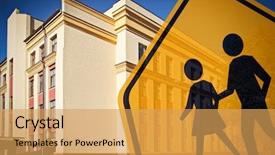
 Presentation with school-building - Beautiful slides featuring traffic engineering - children crossing sign and school backdrop and a yellow colored foreground

Children Crossing Sign School Building

Slides featuring children crossing sign and school building on background

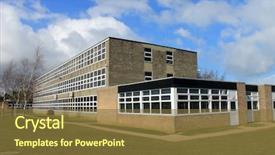
 Presentation with school-building - Audience pleasing slide set consisting of exterior of english secondary school backdrop and a tawny brown colored foreground

Exterior English Secondary School Building,

In the heart of England, where centuries old buildings stand as testaments to history and tradition, lies one of the country's most iconic secondary schools Scarborough High School. This stunning facade is set against a backdrop of serene English countryside, a perfect blend of rustic charm and modern sophistication. The building stands proudly, its exterior walls bearing witness to countless generations of students who have walked through these gates. The Corner Title template is designed to enhance your presentation with an attention grabbing phrase that sets the tone for your educational journey. Widescreen format ensures that every detail is captured, from the intricate details on the facade to the high resolution images in the background. This template features a Cornflower Blue color palette, carefully chosen to evoke feelings of calmness and professionalism. With its Four Arrows Layout, this template provides a seamless and engaging experience for your audience. The layout includes Featured backgrounds, Including a Background With modern graphics and effects to add depth and interest. Having a Theme of enhancing the natural colors of the facade, it will give you an idea on how to incorporate this theme into any presentation. This template is easily downloadable and compatible with Google Slides, making it a perfect choice for educators who want to create engaging educational presentations quickly and easily. With its Cornflower Blue color palette and Four Arrows Layout, this template promises to deliver a visually stunning and informative experience.

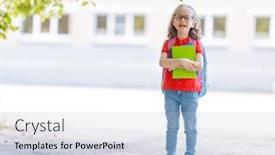
 Presentation with school-building - Slides featuring pencils on blurred school building background and a teal colored foreground

Girl Blue Back Pack Holding

Slides featuring little girl with blue back pack holding pencils on blurred school building background

 Presentation with school-building - Slide set featuring portrait of smiling female school background and a lemonade colored foreground

Portrait Smiling Female School Teacher

As you embark on your educational journey, whether it's at the high school or college level, a visually appealing and engaging template is just what you need to showcase your personality and style. Introducing our Short Title "College Career Portrait" template designed for wider screens, specifically in Widescreen format. This Peach Puff Colored template features high resolution images throughout, providing an immersive experience that will engage your audience. To enhance the overall viewing experience, you can Include a Background With vibrant colors and stunning visuals to make your presentation truly stand out. Our template is compatible with Google Slides, making it Easy To Use And Accessible for all users. It's also Downloadable And Shareable, allowing you to share it with others or use it in presentations where collaboration is key. Our peach Puff Colored theme provides a warm and inviting atmosphere that will make your presentation Featuring A sense of approachability and inclusivity. The 3 Step Funnel Layout slide plays a crucial role in guiding the audience through your content, starting with Introduction To Get Started. This step by step process helps to establish trust and sets the foundation for further engagement. Meanwhile, the Showcase Your Expertise section showcases your expertise on the topic at hand, highlighting key takeaways and best practices. As you build upon this template, remember that it's Enhanced With features such as hyperlinks and icons to make your content more interactive and engaging. By incorporating these elements, you can have a Theme of creating an immersive experience for your audience.

 Presentation with school-building - Slide set consisting of educational background - group of smiling teenagers staying background and a sky blue colored foreground

Group Smiling Teenagers Staying Together

In the vast landscape of educational and social media content, there exists a template that stands out from the rest Corner Title. This design name perfectly captures the essence of what this template is all about, conveying a sense of warmth, inclusivity, and approachability. The Widescreen format is ideal for showcasing vibrant images and content, making it perfect for college campuses, educational institutions, and anyone looking to enhance their presentation with a touch of style. The Dark Gray color palette provides a sleek and sophisticated background that exudes professionalism, while also adding a touch of subtlety. This theme is not only visually appealing but also helps to set the tone for a friendly and approachable atmosphere. Featuring a high resolution image of people from diverse backgrounds, Corner Title invites you to explore a world where friendship knows no bounds. When it comes to compatibility with Google Slides, this template is a dream come true. It is downloadable and compatible with all versions, making it easy to incorporate into your workflow. Having a theme of friendly and approachable, this template has the perfect balance of style and functionality, making it an excellent choice for anyone looking to enhance their presentation without sacrificing creativity. Incorporating images from around the world, including stunning high resolution backgrounds, Corner Title is the perfect fit for those who value diversity and inclusivity. Whether you're presenting on campus or showcasing your work online, this template has got you covered. Having a theme of inclusivity, it encourages collaboration, mutual respect, and understanding essential values in today's digital age. The opposite directional arrows layout adds an extra layer of sophistication to this design, making it ideal for slides that require movement and animation. Using features like including a background with dynamic graphics or having a theme of seamless integration, you can enhance your presentation with visual interest and engagement. For example, imagine using the How To slide to showcase how to create engaging presentations by incorporating interactive elements such as polls or quizzes. Alternatively, featuring this template on a Goog Slide project allows you to add images from around the world, showcasing diverse cultures and perspectives. With Corner Title, you can enhance your presentation with a touch of style, approachability, and inclusivity perfect for anyone looking to make a great first impression.

 Presentation with school-building - PPT layouts with cute supergirl of school age background and a  colored foreground

Cute Supergirl School Age Sitting

Imagine a scene from childhood where you were feeling super upset, trapped inside your room with no escape from the stress and anxiety that seemed to be following you everywhere. But then, just as suddenly as it had begun, everything changed the clock struck midnight and you were transformed into an unstoppable kid on a mission to save the world, armed with a bold determination and unwavering optimism. This is what our new template, Corner Title, promises to deliver a dynamic and engaging design that captures the essence of being a superhero, no matter your age. Our template is designed for widescreen use, making it perfect for displaying high resolution images in all their glory. The Dark Slate Gray color palette provides a dramatic backdrop for Featuring images of cute superheroes soaring through skies or battling villains with ease. This sleek and sophisticated theme is Included a Background With the option to switch to different backgrounds seamlessly, allowing you to blend styles and create new looks with just a few clicks. With Corner Title, having a Theme of high energy action packed illustrations that are sure to grab your attention from the start. The template itself has a solid Growth Layout that ensures everything stays in place as you add new slides or features, ensuring an enhanced viewing experience every time. Whether you're looking to create a motivational presentation or a kid friendly learning tool, our Corner Title is the perfect starting point for any project.

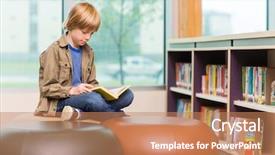
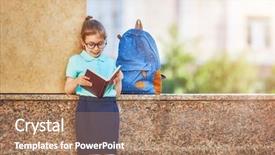
 Presentation with school-building - Colorful slides enhanced with boy reading book in school backdrop and a coral colored foreground

Young Boy Reading Book School

In the realm of educational design, there exists a unique template that embodies the spirit of innocence and curiosity, perfectly capturing the essence of a young mind exploring new ideas in a school library. Corner Title is an attention grabbing template that promises to transport you to a world of study and education, where the pursuit of knowledge is at its finest. This stunning Widescreen format offers high resolution images for the background, setting the tone for an immersive experience. A delicate balance of warm golden hues sets the stage for a visually appealing design that seamlessly integrates with your Google Slides presentation. The Goldenrod color palette shines brightly, evoking feelings of comfort and approachability. Featuring simple typography and clean lines, Corner Title invites you to delve into the world of study and education, where young minds thrive. This template is an enhanced version of its previous iterations, boasting a robust Arrowheads Layout that provides an engaging background for your slides. With four essential How To slides at the beginning, you'll be well on your way to creating a captivating presentation in no time. Having a theme of "Studying Abroad" this template could be used to create a compelling narrative about learning and discovery, where students can explore new lands and cultures while developing their academic skills. Incorporating high quality images of school libraries, bookshelves, or cozy study nooks will enhance the visuals, while text overlays can add an extra layer of meaning. Having a downloadable template that is compatible with Google Slides ensures you can share it freely with others.

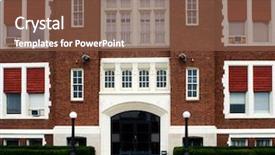
 Presentation with school-building - Slide deck having catholic school entrance background and a tawny brown colored foreground

Catholic School Entrance

The majestic entrance to a historic Catholic school, with its grand stone doors and intricately carved wooden details, beckons students and faculty alike to step into the world of learning and tradition. As you begin your presentation on the Wide Title template from CrystalGraphics, imagine yourself standing in front of this very entrance, surrounded by lush greenery and vibrant flowers, set against a warm and inviting backdrop that transports you to a place of serenity and community. This template is designed for Widescreen presentations, with a high resolution image featuring a majestic stone door and stately shrubs surrounding the main entrance. The Sienna color palette adds depth and warmth, evoking the feeling of aged stone and earthy tones. The theme is set against this rich background, creating a cohesive look that is both elegant and inviting. The template includes 4 How To slides to help you get up and running quickly: "How To Add Text", "How To Create a Complex Layout", "How To Incorporate Images", and "How To Customize the Background". The Hexagon Layout slide is particularly useful, featuring a beautiful example of how to arrange elements in a harmonious and balanced composition. For instance, you could include a dramatic image of a stained glass window above the main entrance, set against a subtle background texture that includes a few strategically placed stones and shrubs. This template is not just for presentations; it's also downloadable and compatible with Google Slides, making it easy to share with your audience. With its rich design elements, warm color palette, and attention grabbing imagery, this template is sure to enhance any presentation and leave a lasting impression on your viewers.

 Presentation with school-building - Colorful presentation enhanced with old fashioned school house - blurred building background backdrop and a lemonade colored foreground

Blurred Building Background

Presentation enhanced with blurred building background

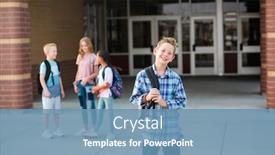
 Presentation with school-building - Amazing slide deck having handsome pre-adolescent teen boy student hanging out with friends after school selective focus on the smiling boy student standing outside the school building with friends in the background backdrop and a teal colored foreground

Handsome Pre-adolescent Teen Boy Student

The moment you've all been waiting for arrives as we launch our new template Split Title, designed to transport your presentations to the next level. Get ready to elevate your content with a stunning Widescreen template that exudes strength, education, and a dash of fun. This Split Title template is available in high resolution images, making it perfect for showcasing vibrant colors and crisp details on any screen. The background features high contrast visuals of students gathered around an old school building, complete with worn brick walls and a hint of faded lettering. This theme lends itself beautifully to highlighting the social aspect of learning. Upon opening our template, you'll find four easy to follow slides that will get you up and running quickly. These introductory slides are designed to teach you how to customize your presentation, adding interactive elements and enhancing the overall user experience. You can include a background with your own images or choose from some of ours – perhaps featuring a collage of diverse young people from different ethnic backgrounds. The template itself is compatible with Google Slides and offers an assortment of styles for your convenience. If you're looking to add a touch of modernity, consider incorporating our featured 'Minimalist' layout style while having a theme of adding more intricate patterns or 3D effects to create depth and visual interest. Enhance your presentation with some premium backgrounds, including high resolution images that offer endless possibilities for customization. At Split Title, we believe in striking the perfect balance between form and function. This Widescreen template is sure to become your go to companion for any educational or social endeavor. With its attention grabbing visuals, flexible layout options, and compatibility with major presentation software, this template will make you shine on stage.

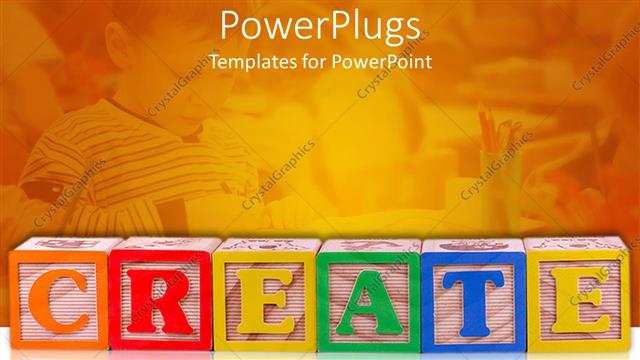
 Presentation with school-building - Create spelled out in children's building blocks, boy at desk in school in background

Create

Let's create a magical kingdom where creativity knows no bounds. Imagine building castles, creating adventures, and bringing your ideas to life with our premium PowerPlugs template. Our template is a colorful world of wonder, perfect for kids and adults alike who love to create, build, and imagine. With 64+ slides packed into one stunning package, you'll have all the tools you need to bring your vision to life. Whether you're a seasoned pro or just starting out, our PowerPlugs template is designed to inspire and delight. But that's not all we've included four expertly crafted How To slides to get you started quickly and easily. Simply click through these slides and follow along with our simple steps to transform your presentation into a true masterpiece. And when it's time to download and share, worry not the template is compatible with Google Slides, so you can easily export it as your own. But what really sets our PowerPlugs template apart? For one, its stunning widescreen format ensures that your slides look perfect on any device. With an impressive 16:9 aspect ratio, you'll be able to create truly epic presentations that wow your audience. And with over 64+ slides to choose from, you

 Presentation with school-building - Amazing theme having school building - child with rucksack sitting backdrop and a lemonade colored foreground

Child Rucksack Sitting Front Laptop

As you begin your educational journey in the USA, and explore cities across this beautiful country, think about how to make your presentation stand out from the crowd. With your Corner Title template, you can create a visually appealing and engaging visual identity that will draw students in and inspire them to learn. This template is designed for wide screen presentations, with a light steel blue color palette that evokes feelings of modernity and professionalism. The high resolution images that make up the background are sure to feature iconic landmarks and cityscapes, making it easy to visualize your educational content. The Light Steel Blue color scheme adds a touch of sophistication and balance out against the dynamic images featured in each slide. And with its easy to use template keywords, you'll be able to have a theme of education from start to finish. Including a background with a cityscape, there are several ways to enhance this feature, such as adding a panoramic picture or including a photo of a specific landmark that ties in perfectly with your educational content. Having a clear and concise structure is key to keeping your audience engaged, so be sure to include 4 How To slides at the start of the deck to help you get up and running quickly. A great example of how this template can be used is when creating a presentation on a new city in the USA, such as New York. Featuring images of iconic skyscrapers, bustling streets, and historical landmarks, this template would make for an enhanced with informative visual identity that will capture your audience's attention. With its download compatibility and seamless integration with Google Slides, this template is easy to use and versatile it's the perfect starting point for any educational presentation.

 Presentation with school-building - Colorful slide deck enhanced with school building - mature female librarian working backdrop and a soft green colored foreground

Mature Female Librarian Working Library

In a library setting, where books and knowledge reign supreme, a wise and mature librarian stands at the forefront, guiding students through the labyrinth of literature with ease. Theirs is a world of dusty tomes, whispering shadows, and gentle guidance, but also one of rigorous research, high stakes exams, and late night study sessions. This Corner Title template is designed for those who want to bring this atmosphere into their own workspaces. With its warm and inviting Burly Wood Colored theme, it's the perfect accompaniment to a morning coffee or a long day of grading papers. The Widescreen format ensures that every aspect of your presentation comes alive, from high resolution images of books and reading lamps to detailed backgrounds that transport you to a world of learning. The template includes four helpful How To slides: "Getting Started", "Customizing Your Layout", "Adding Interactive Elements", and "Enhancing with Images". These features will help you create a truly immersive experience for your audience, including a Background With 4 Panoramic Pictures slid that showcase the majesty of a library's reading nook or the bustling streets outside. Having a Theme of Incorporating Text with Quotes from Famous Authors adds a personal touch and allows you to highlight key points in a engaging way. By featuring high quality images and carefully selecting colors, this template is sure to enhance your presentations and make them truly memorable.

 Presentation with school-building - PPT layouts featuring school building - business park background and a light blue colored foreground

Business Park

In the heart of a bustling business park, where towering skyscrapers and modern buildings seem to stretch on forever, there's a charming college campus that exudes a sense of tradition and academia. The campus is home to esteemed institutions of higher learning, where students from all over the world come to pursue their dreams. Imagine strolling through the campus quad, surrounded by lush greenery and vibrant flowers, as you make your way to class. The air is filled with the sounds of laughter and chatter, punctuated by the occasional sound of a bicycle horn or a car driving by. It's a lively and energetic atmosphere that sets the tone for a fantastic educational experience. The college campus is surrounded by beautiful shrubs and trees, which provide a sense of calm and serenity amidst the bustling activity. The facade of the buildings seems to blend seamlessly into one another, creating a sense of unity and cohesion. As you look around, you'll notice that the campus is dotted with high resolution images of parking lots, providing a fun and interesting contrast to the more traditional backgrounds found elsewhere. The Light Steel Blue color palette provides a clean and modern backdrop for the college campus, making it easy to visualize in your own space. The template is downloadable and compatible with Google Slides, so you can easily share it with others or use it as a starting point for your own projects. With its high resolution images and simple design, this template is perfect for anyone looking to enhance their presentation on college campuses.

 Presentation with school-building - Cool new slide deck with interior-of-empty-school-building backdrop and a seafoam green colored foreground

Interior Empty School Building Classes

The old school building stands empty and still, its halls once filled with the sound of chalk scratching on blackboards and the chatter of students. But now, due to the corona covid 19 infection, classes are cancelled and the only thing left is an eerie silence. The Split Title template is a dark khaki backdrop that sets the tone for a serious yet inviting study environment. Widescreen format allows you to create a sense of depth and space, making your content take center stage. The high resolution images on the background will add a touch of professionalism, while the theme of "Private Study" highlights the importance of focused learning. The Split Title template is more than just a design; it's a tool that enhances your educational journey with its sleek and modern layout. Featuring a combination of fonts and textures, this template includes a Background With rich backgrounds that will complement your content seamlessly, having a Theme of professionalism and creating an environment where students can focus on their studies. The template is downloadable and compatible with Google Slides, making it easy to use and customize within the platform. The high quality images included in the template are already optimized for web use, ensuring they render correctly on various devices.

 Presentation with school-building - Beautiful PPT layouts featuring primary school with book backdrop and a coral colored foreground

Pupil Primary School Book Hand.

The classroom is buzzing with excitement as students arrive on their first day of fall, eager to learn and make new friends. The warm glow of high resolution images featuring illustrations of hands reaching for books, schoolbags filled with colorful supplies, and happy faces smiling in anticipation create a welcoming atmosphere. A soothing palette of pale goldenrod tones sets the tone, evoking feelings of coziness and comfort. This calming color scheme is perfect for creating a relaxing and engaging learning environment. A grid layout featuring six images that showcase different aspects of school life enhances the visual appeal, allowing designers to include a background with colorful textures, patterns, or even illustrations. The template's high resolution image features 4 5 prominent people, showcasing various activities such as reading, writing, drawing, playing sports, and participating in discussions. The grid layout arrangement makes it easy for users to easily add more images or modify existing ones to suit their needs. One example of how this design could be used is by creating a new slide that includes the following elements: Featuring a child sitting at a desk with books and pens nearby, having a theme of learning and development. Including a background with a subtle gradient that transitions from pale goldenrod to deeper tones of orange and red adds depth and visual interest. Having a theme of school life, this image showcases various daily routines and activities that students might experience on their first day of class. By incorporating these design elements, the Corner Title template provides a visually appealing and engaging solution for creating interactive lessons, presentations, or even infographics that highlight the importance of hands on learning and teamwork.

 Presentation with school-building - Presentation design consisting of pupil-of-primary-school background and a light blue colored foreground

Pupil Primary School Book Hand.

As you start creating your new presentation, think of yourself as a curious and enthusiastic pupil arriving at the first day of school. The bright and cheerful light coral color palette is sure to set the tone for a successful learning experience. The Light Coral theme will be the foundation of this beautiful template, featuring four essential slides that will help streamline your workflow. One of these slides will take center stage with an AIDA Block Layout, showcasing a stunning image of students gathered around a group of happy and engaged teachers, all smiling and holding books. This slide is sure to grab attention, helping you get up and running quickly with your new template. By including a background with the school's logo and a few key words like "hands" and "schoolbag", this slide sets the tone for an informative presentation. The "How To" slides at the start of the deck will provide valuable guidance as you begin to explore this wonderful Light Coral template, featuring images from real life schools. The downloadable feature will allow you to access these premium templates directly, making it easy to enhance and customize your presentations with a background image Featuring a beautiful high resolution landscape photograph or Including a stunning panoramic view of an outdoor school environment. To further enhance the user experience, this template includes having a theme of "Learning and Exploration" which can be explored through various images. This enhanced theme allows you to Include vibrant illustrations of hands learning new skills or bags filled with books, enhancing your presentation and making it more engaging for your audience.

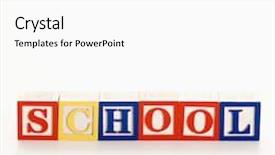
 Presentation with school-building - Theme enhanced with alphabet toy building blocks spelling the word school background and a white colored foreground

Alphabet Toy Building Blocks Spelling

In a world where creativity knows no bounds, and imagination runs wild, the Sidebar Title is here to set the tone for your educational journey with its vibrant Khaki color palette that exudes warmth and sophistication. This stunning template is specifically designed to help you create engaging slide sets that capture the essence of your studio or education environment, perfect for showcasing your concept and focus on color. The Sidebar Title features a unique 6 x 6 Org Chart Layout that adds an extra layer of professionalism to your presentations, making it easy to visualize your hierarchy and structure. This layout is particularly useful when featuring a long list of key terms or roles in your org chart, as it provides a clear and concise visual representation. The template itself is downloadable and compatible with Google Slides, allowing you to easily share your content with others. You can include high resolution images for the background to add depth and texture to your slides, making them stand out from the crowd. With its Khaki color palette, featuring a subtle blue undertone that adds a touch of sophistication, this template is sure to enhance any presentation. For example, you could use this template as a starting point for creating a comprehensive lesson plan on the alphabet toy building blocks spelling out the word school. The 6 x 6 Org Chart Layout would help organize your key terms and roles in a clear and easy to follow manner, making it perfect for showcasing your concept of color and focus to students or colleagues alike. The template is indeed Enhanced With features such as including a background with a subtle texture that adds depth and visual interest to your slides. Having a theme of education, this template is the perfect choice for any educator looking to create engaging and informative presentations that captivate their audience.

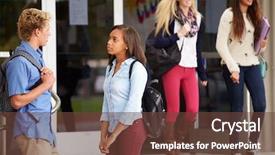
 Presentation with school-building - Audience pleasing PPT theme consisting of  backdrop and a  colored foreground

Group High School Students Standing

As students prepare to embark on their academic journey at the college level or beyond, they may find themselves standing in front of iconic buildings, eager to start their studies. The image evokes a sense of excitement and anticipation, setting the tone for a new chapter in life. This Wide Title template is specifically designed with colleges and universities in mind, featuring a crimson colored background that exudes professionalism and authority. The Wide Title itself has been optimized for widescreen displays, ensuring an immersive viewing experience. With its 4:3 aspect ratio, this template will look stunning on any large screen or monitor. The template features a unique organization structure, dubbed the 4 x 4 Org Chart Layout, which is both visually appealing and easy to navigate. This layout allows users to easily move through the different sections of the document, making it an excellent choice for presentations that require clarity and precision. When used in conjunction with high resolution images of iconic buildings or university campuses, this template is sure to enhance any presentation, incorporating a background with a theme of "Elevating Student Success."

▼Key features of this template

  • They are compatible with both PowerPoint and Google Slides running on either Windows PCs or Macs.

  • They are available in both standard and widescreen slide formats. You can choose your preferred format by clicking on the "Widescreen" check box or icon.

  • Each template includes a beautiful high-resolution background image or video to visually reinforce the theme of your presentation.

  • In addition, each template includes designer-created graphics and modern fonts to give your presentations an up-to-date, professional look.

  • Each template's default design and title text position have been carefully selected to complement its background without covering faces or other key elements.

  • All text includes backdrops whose transparency level is mathematically calculated to maximize text readability while still allowing the background to be seen.

  • And all the text, text backdrops and graphics in every slide are colored with a palette designed to beautifully complement the colors in the background.

  • Our Premium templates (those with the descriptor “Premium” in their subtitle) include over 64 slide layouts to give you maximum flexibility as you create your presentations.

    • Those layouts are available to you whenever you create a new slide or when you want to change the layout of an existing slide.
    • They include everything you need to make all sorts of presentations. In addition to the layouts for the title slide and the usual title and content slide, they include many other layouts for slide types including table of contents slides, org charts, charts, diagrams, infographics, photo slides, thank you slides and more.
    • While creating these layouts our template designers have ensured that all text in every layout adjusts as gracefully as possible to various numbers of words.
  • Customizable templates (those with the descriptor “Customizable” in their subtitle) may be easily modified online before you download them.

    • To modify them, simply click on the pencil editing icon, then select your choice of ready to go designs and title text positions.
    • The editing tool also makes it easy to reposition and scale the background image or video to best suit your needs.

▼FAQs

Please review these FAQs to see if your question is answered. Contact us for more info

  • What is a PowerPoint template?

    • A well designed PowerPoint template is a file that can tell PowerPoint how to make your ordinary templates look extraordinary. They won’t change what your words or numbers say. But they might change their size, color, font and placement. And, overall, they can give your presentations a professionally-designed look that will give your content more credibility and give you more confidence.
  • How many PowerPoint templates do you offer?

    • We have over 32,000 artist-created presentation templates in our PowerPlugs collection With a subscription, PowerPlugs templates are easy to download. Just sign in, find a template and click on the green Download button. ready for you to download. That alone offers you more variety to choose from than any of our competitors can offer. And, as if that weren’t enough, we also offer over 6 million templates in our Crystal collection. Crystal brand templates are our line of templates that have customization options. They have the word "CRYSTAL" on their web page images. You can customize several aspects of the templates. These templates include high-resolution background images from Shutterstock’s vast image collection matched up with artist-created presentation designs customized by our own proprietary AI software.
  • How many templates can I download as a subscriber?

    • You can download an unlimited number of PowerPlugs-brand With a subscription, PowerPlugs templates are easy to download. Just sign in, find a template and click on the green Download button. templates every day for an entire year. (Actually, by default, we set a limit of 25 templates per day to prevent our competitors from stealing our templates. But, if that is not enough, just let us know and we’ll try to accommodate you.) On top of that, with a subscription or an Ultimate Combo, you can also download any 50 Crystal-brand Crystal brand templates are our line of templates that have customization options. They have the word "CRYSTAL" on their web page images. You can customize several aspects of the templates. templates per year selected from our huge Crystal collection. Crystal brand templates are our line of templates that have customization options. They have the word "CRYSTAL" on their web page images. You can customize several aspects of the templates. .
  • Why should I choose your templates instead of the competition’s?

    • We’ve got a larger selection of professionally-designed PowerPoint templates than anyone else in the world.
    • Each template includes a high-resolution background image or video to visually inspire your audiences while reinforcing your message.
    • Each template includes 64 slide layouts to give you maximum flexibility as you create your presentations.
    • Our templates are available in both standard and widescreen slide formats. And our website lets you preview the slides each way.
    • Our free Template Finder™ plugin lets subscribers select and - with a single click - download and insert our templates into their presentations right from within PowerPoint.
    • We’ve been creating designer presentation templates for over 20 years. During that time we’ve won several awards and 5-star ratings for product quality. See About Us for more.
  • Do you offer a money-back guarantee?

    • Yes we do! We offer full 30-day money-back guarantee if you are not 100% satisfied with your purchase.
  • Can I still use my downloaded templates after my subscription runs out?

    • Yes. After your subscription expires, you won't lose any rights or ability to use your PowerPlugs: Templates for PowerPoint. You won't be able to download any new non-watermarked templates. But the non-watermarked templates you've already downloaded will still work and you can still use them as before.
  • Can I share my downloaded templates or passwords with friends or coworkers?

    • Sorry but no. You are authorized to download each paid-for template to up to 3 of your personal devices and to use the templates you download in as many presentations as you want. But you are not authorized to share the templates, themselves, with others. That said, we do offer highly discounted site licenses to suit the needs of both small and large teams. Just tell us your needs and we’ll give you a quote!
  • System requirements:

    • The templates use the standard POTX format. So they are compatible with Google Slides and all PC, Mac and mobile devices running any version of PowerPoint from PowerPoint 2007 up through and including Office 365 desktop.
    • Please note: Google Slides does not currently support background videos. It treats them as still images.
    • For PowerPoint for the Web, first open your template into a desktop version of PowerPoint, then save it back out as a PPTX file. Then you can open that in PowerPoint for the Web.
  • End user license agreement:

    • Click here to view.
  • How will I get my purchased templates?

    • You may download your selected templates as soon as your payment is received by PayPal. If you purchased an individual template, you will be provided with a download link both onscreen and via email. Just click on that link to begin the download process. If you purchased a subscription, you will receive an email containing a password to use along with your email address to sign in to any of the templates pages on CrystalGraphics.com. Once you are signed in, you can immediately start downloading your selected templates.
  • How do I use my templates after I download them?

    • You can either open a template to start a new presentation or you can add a template to an existing presentation. To open a template, just double click on it or use PowerPoint's File > Open tool. To add a template to an existing presentation, on the Design tab, in the Themes group, click Browse for Themes... then browse to select your template.

View more school building templates:

previous 1 2 3 4 5 6 7 8 9 next
93% of Fortune 1000
companies use our
PowerPoint Products
Templates Secure

Standing Ovation Award
Winner: Best PowerPoint
Template Collection
Fortune Logos
200,000+ satisfied
customers worldwide!
Guarantee
100% satisfaction guaranteed
- or send it back for a refund!

Sign up for our free newsletter! You'll get news about our PowerPoint-enhancing product line – including free updates, new product announcements and exclusive special offers. Plus you'll get a link to a free PowerPoint template with every newsletter you receive.
Privacy Policy
Loading...


Help

Contact Us
Product FAQs
Product License Agreements

Company Info

About Us
Privacy Policy
CrystalGraphics, Inc. 1999 S. Bascom Avenue Suite 700 Campbell, CA 95008 USA
© 2026 CrystalGraphics, Inc. All rights Reserved.    |     PowerPlugs is a trademark of CrystalGraphics, Inc.
Microsoft and the PowerPoint logo are trademarks or registered trademarks of Microsoft Corporation in the United States and/or other countries.
Loading...
Loading...