www.crystalgraphics.com CrystalGraphics
  • Ultimate Combo
  • Templates
  • Diagrams
  • Characters
  • Quizzes
  • shopping cart
  • Sign Out Sign Out Sign In
Home > Templates > School > School Lunch Category
search icon
advanced icon

138 Best School Lunch-Themed Templates for PowerPoint and Google Slides

Conceptually, the School Lunch PowerPoint template collection offers a vast array of visually appealing and engaging themes that cater to diverse educational needs, making it an attractive option for educators, students, and professionals alike.

Features & Pricing

Widescreen (16:9) Presentation Templates. Change size...
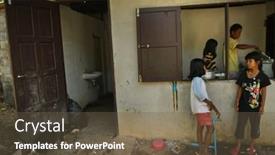
 Presentation with school-lunch -

Ko Chang Thailand January

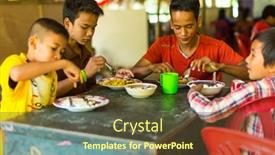
As you create your new Corner Title template from CrystalGraphics, imagine yourself standing in the bustling streets of Asia's culinary hub Thailand. The bright lights and vibrant markets are filled with the tantalizing aromas of breakfast delights waiting to be savored. The warm glow of golden brown pancakes and crispy rice bowls beckons, tempting young chefs to experiment with flavors and textures. In this Corner Title template, you'll find a rich theme that combines Asian inspiration with a playful baby boy or girl design. The template features a dark goldenrod color palette, evoking the cozy comforts of home cooking. The background images showcase high resolution pictures in a grid layout, creating a visually striking visual display. On slide 1, "A Typical Breakfast Scene", you'll find an inclusion of a serene landscape with a baby boy sitting at a table, surrounded by steaming bowls and utensils Featuring the iconic Thai breakfast dishes that bring joy to young ones. Slide 2, "Little Ones in the Kitchen", showcases a group of happy children preparing their favorite meals together as a family, showcasing a loving theme of sharing and care. On slide 3, "Breakfast Fun with Friends", you'll find an illustration of a group of friends gathered around a table, laughing and chatting while enjoying a meal. Slide 4, "Welcome to the World", features a delightful scene of a baby boy or girl sitting proudly in front of a beautifully decorated traditional Thai setting Having a theme of innocence and new beginnings. These slides can be easily enhanced with additional graphics, fonts, and colors to make your template truly special.

 Presentation with school-lunch -

Ko Chang Thailand January

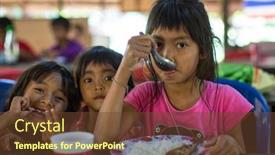
The morning sun rises over the bustling streets of Asia, casting a warm glow over the vibrant cityscape. As you begin your presentation, imagine yourself standing in front of a stylized image of a traditional Thai kitchen, the colors and patterns evoking the rich cultural heritage of this fascinating region. This template features a stunning high resolution background, a perfect blend of Saddle Brown and creamy whites that will make your slides look professional and polished. The Wide Title is the focal point of the presentation, with its bold, sans serif font and eye catching graphics perfectly complementing the Asian inspired design elements throughout the template. The Wide Title can be used as the main title slide or to include a background with an image featuring a group of happy children enjoying a delicious breakfast together. This will not only set the tone for your presentation but also add a touch of warmth and friendliness, making it more engaging for your audience. As you create your slides, consider incorporating a Theme of "Asian Delights" perhaps including images of traditional Asian cuisine, such as steaming bowls of ramen or stir fried vegetables, to showcase the diverse range of flavors and ingredients from this incredible region. The template is also Enhanced With high resolution images for the background, making it easy to find and replace when needed. The four How To slides at the start of your deck will help you get up and running quickly, featuring step by step guides on how to use the template in Google Slides.

 Presentation with school-lunch - Colorful slide set enhanced with pensive female patient sitting on a giant pill and looking in the distance backdrop and a lemonade colored foreground

Elementary Pupils Teacher Eating Lunch

Imagine you're sitting in a classroom, surrounded by students and teachers all gathered around the lunch table, each one enjoying their meal with a sense of satisfaction and contentment, all thanks to a healthy diet that's been promoted through education. The atmosphere is lively, yet calm, as everyone looks forward to their next class or lesson, feeling inspired and motivated to learn more. The Wide Title "Healthy Habits for Success" is the starting point of this PowerPoint template, featuring an Indian Red background with a bold and modern font. This theme is applied throughout the entire template, from the layout to the colors, creating a cohesive and recognizable look that immediately grabs attention. The image of elementary pupils and teachers enjoying lunch together serves as inspiration for this template's design. The Widescreen format ensures maximum screen real estate without losing any detail, making it ideal for presenting complex information in an easy to digest manner. The Indian Red color palette adds a touch of warmth and energy to the design, perfectly capturing the sense of excitement and enthusiasm that comes with learning. This template is downloadable and compatible with Google Slides, allowing users to enhance their presentations with high resolution images featuring beautiful backgrounds and engaging captions.

 Presentation with school-lunch -

Koh Chang Thailand Feb

Imagine walking into a bustling Asian style kitchen on a sunny morning, filled with the enticing aroma of freshly brewed coffee and steaming hot breakfast dishes. The vibrant colors and lively atmosphere are sure to put you in the right mood for a productive day ahead. This is what we aim to create with our new template design a warm and inviting space that combines the energy of Asia with the simplicity of a baby boy's nursery. Our Widescreen template features a stunning high resolution image as its background, perfectly capturing the essence of Asian culture. The Fire Brick color palette adds a pop of warmth and coziness to the design. Whether you're planning a corporate presentation or a personal project, this template is sure to enhance your content with its unique blend of style and functionality. As an Asian inspired baby boy's nursery, our 3 x 3 Org Chart Layout slide serves as a framework for organizing your thoughts and ideas in a clear and easy to follow manner. Featuring a simple yet effective design, this layout includes columns for the project title, team members, tasks, and deadlines, making it an ideal addition to any presentation. Our template is also perfectly suited for use with Google Slides, allowing you to easily customize and enhance your content with additional images, text, and graphics. With its high resolution images and Fire Brick color palette, this template is sure to bring a touch of warmth and personality to your presentations.

 Presentation with school-lunch -

Koh Chang Thailand Feb

The moment you open the Wide Title PowerPoint template, you're met with a warm and inviting goldenrod background that immediately puts a smile on your face. The design name "Wide Title" perfectly captures the essence of this stunning template, which is perfect for showcasing your brand's identity in high resolution images. This Widescreen template is designed to be used as a starting point for creating presentations that celebrate all things Asian, from the vibrant streets of Bangkok to the tranquil waters of Koh Chang. The Goldenrod color palette adds a touch of elegance and sophistication, making this template ideal for those who want to convey a sense of luxury and refinement. At its core, this template is about showcasing your brand's personality and style through high resolution images. Featuring stunning shots of Asian culture, from bustling markets to serene landscapes, the template will help you create engaging and eye catching presentations that leave your audience in awe. Including a background with intricate patterns and textures adds an extra layer of depth and interest to each slide, while having a theme of "Asian Inspiration" helps tie everything together. One of the standout features of this template is its 3 Column Layout slide. The left column provides space for main titles, while the center column includes additional details such as subheadings and bullet points, making it easy to create visually appealing presentations that flow smoothly from one slide to the next. Having a theme of "Easy To Use" helps ensure that your audience can quickly get up and running with this template, even if they're not familiar with PowerPoint. Enhanced With includes an interactive background slider, which adds a dynamic touch to each presentation. This feature allows you to seamlessly transition between slides, creating a seamless viewing experience for your audience.

 Presentation with school-lunch -

Koh Chang Thailand Feb

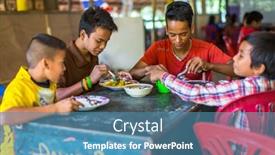
The moment you think you've seen it all, but then CrystalGraphics unleashes another gem that will leave your audience in awe featuring an attention grabbing image at the top, the Wide Title template is the perfect choice to set the tone for your presentation This Widescreen template is designed to transport your audience to the vibrant streets of Asia, specifically Thailand, where a heartwarming moment of discovery was captured. The Dark Goldenrod color palette will have your slides looking luxurious and sophisticated, while the Asian inspired keywords, baby boy, and breakfast theme will add a touch of warmth and approachability. The 4 How To slides at the start of the deck are designed to help you get up and running quickly, with high resolution images for each background, showcasing engaging visuals that will draw your audience in. The Timeline Layout slide is where things come together it's a showcase of your presentation's key moments, laid out in a clear and easy to follow format. Including a Background With a stunning image from KOH CHANG, THAILAND: FEB 8, 2016 at lunch time at school by project Cambodian Kids Care will make your presentation stand out. Having a Theme of showcasing the beauty of Asia and its people will enhance your message, making it more relatable and engaging to your audience. As you create your final product, consider what it could look like featuring the 4 How To slides as a single page with images overlapping each other, or including a separate slide for each one. Either way, this template is sure to make an impact on your audience, and with its Dark Goldenrod color palette and Asian inspired theme, you'll be well on your way to creating a presentation that's truly unforgettable.

 Presentation with school-lunch -

Koh Chang Thailand Feb

In a world where breakfast is the most important meal of the day, and babies are always in need of nourishment, there's no better way to start their day than with a delicious bowl of cereal. This is where Wide Title comes in, a stunning template designed to make your presentations stand out from the crowd. With a unique medium violet red color palette that features subtle nuances of blue and pink undertones, this template is sure to turn heads. This Widescreen template allows you to create an immersive experience for your viewers, featuring high resolution images from around the world as backgrounds. The crisp visuals will transport them to exotic destinations like Koh Chang in Thailand a beautiful spot for breakfast, where children are often seen eagerly waiting for their morning meals. The template is downloadable and compatible with Google Slides, making it easy to incorporate into your presentations. With its sleek design and diverse keyword options, such as "asia", "asian", "baby", "boy", and "breakfast", you'll have everything you need to create a compelling narrative. The inclusion of images will enhance the overall presentation, making it more engaging and visually appealing. The template is designed to be easy to use and navigate, with four how to slides at the start of your deck providing a solid foundation for your presentations. As you begin using this template, you'll notice that its theme of featuring high quality images as backgrounds will come in handy, particularly when discussing topics related to breakfast or Asian cultures. On comparing images like those from Project Cambodian Kids Care, where children are feeding on the island of Koh Chang, you can see how the Wide Title template can showcase a wide range of captivating visuals that will leave your viewers hungry for more.

 Presentation with school-lunch -

Koh Chang Thailand Feb

Slides having koh chang thailand - feb 8 2016 unidentified children in the classroom at lunch time at school by project cambodian kids care to help deprived children on koh chang island

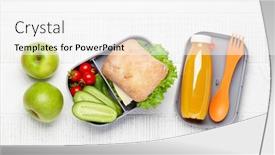
 Presentation with school-lunch - Presentation consisting of lunch-box-with-sandwich-vegetables background and a gray colored foreground

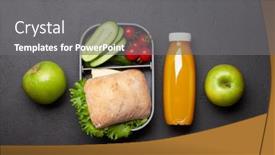
Lunch Box Sandwich Vegetables Juice.

Imagine stepping into a cozy lunch box, surrounded by the crunch of fresh vegetables and the refreshing taste of juice, all perfectly arranged on a simple yet elegant canvas. The warm glow of golden light seeps through the transparent plastic, casting a comforting ambiance that invites you to slow down and savor the moment. This Split Title template is designed with your needs in mind, tailored to inspire high quality presentations that convey your message with clarity and style. Its Dark Goldenrod color palette provides a sophisticated backdrop for featuring your brand's personality and showcasing your creative vision. The Widescreen format ensures an immersive experience, allowing viewers to become fully engaged in the content. With its crisp resolution images on the background, this template is perfect for educational or training materials that require a professional yet approachable tone. This Split Title template is downloadable and compatible with Google Slides, making it easy to incorporate into your presentation workflow. Its compatibility ensures seamless integration with your existing tools and software.

 Presentation with school-lunch - Slide deck with lunch-box-with-sandwich-vegetables background and a white colored foreground

Lunch Box Sandwich Vegetables Juice.

As you sit down to design your new PowerPoint template, consider starting with a sentence that captures the essence of what you want to convey. The Split Title template is designed to be visually appealing and informative, featuring a flat lay composition of lunch items and a background image that will enhance your presentation. The Widescreen format allows for a clean and uncluttered design, perfect for showcasing multiple elements without visual distractions. The Burly Wood Colored theme provides a warm and inviting atmosphere, reminiscent of a cozy lunch box or school cafeteria. This theme also lends itself well to featuring high resolution images that will add depth and texture to your slides. The template is compatible with Google Slides, ensuring seamless integration into your favorite presentation software. With its downloadable format and compatibility with various file formats, you can easily access and share your template with others. The four How To slides at the start of the deck will provide a quick start guide to getting up and running quickly, allowing you to dive straight into creating stunning presentations. The AIDA Block Layout slide is a great way to engage your audience from the get go, grabbing their attention with an eye catching headline, followed by a brief description of what they can expect from the rest of the deck. This could be used as an example for a slide that highlights the key features and benefits of using the Split Title template. The background image featuring a lunchbox with fresh vegetables and a glass of juice will have them hooked from the very first glance, setting the tone for a informative and engaging presentation. This template is perfect for anyone looking to enhance their presentations with a professional and visually appealing design.

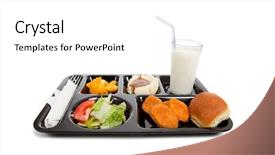
 Presentation with school-lunch - PPT theme enhanced with school lunch tray background and a white colored foreground

School Lunch Tray White Background

With a quick glance at this tantalizing template, you'll feel like you're sitting down to a steaming bowl of chicken and potatoes the perfect accompaniment to your school lunch. The design name "Epic Lunch Tray" perfectly captures the essence of this vibrant template. Widescreen is the perfect format for showcasing high resolution images, and in this case, they feature beautifully designed illustrations of bustling kitchens, students, and food, all set against a rich Burly Wood Colored background that exudes warmth and coziness. The template's color palette is full of depth, with shades of green, brown, and tan working seamlessly together to create a delightful atmosphere. The overall aesthetic is reminiscent of a fun family outing, where everyone gathers around the lunch table to share stories and laughter. As for keywords, this template is all about showcasing your creativity and adding a playful touch to any presentation or project. The high resolution images on the background will ensure that every detail, from the intricate designs on the plates to the cheerful facial expressions of the students, pop out at you. You can include a Background With option to enhance the overall visual impact, making it perfect for presentations where you want to grab attention. Having a Theme of, this template combines seamlessly with any presentation style, whether formal or informal. In terms of layout, the Dart Layout slide offers a unique perspective on how to organize your content effectively. You can use this slide to showcase a series of images, each one featuring a different aspect of the template's design and functionality. With four How To slides at the start of the deck, you'll be well on your way to getting up and running quickly and easily. Featuring a Background With option will allow you to seamlessly add high resolution images to these slides, making them truly enhance rich.

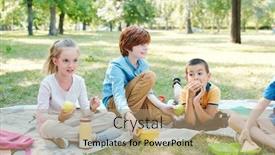
 Presentation with school-lunch - Slide deck having group-of-kids-sitting background and a coral colored foreground

Group Kids Sitting Blankets Eating

This Slide Deck is designed to showcase a bright and vibrant theme that captures the essence of friendship and fun. As the group of kids sits together on blankets, enjoying their lunch in the park after school, it's clear that this template is meant to be a warm and inviting space for creating engaging presentations. The Split Title design features four main slides that work together to tell a story from getting ready to dive into the content. The high resolution images used in the background will enhance the overall visual appeal of each slide. For instance, you could include the image of a kid holding a lunch box with a big smile on their face or the picture of the kids playing games while having fun in the park. The template is designed to be flexible and can be adapted for various presentations whether it's a presentation about social media trends or a project showcasing the benefits of group work. This Slide Deck is not just a collection of pre made slides, but rather a starting point that allows you to create your own unique content. To get started quickly, simply follow the four How To slides at the beginning of the deck to help you build upon this template and make it your own. The Social Media Concept Layout slide provides a solid foundation for creating visually appealing presentations that showcase your ideas in an engaging way. The Split Title design is ideal for presentations about social media trends, group projects, or any other topic where a friendly and approachable theme is needed. By including the background image of people having fun together, you'll create a warm atmosphere that makes viewers feel comfortable sharing their thoughts and ideas on social media.

 Presentation with school-lunch - Slides featuring lunch-box-with-sandwich-vegetables background and a sky blue colored foreground

Lunch Box Sandwich Vegetables Juice.

In the midst of a chaotic lunch break or a busy school day, a well designed template can brighten up your surroundings and enhance the overall learning experience. The Corner Title is designed to be a container for all your educational needs, providing a clean and simple background against which you can add your own creative flair with high resolution images for the background, salad themed elements, cucumber inspired textures, and other visually appealing designs that will make your presentation stand out. The Light Blue color palette used in this template is both calming and stimulating, evoking feelings of serenity and focus. It's perfect for presentations on education, lunch boxes, or school related topics featuring a sandwich, vegetables, and juice, all set against the serene backdrop of a lunch break or a daily routine. To give you an idea of how to use this template, here are four How To slides to help you get up and running quickly. These slides will provide a solid foundation for your presentation, covering the basic elements that make a template effective in enhancing your message. The 5 Stages Pentagon Layout slide could be used as a starting point for any educational presentation or project, featuring bold typography and visual elements arranged in a symmetrical pattern, creating a visually appealing composition. For example, you could use this slide to create a graphic organizer or a mind map that helps your audience visualize key concepts and ideas. Having a theme of high resolution images is at the heart of this template's design, making it easily compatible with Google Slides. The Corner Title can be enhanced with Featuring a Background With a creative image to add an extra layer of visual interest and having a Theme of including a background with subtle textures and patterns will give your presentation a professional touch. The Corner Title is designed to be simple yet effective, providing the perfect balance between form and function. Its light blue color palette and high resolution images make it ideal for presentations on education, lunch boxes, or school related topics featuring a sandwich, vegetables, and juice.

 Presentation with school-lunch - PPT theme featuring kids recycling - school lunch bag with blank background and a coral colored foreground

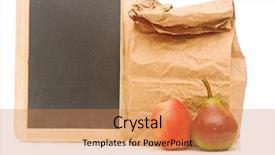
School Lunch Bag Blank Blackboard

With a vibrant Peru color palette that transports viewers to a rustic corner market, the Corner Title PowerPoint template is the perfect addition to any presentation. Designed with a warm and inviting atmosphere in mind, this unique template is not just a static backdrop but an interactive canvas waiting for creativity. The Corner Title template features high resolution images of lunch bags overflowing with colorful snacks on blank chalkboards against a bright white background. The 4 How To slides are carefully crafted to help users get up and running quickly, providing essential tips and tricks to bring their ideas to life. However, without giving away the secrets of the template's success, let's just say that these slides will make you feel like a pro creator. The template is truly downloadable and compatible with Google Slides, ensuring seamless integration into your digital workflow. The Peru color palette boasts earthy tones, natural textures, and inviting hues, evoking feelings of comfort and relaxation. Featuring a chalkboard theme, the Corner Title template seamlessly blends functionality with artistic flair. Including a Background With a subtle gradient effect, Adding depth and visual interest to any slide. Having a Theme of simplicity yet elegance, this template is both refined and approachable, making it perfect for presentations that require balance and harmony. In addition to its versatility, the Corner Title template also boasts an Enhanced With high resolution image gallery, featuring stunning examples of lunch bags on chalkboards from around the world. From colorful fruit arrangements to delicious sandwiches, these images showcase the beauty of everyday moments captured in a unique and captivating way.

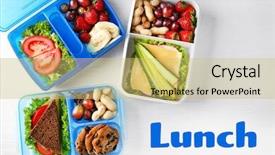
 Presentation with school-lunch - Theme enhanced with concept of school lunch lunchboxes background and a yellow colored foreground

Concept School Lunch Lunchboxes Food

Theme enhanced with concept of school lunch lunchboxes and food on wooden background

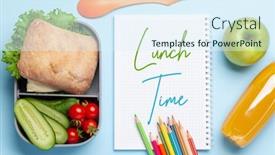
 Presentation with school-lunch - Presentation featuring school-lunch-box-and-education background and a tawny brown colored foreground

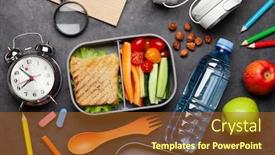
School Lunch Box Education Stationery

The modern way of presenting information has become so ubiquitous that we often forget the value of a good old fashioned layout. Take, for instance, the humble school lunch box and education stationery on stone table a quintessential representation of a productive learning environment. In this context, a well designed PowerPoint template can be a game changer, elevating even the most mundane slides into something truly remarkable. Our design name is Wide Title, a template that exudes warmth and approachability with its rich chocolate color palette. The Widescreen format ensures seamless viewing on any device, making it an ideal choice for presentations that need to convey a sense of grandeur. Featuring high resolution images throughout the template, from the vibrant backgrounds to the intricate details, every element is carefully crafted to enhance the overall visual experience. In this template, we've incorporated a variety of keywords to guide users towards specific sections and ideas. For instance, the container theme lends itself perfectly to showcasing educational resources and materials, while lunchtime themed slides add a touch of levity to the presentation. The education stationery on stone table is a nod to traditional learning environments, providing a sense of continuity throughout the deck. When it comes to organizational structures, our template features a 5 x 5 Org Chart Layout slide that provides clear hierarchies and relationships between key stakeholders. Having a theme of organization and structure, this layout helps users visualize how different teams and individuals fit into the larger picture. Enhanced with icons and graphics, this slide is sure to grab attention and leave a lasting impression. The template is compatible with Google Slides, making it easy to create engaging presentations that can be shared seamlessly across devices. With its rich chocolate color palette, Widescreen format, and 5 x 5 Org Chart Layout, our Wide Title template is the perfect choice for anyone looking to elevate their presentation game.

 Presentation with school-lunch - Slide set having hunger child - happy children having lunch together background and a lemonade colored foreground

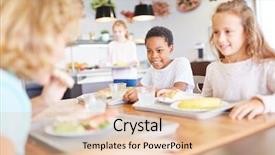
Happy Children Having Lunch Together

In a world where childhood innocence meets the wonders of technology, creating engaging content is a vital part of any brand's success. The humble lunchtime gathering in primary school canteens has been immortalized in countless images, but what if you could breathe new life into this classic concept? Imagine a template that not only showcases these cherished moments but also celebrates the simple joys of growing up and forming lifelong friendships. This design is inspired by the warmth and camaraderie of elementary school students sharing lunch together in their cozy canteens. The wheat color palette, featuring soft golden hues and creamy whites, evokes a sense of comfort and approachability. To bring this theme to life, the template includes high resolution images of kids enjoying meals together, with plenty of smiles and laughter filling the background. The template itself is designed to be easily downloadable and compatible with Google Slides, making it simple for users to incorporate into their presentations. Featuring a beautiful wheat colored background, including a warm wooden texture, this template has become an essential addition to any educational or social media profile. With its enhanced ability to convey emotions through vibrant colors and dynamic compositions, this template is sure to enhance any presentation or social media post. In creating this template, we've incorporated a variety of Gears in Sync Layout elements that enable seamless transitions between slides. This includes using images of kids growing up alongside phrases like 'Growing Together' and 'Friendship for Life', making the content feel cohesive and engaging. To take it to the next level, including a Background With feature allows users to customize their template to fit their specific needs, from adding text overlays to incorporating custom graphics. Having a Theme of this timeless subject matter has resulted in an incredible enhancement to the overall design, elevating it to a truly stunning visual experience.

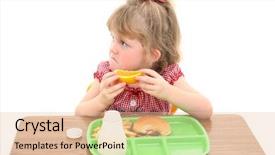
 Presentation with school-lunch - Presentation design having junk food schools - little girl not happy background and a lemonade colored foreground

Girl Happy School Lunch Adorable

Imagine a young girl's frustration as she unwraps her school lunch and is met with a disappointed look on her face, her eyes scanning the bland orange slice in front of her. The image is instantly recognizable and can evoke feelings of sadness and dissatisfaction. This sentiment can be leveraged to create a template that resonates with parents looking for educational content for their kids. The Corner Title design is perfect for conveying a sense of approachability and friendliness, making it an ideal fit for any educational or promotional context. The template's wide screen format ensures that the images used are crisp and high resolution, allowing them to take center stage. The Pale Green color palette provides a soothing and calming atmosphere, which can be enhanced with various design elements such as illustrations, photographs, or graphics. This theme is particularly effective when featuring fruit, as it adds a touch of natural sweetness and innocence. Including a Background With element would allow the template to complement any image seamlessly, creating an immersive experience for users. The Timeline Layout slide could include images showcasing different stages of growing up, from childhood to adolescence, highlighting the challenges and milestones that students face in school. Featuring a Background With element would enable the use of a visually appealing image, such as a collage of photos, to enhance the narrative. Having a Theme of Educational Content is clearly evident in this template, making it an excellent choice for organizations looking to provide valuable resources for parents and educators alike. Enhanced with various design elements, including illustrations and photographs, this template is sure to engage users and leave a lasting impression.

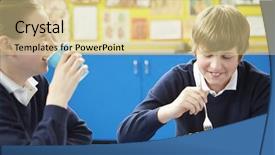
 Presentation with school-lunch - Cool new presentation with pupil eating unhealthy school lunch backdrop and a  colored foreground

Male Pupil Eating Unhealthy School

Imagine starting your presentation at eye level, looking straight into the faces of your students, as you delve into the world of education and lunchtime indulgences with our Wide Title template. This striking design features high resolution images that will grab attention from the very beginning, transporting your audience to a vibrant world where learning and healthy eating come together. Our template boasts a sleek Steel Blue color palette, perfect for conveying trust and professionalism, while also providing an inspiring backdrop for discussions about nutrition and education. For example, featuring a high quality image of a delicious salad or a nutritious meal on the "Lunchtime Delights" slide can really enhance your presentation's message. The Wide Title template is specifically designed to work seamlessly with Google Slides, allowing you to easily incorporate high resolution images and customize your design to fit your unique needs. Whether you're presenting about healthy eating habits or exploring new teaching methods, this template has got you covered. Having a theme of "Getting Started" on the first slide can help set the tone for an engaging presentation that's both informative and interactive. On the "How To" slides, you'll find valuable tips and tricks to help your audience quickly get up and running with the template, from setting up presentations to customizing backgrounds. Having a theme of "Getting Hands On" on these slides can also really drive home the idea of using your new template in real world applications. In terms of layout, our Dart on Target Layout slide can be used as a beautiful anchor point for your presentation, drawing attention to key messages or statistics that'll really grab your audience's attention.

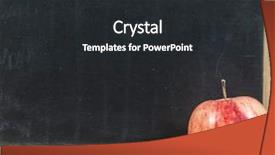
 Presentation with school-lunch - Presentation design with your text the apple background and a dark gray colored foreground

Black School Board Text Apple

In the world of education, there's no shortage of inspiration when it comes to creating engaging and interactive presentations. From lesson plans to study materials, a well designed template can make all the difference in keeping students focused and motivated. A great example of this is the Blackboard Template, featuring high resolution images that bring the modern classroom to life. Imagine presenting to your class on "Fruitful Learning," with a background image of an apple tree laden with juicy red fruit. The template's elegant design includes blackboard style characters for key words and phrases, making it easy to highlight important information. The Sienna color palette provides a warm and inviting atmosphere, perfect for a study session or educational presentation. The Apple Template is downloadable and compatible with Google Slides, featuring four How To slides that will help you get up and running quickly: "Setting Up Your Presentation," "Customizing the Layout," "Adding Interactive Elements," and "Presenting with Confidence." However, these slides can be easily customized to fit your specific needs. As an inspiration for this template, consider using it as the background for a presentation on "Effective Note Taking Techniques" featuring colorful illustrations of different types of pens and pencils. You could also include a background image of a fruit bowl or a kitchen table with notes scattered around, adding a playful touch to your presentation. With its modern design and high resolution images, this template is sure to make a lasting impression on your students.

 Presentation with school-lunch - Colorful slide deck enhanced with dividers - empty serving tray for food backdrop and a light gray colored foreground

Empty Serving Tray Food White

Slide deck enhanced with empty serving tray for food on white background concept of school lunch

▼Key features of this template

  • They are compatible with both PowerPoint and Google Slides running on either Windows PCs or Macs.

  • They are available in both standard and widescreen slide formats. You can choose your preferred format by clicking on the "Widescreen" check box or icon.

  • Each template includes a beautiful high-resolution background image or video to visually reinforce the theme of your presentation.

  • In addition, each template includes designer-created graphics and modern fonts to give your presentations an up-to-date, professional look.

  • Each template's default design and title text position have been carefully selected to complement its background without covering faces or other key elements.

  • All text includes backdrops whose transparency level is mathematically calculated to maximize text readability while still allowing the background to be seen.

  • And all the text, text backdrops and graphics in every slide are colored with a palette designed to beautifully complement the colors in the background.

  • Our Premium templates (those with the descriptor “Premium” in their subtitle) include over 64 slide layouts to give you maximum flexibility as you create your presentations.

    • Those layouts are available to you whenever you create a new slide or when you want to change the layout of an existing slide.
    • They include everything you need to make all sorts of presentations. In addition to the layouts for the title slide and the usual title and content slide, they include many other layouts for slide types including table of contents slides, org charts, charts, diagrams, infographics, photo slides, thank you slides and more.
    • While creating these layouts our template designers have ensured that all text in every layout adjusts as gracefully as possible to various numbers of words.
  • Customizable templates (those with the descriptor “Customizable” in their subtitle) may be easily modified online before you download them.

    • To modify them, simply click on the pencil editing icon, then select your choice of ready to go designs and title text positions.
    • The editing tool also makes it easy to reposition and scale the background image or video to best suit your needs.

▼FAQs

Please review these FAQs to see if your question is answered. Contact us for more info

  • What is a PowerPoint template?

    • A well designed PowerPoint template is a file that can tell PowerPoint how to make your ordinary templates look extraordinary. They won’t change what your words or numbers say. But they might change their size, color, font and placement. And, overall, they can give your presentations a professionally-designed look that will give your content more credibility and give you more confidence.
  • How many PowerPoint templates do you offer?

    • We have over 32,000 artist-created presentation templates in our PowerPlugs collection With a subscription, PowerPlugs templates are easy to download. Just sign in, find a template and click on the green Download button. ready for you to download. That alone offers you more variety to choose from than any of our competitors can offer. And, as if that weren’t enough, we also offer over 6 million templates in our Crystal collection. Crystal brand templates are our line of templates that have customization options. They have the word "CRYSTAL" on their web page images. You can customize several aspects of the templates. These templates include high-resolution background images from Shutterstock’s vast image collection matched up with artist-created presentation designs customized by our own proprietary AI software.
  • How many templates can I download as a subscriber?

    • You can download an unlimited number of PowerPlugs-brand With a subscription, PowerPlugs templates are easy to download. Just sign in, find a template and click on the green Download button. templates every day for an entire year. (Actually, by default, we set a limit of 25 templates per day to prevent our competitors from stealing our templates. But, if that is not enough, just let us know and we’ll try to accommodate you.) On top of that, with a subscription or an Ultimate Combo, you can also download any 50 Crystal-brand Crystal brand templates are our line of templates that have customization options. They have the word "CRYSTAL" on their web page images. You can customize several aspects of the templates. templates per year selected from our huge Crystal collection. Crystal brand templates are our line of templates that have customization options. They have the word "CRYSTAL" on their web page images. You can customize several aspects of the templates. .
  • Why should I choose your templates instead of the competition’s?

    • We’ve got a larger selection of professionally-designed PowerPoint templates than anyone else in the world.
    • Each template includes a high-resolution background image or video to visually inspire your audiences while reinforcing your message.
    • Each template includes 64 slide layouts to give you maximum flexibility as you create your presentations.
    • Our templates are available in both standard and widescreen slide formats. And our website lets you preview the slides each way.
    • Our free Template Finder™ plugin lets subscribers select and - with a single click - download and insert our templates into their presentations right from within PowerPoint.
    • We’ve been creating designer presentation templates for over 20 years. During that time we’ve won several awards and 5-star ratings for product quality. See About Us for more.
  • Do you offer a money-back guarantee?

    • Yes we do! We offer full 30-day money-back guarantee if you are not 100% satisfied with your purchase.
  • Can I still use my downloaded templates after my subscription runs out?

    • Yes. After your subscription expires, you won't lose any rights or ability to use your PowerPlugs: Templates for PowerPoint. You won't be able to download any new non-watermarked templates. But the non-watermarked templates you've already downloaded will still work and you can still use them as before.
  • Can I share my downloaded templates or passwords with friends or coworkers?

    • Sorry but no. You are authorized to download each paid-for template to up to 3 of your personal devices and to use the templates you download in as many presentations as you want. But you are not authorized to share the templates, themselves, with others. That said, we do offer highly discounted site licenses to suit the needs of both small and large teams. Just tell us your needs and we’ll give you a quote!
  • System requirements:

    • The templates use the standard POTX format. So they are compatible with Google Slides and all PC, Mac and mobile devices running any version of PowerPoint from PowerPoint 2007 up through and including Office 365 desktop.
    • Please note: Google Slides does not currently support background videos. It treats them as still images.
    • For PowerPoint for the Web, first open your template into a desktop version of PowerPoint, then save it back out as a PPTX file. Then you can open that in PowerPoint for the Web.
  • End user license agreement:

    • Click here to view.
  • How will I get my purchased templates?

    • You may download your selected templates as soon as your payment is received by PayPal. If you purchased an individual template, you will be provided with a download link both onscreen and via email. Just click on that link to begin the download process. If you purchased a subscription, you will receive an email containing a password to use along with your email address to sign in to any of the templates pages on CrystalGraphics.com. Once you are signed in, you can immediately start downloading your selected templates.
  • How do I use my templates after I download them?

    • You can either open a template to start a new presentation or you can add a template to an existing presentation. To open a template, just double click on it or use PowerPoint's File > Open tool. To add a template to an existing presentation, on the Design tab, in the Themes group, click Browse for Themes... then browse to select your template.

View more school lunch templates:

previous 1 2 3 4 5 6 7 next
93% of Fortune 1000
companies use our
PowerPoint Products
Templates Secure

Standing Ovation Award
Winner: Best PowerPoint
Template Collection
Fortune Logos
200,000+ satisfied
customers worldwide!
Guarantee
100% satisfaction guaranteed
- or send it back for a refund!

Sign up for our free newsletter! You'll get news about our PowerPoint-enhancing product line – including free updates, new product announcements and exclusive special offers. Plus you'll get a link to a free PowerPoint template with every newsletter you receive.
Privacy Policy
Loading...


Help

Contact Us
Product FAQs
Product License Agreements

Company Info

About Us
Privacy Policy
CrystalGraphics, Inc. 1999 S. Bascom Avenue Suite 700 Campbell, CA 95008 USA
© 2026 CrystalGraphics, Inc. All rights Reserved.    |     PowerPlugs is a trademark of CrystalGraphics, Inc.
Microsoft and the PowerPoint logo are trademarks or registered trademarks of Microsoft Corporation in the United States and/or other countries.
Loading...
Loading...