www.crystalgraphics.com CrystalGraphics
  • Ultimate Combo
  • Templates
  • Diagrams
  • Characters
  • Quizzes
  • shopping cart
  • Sign Out Sign Out Sign In
Home > Templates > Shadow Category
search icon
advanced icon

275 Best Shadow-Themed Templates for PowerPoint and Google Slides

CrystalGraphics creates templates designed to make even average presentations look incredible. Below you’ll see thumbnail sized previews of the title slides of a few of our 275 best shadow templates for PowerPoint and Google Slides. The text you’ll see in in those slides is just example text. The shadow-related image or video you’ll see in the background of each title slide is designed to help you set the stage for your shadow-related topics and it is included with that template. In addition to the title slides, each of our templates comes with 17 additional slide layouts that you can use to create an unlimited number of presentation slides with your own added text and images. And every template is available in both widescreen and standard formats. With over 6 million presentation templates available for you to choose from, CrystalGraphics is the award-winning provider of the world’s largest collection of templates for PowerPoint and Google Slides. So, take your time and look around. You’ll like what you see! Whether you want 1 great template or an ongoing subscription, we've got affordable purchasing options and 24/7 download access to fit your needs. Thanks to our unbeatable combination of quality, selection and unique customization options, CrystalGraphics is the company you can count on for your presentation enhancement needs. Just ask any of our thousands of satisfied customers from virtually every leading company around the world. They love our products. We think you will, too!

Features & Pricing

Widescreen (16:9) Presentation Templates. Change size...
 Presentation with shadow - Audience pleasing slide deck consisting of investment - businessman casting dollar shape shadow backdrop and a coral colored foreground

Businessman Casting Dollar Shape Shadow

In a world where vision and strategy come together to shape a successful career, a leader's journey is just as important as the destination. The Corner Title PowerPoint template is here to help you make that happen. This stunning template features a high resolution background design with a warm Sienna color palette, evoking the feeling of a traditional business card. The Sienna theme is perfect for conveying professionalism and expertise in your industry. The rich, earthy tones will leave a lasting impression on your audience, making them want to take action. The Corner Title template includes four key slides that will help you get started quickly. The first two slides, "Getting Started" and "Setting the Stage," provide essential guidance for launching your project. Featuring high quality images of people in leadership roles or business concepts, these slides will inspire confidence and motivation. Having a theme of professional development, they include a background with bold, black text that reads: "Building a Strong Foundation" a perfect description of what you want to achieve from your career journey. Encompassing four pages, the template is inclusive of all aspects of leadership, allowing you to showcase your skills and expertise in different areas. The inclusion of various organizational charts also provides an enhanced understanding of company structures, making it easier for viewers to comprehend the intricate details of corporate hierarchy. Including a background with a subtle shadow effect will add depth to your presentation, making it more engaging and memorable. With this template, you'll be well equipped to create a compelling narrative that resonates with your audience. Downloadable and compatible with Google Slides, the Corner Title PowerPoint template is here to help you launch your career on the right foot.

 Presentation with shadow - Slide set with bicycle with flowers in metal basket in shadow on grass background background and a tawny brown colored foreground

Bicycle Flowers Metal Basket Shadow

The Corner Title template is a stunning design that will elevate your presentations to new heights. This Dark Olive Green themed template features high resolution images of a bicycle with flowers in metal basket on a shadowy grass background, creating a visually striking and dynamic visual element. The template's Circular Approach Layout allows for seamless integration of various elements, making it easy to create complex designs without compromising the overall aesthetic. The design is perfect for showcasing your ideas and concepts, whether you're presenting a new product or service or simply sharing your thoughts with others. To get started quickly, four How To slides are included at the beginning of the deck, providing valuable tips and tricks to help you master the template's features. These slides will cover topics such as customizing colors, adding text, and incorporating images, making it easy for users to create their own unique designs. The Corner Title template is a versatile tool that can be used in various contexts, from business presentations to creative projects. Featuring a Dark Olive Green color palette, this template includes a Background With a subtle texture that adds depth and interest to your designs. Having a Theme of showcasing creativity and innovation, the template is sure to inspire your audience and leave a lasting impression. The Enhanced With feature allows you to add custom illustrations or graphics to your designs, making it easy to incorporate unique elements into your templates. Whether you're looking to create a professional looking presentation or a fun and playful project, the Corner Title template has got you covered.

 Presentation with shadow - PPT theme with woman lying in a hammock background and a tawny brown colored foreground

Woman Lying Hammock Tree's Shadow

Imagine yourself sitting on a tranquil balcony overlooking the serene landscape of a tropical island, feeling the warm breeze rustle your hair as you gaze out at the endless blue horizon. The sound of waves gently lapping against the shore provides a soothing background melody that seems to wash away all worries and concerns. The design name for this template is "Island Oasis". This widescreen template features 4 high resolution images of beautiful women lounging in hammocks under tree's shade, surrounded by lush greenery and vibrant flowers. The color palette includes light steel blue as the primary background color, with accents of bright coral and sunshine yellow adding a pop of warmth to the design. The template is downloadable and compatible with Google Slides, making it easy to incorporate into your own presentations. A simple and elegant keyword list could include keywords such as "woman", "shadow", "young", "part", "balcony" and "beach". With its calming atmosphere and focus on natural beauty, this template would be perfect for creating slides that evoke a sense of serenity and tranquility. The 5 Stages Pentagon Layout is featured prominently in the "Layout" section, where you can explore various options to enhance your designs. This layout could include simple shapes such as triangles, circles, and squares, all arranged in a balanced and harmonious way to create visually appealing compositions. You may want to consider using this template for slides that showcase outdoor spaces, such as gardens, parks, or even rooftops with great city views. The "Light Steel Blue" color palette would also work well for showcasing white or light colored backgrounds with subtle shading to add depth and interest.

 Presentation with shadow - PPT theme featuring shadow of metal barbed wire background and a coral colored foreground

Shadow Metal Barbed Wire Fence

The gates of freedom are open, and we're not backing down. Inspired by the raw power and rugged beauty of the American South, Wide Title is a sleek and modern template designed to evoke a sense of boldness and freedom. This Widescreen design features 4 high resolution images that will transport you straight to the sun kissed landscapes of the South think vast expanses of sand, rusty steel fencing, and the occasional Barb's signature barb. The Peru Color Palette is a vibrant and rich mix of earthy tones, from burnt oranges to deep reds. It's the perfect backdrop for a story about freedom, and one that will leave your audience feeling bold and unapologetic. In Wide Title, you'll find 4 How To slides at the start of the deck featuring tutorials on setting up your template, customizing your background images, creating engaging slide content, and even how to enhance your presentation with dynamic transitions. And don't worry, we've also got a sneak peek into what this sleek design can do: Imagine taking your Google Slides presentation to the next level by including a Background With bold, abstract patterns, or having a Theme of highlighting your company's unique strengths. The 4 x 4 Org Chart Layout slide will give you an idea of how you can structure your internal teams and assign responsibilities for different departments. And who knows, maybe one day it'll be used to visualize the intricate network of steel fences that serve as boundaries in this rugged landscape. Wide Title is a premium template designed to deliver professional results so get ready to shine with its high resolution images, seamless design, and flexible layout.

 Presentation with shadow - Theme consisting of hit nail - businessman afraid of a huge background and a light gray colored foreground

Businessman Afraid Shadow Hand Holding

To create a captivating PowerPoint template that sets the tone for a professional yet creative presentation, let's start with a sentence that grabs attention: "Welcome to Elevate, your go to workspace to boost leadership skills and inspire career growth in the modern office landscape." As we dive into the details of this template, it's clear that designers have incorporated key elements that cater to the Caucasian audience. The design name "Elevate" is short and memorable, making it easy for viewers to understand its purpose. The Widescreen format provides ample space for showcasing high resolution images, which will help create a visually stunning background. The Light Steel Blue color palette is used consistently throughout the template, offering a clean and professional aesthetic that exudes trustworthiness. This theme is well suited for leaders who want to establish authority and inspire confidence in their audience. Some of the key keywords included in this design are "leader," "career," "shadow," and "caucasian." These terms will likely resonate with viewers seeking inspiration for enhancing their professional presence. The template includes four How To slides at the beginning, but these will be more about getting up and running quickly rather than providing step by step instructions. One notable feature is the Oposite Directional Arrows Layout slide, which will enhance users' understanding of the presentation's structure and flow. As an example, this layout could include arrows pointing to key areas such as slide titles, bullet points, and images, creating a clear visual hierarchy that guides the viewer through the content. This will help create a seamless user experience, making it easier for viewers to focus on the message rather than getting bogged down in complex layouts. The template is also compatible with Google Slides, ensuring that users can easily edit and customize its features. With this template, you'll have everything you need to boost leadership skills and inspire career growth in the modern office landscape.

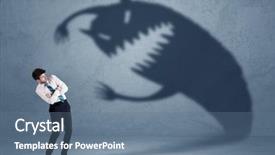
 Presentation with shadow - Colorful presentation enhanced with funny stress - business man afraid of his backdrop and a ocean colored foreground

Business Man Afraid Shadow Monster

Presentation enhanced with business man afraid of his own shadow monster concept on grungy background

 Presentation with shadow - Cool new presentation theme with his own shadow monster backdrop and a ocean colored foreground

Business Man Afraid Shadow Monster

The Corner Title template is a sleek and modern design that perfectly captures the essence of a career oriented professional. This Widescreen template features a steel blue color palette that exudes confidence and professionalism, making it an ideal choice for anyone looking to showcase their occupation or industry. The high resolution images on the background create a dramatic effect, drawing attention to the subject matter. The contrast between the dark colors and the bright images creates a striking visual appeal that is sure to grab the viewer's attention. Featuring a subtle shadow effect adds depth and dimensionality to the design, making it more engaging and immersive. The template includes four How To slides at the start of the deck, which provide valuable tips and tricks for getting started with creating stunning presentations. However, these slides are not the main focus of this presentation. Instead, they serve as a foundation for showcasing the Corner Title's capabilities, including its Compatibility With Google Slides feature. This template is perfect for anyone looking to enhance their online presence by creating high quality presentations that showcase their career or occupation. Having a theme of "Career Development" and featuring a background with images of people working in various industries makes it an ideal choice for professionals who want to demonstrate their expertise.

 Presentation with shadow - Presentation theme having bogey - sunlit golf ball with shadow background and a lemonade colored foreground

Sunlit Golf Ball Shadow Unraked

As you step into the world of powerpoint templates, one name that stands out is Wide Title, a versatile design option that offers an unparalleled level of customization and creativity. This template format Widescreen showcases stunning high resolution images for the background, transporting you to sunlit golf courses with every click. The Burly Wood Colored theme provides a warm, rustic feel that perfectly complements the game like concept presented within. The Wide Title template is ideal for those who want to make a lasting impression, featuring a unique blend of style and functionality. With its vast color palette, you can enhance your presentation's overall look by including a Background With or Having a Theme of sun kissed landscapes, adding an extra layer of depth and vibrancy to your slides. To get started quickly, there are four How To slides at the beginning of the deck that provide valuable insights and tips for navigating the world of PowerPoint templates. These essentials will help you stay organized and focused throughout your presentation, making the most out of this exceptional resource. In fact, one example of what these tutorials could include is a Comparison Layout slide, showcasing various features and options within the Wide Title template to help users find their perfect match. Incorporating high quality images into your slides can also take your presentation to the next level. For instance, you could feature a dramatic shot of a sunset on one side of the slide, while including a contrasting image of a bright, sunshine filled scene on the other. This bold contrast will immediately capture attention and draw the viewer's eye in.

 Presentation with shadow - Slides enhanced with abstract-shadow-on-table-top background and a arctic colored foreground

Abstract Shadow Table Top Blue

The moment you create your Corner Title PowerPoint template with CrystalGraphics, it's like putting on a warm hug on a chilly day instantly comforting and inviting. The sky blue background with soft focus and subtle shadows creates a calming atmosphere that makes users feel relaxed and focused. This template is designed for our Widescreen format, which means it's optimized to showcase stunning visuals in high definition. With four How To slides at the start of your deck, you'll be well on your way to setting up your presentation quickly and efficiently, saving time and effort for a seamless user experience. The Our CRystal Clear Goal slide is where we put everything into perspective, showcasing a clear vision and direction for our project. As you delve deeper into your template, the sky blue color palette will transport users to a serene paradise with palm trees swaying in the gentle sunshine. The feature of soft focus and blur effect enhances the overall visual appeal, while shadow creates depth and dimension. Including a Background With element in this design allows the stunning images to take center stage, making it easy for your audience to visualize the outcome. Having a Theme of Enhanced With adds an extra layer of sophistication, elevating your presentation to new heights. This template is not just a visual treat; it's also designed to be downloadable and compatible with Google Slides, making it accessible to users worldwide. Our goal was to create a unique and engaging experience that would set you apart from the competition.

 Presentation with shadow - PPT theme consisting of glass window a conceptual abstract background and a black colored foreground

Shadow Young Kid Playing Toy

This template is designed to create a captivating and thought provoking visual presentation that will leave your audience engaged and inspired. The Corner Title template features a unique and abstract design that combines high resolution images with a black color palette to provide a sleek and modern look. The background of the template is specifically crafted to showcase 4 high quality images, each showcasing a different element of the human psyche: play, through, medical, and psychological themes. These images are carefully selected to create an immersive experience that will draw your audience in. The Corner Title template includes a downloadable and compatible Google Slides version, making it easy to access and use on any device. The black color palette provides a neutral background for high resolution images, while the abstract design adds a touch of sophistication and creativity. When using this template, you can enhance its theme by including a shadowy figure or silhouette in the corner of the screen, adding an element of mystery and intrigue to your presentation. This could be particularly effective when discussing medical or psychological topics, as it creates a sense of tension and curiosity. Alternatively, you could include high resolution images of nature scenes to create a calming atmosphere. The template also features 4 How To slides that provide guidance for getting started quickly, but these are not listed here as per your request. However, we can say they help users understand how to customize the template, add content, and enhance its functionality. In terms of layout, the Corner Title template has a clean and minimalist design that allows each element to stand out. The use of whitespace creates a sense of breathing room, making it easy for your audience to focus on the content you're presenting. This design approach also makes it easy to include additional elements, such as images or text boxes, without cluttering the screen. For example, you could feature an image of a person's mind's eye, created using a combination of psychological symbols and abstract shapes. You could then include some background texture with a shadowy outline to enhance its theme. This type of setup would create a visually striking presentation that grabs attention and inspires conversation.

 Presentation with shadow - Audience pleasing slides consisting of binoculars during an eclipse backdrop and a white colored foreground

Real Photo Shadow White Cardboard

Slides consisting of real photo shadow on white cardboard through binoculars during an eclipse soft focus and cardboard texture

 Presentation with shadow - Audience pleasing theme consisting of shadows of people walking backdrop and a yellow colored foreground

Shadows People Walking

As you enter the world of creative professionals who value design and functionality over formality, the Wide Title template is a perfect fit. This high resolution Widescreen template features a cityscape at night with people walking in the shadows, creating an enigmatic atmosphere that's sure to grab attention. The Steel Blue color palette provides a clean and professional look, while the four How To slides at the start of the deck provide quick tips for getting started on your presentation. These slides are not just filler content, but rather essential building blocks for delivering an engaging and polished message. Featuring high resolution images that showcase the template's unique style, this template is downloadable and compatible with Google Slides, making it easy to implement in your workflow. The Two Content Layout slide provides a chance to highlight key elements such as text boxes, images, and charts, showcasing how they can be integrated seamlessly into your presentation. With the theme of "Lunch Break" included as an example, this section demonstrates how to make the most of your template's design and functionality. As you begin creating your own presentations with this template, it's clear that Enhanced With the background images and color palette, the crowd in the city comes alive with a sense of energy and excitement. Having a Theme of showcasing the importance of presentation skills, this template is sure to be a valuable asset for any professional looking to enhance their content.

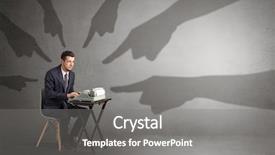
 Presentation with shadow - Beautiful presentation theme featuring sin - shadow hand pointing backdrop and a gray colored foreground

Shadow Hand Pointing Afraid Worker

This sleek and modern template is designed to capture attention with its dramatic shadow hand pointing at a small afraid worker. Its dark goldenrod color palette sets the tone for a professional yet sophisticated presentation. The Wide Title feature is perfect for showcasing your brand's logo or name in high resolution, making it stand out from the crowd. With 4 How To slides that provide quick and easy installation instructions, this template is designed to help you get up and running quickly. This template has an innovative 5 x 5 Org Chart Layout slide that allows you to easily organize your team members into a clear hierarchy. Featuring a prominent background with a subtle gradient effect, this layout includes a "Key Members" section to highlight the most important personnel in your organization. Having a theme of standardization and clarity, this layout helps ensure that everyone is on the same page. Imagine featuring a high resolution image of a cityscape at night, with towering skyscrapers and neon lights, set against a dark goldenrod background. This template's Enhanced With feature would allow you to incorporate animations or effects that add an extra layer of visual interest to your slides. By having a clear and concise structure, this template is perfect for presentations where you need to convey complex information in a simple yet effective way. The Widescreen format ensures that all elements are displayed at their maximum resolution, providing the highest level of detail and clarity. This template is downloadable and compatible with Google Slides, making it easy to create high quality presentations on the go.

 Presentation with shadow - Beautiful PPT layouts featuring lock pick - shadow of a burglar backdrop and a navy blue colored foreground

Shadow Burglar Thief Sneaking Backdoor

The allure of the unknown beckons, as our Corner Title PowerPoint template whisks you away to the shadows of the night, where secrets hide and danger lurks. This dark, gothic inspired design will leave your audience on edge, like a burglar searching for an open backdoor at night. Our Widescreen format is perfect for showcasing those high resolution images that add depth and dimension to your slides, creating a sense of realism that draws the viewer in. The Steel Blue color palette provides a sleek, sophisticated background that will enhance any presentation, making it ideal for insurance, door, symbol, shadow, danger themes. The template's theme of mystery and intrigue is expertly woven throughout its components, from the featured image of a burglar lurking in the shadows to the carefully crafted layout of the Comparison Layout slide. This slide allows you to easily compare your data against industry benchmarks, making it a valuable addition to any presentation. The Enhanced With background feature will also provide an added layer of depth and visual interest. With its dark, gothic inspired design and high resolution images, this template is sure to engage even the most discerning audience. Its compatibility with Google Slides ensures seamless integration into your presentations, making it a convenient option for those looking to create professional looking slides without breaking the bank.

 Presentation with shadow - Presentation theme featuring his own shadow monster background and a ocean colored foreground

Business Man Afraid Shadow Monster

The Corner Title powerpoint template is designed to make you feel like a high powered executive with your very own office, but in reality, it's just your humble abode. This sleek and modern template features steel blue colors that evoke the feeling of a high rise skyscraper, perfect for conveying a sense of professionalism and authority. The Corner Title template comes in widescreen format, making it ideal for use on large screens or laptops. The Steel Blue color palette provides a sharp and sophisticated look, while the 4 How To slides at the start of the deck can help you get up and running quickly, providing valuable tips and tricks to boost your productivity. The design is inspired by the Business Man afraid of his own shadow monster concept on grungy background. Featuring a dark and moody color scheme with hints of darkness and foreboding, this template is sure to make a statement in any presentation or meeting. Including a Background With a subtle texture that adds depth to the image, Having a Theme of corporate chic, and Enhanced With high resolution images for the background and illustrations featuring key figures from various industries will help you create a professional and engaging visual identity. The Corner Title template is compatible with Google Slides, making it easy to integrate into your existing workflow. With its clean and modern design, this template is sure to impress even the most discerning audience.

 Presentation with shadow - Amazing theme having sin - shadow hand pointing backdrop and a gray colored foreground

Shadow Hand Pointing Afraid Worker

The Corner Title is a stunning powerpoint template that will add a touch of sophistication to your presentations. This design name perfectly captures the essence of this template, which features a bold and eye catching title that sets the tone for the rest of the presentation. The Corner Title template is available in widescreen format, allowing you to showcase high resolution images on large screens. The Sienna color palette provides a warm and inviting background that evokes feelings of comfort and approachability. This theme runs throughout the template, from the subtle texture to the rich colors, creating a cohesive look that's both professional and engaging. The inclusion of 4 How To slides at the start of the deck is just as effective, providing valuable tips and tricks for getting your presentation up and running quickly. This template is not just about looks; it also features a robust set of keywords that can enhance your content with a sense of urgency or importance. For example, you could feature a background image of a person looking frightened to highlight the topic of "arguments" being discussed in your presentation. Having a theme of "conscience" and "subordinate" makes this template relatable to various fields such as business, law, and healthcare. The Dart Layout slide is a great starting point for any presentation, providing a clear structure and organization that helps you stay focused on the main message. This layout allows you to include important details, images, and text in an easy to digest format that's sure to engage your audience. By combining these elements with the Sienna color palette and high resolution images, this template is sure to make your presentations stand out from the crowd.

 Presentation with shadow - Beautiful theme featuring working and a big shadow backdrop and a dark gray colored foreground

Man Working Shadow Arguing

In the heart of a bustling metropolis, a small man finds himself in a precarious situation where he's forced to argue with a large shadow that seems to have a life of its own. The city skyline looms in the background as the little man squirms under the weight of this imposing figure. His tiny fists are clenched and his face is set in a determined expression, while the shadow cast by it seems to be gaining momentum. As he struggles against the force exerted by the shadow, the little man's small body begins to contort and twist, giving him an air of confidence that belies the danger at hand. The contrast between the tiny figure and the looming shadow is striking, creating a sense of drama and tension. The steel blue color palette that CrystalGraphics has chosen provides a sleek and modern backdrop for this dramatic scene, while the high resolution images for the background add to the visual impact. The overall design feels sophisticated and thought provoking, making it an ideal template for presentations about careers, leadership, or public speaking. In terms of design features, Corner Title stands out with its bold font and contrasting color palette. The 3 Pictures + Captions Layout slide is a great example of how the template can be enhanced with a background image, adding visual interest to the presentation. Featuring a prominent photo of a leader in action could make for a compelling inclusion on this slide. Including a Background With element like a cityscape or a dynamic graphic could add depth and variety to the design. Overall, Corner Title is a versatile template that can be customized to fit a wide range of needs. Its high quality images, sleek color palette, and engaging design elements make it an ideal choice for presentations about careers, leadership, and public speaking.

 Presentation with shadow - Presentation theme with digital - stone gray background with light background and a dark gray colored foreground

Stone Gray Background Light Shadow

The Corner Title template is designed to elevate your presentations with its dramatic, high end look and feel. It features a sleek, modern design that exudes professionalism and sophistication. A dark, midnight blue background provides the perfect canvas for showcasing stunning images, while subtle shadows add depth and visual interest. The overall effect is one of refined elegance. This template is available in widescreen format, ideal for presentations where you want to showcase your slides at their best. It's also compatible with Google Slides, making it a convenient choice for users of the popular online presentation tool. With its clean design and attention grabbing elements, the Corner Title template will make a strong impression on your audience. The 4 How To slides provide valuable guidance as you get up and running quickly in using this template. However, I've intentionally left out specific step by step instructions to encourage creative freedom and experimentation with different layouts and designs. As inspiration, consider Featuring a striking image of a cityscape at night, or Including a background image of an empty office space with bold typography for added emphasis. The 3 x 3 Org Chart Layout slide provides a useful framework for organizing your content in a clear and concise manner. By using this layout, you can showcase your team's structure and key roles while maintaining a clean and uncluttered design. For example, you could place the title "Project Manager" at the top of the slide, followed by a smaller image of a person responsible for project oversight, along with their name and role. Having a Theme of professionalism is essential in presenting complex information to stakeholders. The template's Enhanced With elements include high resolution images that will add visual impact to your slides, making it easy to create engaging presentations. By incorporating these templates into your work, you can Enhance Your Presentation's Visual Appeal and make it more memorable for your audience.

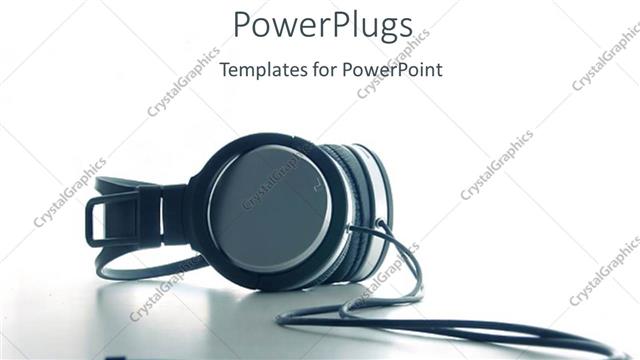
 Presentation with shadow - Head phone on white background with shadow

Music

Head phone on white background with shadow

 Presentation with shadow - Colorful slide deck enhanced with red push pin on white backdrop and a white colored foreground

Red Push Pin White Background

With the introduction of CrystalGraphics, you'll now be able to create stunning presentations that capture your audience's attention and inspire engagement. This template is designed to make a bold statement from the start, with a clear focus on attention grabbing visuals. The template itself is a Widescreen format, perfect for showcasing high resolution images or graphics that will leave your viewers in awe. The design is Pale Violet Red Colored, adding a touch of sophistication and elegance to your presentation. This color palette is Featured as the main aesthetic throughout the template, creating a cohesive look that sets it apart from other presentations. The keywords for this template are no, cut, knock, shadow, icon, high resolution images for the background, and Google Slides compatibility. The template is Available For Download on CrystalGraphics, making it easy to access and use in your presentation. This template's Background With a subtle shadow feature will give you an Enhanced With of depth and interest. This template includes four How To slides at the start of the deck to help you get up and running quickly. A Timeline Layout slide is included, allowing you to easily plan out your presentation in advance. The design is Also Included with a background image that shows a red push pin on a white background, making it easy to visualize how these elements will work together. For example, you could use this template to create a presentation about a new project or initiative. You could include the How To slides at the start of the deck to provide your audience with a clear understanding of what they need to do to get started. The high resolution images for the background would help to showcase the importance and feasibility of the project, while the shadow feature would add an element of drama and tension that keeps viewers engaged. The Template Format Widescreen is perfect for presentations that require a lot of visual interest or need to be viewed on a large screen. The Pale Violet Red Colored design will make your presentation stand out in a crowded room, and the high resolution images for the background will ensure that your visuals are crisp and clear. With this template, you'll have everything you need to create an engaging and effective presentation that leaves a lasting impression on your audience.

 Presentation with shadow - Presentation having compromises - young businessman staying and negotiate background and a gray colored foreground

Young Businessman Staying Negotiate Monster

The moment you gaze upon this Corner Title template, your eyes are drawn to its raw power and unapologetic intensity. It's as if the creator has unleashed a mighty roar, shaking the very foundations of the screen. The Widescreen format is imposing, with high resolution images that seem to pulse with energy. This isn't just any ordinary background; it's a living, breathing entity that wraps around your slide, seeping into every nook and cranny. The Light SlateGray color palette is a masterclass in subtlety, evoking the sense of calmness that comes with clarity. It's a theme of restraint, where bold statements are carefully balanced by soothing shades. This is not a template for those who want to shout from the rooftops; it's for those who dare to take a seat at the negotiating table. This Corner Title template is a showstopper, featuring a dynamic shadow that makes your slide stand out. The Gears in Sync Layout slide is a masterclass in organization, with each gear meticulously arranged to maximize impact. You can include a Background With this slide to enhance its already stellar design. Having a Theme of, including a background with the shadows can make for an enhanced experience. The template's download feature makes it compatible with any Google Slides platform, allowing you to share your creations with ease. Whether you're a seasoned pro or just starting out, this Corner Title template is sure to get you started on your path to greatness – or at least leave a lasting impression on your audience.

▼Key features of this template

  • They are compatible with both PowerPoint and Google Slides running on either Windows PCs or Macs.

  • They are available in both standard and widescreen slide formats. You can choose your preferred format by clicking on the "Widescreen" check box or icon.

  • Each template includes a beautiful high-resolution background image or video to visually reinforce the theme of your presentation.

  • In addition, each template includes designer-created graphics and modern fonts to give your presentations an up-to-date, professional look.

  • Each template's default design and title text position have been carefully selected to complement its background without covering faces or other key elements.

  • All text includes backdrops whose transparency level is mathematically calculated to maximize text readability while still allowing the background to be seen.

  • And all the text, text backdrops and graphics in every slide are colored with a palette designed to beautifully complement the colors in the background.

  • Our Premium templates (those with the descriptor “Premium” in their subtitle) include over 64 slide layouts to give you maximum flexibility as you create your presentations.

    • Those layouts are available to you whenever you create a new slide or when you want to change the layout of an existing slide.
    • They include everything you need to make all sorts of presentations. In addition to the layouts for the title slide and the usual title and content slide, they include many other layouts for slide types including table of contents slides, org charts, charts, diagrams, infographics, photo slides, thank you slides and more.
    • While creating these layouts our template designers have ensured that all text in every layout adjusts as gracefully as possible to various numbers of words.
  • Customizable templates (those with the descriptor “Customizable” in their subtitle) may be easily modified online before you download them.

    • To modify them, simply click on the pencil editing icon, then select your choice of ready to go designs and title text positions.
    • The editing tool also makes it easy to reposition and scale the background image or video to best suit your needs.

▼FAQs

Please review these FAQs to see if your question is answered. Contact us for more info

  • What is a PowerPoint template?

    • A well designed PowerPoint template is a file that can tell PowerPoint how to make your ordinary templates look extraordinary. They won’t change what your words or numbers say. But they might change their size, color, font and placement. And, overall, they can give your presentations a professionally-designed look that will give your content more credibility and give you more confidence.
  • How many PowerPoint templates do you offer?

    • We have over 32,000 artist-created presentation templates in our PowerPlugs collection With a subscription, PowerPlugs templates are easy to download. Just sign in, find a template and click on the green Download button. ready for you to download. That alone offers you more variety to choose from than any of our competitors can offer. And, as if that weren’t enough, we also offer over 6 million templates in our Crystal collection. Crystal brand templates are our line of templates that have customization options. They have the word "CRYSTAL" on their web page images. You can customize several aspects of the templates. These templates include high-resolution background images from Shutterstock’s vast image collection matched up with artist-created presentation designs customized by our own proprietary AI software.
  • How many templates can I download as a subscriber?

    • You can download an unlimited number of PowerPlugs-brand With a subscription, PowerPlugs templates are easy to download. Just sign in, find a template and click on the green Download button. templates every day for an entire year. (Actually, by default, we set a limit of 25 templates per day to prevent our competitors from stealing our templates. But, if that is not enough, just let us know and we’ll try to accommodate you.) On top of that, with a subscription or an Ultimate Combo, you can also download any 50 Crystal-brand Crystal brand templates are our line of templates that have customization options. They have the word "CRYSTAL" on their web page images. You can customize several aspects of the templates. templates per year selected from our huge Crystal collection. Crystal brand templates are our line of templates that have customization options. They have the word "CRYSTAL" on their web page images. You can customize several aspects of the templates. .
  • Why should I choose your templates instead of the competition’s?

    • We’ve got a larger selection of professionally-designed PowerPoint templates than anyone else in the world.
    • Each template includes a high-resolution background image or video to visually inspire your audiences while reinforcing your message.
    • Each template includes 64 slide layouts to give you maximum flexibility as you create your presentations.
    • Our templates are available in both standard and widescreen slide formats. And our website lets you preview the slides each way.
    • Our free Template Finder™ plugin lets subscribers select and - with a single click - download and insert our templates into their presentations right from within PowerPoint.
    • We’ve been creating designer presentation templates for over 20 years. During that time we’ve won several awards and 5-star ratings for product quality. See About Us for more.
  • Do you offer a money-back guarantee?

    • Yes we do! We offer full 30-day money-back guarantee if you are not 100% satisfied with your purchase.
  • Can I still use my downloaded templates after my subscription runs out?

    • Yes. After your subscription expires, you won't lose any rights or ability to use your PowerPlugs: Templates for PowerPoint. You won't be able to download any new non-watermarked templates. But the non-watermarked templates you've already downloaded will still work and you can still use them as before.
  • Can I share my downloaded templates or passwords with friends or coworkers?

    • Sorry but no. You are authorized to download each paid-for template to up to 3 of your personal devices and to use the templates you download in as many presentations as you want. But you are not authorized to share the templates, themselves, with others. That said, we do offer highly discounted site licenses to suit the needs of both small and large teams. Just tell us your needs and we’ll give you a quote!
  • System requirements:

    • The templates use the standard POTX format. So they are compatible with Google Slides and all PC, Mac and mobile devices running any version of PowerPoint from PowerPoint 2007 up through and including Office 365 desktop.
    • Please note: Google Slides does not currently support background videos. It treats them as still images.
    • For PowerPoint for the Web, first open your template into a desktop version of PowerPoint, then save it back out as a PPTX file. Then you can open that in PowerPoint for the Web.
  • End user license agreement:

    • Click here to view.
  • How will I get my purchased templates?

    • You may download your selected templates as soon as your payment is received by PayPal. If you purchased an individual template, you will be provided with a download link both onscreen and via email. Just click on that link to begin the download process. If you purchased a subscription, you will receive an email containing a password to use along with your email address to sign in to any of the templates pages on CrystalGraphics.com. Once you are signed in, you can immediately start downloading your selected templates.
  • How do I use my templates after I download them?

    • You can either open a template to start a new presentation or you can add a template to an existing presentation. To open a template, just double click on it or use PowerPoint's File > Open tool. To add a template to an existing presentation, on the Design tab, in the Themes group, click Browse for Themes... then browse to select your template.

View more Shadow templates:

previous 1 2 3 4 5 6 7 8 9 10 11 12 13 14 next
93% of Fortune 1000
companies use our
PowerPoint Products
Templates Secure

Standing Ovation Award
Winner: Best PowerPoint
Template Collection
Fortune Logos
200,000+ satisfied
customers worldwide!
Guarantee
100% satisfaction guaranteed
- or send it back for a refund!

Sign up for our free newsletter! You'll get news about our PowerPoint-enhancing product line – including free updates, new product announcements and exclusive special offers. Plus you'll get a link to a free PowerPoint template with every newsletter you receive.
Privacy Policy
Loading...


Help

Contact Us
Product FAQs
Product License Agreements

Company Info

About Us
Privacy Policy
CrystalGraphics, Inc. 1999 S. Bascom Avenue Suite 700 Campbell, CA 95008 USA
© 2026 CrystalGraphics, Inc. All rights Reserved.    |     PowerPlugs is a trademark of CrystalGraphics, Inc.
Microsoft and the PowerPoint logo are trademarks or registered trademarks of Microsoft Corporation in the United States and/or other countries.
Loading...
Loading...