www.crystalgraphics.com CrystalGraphics
  • Ultimate Combo
  • Templates
  • Diagrams
  • Characters
  • Quizzes
  • shopping cart
  • Sign Out Sign Out Sign In
Home > Templates > Sharks Category
search icon
advanced icon

47 Best Sharks-Themed Templates for PowerPoint and Google Slides

CrystalGraphics creates templates designed to make even average presentations look incredible. Below you’ll see thumbnail sized previews of the title slides of a few of our 47 best sharks templates for PowerPoint and Google Slides. The text you’ll see in in those slides is just example text. The sharks-related image or video you’ll see in the background of each title slide is designed to help you set the stage for your sharks-related topics and it is included with that template. In addition to the title slides, each of our templates comes with 17 additional slide layouts that you can use to create an unlimited number of presentation slides with your own added text and images. And every template is available in both widescreen and standard formats. With over 6 million presentation templates available for you to choose from, CrystalGraphics is the award-winning provider of the world’s largest collection of templates for PowerPoint and Google Slides. So, take your time and look around. You’ll like what you see! Whether you want 1 great template or an ongoing subscription, we've got affordable purchasing options and 24/7 download access to fit your needs. Thanks to our unbeatable combination of quality, selection and unique customization options, CrystalGraphics is the company you can count on for your presentation enhancement needs. Just ask any of our thousands of satisfied customers from virtually every leading company around the world. They love our products. We think you will, too!

Features & Pricing

Widescreen (16:9) Presentation Templates. Change size...
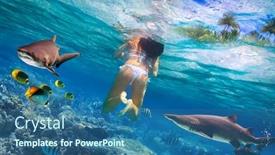
 Presentation with sharks - PPT theme consisting of underwater-photo-of-young-girl background and a teal colored foreground

Underwater Photo Young Girl Snorkeling

PPT theme consisting of underwater photo of young girl snorkeling in a clear tropical water with nurse sharks in maldives

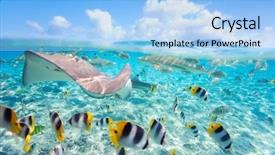
 Presentation with sharks - Audience pleasing presentation theme consisting of sky diving - colorful fish stingray and black backdrop and a light blue colored foreground

Colorful Fish Stingray Black Tipped

Imagine yourself standing on the edge of Bora Bora's crystal clear waters, surrounded by a kaleidoscope of tropical fish and majestic black tipped sharks as they glide effortlessly through the lagoon. The warm sunshine casts a gentle glow over this stunning underwater world, inviting you to explore its depths. The Wide Title "Deep Sea Exploration" is set against a light sky blue background, with 4 how to slides at the start of the deck that will get you up and running quickly. This template features an extended high resolution image of Bora Bora's iconic reef system, complete with coral formations and diverse marine life. Our Premium Templates include over 60 layouts to help you create visually stunning presentations on various subjects. From business reports to scientific studies, we've got you covered. This template is designed to enhance your content with a theme of underwater exploration and fauna, making it perfect for showcasing stunning images of stingrays, sharks, and colorful fish. You can include a background with our extended high resolution image or have one pre installed on the template, featuring a lush green ocean scene. The light sky blue color palette is both soothing and vibrant, ensuring your presentation remains visually appealing throughout. With this template, you're not just getting a design; you're getting access to a wide range of layouts that will help you streamline your content creation process. Take your presentations to the next level with stunning images of marine life and create a captivating visual experience for your audience.

 Presentation with sharks - Presentation theme enhanced with teen-girl-viewing background and a black colored foreground

Teen Girl Viewing Fish Tank

As you dive into the world of mobile devices and smartphones, you'll notice that they're not just personal tools but also a window to the world, showcasing our lives in all its beauty. From stunning high resolution images to sleek designs, the Wide Title template is here to take your presentations to the next level. This Widescreen template features a Midnight Blue color palette, perfect for creating a sophisticated and modern look that's sure to impress. The template includes four How To slides to help you get up and running quickly, but don't worry, we won't bore you with the details just yet. Instead, let's dive into what makes this template truly special. The Midnight Blue color palette is not just a pretty face; it's also a great way to enhance your presentations by featuring high quality images that will make your audience go wild. And when it comes to including a background with stunning visuals, having a theme of sleek and modern design is always a winner. With the Wide Title template, you'll be able to create engaging slides that showcase your personality and style. The 5 P's of Marketing Diagram Layout slide are also an essential part of this template. The five points are: Positioning, People, Product, Price, and Place. By incorporating these elements into your presentation, you'll be able to effectively market your idea and reach your target audience. For example, if you're creating a presentation about a new smartphone model, you could include images of the phone's features, such as its high resolution display or advanced camera capabilities. In terms of compatibility, this template is downloadable and compatible with Google Slides, making it easy to import into your favorite presentation software. So why wait? Get started with the Wide Title template today and take

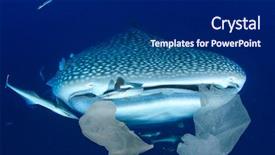
 Presentation with sharks - Audience pleasing presentation design consisting of plastic pollution in ocean threatens backdrop and a dark gray colored foreground

Plastic Pollution Ocean Threatens Marine

In the dark depths of our oceans, plastic pollution has become a pervasive threat to marine life. Whale Sharks can accidentally devour plastic bags dumped in sea. This graphic illustrates the devastating impact of human actions on our planet's most vulnerable creatures. The Corner Title template is a stunning design that grabs attention with its sleek and modern look. The Steel Blue color palette provides a sophisticated backdrop for showcasing stunning high resolution images of oceanic beauty. The template itself is downloadable and compatible with Google Slides, making it a versatile choice for presentations, videos, or even social media graphics. The Corner Title features an elegant font that gives way to a beautiful background image at the top, setting the tone for the rest of the slide. As you scroll down, the text seamlessly transitions into the main content, which is enhanced with a subtle gradient effect. The layout is designed to be visually appealing, making it easy to consume and remember. On this template, you can include a Background With feature by adding an image that complements the Steel Blue color scheme. For example, you could use a stunning underwater landscape shot featuring coral reefs and schools of fish in the background, creating a sense of depth and wonder. Having a Theme of oceanic beauty is also evident throughout the design, from the Waves effect to the subtle texture added to the text. Enhanced With features like borders and shadows add an extra layer of visual interest, making it easy to incorporate into your presentation. The Growth Stages Layout slide showcases a clear progression of marine life stages, from infancy to adulthood, highlighting the delicate balance of our ocean's ecosystem. This slide can be created with images featuring different species, such as sea turtles, dolphins, or fish, showcasing their unique characteristics and habitats.

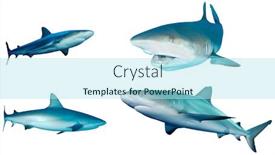
 Presentation with sharks - Cool new PPT theme with caribbean reef sharks isolated on white background backdrop and a arctic colored foreground

Caribbean Reef Sharks Isolated White

The beauty of the Caribbean Reef Sharks is not just a fascinating species, but also a powerful visual representation that can grab the attention of anyone who lays eyes on it. Imagine standing amidst a school of vibrant blue and green fish, their scales glinting in the sunlight as they swim majestically through the crystal clear waters. It's a scene that is both thrilling and serene, making for an unforgettable display. The Split Title template is designed to take your presentations to the next level with its eye catching design. This sleek and modern template features a stunning background of a Caribbean Reef Shark isolated against a white gradient, while the title "Split Title" stands out in bold, vibrant colors on a sky blue backdrop. The result is an instant draw, captivating audiences and setting the tone for a visually engaging presentation. The Sky Blue color palette adds to the sense of serenity, making this template perfect for showcasing high resolution images that are sure to impress. When paired with the 4 How To slides, featuring cut edge graphics and dynamic transitions, you'll be well on your way to creating an unforgettable presentation experience. This template is not just a pretty face it's also fully customizable and compatible with Google Slides, making it easy to download and share. The Chart with Caption Layout slide will showcase your chart in all its glory, complete with a background image of the Caribbean Reef Shark and clear captions for each key piece of information.

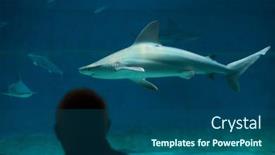
 Presentation with sharks - Audience pleasing slides consisting of genoa-italy-march-22-2016 backdrop and a ocean colored foreground

Genoa Italy March 22,

The ocean's majesty is waiting to be unleashed upon your slides. Imagine yourself standing amidst a vibrant aquarium scene, surrounded by the awe inspiring creatures that call it home. The majestic sandbar sharks swim effortlessly through the crystal clear waters, their sleek bodies gliding effortlessly towards the viewer. As you delve deeper into the template, you'll discover a wealth of features and customization options to take your presentations to the next level. The Corner Title template is designed in a stunning teal color palette that's sure to make your slides pop against any white or light colored backgrounds. The design name "Corner Title" perfectly captures the essence of this template, which offers a unique combination of style and functionality. With its four How To slides at the start of the deck, you'll be well on your way to creating engaging presentations in no time. On the Quotation Layout slide, you can include a stunning image of a coral reef, featuring schools of tropical fish swimming together in harmony. The text "Feature an image from the high seas" becomes particularly relevant here, as you get to showcase some of the ocean's most breathtaking sights. Having a theme of showcasing marine life is also perfect for this template, ensuring that your slides are always visually appealing and informative. The "Including a Background With Water Effects" feature on this slide allows you to create a mesmerizing aquarium effect, complete with subtle wave ripples and shimmering water colors. Enhancing this effect with a subtle gradient or texture can really make it pop. You could also have fun experimenting with different color palettes and lighting effects to really bring your slides to life.

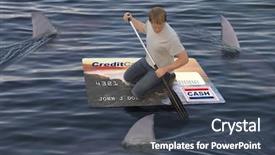
 Presentation with sharks - Audience pleasing presentation consisting of interest rate - man stranded on a raft backdrop and a tawny brown colored foreground

Man Stranded Raft Made Credit

Presentation consisting of man stranded on a raft made of a huge credit card in the ocean while being circled by sharks

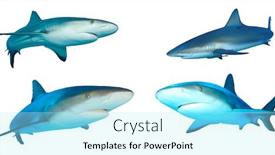
 Presentation with sharks - Cool new PPT layouts with sharks collection caribbean reef sharks isolated white background backdrop and a arctic colored foreground

Sharks Collection Caribbean Reef Sharks

The ocean's most fearsome predators have long fascinated humans, and one of the most iconic groups is the sharks. From the majestic great whites to the sleek and agile hammerheads, these vertebrates rule the depths with their sharp teeth and powerful tails. But what makes them so cutthroat? The answer lies in their isolated habitats, where they must fight for survival against other predators. The Split Title template is a stunning showcase of high resolution images that will transport you to the Caribbean Reef Sharks, an ecosystem teeming with life. Featuring a vibrant sky blue background, this template is sure to enhance your presentation and make it stand out from the crowd. With its isolated white space, it's perfect for highlighting key points or creating a sense of danger. The Split Title template is designed in a widescreen format, making it ideal for showcasing 4K images or videos. The Sky Blue color palette provides a clean and crisp look that will complement any presentation style. This template is downloadable and compatible with Google Slides, so you can easily incorporate it into your workflow. As inspiration, consider using the Split Title template to create a Shark Collection presentation that showcases the diversity of these apex predators. Featuring a background image of a shark's skeleton or a school of sharks swimming together, this template will have your audience on the edge of their seats. Having a theme of showcasing different species and habitats, you can include images of various shark species, from the tiny dwarf lanternshark to the massive whale shark. The Signpost Layout slide is a great place to start, as it provides a clear structure for your presentation. With its simple design and prominent text, this slide will help guide your audience through the content of your deck. Having a background image or video that sets

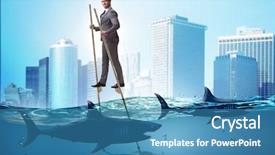
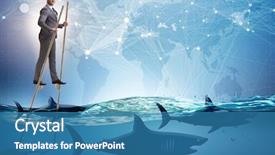
 Presentation with sharks - PPT layouts featuring competitive advantage - businessman walking on stilts background and a teal colored foreground

Businessman Walking Stilts Sharks

Imagine walking on stilts among sharks in the depths of the ocean, surrounded by the breathtaking blue hues of the sky as far as the eye can see. The feeling of being alive is exhilarating and full of possibilities. The Wide Title template is designed to make a statement. Its name, Wide Title, is inspired by a classic advertisement that grabs attention with bold and daring visuals. This template's format, Widescreen, ensures that everything you add looks sharp and cinematic, perfect for making a splash in your presentation. This template features a Sky Blue color palette that exudes confidence and professionalism, the perfect fit for showcasing career achievements and milestones. The theme is centered around high resolution images of action packed scenes, guaranteed to pump up your audience's energy. Featuring stunning visuals and interactive elements, this template ensures that every slide pops off the screen. Including a Background With, having a striking visual backdrop is essential, and this template delivers on that promise. Having a Theme of, Enhanced With, adding extra flair to your presentation is always a good idea, making it even more engaging and memorable for your viewers. The Circular Step Layout slide is a great place to start, with its winding staircase design providing a dynamic contrast to the rest of the slide. Having a clear structure in mind can help you get up and running quickly, like four How To slides that will guide you through the process of creating an engaging presentation.

 Presentation with sharks - Slides having la-rochelle-france-july-3 background and a ocean colored foreground

La Rochelle France July

Imagine stepping into the vibrant world of marine life at La Rochelle Aquarium, France, where majestic creatures such as sand tiger sharks and grey nurse sharks swim in breathtaking environments. The tranquil atmosphere is further enhanced by the soothing colors of the teal background, transporting you to a realm of discovery and wonder. The Corner Title template, featuring an eye catching design that pays homage to this stunning aquarium, brings all the beauty of the underwater world into one place. With its sleek and modern layout, it's designed to be easily recognizable as a go to template for any presentation that requires visual stimulation. From the moment you open the document, you'll feel like you're diving right in, with crisp typography and high resolution images featuring stunning aquarium scenery, including La Rochelle itself. This template is not only visually stunning but also highly versatile, making it perfect for presentations where you need to include a background with dynamic elements or highlight the importance of each slide. The design has been carefully curated to provide an engaging experience, whether you're showcasing the marine life or sharing stories about these incredible creatures. The Corner Title template is indeed a valuable asset when preparing your slides quickly and efficiently. To get started with ease, you'll find four helpful slides that will guide you through the process of creating your presentation: How To slides to help you master the basics; Comparison Layout to ensure consistency throughout your deck; Featuring and Including a Background With images from La Rochelle Aquarium to bring real life marine life into focus; and Having a Theme of showcasing the importance of aquariums for conservation and education.

 Presentation with sharks - Slide deck enhanced with woment-swimming-in-the-tropical background and a ocean colored foreground

Woment Swimming Tropical Water Dangerous

Slide deck enhanced with woment swimming in the tropical water with dangerous sharks

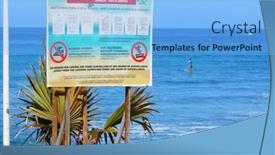
 Presentation with sharks - Presentation design consisting of saint-paul-reunion-island-france background and a light blue colored foreground

Saint-paul Reunion Island France -

Presentation design consisting of saint-paul reunion island france - november 11 2015 notice board with information about danger - risk of sharks swimming snorkeling and surfing prohibited on all reunion beaches

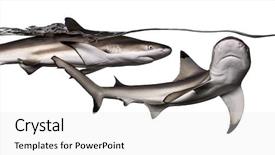
 Presentation with sharks - Beautiful PPT theme featuring blacktip reef sharks swimming together backdrop and a light gray colored foreground

Blacktip Reef Sharks Swimming Together

The Corner Title template is a stunning Widescreen design that will elevate your presentations to the next level. This high resolution image features Blacktip reef sharks swimming together at the surface of the water, Carcharhinus melanopterus, isolated on white. The vibrant colors and dynamic movement of these marine creatures are sure to captivate your audience. The Corner Title template is a versatile design that can be used in various contexts, from studio settings to dorsal views of underwater landscapes. Its Tan color palette provides a warm and inviting atmosphere, perfect for showcasing stunning images like the one above. The template's keywords studio, dorsal, no, blacktip, cut are cleverly incorporated into the design, making it easy to find inspiration in its features. The Corner Title template is downloadable and compatible with Google Slides, ensuring seamless integration into your presentation workflow. Its Widescreen format allows for a cinematic feel, perfect for showcasing high resolution images like the one above. The Tan color palette provides a natural and earthy tone, enhancing the overall aesthetic of the design. This template features a range of design elements that enhance its visual appeal, including a theme of "underwater exploration" and an emphasis on showcasing stunning images. The 5 P's of Marketing Diagram Layout slide could be used to illustrate how this template can help you create engaging presentations by featuring high quality images, including background images with text overlays, having a clear and concise design, enhanced with interactive elements like buttons and icons, and incorporating visual hierarchy to guide the viewer's attention. The Corner Title template is perfect for anyone looking to elevate their presentation game with a stunning Widescreen design that showcases high resolution images. Its versatility, compatibility with Google Slides, and range of design elements

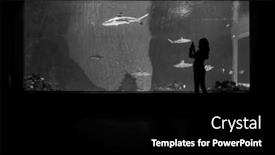
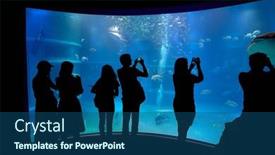
 Presentation with sharks - Slide set consisting of osaka-japan-circa-2018 background and a ocean colored foreground

Osaka Japan Circa 2018:

Imagine standing in front of a stunning aquarium in Osaka, Japan, surrounded by thousands of fish and unrecognizable faces, all staring at you with awe inspiring expressions as they snap photos with their phone cameras this is what the Corner Title template from CrystalGraphics is trying to recreate for your presentation. The template features a high resolution image of an aquarium scene on its background, which is perfect for showcasing vibrant colors and detailed images that will capture your audience's attention. The Dark Slate Gray color palette adds a sleek and sophisticated touch, making it ideal for presentations that require a professional yet modern look. The Corner Title template has a unique theme, incorporating elements of nature and attraction to create an immersive experience. With four How To slides at the start of the deck to help you get up and running quickly, users can easily jump into their presentation and start sharing amazing content with others. However, one slide stands out Our CRystal Clear Goal slide, which showcases a clear vision for your presentation, highlighting key messages and key takeaways that will leave your audience eager to learn more. This template is perfect for using as is or enhancing it with its own background images, having a theme of showcasing amazing aquariums from around the world. By including high resolution images in Google Slides, you'll be able to create visually stunning presentations that will captivate and inspire your audience.

 Presentation with sharks - Amazing presentation theme having competitive advantage - businessman walking on stilts backdrop and a teal colored foreground

Businessman Walking Stilts Sharks

The world of high stakes competition is a realm where only the bravest and most determined individuals dare to tread. For those who strive to achieve greatness, the journey is fraught with danger but it's in these moments that their unwavering dedication truly comes into play. In this powerpoint template, you'll find yourself transported to a world of high resolution images that will leave your audience breathless. The Sky Blue background is designed to evoke a sense of limitless possibility, while the Widescreen format ensures an immersive experience. At its core, this template is all about showcasing the unyielding spirit of achievement whether it's featured on the How To slides or included in the Who We Are Bio Layout, the message remains clear: determination and hard work are the keys to success. With each click, you'll be taken to a new level of engagement. The template is downloadable and compatible with Google Slides, making it easy to import and customize for your own use. As an added bonus, it's been optimized for seamless integration into various online platforms, ensuring that your message reaches the widest possible audience. In one particularly dramatic example, take a look at how this template could be used to present a motivational speech with high resolution images of brave individuals overcoming seemingly insurmountable obstacles, and a Sky Blue background that shines like a beacon of hope. By incorporating elements such as Featured Backgrounds or Enhanced Text Boxes, you can create an engaging narrative that leaves your audience inspired and motivated. The Who We Are Bio Layout is where the template really comes alive with concise yet meaningful information that sets you apart from the crowd. Perhaps a beautifully designed table could highlight your accomplishments, featuring bold fonts and vibrant colors to make it stand out. Having a clear and concise format can be especially effective in creating an empowering message. Whether you're looking to kick start your own project or simply want to share your expertise with others, this template is sure to deliver on its promise of delivering high quality visuals that drive results.

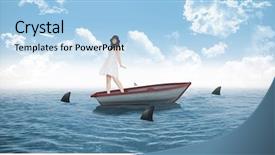
 Presentation with sharks - Theme consisting of twirl - woman twirling in her pretty background and a light blue colored foreground

Woman Twirling Pretty Dress Against

As you step onto the deck of a sailboat, the warm light of the setting sun casts a golden glow on the waves, creating an otherworldly atmosphere that seems to dance with the gentle lapping of the water against the hull. The sound of seagulls fills the air, their cries punctuating the peacefulness of the scene. But amidst this serene backdrop, a sense of danger lurks the sharks circle below, their sharp teeth glinting in the fading light. The design name Corner Title is a fitting choice for this stunning image, which features a woman twirling in her pretty dress against a majestic sailboat in the ocean. The high resolution images used to create this background are truly breathtaking, with intricate details that seem to leap off the screen. The template format Widescreen ensures that the viewer is fully immersed in the scene, while the Light Sky Blue color palette adds a touch of elegance and sophistication. The Corner Title template is designed to enhance your presentation with a theme of "beauty" and "danger", perfectly capturing the essence of this captivating image. Featuring a beautiful woman twirling against a stunning sailboat, this template includes a Background With a panoramic picture layout that showcases the full extent of the scene, making it easy to include all the details in your slide. The Corner Title template is downloadable and compatible with Google Slides, allowing you to easily import high resolution images into your presentation. The 4 How To slides at the start of the deck provide a quick and easy way to get up and running, while the Enhanced With feature ensures that your presentation looks its best on any device.

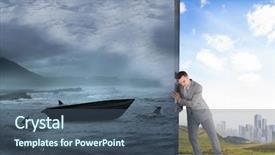
 Presentation with sharks - PPT layouts enhanced with image of businessman pushing away background and a ocean colored foreground

Composite Image Businessman Pushing Away

PPT layouts enhanced with composite image of businessman pushing away scene of sail boat being circled by sharks

 Presentation with sharks - PPT layouts consisting of glasses of fresh beer and plate with yummy fried anchovies on wooden table outdoors background and a gray colored foreground

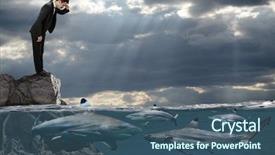
Competitive Business Concept Businessman Looking

In the high stakes world of business, only the most determined entrepreneurs dare to venture into the unknown. This is where the concept of Shark Tank comes in, featuring four fearless sharks eyeing you from the ocean floor with a fierce determination in their eyes. You're about to dive headfirst into the deep end, and with our comprehensive PowerPoint template, you'll be ready to take on the challenge. The Steel Blue template that accompanies this design is inspired by the ruggedness of steel, reflecting the toughness and resilience required to succeed in business. Its high resolution images for the background will transport you to a dramatic ocean scene where sharks are lurking beneath the surface, their menacing presence lurking just beyond the horizon. This template is downloadable and compatible with Google Slides, ensuring seamless integration into your presentation. As an added bonus, this template features a five level pyramid layout, taking you on a journey through the highs and lows of business success. The level pyramids will provide a clear structure for your content, guiding the viewer from the foundation to the top. The Steel Blue theme is characterized by bold, modern lines that evoke a sense of excitement and anticipation. It's an enhancement of the oceanic background with a touch of industrial chic, giving your presentation a dynamic feel. Incorporating this design into your project will make it truly stand out. A feature of this template is the inclusion of high resolution images for each slide, ensuring crisp visuals that capture the viewer's attention. Whether you're featuring a dramatic shark scene or highlighting key business concepts, our template has got you covered. Having a theme of showcasing powerful imagery and bold typography, this design will elevate your presentation to new heights. As an added touch, our template comes with four easy to follow slides at the start of the deck, each designed to get you up and running quickly. These introductory slides will provide valuable tips on setting up your presentation, including how to use the template's built in features and include background images to enhance your content.

 Presentation with sharks - Presentation design enhanced with caribbean reef sharks carcharhinus perezii background and a navy blue colored foreground

Caribbean Reef Sharks (carcharhinus Perezii)

Presentation design enhanced with caribbean reef sharks carcharhinus perezii background

 Presentation with sharks - Slide set enhanced with bulls eye - dangerous bull sharks isolated background and a white colored foreground

Dangerous Bull Sharks Isolated Over

Slide set enhanced with dangerous bull sharks isolated over white

 Presentation with sharks - Slide deck with little-boy-swimming-underwater background and a seafoam green colored foreground

Boy Swimming Underwater Nurse Sharks

Imagine yourself standing in front of a vibrant underwater world, teeming with life and color, as you gaze out at the majestic nurse sharks and schools of happy fish swimming by. The warm medium turquoise background is set against a stunning high resolution image of a sealife scene, complete with coral reefs, colorful sea anemones, and playful dolphins. This is the perfect starting point for your PowerPoint presentation, featuring a Caucasian boy in the center, surrounded by his friends and family. The Corner Title template is designed to be eye catching and engaging, with a bold and playful font that sets the tone for a fun and interactive presentation. The medium turquoise color palette provides a soothing yet energetic backdrop for your images, while the inclusion of a background with a subtle gradient adds depth and visual interest. Having a theme of showcasing sealife and featuring high resolution images is sure to captivate your audience. The template includes four How To slides at the start of the deck to help you get up and running quickly, but don't worry, we won't list them just yet. Instead, let's focus on what this template has to offer. The 2 Member Bio Layout slide is a great opportunity to showcase your personality and style, with plenty of space for photos, text, and graphics. You could include a background with a fun design element, such as a pair of fish swimming together or a school of sharks chasing after you. This template is downloadable and compatible with Google Slides, making it easy to share and collaborate on your presentation. With its high resolution images and vibrant color palette, it's sure to enhance the overall look and feel of your presentation. So why wait? Get started today and create an unforgettable sealife themed presentation that will leave a lasting impression on

▼Key features of this template

  • They are compatible with both PowerPoint and Google Slides running on either Windows PCs or Macs.

  • They are available in both standard and widescreen slide formats. You can choose your preferred format by clicking on the "Widescreen" check box or icon.

  • Each template includes a beautiful high-resolution background image or video to visually reinforce the theme of your presentation.

  • In addition, each template includes designer-created graphics and modern fonts to give your presentations an up-to-date, professional look.

  • Each template's default design and title text position have been carefully selected to complement its background without covering faces or other key elements.

  • All text includes backdrops whose transparency level is mathematically calculated to maximize text readability while still allowing the background to be seen.

  • And all the text, text backdrops and graphics in every slide are colored with a palette designed to beautifully complement the colors in the background.

  • Our Premium templates (those with the descriptor “Premium” in their subtitle) include over 64 slide layouts to give you maximum flexibility as you create your presentations.

    • Those layouts are available to you whenever you create a new slide or when you want to change the layout of an existing slide.
    • They include everything you need to make all sorts of presentations. In addition to the layouts for the title slide and the usual title and content slide, they include many other layouts for slide types including table of contents slides, org charts, charts, diagrams, infographics, photo slides, thank you slides and more.
    • While creating these layouts our template designers have ensured that all text in every layout adjusts as gracefully as possible to various numbers of words.
  • Customizable templates (those with the descriptor “Customizable” in their subtitle) may be easily modified online before you download them.

    • To modify them, simply click on the pencil editing icon, then select your choice of ready to go designs and title text positions.
    • The editing tool also makes it easy to reposition and scale the background image or video to best suit your needs.

▼FAQs

Please review these FAQs to see if your question is answered. Contact us for more info

  • What is a PowerPoint template?

    • A well designed PowerPoint template is a file that can tell PowerPoint how to make your ordinary templates look extraordinary. They won’t change what your words or numbers say. But they might change their size, color, font and placement. And, overall, they can give your presentations a professionally-designed look that will give your content more credibility and give you more confidence.
  • How many PowerPoint templates do you offer?

    • We have over 32,000 artist-created presentation templates in our PowerPlugs collection With a subscription, PowerPlugs templates are easy to download. Just sign in, find a template and click on the green Download button. ready for you to download. That alone offers you more variety to choose from than any of our competitors can offer. And, as if that weren’t enough, we also offer over 6 million templates in our Crystal collection. Crystal brand templates are our line of templates that have customization options. They have the word "CRYSTAL" on their web page images. You can customize several aspects of the templates. These templates include high-resolution background images from Shutterstock’s vast image collection matched up with artist-created presentation designs customized by our own proprietary AI software.
  • How many templates can I download as a subscriber?

    • You can download an unlimited number of PowerPlugs-brand With a subscription, PowerPlugs templates are easy to download. Just sign in, find a template and click on the green Download button. templates every day for an entire year. (Actually, by default, we set a limit of 25 templates per day to prevent our competitors from stealing our templates. But, if that is not enough, just let us know and we’ll try to accommodate you.) On top of that, with a subscription or an Ultimate Combo, you can also download any 50 Crystal-brand Crystal brand templates are our line of templates that have customization options. They have the word "CRYSTAL" on their web page images. You can customize several aspects of the templates. templates per year selected from our huge Crystal collection. Crystal brand templates are our line of templates that have customization options. They have the word "CRYSTAL" on their web page images. You can customize several aspects of the templates. .
  • Why should I choose your templates instead of the competition’s?

    • We’ve got a larger selection of professionally-designed PowerPoint templates than anyone else in the world.
    • Each template includes a high-resolution background image or video to visually inspire your audiences while reinforcing your message.
    • Each template includes 64 slide layouts to give you maximum flexibility as you create your presentations.
    • Our templates are available in both standard and widescreen slide formats. And our website lets you preview the slides each way.
    • Our free Template Finder™ plugin lets subscribers select and - with a single click - download and insert our templates into their presentations right from within PowerPoint.
    • We’ve been creating designer presentation templates for over 20 years. During that time we’ve won several awards and 5-star ratings for product quality. See About Us for more.
  • Do you offer a money-back guarantee?

    • Yes we do! We offer full 30-day money-back guarantee if you are not 100% satisfied with your purchase.
  • Can I still use my downloaded templates after my subscription runs out?

    • Yes. After your subscription expires, you won't lose any rights or ability to use your PowerPlugs: Templates for PowerPoint. You won't be able to download any new non-watermarked templates. But the non-watermarked templates you've already downloaded will still work and you can still use them as before.
  • Can I share my downloaded templates or passwords with friends or coworkers?

    • Sorry but no. You are authorized to download each paid-for template to up to 3 of your personal devices and to use the templates you download in as many presentations as you want. But you are not authorized to share the templates, themselves, with others. That said, we do offer highly discounted site licenses to suit the needs of both small and large teams. Just tell us your needs and we’ll give you a quote!
  • System requirements:

    • The templates use the standard POTX format. So they are compatible with Google Slides and all PC, Mac and mobile devices running any version of PowerPoint from PowerPoint 2007 up through and including Office 365 desktop.
    • Please note: Google Slides does not currently support background videos. It treats them as still images.
    • For PowerPoint for the Web, first open your template into a desktop version of PowerPoint, then save it back out as a PPTX file. Then you can open that in PowerPoint for the Web.
  • End user license agreement:

    • Click here to view.
  • How will I get my purchased templates?

    • You may download your selected templates as soon as your payment is received by PayPal. If you purchased an individual template, you will be provided with a download link both onscreen and via email. Just click on that link to begin the download process. If you purchased a subscription, you will receive an email containing a password to use along with your email address to sign in to any of the templates pages on CrystalGraphics.com. Once you are signed in, you can immediately start downloading your selected templates.
  • How do I use my templates after I download them?

    • You can either open a template to start a new presentation or you can add a template to an existing presentation. To open a template, just double click on it or use PowerPoint's File > Open tool. To add a template to an existing presentation, on the Design tab, in the Themes group, click Browse for Themes... then browse to select your template.

View more Sharks templates:

previous 1 2 3 next
93% of Fortune 1000
companies use our
PowerPoint Products
Templates Secure

Standing Ovation Award
Winner: Best PowerPoint
Template Collection
Fortune Logos
200,000+ satisfied
customers worldwide!
Guarantee
100% satisfaction guaranteed
- or send it back for a refund!

Sign up for our free newsletter! You'll get news about our PowerPoint-enhancing product line – including free updates, new product announcements and exclusive special offers. Plus you'll get a link to a free PowerPoint template with every newsletter you receive.
Privacy Policy
Loading...


Help

Contact Us
Product FAQs
Product License Agreements

Company Info

About Us
Privacy Policy
CrystalGraphics, Inc. 1999 S. Bascom Avenue Suite 700 Campbell, CA 95008 USA
© 2025 CrystalGraphics, Inc. All rights Reserved.    |     PowerPlugs is a trademark of CrystalGraphics, Inc.
Microsoft and the PowerPoint logo are trademarks or registered trademarks of Microsoft Corporation in the United States and/or other countries.
Loading...
Loading...