www.crystalgraphics.com CrystalGraphics
  • Ultimate Combo
  • Templates
  • Diagrams
  • Characters
  • Quizzes
  • shopping cart
  • Sign Out Sign Out Sign In
Home > Templates > Simulation Category
search icon
advanced icon

131 Best Simulation-Themed Templates
for PowerPoint & Google Slides

CrystalGraphics creates templates designed to make even average presentations look incredible. Below you’ll see thumbnail sized previews of the title slides of a few of our 131 best simulation templates for PowerPoint and Google Slides. The text you’ll see in in those slides is just example text. The simulation-related image or video you’ll see in the background of each title slide is designed to help you set the stage for your simulation-related topics and it is included with that template. In addition to the title slides, each of our templates comes with 17 additional slide layouts that you can use to create an unlimited number of presentation slides with your own added text and images. And every template is available in both widescreen and standard formats. With over 6 million presentation templates available for you to choose from, CrystalGraphics is the award-winning provider of the world’s largest collection of templates for PowerPoint and Google Slides. So, take your time and look around. You’ll like what you see! Whether you want 1 great template or an ongoing subscription, we've got affordable purchasing options and 24/7 download access to fit your needs. Thanks to our unbeatable combination of quality, selection and unique customization options, CrystalGraphics is the company you can count on for your presentation enhancement needs. Just ask any of our thousands of satisfied customers from virtually every leading company around the world. They love our products. We think you will, too!

Features & Pricing

Widescreen (16:9) Presentation Templates. Change size...
 Presentation with simulation - Slide set featuring virtual-reality-network-simulation background and a sky blue colored foreground

Virtual Reality Network Simulation Medicine

Imagine stepping into a world where medical breakthroughs and virtual reality technologies come together to revolutionize the way we approach healthcare. In this innovative template, Split Title is designed to transport you to a high fidelity visualization of a medical network simulation, featuring a leading female doctor navigating complex medical data in immersive 3D VR. The Split Title template comes with a distinctive Sky Blue color palette, evoking feelings of trust and precision. The background images are carefully curated to provide the perfect context for this virtual reality experience. Each slide is not only visually stunning but also informative, making it easy to get started quickly. At the heart of this template lies an Enhanced With design, showcasing 4 How To slides that will take your presentation to the next level: Featured with a clear call to action, Including a Background With expert tips and tricks, Having a Theme of interactive visuals, and Featuring seamless integration with Google Slides. These modules are designed to guide you through the process of creating a powerful presentation, making it easy to showcase your knowledge in an engaging way. The 4x4 Org Chart Layout slide is particularly noteworthy, providing a detailed breakdown of the organizational structure within your team. This layout serves as a valuable reference point for creating a well structured and visually appealing design, ensuring that all elements work together harmoniously to create a stunning presentation.

 Presentation with simulation - Beautiful presentation featuring simulation - cabine of helicopter simulator backdrop and a tawny brown colored foreground

Cabine Helicopter Simulator

Imagine stepping into a world where you're soaring through the skies, feeling the rush of adrenaline as you take to the air, and pushing the limits of what's possible. The Wide Title slide sets the tone for an immersive experience that will draw your audience in and leave them wanting more. The template is designed to resemble a cabin of a helicopter simulator, complete with realistic textures and 3D models that bring the world to life. High resolution images are used throughout to create a visually stunning presentation that's sure to captivate even the most discerning eye. The Cornflower Blue color palette provides a calming yet sophisticated background for your content, while also enhancing the overall visual appeal of the template. The Widescreen format ensures that every detail is showcased in crisp, high definition clarity, making it an ideal choice for presentations where you need to convey complex information or images. And with Google Slides compatibility, you can easily integrate the template into your online slideshows. In a grid layout slide, four key features will make this template stand out: a large aerial photo of a flight route, an interactive image gallery featuring 8 detailed shots of helicopter parts and components, a downloadable background for use on any device, and a theme that includes a background with a subtle gradient effect, having a high resolution texture to match the level of detail in your content.

 Presentation with simulation - Theme with simulation - inside of homemade flight simulator background and a tawny brown colored foreground

Inside Homemade Flight Simulator Cockpit

In a world where the horizon stretches far and wide, there's no destination quite as thrilling as flight and that's exactly what our new template, Wide Title, is all about. The attention grabbing phrase sets the tone for this stunning Widescreen template, designed to transport you inside the cockpit of your very own homemade flight simulator. Featuring a rich medium sea green color palette, this template is sure to evoke the sense of adventure and excitement that comes with navigating the skies. From the sleek design of the plane's instrument panel to the bright glow of the lamps, every element is carefully crafted to enhance the experience. At its core, Wide Title is all about creating a seamless blend between technology and aviation, as embodied by the Bulb Puzzle Layout slide. This intuitive interface makes it easy to navigate and customize your template, including having a theme of enhancing with high resolution images for your background. You can even include a Background With rich textures and colors to bring your cockpit to life. The template is downloadable and compatible with Google Slides, making it the perfect choice for any creator looking to elevate their presentation game. Whether you're a seasoned pro or just starting out, Wide Title has got you covered, featuring four How To slides at the start of the deck to help you get up and running quickly.

 Presentation with simulation - Slides with simulation - two guys flying on helicopter background and a ocean colored foreground

Two Guys Flying Helicopter Simulator

Imagine being airborne on top of the world, with the wind rushing past you as you soar through the clouds in a high flying helicopter simulator. The rush of adrenaline is palpable as you navigate through the stunning Moscow landscape, taking in the breathtaking views of the city's skyline and the sprawling parks below. The Corner Title template is designed to capture this sense of freedom and excitement, with a light sky blue color palette that evokes feelings of serenity and calmness. The background images are high resolution and carefully crafted to feature dynamic aerial shots of Moscow, showcasing its unique blend of old and new architecture. The plane icon is bold and eye catching, paying homage to the thrill seekers who will be flying through these skies. The template includes four key slides at the start of the deck: "Get Started", "Plane Mode", "Moscow Masterpiece", and "Flight Plan". These slides are designed to help users quickly get up and running with their new template, featuring high quality images that showcase the template's theme. For example, on the "Plane Mode" slide, you could feature a stunning aerial shot of Moscow's Alexander Nevsky Cathedral, complete with intricate details and reflections on the surrounding buildings. This helps set the tone for the rest of the deck, showcasing the template's potential as a versatile and engaging solution. The template is also designed to have a theme of "Enhanced With", incorporating features such as automatic resizing, alignment, and layout adjustments to ensure that the images are perfectly centered within the slides. The overall look and feel is smooth and polished, making it easy to use and customize to fit any brand or style.

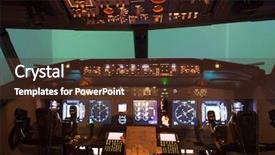
 Presentation with simulation - Beautiful PPT theme featuring simulation - inside of homemade flight simulator backdrop and a violet colored foreground

Inside Homemade Flight Simulator Cockpit

Imagine cruising through the skies in a high flying plane cockpit, surrounded by lush green landscapes and vibrant electronics lights. The design name is Wide Title, a sleek and modern template that embodies the essence of flight. This widescreen masterpiece features a spacious and airy layout, perfect for showcasing your creative vision. The Cornflower Blue color palette provides a soothing background hue, while the accompanying keywords such as "plane", "flight", "electronics" evoke the thrill of taking to the skies. The Wide Title template is specifically designed with a high resolution image in mind, featuring detailed backgrounds and crisp textures that will elevate your presentation to new heights. The template's downloadable compatibility ensures seamless integration into your Google Slides platform, making it easy to incorporate this stunning design into your online presence. A focus on practicality is evident in the four How To slides at the start of the deck, designed to help you get up and running quickly. However, for those looking to dive deeper, there are also many opportunities to enhance and customize your presentation with additional features, such as including a background with vibrant graphics or having a theme that perfectly complements your brand. As you delve into the content layout slide, you'll be amazed at the possibilities perhaps it's an interactive table of contents, highlighting key sections and subtopics. Or maybe it's a visually stunning image gallery, showcasing your favorite flight simulator scenes. The sky's the limit with this template!

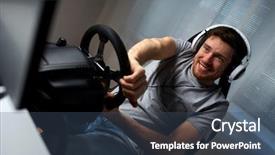
 Presentation with simulation - Audience pleasing PPT layouts consisting of simulation - technology gaming entertainment and people backdrop and a ocean colored foreground

Technology Gaming Entertainment People Concept

As technology and gaming continue to converge, our Corner Title template is designed to bring the world of virtual entertainment into your home with ease. This stunning widescreen design features high resolution images that will transport you to a world of excitement and adventure. The steel blue color palette is sleek and modern, perfect for creating a sophisticated atmosphere that's sure to delight players and gamers alike. The background is made up of intricate, detailed graphics that feature happy smiling young men in headphones, surrounded by the latest gadgets and technological marvels just like they're playing the latest virtual racing game on their high performance PC at home. This template is perfect for creating engaging presentations, how to slides, and promotional materials that showcase your brand's personality and style. Whether you're featuring a background with a cityscape of futuristic skyscrapers or having a theme of innovation and progress, our Corner Title template has got you covered. With its easy to use interface and extensive range of customization options, you'll be able to enhance your presentation with images, fonts, and colors that match your brand's unique style.

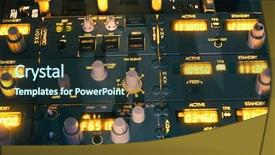
 Presentation with simulation - Cool new theme with flight simulation - dashboard of an aircraft backdrop and a tawny brown colored foreground

Dashboard Aircraft

Imagine walking onto the cockpit of your dream aircraft, surrounded by high resolution images and a dash of goldenrod warmth that sets the tone for an immersive experience. The Wide Title dashboard is here to transport you on this journey, inviting you to take off into the world of flight simulations. As we delve into the features of our template, it's clear that Design Name: Wide Title has been crafted with precision and care, elevating your practice sessions from routine to thrilling excursions. This Widescreen template is specifically designed for Google Slides, offering a seamless experience for uploading high resolution images for the background. With a Goldenrod color palette that exudes warmth and sophistication, our template stands out among the competition, boasting four How To slides at the start of the deck to help you get up and running quickly. Whether you're a seasoned pro or an aspiring flight simulator enthusiast, this template is sure to enhance your practice sessions with its engaging layout. Take Flight: Featuring a dynamic plane flying across the screen, our template Includes a Background With vibrant colors that come alive on the canvas. Having a Theme of 'Flight Simulations', it seamlessly integrates into your existing workflow, making it easy to get started. Enhanced With features like adjustable font sizes and line spacing, this template is designed to deliver an immersive experience that will leave you hooked. This template is a masterclass in balancing form and function, offering a striking contrast between the sleek electronics theme and the warm glow of the goldenrod palette. Whether you're building on a pre existing deck or starting from scratch, our Widescreen template promises to elevate your practice sessions with its high quality images and engaging design elements.

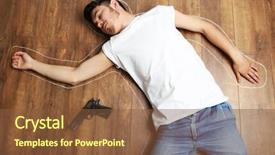
 Presentation with simulation - Colorful PPT theme enhanced with crime scene simulation young man backdrop and a tawny brown colored foreground

Crime Scene Simulation Young Man

PPT theme enhanced with crime scene simulation young man lying with gun on floor backdrop

 Presentation with simulation - Amazing PPT theme having vr headset virtual reality simulation backdrop and a wine colored foreground

Man Vr Headset Virtual Reality

Imagine stepping into a world where technology and fantasy collide, where the boundaries between reality and virtual reality are blurred, and where the possibilities are endless. This is what our template design promises to deliver an immersive experience that will transport you to a futuristic realm of play, fiction, simulation, hi tech graphics, and high resolution images. Our Short Title "Eon VR" is a stunning Widescreen template designed specifically for Google Slides, featuring a purple color palette that sets the tone for a captivating presentation. The template's theme is centered around Virtual Reality Simulation, with intricate details that will leave your audience in awe. High resolution images of futuristic landscapes and sleek designs will enhance the overall look and feel. The template includes four How To slides to help you get up and running quickly, but don't worry, we've got you covered just click on "Get Started" to dive right in. The 3 Member Bio Layout slide is a great place to showcase your expertise, with a clean and modern design that will make it easy for viewers to understand your role. This template is perfect for anyone looking to create engaging presentations that feature high quality graphics, including backgrounds with dynamic elements, having a theme of futuristic sci fi, or enhancing the overall look with purple accents. Whether you're presenting on technology, innovation, or any other topic, this template will help you deliver an immersive experience that will leave your audience captivated and inspired.

 Presentation with simulation - Theme enhanced with flight simulation - dashboard of an aircraft background and a tawny brown colored foreground

Dashboard Aircraft

As you step into the cockpit of your very own aviation dashboard, imagine yourself soaring through the skies, navigating through the clouds and landing with precision on the runway. The Corner Title template is here to take you on this thrilling journey, featuring a dynamic design that will leave you breathless. This stunning Widescreen template is perfect for aviation enthusiasts, pilots, and anyone who loves the thrill of flight. With its Dark Goldenrod color palette, it's sure to evoke feelings of sophistication and professionalism. The high resolution images in the background will transport you to the cockpit, where you can practice your flying skills or simply enjoy the stunning views. The template is downloadable and compatible with Google Slides, making it easy to import into your favorite presentation software. And when you're ready to take off, don't worry about compatibility issues this template is designed to work seamlessly across all platforms. As you explore the Corner Title template, you'll notice that it's been carefully crafted to include a Background With feature, allowing you to easily add or remove images to suit your needs. The Venn Diagram Layout slide is also included, featuring a clever design that showcases the different elements of the template in a visually appealing way. This template is Enhanced With a range of aviation themed keywords, including plane, flight, practice, lamps, and aviation, so you can easily find what you need to enhance your presentation. And with its compatibility with Google Slides, you'll be able to share it with others without any issues.

 Presentation with simulation - PPT layouts with young man wearing virtual reality glasses playing a simulation game sitting on the sofa around cardboard boxes moving to a new house background and a coral colored foreground

Young Man Wearing Virtual Reality

Imagine yourself immersed in a world where technology and imagination come together to create an unforgettable experience. Introducing the "House Simulation" template, designed specifically for presentations that require a unique blend of high quality visuals and interactive elements. This stunning Widescreen template features a Light Steel Blue color palette that sets the tone for an engaging and professional presentation. The template is optimized for Google Slides and includes four How To slides to help you get started quickly, including "Getting Started" with easy installation instructions, "Customizing Your Template" with options to enhance your slide's design, "Adding Custom Backgrounds" with high resolution images that will make your content stand out, and "Organizing Your Content" with a clear 3x3 Org Chart Layout that helps you structure your presentation effectively. To give you an idea of what this template can do, let's consider the following example. The "House Simulation" template could be used to showcase a new high rise apartment complex, featuring virtual reality footage of various living rooms and bedrooms, along with high resolution images of cardboard boxes to represent different furniture pieces. The 3x3 Org Chart Layout would provide a clear hierarchy for organizing your content, making it easy to explain the concept of the house simulation. Featuring a background image of a bustling cityscape or a stunning landscape would enhance the overall aesthetic of your presentation, including a Background With high quality image that will make your content pop. Having a theme of showcasing different virtual reality experiences, the "House Simulation" template is an excellent choice for presentations on gaming, technology, and interactive simulations. Enhanced with colorful graphics and engaging animations, this template is sure to leave a lasting impression on your audience.

 Presentation with simulation - Colorful slide deck enhanced with construction-workers-with-vr-glasses backdrop and a yellow colored foreground

Construction Workers Vr Glasses Construction

The building process is about to take center stage in this stunning PowerPoint template, showcasing the construction site as a simulation for road construction, with VR glasses on the workers' faces. The Corner Title design name evokes a sense of industry and modernity, while Burly Wood Colored brings to life the rustic yet industrial feel of the template. This unique combination will transport your audience into the world of construction and virtual reality, making it an ideal fit for presentations about commercial extensions, virtual realities, and visualization in various fields. The 4 How To slides at the start of the deck serve as a springboard to get users up and running quickly with minimal setup. These slides offer valuable shortcuts that will help users create professional looking presentations with ease. As you delve into the template's features, you'll notice an Ansoff Matrix Diagram Layout slide that provides a visual representation of market growth potential. This innovative design element enables users to visualize how different market combinations can lead to increased revenue and customer satisfaction. The background images in this template are high resolution and perfect for showcasing your content. Featuring a dramatic landscape with towering skyscrapers, the image will provide an excellent backdrop for presentations about commercial extensions or virtual reality applications. Including a Background With scenic views of the construction site or futuristic architecture will enhance the overall visual appeal of the presentation. Having a Theme of industrial chic will also lend itself well to presentations that focus on building materials, construction equipment, or urban planning. The template is compatible with Google Slides and comes in two formats: widescreen and 16:9 aspect ratio. With its Burly Wood Colored color palette and industrial feel, this PowerPoint template is sure to impress your audience and leave a lasting impression.

 Presentation with simulation - Cool new presentation theme with disabled-businessman-in-a-wheelchair backdrop and a  colored foreground

Disabled Businessman Wheelchair Work Modern

A visually striking Corner Title template that leverages high resolution images to transport your audience into a futuristic office environment, perfect for startup and corporate presentations. This sleek design features a dark cyan color palette that provides a sophisticated backdrop for various activities. This template's versatility is showcased through its compatibility with Google Slides, making it easily downloadable and adaptable to different settings. Its modern aesthetic can be paired with the classic look of business applications or adapted to fit a more relaxed atmosphere. As users navigate the digital world, this template's advanced features ensure seamless interactions. High resolution images for the background provide an immersive experience, while its signature dark cyan color palette creates a distinctive visual identity. The overall theme of the Corner Title is enhanced with thoughtful design elements, including subtle texture and shading to add depth. A prominent feature on the Signpost Layout slide could be an interactive QR code that links users directly to relevant content within the presentation, such as images, videos, or even additional resources. This creative solution makes it easy for attendees to engage with your material on their own devices. The template's modern feel can also be paired with a variety of backgrounds, including simple gradients, subtle patterns, or bold statements. For instance, Including a Background With a dynamic cityscape image could bring the futuristic office environment to life, while Having a Theme of minimalism could provide a clean and focused look for more serious presentations. As users progress through the deck, they'll encounter four How To slides that serve as a quick start guide for any presenter. These helpful resources will cover essential topics such as creating engaging visuals, crafting compelling narratives, and mastering presentation software.

 Presentation with simulation - Slide set consisting of crime scene simulation young man background and a coral colored foreground

Crime Scene Simulation Young Man

Slide set consisting of crime scene simulation young man lying on floor

 Presentation with simulation - PPT theme having man-riding-a-triathlon-bike background and a coral colored foreground

Man Riding Triathlon Bike Machine

PPT theme having man riding a triathlon bike on a machine simulation in a modern living room training during pandemic conditions background

 Presentation with simulation - Beautiful PPT theme featuring simulation - multiethnic business team using virtual backdrop and a light gray colored foreground

Multiethnic Business Team Using Virtual

As you dive into creating a stunning presentation that celebrates the diverse and creative world of developers, you're about to embark on a journey that will showcase the harmony between cutting edge technology and traditional cultural practices. Imagine being immersed in a vibrant setting where different ethnic groups come together to brainstorm innovative ideas under one virtual umbrella. The atmosphere is electric as developers from various backgrounds share their expertise while wearing VR headsets, facilitating an exchange of knowledge that transcends geographical boundaries. The Wide Title template is designed to take your audience on a captivating journey through the world of virtual reality and Muslim culture. This high resolution image for the background gives viewers a glimpse into the warm and inviting atmosphere of a modern office space where diversity is celebrated. The Light Steel Blue color palette adds a touch of sophistication, while incorporating a background with a subtle texture that evokes feelings of elegance and refinement. The template features four How To slides to help you get up and running quickly, but don't worry, we won't list them just yet. Our Two Content Layout slide is designed to provide an overview of the main points while also giving viewers space to explore and engage with the content. As you create your presentation, consider including a Background With feature by overlaying images or videos onto the background to add depth and visual interest. Having a Theme of showcasing diverse cultures can be enhanced by incorporating visuals that highlight the unique features of different communities, such as traditional dress codes or cultural rituals. The Wide Title template is not just about aesthetics; it's also designed to enhance your presentation with additional features like including a Background With background image that showcases the beauty of Muslim culture. Having a Theme of highlighting the importance of diversity and inclusion can be incorporated by adding text overlays that emphasize these values, making your presentation more engaging and thought provoking.

 Presentation with simulation - Amazing presentation theme having portrait-of-a-man backdrop and a ocean colored foreground

Portrait Man Virtual Reality Helmet

The mesmerizing world of darknet simulation, where the lines between reality and fantasy blur, and the coders who inhabit this realm rewrite the rules of data and code. This template is an immersive experience that plunges you into a virtual realm of coding and hacking, with high resolution images for the background to transport you into the heart of the cyber world. The Wide Title design has all the makings of a blockbuster movie trailer, featuring a striking portrait of a man in VR goggles, his obscured dark face reflecting the complexities of the digital world. The template's light sea green color palette adds a touch of mystery and sophistication, perfect for creating an atmosphere that's both eerie and exhilarating. The 4 How To slides at the start of the deck serve as a solid foundation, providing a concise and easy to follow guide to getting started with your new darknet simulation project. But don't worry, this template is designed to be flexible featuring a seamless blend of digital and analog elements, including a background that can be easily customized to match your unique theme or branding. The Comparison with Image Layout slide allows you to explore the possibilities of how to use images in your presentation, from creating a stunning abstract backdrop for your slides to incorporating real world photographs into your design. With this template's compatibility with Google Slides and its ability to enhance any image layout, you'll have all the tools you need to take your presentations to the next level. Including a Background With feature enables you to easily add a rich background image that complements your theme, adding depth and dimension to your slides. Having a Theme of option allows you to customize the color palette and style of your template to match your personal brand or project's identity. And enhancing With options provide access to a range of templates and customization tools to help you create a truly unique presentation.

 Presentation with simulation - Audience pleasing PPT layouts consisting of simulation - most impressive entertainment technologies mixed backdrop and a wine colored foreground

Impressive Entertainment Technologies Mixed Media

Imagine walking into a world where entertainment knows no bounds, and technology has become an integral part of the experience. The Corner Title template is designed to take you on this journey, featuring four easy to use slides that will help you get up and running quickly. To set the tone for your presentation, our Widescreen template comes with a sleek Steel Blue color palette that's perfect for creating a high energy atmosphere. The 16:9 aspect ratio provides ample space for showcasing stunning visuals, from mesmerizing animations to captivating imagery. The High Resolution images featured throughout this template are sure to impress your audience, and with the ability to include a Background With, you can add depth and dimensionality to your slides. Stairs Layout is one of the features that really stands out in this template, allowing for easy navigation through complex content. This template is downloadable and compatible with Google Slides, making it an excellent choice for those who want to create engaging presentations quickly. The words "play", "game", "virtual", "woman", and "entertainment" are just a few of the keywords that can be included in your presentation to enhance its appeal. From interactive elements to attention grabbing visuals, this template has it all.

 Presentation with simulation - Colorful PPT theme enhanced with two-doctors-in-the-3d backdrop and a lemonade colored foreground

Two Doctors 3d Simulation Virtual

Imagine yourself stepping into a virtual reality simulation where you are two doctors, working together to diagnose and treat patients in 3D. The stark white walls of the hospital are transformed by high resolution images for the background, creating an immersive atmosphere that puts you right in the midst of the action. The Corner Title template is designed to transport your audience into this virtual world with ease, featuring a bold and modern font that screams innovation and cutting edge technology. The Light Steel Blue color palette provides a professional and sleek backdrop for this medical simulation, evoking feelings of trust and reliability. This theme is perfectly encapsulated by the inclusion of various images showcasing high resolution medical procedures and equipment, such as MRI machines and surgical instruments. You could even use these images to create an interactive overlay, allowing your audience to get hands on experience with the virtual reality technology. The Hands module of this template allows you to showcase the precision and dexterity required in a real life medical simulation. It also gives you the flexibility to include various visuals such as patient data, 3D models of organs or body systems, and even animations that illustrate complex medical concepts like blood flow or nerve impulses. Featuring a background with interactive elements will enhance your presentation, giving your audience an immersive experience. The Light Steel Blue color palette provides a professional and sleek backdrop for this medical simulation, evoking feelings of trust and reliability. You could include images of doctors in various settings to showcase the versatility of the template, from hospital corridors to patient rooms. Having a theme of "Medical Simulation" will also give you an opportunity to highlight your expertise in creating engaging and informative presentations. The Corner Title template is designed to transport your audience into a virtual reality simulation where they can explore complex medical concepts and procedures. With its bold font, high resolution images, and seamless interactions, it's the perfect tool for healthcare professionals and educators looking to enhance their visual learning experience.

 Presentation with simulation - Colorful slides enhanced with momentum - bright background with a splash backdrop and a ocean colored foreground

Bright Background Splash Water Splash

Here's a description that meets your requirements: The Wide Title template is the perfect choice to set up your presentation with a splash of beauty and simulation. Designed in Widescreen format, this template features a high resolution image of a beautiful garden at dawn, complete with lush greenery, vibrant flowers, and a soft misty atmosphere. The teal color palette is used consistently throughout the design, creating a cohesive and inviting look that will draw your audience in. The template has all the essential elements you need to create a stunning presentation, including drop shadows, 3D effects, and textures that enhance the overall visual experience. With its seamless integration of Googel Slides compatibility, you can easily add custom content and images to get up and running quickly. As inspiration for this design, think bright backgrounds with splash water elements, simulating real life experiences. The Splash Water Elements feature will take your audience on a thrilling ride, while the Simulation Water theme will transport them to an immersive environment. Featuring high resolution images of lush landscapes, beautiful architecture, and stunning water features, you'll be able to create breathtaking visuals that will leave your audience speechless. This template is not just for creating presentations, but also for demonstrating how to get started quickly with a new project. With 4 easy to follow slides at the start of the deck, you can set yourself up for success and dive into more complex projects right away. Having a clear design structure in place will help you stay organized and focused throughout your project. On this template, the 5 x 5 Org Chart Layout slide is designed to provide a concise overview of your team's structure. Featuring key personnel, departments, and locations, it serves as a reference point for easy navigation and decision making. Enhancing with clear labels and icons, this layout will help you streamline your workflow and make informed decisions. The template also includes an Enhanced With image showcasing the beauty of nature in all its glory. Having a theme of outdoor landscapes, it perfectly captures the essence of simulation water, making it an ideal choice for presentations that require visuals to tell a story or convey complex ideas.

 Presentation with simulation - PPT layouts with portrait-of-a-man background and a wine colored foreground

Portrait Man Virtual Reality Helmet.

Imagine staring at a screen where code and data blend together in a swirling vortex of pixels, with the faint glow of the darknet internet casting an eerie light on the proceedings. It's as if you're gazing into the abyss, surrounded by the eerie silence of virtual reality. The Corner Title template is designed to be a thought provoking and immersive experience that will draw your audience in from the very first slide. Widescreen resolution images will transport them to a dark, gritty world, where the boundaries between reality and fantasy blur. The Dark Slate Gray color palette will further reinforce this sense of foreboding. This template is perfect for anyone looking to create a high end presentation that demands attention. Featuring a unique blend of coding, data, simulation, and cyber elements, it's an ideal choice for any slide deck that requires a touch of darkness and intrigue. Including a background with subtle hints at the virtual world, having a theme of blending technology and reality, enhanced with clever graphics and animations, this template is sure to leave your audience on the edge of their seats. As you progress through the slides, expect to encounter puzzle pieces that challenge and engage your audience. The Puzzle Pieces Layout slide will be particularly noteworthy, as it showcases how to integrate these elements seamlessly into a cohesive design. With four How To slides at the start of the deck, you'll have ample opportunity to dive deeper into each topic, ensuring that your presentation is nothing short of comprehensive. The Corner Title template is downloadable and compatible with Google Slides, making it easy to incorporate into your existing workflow. Its dark, edgy aesthetic will give your presentation a unique edge that's sure to set you apart from the crowd.

More Simulation templates for PowerPoint and Google Slides:

previous 1 2 3 4 5 6 7 next
93% of Fortune 1000
companies use our
PowerPoint Products
Templates Secure

Standing Ovation Award
Winner: Best PowerPoint
Template Collection
Fortune Logos
200,000+ satisfied
customers worldwide!
Guarantee
100% satisfaction guaranteed
- or send it back for a refund!

Sign up for our free newsletter! You'll get news about our PowerPoint-enhancing product line – including free updates, new product announcements and exclusive special offers. Plus you'll get a link to a free PowerPoint template with every newsletter you receive.
Privacy Policy
Loading...


Help

Contact Us
Product FAQs
Product License Agreements

Company Info

About Us
Privacy Policy
CrystalGraphics, Inc. 1999 S. Bascom Avenue Suite 700 Campbell, CA 95008 USA
© 2025 CrystalGraphics, Inc. All rights Reserved.    |     PowerPlugs is a trademark of CrystalGraphics, Inc.
Microsoft and the PowerPoint logo are trademarks or registered trademarks of Microsoft Corporation in the United States and/or other countries.
Loading...
Loading...