www.crystalgraphics.com CrystalGraphics
  • Ultimate Combo
  • Templates
  • Diagrams
  • Characters
  • Quizzes
  • shopping cart
  • Sign Out Sign Out Sign In
Home > Templates > Slides Category
search icon
advanced icon

72 Best Slides-Themed Templates for PowerPoint and Google Slides

CrystalGraphics creates templates designed to make even average presentations look incredible. Below you’ll see thumbnail sized previews of the title slides of a few of our 72 best slides templates for PowerPoint and Google Slides. The text you’ll see in in those slides is just example text. The slides-related image or video you’ll see in the background of each title slide is designed to help you set the stage for your slides-related topics and it is included with that template. In addition to the title slides, each of our templates comes with 17 additional slide layouts that you can use to create an unlimited number of presentation slides with your own added text and images. And every template is available in both widescreen and standard formats. With over 6 million presentation templates available for you to choose from, CrystalGraphics is the award-winning provider of the world’s largest collection of templates for PowerPoint and Google Slides. So, take your time and look around. You’ll like what you see! Whether you want 1 great template or an ongoing subscription, we've got affordable purchasing options and 24/7 download access to fit your needs. Thanks to our unbeatable combination of quality, selection and unique customization options, CrystalGraphics is the company you can count on for your presentation enhancement needs. Just ask any of our thousands of satisfied customers from virtually every leading company around the world. They love our products. We think you will, too!

Features & Pricing

Widescreen (16:9) Presentation Templates. Change size...

 Presentation with slides - Beautiful slides featuring seven slides in an arc backdrop and a white colored foreground

Seven Slides Arc

A stunning PowerPoint template is now available from CrystalGraphics featuring the short and catchy design name "Memory Lane" with its widescreen format and medium turquoise color palette that will elevate your presentation to new heights. This template is ideal for creating a visually appealing and engaging collage style presentation that incorporates isolated elements such as seven high resolution images to create an immersive experience for your audience. The template keywords "cut", "memory", "collage", "isolated" are all included, making it perfect for presentations that require a unique blend of creativity and precision. The template is downloadable and compatible with Google Slides, ensuring seamless integration into your existing presentation workflow. The medium turquoise color palette features rich shades of blue and green that evoke a sense of nostalgia and harmony, perfect for creating a cohesive theme that ties together all elements of your presentation. This template also includes four valuable How To slides to help you get the most out of your new design, featuring additional tips and tricks to enhance your overall presentation experience. From preparing your content to delivering a polished conclusion, these slides will guide you through every step of the way. The Four Arrows Layout slide is particularly noteworthy for its thoughtful design elements, including the intricate cut outs and isolated background features that create a sense of depth and dimensionality. This unique layout adds an extra layer of visual interest to your presentation, making it stand out from the crowd and leaving a lasting impression on your audience. This template is ready to be Enhanced With, Featuring Additional Backgrounds, Including a Background With High Resolution Images, Having A Theme Of Customization, And More.

 Presentation with slides - Various number of balls placed on slides in a balanced form

Balance

Various number of balls placed on slides in a balanced form

 Presentation with slides - Audience pleasing slide set consisting of slides-on-a-pink-table backdrop and a coral colored foreground

Slides Pink Table.

Imagine showcasing your most precious memories in a visually stunning way that leaves a lasting impression on your audience. Our Corner Title template is specifically designed to present your data in an engaging and informative manner. This stylish and modern design features four easy to follow slides at the beginning that guide you through the process of creating captivating presentations, providing valuable insights into high resolution images for a sophisticated backdrop. A soft and pastel palette of pale violet red creates a calming atmosphere while enhancing creativity and visual appeal. This template is perfect for showcasing data stacks, featuring high quality pictures that bring your ideas to life. The four How To slides are designed to take you through the process step by step, providing valuable guidance on how to create engaging presentations with ease. With its adjustable layout, this template can be tailored to fit any presentation style. The pink and white color palette is both classic and modern at the same time, making it ideal for a range of branding purposes. The template is downloadable and compatible with Google Slides, ensuring that you have everything you need to create presentations quickly and easily.

 Presentation with slides - Presentation design having group vintage film cameras - top view of a light-box background and a tawny brown colored foreground

Top View Light-box Color Slides

Presentation design having top view of a light-box with color slides and a magnifier lens over a wooden table

 Presentation with slides - Colorful PPT layouts enhanced with seven slides all slides mine backdrop and a cream colored foreground

Seven Slides Slides Mine

The Corner Title is a stunning PowerPoint template designed to take your presentation to the next level. Its unique design name pays homage to its cutting edge features and sleek visual elements. This Widescreen template features a slate blue color palette that exudes professionalism and sophistication, perfect for high end presentations or corporate events. As you slide through the Corner Title template, you'll notice that it's all about creating stunning visuals. From 4 How To slides at the start of the deck to help you get up and running quickly, this template is designed to inspire creativity and productivity. The high resolution images featured in the Background With section will transport your audience to a world of wonder and awe. The template is downloadable and compatible with Google Slides, making it easy to incorporate into your workflow. Don't miss out on the opportunity to enhance your presentation style with this cutting edge Corner Title template.

 Presentation with slides - PPT theme enhanced with film review - white background studio image background and a coral colored foreground

White Background Studio Image Photographer

Imagine stepping into a professional photographer's studio where creativity and high end images come together in perfect harmony. This is the world you'll enter with Corner Title, a stunning PowerPoint template that will elevate your presentations to new heights. Corner Title is designed for widescreen formats, ensuring a seamless viewing experience across different devices. The Steel Blue color palette provides a clean and sophisticated backdrop for showcasing your content, while the keywords "select", "color", "painted", "isolated", and "obsolete" hint at the level of detail and customization available. High resolution images will be featured throughout the template to provide an immersive experience. The background studio image of a photographer reviewing slides on a lightbox is a perfect representation of what you can expect from this template. The 3 Pictures + Captions Layout slide allows for easy organization of your content, making it simple to include relevant details and enhance your presentation's visual appeal. Having a theme of "studio photography" or "professional presentations" will also help to reinforce the overall look and feel of your slides. To get started quickly, Corner Title offers 4 How To slides that provide valuable tips and tricks for getting up and running with the template. These slides are included in the download, making it easy to access all the features and support you need to create stunning presentations.

 Presentation with slides - Cool new presentation theme with colorful vintage slides on a light table note all slides were taken by the photographer and are included in the release backdrop and a tawny brown colored foreground

Colorful Vintage Slides Light Table.

The sun sets over a lush landscape, casting a warm golden light on the rolling hills and towering trees, as the camera pans out to reveal a stunning vintage photograph Featured, Including a Background With a rich history and nostalgia that will leave you breathless. This timeless image is set against a deep royal blue background, reminiscent of an old film reel, giving it a unique and captivating theme. The Wide Title template, with its elegant and sophisticated design Name : Wide Title, is perfect for creating high resolution images that bring a touch of luxury and refinement to your presentation. The Widescreen format ensures that every detail is beautifully showcased, while the Royal Blue color palette adds a pop of sophistication and elegance. This theme can be enhanced with additional images or graphics to create a truly unique visual identity. The template's vintage inspired design also lends itself perfectly to incorporating retro elements, making it an ideal choice for anyone looking to add a touch of nostalgia to their presentation. The image featured on the Puzzle Pieces Layout slide is just one example consider adding some colorful vintage slides on a light table to create a visually striking and engaging visual theme. As you start working with this template, you'll find that it's incredibly easy to get started, with four How To slides at the beginning of the deck to help you up and running quickly. And because it's downloadable and compatible with Google Slides, you can easily import high resolution images from your own website or photo library, making it a breeze to create stunning visuals for your presentation.

 Presentation with slides - Theme enhanced with group vintage film cameras - top view of a light-box background and a tawny brown colored foreground

Top View Light-box Color Slides

Theme enhanced with top view of a light-box with color slides and a magnifier lens over a wooden table

 Presentation with slides - PPT layouts consisting of seven slides in two rows all slides mine background and a cream colored foreground

Seven Slides Two Rows Slides

With a clear and concise approach to design, Corner Title is a powerpoint template that sets the tone for a dynamic presentation. The Widescreen format allows for high quality images to take center stage, while the Cadet Blue color palette provides a clean and professional atmosphere. This template is ideal for presentations that require visual interest, such as memory related content or collage style visuals. Featuring high resolution images from top designers, Corner Title showcases various types of backgrounds that can be easily applied, including cut out sections and isolated elements. The Circular Step Layout slide offers a unique design element, allowing users to visualize the structure of their presentation and making it easier to organize their thoughts. This template is downloadable and compatible with Google Slides, ensuring seamless collaboration and sharing. With its high resolution images and customizable design, Corner Title is perfect for professionals looking to enhance their presentations with visual flair. This template has a versatile theme that can be applied to various content types, including memory based slides, collage style visuals, and cut out sections. Featuring the Circular Step Layout slide, users can easily plan out their presentation structure and visualize how different elements fit together. Having a theme of "isolation" in mind, Corner Title provides enough space for individuals to insert their own images or designs without cluttering the template. Including backgrounds with various textures and patterns adds depth to the presentation, while having a theme of "enhanced by color" ensures that all colors used are consistent throughout the template. To add an extra layer of visual interest, users can include other templates within the main Corner Title design. Featuring multiple slides as one entity is a great way to save time when preparing presentations. Having a mix of images and graphics on each slide keeps the content engaging, while the Circular Step Layout provides a clear structure for organizing the information.

 Presentation with slides - Audience pleasing slide set consisting of valencia-spain-january-14-2014 backdrop and a coral colored foreground

Valencia Spain January 14,

Imagine starting your PowerPoint presentation in the picturesque cityscape of Valencia, Spain, on a crisp winter morning, with the 70 meter sculpture of Gulliver standing tall amidst the Turia Gardens. The warm lighting and gentle fog rolling in from the sea create an ethereal atmosphere that sets the tone for an engaging presentation. To begin, you'll want to include four How To slides at the start of your deck to help your audience get up and running quickly, but don't worry, they're not as daunting as a high stakes business meeting – these are just the starting points to get your creative juices flowing. The Corner Title template is a stunning example of what this all looks like: it's perfect for creating an area where you can showcase your personality while still maintaining a professional tone. The Light Steel Blue color palette provides a clean and modern backdrop, making it easy to include high resolution images that bring the cityscape to life. Featuring beautiful illustrations of Gulliver's world, including iconic landmarks like the Turia Gardens, this template is sure to enhance any presentation. As you begin your slide deck, you'll want to make sure each one has a clear theme and includes relevant background elements. Having a cohesive look from start to finish will make your content shine and leave a lasting impression on your audience. This template is also compatible with Google Slides, making it easy to share and collaborate with others. For example, you could use this template as the starting point for showcasing an area of the city, such as the Turia Gardens themselves – imagine having a slide that includes images of Gulliver's giant lily pad, complete with intricate details like flowers and vines. Having a theme of "Exploring Valencia City" would bring this image to life and make it easy to include in your presentation.

 Presentation with slides - Slides consisting of mesa-az-nov-20-lou background and a  colored foreground

Mesa Az Nov 20:

This powerpoint template is designed to transport you to the sun kissed state of Arizona, where the desert landscapes meet the excitement of baseball. The Wide Title font, with its subtle curves and elegant flair, sets the tone for an immersive experience that will draw you in like a bat soaring through the sky. The Widescreen format brings the action to life, with high resolution images of the Arizona Fall League games serving as a stunning backdrop. As you navigate through the template's various sections, including How To slides and Thank You Layouts, you'll discover features like Featuring detailed player profiles, Including a Background With vibrant sunsets and desert landscapes, Having a Theme of teamwork and camaraderie, and Enhanced With dynamic animations to keep your audience engaged. The template is downloadable and compatible with Google Slides, making it easy to incorporate into your existing workflows. With four How To slides at the start of the deck, you'll be up and running quickly, setting yourself on the path to becoming a master of your own baseball themed presentation.

 Presentation with slides - Amazing presentation theme having denver-aug-21-colorado-rockies backdrop and a coral colored foreground

Denver-aug 21 Colorado Rockies Catcher

The thrill of catching a fly ball in center field is a thrill unlike any other, and nothing captures that moment better than the iconic baseball stadium of Coors Field in Colorado. From the sun drenched high desert landscape to the rich history and tradition of this beloved ballpark, there's no shortage of inspiration for design. This Widescreen template is designed to take you deep into the heart of Rockies Nation, featuring stunning 4K resolutions for each slide that showcase the team's passionate fans and the majestic scenery. The Burly Wood Color Palette brings warmth and coziness to the images on screen, while the keywords "ballpark", "baseball", "catcher", "Colorado", and "Coors" give a clear idea of what this template is all about. For those new to Google Slides, don't worry if you're not familiar with the template format; this one has got it covered. With its 16:9 aspect ratio and full width background images, users can easily work on their designs without having to resize anything. And when it comes to making it feel more like a real presentation, the template includes some fantastic How To slides that are sure to get you up and running quickly. You'll have four easy to follow slides to help take your design to the next level: "Getting Started", Featuring a stunning background image of Coors Field, Including Essential Graphics for Text and Images; "Designing Your Slides", Having a Theme of Color and Texture that Includes High Resolution Images; "Adding Content", Enhancing with Animations and Transitions for Engagement; and "Final Touches", Including Tips and Tricks for Making it Work on Different Devices.

 Presentation with slides - Presentation design enhanced with kindergarten slides - children playground in park background and a yellow colored foreground

Children Playground Park

Presentation design enhanced with children playground in park background

 Presentation with slides - PPT layouts having kindergarten slides - children playground on snow blizzard background and a red colored foreground

Children Playground Snow Blizzard Public

The sun casts a warm glow over the frozen landscape, illuminating the joyous scene before us. The children's laughter echoes through the park as they play, their faces alight with excitement. But amidst the revelry, one theme stands out education, bringing the fun and engaging elements of kindergarten to life. A stunning Widescreen template featuring high resolution images for the background takes center stage, designed specifically for use in presentations and slide shows. The Crimson color palette adds a touch of sophistication, while its robust tone is balanced by inviting shades of blue to evoke feelings of serenity. This unique combination will transport your audience into the heart of learning. As inspiration, imagine a presentation that seamlessly weaves together the interactive elements of an amusement park game with the wholesome spirit of kindergarten education. The template's features and enhancements will provide a comprehensive platform for presenting engaging content, featuring a background image of a bustling playground on a snow blizzard day in public park. For instance, you could include a slide showcasing interactive games and activities that cater to various age groups, all wrapped up within the playful theme of kindergarten education. The template's In Summary Layout slide serves as an overview, breaking down complex content into easy to digest chunks for your audience to grasp. As it stands, the Widescreen Wide Title design is perfect for creating visually appealing presentations that showcase high quality visuals and themes. Its compatibility with Google Slides ensures seamless integration, making this template a versatile tool for professionals and educators alike.

 Presentation with slides -

July 06 2018 Daytona

As you sit in the sun drenched stands of Daytona International Speedway, you can't help but feel a rush of excitement as you take in the vibrant colors and energetic atmosphere of the Coca Cola Firecracker 250. The roar of the engines, the flash of the finish line, and the sense of triumph all combine to create an electrifying experience that's sure to leave you breathless. Corner Title, the template you're about to explore, is a stunning Widescreen presentation that captures the essence of the racing scene. Its Coral inspired color palette is a masterstroke, evoking the warm hues of a sunset over the track. As you scroll through the slide deck, you'll notice high resolution images for every background element, from the lush infield grass to the gleaming speedway seats. At first glance, it may seem like a lot to take in – after all, there are four How To slides at the start of the deck to get you up and running quickly. But trust us, these building blocks will serve as a solid foundation for your presentation. And with Corner Title, you'll have everything you need to create an engaging and immersive experience that showcases your champion status. As you delve deeper into the template, you'll discover Enhanced With slides that feature bold graphics and animations, making it easy to bring your theme to life. The Growth Stages Layout slide is a great example of this – featuring key moments from each lap, including dramatic overtakes and high speed crashes, you can create an interactive experience that keeps your audience on the edge of their seats. Including a Background With elements like clock faces and speedometer gauges adds another layer of depth to your presentation, making it easier for viewers to follow along. And with Having a Theme of racing, Corner Title lends itself beautifully to use in presentations about automotive events or car racing competitions – just imagine using the same template to showcase your own car collection or compete against other racing legends!

 Presentation with slides - Presentation consisting of lots of old slides with retro images background and a gray colored foreground

Lots Old Slides Retro Images

Imagine starting your presentation with a visually stunning Widescreen PowerPoint template that captures the essence of retro nostalgia, featuring lots of old slides with vintage images that seem to come alive on screen. This Warm Tan color palette transports your audience to a bygone era, perfect for creating a memorable and engaging slideshow experience. This Widescreen template is tailored for Googel Slides compatibility, allowing you to easily export and share high resolution images. The 16:9 aspect ratio ensures a seamless viewing experience on any device. For instance, the "Featurettes" section on this template could include background images like old photographs or illustrations from vintage postcards, showcasing how they can be incorporated into your presentation with ease. The tan color palette provides a sophisticated and earthy tone that complements high resolution images well. It's an ideal choice for a presentation that emphasizes memories, photos, and snap shots of everyday moments. This template is designed to enhance the overall look and feel of your content, making it perfect for creating a rich and engaging visual experience. The @ Pictures With Captions Layout slide could include a call out to the "Retro Memories" section on this template, highlighting how you can use this feature to showcase individual photos with captions, creating an immersive experience for your audience. Having a theme of showcasing memories from our personal lives, this layout is sure to resonate with your audience and leave them feeling nostalgic for their own experiences. This template features a unique combination of 4 How To slides at the start of the deck, offering valuable tips and shortcuts to get you up and running quickly. With its wide screen format, tan color palette, and high resolution images, this template is perfect for creating an engaging and memorable slideshow experience that leaves a lasting impression on your audience.

 Presentation with slides - Beautiful slides featuring wide ladder - multicolour slides at children playground backdrop and a gold colored foreground

Multicolour Slides Children Playground

Slides featuring multicolour slides at children playground

 Presentation with slides - Slides having pomeranian-dog-sit-on-floor background and a coral colored foreground

Pomeranian Dog Sit Floor Home

The humble household robot is more than just a device, it's a beloved companion that brings joy and assistance to our daily lives. Imagine being able to leave for work or school without worrying about cleaning up after your pets, or having the extra hands you need to tackle household chores. The Corner Title template by CrystalGraphics features a bright and cheerful design with a focus on small and happy elements, perfect for showcasing your favorite domestic robots at home. The clean and minimalist layout makes it easy to include high resolution images of beautiful robotic vacuum cleaners and adorable pets. Whether you're looking to showcase your own robot or simply want to explore the theme of robotics in a fun and engaging way, this template has got you covered. The Corner Title features a Light Steel Blue color palette that's reminiscent of modern technology and innovation. The Managed Process Layout allows for seamless integration of elements such as the "How To" slides, which can be used to quickly get your audience up and running with their new robot at home. Including a Background With feature enables you to customize the layout to fit any brand or design style. Having a Theme of Highlights makes it easy to highlight key features and benefits of using the Corner Title template in your presentation. The template is downloadable and compatible with Google Slides, making it easy to upload your images and start creating. Some examples of how this template could be used include featuring a sleek and modern robotic vacuum cleaner as the centerpiece of your presentation, or including a fun and colorful illustration of pets and robots together. By using the Corner Title template, you can create a visually appealing and engaging presentation that showcases your favorite domestic robots in all their glory.

 Presentation with slides -

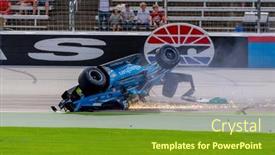
02 2021 Ft Worth,

The automotive world's most thrilling moments are captured with precision and style, as depicted in the "Wide Title" PowerPoint template designed specifically for those who crave excitement on the road. This visually stunning template is crafted in Widescreen format, perfect for showcasing high resolution images that will leave viewers breathless. Olive Drab is the dominant color palette of this template, evoking a sense of ruggedness and reliability – ideal for any automobile enthusiast. The "26" keyword subtly incorporates a automotive theme, while accident andretti autosport are also woven throughout, providing an added layer of depth to the design. Featuring high quality 2021 images as its background is a significant detail, making it easy to visualize the action on the track. Including a Background With subtle gradient effects can add depth and dimensionality to your slides. The template's keywords 2021 and automobile are skillfully incorporated into various elements of the design. Enhanced with the theme of speed and performance, this template is sure to keep viewers engaged for hours. Having a clean and simple layout, particularly on the Panoramic Picture Layout slide, makes it easy to scan and take in the information.

 Presentation with slides -

Muskogee Ok Sept 13:

In the midst of a zombie apocalypse, where survival is a daily struggle, the most pressing question is how to stay ahead of the undead hordes. The answer lies in creating an immersive experience that transports your audience into a world of action and adventure. The Split Title template designed specifically for the ultimate escape room experience is a masterpiece of modern design. With its Widescreen format and high resolution images, this template will leave your audience breathless and eager to dive in. Featuring a stunning background image of an abandoned amusement park at dusk, the Split Title template is sure to include a Background With a theme of creating a gritty and immersive environment. The Growth Layout slide is a game changer, allowing you to showcase a 3D animated character or object that will captivate your audience's attention. Having a Theme of bringing interactive elements to life, this feature Enhanced With a more engaging and dynamic experience will leave your audience wanting more. Imagine featuring the Split Title template as part of an escape room challenge, where players must solve puzzles to progress through levels, only to find themselves face to face with zombies in a heart pumping finale. The possibilities are endless, and with this template, you'll be well on your way to creating unforgettable experiences for your audience.

 Presentation with slides -

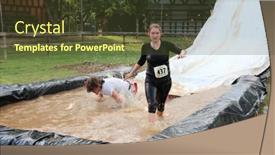
Muskogee Ok Sept 13:

Slides with muskogee ok - sept 13 an athlete slides into a muddy pit to avoid zombies during the castle zombie run at the castle of muskogee in muskogee ok on september 13 2014

▼Key features of this template

  • They are compatible with both PowerPoint and Google Slides running on either Windows PCs or Macs.

  • They are available in both standard and widescreen slide formats. You can choose your preferred format by clicking on the "Widescreen" check box or icon.

  • Each template includes a beautiful high-resolution background image or video to visually reinforce the theme of your presentation.

  • In addition, each template includes designer-created graphics and modern fonts to give your presentations an up-to-date, professional look.

  • Each template's default design and title text position have been carefully selected to complement its background without covering faces or other key elements.

  • All text includes backdrops whose transparency level is mathematically calculated to maximize text readability while still allowing the background to be seen.

  • And all the text, text backdrops and graphics in every slide are colored with a palette designed to beautifully complement the colors in the background.

  • Our Premium templates (those with the descriptor “Premium” in their subtitle) include over 64 slide layouts to give you maximum flexibility as you create your presentations.

    • Those layouts are available to you whenever you create a new slide or when you want to change the layout of an existing slide.
    • They include everything you need to make all sorts of presentations. In addition to the layouts for the title slide and the usual title and content slide, they include many other layouts for slide types including table of contents slides, org charts, charts, diagrams, infographics, photo slides, thank you slides and more.
    • While creating these layouts our template designers have ensured that all text in every layout adjusts as gracefully as possible to various numbers of words.
  • Customizable templates (those with the descriptor “Customizable” in their subtitle) may be easily modified online before you download them.

    • To modify them, simply click on the pencil editing icon, then select your choice of ready to go designs and title text positions.
    • The editing tool also makes it easy to reposition and scale the background image or video to best suit your needs.

▼FAQs

Please review these FAQs to see if your question is answered. Contact us for more info

  • What is a PowerPoint template?

    • A well designed PowerPoint template is a file that can tell PowerPoint how to make your ordinary templates look extraordinary. They won’t change what your words or numbers say. But they might change their size, color, font and placement. And, overall, they can give your presentations a professionally-designed look that will give your content more credibility and give you more confidence.
  • How many PowerPoint templates do you offer?

    • We have over 32,000 artist-created presentation templates in our PowerPlugs collection With a subscription, PowerPlugs templates are easy to download. Just sign in, find a template and click on the green Download button. ready for you to download. That alone offers you more variety to choose from than any of our competitors can offer. And, as if that weren’t enough, we also offer over 6 million templates in our Crystal collection. Crystal brand templates are our line of templates that have customization options. They have the word "CRYSTAL" on their web page images. You can customize several aspects of the templates. These templates include high-resolution background images from Shutterstock’s vast image collection matched up with artist-created presentation designs customized by our own proprietary AI software.
  • How many templates can I download as a subscriber?

    • You can download an unlimited number of PowerPlugs-brand With a subscription, PowerPlugs templates are easy to download. Just sign in, find a template and click on the green Download button. templates every day for an entire year. (Actually, by default, we set a limit of 25 templates per day to prevent our competitors from stealing our templates. But, if that is not enough, just let us know and we’ll try to accommodate you.) On top of that, with a subscription or an Ultimate Combo, you can also download any 50 Crystal-brand Crystal brand templates are our line of templates that have customization options. They have the word "CRYSTAL" on their web page images. You can customize several aspects of the templates. templates per year selected from our huge Crystal collection. Crystal brand templates are our line of templates that have customization options. They have the word "CRYSTAL" on their web page images. You can customize several aspects of the templates. .
  • Why should I choose your templates instead of the competition’s?

    • We’ve got a larger selection of professionally-designed PowerPoint templates than anyone else in the world.
    • Each template includes a high-resolution background image or video to visually inspire your audiences while reinforcing your message.
    • Each template includes 64 slide layouts to give you maximum flexibility as you create your presentations.
    • Our templates are available in both standard and widescreen slide formats. And our website lets you preview the slides each way.
    • Our free Template Finder™ plugin lets subscribers select and - with a single click - download and insert our templates into their presentations right from within PowerPoint.
    • We’ve been creating designer presentation templates for over 20 years. During that time we’ve won several awards and 5-star ratings for product quality. See About Us for more.
  • Do you offer a money-back guarantee?

    • Yes we do! We offer full 30-day money-back guarantee if you are not 100% satisfied with your purchase.
  • Can I still use my downloaded templates after my subscription runs out?

    • Yes. After your subscription expires, you won't lose any rights or ability to use your PowerPlugs: Templates for PowerPoint. You won't be able to download any new non-watermarked templates. But the non-watermarked templates you've already downloaded will still work and you can still use them as before.
  • Can I share my downloaded templates or passwords with friends or coworkers?

    • Sorry but no. You are authorized to download each paid-for template to up to 3 of your personal devices and to use the templates you download in as many presentations as you want. But you are not authorized to share the templates, themselves, with others. That said, we do offer highly discounted site licenses to suit the needs of both small and large teams. Just tell us your needs and we’ll give you a quote!
  • System requirements:

    • The templates use the standard POTX format. So they are compatible with Google Slides and all PC, Mac and mobile devices running any version of PowerPoint from PowerPoint 2007 up through and including Office 365 desktop.
    • Please note: Google Slides does not currently support background videos. It treats them as still images.
    • For PowerPoint for the Web, first open your template into a desktop version of PowerPoint, then save it back out as a PPTX file. Then you can open that in PowerPoint for the Web.
  • End user license agreement:

    • Click here to view.
  • How will I get my purchased templates?

    • You may download your selected templates as soon as your payment is received by PayPal. If you purchased an individual template, you will be provided with a download link both onscreen and via email. Just click on that link to begin the download process. If you purchased a subscription, you will receive an email containing a password to use along with your email address to sign in to any of the templates pages on CrystalGraphics.com. Once you are signed in, you can immediately start downloading your selected templates.
  • How do I use my templates after I download them?

    • You can either open a template to start a new presentation or you can add a template to an existing presentation. To open a template, just double click on it or use PowerPoint's File > Open tool. To add a template to an existing presentation, on the Design tab, in the Themes group, click Browse for Themes... then browse to select your template.

View more Slides templates:

previous 1 2 3 4 next
93% of Fortune 1000
companies use our
PowerPoint Products
Templates Secure

Standing Ovation Award
Winner: Best PowerPoint
Template Collection
Fortune Logos
200,000+ satisfied
customers worldwide!
Guarantee
100% satisfaction guaranteed
- or send it back for a refund!

Sign up for our free newsletter! You'll get news about our PowerPoint-enhancing product line – including free updates, new product announcements and exclusive special offers. Plus you'll get a link to a free PowerPoint template with every newsletter you receive.
Privacy Policy
Loading...


Help

Contact Us
Product FAQs
Product License Agreements

Company Info

About Us
Privacy Policy
CrystalGraphics, Inc. 1999 S. Bascom Avenue Suite 700 Campbell, CA 95008 USA
© 2026 CrystalGraphics, Inc. All rights Reserved.    |     PowerPlugs is a trademark of CrystalGraphics, Inc.
Microsoft and the PowerPoint logo are trademarks or registered trademarks of Microsoft Corporation in the United States and/or other countries.
Loading...
Loading...