www.crystalgraphics.com CrystalGraphics
  • Ultimate Combo
  • Templates
  • Diagrams
  • Characters
  • Quizzes
  • shopping cart
  • Sign Out Sign Out Sign In
Home > Templates > South China Sea Category
search icon
advanced icon

68 Best South China Sea-Themed Templates for PowerPoint and Google Slides

CrystalGraphics creates templates designed to make even average presentations look incredible. Below you’ll see thumbnail sized previews of the title slides of a few of our 68 best south china sea templates for PowerPoint and Google Slides. The text you’ll see in in those slides is just example text. The south china sea-related image or video you’ll see in the background of each title slide is designed to help you set the stage for your south china sea-related topics and it is included with that template. In addition to the title slides, each of our templates comes with 17 additional slide layouts that you can use to create an unlimited number of presentation slides with your own added text and images. And every template is available in both widescreen and standard formats. With over 6 million presentation templates available for you to choose from, CrystalGraphics is the award-winning provider of the world’s largest collection of templates for PowerPoint and Google Slides. So, take your time and look around. You’ll like what you see! Whether you want 1 great template or an ongoing subscription, we've got affordable purchasing options and 24/7 download access to fit your needs. Thanks to our unbeatable combination of quality, selection and unique customization options, CrystalGraphics is the company you can count on for your presentation enhancement needs. Just ask any of our thousands of satisfied customers from virtually every leading company around the world. They love our products. We think you will, too!

Features & Pricing

Widescreen (16:9) Presentation Templates. Change size...
 Presentation with south china sea - Presentation design with beautiful-natural-cliffs-in-ha background and a sky blue colored foreground

Beautiful Natural Cliffs Ha Long

Imagine standing on a breathtaking cliff overlooking a serene south destination, with the turquoise waters of the Gulf of Tonkin glistening in the distance this is what you can experience with our CrystalGraphics template, featuring a Light Steel Blue color palette that will transport you to the stunning natural beauty of Ha Long Bay. This template is available for download and compatibility with Google Slides, making it easy to use and customize. This unique template features four How To slides to help you get up and running quickly, each one showcasing a different aspect of how to bring this scenic destination to life on your slide. For example, the Pros and Cons Layout slide could be used to highlight the benefits of including high resolution images in your presentation, featuring a beautiful background with a subtle gradient that enhances the overall visual impact. With this template as inspiration, you can create stunning slides that evoke the sense of adventure and exploration found in Ha Long Bay. The Light Steel Blue color palette provides a clean and crisp look that will complement any brand or organization's style, while the inclusion of high resolution images ensures that your presentation looks professional and visually appealing. Whether you're a tourism board or an educational institution looking to showcase this incredible destination, this template is sure to impress.

 Presentation with south china sea - Presentation design featuring beautiful-natural-cliffs-in-ha background and a gray colored foreground

Beautiful Natural Cliffs Ha Long

The breathtaking landscape of Ha Long Bay in Vietnam is a sight to behold, and with this stunning Wide Title template from CrystalGraphics, you can transport your audience to the world's most picturesque destinations. The Widescreen format provides an immersive viewing experience, while the Orange color palette adds a touch of warmth and excitement. This template features high resolution images for the background, showcasing the majestic cliffs that rise up out of the crystal clear waters. The Orange hue brings a vibrant feel to the design, making it perfect for creating a cohesive look across various presentations. The template is also loaded with keywords that are sure to spark inspiration for your tourism related projects cliff, south, destination, tourism, scenic. This will ensure that your slides stand out from the crowd and capture viewers' attention from the start. One of the standout features of this template is the @ Pictures With Captions Layout slide. Featuring high quality images with detailed captions, this layout allows you to showcase a variety of visuals in one go, making it an ideal choice for presentations that need to convey complex information quickly. For example, you could include a slide featuring stunning aerial footage of Ha Long Bay's limestone karsts, accompanied by a brief description of the area's rich cultural heritage. The template is also Enhanced With customizable shapes and icons, allowing you to add a touch of personality to your slides while keeping them on brand. With its seamless integration with Google Slides, this template is perfect for users who want to create stunning presentations without requiring extensive design expertise. Having a Theme of Travel and Tourism showcases the incredible destinations that this template allows you to explore from exotic islands to bustling cities, the possibilities are endless.

 Presentation with south china sea - Amazing slide set having beautiful-natural-cliffs-in-ha backdrop and a ocean colored foreground

Beautiful Natural Cliffs Ha Long

The majestic beauty of Ha Long Bay, Vietnam's stunning natural cliffs that rise majestically out of the crystal clear waters of the Gulf of Tonkin, has been the subject of countless photography and travel endeavors. This breathtaking destination is a must visit for any traveler seeking an unforgettable experience, and its allure only grows stronger with each passing day. The Corner Title template is designed to evoke this sense of awe and wonder, featuring four How To slides that will help you get up and running quickly in no time. But before we dive into those, let's talk about the template format our Widescreen version will make your presentation look stunning, with high resolution images for the background and a seamless layout that will keep your audience engaged. This template is perfect for showcasing your destination of choice, whether it's Ha Long Bay or another scenic location. The Light Steel Blue color palette adds a touch of elegance to any setting, while the accompanying keywords like "destination tourism" and "scenic landscapes" will help you stay on track with your content. Our Circular Approach Layout features a central slide that showcases your best visuals, with ample space for text and images to breathe life into your presentation. We've also included some additional sections, such as Featured Images With and Enhanced Backgrounds With, to make it easy to create a visually stunning showpiece. With its high resolution images, seamless layout, and elegant design, this template is the perfect addition to any travel or tourism presentation. Whether you're showcasing your destination of choice or simply looking for inspiration, our Corner Title template is sure to impress.

 Presentation with south china sea - Beautiful presentation theme featuring beautiful-natural-cliffs-in-ha backdrop and a sky blue colored foreground

Beautiful Natural Cliffs Ha Long

From breathtaking natural landscapes to exciting travel destinations, the world's most stunning sights have captured the hearts of many. One such destination is Ha Long Bay in Vietnam, where majestic cliffs pierce through crystal clear waters and create a sense of awe inspiring wonder. The CrystalGraphics template features a dramatic Widescreen format that perfectly captures the grandeur of this destination. The Light Steel Blue color palette adds a touch of serenity and sophistication to the overall design, making it an ideal choice for showcasing stunning visuals like those found in Ha Long Bay. This template is designed with a Scenic theme in mind, incorporating elements that evoke feelings of adventure and exploration. It's perfect for featuring high resolution images of breathtaking cliff formations, sunsets, or tranquil water scenes. The template includes a Background With arrow stage layout, allowing you to easily slide through key slides and keep your audience engaged throughout the presentation. For example, on Slide 1, "Introduction", you could include a stunning image of Ha Long Bay at sunrise, providing a powerful starting point for your journey. Featuring a seamless transition between slides, this template is also Enhanced With an easy to use interface that makes it simple to navigate and customize. Having a Theme Of, the Light Steel Blue color palette adds a touch of modernity to the design while maintaining its natural beauty, making it a great fit for any presentation or marketing material. This stunning template is ready to enhance your presentations and engage your audience with its breathtaking imagery and sleek layout. With its high resolution images, easy to use interface, and seamless features, you'll be able to create engaging and memorable content that showcases the best of Ha Long Bay in Vietnam.

 Presentation with south china sea -

Hong Kong Circa January,

Imagine walking into a bustling Asian cafe in Hong Kong on a chilly winter morning, surrounded by the warm glow of lanterns and the enticing aromas of freshly brewed coffee and steaming buns. The sounds of sizzling woks and gentle chatter fill the air as patrons alike gather to enjoy a delicious meal amidst the vibrant atmosphere. This is just what you get with CrystalGraphics' Wide Title template, featuring a high resolution image that showcases the city's iconic skyline against a backdrop of golden hues. The Goldenrod color palette brings this scene to life, evoking feelings of warmth and sophistication. This Widescreen template is perfect for anyone looking to create visually stunning presentations that transport their audience to another world. With its dynamic design name, Wide Title, it's sure to grab attention from the start. For a seamless viewing experience, including a Background With the cityscape or featuring an image of a bustling Asian street scene. Having a Theme of showcasing Asian cultures and cuisines is also enhanced by this template, allowing you to share your passion for the region in a visually appealing way. The Arrow Stages Layout slide provides an excellent starting point for any presentation, guiding viewers through the content with ease. It's a great feature to include when introducing the main topic or theme of your presentation. In a real world scenario, this template could be used to create engaging presentations about Asian cuisine, travel destinations, or cultural events, and would undoubtedly leave a lasting impression on your audience.

 Presentation with south china sea - Colorful PPT theme enhanced with beautiful-natural-cliffs-in-ha backdrop and a sky blue colored foreground

Beautiful Natural Cliffs Ha Long

The stunning natural beauty of Vietnam's Ha Long Bay at dawn is captured perfectly by this beautiful template. This vibrant and colorful design will transport your audience to the crystal clear waters and breathtaking cliffs of South China Sea in just a few clicks. Imagine launching your presentation with a high resolution image of the majestic limestone karsts rising from the Gulf of Tonkin, set against a brilliant light steel blue background that evokes a sense of serenity and wonder. This template is perfect for showcasing destinations like Ha Long Bay, with its unique blend of natural beauty and cultural significance. The design will feature stunning images of these iconic locations, complemented by a seamless theme that wraps around the entire presentation. When including high resolution images in your background, consider using them as a foreground or incorporating them into the slide layout for added visual interest. This template is ideal for tourism related presentations, showcasing destinations like Ha Long Bay to travelers and travel enthusiasts alike. The use of bright colors and dynamic backgrounds will help grab attention and leave a lasting impression on your audience. With this template, you'll be able to enhance your presentation with stunning visuals that will inspire engagement and encourage interaction.

 Presentation with south china sea - Presentation design consisting of hong-kong-june-01-2015 background and a gray colored foreground

Hong Kong June 01,

Imagine a city that never sleeps, where the sounds of sizzling meat and bustling markets fill the air, transporting you to the vibrant streets of Asia's culinary capital, Hong Kong. This is what the "Wide Title" PowerPoint template from CrystalGraphics promises to deliver, with a design name that sets the tone for an immersive experience. The "Wide Title" template is tailored to showcase 4 key elements that will get your audience hooked: high resolution images for the background, a sophisticated Sienna color palette that exudes warmth and sophistication, and keywords that highlight Asia's rich cultural heritage. By including a Background With feature in the Chart with Caption Layout slide, you can present visually stunning information in an easy to read format. With this template, you're not just giving your audience a look at Hong Kong; you're making them part of the experience. The "Wide Title" is more than just a logo it's a theme that sets the tone for a captivating presentation. Featuring Asian cultures and culinary delights, this template is sure to leave a lasting impression. Including a Background With option in the Chart with Caption Layout slide allows you to create an enhanced visual experience, making your data stand out from the crowd. Having a seamless design that complements Google Slides makes it easy to customize your presentation without breaking a sweat. By downloading and using this template, you'll be able to create presentations that are not only visually stunning but also highly engaging and effective.

 Presentation with south china sea - Beautiful PPT theme featuring beautiful-natural-cliffs-in-ha backdrop and a light gray colored foreground

Beautiful Natural Cliffs Ha Long

The majestic beauty of Ha Long Bay in Vietnam, with its towering cliffs and emerald waters, is the perfect inspiration to create this stunning PowerPoint template. The Split Title design is crafted to take full advantage of your widescreen format, making it ideal for showcasing breathtaking images and videos that will transport your audience to a destination like no other. This Light Blue themed template features a high resolution background image of Beautiful natural cliffs in Ha Long Bay at the Gulf of Tonkin of the South China Sea, Vietnam. The design is complemented by 6 x 6 Org Chart Layout slide, providing a clear and concise structure for your organization's hierarchy. Featuring a professional and modern aesthetic, this template is sure to enhance your presentation with its theme of "Destination Tourism". The Split Title design allows you to Include a Background With stunning visuals that will grab attention and hold it until the end of your presentation. Having a Theme of showcasing images and videos of high quality destinations, this template is an ideal choice for tourism related presentations or slideshows. As mentioned earlier, this template is downloadable and compatible with Google Slides, making it easy to access and use on any device. Get ready to impress your audience with this beautiful and informative template that will help you create engaging presentations about the best destinations in Vietnam.

 Presentation with south china sea -

Hong Kong 09 2012:

In the heart of Asia's most populous city, Hong Kong shines bright with its towering skyscrapers and majestic architecture. A vibrant metropolis where tradition meets innovation, Hong Kong is a treasure trove of history, culture, and modernity. From the colorful streets of Kowloon to the serene harbor views of the South China Sea, every corner tells a story of this fascinating city state. With its unique blend of old and new, Hong Kong is a place where East meets West, where ancient traditions meet cutting edge technology. The city's skyline is a testament to its engineering prowess, with iconic structures like the International Commerce Centre and the Bank of China Tower standing tall against the vibrant backdrop of neon lights. The Pearl River Estuary, which runs through the heart of Hong Kong, is a stunning natural feature that showcases the city's natural beauty. Featuring lush greenery, sparkling waterways, and picturesque villages, this estuary is a haven for nature lovers and photographers alike. Incorporating this breathtaking scenery into your presentation is a great way to set the tone for an engaging visual experience. To enhance the visuals even further, you could include a few high resolution images of Hong Kong's stunning architecture, such as the Temple Street Night Market or the iconic Victoria Peak. Having a theme of showcasing the city's diversity and vibrancy will add depth and interest to your presentation. The template itself is designed for Widescreen presentations, with a clean and minimalist aesthetic that allows your visuals to take center stage. The Light Steel Blue color palette provides a sleek and modern look, perfect for creating a professional yet approachable atmosphere.

 Presentation with south china sea -

Hong Kong 09 2012:

In the heart of Asia's vibrant metropolis, Hong Kong stands as a beacon of innovation and architectural prowess. Its towering skyscrapers, gleaming temples, and tranquil gardens are a testament to human ingenuity and creativity. Corner Title is the perfect template to showcase your expertise in architecture, taking you on a journey through the city's most iconic landmarks and hidden gems. Using a Light Steel Blue color palette, this template will transport your audience to the bustling streets of Hong Kong. Featuring high resolution images for the background, Corner Title brings the outdoors in, showcasing the beauty of Asia's architectural marvels. Whether you're featuring a majestic skyline or a serene garden oasis, this template is sure to enhance any presentation. The 4 How To slides at the start of the deck will get your audience up and running quickly, providing a solid foundation for your content. But don't worry, they'll learn how to customize the layout and theme to suit their needs, making it easy for anyone to create stunning presentations that include a background with a modern feel. With Corner Title, you're not just showcasing architecture, you're featuring an entire city, taking your audience on an adventure through one of Asia's most incredible destinations. Having a dynamic stairs layout that includes animations and transitions will add an extra layer of engagement, making it enhanced with interactive elements to keep your audience entertained. Whether you're presenting about Hong Kong's iconic skyline or its serene temples, Corner Title is the perfect choice for anyone looking to showcase their expertise in architecture and create stunning presentations. Downloadable and compatible with Google Slides, this template is sure to impress, featuring a modern look that includes background images with Stairs Layouts

 Presentation with south china sea -

Hong Kong 09 2012:

The world's most populous city is shining bright in this stunning Widescreen landscape, showcasing the vibrant cityscape of Hong Kong at sunrise. As the Pearl River Estuary and South China Sea glow with soft hues of pink and orange, the iconic skyline comes alive with towering skyscrapers and grand architecture. In a bold design, Wide Title dominates the screen, featuring intricate lines that seem to dance across its surface. The font is carefully crafted to resemble traditional Asian motifs, adding an air of sophistication to this architectural masterpiece. A subtle gradient effect enhances the overall visual appeal, as if the image itself is radiating a sense of energy and excitement. To get your presentation off to a flying start, begin with four How To slides that will have you up and running quickly, each one offering valuable insights and practical tips to help you master this template. These slides are the perfect starting point for any builder or architect looking to elevate their presentation game. The Hexagon Layout slide is a beautiful addition to this design, featuring intricate patterns that evoke the city's rich history and cultural heritage. This slide can be used as a great example of how to effectively incorporate visual elements into your template, adding depth and complexity to your design. As you delve deeper into your presentation, remember to keep your theme in mind, ensuring every aspect is carefully crafted to reflect the essence of Hong Kong's architecture and Asian culture. Having a theme of showcasing stunning visuals from around the world can help tie everything together, making it easy for your audience to follow along. Enhancing this theme can also be done through including high resolution images that are sure to impress.

 Presentation with south china sea -

Hong Kong 09 2012:

As you step into the world of architecture, you're transported to the vibrant cityscape of Asia's tallest tower, Shanghai, China. High resolution images of sleek skyscrapers, bustling streets, and futuristic designs fill the background of your Widescreen template, perfectly capturing the essence of this global urban center. The Wide Title font, designed by CrystalGraphics, proudly proclaims its presence with a bold, yet elegant line that adds to the overall aesthetic of the template. Featuring a light steel blue color palette, this template is specifically tailored for architecture enthusiasts and design professionals alike. Incorporating Asian inspired elements, such as the iconic pagodas of Beijing's Forbidden City, this template has been carefully crafted to showcase the best of China's architectural heritage. The 5 Level Piramid Layout slide, a cornerstone of any building or structure, takes center stage with its intricate details and precision engineering. Designed to provide an intuitive understanding of how buildings are constructed, this slide can be used to explain complex architectural concepts in simple terms. Having a theme of modern architecture, the template seamlessly integrates 3D models, illustrations, and photographs that showcase various design elements, from minimalist to ornate. The overall look and feel of this template is enhanced with colorful graphics, including high resolution images of Chinese landmarks, such as the Great Wall or the Shanghai Tower. Having a comprehensive set of How To slides at the start of the deck will undoubtedly facilitate an effortless onboarding process for users.

 Presentation with south china sea -

Hong Kong 06 2015:

The city of Hong Kong, with its sleek skyscrapers and bustling streets, is a testament to human ingenuity and architectural innovation. From the towering Victoria Peak to the futuristic design of the International Commerce Centre, this vibrant metropolis is a marvel of modern construction. The year was 2015, and the city was on full display, showcasing its unique blend of traditional and contemporary styles. A powerful combination that has been perfected over centuries. In the context of a PowerPoint template provided by CrystalGraphics, we are offering a truly distinctive design that perfectly captures the essence of Hong Kong's architecture. This is "Wide Title", a template that features an attention grabbing background image, which I'm sure will leave your audience in awe. As you delve deeper into the presentation, this template will be Enhanced With, Featuring, Including A Background With, Having A Theme Of Architecture And Asia, To showcase the vibrant culture and rich history of this incredible city. A key feature of "Wide Title" is its Light Steel Blue color palette, a soothing and calming hue that sets the tone for a professional yet modern presentation. This template is downloadable and compatible with Google Slides, making it an ideal choice for anyone looking to add a touch of sophistication to their presentation. The 4 How To slides at the start of the deck are designed to help you get up and running quickly, and may include features such as dynamic images, charts and graphs, and engaging animations. One of the standout aspects of "Wide Title" is its Growth Layout slide, which showcases an impressive selection of high resolution images that will keep your audience engaged. This layout is sure to make a lasting impression, and its Ease Of Use makes it perfect for designers who are new to creating presentations with dynamic elements.

 Presentation with south china sea -

Hong Kong 09 2012:

This template is designed to transport your audience to the vibrant city of Hong Kong, showcasing its rich cultural heritage and modern skyline. As you navigate through this Split Title Widescreen PowerPoint template, you'll be immersed in high quality images that feature Asia's most iconic cities. The Light Steel Blue color palette provides a clean and professional backdrop for your slides, while the 4 How To slides at the start of the deck will help you get up and running quickly. These slides are ideal for introducing yourself to your audience or providing a brief overview of what to expect from your presentation. On each slide, you can include a background image that showcases Hong Kong's stunning cityscape or unique landmarks such as Victoria Peak or the Tsim Sha Tsui waterfront. Featuring high resolution images of these iconic locations will enhance the visual appeal of your slides and keep your audience engaged. Incorporating a theme of "City Life" into your signpost layout could be an excellent idea, with colorful icons and graphics highlighting various aspects of urban living in Hong Kong. For example, you could include a slide featuring a collage of different city streets, showcasing the diversity of Hong Kong's neighborhoods and ways of life. Having a template that allows for easy customization will also save you time and effort when creating your presentation.

 Presentation with south china sea -

Hong Kong 09 2012:

As you gaze out upon the vibrant streets of Hong Kong, imagine yourself standing in the midst of this bustling metropolis on a sweltering summer day in May 2012. The city's unique blend of East and West is palpable in every corner, from the colonial era architecture to the sleek high rises that pierce the sky. The template name is "Hong Kong Streets", a fitting moniker for its focus on capturing the essence of this iconic city. This stunning widescreen format offers an immersive viewing experience with crisp, high resolution images as the background feature on our template. Light Steel Blue is the dominant color palette, transporting you to the gleaming skyscrapers and serene gardens that define Hong Kong's landscape. The theme of architecture is front and center, showcasing iconic landmarks like the Hong Kong Stadium and the Victoria Peak in all their glory. You can include a stunning background image with a scenic view of the city skyline featuring the famous skyline at sunset. Featuring an intricate pattern of Asian inspired motifs, this template has a unique visual flair that sets it apart from other designs. Incorporating a Background With subtle gradient effect, and Enhanced With subtle shadows to add depth, this template is sure to elevate your presentation's style and sophistication. To get started quickly, the 4 How To slides will guide you through the process of setting up your presentation with ease.

 Presentation with south china sea -

Hong Kong 09 2012:

Create a dynamic template that showcases the grandeur and majesty of Asian architecture with Wide Title, specifically designed for Widescreen presentations, Steel Blue color palette, and incorporating keywords such as building, China, and Asia. This stunning template features high resolution images on the background, meticulously crafted to transport audiences to the heart of these incredible regions. It's perfect for architects, urban planners, and anyone who wants to showcase their passion for Asian inspired design. Imagine being able to showcase a breathtaking image of the Sydney Opera House, with its iconic sail like roof, in your presentation, giving audiences a glimpse into the futuristic architecture that is synonymous with Asia's modern metropolises. Or perhaps you'd like to feature a stunning image of the Great Wall of China, with its imposing stone structures and misty mountains rising up from the horizon. The template includes How To slides to get you started quickly, including an interactive Stairs Layout slide where audiences can explore different floor plans and layouts for buildings. This feature makes it easy to create engaging presentations that capture attention and provide valuable insights into urban planning.

 Presentation with south china sea -

Hong Kong 06 2015:

As you create a stunning presentation that brings the majestic architecture of Asia to life on your Google Slides, start with a captivating sentence that sets the tone for an immersive experience. The Wide Title is designed to be eye catching and easy to read, with a layout that showcases high resolution images from around the world. This template format is perfect for showcasing stunning visuals that will take your audience on a journey across Asia, from the towering skyscrapers of Hong Kong to the ancient ruins of China's Great Wall. With a Light SlateGray color palette as the foundation, this template incorporates keywords such as "architecture", "Asia", "Asian", and "building" to create a cohesive look that is both modern and timeless. Featuring a diverse range of high resolution images throughout the template, you'll be able to showcase your creativity and attention to detail. The Light SlateGray color palette provides a clean and sophisticated backdrop for highlighting your templates' key features, such as its compatibility with Google Slides and its ability to enhance presentations with stunning visuals. Having a theme of showcasing Asian culture and architecture, this template is sure to impress your audience. With four How To slides at the start of the deck to help you get up and running quickly, you'll be able to dive straight into creating an amazing presentation that showcases your expertise. And when it comes to showcasing stunning visuals, including a Background With a vibrant image featuring the iconic skyline of Tokyo, or having a Theme of presenting in a professional yet modern setting Enhanced With some crisp typography and eye catching graphics, this template has got you covered. This template is perfect for architects, designers, and anyone else who wants to create an engaging presentation that showcases their expertise in Asian architecture.

 Presentation with south china sea -

Hong Kong June 03,

As you step into the vibrant streets of Hong Kong, the city's bustling energy and rich cultural heritage come alive on screen, setting the tone for an unforgettable presentation. From the iconic skyline to the ornate temples, every detail is meticulously captured in exquisite high resolution images, transporting your audience to this fascinating Asian metropolis. The Corner Title template boasts a stunning Red color palette that perfectly complements the city's bold and dynamic spirit, creating a visually striking foundation for your slides. This Widescreen format ensures maximum impact on any screen size, while the downloadable compatibility with Google Slides makes it easy to share and use in your presentations. As you delve into the template, you'll discover four essential How To slides that will help you get up and running quickly. These introductory slides feature beautiful high resolution images of iconic Hong Kong landmarks, carefully curated to provide a comprehensive starting point for your presentation. With these slides as your launching pad, you're ready to dive into showcasing the architecture, Asian culture, and street life that make this city so captivating. This template is a masterclass in creating an immersive experience, with a rich theme of showcasing Asia's most vibrant destinations. The enhanced content includes a detailed description of Hong Kong, highlighting its unique blend of tradition and modernity. Whether you're featuring stunning images of the city's skyline, Including a Background With breathtaking views of Victoria Harbour or Having a Theme of capturing the essence of Asian cuisine, this template has got you covered. To take your presentation to the next level, Consider using the Thank You Layout slide to express gratitude for the inspiration behind your visual content. This beautifully designed slide is sure to leave a lasting impression on your audience, setting the tone for an engaging and memorable experience.

 Presentation with south china sea -

Hong Kong 06 2015:

The crystal clear skyline of Hong Kong Island at sunset, bathed in a warm golden light that seems to dance across the city's towering skyscrapers. The city's unique blend of traditional and modern architecture is on full display as it stands against the lush green hills and mountains of the surrounding countryside. This Wide Title template is designed specifically for presentations that require a clean and elegant visual identity, perfect for architectural or Asian themed projects. The Widescreen format provides an immersive viewing experience, ideal for showcasing high resolution images in stunning detail. The Light SlateGray color palette adds a touch of sophistication, while the provided keywords architecture, asia, asian, building, china give users a clear idea of the template's intended use. The high resolution images featured throughout this template will provide a visually striking backdrop for your presentation, from the bustling streets of Hong Kong to the tranquil gardens of its iconic landmarks. With its sleek and modern design, this template is easy to navigate, featuring a seamless layout that allows users to easily include a background with their own images. This template offers a streamlined solution for designers who want to create a professional looking presentation without breaking the bank or spending hours customizing each slide individually. The downloadable format makes it simple to incorporate the template into your Google Slides presentation, and compatibility ensures smooth integration across various platforms.

 Presentation with south china sea -

Hong Kong 06 2015:

The city of Hong Kong, a metropolis that never sleeps, and today we're going to take you on a journey through its stunning architecture, where the ancient East meets the modern West. With a rich history dating back centuries, this island nation is home to some of the most iconic buildings in the world, including the famous Victoria Peak and the majestic Iwan Rhee Mansion. The city's skyline is dominated by tall skyscrapers, sleek high rises that seem to touch the clouds, and the curved lines of modern architecture that have become synonymous with Hong Kong. But what makes this city truly special is its unique blend of traditional and contemporary styles, from the ornate facades of colonial era buildings to the futuristic designs of new high tech towers. In this powerpoint template, we've used a Widescreen format with a resolution of 1920 x 1080 pixels, which will ensure that your presentation looks crisp and clear on any screen. The template is fully customizable, so you can change the colors, fonts, and backgrounds to match your own unique style. Our Light SlateGray color palette provides a clean and sophisticated look, perfect for showcasing the city's sleek modern architecture. We've also included four How To slides to help you get up and running quickly: Slide 1 is our Section Header Layout slide, which allows you to customize the layout and design of your presentation. This will feature high resolution images of iconic Hong Kong landmarks, along with a subtle background image that enhances the overall aesthetic. For example, you could include images like this of the Hong Kong skyline at night, or take a closer look at the intricate details of the Victoria Peak's facade. Another slide, Slide 2, is our Featured Image slide, which showcases a high quality image of one of Hong Kong's most famous landmarks. This will help bring your presentation to life and give your audience a sense of what they can expect. Having a theme of showcasing iconic architecture, we've also included images of traditional Chinese buildings, such as the old City Hall and the Temple Street Night Market. Having a background with subtle textures and patterns adds depth and interest to the template, making it easy to enhance with additional graphics or animations. And for our Downloadable feature,

 Presentation with south china sea -

Hong Kong 06 2015:

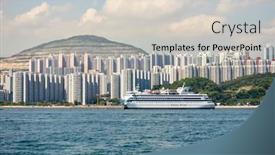
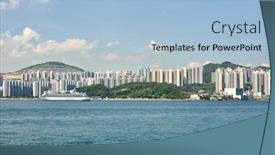
Presentation design having hong kong - may 06 2015 daytime view of hong kong island hong kong is an autonomous territory on the southern coast of china at the pearl river estuary and the south china sea

▼Key features of this template

  • They are compatible with both PowerPoint and Google Slides running on either Windows PCs or Macs.

  • They are available in both standard and widescreen slide formats. You can choose your preferred format by clicking on the "Widescreen" check box or icon.

  • Each template includes a beautiful high-resolution background image or video to visually reinforce the theme of your presentation.

  • In addition, each template includes designer-created graphics and modern fonts to give your presentations an up-to-date, professional look.

  • Each template's default design and title text position have been carefully selected to complement its background without covering faces or other key elements.

  • All text includes backdrops whose transparency level is mathematically calculated to maximize text readability while still allowing the background to be seen.

  • And all the text, text backdrops and graphics in every slide are colored with a palette designed to beautifully complement the colors in the background.

  • Our Premium templates (those with the descriptor “Premium” in their subtitle) include over 64 slide layouts to give you maximum flexibility as you create your presentations.

    • Those layouts are available to you whenever you create a new slide or when you want to change the layout of an existing slide.
    • They include everything you need to make all sorts of presentations. In addition to the layouts for the title slide and the usual title and content slide, they include many other layouts for slide types including table of contents slides, org charts, charts, diagrams, infographics, photo slides, thank you slides and more.
    • While creating these layouts our template designers have ensured that all text in every layout adjusts as gracefully as possible to various numbers of words.
  • Customizable templates (those with the descriptor “Customizable” in their subtitle) may be easily modified online before you download them.

    • To modify them, simply click on the pencil editing icon, then select your choice of ready to go designs and title text positions.
    • The editing tool also makes it easy to reposition and scale the background image or video to best suit your needs.

▼FAQs

Please review these FAQs to see if your question is answered. Contact us for more info

  • What is a PowerPoint template?

    • A well designed PowerPoint template is a file that can tell PowerPoint how to make your ordinary templates look extraordinary. They won’t change what your words or numbers say. But they might change their size, color, font and placement. And, overall, they can give your presentations a professionally-designed look that will give your content more credibility and give you more confidence.
  • How many PowerPoint templates do you offer?

    • We have over 32,000 artist-created presentation templates in our PowerPlugs collection With a subscription, PowerPlugs templates are easy to download. Just sign in, find a template and click on the green Download button. ready for you to download. That alone offers you more variety to choose from than any of our competitors can offer. And, as if that weren’t enough, we also offer over 6 million templates in our Crystal collection. Crystal brand templates are our line of templates that have customization options. They have the word "CRYSTAL" on their web page images. You can customize several aspects of the templates. These templates include high-resolution background images from Shutterstock’s vast image collection matched up with artist-created presentation designs customized by our own proprietary AI software.
  • How many templates can I download as a subscriber?

    • You can download an unlimited number of PowerPlugs-brand With a subscription, PowerPlugs templates are easy to download. Just sign in, find a template and click on the green Download button. templates every day for an entire year. (Actually, by default, we set a limit of 25 templates per day to prevent our competitors from stealing our templates. But, if that is not enough, just let us know and we’ll try to accommodate you.) On top of that, with a subscription or an Ultimate Combo, you can also download any 50 Crystal-brand Crystal brand templates are our line of templates that have customization options. They have the word "CRYSTAL" on their web page images. You can customize several aspects of the templates. templates per year selected from our huge Crystal collection. Crystal brand templates are our line of templates that have customization options. They have the word "CRYSTAL" on their web page images. You can customize several aspects of the templates. .
  • Why should I choose your templates instead of the competition’s?

    • We’ve got a larger selection of professionally-designed PowerPoint templates than anyone else in the world.
    • Each template includes a high-resolution background image or video to visually inspire your audiences while reinforcing your message.
    • Each template includes 64 slide layouts to give you maximum flexibility as you create your presentations.
    • Our templates are available in both standard and widescreen slide formats. And our website lets you preview the slides each way.
    • Our free Template Finder™ plugin lets subscribers select and - with a single click - download and insert our templates into their presentations right from within PowerPoint.
    • We’ve been creating designer presentation templates for over 20 years. During that time we’ve won several awards and 5-star ratings for product quality. See About Us for more.
  • Do you offer a money-back guarantee?

    • Yes we do! We offer full 30-day money-back guarantee if you are not 100% satisfied with your purchase.
  • Can I still use my downloaded templates after my subscription runs out?

    • Yes. After your subscription expires, you won't lose any rights or ability to use your PowerPlugs: Templates for PowerPoint. You won't be able to download any new non-watermarked templates. But the non-watermarked templates you've already downloaded will still work and you can still use them as before.
  • Can I share my downloaded templates or passwords with friends or coworkers?

    • Sorry but no. You are authorized to download each paid-for template to up to 3 of your personal devices and to use the templates you download in as many presentations as you want. But you are not authorized to share the templates, themselves, with others. That said, we do offer highly discounted site licenses to suit the needs of both small and large teams. Just tell us your needs and we’ll give you a quote!
  • System requirements:

    • The templates use the standard POTX format. So they are compatible with Google Slides and all PC, Mac and mobile devices running any version of PowerPoint from PowerPoint 2007 up through and including Office 365 desktop.
    • Please note: Google Slides does not currently support background videos. It treats them as still images.
    • For PowerPoint for the Web, first open your template into a desktop version of PowerPoint, then save it back out as a PPTX file. Then you can open that in PowerPoint for the Web.
  • End user license agreement:

    • Click here to view.
  • How will I get my purchased templates?

    • You may download your selected templates as soon as your payment is received by PayPal. If you purchased an individual template, you will be provided with a download link both onscreen and via email. Just click on that link to begin the download process. If you purchased a subscription, you will receive an email containing a password to use along with your email address to sign in to any of the templates pages on CrystalGraphics.com. Once you are signed in, you can immediately start downloading your selected templates.
  • How do I use my templates after I download them?

    • You can either open a template to start a new presentation or you can add a template to an existing presentation. To open a template, just double click on it or use PowerPoint's File > Open tool. To add a template to an existing presentation, on the Design tab, in the Themes group, click Browse for Themes... then browse to select your template.

View more South China Sea templates:

previous 1 2 3 4 next
93% of Fortune 1000
companies use our
PowerPoint Products
Templates Secure

Standing Ovation Award
Winner: Best PowerPoint
Template Collection
Fortune Logos
200,000+ satisfied
customers worldwide!
Guarantee
100% satisfaction guaranteed
- or send it back for a refund!

Sign up for our free newsletter! You'll get news about our PowerPoint-enhancing product line – including free updates, new product announcements and exclusive special offers. Plus you'll get a link to a free PowerPoint template with every newsletter you receive.
Privacy Policy
Loading...


Help

Contact Us
Product FAQs
Product License Agreements

Company Info

About Us
Privacy Policy
CrystalGraphics, Inc. 1999 S. Bascom Avenue Suite 700 Campbell, CA 95008 USA
© 2026 CrystalGraphics, Inc. All rights Reserved.    |     PowerPlugs is a trademark of CrystalGraphics, Inc.
Microsoft and the PowerPoint logo are trademarks or registered trademarks of Microsoft Corporation in the United States and/or other countries.
Loading...
Loading...