www.crystalgraphics.com CrystalGraphics
  • Ultimate Combo
  • Templates
  • Diagrams
  • Characters
  • Quizzes
  • shopping cart
  • Sign Out Sign Out Sign In
Home > Templates > Stack Category
search icon
advanced icon

381 Best Stack-Themed Templates for PowerPoint and Google Slides

CrystalGraphics Stack template collection offers a wide range of visually stunning and informative presentation slides that can help professionals, students, and anyone else who needs to convey complex information in an engaging way. With the Stack category, you'll find templates that combine various elements such as pills and capsules on light blue backgrounds with white icons depicting different health-related topics, 3D characters climbing up a stack of books to represent knowledge, a drug syringe covered in money with a skull to symbolize financial success, or a glossy black and white globe with the words Learn and a stack of books surrounding it. These templates are designed to be customizable, making them easy to adapt to individual needs.

This extensive collection boasts 60+ additional slides that cater to various purposes, including presentation titles, outlines, charts, infographics, and more. All templates are compatible with Google Slides, ensuring seamless integration into your existing workflow. Moreover, they are available in both widescreen and standard formats, allowing for flexibility in your design choices.

Customize each template with ease using CrystalGraphics intuitive editor, featuring a wide range of features to make the process effortless. With instant 24/7 download access, you can quickly get started on creating professional-looking presentations that resonate with your audience.

Browse through our vast library and discover the perfect template for your needs. Explore other categories like Business, Education, Technology, and more to find the ideal fit. Select a template, customize it to perfection, and share your unique vision with others. Download and personalize your creation today and elevate your presentations with CrystalGraphics Stack template collection.

Features & Pricing

Widescreen (16:9) Presentation Templates. Change size...
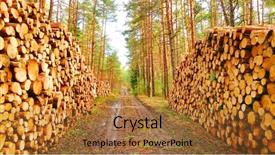
 Presentation with stack - PPT theme with lgos - stack a logs in pine background and a red colored foreground

Stack Logs Pine Forest Timber

As you step into the heart of nature's wonderland, where the gentle rustle of pine trees and the soft glow of sunset create an idyllic scene, your imagination is sparked to envision a world where renewable energy reigns supreme. A world where the rich biodiversity of our ecosystem thrives, fueled by sustainable practices that prioritize the well being of both people and planet. The design name for this stunning PowerPoint template is Wide Title, featuring a rich Goldenrod color palette that evokes warmth and coziness. The Widescreen format will transport your audience to a perfect balance between the vastness of nature and the intimacy of human innovation. As they delve into the depths of this theme, they'll discover four valuable How To slides that offer expert guidance to get started quickly and efficiently. These foundational elements are designed to enhance their understanding and appreciation of renewable energy and sustainable development. On the Growth Stages Layout slide, you can imagine a dynamic presentation showcasing the different stages of growth from seedling to mature tree. This could be depicted through an interactive diagram featuring interactive elements such as hover over text, animations, or even 3D illustrations. The accompanying background image would showcase the ever changing landscape of our ecosystem, with elements like sunlight filtering through the canopy or a gentle rain shower adding depth and texture. In Featuring a Background With option, you could include stunning images that represent different stages of renewable energy production, such as solar panels harnessing the power of the sun or wind turbines generating electricity. Having a Theme of, the background image would be carefully curated to reinforce the theme of sustainability and eco friendliness. Enhanced with interactive elements and animations, this template is designed to engage your audience and inspire them to take action towards a more sustainable future.

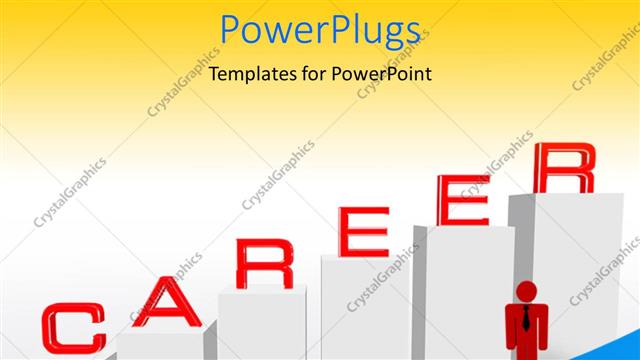
 Presentation with stack - Man standing over dollar stack with career bar chart

Business Career

Man standing over dollar stack with career bar chart

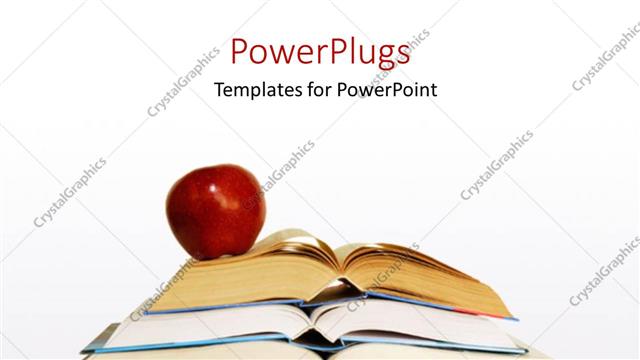
 Presentation with stack - Apple on stack of books and laptop

Education

Apple on stack of books and laptop

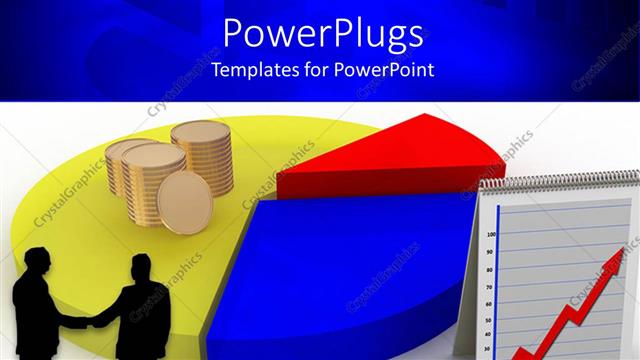
 Presentation with stack - Business men shaking hands with stack of gold coin on colored pie chart

Pie Chart

Business men shaking hands with stack of gold coin on colored pie chart

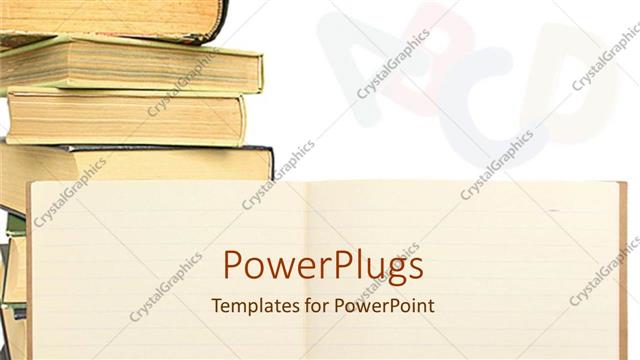
 Presentation with stack - High stack of books of different shapes and sizes

Education

High stack of books of different shapes and sizes

 Presentation with stack - White stack of increasing tabs showing the word Sales

Sales

White stack of increasing tabs showing the word Sales

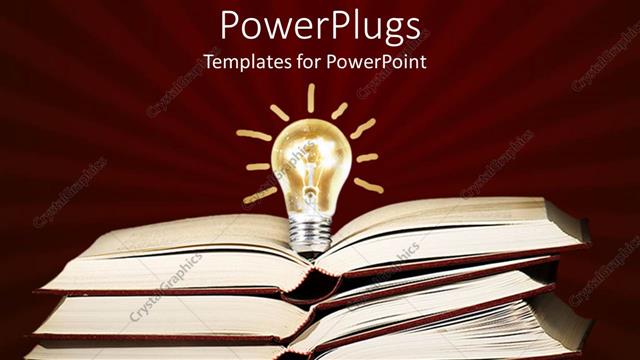
 Presentation with stack - Stack of open books with a light bulb on it

Solutions

Stack of open books with a light bulb on it

 Presentation with stack - White figure sitting on pencil in front of stack of books and US flag

Education Concept

White figure sitting on pencil in front of stack of books and US flag

 Presentation with stack - Beautiful theme featuring quill pen - stack old book and candle backdrop and a tawny brown colored foreground

Stack Old Book Candle Education.

The Corner Title template is a stunning addition to your presentation toolkit, designed to captivate audiences and convey the importance of education. This beautiful Widescreen template features high resolution images for the background, complemented by a warm Saddle Brown color palette that evokes feelings of comfort and approachability. As you delve into the world of educational content, this template offers a versatile foundation for your presentation, allowing you to feature your ideas with confidence. The template's design name Corner Title, which incorporates the stack of old books and candle, perfectly encapsulates its theme one of knowledge and illumination. With 4 How To slides at the start of the deck, you'll have everything you need to get up and running quickly, but don't worry, we won't reveal them just yet. The Stairs Layout slide is a great place to start your presentation, with its intricate design featuring multiple levels and textures that will transport your audience to an educational setting. Imagine presenting your ideas on top of a majestic staircase, surrounded by the warm glow of candles and the soft rustle of old books. This template's Incorporating a Background With element means you can use high resolution images from the Saddle Brown color palette for your background, creating a seamless visual experience. Having an Enhanced With theme in mind, this template is the perfect choice to take your presentation to the next level. It includes everything you need to create a visually stunning and engaging educational content that will leave your audience inspired and motivated to learn more. Whether you're presenting on education, innovation, or any other topic related to ideas and books, Corner Title is the ultimate companion for your journey.

 Presentation with stack - PPT theme having 50 states - stack of fifty 50 dollar background and a mint green colored foreground

Stack Fifty 50 Dollar Bills

The Wide Title is a stunning template that shines with a vibrant medium turquoise color palette, perfect for any professional presentation. The Widescreen format ensures an immersive experience, ideal for showcasing high resolution images throughout the deck. This template features a dynamic composition of 50 dollar bills fanned out on a white background, providing a striking visual representation of financial transactions. It's an excellent addition to any income based or loan related presentation, conveying trust and stability. The Medium Turquoise color palette is both calming and energetic, making it suitable for various themes and styles. The template includes high resolution images of the US Capitol building on a white background, providing a sense of authority and credibility. When featuring this template in your presentation, consider including the 3 Pictures + Captions Layout slide to showcase a prominent image with its accompanying caption. This layout can be used as a header or footer, enhancing the overall appearance of your slides. Having a theme of a "stack of documents" or "financial reports" would also work well. The template is downloadable and compatible with Google Slides, making it easy to use in collaboration. With four How To slides at the start of the deck, you can quickly get up and running, but there are no additional steps provided; however, this allows for a flexible and customizable presentation that suits your needs.

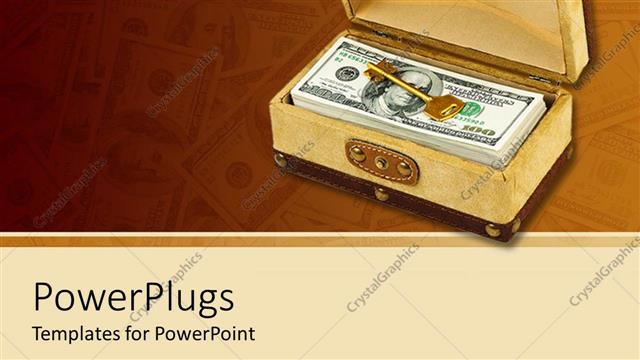
 Presentation with stack - Stack of hundred dollar bills and gold key in box

Success Key

Stack of hundred dollar bills and gold key in box

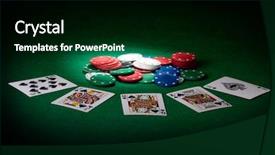
 Presentation with stack - Colorful slides enhanced with texas holdem - stack of chips and royal backdrop and a black colored foreground

Stack Chips Royal Flush

Imagine yourself surrounded by the excitement of a high stakes game, where you're on a mission to win big and leave the competition in the dust. The thrill is palpable as you line up your stack of chips, feeling the rush of anticipation build in your chest. But just as you're about to place your bet, you catch a glimpse of the Royal flush the perfect combination that seals the deal. Now, imagine presenting this scenario to your audience, showcasing the excitement and energy of the game. This is what the Split Title template from CrystalGraphics offers, featuring a stunning Dark Slate Gray background with high resolution images for added impact. The Split Title design Name is inspired by the classic stack of chips, but now incorporates sleek, modern elements to give it a fresh twist. Our premium templates include 60+ Layouts slide options, perfect for creating visually striking presentations that leave a lasting impression. To get started quickly, our downloadable templates are designed with ease in mind. They're formatted to work seamlessly on Google Slides, allowing you to create stunning slideshows with minimal fuss. Featuring a range of icons and graphics to enhance your presentation, Including a Background With royalty free images to add an extra touch of elegance, Having a Theme of success and winning that's sure to motivate your audience.

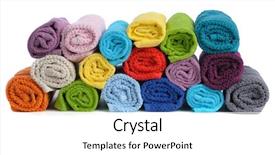
 Presentation with stack - Colorful PPT layouts enhanced with rolled towels isolated on white backdrop and a white colored foreground

Stack Colorful Rolled Towels Isolated

Imagine stepping into a tranquil oasis where the stresses of everyday life melt away as you bask in the warmth and vibrancy of your very own colorful world. This is exactly what the Corner Title PowerPoint template by CrystalGraphics promises to deliver. The Corner Title design name is perfectly suited for a wide screen presentation, with its bright and cheerful light coral color palette that will elevate any slide or text section. The overall aesthetic is reminiscent of a beautiful stack of colorful rolled towels isolated on a crisp white background, creating a visually appealing backdrop for your content. Featuring high resolution images throughout the template, you'll have access to stunning visuals without breaking the bank. This customizable template is designed to be incredibly easy to use, with 4 How To slides at the start that will get you up and running quickly. But don't worry, these steps are carefully crafted to help you create a seamless presentation from start to finish. With its comprehensive Arrow Stages Layout slide, including a range of design elements such as borders, backgrounds, and textures, you'll have all the tools you need to enhance your visuals and add depth to your content. The template is also perfectly compatible with Google Slides, making it easy to import and edit using this popular presentation software. Having a theme of clean and modern design throughout will help create a professional look that's sure to impress. Enhanced with Googles advanced features such as automatic layouts and animations, you'll be able to create an engaging and interactive presentation that will leave your audience in awe.

 Presentation with stack - Presentation having steady - zen meditation background - vintage background and a soft green colored foreground

Zen Meditation Background Vintage

Imagine yourself standing at the edge of a serene ocean, surrounded by towering sea cliffs and lush greenery, as you breathe in the calming scent of saltwater and sand. The warm light of the setting sun casts a golden glow over the scene, inviting you to pause, relax, and connect with the natural world. This is where our "Zen Meditation Background" template comes in a stunning Widescreen landscape that transports you to a state of deep relaxation and inner peace. Featuring a vintage retro effect filtered hipster style image of balanced stones stack close up on sea beach, this template is designed to enhance your focus and calm your mind. The Cadet Blue color palette provides a soothing backdrop for the high resolution images that will be featured throughout the template 4 How To slides at the start of the deck will help you get up and running quickly. But before you dive in, consider how you can incorporate these elements into your presentation. For example, why not include a background with a subtle gradient to mimic the shifting light of the sun? Or perhaps having a theme of "relaxation" could inspire you to create a more calming color scheme. With its stackable, piled elements and thoughtful design, this template is perfect for creatives who want to convey a sense of serenity and balance. And with Google Slides compatibility included, you can easily import the template into your presentation software of choice.

 Presentation with stack - Audience pleasing PPT theme consisting of drugs - hand holding a stack backdrop and a coral colored foreground

Hand Holding Stack Many Different

In the realm of corporate branding, there exists a template that embodies the essence of a studio's creative expression the Wide Title. This template is designed to be featured on screens throughout an office, serving as a call to action for potential clients or visitors to engage with their services. As an image of a capsule in hand, the design takes inspiration from the idea of holding onto something precious, much like how a client may hold onto a carefully crafted solution. The template's royal blue color palette evokes feelings of trust and professionalism, reminiscent of high res images that add depth and texture to any presentation. In this context, the royal blue tone can be enhanced with intricate patterns or textures that evoke a sense of luxury and sophistication. Including a background with subtle gradients or shading can give the impression of being layered with creativity, as if you're sipping on a painkiller after a long day. Having a theme of creating something new from scratch is also reflected in this design, where complex structures are broken down into simple shapes. The 6 x 6 Org Chart Layout slide is particularly noteworthy, featuring a clean and organized structure that mirrors the hierarchical system of a corporate hierarchy. Each level of organization is stacked on top of the previous one, creating a clear visual representation of the company's organizational chart. This layout can be used to illustrate the various departments and teams working together under the studio's guidance, providing a comprehensive view of their operations. For example, imagine presenting your team's social media presence on this slide, where each department is represented as a separate stack, each with its unique color and shape. Having a theme of showcasing different aspects of the company can also be showcased by including various icons or graphics that highlight specific services offered, such as writing, design, or video production. Overall, the Wide Title template offers a versatile solution for businesses looking to establish an impressive visual identity in their marketing materials. Its modern and sleek design ensures it remains relevant even when presented on high resolution images, making it perfect for use with Google Slides.

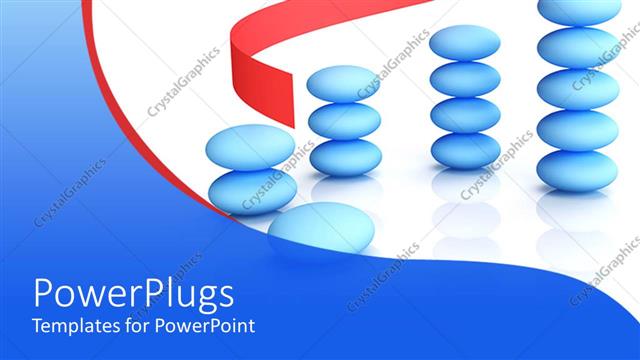
 Presentation with stack - Stack of blue pebbles with a red arrow on a white background

Growth

Stack of blue pebbles with a red arrow on a white background

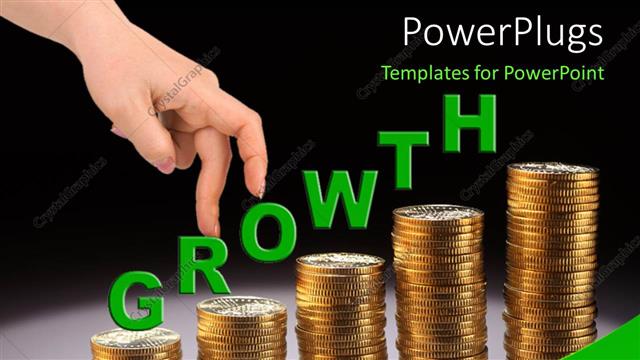
 Presentation with stack - A representation of growth with the help of gold coins

Stack Of Coins

A representation of growth with the help of gold coins

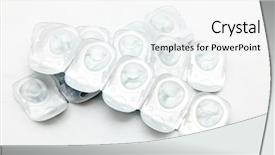
 Presentation with stack - Cool new presentation theme with health tips - stack of disposal contact lense backdrop and a white colored foreground

Stack Disposal Contact Lense Isolated

The Corner Title template from CrystalGraphics is designed to take your presentations to the next level with its sleek and modern look. This stunning template features a light blue color palette that exudes a sense of calmness and serenity, making it perfect for medical or eye related topics. The high resolution images in the background add a touch of realism, while the stack of disposable contact lenses isolated on white provides a striking visual element. The Corner Title template is available as a widescreen download, compatible with Google Slides, allowing you to easily enhance your presentation with interactive elements. The overall design language features container and medical themes, showcasing how these can be combined seamlessly to create an engaging and informative content layout. With its clean lines and minimalistic approach, this template is ideal for users who want to focus on the message rather than distractions. The template includes a section called "How To" at the start of the deck, which provides valuable tips and tricks for getting started with your presentation quickly. These tutorials are designed to help you get up and running in no time, ensuring that your audience is engaged from the very beginning. To further enhance the experience, this template also allows you to include a background image or video, featuring a high quality image of an eye related topic. In terms of content layout, the Corner Title template is perfect for presenting medical information, showcasing how complex topics can be made accessible and easy to understand. The use of white space and clean typography creates a clear and concise presentation that is free from clutter, allowing the key message or call to action to shine through. By incorporating this template into your presentation, you'll create an engaging and informative experience for your audience.

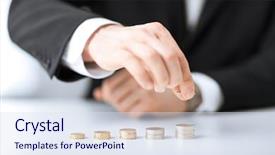
 Presentation with stack - Presentation theme enhanced with investment - picture of man putting stack background and a sky blue colored foreground

Picture Man Putting Stack Coins

Imagine being in control of your finances, knowing exactly where you stand and how to save for the future. That's what the Corner Title template from CrystalGraphics is all about, featuring a professional design that helps you organize your thoughts and make informed decisions. This Widescreen template is perfect for insurance professionals, stockpilers, or anyone who wants to keep their finances on track. The Light Steel Blue color palette provides a clean and modern look, while the four How To slides at the start of the deck will guide you through the process of getting up and running quickly with ease. This template includes a Background With a subtle texture that adds depth and visual interest, making it easy to enhance your presentation with images or graphics. The Corner Title template is specifically designed for insurance professionals, but its versatility makes it suitable for anyone who wants to save money or increase their income through smart financial decisions. For example, you could use this template to feature a background image of a person managing their finances, having a theme of "Saving for the Future". Having a logo that includes a stack of coins can also be included in the design. This template is compatible with Google Slides and can be easily downloaded for free, making it an ideal solution for any business or personal use.

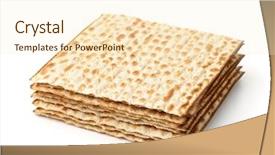
 Presentation with stack - Audience pleasing slide deck consisting of jew - stack of matzo flatbread isolated backdrop and a cream colored foreground

Stack Matzo Flatbread Isolated White

The Corner Title template is designed to be a visually stunning and engaging starting point for any presentation. Its elegant peach puff colored design will grab the attention of your audience from the very first slide. The Widescreen format ensures that the image takes center stage, perfectly capturing the essence of a stack of matzo flatbread isolated on white. The resulting visual effect is one of effortless sophistication. As you delve into the template's features, you'll discover that it seamlessly integrates with Google Slides and has high resolution images for an enhanced viewing experience. Furthermore, the template's downloadable nature means you can customize it to fit your specific needs, including the addition of new backgrounds and animations. The peach puff colored palette is a masterstroke, featuring various shades of pink and peach hues that create a warm and inviting atmosphere. The Corner Title template includes four How To slides at its outset, each designed to help you get up and running quickly. These slides offer valuable guidance on how to incorporate the template into your presentations, from creating engaging titles to mastering the art of using templates in Google Slides. With this template as a starting point, you'll be well on your way to delivering compelling and professional looking presentations that leave a lasting impression on your audience. One example of what the Corner Title template can be used for is an informative PowerPoint presentation about a bakery's new spring menu, highlighting the different types of flatbread available to customers. By featuring a high resolution image of the stack of matzo flatbread against a bright and cheerful background, you'll create an appetizing spread that will entice viewers to try more. With this template at your disposal, you can enhance your presentation with style and sophistication, having a theme of clean design and clear communication throughout.

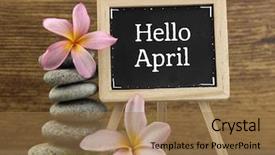
 Presentation with stack - Colorful presentation theme enhanced with blackboard with text hello april backdrop and a coral colored foreground

Stack Pebbles Mini Blackboard Text

Presentation theme enhanced with stack of pebbles and mini blackboard with text hello april

▼Key features of this template

  • They are compatible with both PowerPoint and Google Slides running on either Windows PCs or Macs.

  • They are available in both standard and widescreen slide formats. You can choose your preferred format by clicking on the "Widescreen" check box or icon.

  • Each template includes a beautiful high-resolution background image or video to visually reinforce the theme of your presentation.

  • In addition, each template includes designer-created graphics and modern fonts to give your presentations an up-to-date, professional look.

  • Each template's default design and title text position have been carefully selected to complement its background without covering faces or other key elements.

  • All text includes backdrops whose transparency level is mathematically calculated to maximize text readability while still allowing the background to be seen.

  • And all the text, text backdrops and graphics in every slide are colored with a palette designed to beautifully complement the colors in the background.

  • Our Premium templates (those with the descriptor “Premium” in their subtitle) include over 64 slide layouts to give you maximum flexibility as you create your presentations.

    • Those layouts are available to you whenever you create a new slide or when you want to change the layout of an existing slide.
    • They include everything you need to make all sorts of presentations. In addition to the layouts for the title slide and the usual title and content slide, they include many other layouts for slide types including table of contents slides, org charts, charts, diagrams, infographics, photo slides, thank you slides and more.
    • While creating these layouts our template designers have ensured that all text in every layout adjusts as gracefully as possible to various numbers of words.
  • Customizable templates (those with the descriptor “Customizable” in their subtitle) may be easily modified online before you download them.

    • To modify them, simply click on the pencil editing icon, then select your choice of ready to go designs and title text positions.
    • The editing tool also makes it easy to reposition and scale the background image or video to best suit your needs.

▼FAQs

Please review these FAQs to see if your question is answered. Contact us for more info

  • What is a PowerPoint template?

    • A well designed PowerPoint template is a file that can tell PowerPoint how to make your ordinary templates look extraordinary. They won’t change what your words or numbers say. But they might change their size, color, font and placement. And, overall, they can give your presentations a professionally-designed look that will give your content more credibility and give you more confidence.
  • How many PowerPoint templates do you offer?

    • We have over 32,000 artist-created presentation templates in our PowerPlugs collection With a subscription, PowerPlugs templates are easy to download. Just sign in, find a template and click on the green Download button. ready for you to download. That alone offers you more variety to choose from than any of our competitors can offer. And, as if that weren’t enough, we also offer over 6 million templates in our Crystal collection. Crystal brand templates are our line of templates that have customization options. They have the word "CRYSTAL" on their web page images. You can customize several aspects of the templates. These templates include high-resolution background images from Shutterstock’s vast image collection matched up with artist-created presentation designs customized by our own proprietary AI software.
  • How many templates can I download as a subscriber?

    • You can download an unlimited number of PowerPlugs-brand With a subscription, PowerPlugs templates are easy to download. Just sign in, find a template and click on the green Download button. templates every day for an entire year. (Actually, by default, we set a limit of 25 templates per day to prevent our competitors from stealing our templates. But, if that is not enough, just let us know and we’ll try to accommodate you.) On top of that, with a subscription or an Ultimate Combo, you can also download any 50 Crystal-brand Crystal brand templates are our line of templates that have customization options. They have the word "CRYSTAL" on their web page images. You can customize several aspects of the templates. templates per year selected from our huge Crystal collection. Crystal brand templates are our line of templates that have customization options. They have the word "CRYSTAL" on their web page images. You can customize several aspects of the templates. .
  • Why should I choose your templates instead of the competition’s?

    • We’ve got a larger selection of professionally-designed PowerPoint templates than anyone else in the world.
    • Each template includes a high-resolution background image or video to visually inspire your audiences while reinforcing your message.
    • Each template includes 64 slide layouts to give you maximum flexibility as you create your presentations.
    • Our templates are available in both standard and widescreen slide formats. And our website lets you preview the slides each way.
    • Our free Template Finder™ plugin lets subscribers select and - with a single click - download and insert our templates into their presentations right from within PowerPoint.
    • We’ve been creating designer presentation templates for over 20 years. During that time we’ve won several awards and 5-star ratings for product quality. See About Us for more.
  • Do you offer a money-back guarantee?

    • Yes we do! We offer full 30-day money-back guarantee if you are not 100% satisfied with your purchase.
  • Can I still use my downloaded templates after my subscription runs out?

    • Yes. After your subscription expires, you won't lose any rights or ability to use your PowerPlugs: Templates for PowerPoint. You won't be able to download any new non-watermarked templates. But the non-watermarked templates you've already downloaded will still work and you can still use them as before.
  • Can I share my downloaded templates or passwords with friends or coworkers?

    • Sorry but no. You are authorized to download each paid-for template to up to 3 of your personal devices and to use the templates you download in as many presentations as you want. But you are not authorized to share the templates, themselves, with others. That said, we do offer highly discounted site licenses to suit the needs of both small and large teams. Just tell us your needs and we’ll give you a quote!
  • System requirements:

    • The templates use the standard POTX format. So they are compatible with Google Slides and all PC, Mac and mobile devices running any version of PowerPoint from PowerPoint 2007 up through and including Office 365 desktop.
    • Please note: Google Slides does not currently support background videos. It treats them as still images.
    • For PowerPoint for the Web, first open your template into a desktop version of PowerPoint, then save it back out as a PPTX file. Then you can open that in PowerPoint for the Web.
  • End user license agreement:

    • Click here to view.
  • How will I get my purchased templates?

    • You may download your selected templates as soon as your payment is received by PayPal. If you purchased an individual template, you will be provided with a download link both onscreen and via email. Just click on that link to begin the download process. If you purchased a subscription, you will receive an email containing a password to use along with your email address to sign in to any of the templates pages on CrystalGraphics.com. Once you are signed in, you can immediately start downloading your selected templates.
  • How do I use my templates after I download them?

    • You can either open a template to start a new presentation or you can add a template to an existing presentation. To open a template, just double click on it or use PowerPoint's File > Open tool. To add a template to an existing presentation, on the Design tab, in the Themes group, click Browse for Themes... then browse to select your template.

View more Stack templates:

previous 1 2 3 4 5 6 7 8 9 10 11 12 13 14 15 16 17 18 19 next
93% of Fortune 1000
companies use our
PowerPoint Products
Templates Secure

Standing Ovation Award
Winner: Best PowerPoint
Template Collection
Fortune Logos
200,000+ satisfied
customers worldwide!
Guarantee
100% satisfaction guaranteed
- or send it back for a refund!

Sign up for our free newsletter! You'll get news about our PowerPoint-enhancing product line – including free updates, new product announcements and exclusive special offers. Plus you'll get a link to a free PowerPoint template with every newsletter you receive.
Privacy Policy
Loading...


Help

Contact Us
Product FAQs
Product License Agreements

Company Info

About Us
Privacy Policy
CrystalGraphics, Inc. 1999 S. Bascom Avenue Suite 700 Campbell, CA 95008 USA
© 2026 CrystalGraphics, Inc. All rights Reserved.    |     PowerPlugs is a trademark of CrystalGraphics, Inc.
Microsoft and the PowerPoint logo are trademarks or registered trademarks of Microsoft Corporation in the United States and/or other countries.
Loading...
Loading...