www.crystalgraphics.com CrystalGraphics
  • Ultimate Combo
  • Templates
  • Diagrams
  • Characters
  • Quizzes
  • shopping cart
  • Sign Out Sign Out Sign In
Home > Templates > Steel > Steel Plant Category
search icon
advanced icon

55 Best Steel Plant-Themed Templates for PowerPoint and Google Slides

CrystalGraphics creates templates designed to make even average presentations look incredible. Below you’ll see thumbnail sized previews of the title slides of a few of our 55 best steel plant templates for PowerPoint and Google Slides. The text you’ll see in in those slides is just example text. The steel plant-related image or video you’ll see in the background of each title slide is designed to help you set the stage for your steel plant-related topics and it is included with that template. In addition to the title slides, each of our templates comes with 17 additional slide layouts that you can use to create an unlimited number of presentation slides with your own added text and images. And every template is available in both widescreen and standard formats. With over 6 million presentation templates available for you to choose from, CrystalGraphics is the award-winning provider of the world’s largest collection of templates for PowerPoint and Google Slides. So, take your time and look around. You’ll like what you see! Whether you want 1 great template or an ongoing subscription, we've got affordable purchasing options and 24/7 download access to fit your needs. Thanks to our unbeatable combination of quality, selection and unique customization options, CrystalGraphics is the company you can count on for your presentation enhancement needs. Just ask any of our thousands of satisfied customers from virtually every leading company around the world. They love our products. We think you will, too!

Features & Pricing

Widescreen (16:9) Presentation Templates. Change size...

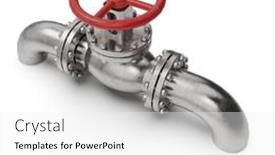
 Presentation with steel plant - PPT theme with steel pipe - modern power plant background and a gray colored foreground

Modern Power Plant

The power plant's sleek and modern design is on full display with its industrial chic aesthetic, incorporating concrete and steel elements in bold lines that evoke the machinery of industry. As you navigate through this template, you'll notice the high resolution images for the background add a level of depth and dimensionality to your presentation. The Split Title theme provides a clean and modern approach to titling, separating text into distinct lines with varying font weights and sizes. The slate gray color palette offers a sophisticated backdrop for adding graphics and animations, while incorporating concrete and steel elements adds a touch of ruggedness to the design. This template is ideal for those looking to enhance their industrial theme presentations with a sleek and modern twist. The Gears in Sync Layout slide showcases how the Split Title template can bring together multiple elements into a cohesive whole. This layout provides ample space for graphics, text, and images while maintaining a clean and uncluttered design. The inclusion of a background image or video can add an extra layer of interest to this slide. The template is compatible with Google Slides, making it easy to import the high resolution images and customize your presentation to fit your specific needs. When you're ready to get started, simply click on one of the four How To slides to begin creating a visually striking industrial themed presentation that's sure to impress.

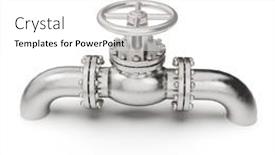
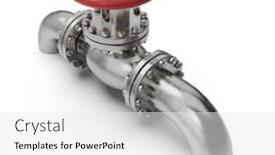
 Presentation with steel plant - Presentation featuring pressure-manual-gate-valve background and a white colored foreground

Pressure Manual Gate Valve Piping

As you begin your journey in designing with CrystalGraphics Sidebar Title, a versatile and engaging template that will set the tone for your next project, imagine yourself standing at the edge of a refinery plant, surrounded by pipes and valves that require precise control to ensure safe and efficient operation. The pressure manual gate valve for piping work is just one example of the many industries featured in this template, from refining petroleum fuels to transporting oil and gas through steel pipelines. With its high resolution images for the background, Sidebar Title offers a unique theme of showcasing diverse industrial processes that will help you deliver high quality visuals with ease. The wheat color palette provides a neutral yet professional foundation, perfect for presenting technical information or ideas. To get started quickly, 4 how to slides are included to guide your audience through the process of creating their own content. These slides provide valuable tips and tricks on how to design effectively, from choosing the right template format to selecting the most suitable keywords. When designing with Sidebar Title, you'll want to take advantage of its flexible layout options to include text, images, and other media in a seamless manner. Featuring a background image that sets the tone for your presentation is easy as Including a background With CrystalGraphics' high quality images, which are easily integrated into your slides Having a theme of showcasing diverse industrial processes will enhance the overall impact and professionalism of your visuals Enhanced With this template, you'll be able to deliver compelling presentations that engage your audience.

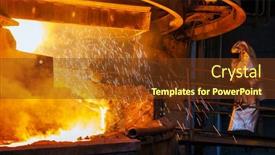
 Presentation with steel plant - Presentation design featuring work-process-in-metallurgical background and a dark gray colored foreground

Work Process Metallurgical Manufacture Steel

The process of extracting iron from ore in a steel plant is a complex and intricate one that requires careful planning and execution. From the initial excavation of the mine to the final product being shipped out to customers, every step plays a crucial role in producing high quality steel. The production of steel involves several stages, including mining, extraction of metal, smelting, refining, and casting. A Widescreen template that showcases this process would feature high resolution images of heavy machinery, equipment, and industrial settings to give the audience an immersive experience. The Steel Blue color palette would dominate the background, complemented by accents of red to highlight key points and features. This template is designed to be a valuable addition to any presentation or project, particularly those related to manufacturing, foundries, and metalworking industries. It could feature images that showcase the entire production process, from the initial excavation of the mine to the final product being shipped out. The use of industrial settings such as furnaces, casting machines, and machinery would make for an engaging and informative presentation. The SWOT Analysis Layout slide would be particularly useful in highlighting the strengths and weaknesses of different steel manufacturing processes. For example, a presentation could Include a Background With images of factories and equipment to illustrate the importance of efficiency and scalability. The template is Enhanced With interactive elements such as links to high quality images and videos to enhance engagement and understanding.

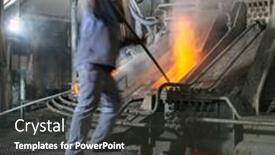
 Presentation with steel plant - PPT theme having work-process-in-metallurgical background and a wine colored foreground

Work Process Metallurgical Manufacture Steel

As you step into the world of manufacturing steel at a steel plant, you're part of a vital process that requires precision and attention to detail. From the raw materials to the final product, every stage plays a crucial role in producing high quality steel. The Corner Title template is designed to take you on this journey, with a focus on showcasing the foundry and furnace processes that bring steel into being. The Saddle Brown color palette provides a warm and inviting atmosphere, evoking feelings of reliability and trust. High resolution images for the background will transport you to the heart of the manufacturing plant, where steel is born. The template is downloadable and compatible with Google Slides, making it easy to incorporate into your presentation. When using this layout, consider adding a "Layout" slide that features a side by side comparison of different foundry and furnace designs. This can help illustrate the differences between various processes and make them more accessible to your audience. On the "Pros and Cons" slide, you could include statistics highlighting the benefits of investing in steel production, such as increased productivity or reduced costs. Additionally, consider adding a section on the environmental impact of steel manufacturing, emphasizing sustainable practices that can minimize carbon emissions. This template is ideal for anyone looking to enhance their presentation with a unique blend of foundry and furnace processes, including a background image that showcases high resolution images and a theme of "Manufacturing". Whether you're introducing new technology or discussing the importance of steel production, this layout will help you get your message across in an engaging and professional manner.

 Presentation with steel plant - Cool new presentation theme with blast furnace - steel plant just after sunset backdrop and a teal colored foreground

Steel Plant Sunset

As the sun dips below the horizon, casting a warm orange glow over the steel plant's production lines, the sound of machinery humming to life fills the air. The steel plant just after sunset is a sight to behold, a testament to human ingenuity and industry. In this captivating scene, the focus shifts from the raw materials to the processes that shape the final product. The Wide Title template, designed for Widescreen presentations, features a sleek and modern design with a bold, steel blue color palette that evokes feelings of strength and reliability. The template is optimized for high resolution images, making it perfect for showcasing stunning visuals or graphics. With its Managed Process Layout, you can easily organize your content and keep your audience focused on the key messages. The template includes four How To slides to help you get up and running quickly: "Getting Started", "Setting Up Your Presentation", "Adding Visuals", and "Finalizing Your Deck". These slides provide a solid foundation for creating an engaging and informative presentation. For example, the "How to" slide could include a step by step guide on how to create a new presentation, including features such as including a background with images or having a theme of steel production. The template is downloadable and compatible with Google Slides, making it easy to share and collaborate with others. With its steel blue color palette and high resolution images, this template is sure to enhance your presentations and leave a lasting impression on your audience.

 Presentation with steel plant - Colorful slide deck enhanced with engineering metal - woman engineer in steel plant backdrop and a gray colored foreground

Woman Engineer Steel Plant Checking

The woman engineer in steel plant is hard at work, her steel rimmed glasses perched on the end of her nose as she meticulously checks production levels, her focused expression a testament to her dedication to high tech manufacturing. As she works, a bright light shines down from above, illuminating the steel machinery below, showcasing its intricate workings in all their glory. The warm glow is perfectly captured by the 1 Picture on Right With Caption Layout slide, featuring an artist's rendering of the plant in all its metal majesty. In this striking image, a woman engineer stands proudly at the helm of her steel plant, a brilliant light shining down upon her from above as she inspects every detail with precision and care. The result is a visual feast that enhances the theme of technical excellence, featuring a background with a subtle nod to industrial chic. Having a theme of efficiency and productivity, this design takes the viewer on a journey through the heart of the plant, showcasing the woman's meticulous attention to detail as she works tirelessly to bring production to life. In the accompanying text, one can find four How To slides that will help get you up and running quickly: Featuring High Resolution Images for Enhanced Visual Impact. Including a Background With Subtle Texture and Metallic Accents Enhance Visual Interest. Having a Theme of Technical Excellence with Industrial Chic Influences the Design.

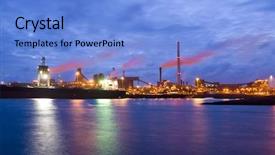
 Presentation with steel plant - Cool new theme with purple pipe - steel plant in silhouette image backdrop and a coral colored foreground

Steel Plant Silhouette Image Night

In the heart of urban landscapes, where steel and concrete reign supreme, lies the allure of a city's heartbeat its industry. A factory, at dusk, bathed in a warm glow that spills into the streets below, beckoning all who dare to explore the depths of its inner workings. This template, Wide Title, is designed to transport your audience to a world of energy and progress, where innovation and determination reign supreme. Its Widescreen format brings the scene to life with breathtaking high resolution images, while Chocolate's rich color palette evokes a sense of sophistication and professionalism. The Keywords atmosphere, career, fuel, pollution, building are expertly woven throughout the template to create an immersive experience. As you delve into this world, you'll discover four How To slides that will speed your training journey from zero to hero in no time. Featuring a seamless integration with Google Slides, these modules will help you get up and running quickly, without any fuss or hassle. Whether you're a seasoned expert or just starting out, the Comparative Image Layout slide allows you to visualize how different elements fit together seamlessly, making it an invaluable tool for refining your presentation. Included in this template is a background image that showcases the steel plant at night, providing a dramatic and impressive centerpiece for your slides. With Having a Theme of Enhancing Your Visuals, this template takes your presentation from good to great, by adding depth, texture, and visual interest to each slide.

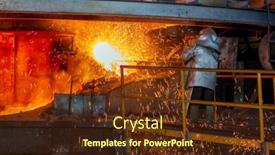
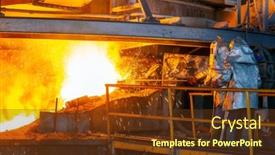
 Presentation with steel plant - Beautiful PPT theme featuring hot-steel-pouring-in-steel backdrop and a wine colored foreground

Hot Steel Pouring Steel Plant

The factory floor comes alive as molten steel pours into its depths, where fiery furnaces and slag heaped diggings meet in a symphony of raw power. The air is thick with the smell of coal and iron ore, while the sound of hissing steam and clanging metal echoes through the emptying plant. This powerful image can be the centerpiece of your presentation, showcasing the raw energy that drives the foundry process. The 6 Pictures in a Grid Layout slide can feature high resolution images of the molten steel, slag, furnace, and finished product, all arranged in a striking grid pattern. The overall design should be enhanced with bold typography and dramatic shadows to give it a sense of depth and dimensionality. As you explore the template's features and capabilities, you'll discover that it's fully downloadable and compatible with Google Slides, making it easy to incorporate into your presentation. The Chocolate Color Palette will add a warm and inviting tone to your visuals, while the foundry theme can be used to create a sense of authenticity and realism. The 4 How To slides at the start of the deck are designed to help you get up and running quickly, providing valuable tips and tricks for presenting your findings in a clear and concise manner. These features will include interactive elements, such as animations and transitions, that add engaging visual interest to your presentation.

 Presentation with steel plant - Cool new slide deck with melting-of-metal backdrop and a teal colored foreground

Melting Metal Steel Plant High

The world of steel production is often shrouded in mystery and intrigue, with molten metal pouring into the furnace like liquid fire. As we delve into the heart of the factory, where the process of creation begins, one can't help but be drawn to the raw beauty of it all. The sound of clanging machinery, the hiss of steam, and the sight of hot steel swirling around us is a sensory experience like no other. In this presentation, we'll take you on a journey through the world of metal manufacturing, exploring the intricate process that transforms raw materials into usable objects. Designed with style in mind, our Corner Title template brings to life the sights and sounds of the steel plant, featuring high resolution images of molten steel pouring into the furnace. The Royal Blue color palette adds a touch of sophistication, while the AIDA Block Layout ensures that your content stands out from the crowd. On presentation time, our interactive slides will transport you on an immersive journey through the factory floor, where you can discover the fascinating world of foundry and furnace operations. The 4 How To slides at the start of the deck will help you get up and running quickly, providing a solid foundation for your presentation. Whether you're a designer or educator looking to enhance your content with a theme of "Industrial Processes," including a background with steam and factory equipment, or just someone who wants to feature molten steel in all its glory, our template has got you covered. With the ability to customize and download our template, you can add your own twist to make it truly unique. The Royal Blue color palette is also compatible with Google Slides, making it easy to incorporate into your presentation. Whether you're a student or professional, our Corner Title template is sure to impress and leave a lasting impression.

 Presentation with steel plant - Amazing slide set having melting-of-metal backdrop and a tawny brown colored foreground

Melting Metal Steel Plant High

The world of manufacturing is at your fingertips with Wide Title, a captivating PowerPoint template that brings to life the heat and energy of the steel plant. Imagine being surrounded by the sights and sounds of molten metal as you dive into the high resolution images for the background, featuring breathtaking close ups of the furnace, casting machines, and workers in their protective gear. Wide Title is specifically designed to fit seamlessly into your Widescreen presentation style, providing a visually stunning backdrop for your content. Its Hot Pink color palette is sure to grab attention and match perfectly with your Google Slides template. This theme centric template is a masterclass in design, featuring high resolution images that bring the foundry and steel mill to life. The high contrast colors and dynamic lighting create an immersive experience, making it easy for your audience to visualize the process of melting metal into liquid steel. When you're ready to showcase your expertise, consider including a background image of molten steel pouring from a casting machine. Just think about it with Wide Title, you'll have all the tools you need to craft an engaging and informative presentation that leaves your audience eager for more.

 Presentation with steel plant - Amazing slides having melting-of-metal backdrop and a tawny brown colored foreground

Melting Metal Steel Plant High

Imagine walking into a bustling steel mill, surrounded by towering furnaces and rolling outcroppings of molten metal, as the sound of clanging machinery and hissing steam fills the air. The atmosphere is electric with activity, as the skilled workers expertly shape and mold this raw material into something new and valuable. The Corner Title template is a stunning centerpiece for any presentation or project, featuring a beautiful widescreen image that immediately grabs the audience's attention. The design name itself pays homage to the industrial world of foundry and furnaces, while the accompanying color palette of warm browns evokes the rich, earthy tones of the steel plant. This template is perfect for showcasing the intricate process of metalworking, from the initial discovery of raw materials to the final product being born. High resolution images throughout the background will transport your audience into the heart of the action, while incorporating a Stairs Layout slide can take it to the next level by breaking up the content and creating visual interest. By including a Background With feature in some of the templates, you can create seamless transitions between slides and add an extra layer of depth to your presentation. Having a theme of "Melting Point" could be particularly effective, highlighting the high temperatures involved in the process while also emphasizing the transformation that occurs when raw materials are transformed into something new. The template is downloadable and compatible with Google Slides, making it easy to share with colleagues or collaborators who may not have access to the same platform.

 Presentation with steel plant - Colorful presentation design enhanced with melting-of-metal backdrop and a wine colored foreground

Melting Metal Steel Plant High

Imagine yourself standing in front of a massive steel mill, surrounded by the hum of machinery and the glow of molten metal as it's brought to life. The air is thick with the smell of burning coal and the sound of hissing steam. This is where the magic happens the melting of metal into something new and valuable. The template you're about to explore is a Widescreen rendition, perfect for showcasing the drama and intensity of steel production. The Crimson color palette adds a touch of sophistication, while the keywords "foundry", "occupation", "furnace", "objects", and "molten steel" are sure to give your audience a sense of what's at play. This template is designed to transport you into the heart of a steel mill, where the process of transforming raw materials into something strong and useful is on full display. With 4 How To slides to get you started quickly, you'll be able to dive right in and explore the ins and outs of this fascinating world. To enhance your presentation, consider featuring high resolution images that showcase the intricate details of steel production, such as intricate patterns on a metal sheet or the glow of molten metal. Having a theme of "Behind the Scenes" is sure to captivate your audience, and you can include a background with a factory floor layout for added visual interest. The 4 Arrow Steps Layout slide will guide you through the key steps involved in steel production from finding raw materials to refining them into the final product. This interactive element will keep your audience engaged and informed throughout the presentation. With this template, you'll be well on your way to creating a compelling and informative presentation that showcases the wonders of metal production.

 Presentation with steel plant - Presentation design with materials such as iron ore background and a yellow colored foreground

Two Cranes Used Steel Plant

The world of industrial design is a realm where aesthetics and functionality converge, creating a unique experience that captivates the eye. In this template, you'll find yourself in the midst of a bustling steel plant on a crisp autumn evening, surrounded by the soothing sounds of machinery humming to life. The sky is painted with hues of orange and pink as the sun dips below the horizon, casting a warm glow over the entire scene. The Wide Title "Wide Title" features a majestic steel crane standing tall against a dramatic backdrop of rolling hills and mountains, providing a striking starting point for your presentation. This template's Widescreen format ensures that every detail is showcased in stunning high resolution images on the background, creating an immersive experience. The Peru color palette brings warmth and coziness to the design, making it perfect for any industrial themed presentation. As you explore this template, you'll notice that it includes four helpful slides at the beginning to get you up and running quickly: "How To: Getting Started", "Setting Up Your Slides", "Customizing Your Themes", and "Enhancing Your Experience". The How To slides are designed to guide you through the process of customizing your presentation, ensuring a seamless experience. The Picture on Right With Caption Layout slide is an excellent example of how this template incorporates a Background With feature. A high resolution image featuring a stunning steel plant under construction comes alive in the background, providing a visually appealing way to showcase your theme. For instance, you could use this slide to highlight the process of producing raw materials for steel production. This template is not only visually striking but also has a unique theme that enhances its overall aesthetic appeal. The inclusion of keywords like "steel", "chimney", and "works" ensures that your presentation effectively conveys its industrial focus, while the Peru color palette adds an extra layer of sophistication. As you work with this template, you'll find it easy to enhance your presentation's theme by incorporating related images or background elements, making it a valuable addition to any industrial themed project.

 Presentation with steel plant - Beautiful presentation theme featuring bulk carrier with iron ore backdrop and a light blue colored foreground

Front-end Steel Plant Bulk Carrier

The steel plant's front end, with a massive bulk carrier unloading iron ore from the depths of the ocean. As you take in the sheer scale of this industrial powerhouse, you can't help but feel a sense of awe and wonder at the high stakes operations that keep it running smoothly day after day. At the heart of this complex is a furnace that burns hotter than any fire on earth, melting iron ore into steel with precision and speed. And yet, amidst all this heat and activity, there's a world of work to be done from loading pellets into the furnace until they're hot enough to melt through the steel. It's a process that requires precision, patience, and attention to detail. With our Wide Title template, you'll be able to create presentations that feature a clear and concise title at the top of each slide, making it easy for your audience to understand what they're looking at. And with a Cornflower Blue color palette that's both soothing and attention grabbing, you'll be able to create a visual identity that's both calming and stimulating. Our template is also designed to enhance the user experience by including a background image of steel plants or factories on each slide, making it easier for your audience to visualize what you're talking about. And with its Widescreen format, you can easily turn your slides into presentations without worrying about cropping or resizing them. But don't just take our word for it try it out for yourself and see how easy it is to create a stunning presentation that's both informative and engaging. With high resolution images galore, you'll be able to showcase your work in all its glory, whether you're presenting to colleagues, clients, or customers. And with the Our CRystal Clear Goal slide at the top of each deck, you'll be able to share your vision and goals clearly and concisely making it easy for everyone involved to understand what you're working towards. As you get started on creating your presentation, don't worry if things get a little messy with four How To slides at the start of each deck, you can quickly jump in and learn what you need to know. But trust us, once you've got that covered, it's easier

 Presentation with steel plant - Slide set enhanced with work-process-in-metallurgical background and a tawny brown colored foreground

Work Process Metallurgical Manufacture Steel

In the heart of a steel plant, where molten metal flows like liquid fire, creativity ignites with the Corner Title template. This Widescreen PowerPoint design brings to life the intricate process of foundry and furnace operations, transporting you to the fiery depths of manufacturing. Inspired by real world applications, the template's Sienna color palette evokes a sense of warmth and authenticity, while high resolution images for the background add depth and visual interest. The Corner Title is designed specifically with industrial themes in mind, featuring a prominent font and layout that showcases the raw materials and processes involved in steel production. The template includes 4 How To slides to help you get started quickly, but instead of providing step by step instructions, we'll highlight the 3 Step Funnel Layout slide as a key component of this design. This template is perfect for presentations that require a dramatic shift from static images to dynamic visuals. Imagine featuring a dramatic shot of molten steel being poured into a casting mold, accompanied by a caption highlighting the importance of precision and control in manufacturing. Having a theme of "Forging Forward" with your presentation, this Corner Title design will enhance your message and keep your audience engaged. By including high quality backgrounds with realistic textures, you can create an immersive experience that transports your viewers to the heart of the steel plant. Enhanced with Googel Slides compatibility, you'll be able to easily share and customize this template to suit your specific needs.

 Presentation with steel plant - Cool new PPT theme with work-process-in-metallurgical backdrop and a dark gray colored foreground

Work Process Metallurgical Manufacture Steel

A vibrant presentation awaits you, featuring the Sidebar Title template that showcases a captivating design inspired by the world of metallurgical manufacturing. This stunning Widescreen template brings to life the intricate process of steel production with high resolution images and gold color palette, evoking the warmth and richness of cast iron and red hot forges. Whether you're a designer or an engineer, this template is sure to enhance your presentation and captivate your audience. The Sidebar Title template's design Name embodies the theme of a Manufacturing Facility's foundry where raw materials are transformed into a masterpiece of steel through a carefully managed process. The Managing Process Layout slide is where it all comes together, featuring a detailed flowchart that illustrates how different stages of production are connected to create a seamless and efficient workflow. Featuring high quality images from real world factories, this slide provides an exclusive look at the inner workings of a steel plant. When you're ready to dive into your presentation, get started with one of four How To slides to help you quickly get up and running: "Designing Your Template", "Customizing the Layout", "Creating Custom Images", or "Setting Up Your Slides". With its gold color palette and high resolution images, this template is a must have for any designer looking to showcase their work in style. Downloadable and compatible with Google Slides, this template is sure to bring your presentation to life.

 Presentation with steel plant - Presentation theme having pressure-manual-gate-valve background and a white colored foreground

Pressure Manual Gate Valve Piping

This Sidebar Title template is designed to present high pressure industrial equipment and piping systems in a visually engaging and informative way. The Floral White design provides a clean and professional look, perfect for presenting technical information that requires attention grabbing visuals. The 4 How To slides at the start of the deck will help users get started quickly with their presentation. The template features high resolution images for its background, making it easy to enhance any presentation with a consistent visual style. With this Sidebar Title template, you can create engaging presentations that include a Background With fluidity and a theme of technical expertise. The Floral White color palette provides a crisp and clean look that is Enhanced With a sense of professionalism. For example, the sidebar could feature images of Pressure Manual Gate Valves for Piping Work from various industries such as refineries and gas plants. This image would be used to illustrate how these valves are used in high pressure applications, making it easy for users to understand the context of the information presented. The template also includes a "Including a Background With" slide that could feature images of oil rigs or other industrial settings, helping to establish a theme of technical expertise and showcasing how different industries work together. This Sidebar Title template is designed to be easily customizable with your own images and design elements, making it ideal for use in presentations on high pressure industry equipment.

 Presentation with steel plant - Colorful presentation design enhanced with work-process-in-metallurgical backdrop and a tawny brown colored foreground

Work Process Metallurgical Manufacture Steel

The golden light of dawn breaks over the manufacturing floor, casting a warm glow on the workers as they prepare to fire up the furnace and begin their day's work. The sound of clanging hammers and roaring machinery fills the air as the foundry comes alive with activity. It's a world where steel is born, where raw materials are transformed into a strong and versatile material that drives the modern world forward. This is the world of metallurgical manufacturing. The Wide Title template is designed to transport you directly into this world, featuring high resolution images of metalworking equipment in action, from the furnace to the casting process. The goldenrod color palette brings a sense of warmth and optimism, evoking feelings of industry and innovation. The template is downloadable and compatible with Google Slides, making it easy to incorporate into your workflow. The 4 How To slides at the start of the deck provide a crash course in getting up and running quickly, featuring interactive elements that will have you synchronizing your work processes in no time. The Gears in Sync Layout slide showcases how these elements come together to create a seamless experience. This is not just a template it's a tool for improving efficiency and productivity. Featuring a background image of the foundry, with the option to include additional images or backgrounds, this template has everything you need to enhance your presentation. Having a theme of "industrial production" and featuring high resolution images of metalworking processes, this template is perfect for anyone looking to highlight the manufacturing process in their PowerPoint deck.

 Presentation with steel plant - Presentation design consisting of pressure-manual-gate-valve background and a white colored foreground

Pressure Manual Gate Valve Piping

The pressure is on to create a template that meets the demands of a powerpoint presentation in the field of high pressure industrial equipment. The Sidebar Title is born from a fusion of design and functionality, catering specifically to organizations operating in the petroleum fuel industry where stringent safety protocols are paramount. This template features a red hued background showcasing images of high resolution mannequins, conveying the sense of reliability and precision that defines Pressure Manual Gate Valves for piping work in refineries. The design is complemented by a crimson color palette, carefully chosen to evoke feelings of energy and dynamism. The Sidebar Title template is formatted in widescreen mode, providing ample space for key elements such as images, text, and action buttons. It's featuring an actuator theme that pays homage to the intricate mechanisms found in fuel supply lines, complete with a high resolution image to illustrate its functionality. This template is indeed including a background with a subtle texture that gives it a premium feel. The Managed Process Layout slide is where things get really interesting this template has been designed to showcase a clear, step by step process for troubleshooting problems related to refinery plant equipment. The layout is enhanced with icons and graphics to highlight key points, while having a theme of streamlining processes makes it easy to navigate through the information. If you're looking for a presentation that's both informative and visually appealing, look no further than the Sidebar Title template. With four How To slides to help you get up and running quickly, this template is sure to meet your needs.

 Presentation with steel plant - Presentation theme consisting of work-process-in-metallurgical background and a tawny brown colored foreground

Work Process Metallurgical Manufacture Steel

The dawn of steel production has been the driving force behind human innovation and technological advancements, weaving itself into the fabric of modern society. In this era of industrialization, the process of extracting iron from its ore is a meticulous art form that requires precision, patience, and skill. The intricate dance between discovery, experimentation, and refinement has given rise to an engineering marvel – the steel plant. The manufacturing process begins with the extraction of iron from raw materials, which are then refined through high temperature furnaces. This process yields a molten state where raw metal is transformed into a workable material. As this metal cools down, it solidifies and hardens, forming a strong foundation for the next stage. Featuring advanced manufacturing techniques, such as casting and forging, these processes allow for the creation of intricate structures that defy gravity. As the steel plant reaches its peak production, images of bustling factories, machinery, and skilled laborers come to life in high resolution images on the background of this template. The Dark Goldenrod color palette adds a sense of warmth and sophistication to the design, evoking an atmosphere of tradition and expertise. This template is not only a visual representation but also a comprehensive guide for anyone looking to dive into the world of steel production. The Widescreen format allows users to immerse themselves in 4 How To slides that will have them quickly getting up and running with their own project. The Bulb Puzzle Layout slide, for instance, features a clever arrangement of images that will challenge even the most seasoned designers. This template is perfect for those looking to enhance their understanding of metallurgical processes or simply wanting to add some industrial flair to their presentations. The Dark Goldenrod color palette offers endless possibilities for creative expression, from highlighting important details in high contrast scenes to creating a calming atmosphere for thought provoking slides. Having a theme of sophistication and expertise is perfectly encapsulated by this template's design, making it the ideal choice for anyone looking to showcase their manufacturing knowledge or simply craft a visually stunning presentation.

 Presentation with steel plant - PPT theme featuring pressure-manual-gate-valve background and a white colored foreground

Pressure Manual Gate Valve Piping

Imagine you're standing in front of a massive industrial facility, surrounded by pipes and machinery that are the backbone of your day to day operations. This is where Pressure Manual Gate Valve for Piping Work comes into play, a vital piece of equipment that helps regulate fluid flow and pressure in complex piping systems. In this template, Sidebar Title, featuring a high resolution image of a refinery plant with sleek lines and a bold font, you'll find the design name and template format. It's a widescreen masterpiece, optimized for 16:9 aspect ratio to ensure maximum impact on your Google Slides presentation. The Crimson color palette adds a touch of sophistication, perfect for conveying power and reliability. The template includes four How To slides that will get you up and running quickly featuring engaging images, clear instructions, and concise explanations to help you master the basics. But before we dive into those, let's talk about the Dart Layout slide. This dynamic design element is sure to enhance your presentation with a modern twist. Imagine having a seamless transition between sections, with the background image seamlessly integrating itself into the layout. For instance, you could include a Background With feature by using a high resolution photo of a fuel tank, complete with a subtle gradient effect and texture overlays to give it that extra oomph. Or, having a Theme of enhanced functionality is easy in this template just think about how easy it would be to add more widgets or interactive elements to further enhance the user experience. These are just a few examples of what's possible in Sidebar Title, Featuring a Background With. Have a theme of maximum impact and get ready to take your presentation to the next level.

▼Key features of this template

  • They are compatible with both PowerPoint and Google Slides running on either Windows PCs or Macs.

  • They are available in both standard and widescreen slide formats. You can choose your preferred format by clicking on the "Widescreen" check box or icon.

  • Each template includes a beautiful high-resolution background image or video to visually reinforce the theme of your presentation.

  • In addition, each template includes designer-created graphics and modern fonts to give your presentations an up-to-date, professional look.

  • Each template's default design and title text position have been carefully selected to complement its background without covering faces or other key elements.

  • All text includes backdrops whose transparency level is mathematically calculated to maximize text readability while still allowing the background to be seen.

  • And all the text, text backdrops and graphics in every slide are colored with a palette designed to beautifully complement the colors in the background.

  • Our Premium templates (those with the descriptor “Premium” in their subtitle) include over 64 slide layouts to give you maximum flexibility as you create your presentations.

    • Those layouts are available to you whenever you create a new slide or when you want to change the layout of an existing slide.
    • They include everything you need to make all sorts of presentations. In addition to the layouts for the title slide and the usual title and content slide, they include many other layouts for slide types including table of contents slides, org charts, charts, diagrams, infographics, photo slides, thank you slides and more.
    • While creating these layouts our template designers have ensured that all text in every layout adjusts as gracefully as possible to various numbers of words.
  • Customizable templates (those with the descriptor “Customizable” in their subtitle) may be easily modified online before you download them.

    • To modify them, simply click on the pencil editing icon, then select your choice of ready to go designs and title text positions.
    • The editing tool also makes it easy to reposition and scale the background image or video to best suit your needs.

▼FAQs

Please review these FAQs to see if your question is answered. Contact us for more info

  • What is a PowerPoint template?

    • A well designed PowerPoint template is a file that can tell PowerPoint how to make your ordinary templates look extraordinary. They won’t change what your words or numbers say. But they might change their size, color, font and placement. And, overall, they can give your presentations a professionally-designed look that will give your content more credibility and give you more confidence.
  • How many PowerPoint templates do you offer?

    • We have over 32,000 artist-created presentation templates in our PowerPlugs collection With a subscription, PowerPlugs templates are easy to download. Just sign in, find a template and click on the green Download button. ready for you to download. That alone offers you more variety to choose from than any of our competitors can offer. And, as if that weren’t enough, we also offer over 6 million templates in our Crystal collection. Crystal brand templates are our line of templates that have customization options. They have the word "CRYSTAL" on their web page images. You can customize several aspects of the templates. These templates include high-resolution background images from Shutterstock’s vast image collection matched up with artist-created presentation designs customized by our own proprietary AI software.
  • How many templates can I download as a subscriber?

    • You can download an unlimited number of PowerPlugs-brand With a subscription, PowerPlugs templates are easy to download. Just sign in, find a template and click on the green Download button. templates every day for an entire year. (Actually, by default, we set a limit of 25 templates per day to prevent our competitors from stealing our templates. But, if that is not enough, just let us know and we’ll try to accommodate you.) On top of that, with a subscription or an Ultimate Combo, you can also download any 50 Crystal-brand Crystal brand templates are our line of templates that have customization options. They have the word "CRYSTAL" on their web page images. You can customize several aspects of the templates. templates per year selected from our huge Crystal collection. Crystal brand templates are our line of templates that have customization options. They have the word "CRYSTAL" on their web page images. You can customize several aspects of the templates. .
  • Why should I choose your templates instead of the competition’s?

    • We’ve got a larger selection of professionally-designed PowerPoint templates than anyone else in the world.
    • Each template includes a high-resolution background image or video to visually inspire your audiences while reinforcing your message.
    • Each template includes 64 slide layouts to give you maximum flexibility as you create your presentations.
    • Our templates are available in both standard and widescreen slide formats. And our website lets you preview the slides each way.
    • Our free Template Finder™ plugin lets subscribers select and - with a single click - download and insert our templates into their presentations right from within PowerPoint.
    • We’ve been creating designer presentation templates for over 20 years. During that time we’ve won several awards and 5-star ratings for product quality. See About Us for more.
  • Do you offer a money-back guarantee?

    • Yes we do! We offer full 30-day money-back guarantee if you are not 100% satisfied with your purchase.
  • Can I still use my downloaded templates after my subscription runs out?

    • Yes. After your subscription expires, you won't lose any rights or ability to use your PowerPlugs: Templates for PowerPoint. You won't be able to download any new non-watermarked templates. But the non-watermarked templates you've already downloaded will still work and you can still use them as before.
  • Can I share my downloaded templates or passwords with friends or coworkers?

    • Sorry but no. You are authorized to download each paid-for template to up to 3 of your personal devices and to use the templates you download in as many presentations as you want. But you are not authorized to share the templates, themselves, with others. That said, we do offer highly discounted site licenses to suit the needs of both small and large teams. Just tell us your needs and we’ll give you a quote!
  • System requirements:

    • The templates use the standard POTX format. So they are compatible with Google Slides and all PC, Mac and mobile devices running any version of PowerPoint from PowerPoint 2007 up through and including Office 365 desktop.
    • Please note: Google Slides does not currently support background videos. It treats them as still images.
    • For PowerPoint for the Web, first open your template into a desktop version of PowerPoint, then save it back out as a PPTX file. Then you can open that in PowerPoint for the Web.
  • End user license agreement:

    • Click here to view.
  • How will I get my purchased templates?

    • You may download your selected templates as soon as your payment is received by PayPal. If you purchased an individual template, you will be provided with a download link both onscreen and via email. Just click on that link to begin the download process. If you purchased a subscription, you will receive an email containing a password to use along with your email address to sign in to any of the templates pages on CrystalGraphics.com. Once you are signed in, you can immediately start downloading your selected templates.
  • How do I use my templates after I download them?

    • You can either open a template to start a new presentation or you can add a template to an existing presentation. To open a template, just double click on it or use PowerPoint's File > Open tool. To add a template to an existing presentation, on the Design tab, in the Themes group, click Browse for Themes... then browse to select your template.

View more Steel Plant templates:

previous 1 2 3 next
93% of Fortune 1000
companies use our
PowerPoint Products
Templates Secure

Standing Ovation Award
Winner: Best PowerPoint
Template Collection
Fortune Logos
200,000+ satisfied
customers worldwide!
Guarantee
100% satisfaction guaranteed
- or send it back for a refund!

Sign up for our free newsletter! You'll get news about our PowerPoint-enhancing product line – including free updates, new product announcements and exclusive special offers. Plus you'll get a link to a free PowerPoint template with every newsletter you receive.
Privacy Policy
Loading...


Help

Contact Us
Product FAQs
Product License Agreements

Company Info

About Us
Privacy Policy
CrystalGraphics, Inc. 1999 S. Bascom Avenue Suite 700 Campbell, CA 95008 USA
© 2026 CrystalGraphics, Inc. All rights Reserved.    |     PowerPlugs is a trademark of CrystalGraphics, Inc.
Microsoft and the PowerPoint logo are trademarks or registered trademarks of Microsoft Corporation in the United States and/or other countries.
Loading...
Loading...