www.crystalgraphics.com CrystalGraphics
  • Ultimate Combo
  • Templates
  • Diagrams
  • Characters
  • Quizzes
  • shopping cart
  • Sign Out Sign Out Sign In
Home > Templates > Story Category
search icon
advanced icon

224 Best Story-Themed Templates for PowerPoint and Google Slides

CrystalGraphics creates templates designed to make even average presentations look incredible. Below you’ll see thumbnail sized previews of the title slides of a few of our 224 best story templates for PowerPoint and Google Slides. The text you’ll see in in those slides is just example text. The story-related image or video you’ll see in the background of each title slide is designed to help you set the stage for your story-related topics and it is included with that template. In addition to the title slides, each of our templates comes with 17 additional slide layouts that you can use to create an unlimited number of presentation slides with your own added text and images. And every template is available in both widescreen and standard formats. With over 6 million presentation templates available for you to choose from, CrystalGraphics is the award-winning provider of the world’s largest collection of templates for PowerPoint and Google Slides. So, take your time and look around. You’ll like what you see! Whether you want 1 great template or an ongoing subscription, we've got affordable purchasing options and 24/7 download access to fit your needs. Thanks to our unbeatable combination of quality, selection and unique customization options, CrystalGraphics is the company you can count on for your presentation enhancement needs. Just ask any of our thousands of satisfied customers from virtually every leading company around the world. They love our products. We think you will, too!

Features & Pricing

Widescreen (16:9) Presentation Templates. Change size...
 Presentation with story - Slides with story of success card background and a coral colored foreground

Story Success Card Colorful Background

You're about to embark on a journey that will take you from a blank canvas to a stunning presentation that leaves your audience in awe. Imagine stepping into a room filled with excitement and anticipation, as the lights dim and the spotlight shines bright it's time for the Story of Success card, but instead of just launching into a slide deck, let's start with what can make all the difference: a attention grabbing opening that sets the tone for your entire presentation. Wide Title is the perfect canvas to showcase this energy. Wide Title is a design name that exudes confidence and authority, making it an ideal fit for a seminar or education setting where leaders are needed to share their expertise. The template format is Widescreen, allowing you to display high resolution images and take your audience on a visual journey. The template color palette is Crimson, a bold and vibrant hue that adds an extra layer of sophistication and professionalism. The focus of Wide Title is clear: leadership, education, and seminars. Featuring a Background With defocused lights sets the stage for a presentation that's both captivating and engaging. Having a Theme Of showcasing this style from start to finish could be used in presentations where you need to highlight your expertise and authority as a leader or educator. The template includes four How To slides at the beginning of the deck, designed to help you get up and running quickly, with the goal of making it easy for users to create their own compelling presentations. These slides are like building blocks, allowing users to customize and personalize their templates to fit their unique needs. On the Member Bio Layout slide, you could include images that highlight your expertise and accomplishments, showcasing the high quality content that's included in Wide Title. As an example, you could include a photo of yourself standing in front of a cityscape with a caption highlighting your leadership skills and experience.

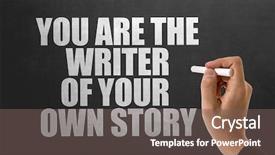
 Presentation with story - Cool new presentation theme with personal best - you are the writer backdrop and a gray colored foreground

Writer Story

You are about to embark on a journey that will transform your college and career narrative from mundane to magnificent. Imagine being the writer of your own story, crafting an inspiring tale that showcases your strengths and passions. The Corner Title template is designed to be a stunning backdrop for any presentation or project. With its Widescreen format, this template features four How To slides at the start of the deck that will help you get up and running quickly. These slides are built around the AIDA Block Layout concept, which includes Introduction (Attention), Situation (Background), Description (Feature), and Call to Action (Outcome). This layout is designed to engage your audience from the very beginning. The template's Saddle Brown color palette adds a warm and inviting touch to any slide. Including a Background With subtle gradient effect on some slides to enhance the overall visual appeal, Having a Theme of storytelling and legacy features prominently on each slide, showcasing how you can use this template to create compelling narratives about your college and career journey. The high resolution images used in the background will add depth and dimensionality to your presentation. Featuring these images alongside crisp text layouts ensures that everything is aligned perfectly, creating a visually stunning experience for your audience. With its compatibility with Google Slides, you can easily insert this template into your online presentations. The Corner Title Widescreen template provides endless opportunities for creative expression, allowing you to craft an engaging and compelling narrative that showcases your personality and expertise. Incorporating the theme of storytelling, the Corner Title template is designed to enhance your message, making it more memorable and impactful for your audience. By using this template as a starting point, you can create presentations that leave a lasting impression and inspire others to reach their full potential.

 Presentation with story - Amazing theme having what's your story written backdrop and a ocean colored foreground

's Story Written Blackboard

The digital age is full of blank slates waiting to be filled with your most brilliant ideas. The canvas of the mind has been transformed into a stunning blackboard, where creativity flows like never before. Your story has just begun to take shape as you unleash it on this inspiring template. This Dark Slate Gray themed template is designed to facilitate collaboration and productivity, making it an ideal fit for notes, agendas, and brainstorming sessions featuring ideas galore. The high resolution images embedded within the background create a visually striking atmosphere that's sure to spark inspiration. This template is downloadable and compatible with Google Slides, ready to be tailored to your needs. Incorporating these key elements – blackboard, note, blank, asking, idea – will elevate this design to new heights of creative expression. Featuring high resolution images for a visually stunning backdrop, the template adds depth and complexity, making it an enhanced addition to any presentation or project. The Circular Step Layout slide showcases the dynamic flow of ideas as they emerge from your mind into a tangible reality. This layout will guide you through the process, providing a clear visual representation of how your concepts can be developed and refined. Having a theme of innovation and creativity, this template is designed to enhance your workflow, making it an invaluable resource for professionals looking to push their boundaries. The perfect complement to any digital project or presentation, this Dark Slate Gray template includes 4 How To slides at the start of the deck – each one providing valuable guidance as you navigate the creative process.

 Presentation with story - Beautiful slides featuring blue two story house backdrop and a gray colored foreground

Blue Two Story House Purple

The life of a homeowner is a never ending journey of decorating and refreshing their exterior space, all while staying connected to nature. Corner Title is the perfect solution for creating a stunning two story home with pillars and door that showcases your unique style. This gorgeous template features high resolution images of a beautiful light sky blue background, perfectly capturing the serenity of a serene yard surrounded by lush greenery. The design is full of intricate details, including intricately patterned doorways, majestic pillars, and flowering shrubs that add to its visual appeal. The Corner Title template comes in Widescreen format, ideal for showcasing your home's facade from every angle. Its gentle light sky blue color palette provides a clean and refreshing backdrop for any interior design style. The keywords "door", "pillars", "yard", "shrubs", and "two story" are all prominent throughout the template, providing instant inspiration to create your own unique interior and exterior designs. With Corner Title, you can say goodbye to boring and generic home templates and hello to a beautiful and unique exterior space that showcases your personality. This template is perfect for showcasing a high resolution image of a door with pillars and yard to give it an enhanced feel. The layout also has a theme of featuring natural elements like flowers, trees, and wildlife making it an ideal addition to any design portfolio or website. The Corner Title template is downloadable and compatible with Google Slides, ensuring you can easily add your own personal touch without worrying about compatibility issues. Once installed, the Gears in Sync Layout slide will keep everything running smoothly, featuring a seamless connection between multiple sections and slides, all seamlessly integrated into a beautiful and visually appealing design.

 Presentation with story - Beautiful slide deck featuring experience sharing - your story backdrop and a yellow colored foreground

Story

As you embark on your career journey, you're about to discover that success is not just a destination, but a story waiting to be told. The Corner Title template is designed to take you on this journey, with its rich Burly Wood Colored background and high resolution images featuring inspiring quotes and bold graphics. The template is formatted in a widescreen layout, perfect for showcasing your achievements and education. It's the perfect starting point for your presentation, and comes with four easy to follow How To slides to get you up and running quickly. The templates are downloadable and compatible with Google Slides, making it seamless to incorporate into your workflow. This template is not just about aesthetics; it's also designed to enhance your storytelling abilities. Featuring a background that complements the image layout, this template has everything you need to create an engaging narrative that resonates with your audience. Having a theme of inspiring stories and overcoming obstacles, this template will help you convey your message in a clear and compelling manner. The Burly Wood Colored color palette adds a touch of sophistication and professionalism, making it perfect for showcasing your career achievements. Including a Background With a subtle texture that gives a sense of depth, adding an element of drama to your presentation, enhancing with the inclusion of bright colors on slides 2 4 will make your presentation stand out and keep your audience engaged. Whether you're looking to showcase your education or entrepreneurship journey, this template has everything you need. Having a theme of career milestones, it's perfect for highlighting your achievements and inspiring others to pursue their own paths.

 Presentation with story - Cool new slides with biography - my story arrow with beach backdrop and a teal colored foreground

Story Arrow Beach Background

Create a dynamic template that captures the essence of professional storytelling and career aspirations with its sleek Steel Blue background and high resolution images that feature inspiring stories from around the world. This Wide Title template is designed for Google Slides and can be customized to fit your specific needs. The template's Widescreen format ensures an immersive experience, making it perfect for presentations about careers, success, and achievement. The Steel Blue color palette provides a professional and sophisticated atmosphere, while the Four Arrows Layout slide offers a unique opportunity to showcase compelling visuals and narrative elements. Incorporating a background with a beach scene can evoke feelings of relaxation and calmness, making it an ideal choice for presentations about personal growth or achieving milestones in your career. Including a Background With feature allows you to add more depth and dimensionality to the design. This template is Enhanced With a range of customization options, including Featuring a High Resolution Image slide where you can include a stunning landscape photo, Having a Theme of Inspiring Stories, which could be used to showcase real life examples of people overcoming obstacles or achieving remarkable feats.

 Presentation with story - Beautiful PPT theme featuring success story - make your mark card backdrop and a ocean colored foreground

Make Mark Card Bokeh Background

You're looking to create a visually stunning PowerPoint template that makes a lasting impression on your audience. Here's a description of the "Split Title" design that incorporates the elements you specified: Imagine starting your presentation with a bold statement, one that grabs attention and sets the tone for the rest of the show. The "Split Title" template is designed to do just that, featuring a striking background image that adds depth and dimensionality to the slide. The 4 How To slides at the start of the deck are built around this central theme, providing valuable tips and insights to help your audience get up and running quickly. The template itself is available for download on Google Slides, making it easy to incorporate into your existing workflow. And with its high resolution images, the background will look stunning in any setting. The Crimson color palette provides a bold and dramatic touch, while the "leader" and "career" keywords hint at the theme of achievement and success. The template also features a happy, inspiring message that's sure to put a smile on your audience's faces. This is where things get really interesting – the AIDA block layout comes into play. Featuring a clear headline, supporting text, images, and visuals, this section helps to engage your audience from the very start of the presentation. Including a background with a subtle texture and pattern adds an extra layer of depth, while Having a theme of "making a mark" provides a cohesive sense of purpose. Enhanced with bright, eye catching colors like green and blue, this layout is sure to leave a lasting impression on your audience.

 Presentation with story - Amazing slides having experience sharing - share your story placard backdrop and a coral colored foreground

Share Story Placard Night Lights

Imagine sharing your story with the world, but instead of in isolation, let it shine through on the big screen. Our premium templates are designed to take your presentations to the next level, making them engaging and effective tools for telling stories that inspire and motivate. Featuring a range of layouts and design elements, including goldenrod backgrounds that evoke warmth and creativity, our template is perfect for showcasing your expertise and knowledge. Our Wide Title template is specifically crafted for widescreen presentations, providing a stunning focal point that draws attention from the audience. With its high resolution images for the background, this template is the ideal choice for anyone looking to make a lasting impression with their content. Having a theme of storytelling, our template invites you to tell your story in a way that engages and captivates your audience. For instance, Imagine sharing Your Story placard with night lights on background it's a perfect fit for this template! Featuring goldenrod as the primary color palette, this template is ideal for creating a warm and inviting atmosphere. Having a theme of fact and memory, you can highlight key points and anecdotes that illustrate your story. Our Premium Templates include 60+ layouts slide, making it easy to explore and discover new designs and elements to enhance your presentations. From featuring a background with beautiful graphics to having a theme of storytelling, our templates offer endless possibilities for creative expression.

 Presentation with story - PPT layouts with success story leaders - make your mark card background and a ocean colored foreground

Make Mark Card Sky Background

In a world where success is just a step away, you need to make your mark literally. The Corner Title template by CrystalGraphics is the perfect companion to help you stand out from the crowd and achieve your dreams. This stunning Widescreen template features a sleek Steel Blue background that will transport you to a high stakes world of leadership and career aspirations. With its bold design, it's sure to make a statement on any slide. The 4 How To slides at the start of the deck are designed to get you up and running quickly, featuring high resolution images to illustrate each step. The Content Layout slide is where things come together, with a clear call to action that guides viewers through the template's features and benefits. But what can you expect from this impressive design? For starters, you'll have access to 4 How To slides including 'Introducing Your Brand' and 'Creating a Compelling Story'. These slides will show you how to make your mark in the game of leadership and career success. Take the Corner Title template by CrystalGraphics and feature it as the centerpiece of your presentation. Include high resolution images like those found on the background, or enhance your content with this Steel Blue theme having a theme of creating a cohesive look that will leave a lasting impression on your audience.

 Presentation with story - PPT theme featuring telling time - whats your story written background and a gray colored foreground

Whats Story Written Chalkboard

Imagine walking through a bustling high school hallway where students are always talking and laughing together. The sound of chatter and clinking glasses fills the air as you pass by their lockers. Your story is just beginning, and we want to help you tell it in style. This template, featuring a Widescreen design with a Dark Goldenrod color palette, is the perfect starting point for your presentation. With four How To slides that will get you up and running quickly, you'll be well on your way to creating an engaging narrative for your audience of teenagers. The 3 Column Layout will keep things organized and easy to follow, making it simple to include background images with text overlays, have a theme of storytelling, or enhance the overall look and feel of your presentation. To make the most of this template, consider featuring high resolution images of chalkboards or old fashioned sign displays in the background. Having a background with a subtle texture or pattern will add depth and interest to your slides. Including a Background With feature will allow you to easily change up your design without having to recreate it from scratch. The 3 Column Layout is designed to be flexible, making it easy to include text, images, or other elements in each column. For example, you could use the left column for main headings and body copy, the middle column for bullet points or lists, and the right column for subheadings or action items. Having a Theme of storytelling will help guide your design choices and keep your presentation cohesive.

 Presentation with story - PPT theme with this-is-my-story-phrase background and a  colored foreground

Story Phrase Written Typewriter.

In the heart of every great story, there lies the foundation of its beauty. Corner Title is more than just a template, it's an experience that immerses you in the world of storytelling, where every detail and design choice comes together to transport you into the narrative. As you delve into this Dark Goldenrod wonderland, you'll discover a rich canvas of possibilities waiting to be unleashed. The template features high resolution images for backgrounds, each one carefully crafted to evoke emotions and set the tone for your story. Whether it's a vintage typewriter, a mystical forest, or a futuristic cityscape, the visuals will leave an indelible mark on your audience. The Corner Title template boasts a 3 column layout that strikes a perfect balance between form and function. The Header section is designed to be robust, featuring a prominent title font with ample breathing room for easy reading. The Featured Content area is ideal for showcasing key elements of your story, such as bold headings or eye catching graphics. Meanwhile, the Call to Action (CTA) section provides a clear direction for your audience to engage with your narrative. This template is not just about design; it's also about enhancing the storytelling process. With its Dark Goldenrod color palette and typographic flair, Corner Title becomes an integral part of your project's visual identity. Incorporate this template into your Google Slides presentation and watch as your story comes alive in a way that will captivate and inspire your audience. To get started quickly, visit our website to download the Corner Title template in Widescreen format. Compatible with all major Google Slide apps, it's an ideal companion for any project seeking to elevate its storytelling prowess.

 Presentation with story - Presentation design having biography - your story question - text background and a violet colored foreground

Story Question Text Vintage

In the heart of every story lies a question that needs to be answered with clarity and precision, a query that can only be expressed through a thoughtful combination of letters, words, and images. The question is the foundation upon which all narratives are built, serving as a starting point for exploration, discovery, and insight. This template, Wide Title, is designed to evoke the gritty, letterpress feel of vintage typography, where each character is carefully crafted to convey meaning and emotion. Featuring high resolution images that are sure to inspire, this Widescreen template comes with a rich Burly Wood Colored color palette that adds depth and texture to any presentation. In our pursuit of clarity and precision, we've created a template that seamlessly integrates elements of typography, grunge, and question mark driven design, resulting in an enhanced visual experience that's both intriguing and thought provoking. Having a theme of customization is woven into its DNA with the ability to include background images featuring vintage style letters on wooden backgrounds or as part of a larger image. To help you get started quickly, our template comes with four How To slides at the beginning of the deck, providing valuable guidance for establishing your branding and establishing a solid foundation. But be warned, once you've seen it all, nothing will ever look like this again, except perhaps in every single slide that goes up on your wall to keep your story on track. With Enhanced Backgrounds and featuring our patented digital printing features, you'll have the power to create stunning visuals without ever having to sacrifice quality. This template is compatible with Google Slides, making it easy to import into your preferred presentation software. The wide screen aspect ratio provides a clean and unobstructed view of your images, allowing for effortless navigation through layers and text. To make it even more versatile, we've included high resolution images that can be easily downloaded and incorporated into your presentations. In short, this template is the perfect starting point for those who want to craft compelling narratives with precision and style. Featuring a mix of gritty textures, vintage typography, and bold question marks, Wide Title is sure to make you stand out from the crowd and leave a lasting impression on your audience.

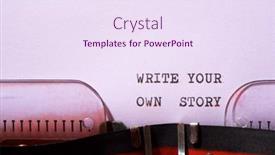
 Presentation with story - Amazing presentation theme having write-your-own-story-phrase backdrop and a sky blue colored foreground

Write Story Phrase Written Typewriter.

In a world where creativity knows no bounds, and imagination runs wild, the story begins with a simple yet profound phrase: "Write your own tale, create your own destiny." To bring this concept to life on the big screen, we present to you Wide Title, a stunning Widescreen template designed to inspire and elevate your presentation. This template is crafted in a unique Thistle color palette that sets it apart from other designs, providing an environment for artistic expression. The story unfolds with a beautiful 6 x 6 Org Chart Layout slide, which features a clear hierarchy of company structures and roles, making it easy to organize and present data. This slide includes space for icons, images, and notes to make your presentation visually appealing and engaging. A high resolution image serving as the background provides a professional look and feel. To enhance your presentation further, you can include a Background With text overlay, featuring inspiring quotes or graphics that add depth and meaning to your message. Having a Theme of "Your Own Story" theme, this template is sure to capture the essence of self expression and creativity. Enhancing with custom illustrations, this template allows you to bring your unique ideas and concepts to life. Wide Title is also perfect for showcasing your own branding, making it easy to include company logos, images, or text on your presentation slides. Downloadable and compatible with Google Slides, this template is a versatile addition to any digital presentation toolkit, ensuring that your content remains crisp and clear throughout the slideshow.

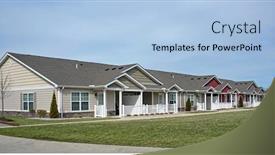
 Presentation with story - Beautiful PPT theme featuring newly-constructed-one-story-condominiums backdrop and a light blue colored foreground

Newly Constructed One Story Condominiums

PPT theme featuring newly constructed one story condominiums

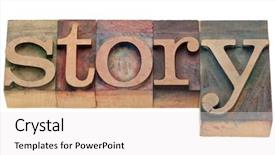
 Presentation with story - Audience pleasing PPT layouts consisting of narrative - story - isolated word backdrop and a white colored foreground

Story Isolated Word Vintage

Corner Title is a visually striking and elegant design that combines traditional letterpress elements with a modern twist, perfect for showcasing your brand's unique personality in a powerful way. Imagine starting your presentation on a stunning background featuring intricate wood grain patterns, warm colors, and subtle textures that evoke the feeling of vintage printing blocks. This corner title is designed to be easily recognizable and scalable across various screen sizes, making it ideal for presentations, posters, flyers, and even brochures. The dark salmon color palette provides a sophisticated backdrop for this design, while the isolated word in wood letterpress printing blocks creates a sense of depth and visual interest. The high resolution images on the template's background are carefully selected to provide crisp and clear images that will enhance your presentation. To make it truly stand out, you can include a background with a subtle gradient effect or a 3D element that adds an extra layer of dimensionality. With its rich design elements and modern feel, Corner Title is perfect for businesses, artists, writers, and anyone looking to showcase their brand's unique style and personality. Having a theme of "storytelling" in mind, this design features isolated words in vintage wood letterpress printing blocks that tell a story, creating an engaging narrative for your audience. For example, you could use Corner Title as the centerpiece of your presentation slide deck, featuring four how to slides to get you started quickly. The template includes a "Pictures + Captions Layout" slide with a layout that allows you to include images and captions side by side, making it easy to add visual interest to each slide. Having a theme of "colorful typography" in mind, this design is enhanced with additional text elements throughout the template. By downloading Corner Title and incorporating its unique design elements into your presentation, you'll be able to create a visually stunning and engaging narrative that showcases your brand's personality and style.

 Presentation with story - PPT theme consisting of biography - my story background and a dark gray colored foreground

Story

Incorporating storytelling into one's career narrative is a powerful way to convey passion and purpose, inspiring others to embark on similar journeys. By sharing their experiences, people can connect with like minded individuals and inspire growth within the community. Imagine showcasing your personal journey as a blogger, highlighting key milestones and lessons learned along the way. This can be achieved by featuring high resolution images for the background, including relevant visuals such as photographs of scenic locations or inspirational quotes on a whiteboard. The Corner Title template is designed to provide an ideal starting point for any narrative project, regardless of its complexity. The template's versatility allows you to add your own unique touch while maintaining a cohesive look that matches the Saddle Brown color palette perfectly. With this rich and earthy background, you can create an enhanced experience by incorporating subtle textures or patterns, enhancing the overall aesthetic. When it comes to using the template, one of its standout features is the comparison layout slide, which offers several options to enhance your presentation. For instance, you could include a background with a motivational quote, having a theme of celebrating successes along the way, and featuring a high resolution image of a person overcoming obstacles. This customized approach allows you to showcase specific aspects of your career journey that resonate most with the audience, making your narrative even more compelling.

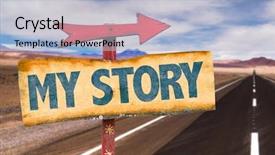
 Presentation with story - Colorful presentation theme enhanced with my story sign with road backdrop and a light blue colored foreground

Story Sign Road Background

As you click on your computer mouse with excitement, imagine yourself in front of a blank canvas, ready to begin telling the story of your life. The Wide Title template from CrystalGraphics is designed to be attention grabbing, with a clear and concise design that will draw your audience in. The Widescreen format ensures that all elements are fully optimized for high resolution viewing on large screens, while the Burly Wood Colored background palette provides a warm and inviting atmosphere. The template includes four How To slides at the start of the deck to help you get up and running quickly, but these details will have to wait. The 3x3 Org Chart Layout slide is a great feature that provides a clear structure for your story, featuring key milestones and achievements in a visually appealing way. This layout can be enhanced with additional images or graphics to illustrate important points, making it easier to convey complex information. This template is not just about telling stories – it's also about creating an immersive experience. The inclusion of a Background With a Road element sets the scene for your story, providing a clear backdrop against which you can feature your achievements and symbolism. Having a Theme of Symbolism allows you to add depth and meaning to your narrative. This template is not just about telling stories – it's also about creating an enhanced experience. Featuring a high resolution image of a sign with your company name and logo adds a touch of professionalism, while Including a Background With a Cityscape provides context for your achievements.

 Presentation with story - Amazing presentation design having personality profile - what's your story card backdrop and a teal colored foreground

's Story Card Beach Background

What's your story and now you can tell it with style with this Wide Title template featuring Dodger Blue as its dominant color. This Widescreen design is perfect for telling high resolution stories that will take your audience on a journey. The template is compatible with Google Slides, making it easy to download and enhance with your favorite images. The theme of this template is storytelling, and the "Wide Title" fits perfectly in this narrative. You can feature a beautiful beach background image as the main focus, accompanied by inspiring quotes or phrases that will make your audience want to tell their own stories. The inclusion of a call to action on the slide title with a bold font will have your audience eagerly awaiting what's next. This template is designed for a wide range of occasions, including achievement celebrations, recognizing outstanding individuals, and acknowledging milestones. The 4 Member Bio Layout slide provides ample space to showcase the profiles of four individuals who are making a significant impact in their field. Each bio can include a high resolution image, a short description, and relevant statistics or achievements. This layout is enhanced with colorful backgrounds and stylish typography, making it easy to read and understand. The template comes with 4 How To slides that will help you get up and running quickly. These tutorials are designed to guide you through the process of creating engaging presentations that captivate your audience. Whether you're a seasoned presenter or just starting out, these slides are sure to provide valuable insights and tips on how to deliver an effective presentation. Imagine using this template for an achievement celebration where you want to honor outstanding individuals who have made a significant impact in their field. You can feature high resolution images of their awards or certificates, accompanied by inspiring quotes that will make your audience proud to be part of the celebration. The theme of storytelling and achievement is perfectly woven throughout the design, making it easy to tell your own story with this template as your guide. You can enhance the template further by adding a background with a subtle gradient or texture, making it more visually appealing and dynamic. With this template on hand, you'll be able to create presentations that are not only engaging but also memorable, leaving a lasting impression on your audience.

 Presentation with story - Presentation theme featuring you-have-a-story-phrase background and a light gray colored foreground

Story Phrase Written Typewriter.

Presentation theme featuring you have a story phrase written with a typewriter background

 Presentation with story - Presentation theme enhanced with human value - what will your story be background and a dark gray colored foreground

Story ?

Imagine standing at the crossroads of your career, surrounded by the thrill of possibility and the weight of legacy. What will your story be? The Split Title template is here to help you tell it, with a design that's both striking and sophisticated. This high resolution widescreen template features a bold saddle brown color palette that exudes sophistication and elegance. The background is filled with stunning images that evoke a sense of drama and intrigue, featuring illustrations that would look perfect in any top designer's portfolio. Having a theme of "puzzle pieces coming together," the Split Title layout allows you to place your content in a way that feels both cohesive and dynamic. This template includes four How To slides at the start of your deck, each one designed to help you get up and running quickly. But don't worry, they're not as complicated as it sounds just take a look at what this template could be used for: imagine creating a presentation on your career journey that's both inspiring and informative. With its sleek design and feature rich layout, the Split Title template is the perfect place to start building your story. Featuring a background with subtle animations, including a seamless transition between slides, the template has all the tools you need to craft a narrative that will engage and captivate your audience. Have a theme of "leaving a lasting legacy," or perhaps "standing out from the crowd"? Whatever your story is, this template is here to help you tell it in style, enhanced with features like including a background with a stunning image of mountains and valleys.

 Presentation with story - PPT layouts enhanced with large family room with two background and a coral colored foreground

Family Room Two Story Curved

Imagine walking into a spacious and inviting large family room that wraps around two story curved windows, providing a seamless flow between indoors and outdoors. The warm and earthy tones of the tan color palette transport you to a serene oasis where you can relax and unwind. The Split Title template is designed to decorate your presentations with elegance and sophistication. With its crisp lines and clean shapes, it features a high resolution image for the background that will enhance the visual appeal of your slides. The template includes a rug, couch, and dwelling elements to give your slide a cozy and comfortable feel. Whether you're showcasing a project or sharing information about a product or service, this template is perfect for creating a welcoming atmosphere. This template is downloadable and compatible with Google Slides, allowing you to easily incorporate high resolution images into your presentations. The tan color palette provides a warm and inviting theme that will enhance the visual impact of your slides. Having a theme of warmth and comfort, it's ideal for creating engaging and interactive content. Featuring a beautiful background with crisp lines and clean shapes, Enhanced With vibrant colors and textures can take your presentation to the next level. As inspiration from the description "Large family room with two story curved windows" helps guide our design, this template is perfect for presenting information about a dwelling or a suburban area. The high resolution images will allow you to include relevant details such as furniture, decorations, and surroundings. You can also use it to showcase a specific feature of the home, such as a stunning view or a unique architectural detail. The AIDA block layout on this template is designed to guide your audience through the presentation, keeping them engaged and interested throughout. The first slide sets the scene with an attention grabbing image, followed by the How To slides that provide quick tips and tricks for creating presentations. With its elegant design and vibrant colors, this template will enhance your content and leave a lasting impression on your viewers.

▼Key features of this template

  • They are compatible with both PowerPoint and Google Slides running on either Windows PCs or Macs.

  • They are available in both standard and widescreen slide formats. You can choose your preferred format by clicking on the "Widescreen" check box or icon.

  • Each template includes a beautiful high-resolution background image or video to visually reinforce the theme of your presentation.

  • In addition, each template includes designer-created graphics and modern fonts to give your presentations an up-to-date, professional look.

  • Each template's default design and title text position have been carefully selected to complement its background without covering faces or other key elements.

  • All text includes backdrops whose transparency level is mathematically calculated to maximize text readability while still allowing the background to be seen.

  • And all the text, text backdrops and graphics in every slide are colored with a palette designed to beautifully complement the colors in the background.

  • Our Premium templates (those with the descriptor “Premium” in their subtitle) include over 64 slide layouts to give you maximum flexibility as you create your presentations.

    • Those layouts are available to you whenever you create a new slide or when you want to change the layout of an existing slide.
    • They include everything you need to make all sorts of presentations. In addition to the layouts for the title slide and the usual title and content slide, they include many other layouts for slide types including table of contents slides, org charts, charts, diagrams, infographics, photo slides, thank you slides and more.
    • While creating these layouts our template designers have ensured that all text in every layout adjusts as gracefully as possible to various numbers of words.
  • Customizable templates (those with the descriptor “Customizable” in their subtitle) may be easily modified online before you download them.

    • To modify them, simply click on the pencil editing icon, then select your choice of ready to go designs and title text positions.
    • The editing tool also makes it easy to reposition and scale the background image or video to best suit your needs.

▼FAQs

Please review these FAQs to see if your question is answered. Contact us for more info

  • What is a PowerPoint template?

    • A well designed PowerPoint template is a file that can tell PowerPoint how to make your ordinary templates look extraordinary. They won’t change what your words or numbers say. But they might change their size, color, font and placement. And, overall, they can give your presentations a professionally-designed look that will give your content more credibility and give you more confidence.
  • How many PowerPoint templates do you offer?

    • We have over 32,000 artist-created presentation templates in our PowerPlugs collection With a subscription, PowerPlugs templates are easy to download. Just sign in, find a template and click on the green Download button. ready for you to download. That alone offers you more variety to choose from than any of our competitors can offer. And, as if that weren’t enough, we also offer over 6 million templates in our Crystal collection. Crystal brand templates are our line of templates that have customization options. They have the word "CRYSTAL" on their web page images. You can customize several aspects of the templates. These templates include high-resolution background images from Shutterstock’s vast image collection matched up with artist-created presentation designs customized by our own proprietary AI software.
  • How many templates can I download as a subscriber?

    • You can download an unlimited number of PowerPlugs-brand With a subscription, PowerPlugs templates are easy to download. Just sign in, find a template and click on the green Download button. templates every day for an entire year. (Actually, by default, we set a limit of 25 templates per day to prevent our competitors from stealing our templates. But, if that is not enough, just let us know and we’ll try to accommodate you.) On top of that, with a subscription or an Ultimate Combo, you can also download any 50 Crystal-brand Crystal brand templates are our line of templates that have customization options. They have the word "CRYSTAL" on their web page images. You can customize several aspects of the templates. templates per year selected from our huge Crystal collection. Crystal brand templates are our line of templates that have customization options. They have the word "CRYSTAL" on their web page images. You can customize several aspects of the templates. .
  • Why should I choose your templates instead of the competition’s?

    • We’ve got a larger selection of professionally-designed PowerPoint templates than anyone else in the world.
    • Each template includes a high-resolution background image or video to visually inspire your audiences while reinforcing your message.
    • Each template includes 64 slide layouts to give you maximum flexibility as you create your presentations.
    • Our templates are available in both standard and widescreen slide formats. And our website lets you preview the slides each way.
    • Our free Template Finder™ plugin lets subscribers select and - with a single click - download and insert our templates into their presentations right from within PowerPoint.
    • We’ve been creating designer presentation templates for over 20 years. During that time we’ve won several awards and 5-star ratings for product quality. See About Us for more.
  • Do you offer a money-back guarantee?

    • Yes we do! We offer full 30-day money-back guarantee if you are not 100% satisfied with your purchase.
  • Can I still use my downloaded templates after my subscription runs out?

    • Yes. After your subscription expires, you won't lose any rights or ability to use your PowerPlugs: Templates for PowerPoint. You won't be able to download any new non-watermarked templates. But the non-watermarked templates you've already downloaded will still work and you can still use them as before.
  • Can I share my downloaded templates or passwords with friends or coworkers?

    • Sorry but no. You are authorized to download each paid-for template to up to 3 of your personal devices and to use the templates you download in as many presentations as you want. But you are not authorized to share the templates, themselves, with others. That said, we do offer highly discounted site licenses to suit the needs of both small and large teams. Just tell us your needs and we’ll give you a quote!
  • System requirements:

    • The templates use the standard POTX format. So they are compatible with Google Slides and all PC, Mac and mobile devices running any version of PowerPoint from PowerPoint 2007 up through and including Office 365 desktop.
    • Please note: Google Slides does not currently support background videos. It treats them as still images.
    • For PowerPoint for the Web, first open your template into a desktop version of PowerPoint, then save it back out as a PPTX file. Then you can open that in PowerPoint for the Web.
  • End user license agreement:

    • Click here to view.
  • How will I get my purchased templates?

    • You may download your selected templates as soon as your payment is received by PayPal. If you purchased an individual template, you will be provided with a download link both onscreen and via email. Just click on that link to begin the download process. If you purchased a subscription, you will receive an email containing a password to use along with your email address to sign in to any of the templates pages on CrystalGraphics.com. Once you are signed in, you can immediately start downloading your selected templates.
  • How do I use my templates after I download them?

    • You can either open a template to start a new presentation or you can add a template to an existing presentation. To open a template, just double click on it or use PowerPoint's File > Open tool. To add a template to an existing presentation, on the Design tab, in the Themes group, click Browse for Themes... then browse to select your template.

View more Story templates:

previous 1 2 3 4 5 6 7 8 9 10 11 next
Categories related to Story:
Children Life
93% of Fortune 1000
companies use our
PowerPoint Products
Templates Secure

Standing Ovation Award
Winner: Best PowerPoint
Template Collection
Fortune Logos
200,000+ satisfied
customers worldwide!
Guarantee
100% satisfaction guaranteed
- or send it back for a refund!

Sign up for our free newsletter! You'll get news about our PowerPoint-enhancing product line – including free updates, new product announcements and exclusive special offers. Plus you'll get a link to a free PowerPoint template with every newsletter you receive.
Privacy Policy
Loading...


Help

Contact Us
Product FAQs
Product License Agreements

Company Info

About Us
Privacy Policy
CrystalGraphics, Inc. 1999 S. Bascom Avenue Suite 700 Campbell, CA 95008 USA
© 2026 CrystalGraphics, Inc. All rights Reserved.    |     PowerPlugs is a trademark of CrystalGraphics, Inc.
Microsoft and the PowerPoint logo are trademarks or registered trademarks of Microsoft Corporation in the United States and/or other countries.
Loading...
Loading...