www.crystalgraphics.com CrystalGraphics
  • Ultimate Combo
  • Templates
  • Diagrams
  • Characters
  • Quizzes
  • shopping cart
  • Sign Out Sign Out Sign In
Home > Templates > Accident > Street Accident Category
search icon
advanced icon

63 Best Street Accident-Themed Templates for PowerPoint and Google Slides

CrystalGraphics creates templates designed to make even average presentations look incredible. Below you’ll see thumbnail sized previews of the title slides of a few of our 63 best street accident templates for PowerPoint and Google Slides. The text you’ll see in in those slides is just example text. The street accident-related image or video you’ll see in the background of each title slide is designed to help you set the stage for your street accident-related topics and it is included with that template. In addition to the title slides, each of our templates comes with 17 additional slide layouts that you can use to create an unlimited number of presentation slides with your own added text and images. And every template is available in both widescreen and standard formats. With over 6 million presentation templates available for you to choose from, CrystalGraphics is the award-winning provider of the world’s largest collection of templates for PowerPoint and Google Slides. So, take your time and look around. You’ll like what you see! Whether you want 1 great template or an ongoing subscription, we've got affordable purchasing options and 24/7 download access to fit your needs. Thanks to our unbeatable combination of quality, selection and unique customization options, CrystalGraphics is the company you can count on for your presentation enhancement needs. Just ask any of our thousands of satisfied customers from virtually every leading company around the world. They love our products. We think you will, too!

Features & Pricing

Widescreen (16:9) Presentation Templates. Change size...
 Presentation with street accident - Presentation theme consisting of car-crash-accident-collision background and a gray colored foreground

Car Crash Accident Collision City

Imagine waking up to a scene of destruction a car crash accident on a city street. The sound of screeching tires and crunching metal still echoes in your mind as you take in the devastation around you. The Wide Title "Insurance Damage Repair" is designed for presentations, allowing you to showcase insurance related topics with a clear and concise format. This template features high resolution images for the background, including dramatic car crashes, road damage, and injured vehicles. The Sky Blue color palette provides a clean and professional atmosphere, perfect for business or industry related presentations. The Widescreen format ensures that all elements fit comfortably on screen, while the 4 How To slides at the start of the deck provide a clear structure and workflow to help you get up and running quickly. These slides can be used as is, featuring images such as: * A grid layout slide with pictures of cars, trucks, and other vehicles in different states of damage * A picture of a repair shop or mechanic's workspace to illustrate the process of fixing damaged vehicles * An example of an insurance claim form or policy document to highlight the importance of having comprehensive coverage The template is downloadable and compatible with Google Slides, making it easy to incorporate into your presentations. The Sky Blue color palette adds a touch of professionalism, while the 4 How To slides ensure that you stay on track and complete your presentation in no time. Incorporating this template can help enhance your presentation by featuring a background image of a car crash accident or related images. For example, you could include a picture of a city street with damaged cars and injured pedestrians to illustrate the theme of insurance related accidents. Having a theme of showcasing real world examples can make your presentation more engaging and memorable for your audience.

 Presentation with street accident - PPT layouts having young woman checking consequences background and a light gray colored foreground

Young Woman Checking Consequences Car

PPT layouts having young woman checking consequences of car and bicycle accident on street

 Presentation with street accident - Slide deck enhanced with car-crash-accident-on-street background and a light blue colored foreground

Car Crash Accident Street Damaged

Using a template that showcases dramatic and intense images can grab attention instantly. Imagine a car crash accident on a busy street with damaged automobiles scattered around, highlighting the importance of timely repairs to avoid financial losses. This is exactly what our attention grabbing design name says: "Crash Zone" – short for "Crisis Area Repair Zone". This template is specifically designed for insurance and repair professionals, taking into account the 5 Year Calendar Timeline Layout slide which provides a comprehensive overview of upcoming damages to be addressed. Featuring high resolution images with detailed textures and realistic lighting effects will keep users engaged throughout the presentation. Our template is compatible with Google Slides and offers enhanced support for presentations, making it easy to share on social media or embed in other websites. It's also downloadable, so you can use it right away without any software installation required. Having a theme of providing essential information to users in an engaging manner is our forte, as seen with the inclusion of detailed backgrounds that showcase different aspects of repair and insurance services. Incorporating a Background With elements into this template will allow users to visualize complex data, making it easier to grasp. Adding a call to action on each slide can further enhance the overall user experience, encouraging viewers to take action or learn more about specific topics. For instance, the "Get Started" slide could include a prominent text and a clear image of a person using the template. Having a Theme of enabling users to navigate complex information is at the heart of this design. This template is designed to be simple yet effective in conveying the importance of timely repairs and insurance services.

 Presentation with street accident - Audience pleasing presentation design consisting of wrecking - car crash accident on street backdrop and a sky blue colored foreground

Car Crash Accident Street

In the aftermath of a devastating car crash accident on a bustling city street, the sound of sirens and crunching metal fills the air as the reality of the situation sets in someone is seriously injured. The chaotic scene unfolds before our eyes, with shattered glass and twisted metal a stark reminder of the damage that has been inflicted. The design of this template, Wide Title, is sleek and sophisticated, perfect for any presentation or poster that needs to convey a sense of urgency and importance. With its light slategray color palette, it exudes a sense of calmness and serenity amidst the chaos. The Widescreen format ensures that every aspect of the scene is clear and unobstructed. A key feature of this template is its ability to incorporate high resolution images for the background, which can be easily added or removed as needed. This makes it an ideal choice for presentations where visuals are a crucial part of the message. For those looking to enhance their presentation with additional design elements, the "How To" slides at the start of the deck offer valuable guidance and support. These pre made templates provide a solid foundation for creating engaging and effective visual content. The Pros and Cons Layout slide is particularly useful in helping users evaluate the strengths and weaknesses of different design approaches. By weighing the benefits and drawbacks of each option, users can make an informed decision that suits their needs. For example, when presenting insurance information to a potential client, this template could be used to showcase the company's commitment to transparency and customer satisfaction. This template is also convertible to Google Slides, making it easy for users to customize and edit its content as needed.

 Presentation with street accident - PPT theme consisting of accident on street damaged automobile background and a dark gray colored foreground

Car Crash Accident Street Damaged

This presentation is going to blow your mind with its dramatic and intense visuals that will leave you on the edge of your seat. Imagine a car crash accident on a busy street, where damaged automobiles with airbags triggered in a chaotic scene it's as if time has slowed down, and you're witnessing a real life drama unfold before your very eyes. The Widescreen template is designed to take full advantage of its high resolution images for the background, creating an immersive experience that draws you in. The Dark Cyan color palette adds depth and sophistication to the design, making it perfect for a professional setting where attention to detail is paramount. At the heart of this presentation are 4 How To slides that will get you up and running quickly: "Getting Started", "Setting Up Your Presentation", "Adding Slides with Ease", and "Customizing Your Template". But don't worry, these steps can be mastered in no time. On your first look at the template, you'll notice a beautiful Dart on Target Layout that features a bold and striking design element it's sure to grab attention. This template is not just any ordinary presentation material; it's an Enhanced With experience that will take your presentations to the next level. Featuring a Background With stunning images of damaged automobiles and triggered airbags, this template promises to deliver an unparalleled level of realism and authenticity. Including a Theme Of dynamic illustrations and graphics, this template comes with Having a Theme Of style and sophistication that is sure to impress your audience.

 Presentation with street accident - Cool new PPT theme with curve road accident - street stop sign with clouds backdrop and a teal colored foreground

Street Stop Sign Clouds Sky

In a world where visual aesthetics reign supreme, the Corner Title template is the perfect canvas to elevate your presentation's curb appeal. This stunning Widescreen template features a high resolution background that transports viewers to a tranquil street corner scene with clouds and sky, perfectly framing the bold text and symbolic elements. The Cornflower Blue color palette serves as the soothing backdrop for this design, imbuing it with a calming yet sophisticated atmosphere. When paired with Googles' engaging slideshows, this template seamlessly integrates to create an immersive experience that grabs attention and holds it. By incorporating 4 essential How To slides at the start of the deck, you'll be well on your way to getting up and running quickly, making Corner Title a versatile tool for your creative journey. Featuring a Content with Caption Layout slide, where text is accompanied by images or graphics that enhance the overall visual impact, this template ensures your message stands out in a crowded space. Incorporating textures and symbolism into the design adds depth to the template's theme of "no", sign, rule". Enhancing its features further, having a downloadable and compatible with Google Slides makes it an ideal solution for users who want to incorporate Corner Title into their presentations.

 Presentation with street accident - Cool new slide deck with slippery road sighns - car crash accident on street backdrop and a ocean colored foreground

Car Crash Accident Street Damaged

Imagine walking into a bustling city street on a drizzly day, the sound of honking cars and distant sirens filling the air as you try to navigate through the crowded roads, your heart racing with anticipation and unease this is what can happen when accidents occur. The aftermath of a car crash leaves behind a trail of destruction, not just in terms of property damage but also emotional trauma for those involved. In such scenarios, insurance companies often get involved, triggered by claims that are complex to process, requiring thorough documentation and investigation. With the ever growing number of drivers on the road, this has become an increasingly important issue for auto manufacturers, repair shops, and law enforcement agencies alike. Incorporating high resolution images into the background of this template will give it a gritty, realistic feel, as is often found in news footage of car accidents. The Peru color palette provides a warm, earthy tone that evokes feelings of stability and security. This theme can be seen throughout the template, from the insurance related keywords to the inclusion of images featuring damage sustained in an accident. This template is designed for use with Google Slides, allowing users to easily add their own content and customize it to fit their specific needs. With its 4 How To slides at the start, getting up and running quickly will be a breeze. From there, you can dive straight into the world of insurance claims, repair estimates, damaged vehicle tracking, and more.

 Presentation with street accident - Amazing slide set having derailers - group car accident with many backdrop and a light gray colored foreground

Group Car Accident Many Damages

Imagine being at the center of attention as your presentation comes to life with Split Title, a stunning widescreen template that will leave your audience in awe. This design is perfect for creating an engaging and professional visual identity for presentations on insurance, auto, stack, and Moscow related topics. The Split Title template boasts a clean and modern look, featuring high resolution images of various cityscapes, including a dramatic split screen view of a car accident with many damages on the street, and a man out of focus in the background. The overall color palette is light steel blue, providing a sleek and sophisticated feel that will enhance any presentation. The template is downloadable and compatible with Google Slides, making it easy to incorporate into your existing workflow. With four How To slides at the start of the deck, you'll have everything you need to get up and running quickly. But before we dive in, let's explore some of the key features that make Split Title stand out. The template includes a theme of featuring a striking background with dynamic graphics, having a bold design style with clean lines, and enhanced with vibrant colors to grab attention. The Gears in Sync Layout slide is an excellent example of this, as it showcases how the template's layout can be used to create a visually appealing and cohesive presentation. The Split Title template is perfect for creating engaging and professional visual identities, whether you're presenting insurance information, discussing auto repair, or sharing stack related topics with your audience. With its sleek design, high resolution images, and downloadable compatibility, this template is sure to impress.

 Presentation with street accident - Audience pleasing slide deck consisting of car accident crush on street backdrop and a tawny brown colored foreground

Car Accident Crush Street

Imagine being in the midst of a chaotic car accident on the busy highway, the sound of screeching tires and crunching metal filling the air as you struggle to escape the wreckage. The sun beats down relentlessly, casting a golden glow over the devastation, but it's the image that stands out a crumpled up car with flames licking at its sides, smoke billowing into the sky. This is the kind of scene that would look amazing on a high resolution background, and one that our Corner Title template brings to life in stunning detail. This template is a sleek and modern design that features a dark saddle brown color palette, perfect for any auto or insurance related presentation. The high resolution images featured throughout this template are truly breathtaking from the damaged car wreckage to the stormy weather, every element is carefully crafted to draw you in and showcase your brand's message. Whether you're looking to present insurance claims, discuss motor repair options, or simply showcase a new vehicle, our Corner Title template has got you covered. With four easy to follow How To slides at the start of the deck, you'll be up and running quickly, ready to share your knowledge with others. But what makes this template truly special is its seamless integration with Google Slides featuring, including a background with, having a theme of enhanced features will make it easy to import and customize as needed. When incorporating elements into your presentation, the Two Content Layout slide comes into play. This layout allows for multiple columns to be used simultaneously, creating visual interest and flexibility for your content. For example, you could include a high quality image on one side of the slide, while sharing key statistics or information about the auto industry on the other. By downloading this template, you'll have access to a range of premium features, including enhanced backgrounds with customizable designs and seamless integration with Google Slides. Whether you're creating presentations for clients or colleagues, our Corner Title template is the perfect solution for showcasing your brand's message in style.

 Presentation with street accident - Amazing PPT layouts having street damaged automobiles after collision backdrop and a light blue colored foreground

Car Crash Accident Street Damaged

The aftermath of a devastating car crash on the city's major highway is a scene that leaves one shaken and wondering how such accidents can occur. The sound of screeching tires, crunching metal, and shattering glass fills the air as vehicles collide head on in a chaotic display of destruction. High resolution images of damaged automobiles and city streets provide a stark reminder of the severity of this incident. The Wide Title template is designed to be attention grabbing, featuring a striking font that draws the viewer's eye with its bold and modern design. The Widescreen format ensures that all elements on screen are evenly proportioned, creating a visually appealing composition. The Steel Blue color palette adds a sense of professionalism and trustworthiness, perfect for an insurance related presentation. For added realism, Featuring high resolution images of the scene as seen from different angles is an idea that could enhance this template. Including a Background With a textured cityscape or a damaged road surface would further immerse the viewer in the chaos. Having a Theme of safety and accountability could be a fitting addition to this template, highlighting the importance of insurance and liability in preventing similar accidents. The Enhanced With color palette feature could also include a subtle gradient effect that transitions from steel blue to a darker blue, adding depth and dimension to the design. The template is downloadable and compatible with Google Slides, making it easy to create a professional looking presentation on the go.

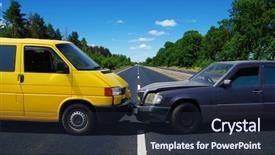
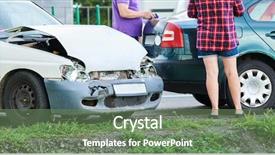
 Presentation with street accident - Beautiful presentation design featuring auto accident involving two cars backdrop and a wine colored foreground

Auto Accident Involving Two Cars

Presentation design featuring auto accident involving two cars on a city street

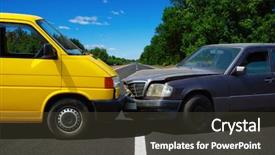
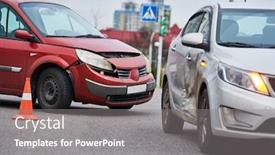
 Presentation with street accident - Colorful slide deck enhanced with auto accident involving two cars backdrop and a wine colored foreground

Auto Accident Involving Two Cars

The scene is set in a dimly lit city street, with high resolution images of damaged cars on the side of the road adding to the dramatic atmosphere. The camera pans down to reveal a sleek black motor, with a dented and rusted finish that adds to the sense of neglect. A bold title "Corner Title" emblazoned across the screen in bright steel blue font, grabbing attention from the start. The template is designed for widescreen use, making it perfect for presentations on any device. The Steel Blue color palette provides a professional and sleek look, enhancing the overall visual impact of the images. As you navigate through the template, you'll notice that each slide features a unique design element, such as a 4 by 6 picture with captions or a large image with intricate details. The How To slides at the start of the deck are designed to help you get up and running quickly, featuring high resolution images to guide your understanding. For example, one of these slides could be used as an "Featured Section" on the template, showcasing the high quality visuals that will make your presentation stand out. Another slide might include a background with a subtle texture or pattern, adding depth and visual interest to your design. The Steel Blue theme is enhanced by the inclusion of a Background With feature, allowing you to customize the color palette and add your own images to create a unique look. Having a Theme of option provides flexibility for adjusting the style to suit different designs.

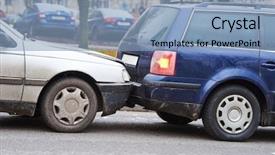
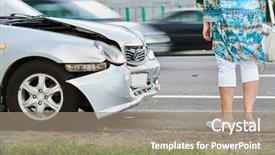
 Presentation with street accident - Colorful presentation design enhanced with accident on street damaged automobile backdrop and a gray colored foreground

Car Accident Street Damaged Automobiles

Presentation design enhanced with car accident on street damaged automobiles after crash in city

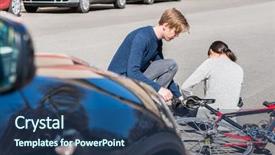
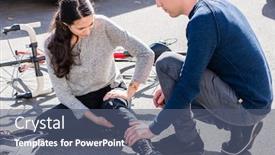
 Presentation with street accident - Theme consisting of crash - helpful young man giving first background and a ocean colored foreground

Helpful Young Man Giving First

As you open the Corner Title template provided by CrystalGraphics, your eyes are immediately drawn to the high resolution background image that sets the tone for the entire design. The teal color palette is rich and inviting, with shades of blue and green that evoke feelings of trust and reliability. The Caucasian subjects featured in the images are warm and approachable, adding a sense of humanity to the overall aesthetic. The template's format is sleek and modern, with clean lines and minimal clutter that allows the content to take center stage. However, it's worth noting that four How To slides are included at the start of the deck to help you get up and running quickly, but for now, let's focus on the design itself. As you explore the template, you'll notice a range of keywords incorporated into the file name, including "auto", "bicycle", "caucasian", "helping", and "suffering". These words are carefully chosen to provide context for the images featured throughout the template. The @Pictures With Captions Layout slide is an excellent example of how these keywords have been included, with each image accompanied by a detailed caption that provides additional context. The background features a stunning image of a bicycle accident on the street, showcasing the importance of helping those in need. Meanwhile, the Caucasian subjects are depicted in a naturalistic setting, emphasizing their humanity and relatability. The overall mood is one of compassion and understanding, which is reinforced by the teal color palette.

 Presentation with street accident - Presentation theme enhanced with slippery road sighns - car accident on street damaged background and a ocean colored foreground

Car Accident Street Damaged Automobiles

The spotlight is shining bright on this stunning PowerPoint template designed specifically for insurance companies and related industries. Corner Title is the perfect blend of style and functionality, catering to your needs with its sleek Sky Blue color palette that perfectly complements high resolution images of damaged automobiles after a car accident in a busy city. This template features an attention grabbing background with crumpled up papers and broken glass, evoking the emotions and urgency associated with insurance claims. It's essential to have a clear theme from the start, as seen on the four How To slides that will guide you through getting started quickly. The first step is to include relevant images such as police cars at accidents, damaged vehicles in front of destroyed buildings, and worried individuals holding their insurance policies, all within the confines of the template's Sky Blue background. As you navigate this template, it's essential to have a clear layout with arrow steps that guide users through the process. The four step layout is perfect for providing an overview of what your audience needs to do, making it easier for them to understand and follow along. Some examples of how these slides could be used include featuring high quality images such as police car photos, having a theme centered around insurance claims, or enhancing the overall design with additional graphics. The Corner Title template is designed to be downloadable and compatible with Google Slides, allowing you to easily insert your own images and customize it according to your needs. This template's compatibility with different platforms ensures seamless integration into various presentations and projects.

 Presentation with street accident - Presentation featuring accident on street damaged automobile background and a tawny brown colored foreground

Car Crash Accident Street Damaged

The intersection of steel and chaos, where the sound of screeching tires meets the sight of crumpled vehicles. A scene that echoes the devastating impact of a collision on the roads we drive upon every day. Imagine walking through a crowded city street, surrounded by damaged automobiles, their metal bodies dented and scarred from the aftermath of a crash. The air is thick with the smell of grease and smoke, and the sound of sirens blares in the distance. The template you have before you is designed to capture this intense moment, bringing it to life on your screen. It's available as a downloadable Widescreen template, featuring a steel blue color palette that evokes the feeling of high tech machinery and precision engineering. The background images are high resolution, providing a detailed view of the damaged vehicles and the city street. The layout is carefully crafted to create a sense of tension and urgency, with bold typography and sharp lines adding to the drama. You can include a background image or video featuring cars crashing into each other for added impact, but feel free to get creative and make it your own. For example, you could use this template as a signpost layout slide in an automotive repair presentation, highlighting key statistics on car damage and repairs. Or, you could enhance the visuals by adding animations or transitions that bring the scene to life, making it easier for your audience to follow along. This template is also highly customizable, allowing you to add your own branding and messaging to make it truly unique.

 Presentation with street accident - PPT theme featuring car-crash-accident-on-street background and a gray colored foreground

Car Crash Accident Street Damaged

PPT theme featuring car crash accident on street damaged automobiles

 Presentation with street accident - Audience pleasing PPT layouts consisting of slippery road sighns - car crash accident on street backdrop and a light gray colored foreground

Car Crash Accident Street Damaged

Imagine being in the midst of a dramatic car crash on a busy street scene, with damaged automobiles strewn across the road. The scene is chaotic and intense, with the sound of screeching tires and shattering glass filling the air. But amidst the destruction, you spot a glimmer of hope a well designed insurance template that could help simplify the process of navigating through this complex situation. The Wide Title design makes for a stunning background, featuring high resolution images of damaged vehicles in various stages of repair. The tan color palette adds a warm and inviting touch to the overall aesthetic, making it easy on the eyes. The template is downloadable and compatible with Google Slides, so you can easily share it with colleagues or clients. The insurance theme is perfect for triggering this dramatic car crash scenario, as it could be used in various situations where an accident occurs, such as after a road trip or when filing a claim. The Oposite Directional Arrows Layout slide is particularly useful for visualizing the damage to different parts of the vehicle, making it easier to understand the extent of the repair. For instance, you could include a Background With feature on this template, allowing users to insert their own images and customize the scene to suit their needs. Having a Theme of adding an extra layer of realism to the design, while Enhanced With allows for even more customization options, making it an ideal choice for professionals who need a robust and versatile tool for their work.

 Presentation with street accident - Audience pleasing PPT theme consisting of helpful-young-man-giving-first backdrop and a ocean colored foreground

Helpful Young Man Giving First

The Corner Title PowerPoint template is a stunning showcase of modern design principles that pays homage to the classic look and feel of 1950s 60s high end car ads. The Steel Blue color palette provides a sophisticated backdrop for your slides, evoking the feeling of premium materials and cutting edge technology. This template features a unique blend of vintage inspired illustrations and bold typography, making it perfect for presentations that need to convey a sense of approachability and friendliness. The design name Corner Title reflects the template's focus on supporting your content with a clear and concise title that grabs the audience's attention. The Steel Blue color palette is featured in high res images throughout the template, providing a visually stunning backdrop for your slides. Featuring a striking image of a Caucasian young man helping an injured individual after suffering a painful bicycle accident, this slide sets the tone for the rest of the presentation. The Widescreen format ensures that all elements are perfectly sized and aligned, creating a seamless viewing experience on any screen. The template is downloadable and compatible with Google Slides, making it easy to incorporate into your presentation workflow. Having a theme of providing effective support and assistance, this template is designed to enhance your message and leave a lasting impression on your audience. This template could be used for presentations in various fields, such as healthcare, sports, or non profit organizations, where the themes of helping others and overcoming adversity are relevant. For example, it could feature images of people engaging in physical activities like cycling, with the tagline "Helping You Get Back On Your Bike" or "Supporting Those Who Suffer". Enhanced With a vibrant color scheme and modern typography, this template is sure to make your presentation stand out from the crowd.

 Presentation with street accident - PPT theme consisting of car-crash-accident-on-street background and a gray colored foreground

Car Crash Accident Street Damaged

PPT theme consisting of car crash accident on street damaged automobiles

▼Key features of this template

  • They are compatible with both PowerPoint and Google Slides running on either Windows PCs or Macs.

  • They are available in both standard and widescreen slide formats. You can choose your preferred format by clicking on the "Widescreen" check box or icon.

  • Each template includes a beautiful high-resolution background image or video to visually reinforce the theme of your presentation.

  • In addition, each template includes designer-created graphics and modern fonts to give your presentations an up-to-date, professional look.

  • Each template's default design and title text position have been carefully selected to complement its background without covering faces or other key elements.

  • All text includes backdrops whose transparency level is mathematically calculated to maximize text readability while still allowing the background to be seen.

  • And all the text, text backdrops and graphics in every slide are colored with a palette designed to beautifully complement the colors in the background.

  • Our Premium templates (those with the descriptor “Premium” in their subtitle) include over 64 slide layouts to give you maximum flexibility as you create your presentations.

    • Those layouts are available to you whenever you create a new slide or when you want to change the layout of an existing slide.
    • They include everything you need to make all sorts of presentations. In addition to the layouts for the title slide and the usual title and content slide, they include many other layouts for slide types including table of contents slides, org charts, charts, diagrams, infographics, photo slides, thank you slides and more.
    • While creating these layouts our template designers have ensured that all text in every layout adjusts as gracefully as possible to various numbers of words.
  • Customizable templates (those with the descriptor “Customizable” in their subtitle) may be easily modified online before you download them.

    • To modify them, simply click on the pencil editing icon, then select your choice of ready to go designs and title text positions.
    • The editing tool also makes it easy to reposition and scale the background image or video to best suit your needs.

▼FAQs

Please review these FAQs to see if your question is answered. Contact us for more info

  • What is a PowerPoint template?

    • A well designed PowerPoint template is a file that can tell PowerPoint how to make your ordinary templates look extraordinary. They won’t change what your words or numbers say. But they might change their size, color, font and placement. And, overall, they can give your presentations a professionally-designed look that will give your content more credibility and give you more confidence.
  • How many PowerPoint templates do you offer?

    • We have over 32,000 artist-created presentation templates in our PowerPlugs collection With a subscription, PowerPlugs templates are easy to download. Just sign in, find a template and click on the green Download button. ready for you to download. That alone offers you more variety to choose from than any of our competitors can offer. And, as if that weren’t enough, we also offer over 6 million templates in our Crystal collection. Crystal brand templates are our line of templates that have customization options. They have the word "CRYSTAL" on their web page images. You can customize several aspects of the templates. These templates include high-resolution background images from Shutterstock’s vast image collection matched up with artist-created presentation designs customized by our own proprietary AI software.
  • How many templates can I download as a subscriber?

    • You can download an unlimited number of PowerPlugs-brand With a subscription, PowerPlugs templates are easy to download. Just sign in, find a template and click on the green Download button. templates every day for an entire year. (Actually, by default, we set a limit of 25 templates per day to prevent our competitors from stealing our templates. But, if that is not enough, just let us know and we’ll try to accommodate you.) On top of that, with a subscription or an Ultimate Combo, you can also download any 50 Crystal-brand Crystal brand templates are our line of templates that have customization options. They have the word "CRYSTAL" on their web page images. You can customize several aspects of the templates. templates per year selected from our huge Crystal collection. Crystal brand templates are our line of templates that have customization options. They have the word "CRYSTAL" on their web page images. You can customize several aspects of the templates. .
  • Why should I choose your templates instead of the competition’s?

    • We’ve got a larger selection of professionally-designed PowerPoint templates than anyone else in the world.
    • Each template includes a high-resolution background image or video to visually inspire your audiences while reinforcing your message.
    • Each template includes 64 slide layouts to give you maximum flexibility as you create your presentations.
    • Our templates are available in both standard and widescreen slide formats. And our website lets you preview the slides each way.
    • Our free Template Finder™ plugin lets subscribers select and - with a single click - download and insert our templates into their presentations right from within PowerPoint.
    • We’ve been creating designer presentation templates for over 20 years. During that time we’ve won several awards and 5-star ratings for product quality. See About Us for more.
  • Do you offer a money-back guarantee?

    • Yes we do! We offer full 30-day money-back guarantee if you are not 100% satisfied with your purchase.
  • Can I still use my downloaded templates after my subscription runs out?

    • Yes. After your subscription expires, you won't lose any rights or ability to use your PowerPlugs: Templates for PowerPoint. You won't be able to download any new non-watermarked templates. But the non-watermarked templates you've already downloaded will still work and you can still use them as before.
  • Can I share my downloaded templates or passwords with friends or coworkers?

    • Sorry but no. You are authorized to download each paid-for template to up to 3 of your personal devices and to use the templates you download in as many presentations as you want. But you are not authorized to share the templates, themselves, with others. That said, we do offer highly discounted site licenses to suit the needs of both small and large teams. Just tell us your needs and we’ll give you a quote!
  • System requirements:

    • The templates use the standard POTX format. So they are compatible with Google Slides and all PC, Mac and mobile devices running any version of PowerPoint from PowerPoint 2007 up through and including Office 365 desktop.
    • Please note: Google Slides does not currently support background videos. It treats them as still images.
    • For PowerPoint for the Web, first open your template into a desktop version of PowerPoint, then save it back out as a PPTX file. Then you can open that in PowerPoint for the Web.
  • End user license agreement:

    • Click here to view.
  • How will I get my purchased templates?

    • You may download your selected templates as soon as your payment is received by PayPal. If you purchased an individual template, you will be provided with a download link both onscreen and via email. Just click on that link to begin the download process. If you purchased a subscription, you will receive an email containing a password to use along with your email address to sign in to any of the templates pages on CrystalGraphics.com. Once you are signed in, you can immediately start downloading your selected templates.
  • How do I use my templates after I download them?

    • You can either open a template to start a new presentation or you can add a template to an existing presentation. To open a template, just double click on it or use PowerPoint's File > Open tool. To add a template to an existing presentation, on the Design tab, in the Themes group, click Browse for Themes... then browse to select your template.
previous 1 2 3 next

More Street Accident presentation templates

93% of Fortune 1000
companies use our
PowerPoint Products
Templates Secure

Standing Ovation Award
Winner: Best PowerPoint
Template Collection
Fortune Logos
200,000+ satisfied
customers worldwide!
Guarantee
100% satisfaction guaranteed
- or send it back for a refund!

Sign up for our free newsletter! You'll get news about our PowerPoint-enhancing product line – including free updates, new product announcements and exclusive special offers. Plus you'll get a link to a free PowerPoint template with every newsletter you receive.
Privacy Policy
Loading...


Help

Contact Us
Product FAQs
Product License Agreements

Company Info

About Us
Privacy Policy
CrystalGraphics, Inc. 1999 S. Bascom Avenue Suite 700 Campbell, CA 95008 USA
© 2026 CrystalGraphics, Inc. All rights Reserved.    |     PowerPlugs is a trademark of CrystalGraphics, Inc.
Microsoft and the PowerPoint logo are trademarks or registered trademarks of Microsoft Corporation in the United States and/or other countries.
Loading...
Loading...