www.crystalgraphics.com CrystalGraphics
  • Ultimate Combo
  • Templates
  • Diagrams
  • Characters
  • Quizzes
  • shopping cart
  • Sign Out Sign Out Sign In
Home > Templates > Street Category
search icon
advanced icon

499 Best Street-Themed Templates for PowerPoint and Google Slides

CrystalGraphics Street collection offers a unique blend of style and functionality that's sure to elevate your presentation game. Inspired by iconic street signs and symbols, these templates combine clever metaphors and vibrant visuals to bring your message to life.

From the Past Present Future sequence of slides, showcasing how different eras have shaped our world, to the Jesus Street Sign on a stunning blue sky background that evokes a sense of peace and tranquility, each template is carefully crafted to meet your needs. With 60+ additional slides in addition to the title slide, you'll have endless opportunities to tell your story or convey your message.

These templates are not only compatible with Google Slides but also available in both widescreen and standard formats, ensuring a seamless experience across various devices. Plus, they're fully customizable, allowing you to add your personal touch through a range of design elements, fonts, colors, and more.

To make it even easier for you to get started, the Street collection is packed with instant 24/7 download access - so you can dive in and start creating right away. Whether you're exploring our extensive collection or browsing other categories, we invite you to discover how these amazing templates can help take your presentations to the next level.

Features & Pricing

Widescreen (16:9) Presentation Templates. Change size...
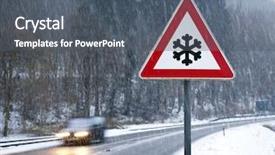
 Presentation with street - Audience pleasing PPT theme consisting of traffic signs - photography of a snow street backdrop and a dark gray colored foreground

Photography Snow Street Sign

The Wide Title template is designed to capture your audience's attention with its striking steel blue color palette and high resolution images that will transport them to a winter wonderland. This Widescreen masterpiece features four key slides that will help you get up and running quickly: the Setting Up Slide, which introduces the template's design and format; the Inspiration Slide, where you'll find examples of photography featuring snow covered country landscapes and symbol filled signs; the Showcase Slide, where you can include a background with a high resolution image of an ice sculpture to enhance your presentation; and the Timeline Layout Slide, which provides a visual representation of the day's content, helping you organize your ideas in a clear and concise manner.

 Presentation with street - Audience pleasing slide deck consisting of bokeh street light vintage background backdrop and a light blue colored foreground

Bokeh Street Light Vintage Background

Imagine walking down a bustling street at night, surrounded by vibrant lights and colorful decorations that seem to dance in the air. The atmosphere is electric, and you can't help but feel the excitement and energy emanating from the scene. This is what your Corner Title template aims to evoke a sense of dynamic movement and playfulness. Corner Title is designed for widescreen formats, with a theme that incorporates the deep sky blue color palette. As such, it's ideal for showcasing stunning high resolution images that will take your presentation to the next level. The template features intricate patterns and sparkle effects throughout, adding a touch of sophistication and elegance. At its core, Corner Title is all about enhancing your brand's visual identity with a unique blend of vintage charm and modern flair. The design language is rich in detail, from the dot patterns that add texture to the graphics to the blurred backgrounds that create a sense of depth. The Circular Approach Layout allows for easy navigation around the template, making it perfect for getting up and running quickly. With its high resolution images featured prominently throughout, you'll be able to showcase your best work without sacrificing clarity or detail. One of the standout features of Corner Title is its ability to include a background with ease. Simply add your own image from Google Slides, and you'll have instant results. Having a theme of enhancing your brand's visual identity, Corner Title is designed to elevate your presentation to new heights, making it an ideal choice for anyone looking to create engaging and effective content.

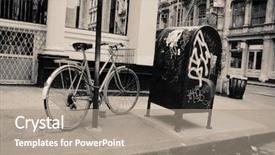
 Presentation with street - PPT layouts consisting of soho nyc street scene background and a gray colored foreground

Soho Nyc Street Scene

PPT layouts consisting of soho nyc street scene

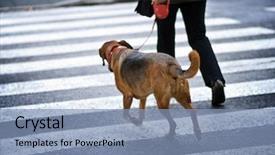
 Presentation with street - Audience pleasing PPT theme consisting of man with a dog crossing backdrop and a light blue colored foreground

Man Dog Crossing Street

Imagine walking through the bustling city streets with your loyal companion by your side. The sound of cars honking and people chattering fills the air as you navigate through the crowded roads. But amidst the chaos, one moment stands out a man carefully navigating around a blind person to reach the other side, a testament to their obedient nature. The Split Title template is designed to be attention grabbing from the start, featuring four how to slides that will help you get up and running quickly on your presentation. From mastering the Bulb Puzzle Layout slide, which includes a background with intricate design elements, to having a theme of "Blind Navigation", this template is sure to enhance any presentation. When it comes to the color palette, Cornflower Blue takes center stage as the primary color for backgrounds, text, and even accents. It's a soothing and calming hue that will create a peaceful atmosphere in your slides. For those who prefer a more vibrant look, there are also options available. This template is compatible with Google Slides and can be easily downloaded, ensuring you have the resources you need to showcase your work. The high resolution images for the background feature stunning cityscapes at 3000 x 4500 pixels, perfect for making a lasting impression on your audience.

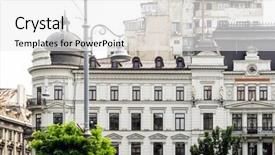
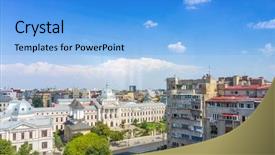
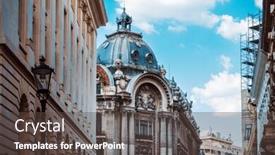
 Presentation with street - Cool new PPT layouts with downtown in bucharest romanian backdrop and a white colored foreground

Street View Downtown Bucharest Romanian

PPT layouts with street view of downtown in bucharest romanian backdrop

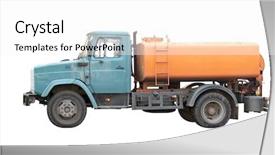
 Presentation with street - Beautiful slides featuring fuel delivery - street sprinkler under the white backdrop and a white colored foreground

Street Sprinkler Under White Background

Slides featuring street sprinkler under the white background backdrop

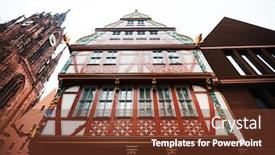
 Presentation with street - Presentation design with street-view-of-downtown-frankfurt background and a tawny brown colored foreground

Street View Downtown Frankfurt Germany

Presentation design with street view of downtown frankfurt germany

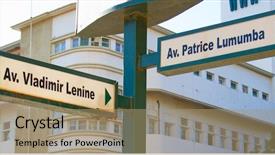
 Presentation with street - Slide deck with communism - rusty street signs in maputo background and a coral colored foreground

Rusty Street Signs Maputo Mozambique

As you step into this powerful presentation template, you're immediately immersed in a vibrant and dynamic environment that embodies the rebellious spirit of Vladímir, the fearless leader who dared to challenge the status quo. The Wide Title design is centered around a stunning high resolution image of rusty street signs in Maputo, Mozambique, which sets the tone for an engaging and immersive experience. This template is specifically crafted to meet your needs, with a Light SlateGray color palette that will complement any presentation. The Widescreen format ensures seamless sharing on Google Slides, making it easy to integrate this design into your presentations. You can featuring a background image or having a theme of "Urban Rebellions" for an enhanced experience. This template is also compatible and includes a downloadable version, perfect for presenting at conferences or training sessions. The Wide Title itself offers ample space to include high quality images or graphics, making it ideal for showcasing important data or visuals. With 3 Step Funnel Layout, you can present your information in a clear and concise manner, from the initial introduction to the final call to action. For instance, you could include a slide that showcases 4 key statistics or a visual representation of the desired outcome, accompanied by relevant images and text. The Wide Title's layout is designed to guide the audience through a logical progression, taking them on a journey from understanding the concept to implementing it in practice. You can enhance this process with additional features like interactive elements, animations, or even a call to action button to motivate your audience to take action.

 Presentation with street - Presentation with downtown in bucharest romanian background and a  colored foreground

Street View Downtown Bucharest Romanian

Presentation with street view of downtown in bucharest romanian background

 Presentation with street - Presentation theme with downtown in bucharest romanian background and a  colored foreground

Street View Downtown Bucharest Romanian

The cityscape unfolds before your eyes like a canvas waiting to be brought to life in full color, Dodger Blue dominating the palette that sets the tone for this vibrant and dynamic template. Designed specifically for businesses and organizations looking to showcase their city's beauty to the world, Wide Title is poised to take your brand to new heights. The Widescreen format ensures an immersive experience, with each slide featuring stunning high resolution images that leap off the screen. This template is optimized for Googel Slides and can be easily downloaded and integrated into your existing presentation software. As you delve deeper into this design, consider how it can enhance your marketing materials with a theme of showcasing iconic landmarks and popular tourist attractions in cities worldwide. The resulting content could feature stunning images of famous monuments like the Eiffel Tower or the Colosseum, nestled among beautiful cityscapes that showcase the unique architecture and charm of each destination. The design is full of opportunities to include interactive elements, such as a map with markers highlighting popular tourist spots, or even an animated GIF that reveals hidden details about a particular landmark. With Wide Title, you can have a theme of "Exploring the World's Top Destinations" and incorporate a background with stunning footage of different cities around the globe. As you create your presentation, remember to keep in mind the 4 How To slides at the start: getting familiar with the template, learning how to customize it, navigating its features, and finally testing and refining your design. These steps will ensure that you're well on your way to creating a stunning visual identity for your business or organization.

 Presentation with street - Beautiful PPT theme featuring street-view-of-downtown backdrop and a teal colored foreground

Street View Downtown Bucharest Romanian

PPT theme featuring street view of downtown in bucharest romanian

 Presentation with street - Slide deck having street-view-of-downtown background and a coral colored foreground

Street View Downtown Bucharest Romanian

As you delve into the world of city tourism, where iconic landmarks come alive and architectural wonders rival those in other parts of the globe, one must consider the perfect visual representation to capture the essence of this captivating theme. Corner Title is your go to solution, designed to transport you directly into the heart of Romania's most breathtaking destinations. Corner Title boasts a unique Widescreen format that immerses you in stunning visuals of high resolution images, perfectly complementing the Light Steel Blue color palette that exudes sophistication and elegance. This crisp and clean design is particularly fitting for showcasing cityscapes, monuments, and tourism related attractions. The template's keywords, including "city", "tourism", "monument", "Romania", and "building", will undoubtedly resonate with your audience. Whether you're featuring a breathtaking view of the Bucharest skyline or highlighting an iconic landmark like the Palace of the Parliament, Corner Title has got you covered. To get started quickly, you can rely on the four How To slides that come standard perfect for anyone looking to dive right in and start creating their own visually stunning content. In terms of layout, Corner Title's Section Header Layout slide offers a clean and minimalist approach, with ample space for customizing your branding and design elements. The template's enhanced theme is evident in its inclusion of subtle texture effects and high contrast color schemes, which will undoubtedly elevate your visuals and leave a lasting impression on your viewers. With its sleek Widescreen format and accompanying Light Steel Blue color palette, Corner Title is the perfect choice for anyone looking to create visually stunning presentations that capture the essence of city tourism.

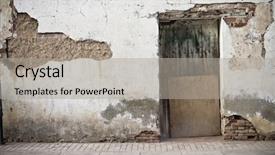
 Presentation with street - PPT theme featuring old door in old street background and a light gray colored foreground

Old Door Old Street Shops

PPT theme featuring old door in old street of shops

 Presentation with street - Audience pleasing presentation design consisting of street-view-of-downtown backdrop and a teal colored foreground

Street View Downtown Bucharest Romanian

The cityscape unfurls like a canvas of steel and stone, showcasing the grandeur of its monuments and landmarks. The Wide Title template is designed to transport you to the heart of the city, where towering skyscrapers stand in contrast to quaint doorways that lead to hidden worlds. As you delve deeper into this Widescreen masterpiece, you'll discover a treasure trove of images that will leave your audience mesmerized. The Steel Blue color palette provides a sophisticated backdrop for the template's theme of tourism and monument, while high resolution images for each slide ensure that every detail is crisp and clear. Featured prominently on the 6 x 6 Org Chart Layout slide are icons for department heads, making it easy to organize teams and display important information. Including a Background With a subtle gradient effect adds depth and visual interest to this template, enhancing its theme of high end visuals. To showcase your city's iconic structures like the iconic Spetses Palace and the stunning Parliament Building, you can Incorporate a Background With a beautiful image featuring these landmarks. Having a Theme of showcasing local culture and history is also well represented in this template. Enhanced with vibrant color options and detailed textures, it will be a must have for any presentation that requires a unique blend of style and substance. Whether you're a professional or an enthusiast, this Widescreen template is sure to leave your audience impressed.

 Presentation with street - Cool new PPT theme with horizontal headshot of young pretty backdrop and a coral colored foreground.

Beautiful Young Woman Walking Street

PPT theme with beautiful young woman walking on the street backdrop

 Presentation with street - Audience pleasing PPT theme consisting of street-view-of-downtown backdrop and a tawny brown colored foreground

Street View Downtown Bucharest Romanian

PPT theme consisting of street view of downtown in bucharest romanian

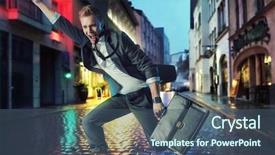
 Presentation with street - Cool new slides with happy businessman running on a rainy street backdrop and a ocean colored foreground

Happy Businessman Running Rainy Street

Imagine yourself as a happy businessman running on a rainy street, with the grey clouds above and the raindrops hitting the pavement in rhythmic beats. The streets are empty, except for you, who is determined to make your day great despite the gloomy weather. The Corner Title template is designed to be attention grabbing and inspiring, perfect for any presentation or visual project that requires a boost of energy and motivation. With its light sea green color palette, it sets the tone for a friendly and approachable design that will put your audience at ease. The template features four key slides that will help you get up and running quickly: "Getting Started", "Designing Your Space", "Adding Content", and "Creating a Visual". But don't worry, there's no need to start from scratch. These slides are designed to be used as a starting point for your project, with full size images and captions that will give you the necessary information to create an amazing presentation. On the slide "Designing Your Space", you can include a background with a cityscape at night, featuring high resolution images of skyscrapers, streets, and people. The image is vibrant and colorful, but not too bright, allowing the text and other elements in the template to be easily readable. Have a theme of "Urban Landscape" or "City Life" to create a cohesive look. The slide "Adding Content" could include a picture of a person running with a determined expression, surrounded by motivational quotes. The image is simple yet impactful, conveying the idea that you're not just about work, but also about achieving your goals. Adding this element will enhance the overall design and make it more engaging for your audience. The final slide "Creating a Visual" could feature an illustration of a businessman with a confident smile, holding a megaphone or giving a thumbs up to the camera. This image will add a touch of whimsy and fun to the template, making it more likely to grab attention and inspire your audience.

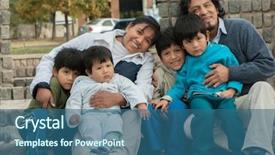
 Presentation with street - PPT layouts enhanced with happy latin family sitting background and a ocean colored foreground

Happy Latin Family Sitting Street

Imagine a vibrant and colorful illustration of a happy Latin family sitting together in the street, surrounded by lively Latin American architecture. The scene is set to the sound of upbeat music, with a bright and cheerful atmosphere that's sure to put a smile on your face. The Wide Title 'Friendship' shines brightly against the steel blue background, emphasizing its importance as a theme throughout the template. Featuring four How To slides at the start of the deck will help you get up and running quickly, but for now, let's focus on this beautiful illustration. The template is available in Widescreen format, with a high resolution image to ensure it looks stunning on any screen. Incorporating steel blue as the primary color palette adds a touch of sophistication and elegance, while the 8 Pictures grid layout creates a sense of movement and energy. Featuring a background with a subtle texture gives it an extra layer of visual interest. The template is downloadable and compatible with Google Slides, making it easy to use in your presentations. The Happy Latin family sitting together in the street is a powerful symbol of friendship and love. Having a theme of family and relationships throughout the template ensures that all elements work well together. Enhanced with high quality images and graphics, this template is sure to impress your audience.

 Presentation with street - Presentation theme with god war - belief wooden sign background and a coral colored foreground

Belief Wooden Sign Street Background

Presentation theme with belief wooden sign with a street background

 Presentation with street - Audience pleasing presentation theme consisting of international logistics supply chain - logistic wooden sign backdrop and a coral colored foreground

Logistic Wooden Sign Street Background

Imagine walking down a busy street lined with shops and eateries, the sound of honking horns and chatter filling the air as people go about their daily business. You're not far from a high resolution image of a classic Japanese style wooden sign, its weathered finish glinting in the sunlight. The background is a warm, inviting blue that evokes feelings of comfort and approachability. The Split Title template is designed to help you create visually striking presentations that draw your audience in and hold their attention. Featuring a broad appeal to commercial professionals and individuals alike, this template is perfect for showcasing products or services in a clean and professional manner. Including a background with subtle texture and gradient effects can enhance the overall look of your presentation. With its stylish design and versatile color palette, this template is ideal for creating presentations that convey a sense of sophistication and modernity. Having a theme of corporate branding, it can be easily customized to fit any brand or company identity. Enhanced with high resolution images, this template makes it easy to create visually appealing slides that drive results. The 8 Pictures in the Grid Layout slide are designed to showcase a range of visuals that illustrate your theme and ideas. Featuring an image of a container filled with goods, you can include a background with subtle wood grain texture to add depth and visual interest. Having a theme of commercial packaging, this image is sure to grab attention and inspire conversation.

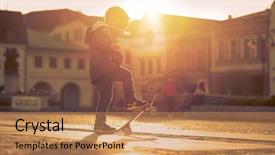
 Presentation with street - Audience pleasing slide deck consisting of skateboard on the street backdrop and a coral colored foreground

Child Skateboard Street Sunset Light.

The Wide Title by CrystalGraphics is a stunning template that captures the essence of youth and adventure. This Widescreen template features a high resolution image of a child with skateboard on the street at sunset, taking advantage of the goldenrod color palette to evoke a sense of warmth and vibrancy. As you navigate this template, you'll notice its versatility and customization options. The design name "Wide Title" sets the tone for the rest of the deck, which is characterized by a cohesive theme that seamlessly blends Caucasian subjects with space themed elements. This contrast creates an intriguing visual dynamic that draws attention and sparks curiosity. The two content layout options on this template are particularly noteworthy: Featuring high resolution images from NASA's archives to enhance the theme of exploration, or Including a Background With stunning visuals of cityscapes at dusk to add depth and dimensionality. Having a theme of youthfulness, featuring kids engaging in various activities such as skateboarding or playing sports, adds an extra layer of interest. This template is not only visually striking but also easy to use. The downloadable version makes it simple to import the high resolution images into your favorite presentation software, ensuring that the final product looks and feels like a professional grade slide deck.

▼Key features of this template

  • They are compatible with both PowerPoint and Google Slides running on either Windows PCs or Macs.

  • They are available in both standard and widescreen slide formats. You can choose your preferred format by clicking on the "Widescreen" check box or icon.

  • Each template includes a beautiful high-resolution background image or video to visually reinforce the theme of your presentation.

  • In addition, each template includes designer-created graphics and modern fonts to give your presentations an up-to-date, professional look.

  • Each template's default design and title text position have been carefully selected to complement its background without covering faces or other key elements.

  • All text includes backdrops whose transparency level is mathematically calculated to maximize text readability while still allowing the background to be seen.

  • And all the text, text backdrops and graphics in every slide are colored with a palette designed to beautifully complement the colors in the background.

  • Our Premium templates (those with the descriptor “Premium” in their subtitle) include over 64 slide layouts to give you maximum flexibility as you create your presentations.

    • Those layouts are available to you whenever you create a new slide or when you want to change the layout of an existing slide.
    • They include everything you need to make all sorts of presentations. In addition to the layouts for the title slide and the usual title and content slide, they include many other layouts for slide types including table of contents slides, org charts, charts, diagrams, infographics, photo slides, thank you slides and more.
    • While creating these layouts our template designers have ensured that all text in every layout adjusts as gracefully as possible to various numbers of words.
  • Customizable templates (those with the descriptor “Customizable” in their subtitle) may be easily modified online before you download them.

    • To modify them, simply click on the pencil editing icon, then select your choice of ready to go designs and title text positions.
    • The editing tool also makes it easy to reposition and scale the background image or video to best suit your needs.

▼FAQs

Please review these FAQs to see if your question is answered. Contact us for more info

  • What is a PowerPoint template?

    • A well designed PowerPoint template is a file that can tell PowerPoint how to make your ordinary templates look extraordinary. They won’t change what your words or numbers say. But they might change their size, color, font and placement. And, overall, they can give your presentations a professionally-designed look that will give your content more credibility and give you more confidence.
  • How many PowerPoint templates do you offer?

    • We have over 32,000 artist-created presentation templates in our PowerPlugs collection With a subscription, PowerPlugs templates are easy to download. Just sign in, find a template and click on the green Download button. ready for you to download. That alone offers you more variety to choose from than any of our competitors can offer. And, as if that weren’t enough, we also offer over 6 million templates in our Crystal collection. Crystal brand templates are our line of templates that have customization options. They have the word "CRYSTAL" on their web page images. You can customize several aspects of the templates. These templates include high-resolution background images from Shutterstock’s vast image collection matched up with artist-created presentation designs customized by our own proprietary AI software.
  • How many templates can I download as a subscriber?

    • You can download an unlimited number of PowerPlugs-brand With a subscription, PowerPlugs templates are easy to download. Just sign in, find a template and click on the green Download button. templates every day for an entire year. (Actually, by default, we set a limit of 25 templates per day to prevent our competitors from stealing our templates. But, if that is not enough, just let us know and we’ll try to accommodate you.) On top of that, with a subscription or an Ultimate Combo, you can also download any 50 Crystal-brand Crystal brand templates are our line of templates that have customization options. They have the word "CRYSTAL" on their web page images. You can customize several aspects of the templates. templates per year selected from our huge Crystal collection. Crystal brand templates are our line of templates that have customization options. They have the word "CRYSTAL" on their web page images. You can customize several aspects of the templates. .
  • Why should I choose your templates instead of the competition’s?

    • We’ve got a larger selection of professionally-designed PowerPoint templates than anyone else in the world.
    • Each template includes a high-resolution background image or video to visually inspire your audiences while reinforcing your message.
    • Each template includes 64 slide layouts to give you maximum flexibility as you create your presentations.
    • Our templates are available in both standard and widescreen slide formats. And our website lets you preview the slides each way.
    • Our free Template Finder™ plugin lets subscribers select and - with a single click - download and insert our templates into their presentations right from within PowerPoint.
    • We’ve been creating designer presentation templates for over 20 years. During that time we’ve won several awards and 5-star ratings for product quality. See About Us for more.
  • Do you offer a money-back guarantee?

    • Yes we do! We offer full 30-day money-back guarantee if you are not 100% satisfied with your purchase.
  • Can I still use my downloaded templates after my subscription runs out?

    • Yes. After your subscription expires, you won't lose any rights or ability to use your PowerPlugs: Templates for PowerPoint. You won't be able to download any new non-watermarked templates. But the non-watermarked templates you've already downloaded will still work and you can still use them as before.
  • Can I share my downloaded templates or passwords with friends or coworkers?

    • Sorry but no. You are authorized to download each paid-for template to up to 3 of your personal devices and to use the templates you download in as many presentations as you want. But you are not authorized to share the templates, themselves, with others. That said, we do offer highly discounted site licenses to suit the needs of both small and large teams. Just tell us your needs and we’ll give you a quote!
  • System requirements:

    • The templates use the standard POTX format. So they are compatible with Google Slides and all PC, Mac and mobile devices running any version of PowerPoint from PowerPoint 2007 up through and including Office 365 desktop.
    • Please note: Google Slides does not currently support background videos. It treats them as still images.
    • For PowerPoint for the Web, first open your template into a desktop version of PowerPoint, then save it back out as a PPTX file. Then you can open that in PowerPoint for the Web.
  • End user license agreement:

    • Click here to view.
  • How will I get my purchased templates?

    • You may download your selected templates as soon as your payment is received by PayPal. If you purchased an individual template, you will be provided with a download link both onscreen and via email. Just click on that link to begin the download process. If you purchased a subscription, you will receive an email containing a password to use along with your email address to sign in to any of the templates pages on CrystalGraphics.com. Once you are signed in, you can immediately start downloading your selected templates.
  • How do I use my templates after I download them?

    • You can either open a template to start a new presentation or you can add a template to an existing presentation. To open a template, just double click on it or use PowerPoint's File > Open tool. To add a template to an existing presentation, on the Design tab, in the Themes group, click Browse for Themes... then browse to select your template.

View more Street templates:

previous 1 2 3 4 5 6 7 8 9 10 11 12 13 14 15 16 17 18 19 20 21 22 23 24 next
Categories related to Street:
Busy Lamps Lighting Lights People Wall
93% of Fortune 1000
companies use our
PowerPoint Products
Templates Secure

Standing Ovation Award
Winner: Best PowerPoint
Template Collection
Fortune Logos
200,000+ satisfied
customers worldwide!
Guarantee
100% satisfaction guaranteed
- or send it back for a refund!

Sign up for our free newsletter! You'll get news about our PowerPoint-enhancing product line – including free updates, new product announcements and exclusive special offers. Plus you'll get a link to a free PowerPoint template with every newsletter you receive.
Privacy Policy
Loading...


Help

Contact Us
Product FAQs
Product License Agreements

Company Info

About Us
Privacy Policy
CrystalGraphics, Inc. 1999 S. Bascom Avenue Suite 700 Campbell, CA 95008 USA
© 2026 CrystalGraphics, Inc. All rights Reserved.    |     PowerPlugs is a trademark of CrystalGraphics, Inc.
Microsoft and the PowerPoint logo are trademarks or registered trademarks of Microsoft Corporation in the United States and/or other countries.
Loading...
Loading...