www.crystalgraphics.com CrystalGraphics
  • Ultimate Combo
  • Templates
  • Diagrams
  • Characters
  • Quizzes
  • shopping cart
  • Sign Out Sign Out Sign In
Home > Templates > Student Category
search icon
advanced icon

905 Best Student-Themed Templates for PowerPoint and Google Slides

Introducing our latest addition to the CrystalGraphics collection - a comprehensive PowerPoint template category tailored specifically for students. With Student as its name, this collection promises to provide the perfect blend of professionalism and personalized touches that cater to the unique needs of aspiring educators.

Imagine presenting your academic journey with style and finesse, featuring inspiring quotes, vibrant colors, and motivational graphics that reflect your passion for learning. Our Student PowerPoint templates are designed to make you stand out from the crowd, standing beside iconic books with graduation caps on their heads, conveying a sense of achievement and accomplishment. From slides that resemble textbooks to graduation day collages, our collection has something for everyone.

What sets our template apart is its versatility. With over 60 slides in total, including title slides, engaging content presentations, and stunning visuals, you'll have endless options to tailor your presentation to fit your style. Plus, our templates are compatible with Google Slides, ensuring seamless collaboration and easy sharing.

This incredible collection offers a wide range of file formats, including widescreen and standard resolutions, allowing you to choose the perfect size for your needs. And with customizable elements at your fingertips, you can unlock the full potential of these stunning templates, making it easier than ever to create presentations that truly showcase your personality.

At CrystalGraphics, we're dedicated to delivering high-quality, professional-grade templates that inspire confidence and deliver results. Browse our extensive collection today and discover the perfect template for bringing your academic journey to life. Explore, select, and download with ease - every slide is yours to customize to perfection!

Features & Pricing

Widescreen (16:9) Presentation Templates. Change size...
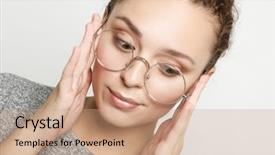
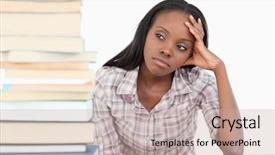
 Presentation with student - Audience pleasing slides consisting of student wears grey sweater round backdrop and a  colored foreground

Positive Female Student Wears Grey

This stunning Corner Title template is designed to elevate your presentation from ordinary to extraordinary, featuring high resolution images of beautiful women in professional settings, showcasing the ultimate goal: to inspire and empower. The Coral color palette adds a touch of sophistication and elegance, perfect for creating a visually stunning visual identity. The Corner Title Widescreen template can be used with Googel Slides, making it easy to download and install on your favorite presentation software. With its customizable background images, you'll have the freedom to create an immersive experience that reflects your brand's unique personality. As inspiration from real life scenarios, this template is designed to feature strong, confident women in their studio environments, with round glasses as a signature accessory. Perfect for showcasing your expertise in a particular field, such as beauty or science. The Corner Title Widescreen template includes the following key elements: Who We Are Bio Layout: This informative slide provides an overview of your brand's mission and values, giving your audience a deeper understanding of what drives you. Featured Image Backgrounds: High quality images that showcase the beautiful women featured in the template can be used as background images for each slide, creating a cohesive visual identity across your presentation. Color Scheme Enhancement: The Coral color palette is enhanced with subtle gradients and textures, making it easy to implement throughout your presentation. With four How To slides at the start of the deck, you'll have everything you need to get up and running quickly. Whether you're a student looking for inspiration or an industry professional seeking to boost your brand's visual identity, this Corner Title template is sure to impress.

 Presentation with student - Cool new slides with stress study - student day dreaming backdrop and a  colored foreground

Student Day Dreaming Against White

As you step into your college life, you're no stranger to late night study sessions, cramming for exams, and pushing yourself to reach new heights all in the pursuit of higher education. The stack of textbooks, notes, and exam sheets is just a hint of what lies ahead. The template is designed to be a visually stunning companion for your academic journey, with an antique white color palette that sets a timeless tone for your study sessions. High resolution images feature prominently throughout, blending seamlessly into the background to create a distraction free learning environment. The stack of papers and books forms the perfect focal point, inviting you to dive into the world of education. This template is downloadable and compatible with Google Slides, making it an ideal choice for teachers, students, and anyone looking to enhance their presentation or poster design skills. Featuring a cohesive theme that celebrates young women in higher education, this template is sure to inspire your creativity and push your boundaries. The 5 Stages Pentagon Layout slide takes center stage on the first page of the deck, providing a clear visual guide for navigating the structure of presentations, posters, and other visual projects. With five stages of learning outlined in simple terms, you'll be able to focus on each stage with ease, from initial research to final submission. When it comes to creating engaging slideshows, having a theme that resonates with your audience can make all the difference. By including a background with a subtle gradient effect, or featuring images that tell a story of personal growth and achievement, you'll be able to captivate your viewers and leave a lasting impression. This template is designed to be enhanced with animations, transitions, and other visual effects to create an immersive experience for your audience. So why settle for a boring presentation when you can make it truly memorable? Get started on creating an unforgettable slideboard today!

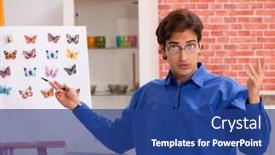
 Presentation with student - PPT theme featuring student-entomologist-studying-new-species background and a ocean colored foreground

Student Entomologist Studying New Species

PPT theme featuring student entomologist studying new species of butterflies

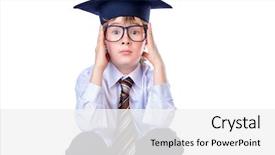
 Presentation with student - Presentation theme enhanced with shirt a tie and academic background and a white colored foreground

Portrait Serious Student Boy White

Presentation theme enhanced with portrait of a serious student boy in white shirt a tie and academic hat educational concept isolated over white background

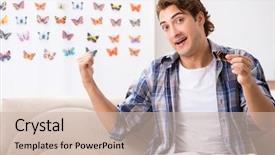
 Presentation with student - PPT theme featuring rare book - student entomologist studying new species background and a  colored foreground

Student Entomologist Studying New Species

As a student entomologist studying new species of butterflies in the lush and vibrant rainforests, you feel an overwhelming urge to capture their beauty on paper. The intricate patterns and colors of these delicate creatures are a true marvel, but they don't stand out when presented in a bland and ordinary format. The Corner Title is designed with this very intention in mind, featuring high resolution images of butterflies against a soft peach puff colored background. The template is formatted for widescreen viewing on Googleslide compatible devices, ensuring that your presentations are crisp and clear. With the Peach Puff Colored theme as its backbone, the Corner Title incorporates elements of fauna, featuring illustrations of various species to get you started. This colorful palette will transport your audience to the tropical forests where these butterflies roam. The template keywords college, specie, education, butterflies, fauna provide a solid foundation for showcasing your work on these topics. Whether you're preparing an academic presentation or a professional demo, this Corner Title is sure to enhance your content with its visually appealing design and engaging theme. Incorporating high resolution images of butterflies will give your slides a premium feel, making them perfect for presentations where you want to showcase the intricate details of these creatures. For example, in the Comparison Layout slide, you could include a comparison between different species of butterflies from around the world, highlighting their unique characteristics and features. The Corner Title is designed to be downloadable and compatible with Googleslide, so you can easily share it with your colleagues or clients. The simple layout makes it easy to implement, and its peach puff colored background provides a pleasant contrast to most presentations. With four How To slides at the start of the deck, helping you get up and running quickly, you'll be well on your way to creating engaging presentations that capture the attention of your audience.

 Presentation with student - Presentation with happy young female student sudying background and a  colored foreground

Happy Young Female Student Sudying

You're about to embark on an incredible journey to create a professional and engaging presentation that showcases your personality and expertise in the realm of education. Imagine yourself as a happy young woman studying diligently at the library, surrounded by high resolution images of books, laptops, and students, all set against a light steel blue background that exudes professionalism and sophistication. This is what you can expect from our Corner Title template, designed specifically for college students, featuring a bright and airy design that makes you feel like you're inside a study nook. Our template format is Widescreen, which means it's perfect for showcasing high quality images in a visually appealing way. The Light Steel Blue color palette creates a calm and inspiring atmosphere, perfect for conveying a sense of academic excellence and professionalism. This theme is also great for featuring prominent images or incorporating a background with subtle textures to add depth and visual interest. Our template includes four How To slides that will guide you through the process of creating your own engaging presentation. But don't worry, we won't list all the steps just get started quickly with these four essential slides! The Comparison Layout slide is especially useful for showcasing how different elements can be combined to create a cohesive and visually appealing design. This template is also downloadable and compatible with Google Slides, making it easy to incorporate into your presentation. Whether you're creating a slide deck for coursework, an academic project, or simply want to showcase your expertise in education, our Corner Title template has got you covered. With its bright colors, high resolution images, and customizable design, this is the perfect choice for anyone looking to make a statement with their presentation.

 Presentation with student - Presentation theme consisting of male-disabled-student-preparing background and a coral colored foreground

Male Disabled Student Preparing Exams

Presentation theme consisting of male disabled student preparing for exams at home

 Presentation with student - Presentation theme consisting of petty cash - close up of poor student background and a white colored foreground

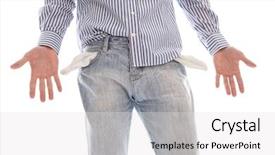
Close Up Poor Student Broke

The city streets are littered with the shattered remnants of dreams, as the weight of high fees and betrayal threatens to consume them all. The once vibrant job market has devolved into a bleak landscape where desperation reigns supreme. The template features a 16:9 widescreen design, tailored for maximum impact on the Widescreen format. A soothing Medium Purple color palette dominates the background, evoking feelings of melancholy and introspection. This theme is enhanced with subtle texture overlays to give it a worn and weathered look. As you delve into the world of jobless woes, four How To slides will guide you through the process of getting back on your feet. These starting points are designed to be as seamless as possible, allowing users to focus on their journey rather than navigating unfamiliar mechanics. From identifying areas for improvement to showcasing success stories, these slides provide a solid foundation for creating engaging content. The template is easily customizable with 2 Member Bio Layout slide, ideal for adding a personal touch or highlighting a key figure in your story. This layout can be modified to fit your needs, featuring a prominent title and concise information that sets you apart from the crowd. Throughout the template, high resolution images of everyday life feature prominently, providing a visual counterpoint to the bleak atmosphere. These images are carefully selected to enhance the overall mood and tone of the design, while also showcasing real world examples of jobless struggles. From empty bank accounts to broken dreams, these images serve as potent reminders of the challenges that lie ahead. As you work with this template, you'll notice a subtle background image inclusion feature allowing users to seamlessly embed relevant content into their slides. This Enhanced With element ensures your presentation looks polished and professional from start to finish.

 Presentation with student - Cool new presentation theme with female student using a mobile backdrop and a  colored foreground

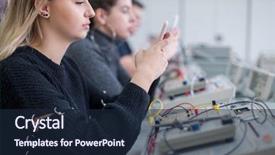
Young Female Student Using Mobile

The moment you need to create a visually stunning presentation that captures the attention of your audience and inspires them to take action has arrived. Imagine starting with a powerful message that grabs their interest and sets the tone for an engaging discussion. As we begin this Corner Title template, I invite you to imagine yourself as a young female student using her mobile phone during the break in the electronics classroom. The scene is set: a smartphone case with a laptop screen displaying Google Slides, a woman sitting with a book open on her lap, surrounded by textbooks and study materials. The sun shines through the window behind her, casting a warm glow over the entire setup. The background of this template features high resolution images that will transport your audience to an immersive environment. As they scroll through the presentation, they'll be treated to stunning visuals that include images of colorful classrooms, laptops, and smartphones. One of the standout features of this Corner Title template is its compatibility with Google Slides. With it being downloadable, you can easily incorporate high quality images into your presentations and share them with others. The sleek design ensures that your content will look sharp on any device, from desktops to mobile phones. This template boasts a light steel blue color palette that adds a touch of sophistication and elegance to the overall look. It's perfect for corporate events, online courses, or even professional conferences. The Corner Title template is designed to be easy to use and customize, with 4 How To slides at the start of the deck to help you get up and running quickly. These slides provide essential guidance on how to navigate the presentation and enhance its overall impact. As we explore this template further, I'd like to take you to our Table of Contents page, which features a comprehensive outline of all the key elements that make up the Corner Title template. From featured backgrounds to enhanced images, this slide provides valuable insights into what makes our template truly special. The example provided in the table includes an image of a college student studying on a train, with a smartphone mounted on their backpack and a laptop screen displaying Google Slides. This is just one example of how you can use this template to enhance your presentations and make them more engaging for your audience. This Corner Title template is not just about looks;

 Presentation with student - Presentation design featuring grad - portrait of happy male student background and a coral colored foreground

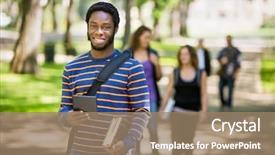
Portrait Happy Male Student Holding

Presentation design featuring portrait of happy male student holding digital tablet on campus with friends in background

 Presentation with student - PPT layouts enhanced with university road direction - young graduate student with hand background and a gray colored foreground

Young Graduate Student Hand Drawn

PPT layouts enhanced with young graduate student with hand drawn arrows on wall

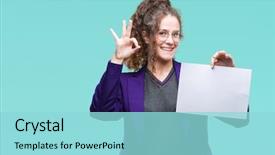
 Presentation with student - Theme with education excellence - young brunette student girl wearing background and a  colored foreground

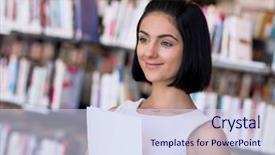
Young Brunette Student Girl Wearing

As students embark on their academic journey, they often find themselves lost in thought, searching for inspiration to express their ideas and creativity. The Corner Title template is here to offer a refreshing solution, providing a design name that sets the tone for a friendly and approachable learning environment. This high resolution Widescreen template features a calming Pale Turquoise color palette, perfect for colleges and educational institutions looking to convey a sense of warmth and approachability. The template's design name Corner Title is inspired by the classic symbol of support, conveying a sense of encouragement and guidance. The accompanying image of a young brunette student girl wearing school uniform holding blank paper over an isolated background doing "ok" with fingers represents the everyday moments of learning and growth that students experience. With its simple yet effective design, this template can be used to enhance any presentation or slide deck. Featuring a high quality Background With the 4 How To slides at the start of the deck will help students get up and running quickly, setting them on the path to success. Having a Theme of Educational Excellence is reflected in the happy and friendly tone that permeates every aspect of the template. The Corner Title Widescreen template can be downloaded and shared easily with colleagues and peers via Google Slides, making it an ideal solution for educational institutions looking to promote their brand and create engaging content.

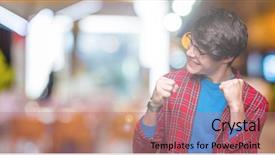
 Presentation with student - Beautiful theme featuring young handsome student man wearing backdrop and a  colored foreground

Young Handsome Student Man Wearing

Theme featuring young handsome student man wearing glasses over isolated background very happy and excited doing winner gesture with arms raised smiling and screaming for success celebration concept

 Presentation with student - Slide set consisting of specimen collection - student entomologist studying new species background and a coral colored foreground

Student Entomologist Studying New Species

In the vast expanse of academic pursuits, there exists a fascinating realm where researchers and students delve into the wonders of new species of butterflies. As a student entomologist, you are no exception, and for your educational journey, you have found the perfect template to elevate your learning experience Corner Title, a stunning Widescreen presentation that seamlessly integrates with Google Slides. This exquisite template boasts an elegant Peach Puff Colored color palette, carefully curated to evoke the vibrant hues of butterflies in flight. The design name Corner Title is a masterful fusion of elegance and sophistication, perfectly capturing the essence of your academic endeavors. This template is an Enhanted With of Google Slides' Widescreen feature, providing you with high resolution images for the background that will transport your audience to a world of wonder. With its Managed Process Layout, this template ensures a seamless flow of information, featuring clear headings and concise bullet points to keep your content organized. You can Include a Background With stunning images of butterflies in flight, adding an element of visual interest to your presentation. This template is also Compatible With Google Slides, making it easily accessible for you to create and edit your slides. As you begin your educational journey, Corner Title provides a solid foundation for success. The 4 How To slides at the start of the deck will help you get up and running quickly, providing valuable tips and tricks to enhance your presentation skills. With its focus on butterflies and education, this template is sure to inspire and delight your audience.

 Presentation with student - PPT theme having thoughtful-female-student-or-business background and a coral colored foreground

Thoughtful Female Student Business Owner

PPT theme having thoughtful female student or business owner working in fashion sketching designs in studio

 Presentation with student - Colorful PPT layouts enhanced with student holding blank board education backdrop and a  colored foreground

Portrait Smiling Male Student Holding

PPT layouts enhanced with portrait of a smiling male student holding blank board education opportunities college student

 Presentation with student - Beautiful slide deck featuring word-rag-week-and-student backdrop and a  colored foreground

Word Rag Week Student Holding

Slide deck featuring word rag week and student holding laptop against grey background

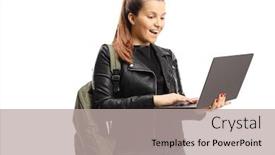
 Presentation with student - Cool new theme with happy-female-student-loking backdrop and a light gray colored foreground

Happy Female Student Loking Laptop

Theme with happy female student loking at a laptop computer isolated on white background

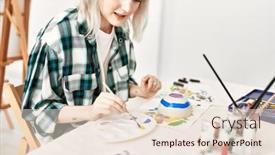
 Presentation with student - Slides enhanced with young-artist-student-girl-smiling background and a lemonade colored foreground

Young Artist Student Girl Smiling

Slides enhanced with young artist student girl smiling happy painting pottery at art studio

 Presentation with student - Colorful presentation theme enhanced with set up university - young male student isolated backdrop and a cream colored foreground

Young Male Student Isolated White

Presentation theme enhanced with young male student isolated on white

 Presentation with student - Colorful slide deck enhanced with baduk - young brunette student girl wearing backdrop and a navy blue colored foreground

Young Brunette Student Girl Wearing

Slide deck enhanced with young brunette student girl wearing school uniform holding a notebook over isolated background with angry face negative sign showing dislike with thumbs down rejection concept backdrop

▼Key features of this template

  • They are compatible with both PowerPoint and Google Slides running on either Windows PCs or Macs.

  • They are available in both standard and widescreen slide formats. You can choose your preferred format by clicking on the "Widescreen" check box or icon.

  • Each template includes a beautiful high-resolution background image or video to visually reinforce the theme of your presentation.

  • In addition, each template includes designer-created graphics and modern fonts to give your presentations an up-to-date, professional look.

  • Each template's default design and title text position have been carefully selected to complement its background without covering faces or other key elements.

  • All text includes backdrops whose transparency level is mathematically calculated to maximize text readability while still allowing the background to be seen.

  • And all the text, text backdrops and graphics in every slide are colored with a palette designed to beautifully complement the colors in the background.

  • Our Premium templates (those with the descriptor “Premium” in their subtitle) include over 64 slide layouts to give you maximum flexibility as you create your presentations.

    • Those layouts are available to you whenever you create a new slide or when you want to change the layout of an existing slide.
    • They include everything you need to make all sorts of presentations. In addition to the layouts for the title slide and the usual title and content slide, they include many other layouts for slide types including table of contents slides, org charts, charts, diagrams, infographics, photo slides, thank you slides and more.
    • While creating these layouts our template designers have ensured that all text in every layout adjusts as gracefully as possible to various numbers of words.
  • Customizable templates (those with the descriptor “Customizable” in their subtitle) may be easily modified online before you download them.

    • To modify them, simply click on the pencil editing icon, then select your choice of ready to go designs and title text positions.
    • The editing tool also makes it easy to reposition and scale the background image or video to best suit your needs.

▼FAQs

Please review these FAQs to see if your question is answered. Contact us for more info

  • What is a PowerPoint template?

    • A well designed PowerPoint template is a file that can tell PowerPoint how to make your ordinary templates look extraordinary. They won’t change what your words or numbers say. But they might change their size, color, font and placement. And, overall, they can give your presentations a professionally-designed look that will give your content more credibility and give you more confidence.
  • How many PowerPoint templates do you offer?

    • We have over 32,000 artist-created presentation templates in our PowerPlugs collection With a subscription, PowerPlugs templates are easy to download. Just sign in, find a template and click on the green Download button. ready for you to download. That alone offers you more variety to choose from than any of our competitors can offer. And, as if that weren’t enough, we also offer over 6 million templates in our Crystal collection. Crystal brand templates are our line of templates that have customization options. They have the word "CRYSTAL" on their web page images. You can customize several aspects of the templates. These templates include high-resolution background images from Shutterstock’s vast image collection matched up with artist-created presentation designs customized by our own proprietary AI software.
  • How many templates can I download as a subscriber?

    • You can download an unlimited number of PowerPlugs-brand With a subscription, PowerPlugs templates are easy to download. Just sign in, find a template and click on the green Download button. templates every day for an entire year. (Actually, by default, we set a limit of 25 templates per day to prevent our competitors from stealing our templates. But, if that is not enough, just let us know and we’ll try to accommodate you.) On top of that, with a subscription or an Ultimate Combo, you can also download any 50 Crystal-brand Crystal brand templates are our line of templates that have customization options. They have the word "CRYSTAL" on their web page images. You can customize several aspects of the templates. templates per year selected from our huge Crystal collection. Crystal brand templates are our line of templates that have customization options. They have the word "CRYSTAL" on their web page images. You can customize several aspects of the templates. .
  • Why should I choose your templates instead of the competition’s?

    • We’ve got a larger selection of professionally-designed PowerPoint templates than anyone else in the world.
    • Each template includes a high-resolution background image or video to visually inspire your audiences while reinforcing your message.
    • Each template includes 64 slide layouts to give you maximum flexibility as you create your presentations.
    • Our templates are available in both standard and widescreen slide formats. And our website lets you preview the slides each way.
    • Our free Template Finder™ plugin lets subscribers select and - with a single click - download and insert our templates into their presentations right from within PowerPoint.
    • We’ve been creating designer presentation templates for over 20 years. During that time we’ve won several awards and 5-star ratings for product quality. See About Us for more.
  • Do you offer a money-back guarantee?

    • Yes we do! We offer full 30-day money-back guarantee if you are not 100% satisfied with your purchase.
  • Can I still use my downloaded templates after my subscription runs out?

    • Yes. After your subscription expires, you won't lose any rights or ability to use your PowerPlugs: Templates for PowerPoint. You won't be able to download any new non-watermarked templates. But the non-watermarked templates you've already downloaded will still work and you can still use them as before.
  • Can I share my downloaded templates or passwords with friends or coworkers?

    • Sorry but no. You are authorized to download each paid-for template to up to 3 of your personal devices and to use the templates you download in as many presentations as you want. But you are not authorized to share the templates, themselves, with others. That said, we do offer highly discounted site licenses to suit the needs of both small and large teams. Just tell us your needs and we’ll give you a quote!
  • System requirements:

    • The templates use the standard POTX format. So they are compatible with Google Slides and all PC, Mac and mobile devices running any version of PowerPoint from PowerPoint 2007 up through and including Office 365 desktop.
    • Please note: Google Slides does not currently support background videos. It treats them as still images.
    • For PowerPoint for the Web, first open your template into a desktop version of PowerPoint, then save it back out as a PPTX file. Then you can open that in PowerPoint for the Web.
  • End user license agreement:

    • Click here to view.
  • How will I get my purchased templates?

    • You may download your selected templates as soon as your payment is received by PayPal. If you purchased an individual template, you will be provided with a download link both onscreen and via email. Just click on that link to begin the download process. If you purchased a subscription, you will receive an email containing a password to use along with your email address to sign in to any of the templates pages on CrystalGraphics.com. Once you are signed in, you can immediately start downloading your selected templates.
  • How do I use my templates after I download them?

    • You can either open a template to start a new presentation or you can add a template to an existing presentation. To open a template, just double click on it or use PowerPoint's File > Open tool. To add a template to an existing presentation, on the Design tab, in the Themes group, click Browse for Themes... then browse to select your template.

View more student templates:

previous 1 2 3 4 5 6 7 8 9 10 11 12 13 14 15 16 17 18 19 20 21 22 23 24 25 26 27 28 29 30 31 32 33 34 35 36 37 38 39 40 41 42 43 44 next
Categories related to Student:
Exchange International
93% of Fortune 1000
companies use our
PowerPoint Products
Templates Secure

Standing Ovation Award
Winner: Best PowerPoint
Template Collection
Fortune Logos
200,000+ satisfied
customers worldwide!
Guarantee
100% satisfaction guaranteed
- or send it back for a refund!

Sign up for our free newsletter! You'll get news about our PowerPoint-enhancing product line – including free updates, new product announcements and exclusive special offers. Plus you'll get a link to a free PowerPoint template with every newsletter you receive.
Privacy Policy
Loading...


Help

Contact Us
Product FAQs
Product License Agreements

Company Info

About Us
Privacy Policy
CrystalGraphics, Inc. 1999 S. Bascom Avenue Suite 700 Campbell, CA 95008 USA
© 2026 CrystalGraphics, Inc. All rights Reserved.    |     PowerPlugs is a trademark of CrystalGraphics, Inc.
Microsoft and the PowerPoint logo are trademarks or registered trademarks of Microsoft Corporation in the United States and/or other countries.
Loading...
Loading...