www.crystalgraphics.com CrystalGraphics
  • Ultimate Combo
  • Templates
  • Diagrams
  • Characters
  • Quizzes
  • shopping cart
  • Sign Out Sign Out Sign In
Home > Templates > Food > Thai Food Category
search icon
advanced icon

144 Best Thai Food-Themed Templates for PowerPoint and Google Slides

CrystalGraphics creates templates designed to make even average presentations look incredible. Below you’ll see thumbnail sized previews of the title slides of a few of our 144 best thai food templates for PowerPoint and Google Slides. The text you’ll see in in those slides is just example text. The thai food-related image or video you’ll see in the background of each title slide is designed to help you set the stage for your thai food-related topics and it is included with that template. In addition to the title slides, each of our templates comes with 17 additional slide layouts that you can use to create an unlimited number of presentation slides with your own added text and images. And every template is available in both widescreen and standard formats. With over 6 million presentation templates available for you to choose from, CrystalGraphics is the award-winning provider of the world’s largest collection of templates for PowerPoint and Google Slides. So, take your time and look around. You’ll like what you see! Whether you want 1 great template or an ongoing subscription, we've got affordable purchasing options and 24/7 download access to fit your needs. Thanks to our unbeatable combination of quality, selection and unique customization options, CrystalGraphics is the company you can count on for your presentation enhancement needs. Just ask any of our thousands of satisfied customers from virtually every leading company around the world. They love our products. We think you will, too!

Features & Pricing

Widescreen (16:9) Presentation Templates. Change size...
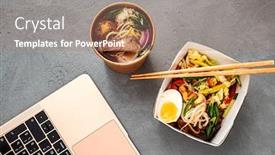
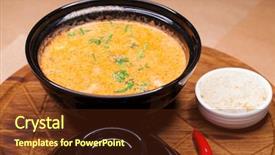
 Presentation with thai food - Theme featuring lunch-in-the-office-thai background and a coral colored foreground

Lunch Office Thai Food

Theme featuring lunch in the office - thai food

 Presentation with thai food - Colorful PPT layouts enhanced with risotto-tom-yam-with-argentinian backdrop and a gold colored foreground

Risotto Tom Yam Argentinian Shrimp.

The art of creating a mouth watering presentation that will leave your audience craving for more is about to become a reality with the Corner Title template from CrystalGraphics. This stunning widescreen design, formatted in a classic style, is sure to turn heads and grab attention with its rich tomato color palette featuring vibrant images. This exquisite template boasts a diverse range of high resolution background images that will add an extra layer of depth and visual appeal to your presentation. From the bustling streets of Tokyo to the tranquil gardens of Kyoto, these beautifully crafted scenes are sure to inspire and delight your audience. The seamless combination of image and text is truly enhanced with the inclusion of a Background With theme, allowing you to present your gourmet inspired slides with flair. With four How To slides at the start of the deck, you'll be well on your way to creating an impressive presentation that will leave a lasting impression. But don't worry, we've got you covered this template is compatible with Google Slides and features a modern, clean layout that ensures it can easily transition seamlessly into any online setting. Imagine presenting a stunning risotto dish with delicate seafood garnishes on a beautifully presented white plate the Corner Title template comes to life in vivid detail. The theme of This culinary masterpiece is elevated by a rich tomato color palette featuring vibrant images, from high resolution backgrounds to subtle texture overlays. Each slide is carefully designed to tell a story and engage your audience, making this template an ideal choice for showcasing your creativity and attention to detail. The Corner Title template is not just a pretty face it's also packed with features that make it easy to create a polished presentation, including the comparison of image layout slide where you can compare different slides side by side. This feature allows you to easily identify which images are being featured and how they relate to one another, ensuring your presentation flows smoothly. The Corner Title template is truly a gem, offering a unique blend of style, functionality, and high quality visuals that will make any presentation stand out. With its rich tomato color palette, high resolution backgrounds, and seamless design, this template is sure to impress even the most discerning audience.

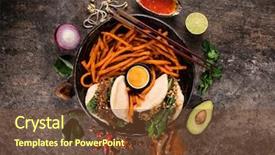
 Presentation with thai food - Colorful presentation design enhanced with top view thai food stir fried morning glory isolated on rustic wooden table backdrop and a mint green colored foreground

Top View Thai Food Stir

Presentation design enhanced with top view thai food stir fried morning glory isolated on rustic wooden table backdrop

 Presentation with thai food - Slide set with risotto-tom-yam-with-argentinian background and a white colored foreground

Risotto Tom Yam Argentinian Shrimp.

As you gaze upon the serene beauty of a perfectly set table, your mind begins to wander to the savory delights that await you on this culinary journey. The aroma of toasted risotto wafts through the air, transporting you to a world of flavors and textures that will tantalize your taste buds and leave you wanting more. Just as a rich, creamy sauce is carefully poured over a perfectly cooked plate of risotto, so too do these elements come together in harmony to create a dish that is at once familiar yet exotic, comforting and adventurous. This template, Corner Title, is designed to transport you to the world of gourmet cuisine with its earthy, natural theme and warm color palette. The Burly Wood Colored design features high resolution images throughout, adding depth and texture to each slide. From the rustic charm of a traditional Asian meal to the elegance of a fine dining experience, every detail has been carefully considered to enhance your presentation skills. The template's Bulb Puzzle Layout is an innovative feature that allows you to arrange elements in creative ways, creating visually striking compositions that will add a touch of personality to your slides. The accompanying How To slides are designed to get you started quickly, featuring practical tips and tricks for using the template in a variety of contexts. Incorporating a Background With natural textures and earthy tones is something this template strives for, allowing you to create engaging visuals that invite the viewer to pause and take note. Featuring high quality images throughout, including detailed close ups of food and dishes, adds an element of authenticity to each slide. Including a Background With subtle animations and transitions also helps to create a sense of movement and energy on your slides. Having a Theme of visually appealing graphics and rich colors is key to enhancing the overall appearance of your presentation, making you feel confident and prepared for any occasion. Enhanced with creative text overlays and custom fonts, this template is sure to make a lasting impression on your audience.

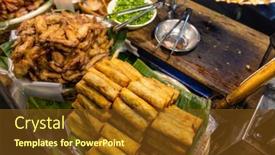
 Presentation with thai food - Presentation design enhanced with thai-cuisine-local-street-food background and a tawny brown colored foreground

Thai Cuisine Local Street Food

Imagine a vibrant and mouth watering Thai street food scene that's both authentic and inviting. The Wide Title template from CrystalGraphics is the perfect starting point for your presentation, featuring high resolution images that will transport your audience to the bustling streets of Bangkok or Chiang Mai. This Dark Goldenrod themed Widescreen template is designed to deliver a sophisticated yet approachable look, perfect for showcasing gourmet food photography in a lunch inspired setting. The 4 How To slides at the start of the deck will help you get up and running quickly, covering topics such as choosing the right images, formatting your content, adding visual effects, and sharing your presentation with colleagues or clients. To add an extra layer of depth to your presentation, consider featuring a grid layout slide that showcases 4 6 high quality images in a visually appealing way. For example, you could include pictures of steaming bowls of pad thai, crispy fried chicken, juicy burgers, or refreshing glasses of Thai iced tea the possibilities are endless! Having a theme of showcasing local street food will also enhance your presentation and make it more engaging for your audience. The template is easily downloadable and compatible with Google Slides, making it a breeze to share your content with others. With its dark goldenrod color palette, this template is sure to add a touch of sophistication to any presentation.

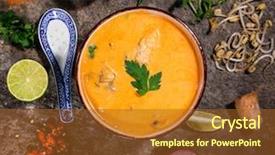
 Presentation with thai food - Cool new theme with tum-kha-kai-thai-food backdrop and a yellow colored foreground

Tum Kha Kai Thai Food

To get started on creating a mouth watering presentation that's sure to tantalize your audience, let's begin with the basics. Imagine you're serving up a steaming bowl of Tum Kha Kai Thai Food, and you want to showcase it in all its glory without sacrificing any visual appeal or culinary flair. The design name for this template is Wide Title, and it's specifically tailored for widescreen presentations that demand attention and make a lasting impression. The Widescreen format ensures your content stands out on every screen, while the Yellow Green color palette provides a vibrant and inviting atmosphere. This theme is perfect for showcasing ethnic cuisine, as it evokes feelings of warmth and hospitality. To enhance your audience's experience, the template includes four How To slides at the start to help them get up and running quickly, featuring high resolution images of delicious dishes that'll make their mouths water. These slides are designed to be easy to use and provide a solid foundation for further customization. The 3x3 Org Chart Layout slide is a great way to visualize your team's structure, making it easier to understand the hierarchy and collaboration aspects of your project. It can include images or icons that represent each member of your team, adding an extra layer of depth and interest to your presentation. For example, you could use this layout to showcase a map with different locations marked, highlighting where your team members work from or will be presenting in the future. By featuring high quality images of various cuisines, including Tum Kha Kai Thai Food, you'll create a visually appealing template that's sure to captivate your audience and inspire their appetite for learning.

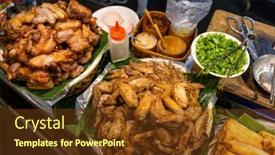
 Presentation with thai food - Presentation theme with thai-cuisine-local-street-food background and a tawny brown colored foreground

Thai Cuisine Local Street Food

The streets of Bangkok are filled with the savory aromas of delicious street food, where locals gather to share meals and make new friends. The warm golden light of dawn casts a magical glow over the bustling market stalls, enticing passersby to stop and sample the local specialties. In this PowerPoint template designed as Wide Title, we've crafted a vibrant and mouth watering landscape that will transport your audience on a culinary journey through Thailand's renowned cuisine. The Widescreen format ensures an immersive viewing experience, with high resolution images of rich, golden hues that evoke the warmth and hospitality of Thai culture. The Goldenrod color palette adds a touch of elegance to this gastronomic theme, featuring soft, inviting tones that will leave your viewers feeling comforted and inspired. This template is the perfect companion for anyone looking to enhance their presentation with a warm and inviting atmosphere, whether it's for a marketing campaign, a webinar, or an event. Panoramic Picture Layout, including a delicious looking spread of finger foods, can be a great feature on this template, allowing you to showcase your content in all its glory. For instance, the template could include a photo of a bustling street food market scene, featuring a mouth watering array of dishes such as pad thai and tom yum soup. Incorporating a Background With, having a theme of Thai cuisine, enhancing with 4 How To slides to get you started quickly, there's no shortage of possibilities for creativity and customization. Whether you're sharing tips on how to prepare authentic Thai dishes or illustrating the process of finding great local eateries, this template is sure to impress your audience.

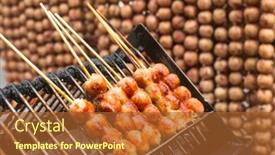
 Presentation with thai food - Presentation having traditional thai style grilled meat roll asian street food background and a red colored foreground

Traditional Thai Style Grilled Meat

The art of crafting a visually stunning presentation begins with a bold statement that sets the tone for the rest of the deck. The Wide Title template from CrystalGraphics is designed to make your slides truly unforgettable, featuring a high resolution image that's sure to grab attention and draw viewers in. This template is specifically tailored to create a rich and authentic experience on Widescreen, delivering vibrant colors that perfectly complement the Chocolate theme. Whether you're showcasing stunning images of delicious lunch rolls or highlighting the flavors of traditional Thai street food, the Wide Title will transport your audience to the bustling streets of Asia. With its 3 column layout, you can easily include a Background With and enhance the visual impact with some creative text overlays. Featuring the 4 How To slides at the start of the deck will give your viewers a quick taste of what they can expect from this template.

 Presentation with thai food - PPT theme having thai street food and restaurant background and a coral colored foreground

Hoi Jo Deep Fried Crab

In the heart of China's bustling streets, where the air is sweet with the scent of wok fried delights and the sounds of sizzling food echo through the alleys, lies the essence of traditional Chinese cuisine. The city's vibrant energy is palpable as the camera pans over a bustling street market, teeming with colorful stalls selling all manner of delectable treats from crispy deep fried crab meat rolls to steaming bowls of spicy wonton soup. The design name for this template is Wide Title, and it perfectly captures the essence of this culinary paradise. The Widescreen format ensures that every aspect of the scene is fully realized, with high resolution images of the colorful market stalls, wooden tables, and bustling streets adorning the background. The Peru color palette brings warmth and depth to the design, evoking the rich cultural heritage of China. To enhance the overall dining experience, this template includes a range of keywords, from "gourmet" and "snack" to "lunch". These words will help you to create presentations that are not only visually appealing but also informative. The Four Arrows Layout slide is particularly noteworthy, as it allows for a seamless integration of images and text throughout the deck. Featuring a background with a subtle wooden texture and including a background with a warm, earthy tone, this layout provides a perfect backdrop for showcasing your presentation's visuals. Enhanced with rich textures and warm colors, this template is not only visually stunning but also adds depth and context to your slides. Having a theme of highlighting the cultural significance of traditional Chinese cuisine, this design will transport your audience to the heart of China's culinary world. Whether you're creating a professional looking presentation for a business meeting or simply need to showcase your passion for food, this template is sure to impress.

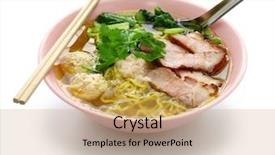
 Presentation with thai food - PPT theme enhanced with char - bami nam egg noodles soup background and a coral colored foreground

Bami Nam Egg Noodles Soup

The Corner Title template is designed to take your presentation from ordinary to extraordinary with its unique blend of colors and themes. The Lawn Green background sets the tone for a fresh and modern look that will draw in your audience. This style is perfect for food centric presentations where you want to make a bold statement about the deliciousness of a particular dish. The template's Widescreen format ensures that all elements are perfectly proportioned, making it ideal for showcasing high resolution images. The included lawn green color palette provides a clean and natural backdrop for your content, while adding a touch of warmth with subtle yellow accents. Featuring a theme of casual dining, this template is perfect for lunches, soups, or chili that need a boost. The Corner Title template includes four How To slides to help you get started quickly. These can include helpful templates for creating custom backgrounds, inserting images, and formatting text. The Growth Layout slide takes center stage, showcasing your best work and making it easy to take notes or reference later in the presentation. When using this template with Google Slides, you'll have access to a wide range of high resolution images to enhance your content. Including a Background With a variety of customization options, such as adding logos, shapes, or text overlays, will give your presentation a professional finish. Having a Theme of Enhancements ensures that every element is aligned with the overall design, making it seamless and polished. Enhanced With features like smart layout adjustments and image resizing make it easy to tailor the template to fit your specific needs.

 Presentation with thai food - PPT theme featuring nam phrik thai eggplant organic background and a coral colored foreground

Nam Phrik Thai Eggplant Organic

PPT theme featuring nam phrik thai eggplant organic chili paste with variety vegetable and egg thai traditional food cuisine

 Presentation with thai food - Beautiful PPT theme featuring bun bo nam bo asian backdrop and a lemonade colored foreground

Bun Bo Nam Bo Asian

This presentation is a masterful blend of style and substance, boasting a wide screen format that's sure to grab the audience's attention from the very start. The template itself is a culinary delight, featuring high resolution images for the background that evoke the vibrant colors and aromas of Asian cuisine. Imagine a rustic wooden surface adorned with an assortment of chili peppers, cabbage leaves, and onions, all perfectly balanced against a warm peach puff colored gradient that sets the tone for a truly immersive experience. The result is a mesmerizing panoramic view that's sure to transport viewers to the bustling streets of Vietnam or Thailand. This presentation is a feast for the eyes, with four How To slides at the start that provide a solid foundation for getting started. But don't worry instead of outlining step by step instructions, this template invites you to create your own culinary masterpieces. Take it from our example: Imagine Featuring a mouth watering image of steaming hot ramen noodles on the right hand side of the slide, with a caption that reads "Get started with these four easy slides." This is just one way to enhance the user experience with this template, you can include backgrounds for each slide or have a theme of interactive quizzes and games. Whatever approach you choose, rest assured that your presentation will be Enhanced With beautiful images, engaging visuals, and clear instructions that make it easy for anyone to create their own gourmet style presentations.

 Presentation with thai food - Colorful presentation design enhanced with taiwan bao asian food background backdrop and a tawny brown colored foreground

Taiwan Bao Asian Food Background

In a culinary world where flavors reign supreme, you'll embark on a gastronomic journey that's as vibrant as a Taiwanese bao Asian food background with various ingredients on rustic stone countertops. The rustic stone surface serves as the perfect backdrop for showcasing tantalizing dishes like chili spiced wontons and caramelized onions. This is a theme of exploration and discovery that will lead you through four How To slides to help you bring this concept to life. As you delve into creating your own gourmet culinary masterpiece, we'll feature a unique blend of high resolution images throughout the template, bringing visual interest to every slide. Imagine featuring a stunning panoramic view of a steaming hot bowl of Vietnamese pho on one of these slides it's the perfect way to showcase your finished dish. The template is designed for use with Google Slides and has been formatted in widescreen mode to provide an immersive viewing experience. The Dark Goldenrod color palette sets the tone for sophistication and elegance, while the inclusion of various keywords like chili, cabbage, gourmet, onion, and panoramic enhances its theme of Asian inspired cuisine. This template is downloadable, compatible with Google Slides, and perfect for sharing your expertise on creating visually appealing presentations that incorporate a range of elements to engage your audience. To get started, you can have a thought provoking Title slide that sets the stage for your culinary journey, followed by a Content Layout slide that outlines the structure and organization of your presentation.

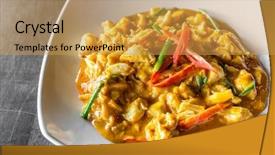
 Presentation with thai food - Beautiful PPT layouts featuring exoskeleton - chili crab meat fried backdrop and a yellow colored foreground

Chili Crab Meat Fried Curry

PPT layouts featuring chili crab meat fried with curry in thai style cuisine food

 Presentation with thai food - Presentation design consisting of bun bo nam bo asian background and a yellow colored foreground

Bun Bo Nam Bo Asian

In the heart of every foodie's kitchen is the humble bowl filled with steaming hot chili con carne, its aroma wafting through the air and tantalizing taste buds. This vibrant and inviting setup is what Corner Title aims to deliver a stunning Widescreen template that perfectly captures the essence of Asian cuisine, be it Vietnamese or Thai. With a warm Peach Puff Colored palette that sets the tone for a gourmet experience, this template will transport your audience to the bustling streets of Asia, where every meal is an opportunity to delight the senses. Imagine sinking your teeth into a juicy bun bo nam bo, its tender beef and crunchy vegetables nestled between soft, fluffy noodles. The rustic wooden background adds to the cozy atmosphere, inviting viewers to linger over a steaming bowl. The 4 How To slides at the start of this deck are designed to get you up and running quickly, with step by step guides on how to create stunning Slide Masters, add captivating backgrounds, and incorporate high resolution images into your presentations. The template's High Resolution Image section showcases 2 stunning panoramic views, one of a bustling street market in Vietnam, and the other of a serene Thai temple. With these gorgeous visuals as the starting point for your next presentation, you'll be sure to leave a lasting impression on your audience. Featuring a theme of "Asian Cuisine" and having a robust theme with different backgrounds and layouts, this template is designed to enhance your presentations and transport them to the vibrant streets of Asia. Including a Background With high resolution images that can take up most of your slide height, you'll be able to showcase stunning visuals that grab attention. Having a Theme of "Gourmet Asian Cuisine" allows you to focus on the art of creating delicious meals from across the continent.

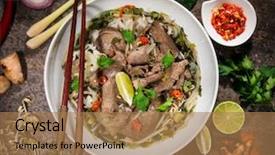
 Presentation with thai food - Amazing presentation theme having tom yam kung thai food backdrop and a tawny brown colored foreground

Tom Yam Kung Thai Food

Imagine yourself sitting in a cozy Thai restaurant, surrounded by steaming hot dishes and aromas that tantalize your senses. The warm glow of the wooden table and the soft hum of conversation create an intimate atmosphere that makes you feel like you're part of the culinary experience. This PowerPoint template is designed to transport you there with its rich color palette and dynamic design elements. Featuring a dark goldenrod background, this template is the perfect starting point for your presentation. Including a background with subtle wood grain texture, the wooden tray setting adds a warm and inviting feel that matches the high quality images used throughout. Enhanced with gourmet ingredients and a variety of colorful dishes, this template is sure to impress your audience. Having a theme of "Delicious Thai Food," it's perfect for cooking shows, recipe presentations, or simply sharing your passion for food with others. With 4 easy to use slides at the start of the deck, you'll be off to a great start in no time.

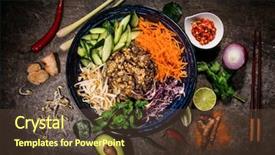
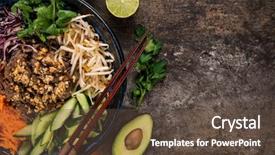
 Presentation with thai food - Presentation having top view vietnam or thai background and a coral colored foreground

Asian Food Background Various Ingredients

Presentation having asian food background with various ingredients on rustic stone background top view vietnam or thai cuisine background

 Presentation with thai food - Colorful presentation theme enhanced with curry shrimps asian food background backdrop and a tawny brown colored foreground

Yellow Curry Shrimps Asian Food

In the heart of every great Asian dish lies a dash of spice and a pinch of freshness, and that's exactly what our "Savoring Flavors" template will transport you to vibrant markets bustling with chili peppers, cabbage leaves, gourmet ingredients, and all the trimmings. This stunning Widescreen template brings you into an immersive world where high resolution images are the stars of the show, setting the tone for a culinary journey that's sure to delight your senses. Our "Savoring Flavors" template is a masterpiece of warm colors rich oranges blend perfectly with golden yellows and deep greens, evoking the aromas and flavors of Asian cuisine. The background image showcases an inviting yellow curry shrimps dish on rustic stone, featuring various ingredients amidst the vibrant atmosphere. This stunning visual feast will get you hooked from the very first slide. At the heart of this template is a comprehensive design that combines elements to evoke the essence of high end gourmet cuisine. Featuring intricately styled panes, enhancing with a theme of warm and inviting environments, and including a background with a panoramic view of dishes on stone platters, this template truly shines. And don't even get us started on the Puzzle Pieces Layout it's like discovering hidden treasures scattered throughout the design. Each slide in our "Savoring Flavors" template is carefully crafted to help you get up and running quickly, whether it's with 4 expertly designed How To slides or simply getting familiar with the layout. Don't miss out on this opportunity to elevate your Google Slides presentation and add a pop of personality to your presentation. This incredible template is now available for download, fully compatible with Google Slides get ready to spice up your presentations like never before!

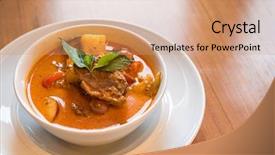
 Presentation with thai food - Beautiful PPT layouts featuring red curry thai traditional food backdrop and a coral colored foreground

Roasted Duck Red Curry Thai

PPT layouts featuring roasted duck red curry thai traditional food

 Presentation with thai food - Beautiful presentation featuring top view vietnam or thai backdrop and a tawny brown colored foreground

Asian Food Background Various Ingredients

Imagine starting your culinary journey with a rich and vibrant Vietnamese or Thai dish, beautifully presented on a rustic stone background, with the warmth of high resolution images in the foreground. A Widescreen template featuring an Asian food background is perfect for showcasing gourmet recipes. This design name: Wide Title, is sure to grab attention from anyone who takes a glance at it. The template format is Widescreen and boasts a Chocolate color palette that will transport you to a world of culinary delights. To enhance the theme, having a Manageable Process Layout is crucial in creating an intuitive workflow for your slides. Featuring, including a background with, having a theme of we've included all these elements on this template. The high resolution images are seamlessly integrated into the design, making it easy to enhance the visuals without compromising the overall look and feel. As you begin your project, four How To slides will get you up and running quickly: Introduction, Ingredient List, Cooking Instructions, and Recipe Details but do not worry about getting stuck, these steps can be easily managed. For instance, if you're featuring a recipe for Spicy Chili Cabbage Soup, our template can include a Background With, having a theme of this will make it easy to present the ingredients and cooking process in an appealing way. Having a Manageable Process Layout ensures that your workflow remains clear and organized. Our Widescreen template is downloadable and compatible with Google Slides, making it easy to add new slides or modify existing ones as needed. Get creative with our gourmet theme, featuring Asian food background, rustic stone, high resolution images, and Chocolate color palette the possibilities are endless!

 Presentation with thai food - Slide set with bun bo nam bo asian background and a tawny brown colored foreground

Bun Bo Nam Bo Asian

The moment of truth has finally arrived, and you're ready to unleash your creativity with CrystalGraphics' stunning Wide Title template. This premium design name perfectly captures the essence of your new presentation, don't you think? Featuring a wide title that dominates the screen, it's sure to grab attention and set the tone for your entire deck. The template format is specifically designed for widescreen displays, ensuring a smooth and cinematic experience. In this template, the high resolution images for the background are the star of the show featuring lush greenery, vibrant colors, and mouth watering ingredients that will take you on a culinary journey around the world. The rustic stone background provides a warm and cozy atmosphere, perfect for showcasing your Asian inspired food concepts. With a palette of Chocolate tones, this template is sure to evoke feelings of comfort and indulgence. The keywords you'll use to enhance your content are plentiful: chili peppers, cabbage, gourmet delicacies, onion flavors, and panoramic views all perfectly included in the design. And with Google Slides compatibility in mind, you can easily import high resolution images into your presentation. As you dive into this template, you'll notice that it's not just a pretty face there are four How To slides to help you get started quickly. Featuring clear instructions on how to create your own gourmet presentations, these slides will guide you through the process of setting up your template and adding engaging content. Having a theme of customization in store for you, this template is an excellent starting point for your creative journey. In terms of layout, the Content Layout slide provides valuable insights into the organization of your presentation. With clear sections for title, keywords, images, and text, you'll be able to create a structure that's both intuitive and effective. Enhanced with color coding and bullet points, this slide will help you make the most of your template's features. Overall, this stunning Wide Title template is sure to elevate your presentations to new heights, don't you agree?

▼Key features of this template

  • They are compatible with both PowerPoint and Google Slides running on either Windows PCs or Macs.

  • They are available in both standard and widescreen slide formats. You can choose your preferred format by clicking on the "Widescreen" check box or icon.

  • Each template includes a beautiful high-resolution background image or video to visually reinforce the theme of your presentation.

  • In addition, each template includes designer-created graphics and modern fonts to give your presentations an up-to-date, professional look.

  • Each template's default design and title text position have been carefully selected to complement its background without covering faces or other key elements.

  • All text includes backdrops whose transparency level is mathematically calculated to maximize text readability while still allowing the background to be seen.

  • And all the text, text backdrops and graphics in every slide are colored with a palette designed to beautifully complement the colors in the background.

  • Our Premium templates (those with the descriptor “Premium” in their subtitle) include over 64 slide layouts to give you maximum flexibility as you create your presentations.

    • Those layouts are available to you whenever you create a new slide or when you want to change the layout of an existing slide.
    • They include everything you need to make all sorts of presentations. In addition to the layouts for the title slide and the usual title and content slide, they include many other layouts for slide types including table of contents slides, org charts, charts, diagrams, infographics, photo slides, thank you slides and more.
    • While creating these layouts our template designers have ensured that all text in every layout adjusts as gracefully as possible to various numbers of words.
  • Customizable templates (those with the descriptor “Customizable” in their subtitle) may be easily modified online before you download them.

    • To modify them, simply click on the pencil editing icon, then select your choice of ready to go designs and title text positions.
    • The editing tool also makes it easy to reposition and scale the background image or video to best suit your needs.

▼FAQs

Please review these FAQs to see if your question is answered. Contact us for more info

  • What is a PowerPoint template?

    • A well designed PowerPoint template is a file that can tell PowerPoint how to make your ordinary templates look extraordinary. They won’t change what your words or numbers say. But they might change their size, color, font and placement. And, overall, they can give your presentations a professionally-designed look that will give your content more credibility and give you more confidence.
  • How many PowerPoint templates do you offer?

    • We have over 32,000 artist-created presentation templates in our PowerPlugs collection With a subscription, PowerPlugs templates are easy to download. Just sign in, find a template and click on the green Download button. ready for you to download. That alone offers you more variety to choose from than any of our competitors can offer. And, as if that weren’t enough, we also offer over 6 million templates in our Crystal collection. Crystal brand templates are our line of templates that have customization options. They have the word "CRYSTAL" on their web page images. You can customize several aspects of the templates. These templates include high-resolution background images from Shutterstock’s vast image collection matched up with artist-created presentation designs customized by our own proprietary AI software.
  • How many templates can I download as a subscriber?

    • You can download an unlimited number of PowerPlugs-brand With a subscription, PowerPlugs templates are easy to download. Just sign in, find a template and click on the green Download button. templates every day for an entire year. (Actually, by default, we set a limit of 25 templates per day to prevent our competitors from stealing our templates. But, if that is not enough, just let us know and we’ll try to accommodate you.) On top of that, with a subscription or an Ultimate Combo, you can also download any 50 Crystal-brand Crystal brand templates are our line of templates that have customization options. They have the word "CRYSTAL" on their web page images. You can customize several aspects of the templates. templates per year selected from our huge Crystal collection. Crystal brand templates are our line of templates that have customization options. They have the word "CRYSTAL" on their web page images. You can customize several aspects of the templates. .
  • Why should I choose your templates instead of the competition’s?

    • We’ve got a larger selection of professionally-designed PowerPoint templates than anyone else in the world.
    • Each template includes a high-resolution background image or video to visually inspire your audiences while reinforcing your message.
    • Each template includes 64 slide layouts to give you maximum flexibility as you create your presentations.
    • Our templates are available in both standard and widescreen slide formats. And our website lets you preview the slides each way.
    • Our free Template Finder™ plugin lets subscribers select and - with a single click - download and insert our templates into their presentations right from within PowerPoint.
    • We’ve been creating designer presentation templates for over 20 years. During that time we’ve won several awards and 5-star ratings for product quality. See About Us for more.
  • Do you offer a money-back guarantee?

    • Yes we do! We offer full 30-day money-back guarantee if you are not 100% satisfied with your purchase.
  • Can I still use my downloaded templates after my subscription runs out?

    • Yes. After your subscription expires, you won't lose any rights or ability to use your PowerPlugs: Templates for PowerPoint. You won't be able to download any new non-watermarked templates. But the non-watermarked templates you've already downloaded will still work and you can still use them as before.
  • Can I share my downloaded templates or passwords with friends or coworkers?

    • Sorry but no. You are authorized to download each paid-for template to up to 3 of your personal devices and to use the templates you download in as many presentations as you want. But you are not authorized to share the templates, themselves, with others. That said, we do offer highly discounted site licenses to suit the needs of both small and large teams. Just tell us your needs and we’ll give you a quote!
  • System requirements:

    • The templates use the standard POTX format. So they are compatible with Google Slides and all PC, Mac and mobile devices running any version of PowerPoint from PowerPoint 2007 up through and including Office 365 desktop.
    • Please note: Google Slides does not currently support background videos. It treats them as still images.
    • For PowerPoint for the Web, first open your template into a desktop version of PowerPoint, then save it back out as a PPTX file. Then you can open that in PowerPoint for the Web.
  • End user license agreement:

    • Click here to view.
  • How will I get my purchased templates?

    • You may download your selected templates as soon as your payment is received by PayPal. If you purchased an individual template, you will be provided with a download link both onscreen and via email. Just click on that link to begin the download process. If you purchased a subscription, you will receive an email containing a password to use along with your email address to sign in to any of the templates pages on CrystalGraphics.com. Once you are signed in, you can immediately start downloading your selected templates.
  • How do I use my templates after I download them?

    • You can either open a template to start a new presentation or you can add a template to an existing presentation. To open a template, just double click on it or use PowerPoint's File > Open tool. To add a template to an existing presentation, on the Design tab, in the Themes group, click Browse for Themes... then browse to select your template.

View more Thai Food templates:

previous 1 2 3 4 5 6 7 next
93% of Fortune 1000
companies use our
PowerPoint Products
Templates Secure

Standing Ovation Award
Winner: Best PowerPoint
Template Collection
Fortune Logos
200,000+ satisfied
customers worldwide!
Guarantee
100% satisfaction guaranteed
- or send it back for a refund!

Sign up for our free newsletter! You'll get news about our PowerPoint-enhancing product line – including free updates, new product announcements and exclusive special offers. Plus you'll get a link to a free PowerPoint template with every newsletter you receive.
Privacy Policy
Loading...


Help

Contact Us
Product FAQs
Product License Agreements

Company Info

About Us
Privacy Policy
CrystalGraphics, Inc. 1999 S. Bascom Avenue Suite 700 Campbell, CA 95008 USA
© 2026 CrystalGraphics, Inc. All rights Reserved.    |     PowerPlugs is a trademark of CrystalGraphics, Inc.
Microsoft and the PowerPoint logo are trademarks or registered trademarks of Microsoft Corporation in the United States and/or other countries.
Loading...
Loading...