www.crystalgraphics.com CrystalGraphics
  • Ultimate Combo
  • Templates
  • Diagrams
  • Characters
  • Quizzes
  • shopping cart
  • Sign Out Sign Out Sign In
Home > Templates > Tiger Category
search icon
advanced icon

304 Best Tiger-Themed Templates for PowerPoint and Google Slides

At CrystalGraphics, we're passionate about providing you with the most extensive collection of PowerPoint templates to help you create stunning presentations that captivate your audience. Within our vast library, we've curated an exclusive range of Tiger templates that will transport you into the heart of these majestic creatures - from the black and white depiction of a tiger stalking its prey in the jungle to the regal lion lazing in the sun or the awe-inspiring Siberian tiger prowling through the forest. Each template is carefully designed to deliver a unique visual experience, with crisp lines, bold colors, and attention-grabbing graphics that will elevate your presentation to new heights.

Whether you're a seasoned professional or an aspiring creator, our Tiger templates are the perfect starting point for crafting engaging slides that convey your message with clarity and finesse. With a title slide plus 60+ additional slides, you'll have all the tools you need to build a compelling narrative that engages your viewers and leaves a lasting impression.

But what truly sets our Tiger templates apart is their versatility. You can easily customize them to fit your unique style and branding, making it simple to create custom presentations that reflect your personality and values. Plus, with instant 24/7 download access, you're free to work on your template whenever and wherever you need to.

So why settle for a generic presentation when you can make a statement with our Tiger templates? Explore our extensive collection today, browse through other categories, or select the perfect template to match your needs. With CrystalGraphics Tiger templates, you'll be able to create stunning presentations that truly bring your ideas to life and leave a lasting impression on your audience. Download and customize with ease - the possibilities are endless!

Features & Pricing

Widescreen (16:9) Presentation Templates. Change size...
 Presentation with tiger - A beautiful depiction of a tiger with dark background

Tiger

A beautiful depiction of a tiger with dark background

 Presentation with tiger - Blurry view of tiger walking in its natural habitat

Tiger

Blurry view of tiger walking in its natural habitat

 Presentation with tiger - Close up of cheetah head at sunset with blurred background

Tiger

Close up of cheetah head at sunset with blurred background

 Presentation with tiger - Presentation with paw print - real tiger footprints background and a mint green colored foreground

Real Tiger Footprints

The world of pet lovers can be a fascinating one, with many creative ways to showcase their beloved companions. One such design is inspired by the majestic real tiger, and I present to you Wide Title featuring high resolution images of tiger prints in various patterns, from traditional to modern designs. This template is perfect for those who want to create a unique and eye catching presentation that showcases their pets' personalities. The wide screen format ensures that your content is stretched across the entire display, making it ideal for presentations, websites, or even social media updates. As a result, you can include a background with a subtle texture that resembles real tiger footprints. The tan color palette provides a warm and inviting atmosphere, perfect for any pet related theme. You can enhance this look by adding some greenery, such as potted plants or flowers, to create a natural and organic feel. The Managed Process Layout helps you stay organized and focused on your content, while the clean and simple design ensures that your information is easily readable. This template is downloadable and compatible with Google Slides, making it easy to use and share. And, as an added bonus, it's a great way to show off your creativity and skills in creating engaging and informative presentations.

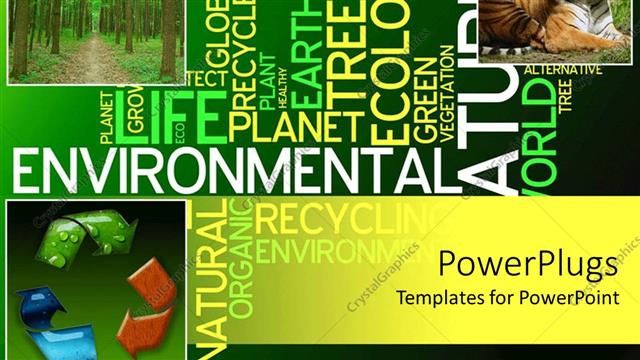
 Presentation with tiger - Ecology collage with recycle symbol, tiger, forest in green background with words

Preserve

Ecology collage with recycle symbol, tiger, forest in green background with words

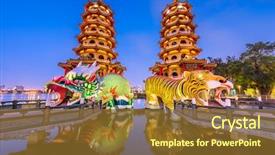
 Presentation with tiger - Audience pleasing presentation theme consisting of religious - kaohsiung taiwan dragon and tiger backdrop and a tawny brown colored foreground

Kaohsiung Taiwan Dragon Tiger Pagodas

The majestic dragon and tiger pagodas of Kaohsiung, Taiwan, are not just breathtaking monuments to history but also a testament to the ingenuity of traditional Chinese architecture. Imagine standing amidst the serene landscape of Lotus Pond, surrounded by these ancient structures that have stood the test of time. The Wide Title template is designed to transport you to this iconic scene, with its rich colors and intricate details. The Widescreen format ensures an immersive experience, allowing you to fully absorb the grandeur of the setting. The Dodger Blue color palette provides a timeless and elegant backdrop for your content, evoking feelings of nostalgia and sophistication. The template is specifically designed to feature high resolution images of the dragon and tiger pagodas, showcasing their intricate carvings and ornate details. Including a Background With stunning visuals that showcase these iconic structures in all their glory. Having a Theme of traditional Chinese architecture, the Wide Title template seamlessly blends seamlessly into this world. Enhanced with modern technology, the template is compatible with Google Slides, making it easy to integrate and customize your presentation. As you delve deeper into the content, features like 4 How To slides will guide you through the process quickly, helping you get up and running in no time.

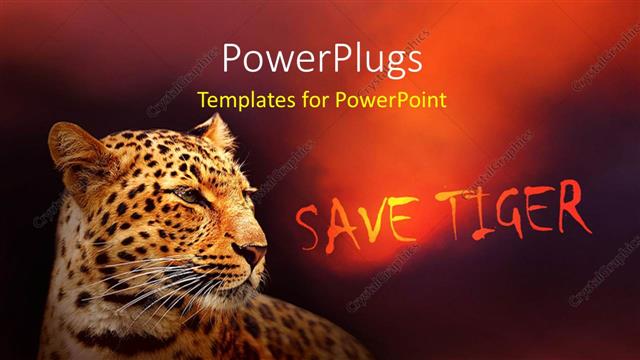
 Presentation with tiger - A tiger with a reddish background

Save Tiger

A tiger with a reddish background

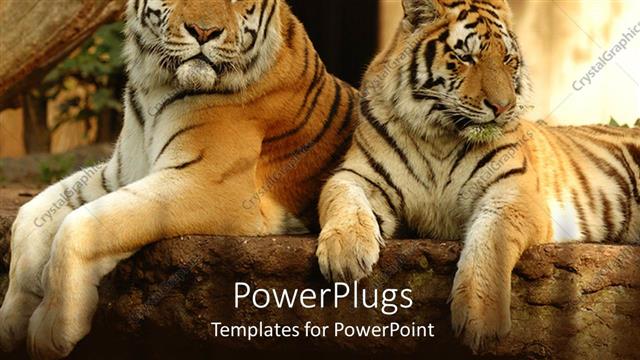
 Presentation with tiger - A couple of tigers resting under the tree

Tiger

A couple of tigers resting under the tree

 Presentation with tiger - PPT layouts with ball python python regius - close up photo background and a tawny brown colored foreground

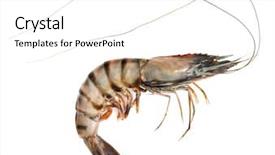
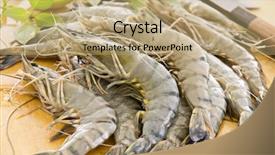
Raw Black Tiger Shrimp White

Imagine starting your presentation with a vibrant and mouth watering image that whets your appetite and grabs the audience's attention instantly, setting the tone for an engaging and informative discussion about seafood delicacies and their various ingredients. Our Corner Title template is designed to do just that. The template features a high resolution background of raw black tiger shrimp on a white canvas, perfectly complemented by the warm glow of golden lighting to create a visually appealing atmosphere. The Peach Puff Colored color palette adds a touch of elegance and sophistication to the design, making it perfect for presentations about seafood or any other topic that requires a professional yet approachable tone. The template includes four How To slides at the start of the deck to help you get up and running quickly, but don't worry, we won't reveal the secrets just yet. The 3 Column Layout slide is a standout feature in this template, allowing for easy navigation and organization of content within each section. It's as if you're pulling out all the stops to make your presentation shine, from the header images to the footer details. This template is not only visually stunning but also downloadable and compatible with Google Slides, making it an excellent choice for anyone looking to enhance their presentations with a professional and engaging design. And when you're ready to get started, simply Featuring a Background With a Delicious Seafood Theme, Having a Theme of Presentation Design Enhancements, and Incorporating All the Essential Features that will make your presentation truly shine.

 Presentation with tiger - Presentation design featuring tiger-prowling-approaching-and-looking background and a coral colored foreground

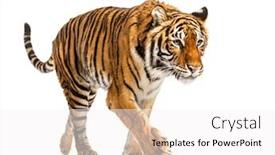
Tiger Prowling Approaching Looking Camera,

With stunning high resolution images featuring majestic wildlife, including tigers and other fauna, Corner Title is the perfect template to take your presentations to the next level. This breathtaking Widescreen template is designed to transport your audience on an unforgettable journey of discovery, showcasing the beauty and majesty of our natural world. Sandy Brown is the dreamy color palette that evokes a sense of warmth and tranquility, perfectly capturing the essence of a serene wilderness scene. The theme of Corner Title lends itself beautifully to studio settings where creativity and innovation come alive. Whether you're a wildlife expert, an artist, or simply someone who loves nature, this template has something special to offer. The template's 6 Pictures in a Grid Layout slide takes center stage, showcasing four visually striking images that will leave your audience in awe. These images feature the majestic tiger, perched atop a rocky outcropping, with the sun setting behind it; a group of birds soaring overhead, their feathers glistening in the fading light; a close up of a delicate butterfly's wings, with intricate patterns and colors on display; a tranquil forest landscape at dawn, with misty trees and a soft blue sky; an isolated lake scene at sunrise, with reflected sunlight casting a golden glow; and a stunning night sky, complete with constellations twinkling like diamonds against the dark canvas. This template is perfect for anyone who wants to enhance their presentation with a theme of wildlife, featuring images that showcase the beauty and diversity of our natural world. With its stunning high resolution images and beautiful Sandy Brown color palette, Corner Title is an ideal choice for anyone looking to take their presentations to new heights.

 Presentation with tiger - Colorful presentation theme enhanced with tiger-getting-down-a-white backdrop and a white colored foreground

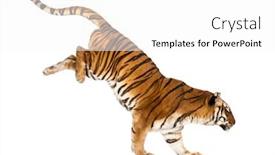
Tiger Getting Down White Box,

Presentation theme enhanced with tiger getting down a white box isolated on white

 Presentation with tiger - Slide deck consisting of tiger-standing-and-growling background and a white colored foreground

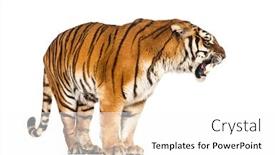
Tiger Standing Growling Cat Isolated

The world of wildlife photography is more than just capturing stunning images on paper, it's about telling the story of our planet's incredible diversity and fragility. From majestic tigers to endangered species, every frame tells a tale that needs to be shared with the world. This template, featuring a solitary tiger standing and growling, will transport you to the heart of the wild. The Burly Wood Colored background is alive with natural textures and hues that evoke a sense of ruggedness and power. To enhance your visual narrative, consider including a high resolution image or two on each slide perhaps a stunning sunset over a dense forest or a majestic mountain range in the distance. The template's design is intentionally understated, yet rich in detail, much like the intricate patterns found in nature. This attention to detail will help you convey the importance of conservation and the need for our actions to protect these incredible creatures and their habitats. To take your presentation to the next level, consider using the 5 P's of Marketing Diagram Layout: Place (or Background), Pertinent (to wildlife photography), Projecting (with images), Purpose (of showcasing conservation efforts), and Publishing. By incorporating one or more of these elements, you'll create a visually striking presentation that will leave your audience in awe. To give you a better idea, imagine presenting this template on the cover of National Geographic Magazine featuring stunning images of our planet's most incredible creatures, with a background that sets the tone for the rest of the issue.

 Presentation with tiger - Audience pleasing PPT theme consisting of animal print - tiger skin over white backdrop and a cream colored foreground

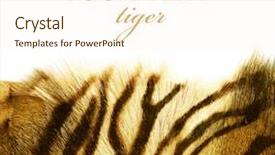
Tiger Skin Over White

The spotlight is shining on a template that's sure to turn heads. This design name, Wide Title, exudes confidence and strength, perfect for making a bold statement in any setting. The Widescreen format is ideal for showcasing high resolution images, which adds depth and visual interest to the layout. The Sandy Brown color palette brings warmth and sophistication, creating a cozy atmosphere that's sure to put your audience at ease. Featuring a majestic pelt as the focal point, this template is reminiscent of luxurious fur coats, evoking feelings of luxury and grandeur. For those new to using a PowerPoint template, it's essential to start with getting familiar with the 4 How To slides that come with this design, which offer valuable guidance on how to get started quickly. These slides serve as a foundation for building your presentation, providing step by step instructions on setting up and customizing the template. The 3 Column Layout slide is a great opportunity to showcase your creativity, as you can include multiple images or graphics while still maintaining a clear and easy to read format. Having a theme of showcasing high quality images, this feature is sure to impress your audience with its attention to detail.

 Presentation with tiger - Beautiful slide set featuring tiger-lying-down-isolated backdrop and a white colored foreground

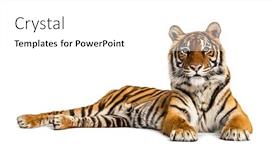
Tiger Lying Down Isolated White

In the heart of any creative endeavor lies a template that sets the tone and style from the very beginning. Corner Title is just such a template, designed to evoke the majesty of nature's most iconic creatures the tiger. This stunning Widescreen template features a high resolution image of a tiger lying down on a white background, perfectly capturing the essence of isolation and solitude. The Sandy Brown color palette brings warmth and coziness to this design, while the keywords "studio", "fauna", "vertebrate", "stripped" hint at the diverse range of animals that can be featured. The template is downloadable and compatible with Google Slides, making it easy to incorporate into your presentations. As you delve deeper into Corner Title, you'll discover four How To slides that will help you get up and running quickly. These slides are designed to provide a solid foundation for your creative journey, featuring tips on how to customize the template to suit your needs. The 5 Steps to Success Layout slide takes it a step further, offering guidance on setting up your presentation with ease. This template is perfect for anyone looking to enhance their studio sessions or wildlife documentaries. Featuring a beautiful background image of a tiger in isolation, Corner Title is sure to inspire and motivate you to create something truly remarkable. Including a Background With stunning high resolution images throughout the template, Having a Theme of showcasing the beauty of nature will make your presentations stand out from the crowd. Enhanced with vibrant colors and textures, this template is sure to take your content to the next level.

 Presentation with tiger - Slide deck enhanced with tiger-lying-down-isolated background and a white colored foreground

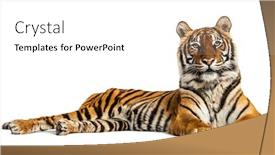
Tiger Lying Down Isolated White

The Corner Title template is designed to provide a unique and captivating visual identity for presentations that showcase stunning wildlife footage. The design name Corner Title conveys a sense of sophistication and elegance, while the widescreen format ensures that your slides are easily readable on any device. The template features a Navajo White color palette that is both timeless and modern, perfect for creating a cohesive brand image. The high resolution images embedded in the background will transport your audience to breathtaking natural environments, such as isolated landscapes or vibrant fauna habitats. This template is ideal for use cases where you want to emphasize the majesty of wildlife and create a sense of wonder in your viewers. For example, if you're giving a presentation on conservation efforts, this template would be an excellent choice to showcase stunning images of endangered species in their natural habitat. By including a background with a subtle gradient effect, the image will pop against the crisp white background, making it perfect for highlighting key points or emphasizing the importance of protecting wildlife. The Circular Approach Layout is particularly effective in creating a sense of movement and energy on your slides. The layout allows for easy navigation through your presentation, while also providing ample space to showcase your images. By using this layout consistently throughout your deck, you'll create a cohesive visual identity that engages your audience from start to finish.

 Presentation with tiger - Amazing PPT theme having black tiger prawns backdrop and a coral colored foreground

Black Tiger Prawns

As you step into the vibrant world of shrimp tapas and snacks, your eyes are immediately drawn to the delicious black tiger prawns that adorn the plate in front of you, waiting to be devoured. The warm glow of the Widescreen format is on full display, providing a cinematic experience for your audience as they explore the design name Wide Title, featuring an eye catching tan background and high resolution images of fresh seafood. The template format is Widescreen, perfect for showcasing the visuals while still maintaining a seamless user experience. The rich tan color palette adds warmth and sophistication to the overall aesthetic, making it ideal for creating a professional yet inviting atmosphere. As you explore the template, you'll notice that it's not just about aesthetics – it's also designed to enhance your presentation with high quality images that will leave your audience craving more. From Featuring a background with a stunning image of black tiger prawns, to Including a subtle texture effect to give it an extra touch of luxury, every element is carefully crafted to elevate your message. The template keywords you'll find throughout the design include freish (fresh), shrimp, tapas, snack, and plate – perfect for highlighting your topics. And with its compatibility feature enhanced With Googel Slides, you can easily share your presentation with others without worrying about compatibility issues. When designing your slide, you might think of an arrow step layout, where you have a concise heading at the top, followed by an expanded paragraph or two below it – all within an easy to read structure. For example, you could use this layout on the How To slides to break down complex topics into manageable chunks, making it easier for your audience to follow along. The template is available for download and compatibility with Google Slides, ensuring that your presentation looks stunning across all devices.

 Presentation with tiger - Presentation with cooked unshelled tiger shrimps close background and a coral colored foreground

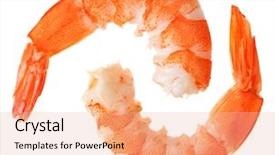
Cooked Unshelled Tiger Shrimps Close

The moment you've been waiting for has finally arrived to unleash your creativity and bring your gourmet platter vision to life on the big screen. Imagine yourself standing in front of a beautifully designed backdrop featuring high resolution images of platters overflowing with succulent shrimp, perfectly arranged to make your mouth water. The warm tones of sienna paint the scene, evoking feelings of comfort and indulgence. This stunning template is specifically designed for widescreen presentations, ensuring that every detail is showcased in breathtaking clarity. With its rich color palette, featuring a soothing blend of earthy tones, you'll be transported to a world of culinary delights. The sienna hue provides a cozy atmosphere, perfect for showcasing your gourmet platter creations. The template's keyword rich design ensures that your presentation stands out from the crowd, with phrases like "platter", "shrimp", and "gourmet" prominently featured throughout. Whether you're sharing your passion for cooking or simply want to impress your audience, this template is sure to enhance your message. To get started quickly, four essential slides will guide you through the process: How To Slides 1 4. These stages will help you set up your presentation and ensure a smooth flow of ideas. The Arrow Stages Layout slide will provide valuable insights into how to structure your content effectively, while the "Including a Background With" feature allows you to showcase stunning images that complement your template. The sienna color palette is the perfect backdrop for showcasing your gourmet platter creations, making it an ideal choice for presentations featuring foodstuffs. The high resolution images will ensure that every detail is preserved, from the intricate arrangement of shrimp on the platter to the perfectly cooked dish itself. With this template, you'll be able

 Presentation with tiger - PPT layouts with two cooked unshelled tiger shrimps background and a lemonade colored foreground

Two Cooked Unshelled Tiger Shrimps

Imagine two perfectly cooked unshelled tiger shrimps isolated on a crisp white background, their vibrant colors glistening in the light. This is what your new Corner Title template looks like, designed to bring a splash of excitement and energy to any presentation or project. The Corner Title template is available for download and compatibility with Google Slides, making it an ideal choice for anyone looking to add some visual interest to their slides. The high resolution images featured throughout this template will ensure that your presentations look professional and engaging, whether you're presenting to a small studio audience or a large crowd. This template's light salmon color palette provides the perfect backdrop for showcasing your creativity, from the soft glow of the shrimps to the subtle warmth of the background. The overall aesthetic is one of sophistication and whimsy, making it an excellent choice for adding a touch of personality to any project. The Corner Title template includes four helpful slides at the start of the deck, designed to get you up and running quickly. From getting familiar with the template's features to setting your audience on the right track, these Who We Are Bio Layout slides will guide you through the process of creating engaging content that resonates with your target audience. Whether you're using this template for a corporate presentation, marketing campaign, or simply a fun and creative project, the Corner Title template is sure to enhance the look and feel of any slideshow. With its rich background images, vibrant colors, and attention grabbing design elements, this template is perfect for adding some excitement to your presentations and making them stand out from the crowd.

 Presentation with tiger - Cool new theme with white tiger resting backdrop and a gray colored foreground

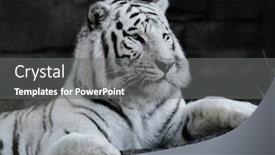
White Tiger Resting Rock

Theme with white tiger resting on a rock

 Presentation with tiger - Presentation design with months old tiger cub lying background and a white colored foreground

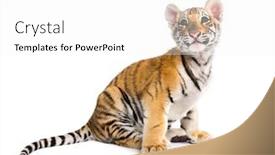
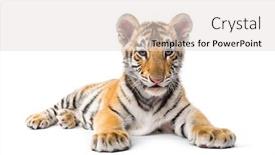
Two Months Old Tiger Cub

Presentation design with two months old tiger cub lying against white background

 Presentation with tiger - Beautiful slide set featuring two months old tiger cub backdrop and a lemonade colored foreground

Two Months Old Tiger Cub

Slide set featuring two months old tiger cub lying against white background

▼Key features of this template

  • They are compatible with both PowerPoint and Google Slides running on either Windows PCs or Macs.

  • They are available in both standard and widescreen slide formats. You can choose your preferred format by clicking on the "Widescreen" check box or icon.

  • Each template includes a beautiful high-resolution background image or video to visually reinforce the theme of your presentation.

  • In addition, each template includes designer-created graphics and modern fonts to give your presentations an up-to-date, professional look.

  • Each template's default design and title text position have been carefully selected to complement its background without covering faces or other key elements.

  • All text includes backdrops whose transparency level is mathematically calculated to maximize text readability while still allowing the background to be seen.

  • And all the text, text backdrops and graphics in every slide are colored with a palette designed to beautifully complement the colors in the background.

  • Our Premium templates (those with the descriptor “Premium” in their subtitle) include over 64 slide layouts to give you maximum flexibility as you create your presentations.

    • Those layouts are available to you whenever you create a new slide or when you want to change the layout of an existing slide.
    • They include everything you need to make all sorts of presentations. In addition to the layouts for the title slide and the usual title and content slide, they include many other layouts for slide types including table of contents slides, org charts, charts, diagrams, infographics, photo slides, thank you slides and more.
    • While creating these layouts our template designers have ensured that all text in every layout adjusts as gracefully as possible to various numbers of words.
  • Customizable templates (those with the descriptor “Customizable” in their subtitle) may be easily modified online before you download them.

    • To modify them, simply click on the pencil editing icon, then select your choice of ready to go designs and title text positions.
    • The editing tool also makes it easy to reposition and scale the background image or video to best suit your needs.

▼FAQs

Please review these FAQs to see if your question is answered. Contact us for more info

  • What is a PowerPoint template?

    • A well designed PowerPoint template is a file that can tell PowerPoint how to make your ordinary templates look extraordinary. They won’t change what your words or numbers say. But they might change their size, color, font and placement. And, overall, they can give your presentations a professionally-designed look that will give your content more credibility and give you more confidence.
  • How many PowerPoint templates do you offer?

    • We have over 32,000 artist-created presentation templates in our PowerPlugs collection With a subscription, PowerPlugs templates are easy to download. Just sign in, find a template and click on the green Download button. ready for you to download. That alone offers you more variety to choose from than any of our competitors can offer. And, as if that weren’t enough, we also offer over 6 million templates in our Crystal collection. Crystal brand templates are our line of templates that have customization options. They have the word "CRYSTAL" on their web page images. You can customize several aspects of the templates. These templates include high-resolution background images from Shutterstock’s vast image collection matched up with artist-created presentation designs customized by our own proprietary AI software.
  • How many templates can I download as a subscriber?

    • You can download an unlimited number of PowerPlugs-brand With a subscription, PowerPlugs templates are easy to download. Just sign in, find a template and click on the green Download button. templates every day for an entire year. (Actually, by default, we set a limit of 25 templates per day to prevent our competitors from stealing our templates. But, if that is not enough, just let us know and we’ll try to accommodate you.) On top of that, with a subscription or an Ultimate Combo, you can also download any 50 Crystal-brand Crystal brand templates are our line of templates that have customization options. They have the word "CRYSTAL" on their web page images. You can customize several aspects of the templates. templates per year selected from our huge Crystal collection. Crystal brand templates are our line of templates that have customization options. They have the word "CRYSTAL" on their web page images. You can customize several aspects of the templates. .
  • Why should I choose your templates instead of the competition’s?

    • We’ve got a larger selection of professionally-designed PowerPoint templates than anyone else in the world.
    • Each template includes a high-resolution background image or video to visually inspire your audiences while reinforcing your message.
    • Each template includes 64 slide layouts to give you maximum flexibility as you create your presentations.
    • Our templates are available in both standard and widescreen slide formats. And our website lets you preview the slides each way.
    • Our free Template Finder™ plugin lets subscribers select and - with a single click - download and insert our templates into their presentations right from within PowerPoint.
    • We’ve been creating designer presentation templates for over 20 years. During that time we’ve won several awards and 5-star ratings for product quality. See About Us for more.
  • Do you offer a money-back guarantee?

    • Yes we do! We offer full 30-day money-back guarantee if you are not 100% satisfied with your purchase.
  • Can I still use my downloaded templates after my subscription runs out?

    • Yes. After your subscription expires, you won't lose any rights or ability to use your PowerPlugs: Templates for PowerPoint. You won't be able to download any new non-watermarked templates. But the non-watermarked templates you've already downloaded will still work and you can still use them as before.
  • Can I share my downloaded templates or passwords with friends or coworkers?

    • Sorry but no. You are authorized to download each paid-for template to up to 3 of your personal devices and to use the templates you download in as many presentations as you want. But you are not authorized to share the templates, themselves, with others. That said, we do offer highly discounted site licenses to suit the needs of both small and large teams. Just tell us your needs and we’ll give you a quote!
  • System requirements:

    • The templates use the standard POTX format. So they are compatible with Google Slides and all PC, Mac and mobile devices running any version of PowerPoint from PowerPoint 2007 up through and including Office 365 desktop.
    • Please note: Google Slides does not currently support background videos. It treats them as still images.
    • For PowerPoint for the Web, first open your template into a desktop version of PowerPoint, then save it back out as a PPTX file. Then you can open that in PowerPoint for the Web.
  • End user license agreement:

    • Click here to view.
  • How will I get my purchased templates?

    • You may download your selected templates as soon as your payment is received by PayPal. If you purchased an individual template, you will be provided with a download link both onscreen and via email. Just click on that link to begin the download process. If you purchased a subscription, you will receive an email containing a password to use along with your email address to sign in to any of the templates pages on CrystalGraphics.com. Once you are signed in, you can immediately start downloading your selected templates.
  • How do I use my templates after I download them?

    • You can either open a template to start a new presentation or you can add a template to an existing presentation. To open a template, just double click on it or use PowerPoint's File > Open tool. To add a template to an existing presentation, on the Design tab, in the Themes group, click Browse for Themes... then browse to select your template.

View more Tiger templates:

previous 1 2 3 4 5 6 7 8 9 10 11 12 13 14 15 next
Categories related to Tiger:
Shrimp
93% of Fortune 1000
companies use our
PowerPoint Products
Templates Secure

Standing Ovation Award
Winner: Best PowerPoint
Template Collection
Fortune Logos
200,000+ satisfied
customers worldwide!
Guarantee
100% satisfaction guaranteed
- or send it back for a refund!

Sign up for our free newsletter! You'll get news about our PowerPoint-enhancing product line – including free updates, new product announcements and exclusive special offers. Plus you'll get a link to a free PowerPoint template with every newsletter you receive.
Privacy Policy
Loading...


Help

Contact Us
Product FAQs
Product License Agreements

Company Info

About Us
Privacy Policy
CrystalGraphics, Inc. 1999 S. Bascom Avenue Suite 700 Campbell, CA 95008 USA
© 2025 CrystalGraphics, Inc. All rights Reserved.    |     PowerPlugs is a trademark of CrystalGraphics, Inc.
Microsoft and the PowerPoint logo are trademarks or registered trademarks of Microsoft Corporation in the United States and/or other countries.
Loading...
Loading...