www.crystalgraphics.com CrystalGraphics
  • Ultimate Combo
  • Templates
  • Diagrams
  • Characters
  • Quizzes
  • shopping cart
  • Sign Out Sign Out Sign In
Home > Templates > Tradeshow Category
search icon
advanced icon

35 Best Tradeshow-Themed Templates for PowerPoint and Google Slides

CrystalGraphics creates templates designed to make even average presentations look incredible. Below you’ll see thumbnail sized previews of the title slides of a few of our 35 best tradeshow templates for PowerPoint and Google Slides. The text you’ll see in in those slides is just example text. The tradeshow-related image or video you’ll see in the background of each title slide is designed to help you set the stage for your tradeshow-related topics and it is included with that template. In addition to the title slides, each of our templates comes with 17 additional slide layouts that you can use to create an unlimited number of presentation slides with your own added text and images. And every template is available in both widescreen and standard formats. With over 6 million presentation templates available for you to choose from, CrystalGraphics is the award-winning provider of the world’s largest collection of templates for PowerPoint and Google Slides. So, take your time and look around. You’ll like what you see! Whether you want 1 great template or an ongoing subscription, we've got affordable purchasing options and 24/7 download access to fit your needs. Thanks to our unbeatable combination of quality, selection and unique customization options, CrystalGraphics is the company you can count on for your presentation enhancement needs. Just ask any of our thousands of satisfied customers from virtually every leading company around the world. They love our products. We think you will, too!

Features & Pricing

Widescreen (16:9) Presentation Templates. Change size...
 Presentation with tradeshow - Slide deck featuring tradeshow - well dressed businessman looking background and a wine colored foreground

Well Dressed Businessman Looking Sponsors

In the heart of city business, where suits and ties reign supreme, one man stands out from the crowd a well dressed businessman searching for sponsors to take his career to new heights. His sharp features, perfectly groomed hair, and tailored attire make him the epitome of success in this competitive world. With a strong presence that commands attention, he is always on the lookout for companies that can help him amplify his message and achieve his goals. As he navigates through the industry, he comes across various opportunities to collaborate with sponsors who share his vision and values. But how does he find them? For starters, the template provides an extensive guide to get up and running quickly four How To slides to kick start your journey. Featuring a high resolution image of a busy cityscape on the background, this slide is perfect for setting the tone for your presentation. This template is designed to take you by storm with its sleek Midnight Blue color palette that features subtle shades of purple and blue undertones. The complete template includes four essential slides: Chart with Caption Layout providing an enhanced view of how it can be used in presentations, Featuring a high resolution image on the background slide, Incorporating a Background With an attention grabbing design, Having a Theme of Business and Career development, And Enhancing With customizable text and images.

 Presentation with tradeshow - PPT layouts consisting of summer salad with grilled meat smoked fish and different vegetables background and a coral colored foreground

Group Business People Standing Outside

The Corner Title PowerPoint template is designed to capture the attention of your audience with its vibrant yellow and green color palette, perfectly capturing the warmth and energy of a multicultural gathering like a conference or congress. The Widescreen format ensures that every detail, from the high resolution images on the background to the crisp text, is maximized for maximum impact. With a focus on showcasing confidence and professionalism, this template features a Caucasian woman in the lead position, exuding authority and expertise. Her presence is enhanced by the inclusion of a suit and tie, conveying a sense of high stakes and serious business. The How To slides at the start of the deck are designed to get you up and running quickly, providing guidance on how to create stunning presentations that will leave your audience in awe. As for the Oposite Directional Arrows Layout slide, it could be used to add a touch of elegance and sophistication to your presentation, featuring a beautifully styled image with arrows pointing upwards, conveying growth and success. This layout is perfect for showcasing achievements and milestones achieved by your saleswoman. The template is downloadable and compatible with Google Slides, allowing you to easily insert the high resolution images and customize the design to fit your specific needs. The theme of "Corner Title" is built around a cohesive visual identity that will help you stand out in a crowded market, making it an excellent choice for anyone looking to enhance their presentation skills.

 Presentation with tradeshow - Presentation design consisting of tradeshow - business man wearing a suit background and a wine colored foreground

Business Man Wearing Suit Pointing

Presentation design consisting of business man wearing a suit pointing to a blank namebadge - insert your own brand and information

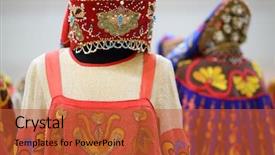
 Presentation with tradeshow - Audience pleasing slide deck consisting of tradeshow - bright russian national costume backdrop and a red colored foreground

Bright Russian National Costume Women

Imagine walking into a vibrant Indian national festival where stunning dresses and ornate decorations are put together to showcase the beauty of India's rich cultural heritage. The Corner Title template is designed to transport your audience to this mesmerizing scene with its bright colors, high resolution images for a seamless viewing experience, and customizable design elements that can be easily featured in presentations Featuring high quality backgrounds With intricate patterns and ornaments Including a traditional Indian dress Design That exudes elegance And sophistication Having a theme of beauty Enriched With warm and inviting tones Enhancing the overall ambiance Of the presentation

 Presentation with tradeshow - Cool new theme with tradeshow - businessman using electronic tablet outside backdrop and a gray colored foreground

Businessman Using Electronic Tablet Outside

The Corner Title PowerPoint template is a sleek and sophisticated tool designed to elevate your presentation game. Its stunning pink color palette is sure to grab the attention of your audience, making it perfect for showcasing high resolution images that add depth and visual interest. This wide screen template features a handsome design that incorporates elements of electronics, making it ideal for discussing career development in the tech industry. With its sophisticated theme, Featuring A Professional Image, you can create engaging slides that include a background with subtle animations and interactive effects. Having a Theme Of Business And Tech, this template is Enhanced With cutting edge visual elements that will leave your viewers impressed. The Corner Title template includes 4 How To slides at the start of the deck to help you get up and running quickly. However, before diving into those steps, take some time to appreciate its potential. The three step funnel layout can be used to showcase a clear path from introduction to conclusion. This could be particularly useful for presentations that aim to educate and persuade your audience about the importance of electronics in career development. By featuring high resolution images on slides 1 3, you can create an immersive experience that sets the tone for the rest of your presentation. Having a theme of Business And Tech, this template is perfect for creating engaging and informative content that will leave your viewers eager to learn more.

 Presentation with tradeshow - Slide deck enhanced with tradeshow - blured meeting background and a tawny brown colored foreground

Blured Meeting

The scene is set in a crowded conference room where a high level seminar is underway, and the audience is abuzz with excitement as they await the commencement of the presentation. The air is thick with anticipation, and the participants are eager to dive into the topic at hand. This PowerPoint template features a design name that screams professionalism Corner Title. Designed to resemble a majestic corner title slide, this template is perfect for showcasing key information in a clear and concise manner. The wide screen format ensures that all graphics and images are showcased with maximum impact. This template color palette is Saddle Brown, a warm and inviting hue that evokes feelings of sophistication. The background image on the template features high resolution blur shots of bustling city streets at night, creating an immersive environment for the audience to engage with. The overall aesthetic is reminiscent of a "Blured meeting" where every element is blurred together in perfect harmony. This unique blend of style and functionality makes it easy to create engaging presentations that captivate even the most discerning audiences. As you delve into this template, you'll notice four How To slides at the start of the deck, designed to get you up and running quickly. But don't worry the real magic happens when you dive headfirst into the presentation itself. With its sleek Arrow Stages Layout slide, Featuring a background with intricate patterns, Having a theme of corporate events, and Including a range of graphics including charts and graphs, this template is sure to make your presentations stand out from the crowd. The key benefits of this template include Enhanced with Googel Slides compatibility, making it easy to share or embed in presentations across all major platforms.

 Presentation with tradeshow - Presentation theme with tradeshow - closeup on business briefcase background and a light gray colored foreground

Closeup Business Briefcase

The Corner Title PowerPoint template is here to elevate your presentation game with its sleek and sophisticated design. This stunning template features a high resolution image of a woman in a stylish dress as the focal point, perfectly capturing the essence of professional attire. Corner Title boasts a coral color palette that exudes warmth and energy, perfect for conveying confidence and authority on any topic. The accompanying background is a vibrant coral hue that provides a pop of color against the neutral tones of the template. This beautiful template is designed to showcase your personality and style through high quality images and graphics. You can include a dress or suit in one of these backgrounds as an example, such as featuring a woman wearing a stylish business suit on a corridor setting. By having a theme of professionalism and high end products, you can create a cohesive look that reflects your expertise. The Corner Title template is compatible with Google Slides and offers the freedom to customize it with your own images or graphics. The 4 How To slides at the start of the deck will help you get up and running quickly, providing valuable tips and insights to enhance your presentation skills.

 Presentation with tradeshow - Slide deck having tradeshow - business partners meeting outside background and a mint green colored foreground

Business Partners Meeting Outside Office

As business partners gather in a conference room outside the office, they need a template that captures the essence of their meeting with style and professionalism. The Wide Title template is designed to inspire collaboration and creativity among team members while showcasing high resolution images featuring electronics. This timeless design has been crafted with Cornflower Blue as its primary color palette, providing a soothing yet energetic atmosphere for project work and presentations. The Widescreen format ensures that the full image is visible from any angle, making it ideal for displaying complex information or graphics on large screens. The template's compatibility with Google Slides makes it accessible to users worldwide. With four How To slides at the start of the deck, you'll be able to get up and running quickly and confidently, covering essential topics such as adding custom backgrounds, using pre built themes, and incorporating interactive elements. The Wide Title template is a great starting point for any project or presentation, featuring a stunning background image. For example, it could be used to showcase a photo of a sleek laptop on a white tablecloth, complete with Cornflower Blue accents. This image would not only enhance the overall look but also provide valuable context for sales pitches or technical discussions. This template is packed with keywords that align perfectly with the theme of electronics and technology, making it an ideal choice for projects involving project work, teams, or innovative ideas. Including a Background With plenty of high resolution images from different angles ensures that any presentation or meeting remains engaging and dynamic. Having a Theme of showcasing team collaboration and creativity makes this template an excellent choice for presentations featuring saleswomen or electronics enthusiasts.

 Presentation with tradeshow - PPT theme with tradeshow - portrait of businessman with thumb background and a light gray colored foreground

Portrait Businessman Thumb Up

The image that captures this presentation perfectly is a proud businessman giving a thumbs up with a confident smile, exuding happiness and success. The vibrant colors used in the background, along with the professional attire he's wearing, make for an impressive picture. For this Corner Title template, we're going to create something truly eye catching. Our design name is Corner Title, and it features a wide screen format that's sure to grab attention from start to finish. The color palette is sleek and modern, with a focus on handsome and confident visuals that will leave viewers feeling uplifted. Imagine starting your presentation with four How To slides that'll have you up and running quickly. These slides will provide valuable insights into getting started, helping new users navigate the template's features and understand how to use it effectively. From setting up the layout to customizing colors and fonts, these slides will walk viewers through every step of the process. The first slide in each section will include a high resolution image that showcases the template's theme and style. For example, you could feature a group of successful businesspeople working together, or a bright and colorful background with inspirational quotes emblazoned on it. Whatever design choice you make, rest assured that your presentation will be visually stunning. The Corner Title template is designed to be downloadable and compatible with Google Slides, making it easy to incorporate into any presentation. With four slides at the start of your deck, you'll have a solid foundation for showcasing your ideas and keeping viewers engaged throughout.

 Presentation with tradeshow - Slide deck consisting of tradeshow - blured meeting background and a black colored foreground

Blured Meeting

As the conference floor erupts into chaos with a crowded sea of attendees, one thing is clear: time is of the essence. In this high stakes setting, attention is fleeting and distractions are numerous. The key to success lies in creating an immersive experience that engages all who enter, featuring stunning visuals and dynamic elements that blur the lines between reality and fantasy. The Corner Title template is designed to take advantage of the widescreen format, with a striking Saddle Brown color palette that evokes feelings of sophistication and elegance. High resolution images for the background add depth and texture, creating an immersive experience that draws viewers in. Whether you're presenting on a topic as groundbreaking as education or as mundane as a seminar on crowd psychology, this template is the perfect starting point. With four How To slides at the beginning of your deck, you'll be well on your way to launching your presentation quickly and effectively. From setting up your stage to ensuring a smooth Q&A session, these early slides will help you get up and running in no time. And with its emphasis on having a theme of engaging visuals, enhancing with dynamic elements, including a background with blurred effects, this template is sure to make a lasting impression. You can use it as an example for creating interactive presentations that leave a lasting impression on your audience. Consider featuring the interactive polls and quizzes that enhance engagement and encourage participation. And when you need to convey complex ideas in a clear and concise manner, include background images or animations to bring the topic to life.

 Presentation with tradeshow - Slide set featuring tradeshow - beautiful saleswoman talking on mobile background and a coral colored foreground

Beautiful Saleswoman Talking Mobile Phone

Slide set featuring beautiful saleswoman talking on mobile phone

 Presentation with tradeshow - Presentation theme featuring tradeshow - blured meeting background and a black colored foreground

Blured Meeting

The conference hall is abuzz with anticipation as people eagerly wait to engage in thought provoking discussions and learn from industry experts. The air is electric with excitement, and the sense of community is palpable. As the day unfolds, the crowd grows, and the energy becomes increasingly charged. Amidst the chaos, a sleek and modern template emerges, designed to elevate your presentation to new heights. This Wide Title template features a dramatic backdrop that perfectly complements its bold and dynamic design. A high resolution image of a crowded meeting space serves as the perfect visual anchor, setting the tone for an immersive and engaging experience. The Saddle Brown color palette provides a sophisticated and professional foundation, while the Blur keyword adds a sense of depth and dimensionality. The template is designed to be downloadable and compatible with Google Slides, making it easy to incorporate into your own presentations. Whether you're looking to feature high quality images or enhance your slide deck with a unique theme, this template has got you covered. With its inclusive keywords like Including a Background With, Having a Theme of,Enhanced With, the possibilities are endless. The template includes four How To slides that cater to different aspects of your presentation, ensuring a seamless experience for both beginners and experts alike. From Dart on Target Layout to Tips for Effective Slide Design, these slides provide valuable insights and practical advice to help you create an outstanding presentation.

 Presentation with tradeshow - PPT theme with tradeshow - blured big meeting of people background and a yellow colored foreground

Blured Meeting People Wooden Desk

The spotlight is on you as you embark on creating a captivating conference presentation with CrystalGraphics' Wide Title template. This design name perfectly captures the essence of a high energy gathering where education and expertise come together to inspire and inform. This template boasts a crisp Widescreen format, tailored for presentations that need to convey clarity and impact in a visually appealing way. The Wheat color palette provides a warm and inviting background that sets the tone for a professional and approachable atmosphere. It's Featured with high resolution images of wooden desks, classic laptops, and inspiring quotes that will leave your audience engaged. To enhance the overall experience, this template includes the following Downloadable and Compatible with Google Slides feature, making it an ideal choice for educators, trainers, and professionals who need to create engaging content on the go. Featuring a beautifully designed theme of education, seminars, and conferences, you'll be well on your way to crafting presentations that captivate and inspire. Including a Background With stunning visuals, this template provides the perfect canvas to showcase your message. Having a Theme of professionalism, clarity, and visual appeal is perfectly achieved through its design. Enhanced with intricate details like fine wood grain textures and high quality icons, this template will elevate your presentation to new heights.

 Presentation with tradeshow -

Berlin January 21 Desigual

The city of Berlin, where the spirit of innovation and entrepreneurship is palpable, and where the aroma of freshly baked bread wafts through the air, tantalizing visitors to the Bread & Butter fair. As you stand at the heart of this bustling tradeshow, surrounded by tens of thousands of like minded individuals, it's clear that the scene is electric. The Split Title template, designed for Widescreen and featuring a Sky Blue color palette, provides a versatile backdrop for your presentation, allowing you to include a Background With images, such as high resolution photos of the fair, or even Quotation Layouts with bold headlines and eye catching graphics. This theme Incorporates a brand of creativity and excitement that will leave your audience wanting more. The template is perfect for showcasing your company's booth, complete with branded signage and promotional materials, all set against a visually appealing Sky Blue background. The high resolution images included in the template can be Featured alongside text overlays to create a seamless and engaging experience. With four How To slides at the start of the deck, you'll have everything you need to get up and running quickly and effectively, so let's dive into the details. At the heart of the presentation is an Enhanced With theme, where images are Elevated above text with subtle animations, adding a touch of sophistication and visual interest. This can be particularly useful when presenting key data or statistics, allowing your audience to focus on the most important information while still being drawn in by the visuals. By Having a Theme of data driven insights, you'll be able to convey complex information in a clear and concise manner, making it easier for your audience to understand and engage with your brand. The Split Title template is downloadable and compatible with Google Slides, ensuring that you can easily import high resolution images into your presentation and customize the layout to suit your needs. Whether you're looking to showcase your company's booth, share exciting updates, or simply highlight key data points, this template has got you covered. With its Sky Blue color palette, Widescreen format, and four How To slides, the Split Title is the perfect choice for any business looking to make a lasting impression on their audience.

 Presentation with tradeshow - Cool new presentation theme with tradeshow - business man at a convention backdrop and a black colored foreground

Business Man Convention Blank Nametag

The world of professional branding is a cutthroat game, where a single glance at your attire can make or break the impression you leave on potential clients and partners. As you prepare to take on the high stakes world of business, it's essential to create an image that radiates confidence, professionalism, and perfection. To help you get started, our template is designed specifically with you in mind featuring a sleek, modern background that showcases your perfect self. The Widescreen format is perfect for showcasing 4 way action shots or dramatic silhouettes, making it ideal for business leaders at conventions, networking events, or any high stakes meeting. This Dark Khaki color palette is sure to make you stand out from the crowd, with its rich, earthy tones that evoke a sense of sophistication and power. With this template, you'll be able to create attire that's both stylish and durable perfect for business casual wear or formal events. But what really sets our template apart is its seamless integration with Google Slides. Simply feature high resolution images for the background and have your own branding or information included, making it easy to customize and reuse in any presentation. The 5 P's of Marketing are a fundamental principle of effective marketing Product, Price, Place, Promotion, and Performance. By incorporating these elements into your template design, you'll be able to craft a cohesive brand identity that resonates with your target audience. For example, you could include high quality images of your attire or accessories to enhance the Product element, while also highlighting the Price by including clear pricing information on your website. Having a theme of professionalism and sophistication is easy with this template it's got all the right elements to create an image that exudes confidence and trust.

 Presentation with tradeshow - Amazing presentation theme having berlin-january-21-converse-stand backdrop and a dark gray colored foreground

Berlin January 21 Converse

The city of Berlin, a melting pot of cultures and innovations, where creativity meets practicality in the heart of the European business hub. The iconic Bread & Butter fair stands as a testament to the city's vibrant atmosphere, drawing thousands of visitors each year with its eclectic mix of products and services. Imagine yourself standing in front of a Converse stand on this very fair, surrounded by the hum of activity, the chatter of potential customers, and the thrill of the deals that await. This is where business meets brand, where ideas are born, and partnerships are forged. The atmosphere is electric, filled with anticipation and possibility. As you take in the sights and sounds of the fair, you're likely to spot booths offering everything from artisanal breads to high tech gadgets. But what really sets this scene apart is its rich history, dating back to 1772 when it was first established as a platform for trade and commerce. Today, it's still a hub for innovation, with new trends emerging every year. For those who want to get up and running quickly, our Widescreen template offers four How To slides that can help you establish your brand identity from the ground up. But before you start creating your own content, why not include a Background With a warm and inviting color palette of Saddle Brown, featuring images of bustling streets and classic landmarks? Having a Theme of showcasing your brand's personality and tone is essential in making an impact on your audience. Whether you're looking to Enhance With dynamic visuals, Create A cohesive look and feel, or simply have a lot to say with your slides, our template is the perfect starting point. Downloadable and compatible with Google Slides, it's ready to take your presentation to the next level.

 Presentation with tradeshow -

Berlin January 19 Sportswear

The city that never sleeps is brewing up something special and we're serving up the perfect blend to kick start your presentation with a bang. Imagine a world where the bustling streets of Berlin come alive on the big screen, with high resolution images that transport you to the heart of the action. Welcome to Wide Title, a stunning PowerPoint template designed specifically for creatives who want to make an impact. This Widescreen masterpiece features a rich Dodger Blue background that will elevate your brand and add a touch of sophistication to any presentation. Wide Title is tailored to showcase the best of Berlin its vibrant atmosphere, iconic landmarks, and mouth watering food scene. From the picturesque Brandenburg Gate to the freshly baked bread wafting from traditional bakeries, this template takes you on a culinary journey through one of Europe's most fascinating cities. The Dodger Blue color palette is both striking and professional, making it an ideal choice for any presentation that needs to make a statement. This template features high resolution images throughout, including stunning behind the scenes shots of fashion shows and product launches. And with the included Signpost Layout slide, you'll have everything you need to create a compelling narrative that draws your audience in from the start. Featuring a custom designed background that includes a map of Berlin, this slide is sure to include a Background With element for seamless integration into any presentation. Incorporating a theme of Branding and showcasing how you can use this template to enhance your brand identity is just one example of what's possible with Wide Title. Having a dedicated "About" section that showcases your company culture and values will help set the tone for your branding and make it easier for potential clients or partners to get to know you better. With High Resolution images, a professional color palette, and clever template features like this Signpost Layout slide, Wide Title is an Enhanced With option for any presentation looking to stand out from the crowd.

 Presentation with tradeshow -

Berlin January 21 Adidas

The city that never sleeps is alive and kicking, especially on fairgrounds like Bread & Butter in Berlin, Germany where tens of thousands of visitors flock to experience the latest trends. The air is electric as they line up to explore the vast network of stalls showcasing everything from luxury fashion to streetwear, with high resolution images and bold graphics adding a touch of modernity to the already vibrant atmosphere. The Split Title template is designed in Widescreen format, perfect for creating an immersive experience that draws your audience in. The Royal Blue color palette provides a sophisticated backdrop for the adidas, berlin, booth, brand, and bread keywords, which are cleverly woven throughout the design. Each slide is enhanced with a unique theme of showcasing these elements, featuring high resolution images that will leave your viewers eager to learn more. Including a Background With dynamic animations and interactive elements adds an extra layer of engagement, having a seamless experience on Google Slides. The Four Arrows Layout slide gets an upgrade, now incorporating a clever use of curved lines and swooping shapes to create a visually stunning element. This is the perfect starting point for your presentations, providing a solid foundation that sets the tone for more in depth explorations. As you delve into the world of adidas, berlin, booth, brand, and bread, remember that having a theme of exploration adds depth to your designs, featuring high resolution images that showcase the best of what each keyword has to offer.

 Presentation with tradeshow -

Berlin January 21 Stand

The moment you start building your PowerPoint presentation has never been more exciting as CrystalGraphics has provided you with the most stunning Split Title template to match your creative vision. This incredible Split Title design boasts a majestic Royal Blue color palette that will set your slides apart from the rest. Widescreen format ensures an immersive viewing experience, ideal for showcasing high resolution images on Googleslide.com. The sleek and modern interface is perfect for conveying business, branding, or any industry theme you'd like to emphasize. Incorporating this template into your presentation can enhance its overall aesthetic with a professional touch. Featuring a vibrant background image of Berlin, such as the iconic Brandenburg Gate, will surely captivate your audience's attention from the very first slide. Including a detailed description of the scene on that particular day in January 2011 would perfectly capture the essence of the event. This template is compatible with Google Slides and offers endless possibilities for customization to fit your needs. Enhanced with additional design elements such as intricate text, illustrations, or graphics, this split title design will have you standing out from the crowd. The Comparison Layout slide can be customized to showcase the 4 How To slides at the beginning of your presentation, each designed to help users quickly get up and running, making it easier for them to dive into the details.

 Presentation with tradeshow - Presentation featuring berlin-january-21-adidas-stand background and a navy blue colored foreground

Berlin January 21 Adidas

The city streets of Berlin are alive with energy and excitement as thousands of visitors flock to the famous Bread & Butter fair. The atmosphere is electric, with vendors and exhibitors showcasing their latest products and innovations in the heart of the city. As the sun sets over the towering skyscrapers, the sound of laughter and chatter fills the air. The Split Title template is a stunning Widescreen PowerPoint design that embodies the dynamic spirit of Berlin. This high resolution image will dominate the background, featuring a vibrant image of an Adidas stand at the fair from 2011. The image has been enhanced with a theme of showcasing brand excellence, making it perfect for presentations that need to feature a clear and consistent branding. The template is available as a downloadable file, compatible with Google Slides, allowing you to customize and enhance your presentation to suit your needs. A grid layout slide will showcase 4 high resolution images of the fair, including shots of Adidas products, vendors, and cityscapes, making it easy to visualize the scene. The resulting presentation will be rich in detail, featuring a background with a backdrop of towering skyscrapers and a vibrant atmosphere.

 Presentation with tradeshow -

Berlin January 21 Wrangler

In the heart of Berlin's vibrant fairgrounds, thousands of people flocked to the Bread & Butter trade show on January 21, 2011, eager to experience the latest trends in crafts and entrepreneurship. The atmosphere was electric, with vendors showcasing their wares and customers haggling over prices. As a booth attendee, you would have had the opportunity to mingle with other enthusiasts, share ideas, and make new connections. The design of this Corner Title template is inspired by Berlin's unique blend of modernity and tradition. Featuring a warm, earthy tone palette that evokes the rich cultural heritage of Germany, this template is sure to enhance your presentation and branding efforts. The high resolution images on the background will transport you to the bustling streets of Berlin, giving your audience an immersive experience. As you delve into the 5 Year Calendar Timeline Layout slide, you'll see how it brings together four main sections: Events, People, Vendors, and Brands. This layout is perfect for showcasing a range of information in a concise and easy to understand format. Imagine walking through Berlin's streets with this template as your guide, taking in the sights and sounds of the fairgrounds. Featuring a background image of a bustling marketplace, this slide would be an ideal way to include a background with your presentation. The Corner Title template is downloadable and compatible with Google Slides, making it easy to integrate into your workflow. Having a theme of showcasing creativity and entrepreneurship, this template is sure to inspire your audience and leave a lasting impression.

▼Key features of this template

  • They are compatible with both PowerPoint and Google Slides running on either Windows PCs or Macs.

  • They are available in both standard and widescreen slide formats. You can choose your preferred format by clicking on the "Widescreen" check box or icon.

  • Each template includes a beautiful high-resolution background image or video to visually reinforce the theme of your presentation.

  • In addition, each template includes designer-created graphics and modern fonts to give your presentations an up-to-date, professional look.

  • Each template's default design and title text position have been carefully selected to complement its background without covering faces or other key elements.

  • All text includes backdrops whose transparency level is mathematically calculated to maximize text readability while still allowing the background to be seen.

  • And all the text, text backdrops and graphics in every slide are colored with a palette designed to beautifully complement the colors in the background.

  • Our Premium templates (those with the descriptor “Premium” in their subtitle) include over 64 slide layouts to give you maximum flexibility as you create your presentations.

    • Those layouts are available to you whenever you create a new slide or when you want to change the layout of an existing slide.
    • They include everything you need to make all sorts of presentations. In addition to the layouts for the title slide and the usual title and content slide, they include many other layouts for slide types including table of contents slides, org charts, charts, diagrams, infographics, photo slides, thank you slides and more.
    • While creating these layouts our template designers have ensured that all text in every layout adjusts as gracefully as possible to various numbers of words.
  • Customizable templates (those with the descriptor “Customizable” in their subtitle) may be easily modified online before you download them.

    • To modify them, simply click on the pencil editing icon, then select your choice of ready to go designs and title text positions.
    • The editing tool also makes it easy to reposition and scale the background image or video to best suit your needs.

▼FAQs

Please review these FAQs to see if your question is answered. Contact us for more info

  • What is a PowerPoint template?

    • A well designed PowerPoint template is a file that can tell PowerPoint how to make your ordinary templates look extraordinary. They won’t change what your words or numbers say. But they might change their size, color, font and placement. And, overall, they can give your presentations a professionally-designed look that will give your content more credibility and give you more confidence.
  • How many PowerPoint templates do you offer?

    • We have over 32,000 artist-created presentation templates in our PowerPlugs collection With a subscription, PowerPlugs templates are easy to download. Just sign in, find a template and click on the green Download button. ready for you to download. That alone offers you more variety to choose from than any of our competitors can offer. And, as if that weren’t enough, we also offer over 6 million templates in our Crystal collection. Crystal brand templates are our line of templates that have customization options. They have the word "CRYSTAL" on their web page images. You can customize several aspects of the templates. These templates include high-resolution background images from Shutterstock’s vast image collection matched up with artist-created presentation designs customized by our own proprietary AI software.
  • How many templates can I download as a subscriber?

    • You can download an unlimited number of PowerPlugs-brand With a subscription, PowerPlugs templates are easy to download. Just sign in, find a template and click on the green Download button. templates every day for an entire year. (Actually, by default, we set a limit of 25 templates per day to prevent our competitors from stealing our templates. But, if that is not enough, just let us know and we’ll try to accommodate you.) On top of that, with a subscription or an Ultimate Combo, you can also download any 50 Crystal-brand Crystal brand templates are our line of templates that have customization options. They have the word "CRYSTAL" on their web page images. You can customize several aspects of the templates. templates per year selected from our huge Crystal collection. Crystal brand templates are our line of templates that have customization options. They have the word "CRYSTAL" on their web page images. You can customize several aspects of the templates. .
  • Why should I choose your templates instead of the competition’s?

    • We’ve got a larger selection of professionally-designed PowerPoint templates than anyone else in the world.
    • Each template includes a high-resolution background image or video to visually inspire your audiences while reinforcing your message.
    • Each template includes 64 slide layouts to give you maximum flexibility as you create your presentations.
    • Our templates are available in both standard and widescreen slide formats. And our website lets you preview the slides each way.
    • Our free Template Finder™ plugin lets subscribers select and - with a single click - download and insert our templates into their presentations right from within PowerPoint.
    • We’ve been creating designer presentation templates for over 20 years. During that time we’ve won several awards and 5-star ratings for product quality. See About Us for more.
  • Do you offer a money-back guarantee?

    • Yes we do! We offer full 30-day money-back guarantee if you are not 100% satisfied with your purchase.
  • Can I still use my downloaded templates after my subscription runs out?

    • Yes. After your subscription expires, you won't lose any rights or ability to use your PowerPlugs: Templates for PowerPoint. You won't be able to download any new non-watermarked templates. But the non-watermarked templates you've already downloaded will still work and you can still use them as before.
  • Can I share my downloaded templates or passwords with friends or coworkers?

    • Sorry but no. You are authorized to download each paid-for template to up to 3 of your personal devices and to use the templates you download in as many presentations as you want. But you are not authorized to share the templates, themselves, with others. That said, we do offer highly discounted site licenses to suit the needs of both small and large teams. Just tell us your needs and we’ll give you a quote!
  • System requirements:

    • The templates use the standard POTX format. So they are compatible with Google Slides and all PC, Mac and mobile devices running any version of PowerPoint from PowerPoint 2007 up through and including Office 365 desktop.
    • Please note: Google Slides does not currently support background videos. It treats them as still images.
    • For PowerPoint for the Web, first open your template into a desktop version of PowerPoint, then save it back out as a PPTX file. Then you can open that in PowerPoint for the Web.
  • End user license agreement:

    • Click here to view.
  • How will I get my purchased templates?

    • You may download your selected templates as soon as your payment is received by PayPal. If you purchased an individual template, you will be provided with a download link both onscreen and via email. Just click on that link to begin the download process. If you purchased a subscription, you will receive an email containing a password to use along with your email address to sign in to any of the templates pages on CrystalGraphics.com. Once you are signed in, you can immediately start downloading your selected templates.
  • How do I use my templates after I download them?

    • You can either open a template to start a new presentation or you can add a template to an existing presentation. To open a template, just double click on it or use PowerPoint's File > Open tool. To add a template to an existing presentation, on the Design tab, in the Themes group, click Browse for Themes... then browse to select your template.

View more Tradeshow templates:

previous 1 2 next
93% of Fortune 1000
companies use our
PowerPoint Products
Templates Secure

Standing Ovation Award
Winner: Best PowerPoint
Template Collection
Fortune Logos
200,000+ satisfied
customers worldwide!
Guarantee
100% satisfaction guaranteed
- or send it back for a refund!

Sign up for our free newsletter! You'll get news about our PowerPoint-enhancing product line – including free updates, new product announcements and exclusive special offers. Plus you'll get a link to a free PowerPoint template with every newsletter you receive.
Privacy Policy
Loading...


Help

Contact Us
Product FAQs
Product License Agreements

Company Info

About Us
Privacy Policy
CrystalGraphics, Inc. 1999 S. Bascom Avenue Suite 700 Campbell, CA 95008 USA
© 2026 CrystalGraphics, Inc. All rights Reserved.    |     PowerPlugs is a trademark of CrystalGraphics, Inc.
Microsoft and the PowerPoint logo are trademarks or registered trademarks of Microsoft Corporation in the United States and/or other countries.
Loading...
Loading...