www.crystalgraphics.com CrystalGraphics
  • Ultimate Combo
  • Templates
  • Diagrams
  • Characters
  • Quizzes
  • shopping cart
  • Sign Out Sign Out Sign In
Home > Templates > Traffic > Traffic Accident Category
search icon
advanced icon

113 Best Traffic Accident-Themed Templates for PowerPoint and Google Slides

CrystalGraphics creates templates designed to make even average presentations look incredible. Below you’ll see thumbnail sized previews of the title slides of a few of our 113 best traffic accident templates for PowerPoint and Google Slides. The text you’ll see in in those slides is just example text. The traffic accident-related image or video you’ll see in the background of each title slide is designed to help you set the stage for your traffic accident-related topics and it is included with that template. In addition to the title slides, each of our templates comes with 17 additional slide layouts that you can use to create an unlimited number of presentation slides with your own added text and images. And every template is available in both widescreen and standard formats. With over 6 million presentation templates available for you to choose from, CrystalGraphics is the award-winning provider of the world’s largest collection of templates for PowerPoint and Google Slides. So, take your time and look around. You’ll like what you see! Whether you want 1 great template or an ongoing subscription, we've got affordable purchasing options and 24/7 download access to fit your needs. Thanks to our unbeatable combination of quality, selection and unique customization options, CrystalGraphics is the company you can count on for your presentation enhancement needs. Just ask any of our thousands of satisfied customers from virtually every leading company around the world. They love our products. We think you will, too!

Features & Pricing

Widescreen (16:9) Presentation Templates. Change size...
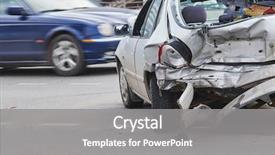
 Presentation with traffic accident - Amazing presentation design having traffic - car crash accident on street backdrop and a gray colored foreground

Car Crash Accident Street Damaged

Imagine you're standing in the midst of a city on a sunny day, surrounded by damaged automobiles and debris scattered all over the street. The sound of sirens can be heard in the background as emergency responders rush to the scene. High resolution images featuring dramatic car crashes and accidents are available for your download, making it easy to enhance with animations and transitions. The Wide Title template is designed specifically for presentations that require a high level of attention and visual interest. This Widescreen format is perfect for showcasing complex ideas or highlighting key points in your presentation. The Cornflower Blue color palette provides a calming yet striking background that sets the tone for a professional looking presentation. With this template, you can create engaging and informative content that will captivate your audience. This template is ideal for insurance related presentations, with keywords such as "damage," "repair," and "auto" included to cater to various industries. The city theme ensures that your slides are relevant to real world scenarios, making it easy to include background images and videos featuring cars in motion or stopped on the side of the road. Featuring high resolution car crash accident footage on our backgrounds, this template will give you an idea of what it's like to navigate through a crowded highway after a collision. The 3 Column Layout slide is perfect for including key statistics, graphs, and images that complement your text. You can include a background with animated text effects, having a theme of dynamic visuals and interactive elements to keep your audience engaged. Having a clear structure and organization will enhance the overall presentation flow. This template includes four How To slides at the start of your deck, providing a solid foundation for getting you up and running quickly. The images included in this template are high resolution and feature dramatic car crashes, making it easy to create engaging and informative content that showcases complex ideas.

 Presentation with traffic accident - Slides having two car crash accident background and a gray colored foreground

Two Car Crash Accident Road

Imagine yourself standing in front of a split screened road, with one side featuring the wreckage of a car crash and the other showcasing the aftermath, as the sound of sirens echoes through the air. The visuals are so intense that it's impossible not to feel a sense of danger emanating from the scene. The Split Title template is designed for creatives who want to make a lasting impression with its high resolution images and sleek design. This Widescreen template features a Medium Aquamarine color palette, giving it a calming yet striking look. The background image is beautifully rendered in 4K resolution, creating an immersive experience that will leave your audience engaged. The Split Title theme combines insurance, damage, repair, auto, and dangerous keywords to convey the importance of these topics. With its bold typography and contrasting colors, this template will enhance your presentation's message and grab attention instantly. Featuring a prominent "Insurance Damage" graphic on the left side of the slide, you'll be sure to include it in your design. Including a Background With high contrast background images, such as the one featuring the car wreckage, will have a significant impact on your audience's perception of the scene. Having a Theme of sleek visuals with clean lines and minimal clutter will give your presentation an enhanced look that is both modern and professional.

 Presentation with traffic accident - PPT layouts consisting of collided cars after terrible accident background and a gray colored foreground

Crumpled Broken Hoods Two Collided

A dramatic and intense image of two cars crumpled and broken hoods colliding in the middle of a darkened street, set against a deep dark salmon background that seems to glow in the dim light, inviting you to get straight to the point and dive into the world of insurance auto accidents. The high resolution images for the background provide a clear visual representation of the intense scene, with sharp details that will leave your audience's eyes glued to the screen. The Dark Salmon color palette is a masterstroke, evoking feelings of danger and urgency. It's the perfect blend of sleek sophistication and edgy realism, setting the tone for an emergency themed presentation that will keep your audience on edge until you're done. This template features high resolution images for the background and has a clear and simple design that's easy to navigate. The template color palette is Dark Salmon, which provides a dramatic backdrop for any content. To enhance the overall experience, consider adding some Chart with Caption Layout elements to create a visually appealing slide that incorporates charts and graphs with clear captions. For example, you could use this slide to include data on auto insurance claims, such as accident frequency or average payout per incident. This would feature, including a Background With, Having a Theme of Insurance and Accidents. Having a theme of danger is perfect for an emergency themed presentation, and the Dark Salmon color palette will help to create a sense of urgency that will keep your audience engaged until you're done.

 Presentation with traffic accident - Audience pleasing presentation theme consisting of two drivers arguing after traffic backdrop and a ocean colored foreground

Two Drivers Arguing Traffic Collision

As you click on "Get Started" with our Wide Title template from CrystalGraphics, imagine two drivers standing side by side in the middle of a crowded highway, their faces etched with frustration as they argue over who is at fault after a traffic collision. The background features a high resolution image of a damaged car, with dents and scratches visible on its sleek exterior. The Steel Blue color palette dominates the design, evoking a sense of trust and reliability. The template is specifically formatted for Widescreen presentation, providing an immersive experience for your audience. Featuring a clean and modern look, this template includes keywords like insurance, damage, dented, repair, and two people, ensuring that it meets your needs. Having a theme of "Getting Started" or "Getting Going", the template provides a solid foundation for any presentation. The 4 How To slides at the start of the deck are designed to help you quickly get up and running with your new template. These slides provide valuable guidance on how to use the template, from downloading it to customizing it to fit your specific needs.

 Presentation with traffic accident - Cool new slides with traffic accident - night city from the car backdrop and a ocean colored foreground

Night City Car Back View.

The cityscape at night, its darkness punctuated only by the faint glow of neon lights and the soft hum of cars whizzing by. The Wide Title font, with its bold and modern design, dominates the screen as it flashes across the top of the slide in dynamic blue letters that seem to dance across the surface. The Dark Goldenrod color palette is a masterstroke, evoking the rich tones of a city under the stars. As you scroll through the template, you'll notice high resolution images for each background, creating an immersive experience that draws you into the world. This template is specifically designed to showcase your creativity and flair, with a focus on speed and simplicity. The Two Content Layout slide allows you to incorporate multiple elements in a visually appealing way, creating a rich texture that adds depth to your presentation. Featuring a beautiful image from our website, this layout showcases a stunning view of the city at night, set against a backdrop of towering skyscrapers and bustling streets. The template is downloadable and compatible with Google Slides, making it easy to incorporate into your workflow. With its modern design and rich color palette, you'll be able to enhance your presentation with ease. Adding a Background With element featuring a high resolution image from our library will really bring this night city scene to life. Having a theme of showcasing the beauty of urban landscapes makes this template perfect for anything from business presentations to marketing campaigns. As you work through the How To slides at the start of the deck, you'll learn how to use these features in practice, helping you to get up and running quickly with minimal fuss. With its high resolution backgrounds, easy to use templates, and comprehensive support, this template is an ideal choice for anyone looking to elevate their presentation game.

 Presentation with traffic accident - Audience pleasing theme consisting of trailer car crash smash accident backdrop and a seafoam green colored foreground

Lorry Trailer Car Crash Smash

As you step into the world of insurance and auto, where accidents can happen at any moment, imagine yourself in the midst of a high speed chase, dodging debris and rushing towards an emergency your car is on the verge of ditching the road. The sounds are deafening as wheels screech against the asphalt, and sparks fly from the collision site. In this world of high stakes driving, it's essential to stay focused and alert. That's why we've designed a template that captures the intensity of these situations with a focus on insurance, auto, ditch, emergency, and freight transportation. The Wide Title design is perfect for those who want to make a statement. Widescreen format means you'll be taking up the entire slide, giving your audience a clear view of what's happening in the scene. Our Light Blue template color palette brings a calming element to this high energy setting, creating a sense of serenity amidst chaos. High resolution images for the background will transport you straight into the action, featuring dramatic car crashes and treacherous road conditions. You can choose from 4 How To slides that'll have you getting up and running quickly, but we won't reveal them just yet they're waiting to be unleashed on your audience. The template is downloadable and compatible with Google Slides, making it easy to edit and customize within the platform. When creating your deck, consider including a Background With section featuring a stunning image of a winter road stretching out into the distance. Alternatively, you could have a Theme of insurance and auto transportation, with images of cars racing down the highway or traffic cones marking off accident zones. The 3 Pictures + Captions Layout slide is designed to showcase multiple elements at once, providing a visually appealing way to present information. This layout is Enhanced With images of cars getting out of an accident, emergency responders rushing onto the scene, and freight trucks hauling heavy loads down the highway all while maintaining a cohesive color palette. To take it to the next level, you could include a Background With slide featuring a dramatic car crash with flames and smoke rising from the wreckage. Or, you could have a Theme of insurance claims being processed, with images of forms being filled out and paperwork being signed

 Presentation with traffic accident - Colorful PPT theme enhanced with woman recovering after traffic accident backdrop and a  colored foreground

Woman Recovering Traffic Accident

As you create your healthcare professional PowerPoint template, think about how you can make a positive impact on the lives of women who have been through traumatic experiences such as traffic accidents. You could start by featuring inspiring stories of resilience and recovery, including images that highlight the importance of osteopathic care in helping patients regain their strength and mobility. The template you're working with is a 16:9 widescreen format, which will provide ample space for your images and text. The Royal Blue color palette is both soothing and attention grabbing, ensuring that your audience feels comfortable and informed. To enhance the overall look and feel of your slide, consider including high resolution images that feature women in various settings, from hospital rooms to outdoor spaces. When it comes to formatting, you can use "Typewriter" font styles for the text, with bold headings and a clear hierarchy of information. For example, you could title slides "Stage 1: Assessment", "Stage 2: Treatment", or "Stage 3: Follow up". This will help your audience quickly grasp the progression of the treatment process. In terms of layout, consider using the "5 Stages Pentagon Layout" to organize your content. This layout features five sections that mirror the stages of a medical treatment plan, with each section representing a different stage in the healing process. You could use images and text to illustrate each stage, such as "Acute Injury", "Initial Healing", or "Rehabilitation". The template is also designed to be downloadable and compatible with Google Slides, making it easy to share and customize. Including a background image with a subtle texture can enhance the visual appeal of your slides. Having a theme of recovery from injury will provide a cohesive look for all four How To slides that are at the start of the deck. Enhancements to this could include adding images or graphics related to osteopathic care, women's health, and disability awareness. For example, you could create an image of a woman sitting in a comfortable chair, looking relieved after treatment, with subtle details like a warm lighting effect or a few props that highlight her recovery journey. Alternatively, you could use a photo of a hospital room with a calming atmosphere, featuring images of patients being wheeled into the room

 Presentation with traffic accident - Audience pleasing PPT layouts consisting of healing bones - woman recovering after traffic accident backdrop and a lemonade colored foreground

Woman Recovering Traffic Accident

The screen fades in with a dramatic shot of a woman lying in a hospital bed, her leg wrapped in a white cast, looking up at the camera with a mixture of pain and determination. The sound of beeping machines and gentle whispers fills the background, creating an emotional and intimate atmosphere. A warm, soothing light emanates from the screen, putting the viewer at ease. The Wide Title "Recovery Begins" is emblazoned across the top in bold, Cornflower Blue font, with intricate details and textures that give it a 3D effect. The text wraps around the edges of the screen, creating a sense of movement and fluidity. The background is a high resolution image featuring a hospital room, complete with medical equipment, mirrors, and a white ceiling. The image is carefully crafted to evoke feelings of comfort, safety, and hope. As the viewer's eyes adjust to the bright lights, they can see the faint outlines of the woman's face, her features softened by the gentle glow. The template format Widescreen makes it easy to view the scene from any angle, whether it's the patient's perspective or the outside world through the hospital window. The high resolution images are crisp and clear, with sharp edges and vivid colors that make the scene look lifelike. In the Member Bio Layout slide, a simple, yet effective design features two sections: "About Me" and "My Story". On the left side, a short bio is written in a clean, Cornflower Blue font, while on the right, a brief story about the woman's recovery journey is told through a series of images and text. This layout makes it easy to scan and understand, while still conveying the importance of sharing your personal story. The template color palette Cornflower Blue is a calming and trustworthy color that exudes confidence and stability. It's perfect for projects where you need to convey a sense of reliability and support. With 4 How To slides at the start of the deck, users can quickly get up and running with their project. These slides feature simple, step by step instructions on how to incorporate the template into their presentation, making it easy to get started right away. The template is downloadable and compatible with Google Slides,

 Presentation with traffic accident - Presentation theme with phone calls after traffic accident background and a ocean colored foreground

Businessman Making Phone Calls Traffic

The scene is set before a high stakes business meeting with two clients, each representing a different insurance company. The tension in the air is palpable as they discuss the details of a major damage claim. Amidst the chaos, one person sits calmly sipping coffee, mentally preparing for the phone call that will decide their fate. The lights dim slightly, and an image appears on screen a businessman making a phone call to a colleague after a traffic accident has left him with significant damages. The design name is Wide Title, and it's a Widescreen template specifically tailored for presentations that require a sleek, modern look. This particular template features a steel blue color palette that exudes professionalism and sophistication. When opening the document, you'll be greeted by high resolution images of cars, traffic scenes, and even insurance documents all carefully curated to create an immersive atmosphere. The background itself is a seamless, high quality texture, allowing your slides to take center stage. As users delve into the template, they're sure to find four helpful How To slides that provide valuable shortcuts for getting up and running quickly on their preferred presentation software. For instance, including a Background With image of the traffic scene can enhance the overall visual appeal, making it easier to create engaging slideshows. Having an theme of modern and sleek design ensures your presentations cut through clutter and grab attention in today's crowded corporate landscape. Throughout this template, you'll notice carefully crafted hexagon layouts that provide ample space for inserting additional elements or graphics whether you need to add a call to action button or a bold headline. By adding these extra features, the template becomes more than just a pre made presentation; it becomes a dynamic tool that helps you convey your message with confidence and authority.

 Presentation with traffic accident - Colorful presentation enhanced with making phone call after traffic backdrop and a navy blue colored foreground

Driver Making Phone Call Traffic

As you step out of the wreckage of your car, amidst the chaos and damage, you're left wondering how to repair the broken situation. The cracked windshield, dented hood, and rusted wheels are just a few of the many problems that need attention. But don't worry, with Corner Title as your guide, you'll be able to tackle these issues quickly and confidently. Featuring high resolution images for dramatic effect, including a dramatic crash scene in the background, you can visualize your repair journey. The Sky Blue color palette provides a soothing and calming atmosphere, perfect for a dented car or damaged insurance claim. Having a theme of "Getting Back on Track" throughout the template ensures that each slide has a cohesive message, from the introduction to the final presentation. Enhanced with additional graphics and animations, this template is not only visually appealing but also easy to use. The Widescreen format provides an immersive experience, allowing you to explore the different slides at your own pace. The 4 How To slides at the start of the deck will get you up and running quickly, providing a clear roadmap for tackling insurance claims or repairing damaged vehicles. With Corner Title as your guide, you'll be able to navigate these complex processes with confidence, saving time and effort in the process. As you work through each slide, think about how you can make the most of this template. Featuring images that showcase different repair options or explaining the insurance claim process, you're sure to find valuable information to help you succeed. Having a theme of "Rebuilding Confidence" throughout, Corner Title will provide you with the confidence and motivation needed to tackle even the toughest challenges. The downloadable nature of Corner Title means that you can tailor it to your specific needs, making it an ideal solution for insurance companies or repair shops looking to enhance their branding and create engaging educational materials. With its Sky Blue color palette, high resolution images, and Widescreen format, this template is sure to make a lasting impression on your audience.

 Presentation with traffic accident - Slide deck with traffic accident resulting background and a ocean colored foreground

Traffic Accident Resulting Crushed Car

Imagine being faced with a scene that's as stark as a raw emergency alert on your phone: a crushed car, the damage visible in every detail shattered glass, twisted metal, and a driver desperately trying to escape. This is what the Wide Title template from CrystalGraphics looks like: a gritty, high resolution image of a wreckage, complete with distressed textures and sharp angles. The Slate Gray color palette provides a somber backdrop for this dramatic scene, while the accompanying text has been carefully designed to be as attention grabbing as possible. This template is perfect for presentations that require an urgent yet informative tone. The Widescreen format ensures that every detail of the scene is fully showcased on screen, from the license plate number and make of the car to the driver's frantic expression. Whether you're creating a safety presentation, a marketing campaign, or a training session, this template has got you covered. The Slate Gray color palette provides a neutral background for your text, while the accompanying keywords insurance, auto, emergency, body, danger give it an edge in terms of relevance and focus. The How To slides at the start of the deck will help you get up and running quickly, featuring clear instructions on how to use the template. Including a Background With this template is easy: simply drag and drop a high resolution image onto the slide, and it will automatically be inserted into the template. Having a Theme Of an Enhanced Slideshow With the template's distressed textures and gritty colors creates a visually striking presentation that's sure to grab attention. The Gears in Sync Layout on the main slide features a dynamic layout that showcases multiple elements at once in this case, a crashing car and a warning message about emergency vehicles. It's a great example of how a well designed template can help you create complex information into clear and concise pieces of content.

 Presentation with traffic accident - Slides enhanced with woman recovering after traffic accident background and a  colored foreground

Woman Recovering Traffic Accident

In a world where wellness and accessibility are top priorities, a visually stunning PowerPoint template is just what you need to convey your message. This design name Short Title embodies the essence of your template, which provides a supportive and uplifting experience for all users. This Widescreen template features a soothing Cornflower Blue color palette that exudes warmth and serenity, perfect for conveying a sense of helping others and promoting positive vibes. The Cornflower Blue is a calming hue that inspires feelings of trust and stability, making it an ideal choice for any presentation or poster. As you dive into your content, you'll notice the high resolution images for the background add a touch of realism to each slide, creating a visually engaging experience. The template includes four How To slides at the start of the deck to help you get up and running quickly, but don't worry too much about that for now. These slides will serve as a launching pad for your presentation. When it comes to layout, the Two Content Layout feature allows for flexibility and creativity. On one side, you'll see a prominent image or video showcasing the template's theme of supporting individuals with disabilities, while on the other side, you can include additional text or graphics highlighting key points about healthcare and wellness. This design choice enables you to showcase your message in a clear and concise manner, making it easier for your audience to grasp. This template is perfect for creating engaging content that includes images such as a woman recovering after a traffic accident, featuring high quality photos of happy and healthy people participating in sports or engaging in outdoor activities.

 Presentation with traffic accident - Audience pleasing presentation design consisting of phone call after traffic accident backdrop and a teal colored foreground

Driver Making Phone Call Traffic

Presentation design consisting of driver making phone call after traffic accident

 Presentation with traffic accident - Beautiful presentation design featuring phone call after traffic accident backdrop and a violet colored foreground

Driver Making Phone Call Traffic

Imagine driving home from a long day at the office only to be met with the shocking sight of your car being dented and damaged in a terrible traffic accident, leaving you wondering how you're going to repair it on your own. This is just one scenario that could unfold when someone reaches for their phone to call an insurance expert, but instead gets an unexpected surprise a 17 year old's road rage driving skills. The Corner Title template is designed to take you on this journey of navigating through the complex world of car damage and insurance claims. With its sleek and modern design, featuring Sky Blue as the primary color palette, you'll be transported to a world where worries about repair and damage are all part of the equation. In Widescreen format, the template provides an immersive viewing experience, ensuring that every detail is showcased in stunning clarity. Whether it's 17 high resolution images for the background or intricate details on the template itself, this template has everything you need to create a polished and professional presentation. This template is not just about presenting information; it's also about telling a story one of frustration, anxiety, and ultimately, hope. The Puzzle Pieces Layout slide is where things get really interesting, featuring an image of a puzzle with several pieces missing, symbolizing the challenges that arise when trying to repair something on your own. This template is downloadable and compatible with Google Slides, ensuring that you can easily share it with others or use it as a foundation for your own presentation. With its comprehensive features and enhanced visuals, this template has everything you need to create an engaging and informative slide deck that's sure to leave a lasting impression.

 Presentation with traffic accident - Amazing theme having female-traffic-police-officer-taking backdrop and a sky blue colored foreground

Female Traffic Police Officer Taking

As you begin your presentation on insurance and road safety, imagine yourself standing in front of a dramatic scene featuring a female traffic police officer taking photos on her mobile phone at the side of the road after a devastating car accident. The warm light of the setting sun casts a golden glow over the entire scene, highlighting the importance of road safety and the role that individuals like this police officer play in enforcing it. The Corner Title template is designed to grab your audience's attention from the very start, with its sleek and modern design featuring a bold, light steel blue color palette. The high resolution images for the background will transport you and your viewers to a world of safety and security, while the downloadable and compatible with Google Slides format ensures that your presentation can be shared easily. As you delve into the details of insurance and road safety, this template is perfect for showcasing the importance of two key aspects: motorist behavior and evidence collection. Featuring a prominent image of a woman in a police uniform, this slide includes a background with a subtle texture to enhance the theme of law enforcement. Having a clear call to action on each slide will keep your audience engaged and informed. The template is also enhanced with a Bulb Puzzle Layout that adds visual interest to key points such as "High Resolution Images" and "Downloadable". This layout allows for easy navigation through the presentation, making it simple for viewers to find the information they need.

 Presentation with traffic accident - Presentation featuring phone call after traffic accident background and a tawny brown colored foreground

Teenage Driver Making Phone Call

Presentation featuring teenage driver making phone call after traffic accident

 Presentation with traffic accident - Audience pleasing presentation consisting of making phone call after traffic backdrop and a ocean colored foreground

Female Driver Making Phone Call

As you take the reins in your presentation, consider starting with a sentence that demands attention: "The road to success begins with a clear vision and we're excited to help you deliver on that promise." This design name, Wide Title, sets the tone for a comprehensive and informative slide deck that's perfect for insurance companies, car repair shops, or any organization looking to showcase their expertise in auto accidents. Our Widescreen template is designed to provide an immersive experience for your audience, featuring high resolution images for background elements and a rich color palette that lends itself to dramatic storytelling. The Dark Slate Blue theme provides a sophisticated backdrop for showcasing the latest developments in auto repair and insurance, while our keywords high quality content creation, data driven insights, automotive expertise will resonate with your target audience. With four How To slides at the start of the deck, you'll be able to get up and running quickly, from setting up your presentation to sharing valuable takeaways. But don't worry about getting bogged down in details we've got you covered. Featuring a beautiful background image of a car repair shop, or having a theme of showcasing expert automotive advice our template has everything you need to deliver a compelling narrative. As for the Our CRystal Clear Goal slide, imagine it as your company's mission statement: "To empower individuals and businesses with accurate information about auto repairs and insurance claims, providing them with confidence in their decisions." Having a clear vision of what you're trying to achieve will be evident throughout this template, making it an invaluable resource for any organization looking to convey their unique value proposition.

 Presentation with traffic accident - Theme featuring traffic-barrier-on-bridge-highway background and a tawny brown colored foreground

Traffic Barrier Bridge Highway Road.

The cityscape stretches far and wide, a steel blue horizon meeting the horizon above. In this Widescreen template, Wide Title dominates the design, with a bold font that screams "look at me". The Steel Blue color palette is used to create a sense of trustworthiness and professionalism, perfect for conveying a message about highway safety. The High Resolution images featured in the background add depth and visual interest, while the Industrial City Background gives the template an authentic feel. This cityscape is complete with guardrails and a freeway that stretches far into the distance. This Widescreen template is designed to be seamless with Google Slides, making it easy to integrate into your presentation workflow. With four How To slides at the start of the deck, you can get up and running quickly: Featuring High Resolution Images for an Instant Boost, Including a Background With Steel Blue and Guardrails in the Template; Having a Theme of City Safety Features; Enhanced With Industrial Style Elements. The template is downloadable and compatible with Google Slides, allowing you to easily share it with your audience. Whether you're presenting traffic safety measures or highlighting the importance of industrial cities, this Widescreen template has got you covered.

 Presentation with traffic accident - Audience pleasing presentation consisting of phone calls after traffic accident backdrop and a ocean colored foreground

Two Drivers Making Phone Calls

As you sit in traffic, your mind starts racing with questions who's responsible for the damage to my car? And more importantly, who will repair it? In this stressful moment, it's easy to get caught up in the emotional turmoil of the situation. The thought of being stuck on the side of the road while someone else takes the fall can be daunting. But what if you could take control and have a plan in place? That's where this Split Title template comes in featuring a soothing Dodger Blue background, it provides a calming atmosphere to help you focus on resolving the issue at hand. The template is formatted for widescreen use, perfect for displaying high resolution images from Google Slides. The Dodger Blue color palette gives off a sleek and professional vibe, while the insurance themed keywords (including 'damage', 'dented', and 'repair') add an extra layer of relevance. Each section is carefully designed to incorporate these elements seamlessly. The template includes four valuable slides at the start of the deck Featured Image: A serene landscape with two drivers exchanging a worried glance; Section Header Layout Slide: A clean and simple design that highlights key information about the problem, including relevant details and statistics; How To Slide 1: A step by step guide to getting started with insurance claims; and How To Slide 2: Tips for negotiating with your insurer. Each slide is designed to enhance understanding and engagement in a clear and concise manner. This Split Title template can be easily downloaded and used on Google Slides, making it the perfect solution for creating an informative and engaging presentation about insurance claims and repairs. Its clean design and attention grabbing imagery make it stand out from other templates, while its compatibility with high resolution images ensures that your content looks professional and polished.

 Presentation with traffic accident - Amazing theme having insurance claims - worried female driver sitting backdrop and a ocean colored foreground

Worried Female Driver Sitting Car

The sun sets over a cityscape with a single car stuck in the midst of a traffic jam, its headlights illuminating the worried face of a female driver who has just witnessed an accident. The scene is set against a warm, earthy tone background that evokes feelings of comfort and familiarity, perfect for a insurance damage claim template. This Wide Title template features a stunning high resolution image of a car damaged in an accident, carefully crafted to grab the attention of the viewer. The Sienna color palette provides a rich, natural look that complements the theme of repair and auto. The background images are woven throughout the template, creating a seamless integration with the surrounding design. From its initial download, this template is easily accessible on Google Slides, allowing users to customize it to fit their needs. With 4 quick to use How To slides at the start of the deck, getting started can be as simple as navigating through the interface and clicking through to the desired slide. The 5 Steps to Success Layout provides a clear structure for showcasing the template's features, including its enhanced theme and comprehensive design. As an example, this template could be used for a claimant who needs to document their damaged car in order to file an insurance claim. By featuring a clear, easy to read layout that highlights the key steps involved in the repair process, this template provides a valuable resource for anyone seeking assistance with auto damage claims.

 Presentation with traffic accident - Presentation theme featuring insurance - teenage driver making phone call background and a light blue colored foreground

Teenage Driver Making Phone Call

In the aftermath of a devastating traffic accident, the driver's mind is filled with the daunting task of repairing the damage to their vehicle and restoring it to its former glory. As they sit in stunned silence, waiting for help to arrive, their phone rings with an urgent message from an insurance representative informing them that their coverage will be reduced due to the extent of the damage. The driver's eyes widen in horror as they realize the true extent of the repair needed, and the financial burden it will place on their family. The background image features a dramatic photo of a dented car parked outside a cracked windshield, with the tagline "Rebuilding Hope" emblazoned across the top. As you begin to explore this template, you'll notice the intricate details that make up the Template Color Palette Olive inspired hues bring a sense of warmth and coziness to your presentation. The Wide Title feature will guide your audience through the process with ease, using an eye catching font to highlight the key points. The accompanying Content with Caption Layout slide provides a clear and concise overview of the steps involved in repairing your vehicle, including high resolution images for added context. This template is not just for insurance companies, but also for anyone looking to improve their auto repair skills, from car owners to mechanics. With its comprehensive design features, Featuring a clean and modern layout that's easy to navigate, Including a Background With stunning images of damaged cars, having a theme of "Repair and Recovery" at the heart of it all. The Enhanced With option would allow you to add a dynamic background image that changes depending on your slide perhaps an illustration of a car being rebuilt or restored to its former glory. With this level of customization, you'll be able to create a truly unique and engaging presentation that leaves a lasting impression on your audience.

▼Key features of this template

  • They are compatible with both PowerPoint and Google Slides running on either Windows PCs or Macs.

  • They are available in both standard and widescreen slide formats. You can choose your preferred format by clicking on the "Widescreen" check box or icon.

  • Each template includes a beautiful high-resolution background image or video to visually reinforce the theme of your presentation.

  • In addition, each template includes designer-created graphics and modern fonts to give your presentations an up-to-date, professional look.

  • Each template's default design and title text position have been carefully selected to complement its background without covering faces or other key elements.

  • All text includes backdrops whose transparency level is mathematically calculated to maximize text readability while still allowing the background to be seen.

  • And all the text, text backdrops and graphics in every slide are colored with a palette designed to beautifully complement the colors in the background.

  • Our Premium templates (those with the descriptor “Premium” in their subtitle) include over 64 slide layouts to give you maximum flexibility as you create your presentations.

    • Those layouts are available to you whenever you create a new slide or when you want to change the layout of an existing slide.
    • They include everything you need to make all sorts of presentations. In addition to the layouts for the title slide and the usual title and content slide, they include many other layouts for slide types including table of contents slides, org charts, charts, diagrams, infographics, photo slides, thank you slides and more.
    • While creating these layouts our template designers have ensured that all text in every layout adjusts as gracefully as possible to various numbers of words.
  • Customizable templates (those with the descriptor “Customizable” in their subtitle) may be easily modified online before you download them.

    • To modify them, simply click on the pencil editing icon, then select your choice of ready to go designs and title text positions.
    • The editing tool also makes it easy to reposition and scale the background image or video to best suit your needs.

▼FAQs

Please review these FAQs to see if your question is answered. Contact us for more info

  • What is a PowerPoint template?

    • A well designed PowerPoint template is a file that can tell PowerPoint how to make your ordinary templates look extraordinary. They won’t change what your words or numbers say. But they might change their size, color, font and placement. And, overall, they can give your presentations a professionally-designed look that will give your content more credibility and give you more confidence.
  • How many PowerPoint templates do you offer?

    • We have over 32,000 artist-created presentation templates in our PowerPlugs collection With a subscription, PowerPlugs templates are easy to download. Just sign in, find a template and click on the green Download button. ready for you to download. That alone offers you more variety to choose from than any of our competitors can offer. And, as if that weren’t enough, we also offer over 6 million templates in our Crystal collection. Crystal brand templates are our line of templates that have customization options. They have the word "CRYSTAL" on their web page images. You can customize several aspects of the templates. These templates include high-resolution background images from Shutterstock’s vast image collection matched up with artist-created presentation designs customized by our own proprietary AI software.
  • How many templates can I download as a subscriber?

    • You can download an unlimited number of PowerPlugs-brand With a subscription, PowerPlugs templates are easy to download. Just sign in, find a template and click on the green Download button. templates every day for an entire year. (Actually, by default, we set a limit of 25 templates per day to prevent our competitors from stealing our templates. But, if that is not enough, just let us know and we’ll try to accommodate you.) On top of that, with a subscription or an Ultimate Combo, you can also download any 50 Crystal-brand Crystal brand templates are our line of templates that have customization options. They have the word "CRYSTAL" on their web page images. You can customize several aspects of the templates. templates per year selected from our huge Crystal collection. Crystal brand templates are our line of templates that have customization options. They have the word "CRYSTAL" on their web page images. You can customize several aspects of the templates. .
  • Why should I choose your templates instead of the competition’s?

    • We’ve got a larger selection of professionally-designed PowerPoint templates than anyone else in the world.
    • Each template includes a high-resolution background image or video to visually inspire your audiences while reinforcing your message.
    • Each template includes 64 slide layouts to give you maximum flexibility as you create your presentations.
    • Our templates are available in both standard and widescreen slide formats. And our website lets you preview the slides each way.
    • Our free Template Finder™ plugin lets subscribers select and - with a single click - download and insert our templates into their presentations right from within PowerPoint.
    • We’ve been creating designer presentation templates for over 20 years. During that time we’ve won several awards and 5-star ratings for product quality. See About Us for more.
  • Do you offer a money-back guarantee?

    • Yes we do! We offer full 30-day money-back guarantee if you are not 100% satisfied with your purchase.
  • Can I still use my downloaded templates after my subscription runs out?

    • Yes. After your subscription expires, you won't lose any rights or ability to use your PowerPlugs: Templates for PowerPoint. You won't be able to download any new non-watermarked templates. But the non-watermarked templates you've already downloaded will still work and you can still use them as before.
  • Can I share my downloaded templates or passwords with friends or coworkers?

    • Sorry but no. You are authorized to download each paid-for template to up to 3 of your personal devices and to use the templates you download in as many presentations as you want. But you are not authorized to share the templates, themselves, with others. That said, we do offer highly discounted site licenses to suit the needs of both small and large teams. Just tell us your needs and we’ll give you a quote!
  • System requirements:

    • The templates use the standard POTX format. So they are compatible with Google Slides and all PC, Mac and mobile devices running any version of PowerPoint from PowerPoint 2007 up through and including Office 365 desktop.
    • Please note: Google Slides does not currently support background videos. It treats them as still images.
    • For PowerPoint for the Web, first open your template into a desktop version of PowerPoint, then save it back out as a PPTX file. Then you can open that in PowerPoint for the Web.
  • End user license agreement:

    • Click here to view.
  • How will I get my purchased templates?

    • You may download your selected templates as soon as your payment is received by PayPal. If you purchased an individual template, you will be provided with a download link both onscreen and via email. Just click on that link to begin the download process. If you purchased a subscription, you will receive an email containing a password to use along with your email address to sign in to any of the templates pages on CrystalGraphics.com. Once you are signed in, you can immediately start downloading your selected templates.
  • How do I use my templates after I download them?

    • You can either open a template to start a new presentation or you can add a template to an existing presentation. To open a template, just double click on it or use PowerPoint's File > Open tool. To add a template to an existing presentation, on the Design tab, in the Themes group, click Browse for Themes... then browse to select your template.

View more Traffic Accident templates:

previous 1 2 3 4 5 6 next
93% of Fortune 1000
companies use our
PowerPoint Products
Templates Secure

Standing Ovation Award
Winner: Best PowerPoint
Template Collection
Fortune Logos
200,000+ satisfied
customers worldwide!
Guarantee
100% satisfaction guaranteed
- or send it back for a refund!

Sign up for our free newsletter! You'll get news about our PowerPoint-enhancing product line – including free updates, new product announcements and exclusive special offers. Plus you'll get a link to a free PowerPoint template with every newsletter you receive.
Privacy Policy
Loading...


Help

Contact Us
Product FAQs
Product License Agreements

Company Info

About Us
Privacy Policy
CrystalGraphics, Inc. 1999 S. Bascom Avenue Suite 700 Campbell, CA 95008 USA
© 2026 CrystalGraphics, Inc. All rights Reserved.    |     PowerPlugs is a trademark of CrystalGraphics, Inc.
Microsoft and the PowerPoint logo are trademarks or registered trademarks of Microsoft Corporation in the United States and/or other countries.
Loading...
Loading...