www.crystalgraphics.com CrystalGraphics
  • Ultimate Combo
  • Templates
  • Diagrams
  • Characters
  • Quizzes
  • shopping cart
  • Sign Out Sign Out Sign In
Home > Templates > Traffic > Traffic Road Category
search icon
advanced icon

235 Best Traffic Road-Themed Templates for PowerPoint and Google Slides

CrystalGraphics creates templates designed to make even average presentations look incredible. Below you’ll see thumbnail sized previews of the title slides of a few of our 235 best traffic road templates for PowerPoint and Google Slides. The text you’ll see in in those slides is just example text. The traffic road-related image or video you’ll see in the background of each title slide is designed to help you set the stage for your traffic road-related topics and it is included with that template. In addition to the title slides, each of our templates comes with 17 additional slide layouts that you can use to create an unlimited number of presentation slides with your own added text and images. And every template is available in both widescreen and standard formats. With over 6 million presentation templates available for you to choose from, CrystalGraphics is the award-winning provider of the world’s largest collection of templates for PowerPoint and Google Slides. So, take your time and look around. You’ll like what you see! Whether you want 1 great template or an ongoing subscription, we've got affordable purchasing options and 24/7 download access to fit your needs. Thanks to our unbeatable combination of quality, selection and unique customization options, CrystalGraphics is the company you can count on for your presentation enhancement needs. Just ask any of our thousands of satisfied customers from virtually every leading company around the world. They love our products. We think you will, too!

Features & Pricing

Widescreen (16:9) Presentation Templates. Change size...

 Presentation with traffic road - PPT theme having automobile - street traffic in hong kong background and a navy blue colored foreground

Street Traffic Hong Kong Night.

As you sit in your office at rush hour, the lights of towering skyscrapers reflect off the wet pavement like a mirage on a summer day, beckoning you to come closer and unlock the secrets within. The Goldenrod template design shines bright, evoking the warmth of a sunset over Hong Kong's bustling streets at night. This Wide Title template is perfect for anyone looking to elevate their presentation with the cityscape of Hong Kong as the backdrop. With its 16:9 Widescreen format, you can easily incorporate high resolution images of the iconic buildings, such as the Bank of China Tower or the International Commerce Centre, into your design. Featuring a beautiful blend of warm golden tones and sharp black lines, this template is sure to make a statement. A call to action beckons, "Get started with our 4 step guide below to get up and running quickly." But before we dive in, let's talk about the Panoramic Picture Layout slide where you can place your high resolution image of Hong Kong's skyline, perhaps featuring the majestic Victoria Harbour or the majestic Temple Street Night Market. Having a theme of showcasing a specific aspect of the city, such as its transportation system or nightlife scene, this slide will help reinforce your message and make it more engaging for your audience. With the Goldenrod template color palette, you can easily include a Background With warm golden tones that evoke feelings of luxury and sophistication. Having a theme of enhancing your presentation with stunning visuals, this template is sure to take your slides from ordinary to extraordinary.

 Presentation with traffic road - Slides having female-traffic-police-officer-recording background and a coral colored foreground

Female Traffic Police Officer Recording

Imagine a scene where a female traffic police officer sits at her desk, focused on her mobile phone as she records the details of a road traffic accident in vivid high resolution images. The office is adorned with bright yellow and green hues, giving it a cheerful and professional atmosphere. A wide screen display is set up with a large screen displaying a detailed diagram of the accident scene. As you delve into this template, you'll notice that it's designed to be both visually appealing and easy to use. The Widescreen format ensures that everything appears sharp and clear on even the largest screens, making it perfect for presentations. The Yellow Green color palette adds a pop of color and energy to the design, while the female figure of the traffic police officer serving as a guide emphasizes the importance of safety. The template features high resolution images for the background, which can be enhanced with images of city streets, police stations, or other related graphics. This ensures that the image is not just a static backdrop but an active element that tells the story. The keywords included in this design are "insurance", "two people", "motorist", and "making notes" all of which can be featured in different slides to add context. As you explore this template, you'll notice the five P's of Marketing Diagram Layout slide at the start of the deck. This slide provides a clear structure for your presentation, helping you organize your thoughts and ideas in a logical and coherent manner. By including a background with images and having a theme of safety, you can create an engaging and informative presentation that resonates with your audience. This template is easy to download and compatible with Google Slides, making it perfect for creating presentations on the go. Whether you're using this template as a starting point or as inspiration for your own design, you'll find that it enhances your content with its unique blend of style and functionality.

 Presentation with traffic road - Slides with transportation - traffic on road and buildings background and a coral colored foreground

Traffic Road Buildings Beijing

Imagine walking through the bustling streets of Beijing's city center, surrounded by towering skyscrapers and bustling traffic, the sound of honking horns and chatter filling the air as you make your way to your destination. The warm Dodger Blue color palette brings this scene to life, evoking a sense of energy and vitality. The Corner Title design features a clever combination of typography and graphics, with bold fonts and subtle animations that add depth and visual interest to the overall design. The high resolution images for the background are sure to impress, providing a clear and crisp representation of the cityscape. Featuring an included background image, this template is perfect for anyone looking to enhance their presentation with a professional looking title slide. The content layout slide allows you to customize the text and graphics to fit your specific needs, making it easy to create a unique and engaging visual presentation. Having a theme of smart, this design incorporates modern elements such as Smart Office and Downtown Beijings iconic landmarks into the template, ensuring that your presentation stays on brand throughout. Whether you're looking to showcase the beauty of Beijing's skyline or highlight the city's rich history and culture, this template is sure to impress. With its sleek Dodger Blue color palette and high resolution images, it's the perfect choice for anyone looking to create a professional looking presentation.

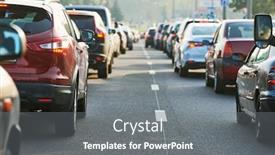
 Presentation with traffic road - A lot of traffic on the road

City Traffic

A lot of traffic on the road

 Presentation with traffic road - Patterned depiction of urban traffic with cars on two road sides and buildings

Transportation

Patterned depiction of urban traffic with cars on two road sides and buildings

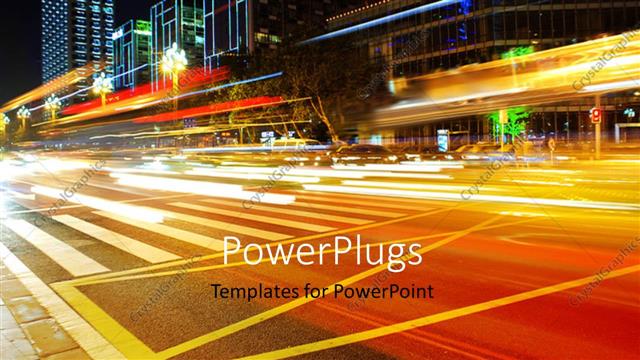
 Presentation with traffic road - Slide set with momentum - motion blurred city road traffic background and a ocean colored foreground

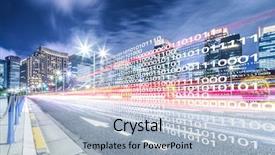
Motion Blurred City Road Traffic (

The night sky is set ablaze as city lights dance across the horizon, casting a warm glow on the landscape. The sound of distant traffic hums through the air, punctuated by the occasional flash of red brake lights as cars speed by. It's a scene that's both mesmerizing and overwhelming, a kaleidoscope of color and movement that's impossible to look away from. The Corner Title template is a stunning showcase of teal perfection, with high resolution images for every corner of this immersive display. From the deep blues and greens that evoke the mystery of the night sky to the vibrant reds that pulse like life itself, each element is carefully selected to create a truly captivating atmosphere. And it's not just the visuals that make this template stand out its sleek design language adds an extra layer of sophistication, making it perfect for corporate presentations or anything in between. As you delve deeper into the Corner Title template, you'll find that it's got some serious wow factor built in. With four How To slides to get you started quickly, you'll be up and running in no time. And with its downloadable compatibility on Google Slides, you can easily integrate this template into your workflow. But what really sets Corner Title apart is its ability to enhance any presentation with a theme of sleek sophistication. Featuring high quality images that rival those found on the web, Including a Background With expertly curated visuals that bring your message to life, and Having a Theme of timeless elegance that will leave a lasting impression this template truly delivers. The Member Bio Layout slide is where things get really interesting. As you glance over at this beautifully crafted section, you'll notice that it's not just a simple bio no way. It's a stunning showcase of teal perfection, with each word and image carefully selected to create a truly captivating narrative. From the subtle gradients and textures that add depth to the design to the clever use of whitespace to separate words and images, this is a Member Bio Layout slide that will leave you in awe. With its rich colors, intricate details, and sophisticated design language featuring high resolution images, expertly curated visuals, and a sleek layout that's perfect for corporate presentations or anything in between Corner Title truly has it all

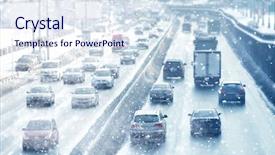
 Presentation with traffic road - Amazing PPT theme having automobile - traffic jam in a city backdrop and a light blue colored foreground

Traffic Jam City Street Road

The city's once thriving main street has now become a congested nightmare, with cars and trucks snarling around the central intersection as they wait to turn onto the main road. The air is thick with pollution, and the sound of horns blaring fills the air. It's a scene that's both familiar and disturbing, one that highlights the devastating consequences of unchecked auto emissions and neglect. In this context, our template design, "Wide Title", takes shape as a dramatic rendering of a traffic jam in a city street road. Its sky blue background stretches across the screen, evoking a sense of calm before the chaos erupts. With a subtle gradient effect, the images are enhanced with textures to give them depth and dimension. The 5 x 5 Org Chart Layout slide is an essential component that provides a clear structure for your presentation. Featuring a simple grid layout, it includes key roles, departments, and teams listed in a concise manner. Including a background image of a cityscape adds visual interest, while having a theme of "Organizational Efficiency" reinforces the idea of streamlining processes. This template is downloadable and compatible with Google Slides, making it easy to import into your presentation software. With its horizontal design, it's perfect for presentations that require a more laid back feel. Having a theme of "Data Driven Insights" makes it an excellent choice for use cases involving statistics and research findings.

 Presentation with traffic road - Colorful presentation design enhanced with roundabout crossroad road traffic sign backdrop and a teal colored foreground

Roundabout Crossroad Road Traffic Sign

In the heart of bustling city streets, a vibrant and dynamic powerpoint template awaits your creative touch Corner Title. This stylish design combines stunning high resolution images with modern functionality to elevate your presentations to new heights. Corner Title is specifically tailored for widescreen compatibility, making it perfect for use on desktops, laptops, or any device that demands a seamless viewing experience. The Steel Blue color palette provides a professional and trustworthy atmosphere, ideal for conferences, meetings, and brainstorming sessions. The template features four How To slides to help you get up and running quickly featuring a step by step guide to customizing the layout, incorporating a background with your brand's image, having a theme of corporate sophistication, and enhanced with animations. These slides will give you a solid foundation for creating engaging presentations that capture your audience's attention. The 3x3 Organ Chart Layout slide is a versatile tool that can be used to organize your content in a clear and concise manner. With three columns, it's perfect for displaying multiple elements such as titles, bullet points, and images in an easily digestible format. This layout can also help you create a clear hierarchy of information, making it easier to scan and understand. Corner Title is available for download on Google Slides, ensuring compatibility with this popular presentation software. The template includes four slides to get you started quickly from the main slide to the footer, each one plays a crucial role in creating a cohesive and professional looking presentation.

 Presentation with traffic road - PPT layouts having burj khalifa - dubai skyline during sunrise background and a ocean colored foreground

Dubai Skyline During Sunrise Shining

The world of presentation design has never been more stunning with CrystalGraphics offering you Wide Title templates that bring your ideas to life. Start your journey by exploring their Widescreen template format, ideal for showcasing high resolution images and creating immersive experiences. This template is carefully crafted to transport your audience into the heart of Dubai's breathtaking skyline during sunrise, evoking a sense of awe inspiring grandeur with every slide. Featuring stunning steel blue backgrounds that evoke feelings of luxury, this template incorporates a striking aerial view of one of the world's most iconic buildings, including the Burj Khalifa. The high resolution images used as the background are truly breathtaking, lending an authentic touch to your presentation. The Steel Blue color palette provides a harmonious and modern foundation for your content, while seamlessly integrating with Emirates themed elements that add depth to your overall design. With a professional feel, this template is sure to enhance any presentation or slideshow you create, including a Business Meeting or Conference using Google Slides.

 Presentation with traffic road - Beautiful presentation theme featuring automobile - traffic jam or collapse backdrop and a gray colored foreground

Traffic Jam Collapse City Street

Imagine being stuck in a sea of steel blue traffic, with cars crawling along like a mechanical snake, their headlights illuminated by the harsh glare of your phone screen as you try to navigate through the congested streets. The air is thick with the stench of pollution and the sound of screeching tires fills the air, making it hard to focus on anything else except the frantic movement around you. This is what a city street looks like during rush hour chaotic, tense, and filled with potential dangers. This template is designed for those who want to take control of their presentations and turn them into a visual representation of this intense scene. The "Short Title" can be any title that reflects the theme of your presentation, from "Traffic Jam" to "City Streets". The "Widescreen" format ensures that all elements are showcased at once, creating a immersive experience for the viewer. The template is set on steel blue background images that will enhance the pollution and danger feeling. Featuring high resolution images for the background, this template is downloadable and compatible with Google Slides. With a focus on auto features and fuel like imagery, you'll be able to create presentations that are full of energy and tension. The "Danger" keyword will undoubtedly grab your audience's attention, making it perfect for business or marketing presentations where you need to convey the importance of safety and caution. In addition to these keywords, the template includes a few additional words to enhance its theme including a background with images of traffic lights, speeding cars, and emergency vehicles.

 Presentation with traffic road - Theme with traffic jam or collapse background and a red colored foreground

Traffic Jam Collapse City Street

Imagine yourself trapped in a never ending traffic jam on a tropical holiday island, surrounded by lush greenery and vibrant flowers as far as the eye can see, but with a hint of desperation creeping into your eyes as you frantically try to find a way out. This is what it would be like to navigate through this chaotic scene using the Wide Title PowerPoint template provided by CrystalGraphics. This stunning Widescreen template features an attention grabbing design that transforms any presentation into a dynamic and engaging visual experience, complete with high resolution images for backgrounds that will transport you to the heart of the traffic jam. The rich Chocolate color palette adds depth and warmth, while the accompanying keywords auto, fuel, danger, pollution, crash are carefully curated to evoke the sense of urgency and intensity often associated with these pressing issues. The template is designed to be easy to use, making it a great starting point for anyone looking to get up and running quickly. Four How To slides at the beginning of the deck will help you unlock its full potential, but for now, let's focus on what it could look like in action. For instance, consider including a Background With a dramatic sunset or stormy sky effect to really bring the scene to life. Having a Theme of enhancing your presentation with dynamic graphics and animations would be particularly useful, as this template is sure to grab attention and hold it.

 Presentation with traffic road - Slide set consisting of traffic engineering - night illuminated road background and a light blue colored foreground

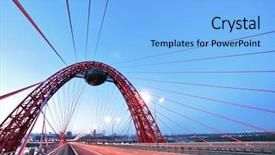
Night Illuminated Road Through Suspended

As you step into the heart of Moscow's winter wonderland, the city's majestic skyline comes alive with a mesmerizing display of light and shadow, as if the very heavens are conspiring to create a breathtaking spectacle. The Night Illuminated Road Through the Suspended Bridge, a seemingly impossible feat of engineering and artistry, is brought to life in vivid detail, its silvery lights dancing across the tranquil waters below. The Widescreen template, designed with your needs in mind, features a stunning Light Sky Blue color palette that perfectly captures the essence of Moscow's ethereal beauty. The seamless background images are carefully crafted to enhance the dramatic atmosphere, transporting you to the frozen tundra above. This dazzling display is sure to captivate and inspire. To take your presentation to the next level, consider adding a few key slides to get up and running quickly. Our 4 Essential Slides will guide you through the process of creating an unforgettable experience for your audience. These expertly designed slides provide valuable tips on how to craft engaging content, including expert advice on choosing the perfect images, utilizing our exclusive templates for maximum impact. The Full Color Widescreen Template is fully downloadable and compatible with Google Slides, allowing you to seamlessly incorporate the stunning imagery into your presentation. With just a few clicks, you'll be able to enhance your visuals and make them truly shine. This incredible template is sure to feature a Background With breathtaking views of Moscow's skyline, creating an atmosphere that will leave your audience in awe. Our Widescreen Template is not only aesthetically stunning, but it also boasts an impressive Member Bio Layout slide, perfect for showcasing your credentials and expertise. By incorporating this slide into your presentation, you'll be able to Having a Theme Of sharing your story with confidence and authority.

 Presentation with traffic road - Presentation featuring traffic jam or automobile collapse background and a gray colored foreground

Traffic Jam Automobile Collapse City

Imagine a city street road clogged with vehicles, horns honking in frustration as the traffic jams on. The steel blue template that awaits you is ready to unleash your creativity and present this dynamic scene to your audience. As a downloadable Widescreen PowerPoint template featuring auto fuel danger pollution crash, you can showcase this high resolution image of a chaotic city street road and easily add your own text to customize it according to your needs. This Steel Blue themed template features an industrial design with steel grey lines and accents, giving it a gritty look that perfectly captures the essence of traffic congestion. You can enhance the overall theme by incorporating different fonts, colors, and textures to give it a more dynamic feel. The template includes 4 easy to follow slides at the start of the deck to help you get up and running quickly featuring a background with a cityscape of cars slowing down, including a subtle image that adds depth to your presentation. Have fun with the 3 Step Funnel Layout slide as it guides you through the process of customizing your template. You can also have a Theme of "Traffic" or "Road Safety" and Include a Background With a city map or traffic signs to add more context to your topic. By using this template, you'll be able to showcase your ideas in an engaging and informative way, making it perfect for presentations, projects, and events. With its easy to use features and high resolution images, you can confidently create professional looking content that will leave a lasting impression on your audience.

 Presentation with traffic road - Slides enhanced with smart traffic on road background and a light blue colored foreground

Smart Traffic Road Downtown Tokyo

In a world where innovation and technology reign supreme, where the rhythm of city life is dictated by the hum of traffic and the glow of screens, the office buzzes with energy. Where smart solutions meet cutting edge design, Corner Title takes center stage to bring this dynamic environment to life. With its sleek Widescreen format, featuring a high resolution image of a vibrant cityscape at its core, Corner Title is designed to engage and captivate your audience. The Royal Blue color palette adds a touch of sophistication, while the keywords "city", "Japan", "office", "smart", and "network" evoke a sense of professionalism and industry. The template's download feature on Google Slides ensures seamless integration into your workflow, making it a valuable addition to any presentation. And with its compatibility, you can showcase Corner Title in all its glory, enhancing the visual appeal of your slides. As inspiration for this template comes from the smart traffic on a road in downtown Tokyo, where the city's rhythm is expertly balanced by the flow of intelligent cars and pedestrians. This dynamic scene provides an excellent example of how to incorporate high quality images into your design, featuring a stunning shot that will leave viewers in awe. In terms of functionality, Corner Title includes four How To slides, which provide valuable guidance for users new to creating presentations with this template. The Table of Contents slide serves as a roadmap for your presentation, providing an overview of what's to come, including the key features and benefits of using Corner Title.

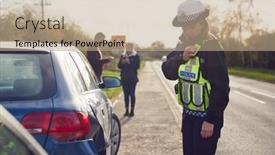
 Presentation with traffic road - Beautiful slides featuring female-traffic-police-officer-reporting backdrop and a coral colored foreground

Female Traffic Police Officer Reporting

The camera pans over a gritty, urban landscape at high speed, the sound of screeching tires and honking horns filling the air as a female traffic police officer expertly maneuvers her vehicle to gather evidence from a two vehicle collision. The screen fades in, revealing a crisp, 4:3 widescreen format, with deep blacks and vibrant colors that pop against the dark background. The Crimson template color palette is prominently displayed, with accents of red adding a sense of urgency. The female traffic police officer is front and center, with her iconic uniform and badge gleaming in the light. In the background, you can see the wreckage of two cars, with shattered glass and twisted metal. A woman, likely the victim's spouse or family member, is seen sitting in the passenger seat, shaken but unharmed. The Split Title template features a bold, crimson title that reads "Female Traffic Police Officer Reporting Details Of Road Traffic Accident On Radio", while the rest of the slide is divided into two sections: one for the officer's report and another for evidence. The image layout is reminiscent of traditional police reports, with detailed spreads for the accident scene and witness statements. Having a theme of accuracy and attention to detail, this template ensures that the data presented is reliable and trustworthy. Featuring a high resolution image of the crash site, including damaged vehicles and debris, would be an excellent addition. Including a background with flashing lights and sirens adds to the sense of urgency and emergency, making it more engaging for viewers.

 Presentation with traffic road - Beautiful presentation design featuring burj khalifa - dubai skyline during night backdrop and a tawny brown colored foreground

Dubai Skyline During Night Amazing

As the sun sets over the towering skyscrapers of Dubai, casting a warm orange glow over the city's sleek streets and busy roads, your imagination can run wild with possibilities. The majestic Emirates Building, its imposing presence dominating the skyline like a giant metal beast, is a sight to behold, as if it were about to leap off the page and take you on a thrilling ride. The Wide Title template from CrystalGraphics is designed to transport you to the bustling streets of Dubai's office district during the golden hour, when the sky is painted with hues of pink and gold. The Saddle Brown color palette adds a sense of warmth and sophistication to this already captivating scene. This high resolution image for the background will provide the perfect foundation for your presentation, and when combined with the template's 5 Steps to Success Layout slide, you'll be well on your way to creating an engaging and informative narrative that will leave your audience in awe. The Wide Title template is a versatile and powerful tool that can help take your presentations to the next level. By including a Background With feature, you can easily enhance the images used throughout your presentation with even more vivid colors and textures, or have them seamlessly blend into the background of your slides. And with having a theme of creating visually stunning presentations, this template is an excellent choice for anyone looking to elevate their content game. The 4 How To slides at the start of the deck are designed to get you up and running quickly, featuring essential tips and tricks that will help you master the basics of using your new template. From learning how to customize your template's layout to mastering the art of using images, these steps will have you creating stunning presentations in no time.

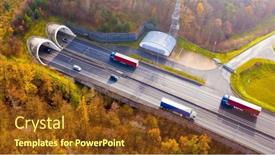
 Presentation with traffic road - Presentation having highway-tunnel-in-mountain-traffic background and a tawny brown colored foreground

Aerial View Highway Tunnel Mountains.

In the realm of PowerPoint templates, few reign supreme like CrystalGraphics' Wide Title, a masterpiece designed to captivate and transport audiences with its sleek and sophisticated design. This template is specifically tailored for Widescreen presentations, boasting a Dark Khaki color palette that exudes professionalism and elegance. Wide Title boasts an expansive style, perfect for projecting high resolution images from the background onto your slides. Featuring a grid layout of 8 Pictures, each one carefully selected to enhance the overall aesthetic. The Images are strategically placed in a manner that creates a sense of depth and visual interest on your screen. The template is designed to be downloadable and compatible with Google Slides, ensuring seamless integration into your online presentation tools. With its rich Dark Khaki color palette and industrial inspired background, Wide Title is sure to impress even the most discerning audiences. This template is perfect for creating engaging presentations that blend inspiration with practicality, ideal for a wide range of applications including conferences, seminars, and workshops. Having a theme of showcasing products or services, it can be utilized in various contexts where visual content plays a vital role. To truly bring this template to life, consider including background images featuring aerial views of highways, such as the iconic Grand Canyon, or highlighting unique features like abandoned oil refineries for an industrial setting. Incorporating a variety of textures and patterns within the grid layout can enhance the overall visual appeal of your presentation, making Wide Title a versatile and effective tool for enhancing any content.

 Presentation with traffic road - PPT layouts featuring front-view-close-up background and a coral colored foreground

Front View Close Up African

In the midst of a busy morning routine, a young African American schoolgirl stands out amidst the sea of pedestrians, her bright pink t shirt and rucksack a stark contrast to the drab cityscape. She looks up at the sky, squinting against the sun's glare as she waits for the perfect moment to cross the road. The sound of honking horns and chattering pedestrians fills the air, but our heroine remains focused on her goal. As she waits, she gazes longingly at a nearby café, its windows featuring a tantalizing array of pastries and coffee drinks. She could easily spend hours browsing through the menu, savoring the aroma of freshly baked goods and the buzz of conversation from the patrons inside. But for now, she must wait patiently. The steel blue color palette that dominates this template is both calming and invigorating, providing a soothing backdrop for our heroine's story. The high resolution images that adorn the background are sure to transport viewers to a world of vibrant colors and textures, making them feel like they're right there with our protagonist. Whether she's waiting at a bus stop or crossing the street, this template is sure to enhance the viewer's experience. The Corner Title template is designed for widescreen presentations, providing a sleek and modern look that's perfect for showcasing dynamic graphics and animations. The template features a clean and simple design, making it easy to incorporate your own images and text into the mix. With its focus on independence and self reliance, this template is sure to resonate with viewers who appreciate a more authentic and relatable approach to storytelling. As you begin to create your presentation, remember that the Dart Layout slide can be used to add a touch of modern flair to your

 Presentation with traffic road - Slide set featuring road signs on an australian background and a light blue colored foreground

Road Signs Australian Highway

Corner Title is designed to take you down a rugged Australian road, featuring high resolution images of native bush landscapes and rural scenery, where the warning signs are clear: beware. From highway markings to billboards, this template is packed with iconic imagery that will transport your audience to the heart of Australia. With Corner Title, you'll be presented with a seamless Widescreen experience, perfect for Google Slides presentations. The Steel Blue color palette provides a clean and professional foundation, while the Template Keywords feature includes "beware", "bush", "rural" all essential words that will resonate with your audience. From road signs to wildlife, this template is inclusive of a wide range of images, ensuring you have a unique visual identity for each presentation. The Who We Are Bio Layout slide provides an opportunity to introduce yourself and your team in a clear and concise manner, perhaps featuring images of iconic Australian landmarks or native flora. It's the perfect chance to showcase your brand's personality and values. For example, if your organization specializes in tourism, you could include images of the Outback or the Great Barrier Reef on this slide. The template is downloadable and compatible with Google Slides, making it easy to incorporate into your workflow. Featuring a Background With a diverse range of high resolution images, enhancing your presentation with visuals will take your audience on an immersive journey through Australian landscapes.

 Presentation with traffic road - Audience pleasing slides consisting of road potholes - traffic accident during construction work backdrop and a gray colored foreground

Traffic Accident During Construction Work

The scene unfolds like a perpetual danger zone, where high pressure situations can quickly escalate into catastrophe. The eerie glow of flashing lights and the rumble of engines create an ominous atmosphere that seems to reverberate through every cell in your body. Imagine yourself as a construction worker trapped between a massive concrete wall and a speeding truck, with no clear escape route. This is what it's like to be involved in an accident during construction work a scene that plays out before our eyes on live broadcasts, featuring graphic images of the aftermath, including a background with a deep steel blue hue, evoking feelings of foreboding. The template itself is a downloadable powerhouse, compatible with Google Slides, and its sleek design is sure to make your presentation stand out in a crowded room. The Widescreen format allows you to showcase stunning high resolution images that will leave your audience breathless, from the gritty details of car damage to the sheer scale of accidents. With this template, you're not just delivering a message you're creating an immersive experience that will engage and captivate your viewers. And with its customizable keywords, including insurance, damage, auto, danger, accident, you can tailor it to fit your specific needs. The 3x3 Org Chart Layout slide is a great place to visualize the hierarchy of events leading up to the accident, with key players and departments highlighted in bold. Having a theme of enhancing the visuals, this template will add an extra layer of depth and sophistication to your presentation. The 4 How To slides at the start of the deck provide valuable tips on how to get your message across quickly and effectively, but don't worry you can skip over these if you prefer. Some might even consider using them as a starting point for creating their own unique template. And when it comes to choosing an image to feature in the background of your presentation, having a theme of including a background with is always a good idea. With this template, you'll be well equipped to showcase stunning images that will leave a lasting impression on your audience.

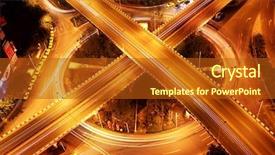
 Presentation with traffic road - Beautiful PPT theme featuring highway bridge - traffic on night road junction backdrop and a crimson colored foreground

Traffic Night Road Junction Long

As you step into the city at dusk, the streets come alive with a mesmerizing dance of light and shadow. The junctions are bustling with activity, as cars and buses weave in and out of each other, their headlights casting a golden glow on the pavement. But amidst the chaos, there's a sense of calm, as if the world is holding its breath before the night takes over. The Wide Title template is designed to make a statement, with its bold and eye catching design that sets the tone for the rest of the presentation. The Widescreen format ensures that every detail is showcased, from the high resolution images in the background to the intricate details on the template itself. This template is perfect for anyone looking to create a visually stunning presentation that will leave a lasting impression. The Chocolate color palette is rich and decadent, evoking feelings of luxury and sophistication. It's the perfect choice for any marketing or branding project, as it adds depth and dimension to even the most mundane images. Featuring high quality images from around the world, this template includes a background with a subtle texture that enhances the overall look. The 5 P's of Marketing Diagram Layout slide is a must have for any professional looking to create effective visual aids. The five points are: Problem, Promise, People, Process, and Product each one playing a crucial role in creating a compelling narrative. This template includes all four P's, with the Problem section featuring a dramatic image of a traffic jam, the Promise section showcasing a stunning sunset over a cityscape, and so on. Having a theme of "City Nights" throughout the presentation is perfect for any marketing or branding project that wants to evoke a sense of energy and dynamism. The template includes Enhanced With images

▼Key features of this template

  • They are compatible with both PowerPoint and Google Slides running on either Windows PCs or Macs.

  • They are available in both standard and widescreen slide formats. You can choose your preferred format by clicking on the "Widescreen" check box or icon.

  • Each template includes a beautiful high-resolution background image or video to visually reinforce the theme of your presentation.

  • In addition, each template includes designer-created graphics and modern fonts to give your presentations an up-to-date, professional look.

  • Each template's default design and title text position have been carefully selected to complement its background without covering faces or other key elements.

  • All text includes backdrops whose transparency level is mathematically calculated to maximize text readability while still allowing the background to be seen.

  • And all the text, text backdrops and graphics in every slide are colored with a palette designed to beautifully complement the colors in the background.

  • Our Premium templates (those with the descriptor “Premium” in their subtitle) include over 64 slide layouts to give you maximum flexibility as you create your presentations.

    • Those layouts are available to you whenever you create a new slide or when you want to change the layout of an existing slide.
    • They include everything you need to make all sorts of presentations. In addition to the layouts for the title slide and the usual title and content slide, they include many other layouts for slide types including table of contents slides, org charts, charts, diagrams, infographics, photo slides, thank you slides and more.
    • While creating these layouts our template designers have ensured that all text in every layout adjusts as gracefully as possible to various numbers of words.
  • Customizable templates (those with the descriptor “Customizable” in their subtitle) may be easily modified online before you download them.

    • To modify them, simply click on the pencil editing icon, then select your choice of ready to go designs and title text positions.
    • The editing tool also makes it easy to reposition and scale the background image or video to best suit your needs.

▼FAQs

Please review these FAQs to see if your question is answered. Contact us for more info

  • What is a PowerPoint template?

    • A well designed PowerPoint template is a file that can tell PowerPoint how to make your ordinary templates look extraordinary. They won’t change what your words or numbers say. But they might change their size, color, font and placement. And, overall, they can give your presentations a professionally-designed look that will give your content more credibility and give you more confidence.
  • How many PowerPoint templates do you offer?

    • We have over 32,000 artist-created presentation templates in our PowerPlugs collection With a subscription, PowerPlugs templates are easy to download. Just sign in, find a template and click on the green Download button. ready for you to download. That alone offers you more variety to choose from than any of our competitors can offer. And, as if that weren’t enough, we also offer over 6 million templates in our Crystal collection. Crystal brand templates are our line of templates that have customization options. They have the word "CRYSTAL" on their web page images. You can customize several aspects of the templates. These templates include high-resolution background images from Shutterstock’s vast image collection matched up with artist-created presentation designs customized by our own proprietary AI software.
  • How many templates can I download as a subscriber?

    • You can download an unlimited number of PowerPlugs-brand With a subscription, PowerPlugs templates are easy to download. Just sign in, find a template and click on the green Download button. templates every day for an entire year. (Actually, by default, we set a limit of 25 templates per day to prevent our competitors from stealing our templates. But, if that is not enough, just let us know and we’ll try to accommodate you.) On top of that, with a subscription or an Ultimate Combo, you can also download any 50 Crystal-brand Crystal brand templates are our line of templates that have customization options. They have the word "CRYSTAL" on their web page images. You can customize several aspects of the templates. templates per year selected from our huge Crystal collection. Crystal brand templates are our line of templates that have customization options. They have the word "CRYSTAL" on their web page images. You can customize several aspects of the templates. .
  • Why should I choose your templates instead of the competition’s?

    • We’ve got a larger selection of professionally-designed PowerPoint templates than anyone else in the world.
    • Each template includes a high-resolution background image or video to visually inspire your audiences while reinforcing your message.
    • Each template includes 64 slide layouts to give you maximum flexibility as you create your presentations.
    • Our templates are available in both standard and widescreen slide formats. And our website lets you preview the slides each way.
    • Our free Template Finder™ plugin lets subscribers select and - with a single click - download and insert our templates into their presentations right from within PowerPoint.
    • We’ve been creating designer presentation templates for over 20 years. During that time we’ve won several awards and 5-star ratings for product quality. See About Us for more.
  • Do you offer a money-back guarantee?

    • Yes we do! We offer full 30-day money-back guarantee if you are not 100% satisfied with your purchase.
  • Can I still use my downloaded templates after my subscription runs out?

    • Yes. After your subscription expires, you won't lose any rights or ability to use your PowerPlugs: Templates for PowerPoint. You won't be able to download any new non-watermarked templates. But the non-watermarked templates you've already downloaded will still work and you can still use them as before.
  • Can I share my downloaded templates or passwords with friends or coworkers?

    • Sorry but no. You are authorized to download each paid-for template to up to 3 of your personal devices and to use the templates you download in as many presentations as you want. But you are not authorized to share the templates, themselves, with others. That said, we do offer highly discounted site licenses to suit the needs of both small and large teams. Just tell us your needs and we’ll give you a quote!
  • System requirements:

    • The templates use the standard POTX format. So they are compatible with Google Slides and all PC, Mac and mobile devices running any version of PowerPoint from PowerPoint 2007 up through and including Office 365 desktop.
    • Please note: Google Slides does not currently support background videos. It treats them as still images.
    • For PowerPoint for the Web, first open your template into a desktop version of PowerPoint, then save it back out as a PPTX file. Then you can open that in PowerPoint for the Web.
  • End user license agreement:

    • Click here to view.
  • How will I get my purchased templates?

    • You may download your selected templates as soon as your payment is received by PayPal. If you purchased an individual template, you will be provided with a download link both onscreen and via email. Just click on that link to begin the download process. If you purchased a subscription, you will receive an email containing a password to use along with your email address to sign in to any of the templates pages on CrystalGraphics.com. Once you are signed in, you can immediately start downloading your selected templates.
  • How do I use my templates after I download them?

    • You can either open a template to start a new presentation or you can add a template to an existing presentation. To open a template, just double click on it or use PowerPoint's File > Open tool. To add a template to an existing presentation, on the Design tab, in the Themes group, click Browse for Themes... then browse to select your template.

View more Traffic Road templates:

previous 1 2 3 4 5 6 7 8 9 10 11 12 next
93% of Fortune 1000
companies use our
PowerPoint Products
Templates Secure

Standing Ovation Award
Winner: Best PowerPoint
Template Collection
Fortune Logos
200,000+ satisfied
customers worldwide!
Guarantee
100% satisfaction guaranteed
- or send it back for a refund!

Sign up for our free newsletter! You'll get news about our PowerPoint-enhancing product line – including free updates, new product announcements and exclusive special offers. Plus you'll get a link to a free PowerPoint template with every newsletter you receive.
Privacy Policy
Loading...


Help

Contact Us
Product FAQs
Product License Agreements

Company Info

About Us
Privacy Policy
CrystalGraphics, Inc. 1999 S. Bascom Avenue Suite 700 Campbell, CA 95008 USA
© 2025 CrystalGraphics, Inc. All rights Reserved.    |     PowerPlugs is a trademark of CrystalGraphics, Inc.
Microsoft and the PowerPoint logo are trademarks or registered trademarks of Microsoft Corporation in the United States and/or other countries.
Loading...
Loading...