www.crystalgraphics.com CrystalGraphics
  • Ultimate Combo
  • Templates
  • Diagrams
  • Characters
  • Quizzes
  • shopping cart
  • Sign Out Sign Out Sign In
Home > Templates > Truck Accident Category
search icon
advanced icon

49 Best Truck Accident-Themed Templates for PowerPoint and Google Slides

CrystalGraphics creates templates designed to make even average presentations look incredible. Below you’ll see thumbnail sized previews of the title slides of a few of our 49 best truck accident templates for PowerPoint and Google Slides. The text you’ll see in in those slides is just example text. The truck accident-related image or video you’ll see in the background of each title slide is designed to help you set the stage for your truck accident-related topics and it is included with that template. In addition to the title slides, each of our templates comes with 17 additional slide layouts that you can use to create an unlimited number of presentation slides with your own added text and images. And every template is available in both widescreen and standard formats. With over 6 million presentation templates available for you to choose from, CrystalGraphics is the award-winning provider of the world’s largest collection of templates for PowerPoint and Google Slides. So, take your time and look around. You’ll like what you see! Whether you want 1 great template or an ongoing subscription, we've got affordable purchasing options and 24/7 download access to fit your needs. Thanks to our unbeatable combination of quality, selection and unique customization options, CrystalGraphics is the company you can count on for your presentation enhancement needs. Just ask any of our thousands of satisfied customers from virtually every leading company around the world. They love our products. We think you will, too!

Features & Pricing

Widescreen (16:9) Presentation Templates. Change size...
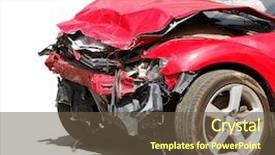
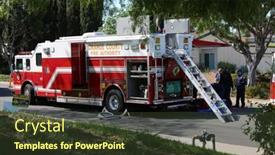
 Presentation with truck accident - PPT layouts with road closed by big truck background and a gray colored foreground

Road Closed Truck Standing Road

The road is blocked by a massive truck, standing tall in the middle of the asphalt like a monument to destruction. The scene is a stark reminder that sometimes the most powerful forces can have devastating consequences. This is what happens when we let obstacles stand in our way and fail to find a solution. In this context, our template design, Wide Title, is perfect for creating a high resolution image that commands attention. Its Widescreen format makes it ideal for presentations where you want to convey a sense of grandeur and drama. The Dodger Blue color palette adds a touch of sophistication, while the high quality images featured throughout the template will leave your audience in awe. From this template, you can create visually stunning slides that include a Background With, Having a Theme Of, or Enhanced With capabilities. For example, you could use it to depict a hazardous road junction where a car has broken down and is waiting for help, featuring high resolution images of asphalt, trucks, and emergency responders in action. The template also includes 4 How To slides that will get you up and running quickly, so you can start creating your own presentations right away. These slides are designed to provide valuable tips and tricks to help you stay organized and focused throughout the design process.

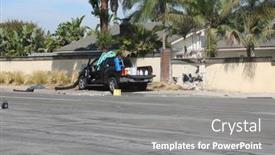
 Presentation with truck accident - Presentation theme with truck lies in a ditch background and a coral colored foreground

Truck Lies Ditch Road Accident

As you navigate through the world of insurance and repair, you need a template that not only looks sharp but also provides valuable information to help you tackle even the most complex cases. Introducing Split Title, a versatile and informative PowerPoint template designed to grab attention and streamline your workflow. Featuring a high resolution background with a bold yellow green color palette, this template is perfect for showcasing high quality images, such as those of accidents or vehicles in distress. The background image can be enhanced with additional elements, like distressed textures or custom illustrations, to create a visually appealing layout that sets the tone for your presentation. The Split Title template includes four How To slides at the start of the deck to help you get up and running quickly, allowing you to dive straight into providing expert advice on insurance and repair. However, for those who prefer a more structured approach, the section header layout slide can be customized to include additional elements, such as a call to action or a key takeaway, making it easier to organize your content. When using Split Title in Google Slides, you'll have access to high resolution images that are compatible with other templates. With its clean and modern design, this template is ideal for business professionals who need to present complex information in an engaging and easy to understand manner.

 Presentation with truck accident - Amazing slides having body shop - auto accident truck hit right backdrop and a tawny brown colored foreground

Auto Accident Truck Hit Right

The moment you click on the sidebar title that takes you to this template is about to hit your senses like a ton of bricks imagine a dramatic image in a crimson background, with the sound of crashing metal and the smell of smoke filling the air as a car careens out of control towards the front end, leaving a trail of destruction in its wake. This is what your eyes will see when you gaze upon this template, designed for insurance companies, vehicle manufacturers, and anyone who needs to visualize damage on an auto from the perspective of both the driver and passenger. This template features a high resolution image that makes it look like you're right there with them, witnessing the devastation firsthand. And the best part? It's not just any image it's a real one from a major truck accident, where a motorist was severely injured when their vehicle collided head on with another car. The result is a clear and concise illustration that will help your audience visualize the damage without having to get in the actual wreck. To make things even more engaging, we've added four How To slides at the start of the deck to help you get up and running quickly just click on them to dive straight into the action. And if you're using Google Slides, don't worry this template is compatible with your platform too. As for what it could be used for, well, let's just say it's a great way to include a background with your presentation.

 Presentation with truck accident - Colorful slides enhanced with truck accident - emergency personnel pushing a stretcher backdrop and a tawny brown colored foreground

Emergency Personnel Pushing Stretcher

As you delve into the world of insurance and auto repair, you'll find that damage control is key to saving lives and livelihoods. From medical emergencies to mechanical disasters, the stakes are high. That's why it's essential to have a template in place that can help streamline your workflow and ensure top notch treatment. And when it comes to creating such a template, look no further than CrystalGraphics' Wide Title, a stunning Widescreen template designed specifically for insurance and auto repair. This template features a bold Crimson color palette, evoking the vibrant colors of emergency vehicles speeding through city streets. The Four Arrows Layout slide is where things get really impressive imagine a sweeping background with four arrows moving in perfect synchrony, creating a dynamic and engaging visual effect that'll leave your audience mesmerized. For instance, you could use this template to illustrate how insurance companies can work together to provide comprehensive coverage, or feature a dramatic image of an auto repair shop staffed by friendly technicians who are dedicated to getting the job done quickly and efficiently. By including high resolution images throughout the template, you'll have ample space to add your own custom elements and branding. And with CrystalGraphics' seamless integration capabilities, you can easily incorporate Google Slides into your workflow, ensuring that your presentation is always up to date and visually appealing.

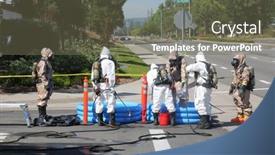
 Presentation with truck accident - Slides enhanced with lake-forest-california-may-23 background and a tawny brown colored foreground

Lake Forest California 23 2017:

As you delve into the world of emergency response planning, the scenario unfolds with devastating consequences in this case, a single truck accident containing hazardous chemicals releasing poisonous liquids into the environment. The Wide Title template is designed to convey a sense of urgency and gravity, perfect for use in presentations where high stakes decisions need to be made. This Widescreen format ensures that your content takes center stage, with crisp edges and a wide aspect ratio that will leave a lasting impression on your audience. This template features a Sandy Brown color palette, evoking the warmth and caution of a hazardous materials team. The keywords accident, acid, biohazard, bleach, breathing are carefully chosen to ensure that the content accurately reflects the theme. For example, a slide on "Accident Reporting" could feature a dramatic image of a chemical spill with the words "Report an Incident" emblazoned across the top. The template is downloadable and compatible with Google Slides, making it easily integrable into your existing presentation stack. The accompanying high resolution images for the background will transport you to a scene of crisis, providing a visceral connection with the topic. This template is designed to be enhanced with additional features such as interactive elements, animations, and transitions to take your presentation to the next level. The Theme of "Emergency Response" lends itself particularly well to this type of enhancement, allowing for customization to fit your specific needs. The Template Keywords Featuring a Background With High Resolution Images Of Scenes Of Emergency Response Will Enhance Your Presentation To Showcase Realistic Hazardous Materials Team Operations And Save Time On Customizing Individual Elements While Still Accommodating Different Needs And Requirements.

 Presentation with truck accident -

Lake Forest California 23 2017:

As you begin to design your PowerPoint template, start with the stark reality of a hazardous materials accident on Lake Forest, California's shores, where a single truck was involved and resulted in a massive spill of toxic chemicals. The aftermath is nothing short of a biohazard, with cleanup efforts underway to contain the damage. The Sky Blue background evokes a sense of eeriness, as if the very environment itself is tainted by the disaster. Our CRystal Clear Goal slide serves as a beacon of hope, featuring stunning images of Lake Forest's serene landscape, now restored to its former glory after months of tireless cleanup efforts. The image is enhanced with a subtle gradient effect that adds depth and texture, giving the viewer a sense of immersion. The Widescreen format ensures maximum impact, allowing you to include a background with dramatic aerial footage of the area, while the high resolution images for the template itself are presented in crisp clarity. Whether you're using these slides in a corporate setting or as part of a public service campaign, the Sky Blue color palette will undoubtedly grab attention and set your message apart. With four How To slides at the start of the deck to help you get up and running quickly, you'll be well on your way to creating a successful presentation. These steps are designed to streamline the process, ensuring that your project is developed with ease and efficiency. Having a clear theme in mind will also make it easier to incorporate relevant elements throughout your design.

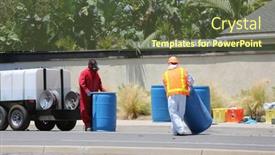
 Presentation with truck accident - Colorful theme enhanced with vehicle accident - image of crash truck backdrop and a arctic colored foreground

Image Crash Truck Under White

Imagine starting your presentation with a dramatic crash scene the sleek and shiny truck careening out of control, sending a cloud of dust and debris swirling through the air. As you gaze upon this chaotic scene, your audience's minds are drawn to the insurance repair shop where the driver has just been involved in an accident. The Corner Title template is designed for a wide screen format that showcases your brand's identity while keeping it clear and easy to read. This template boasts a light blue color palette that sets a calming tone, perfect for conveying a sense of trust and reliability. The template is also packed with the keywords insurance, repair, chaos, ditch, truck, making it an excellent fit for presentations about these topics. High resolution images are integrated into the template background to add texture and depth, while also serving as a valuable resource for your audience. Featuring a white canvas as its base, the template includes included background with a subtle gradient that adds a touch of sophistication to the overall design. The simple yet striking background allows you to focus on the content ahead. The Corner Title template is downloadable and compatible with Google Slides, making it easy to import into your presentation software of choice. With this high quality template, you'll be well equipped to deliver engaging presentations that leave a lasting impression on your audience.

 Presentation with truck accident -

Lake Forest California 23 2017:

The scene unfolds before our eyes like a forensic puzzle, with hazmat suited responders meticulously gathering evidence to contain and clean up the aftermath of a devastating accident. A single truck teeters precariously on the brink of disaster, its contents a toxic cocktail of chemicals that threaten to unleash poisonous liquids into the environment. As the team springs into action, the landscape around them transforms from a hazardous site to a vibrant work of art. The Steel Blue template takes center stage, featuring a dynamic background image of Lake Forest's majestic Sierra Vista Mountains, evoking a sense of serenity amidst turmoil. The gradient transitions seamlessly onto the design elements, which leap off the page with bold, high resolution images of biohazard signs, acid spills, and bleach contaminated surfaces. The template boasts 4 How To slides to help you get up and running quickly: "How to Set Up Your Template," "Tips for Customizing Your Design," "Mastering Advanced Templates Features," and "Troubleshooting Common Issues." But for now, let's focus on the @ Pictures With Captions Layout slide. This visually stunning layout showcases an intricate image of a hazardous materials lab in all its gritty glory, with bold captions that highlight key features of the template. For example, you could use this slide to Include a Background With a Toxic Waste Spill effect, Enhancing the overall impact of your presentation and leaving a lasting impression on your audience. The possibilities are endless as you explore the world of Steel Blue and add your own unique twist to this already provocative template.

 Presentation with truck accident -

Lake Forest California 23 2017:

In a world where disaster strikes at any moment, a clear understanding of hazardous materials is crucial for safety and prevention. The scene unfolds with images of acid spills, bleach contaminated soil, and the eerie glow of warning signs, evoking a sense of urgency and gravity. The Wide Title design name "Wide Title" is meant to grab attention, drawing the viewer in with its bold and eye catching font. This template is tailored for widescreen presentations, providing a seamless viewing experience. The pale violet red colored background sets the tone for a dramatic narrative, featuring high resolution images of industrial accidents and hazardous materials. The theme of this template is to present information in an engaging and informative way, using keywords that are commonly associated with disaster response and cleanup efforts. Biohazard symbols add a touch of realism, while acid spills and bleach contaminated soil provide visual context for the hazards at play. The result is a visually striking presentation that enhances the message. The template includes 4 How To slides to help users get up and running quickly. These slides cover essential topics such as selecting the right software and plugins, creating custom layouts, and fine tuning performance settings. However, they remain hidden until the main content area of the deck is ready for launch. As a downloadable template, it's compatible with Google Slides and works seamlessly across various platforms, making it an ideal choice for presentations that require flexibility and versatility.

 Presentation with truck accident - Audience pleasing PPT theme consisting of lake-forest-california-may-23 backdrop and a tawny brown colored foreground

Lake Forest California 23 2017:

As you step into the heart of industry and innovation, where solutions meet science and safety reigns supreme, the scene is set for a dramatic tableau one that showcases the aftermath of a catastrophic event like the infamous truck accident at Lake Forest, California in 2017. The hazardous materials team sprang into action, employing their expertise to contain and mitigate the spill, saving countless lives and preventing devastating environmental damage. In the midst of chaos, this team's bravery is exemplified by the Ansoff Matrix Diagram Layout slide that features a striking visual representation of growth and expansion it's as if you're witnessing the very process unfolding before your eyes. The background image is a high resolution photo of the accident scene, providing an immersive experience that puts the viewer right in the middle of the action. The template's color palette, khaki, adds a sense of ruggedness and practicality to this narrative, while its theme of safety and responsibility shines through in every aspect from the keywords like acid, bleach, and biohazard to the downloadable feature, making it an invaluable resource for anyone working on hazardous materials. The Widescreen format ensures that the visuals remain stunning even at a larger scale, allowing you to see every detail with crystal clarity. The accompanying slides are designed to be easy to navigate, featuring concise text and clear instructions all of which make them ideal for a Googel Slide friendly presentation. So why wait? Get ready to elevate your presentations with this immersive template that's sure to capture the attention of anyone who sees it.

 Presentation with truck accident - Slide deck having lake-forest-california-may-23 background and a dark gray colored foreground

Lake Forest California 23 2017:

In a world where hazardous materials pose a threat to our safety and well being, the image of a devastating accident is forever etched in our minds. A single careless mistake can have catastrophic consequences, resulting in environmental disaster and human suffering. The Split Title template is designed to convey this urgency and importance, with its striking Dodger Blue color palette that sets the tone for a professional and attention grabbing presentation. This template features 4 How To slides at the start of the deck to help you get up and running quickly, but don't worry if you're not familiar with these terms just know they'll provide a solid foundation for your presentation. The 6 x 6 Org Chart Layout is a key element on this slide, featuring a clear hierarchy of roles and responsibilities that will help you visualize the structure of your team. It's a great starting point for building your org chart, including a background with a subtle texture to give it some depth. When used in conjunction with other elements like "Featured" images or "Including a Background With" graphics, this template has endless possibilities for creative expression and enhanced storytelling.

 Presentation with truck accident -

Lake Forest California 23 2017:

As you delve into the world of hazardous materials management, imagine yourself standing at the edge of a pristine lake in California's scenic Lake Forest on May 23, 2017, where a single truck accident has spilled swimming pool chemicals, posing an imminent threat to the environment. The scene is set for a high stakes operation that requires precision and care, much like the delicate balance of chemistry in a laboratory or a biohazard containment facility. The Split Title template provides a striking visual contrast to convey this narrative, featuring two distinct title elements in a split screen layout. This design approach not only adds drama but also allows for creative freedom when it comes to selecting images that complement the hazardous materials theme. The medium turquoise color palette will transport your audience to a world of mid century modern chic, à la Googles Slides' signature style. The template itself is available in widescreen format, ensuring optimal display on any device, from desktop computers to mobile phones. To enhance the overall experience, consider adding four high resolution images as background slides, each featuring a unique image that showcases the theme of hazardous materials management. These images can be used as is or modified to fit your specific needs. By incorporating the following keywords into your presentation: accident, acid, biohazard, bleach, breathing, and including a background with having a theme of, you'll be sure to create an engaging and informative experience that will leave your audience inspired to take action.

 Presentation with truck accident -

Lake Forest California 23 2017:

As you begin your presentation on hazardous materials cleanup, you'll want to create a design that not only grabs the audience's attention but also effectively conveys the urgency and importance of the topic. The Split Title template is designed to do just that. This Widescreen template features a stunning Peru color palette that sets the tone for the rest of your presentation. The background image of Lake Forest, California, May 23, 2017, serves as a powerful reminder of the hazardous materials team's efforts to clean up accidents and prevent environmental damage. The design itself is inspired by the stark contrast between the natural beauty of the environment and the dangers posed by chemicals. The template includes four How To slides that will get you up and running quickly: "Setting Up Your Presentation", "Designing Your Background", "Adding Text and Graphics", and "Presenting with Confidence". However, these are just a few starting points. The Growth Stages Layout slide is where things really come together, featuring a dynamic illustration of the presentation's growth stages, from planning to delivering the final product. The inclusion of high resolution images throughout the template ensures that your presentation looks professional and engaging. As you create your own content, consider using the "Featuring" keyword to highlight specific features or elements within each slide. For example, "Including a Background With a Stunning Image" or "Having a Theme of Safety" can help reinforce the importance of your message. The Enhanced With background image is another great way to add visual interest and tie everything together. This could be used as an overlay on certain slides to create a sense of continuity, or as a separate slide to highlight key points or statistics. The Peru color palette provides a cohesive look throughout the template, making it easy to download and use in your own presentations.

 Presentation with truck accident - PPT layouts consisting of lake-forest-california-may-23 background and a gray colored foreground

Lake Forest California 23 2017:

In a world where accidents can happen anywhere, at any time, one moment's carelessness can unleash a hazardous situation that demands swift action. A recent incident in Lake Forest, California, May 23, 2017, serves as a stark reminder of the importance of responsible handling of hazardous materials. To convey this message effectively, our template design aims to evoke a sense of urgency and concern. The Split Title feature is ideal for presenting multiple title options in a single slide, creating a visually appealing and dynamic display that grabs the audience's attention. This design element can be featured throughout the deck, perhaps with varying title sizes or colors to emphasize key points. The template features a Light SlateGray color palette, which provides a clean and neutral background that allows the contents to take center stage. The high resolution images for the background will enhance this visual effect, creating an immersive experience for users. Incorporating a subtle Venn Diagram Layout slide can help to organize complex concepts and make it easier to follow along. This layout can be used to feature key categories or groups of related ideas, making it an excellent tool for presenting information in a clear and concise manner. For example, the template could include a section titled "Types of Hazardous Materials" which includes images of acid, biohazard symbols, bleach, and breathing masks. The background image of a single truck accident containing swimming pool chemicals is not included in this design, but it can be replaced with a high resolution photo of a hazardous materials team at work. The template is downloadable and compatible with Google Slides, ensuring that users can easily enhance their presentations with additional images or graphics.

 Presentation with truck accident -

Lake Forest California 23 2017:

The scene unfolds on a remote California lake, where a hazardous materials team springs into action amidst a single truck accident containing toxic substances. The aftermath is a scene of devastation, with pools of acid bleached water and debris scattered everywhere. A determined cleanup crew works tirelessly to contain the spill, their efforts taking place in a high stakes environment filled with perilous chemicals. As the team laboriously cleans up the mess, they are aided by state of the art equipment and precision instruments, which are showcased prominently on screen. The footage is intercut with shots of the hazardous materials technician, clad in protective gear, methodically collecting samples from the affected area. A 3D model of a leaky pipe appears next to him, illustrating the complexity of the situation. The scene shifts to a sleek, modern laboratory where scientists are hard at work researching and developing new ways to prevent similar accidents. Featuring cutting edge technology and innovative solutions, they are working towards a future where such incidents can be averted altogether. Having a theme of innovation and sustainability, these researchers are committed to using their knowledge to create safer environments for everyone. As the camera pans out, we see a team of experts from various backgrounds coming together to share ideas and collaborate on a project that could make a real difference in the world. Enhanced with stunning visuals and high resolution images, this template is designed to be visually stunning, making it perfect for presentations, pitches, or any other occasion where a professional and engaging presentation is required.

 Presentation with truck accident -

Lake Forest California 23 2017:

In a world where disaster strikes with alarming frequency, one can't help but wonder what the aftermath of a catastrophe might look like. From acid spills to biohazardous waste, the possibilities are endless. The scene plays out in slow motion, as hazmat teams spring into action to contain and clean up the damage. It's a job that requires precision, expertise, and a steady hand. As you delve deeper into the world of hazardous materials cleanup, you'll find yourself drawn into a complex web of protocols, regulations, and technical jargon. In this context, a template that meets your needs is just what you need. Introducing Wide Title, a stunning widescreen design featuring 4 high resolution images for the background, guaranteed to enhance your presentation. The template's light slate gray color palette is both soothing and striking, setting it apart from other designs in its class. With Wide Title, you'll be able to create presentations that are both visually appealing and informative, perfect for sharing with colleagues or clients. Whether you're featuring a dramatic scene from the 2017 Lake Forest accident, including a hazardous materials team at work, or having a theme of disaster response, this template has got you covered. The high resolution images used in Wide Title's design ensure that every detail is crisp and clear, even when viewed on smaller screens. This means you'll be able to add intricate textures, subtle shading, and other visual elements without compromising the overall image quality. And with the Dart on Target Layout slide included, you can easily incorporate a background image or graphic into your presentation. The template's compatibility with Google Slides ensures that it integrates seamlessly into your existing workflow, making it easy to download and use in your own presentations. Whether you're creating an overview of hazardous materials cleanup procedures or showcasing specific techniques for containing biohazardous waste, Wide Title is the perfect choice.

 Presentation with truck accident -

Lake Forest California 23 2017:

As you step into the Wild West of PowerPoint template design, the sky blue background greets you like a majestic eagle soaring high above the vast expanse of creativity. Wide Title, a striking and attention grabbing name that sets the tone for an immersive experience. This Widescreen format will take you on a journey through a world of hazardous materials, where the air is thick with acid, biohazard warnings, and the sound of sirens echoes in the distance. The high resolution images are carefully crafted to transport you into this hazardous environment, where even the slightest mistake could have disastrous consequences. The template color palette is dominated by sky blue, a calming yet ominous hue that evokes feelings of trepidation and unease. Featuring a range of acid green, bleach yellow, and breathing red accents, each element plays a crucial role in creating a sense of tension and foreboding. As you navigate this hazardous landscape, the template's keywords take center stage: accident, acid, biohazard, bleach, and breathing, all appearing prominently on screen. These words serve as a reminder that even in the most sterile environments, danger lurks around every corner. High resolution images of hazardous materials teams at work will be included to enhance your training simulation experience, allowing you to visualize the risks and consequences of accidents like the one depicted above.

 Presentation with truck accident - Slide deck enhanced with lake-forest-california-may-23 background and a gray colored foreground

Lake Forest California 23 2017:

As you dive into the world of PowerPoint templates, one standout name that stands out is Split Title a design masterpiece that promises to elevate your presentation game. This template is specifically crafted for widescreen presentations, bringing a touch of modernity to your visual content. Available in Medium Turquoise, it's the perfect choice for those who want to add an extra layer of sophistication to their slides. Featuring high resolution images throughout, Split Title boasts a visually appealing color palette that will keep your audience engaged. The template is designed with a theme of showcasing accidents and hazardous materials, with imagery that perfectly captures the essence of these topics. From acid spills to biohazard warnings, every element is carefully crafted to convey the importance of safety and responsibility. One of the standout features of Split Title is its compatibility with Google Slides, making it an ideal choice for users who are already familiar with this popular presentation tool. The template includes four How To slides that will help you get started quickly, including a 5 Year Calendar Timeline Layout slide a must have feature in any professional presentation. Imagine using Split Title to create a presentation that effectively communicates your message about acid spills and biohazard warnings. You could include a background with an image of a hazardous materials team at work, featuring a bold headline that grabs the audience's attention. Have a theme of showcasing accidents and hazardous materials, along with enhanced visuals that highlight the importance of safety protocols. And with its modular design, you can easily incorporate elements from other slides into your presentation, making it feel more cohesive and polished.

 Presentation with truck accident -

Lake Forest California 23 2017:

The world of PowerPoint templates is vast and exciting, offering endless possibilities for creative expression. When it comes to designing a template that effectively conveys the message of disaster cleanup, one must consider the key elements that will make it stand out. Wide Title, a Widescreen template, is an ideal choice for this purpose, featuring a stunning design with a high resolution image on its background. The Peru color palette provides a unique and striking aesthetic, evoking feelings of danger and intensity. Featuring a prominent biohazard symbol in the corner, this template is sure to grab attention. Gaming consoles like Nintendo Switch and PlayStation 5 are always in demand for educational content. This Widescreen template, featuring an accident scene in Peru with acid spill and acid droplets, will make it a great addition to any Google Slides presentation. Having a theme of "Hazards & Cleanup," this template is sure to enhance the learning experience. As you delve into its features, the Growth Layout slide offers endless possibilities for customization, allowing you to showcase your creativity from the very beginning. By including a background with acid splatters and breathing hazards, this layout will provide a visually appealing foundation for your presentation. Having a theme of "Hazards & Cleanup," this slide is sure to engage viewers and keep them focused on the task at hand. Incorporating the template into a Google Slides presentation can be done easily, making it compatible with their platform. The high resolution images featured in the background will ensure that your content looks crisp and clear even in the most demanding environments. As you explore other features, such as the "How To" slides at the start of the deck, you'll find a wealth of information to help you get up and running quickly. By choosing Wide Title as your template, you're not only creating a visually striking design but also setting yourself up for success in terms of content and presentation. With its Peru inspired color palette and biohazard theme, this template is sure to make a bold statement in any room.

 Presentation with truck accident - Audience pleasing theme consisting of lake-forest-california-may-23 backdrop and a tawny brown colored foreground

Lake Forest California 23 2017:

The scene unfolds like a dramatic reenactment of a hazardous materials cleanup operation, with a team of experts working tirelessly to contain and neutralize the threat posed by a single truck accident. As the sun beats down on the California landscape, the air is thick with tension, and the sound of sirens echoes in the background. The scene shifts seamlessly from the chaos of the accident to the meticulous preparation that follows, showcasing the attention to detail required to contain and mitigate the risks associated with hazardous materials. The Steel Blue color palette dominates this scene, evoking a sense of gravitas and urgency. High resolution images of the aftermath of the accident are featured throughout, including dramatic shots of the team in action, as well as close ups of the chemicals being carefully handled and contained. The template format is Widescreen, providing an immersive experience for the viewer. The Steel Blue color palette continues to be a dominant feature throughout the design, incorporating subtle hints of darker blues and grays to enhance the sense of danger and urgency. The images used in this scenario are high resolution and specifically tailored to create a realistic and immersive visual experience. The team is assembled with precision, every member playing their part in the operation. From the hazmat suits to the protective gear, every detail has been carefully considered to ensure that the safety of those involved is prioritized above all else. The team's movements are fluid and efficient, each one working towards a common goal: to contain and neutralize the threat posed by this accident. This scene is enhanced with detailed backgrounds that capture the intensity of the situation, including shots of burning chemicals and emergency vehicles responding to the scene. Inclusions of a background with realistic environments allow viewers to immerse themselves in the scenario, while having a theme of capturing the chaos and urgency of the event adds depth to the design. The team's safety is of utmost importance, and the use of high resolution images ensures that every detail is captured accurately. With Enhanced Visuals this scene can be easily displayed on any device, including Googleslide.com, allowing users to share it freely with others. The team's focus is clear: they are working tirelessly to protect themselves and those around them from the risks associated with hazardous materials. The hexagon layout

 Presentation with truck accident -

Lake Forest California 23 2017:

Theme enhanced with lake forest california may 23 2017 hazardous materials team cleans up a single truck accident containing swimming pool chemicals preventing poisonous liquids from release into the environment

▼Key features of this template

  • They are compatible with both PowerPoint and Google Slides running on either Windows PCs or Macs.

  • They are available in both standard and widescreen slide formats. You can choose your preferred format by clicking on the "Widescreen" check box or icon.

  • Each template includes a beautiful high-resolution background image or video to visually reinforce the theme of your presentation.

  • In addition, each template includes designer-created graphics and modern fonts to give your presentations an up-to-date, professional look.

  • Each template's default design and title text position have been carefully selected to complement its background without covering faces or other key elements.

  • All text includes backdrops whose transparency level is mathematically calculated to maximize text readability while still allowing the background to be seen.

  • And all the text, text backdrops and graphics in every slide are colored with a palette designed to beautifully complement the colors in the background.

  • Our Premium templates (those with the descriptor “Premium” in their subtitle) include over 64 slide layouts to give you maximum flexibility as you create your presentations.

    • Those layouts are available to you whenever you create a new slide or when you want to change the layout of an existing slide.
    • They include everything you need to make all sorts of presentations. In addition to the layouts for the title slide and the usual title and content slide, they include many other layouts for slide types including table of contents slides, org charts, charts, diagrams, infographics, photo slides, thank you slides and more.
    • While creating these layouts our template designers have ensured that all text in every layout adjusts as gracefully as possible to various numbers of words.
  • Customizable templates (those with the descriptor “Customizable” in their subtitle) may be easily modified online before you download them.

    • To modify them, simply click on the pencil editing icon, then select your choice of ready to go designs and title text positions.
    • The editing tool also makes it easy to reposition and scale the background image or video to best suit your needs.

▼FAQs

Please review these FAQs to see if your question is answered. Contact us for more info

  • What is a PowerPoint template?

    • A well designed PowerPoint template is a file that can tell PowerPoint how to make your ordinary templates look extraordinary. They won’t change what your words or numbers say. But they might change their size, color, font and placement. And, overall, they can give your presentations a professionally-designed look that will give your content more credibility and give you more confidence.
  • How many PowerPoint templates do you offer?

    • We have over 32,000 artist-created presentation templates in our PowerPlugs collection With a subscription, PowerPlugs templates are easy to download. Just sign in, find a template and click on the green Download button. ready for you to download. That alone offers you more variety to choose from than any of our competitors can offer. And, as if that weren’t enough, we also offer over 6 million templates in our Crystal collection. Crystal brand templates are our line of templates that have customization options. They have the word "CRYSTAL" on their web page images. You can customize several aspects of the templates. These templates include high-resolution background images from Shutterstock’s vast image collection matched up with artist-created presentation designs customized by our own proprietary AI software.
  • How many templates can I download as a subscriber?

    • You can download an unlimited number of PowerPlugs-brand With a subscription, PowerPlugs templates are easy to download. Just sign in, find a template and click on the green Download button. templates every day for an entire year. (Actually, by default, we set a limit of 25 templates per day to prevent our competitors from stealing our templates. But, if that is not enough, just let us know and we’ll try to accommodate you.) On top of that, with a subscription or an Ultimate Combo, you can also download any 50 Crystal-brand Crystal brand templates are our line of templates that have customization options. They have the word "CRYSTAL" on their web page images. You can customize several aspects of the templates. templates per year selected from our huge Crystal collection. Crystal brand templates are our line of templates that have customization options. They have the word "CRYSTAL" on their web page images. You can customize several aspects of the templates. .
  • Why should I choose your templates instead of the competition’s?

    • We’ve got a larger selection of professionally-designed PowerPoint templates than anyone else in the world.
    • Each template includes a high-resolution background image or video to visually inspire your audiences while reinforcing your message.
    • Each template includes 64 slide layouts to give you maximum flexibility as you create your presentations.
    • Our templates are available in both standard and widescreen slide formats. And our website lets you preview the slides each way.
    • Our free Template Finder™ plugin lets subscribers select and - with a single click - download and insert our templates into their presentations right from within PowerPoint.
    • We’ve been creating designer presentation templates for over 20 years. During that time we’ve won several awards and 5-star ratings for product quality. See About Us for more.
  • Do you offer a money-back guarantee?

    • Yes we do! We offer full 30-day money-back guarantee if you are not 100% satisfied with your purchase.
  • Can I still use my downloaded templates after my subscription runs out?

    • Yes. After your subscription expires, you won't lose any rights or ability to use your PowerPlugs: Templates for PowerPoint. You won't be able to download any new non-watermarked templates. But the non-watermarked templates you've already downloaded will still work and you can still use them as before.
  • Can I share my downloaded templates or passwords with friends or coworkers?

    • Sorry but no. You are authorized to download each paid-for template to up to 3 of your personal devices and to use the templates you download in as many presentations as you want. But you are not authorized to share the templates, themselves, with others. That said, we do offer highly discounted site licenses to suit the needs of both small and large teams. Just tell us your needs and we’ll give you a quote!
  • System requirements:

    • The templates use the standard POTX format. So they are compatible with Google Slides and all PC, Mac and mobile devices running any version of PowerPoint from PowerPoint 2007 up through and including Office 365 desktop.
    • Please note: Google Slides does not currently support background videos. It treats them as still images.
    • For PowerPoint for the Web, first open your template into a desktop version of PowerPoint, then save it back out as a PPTX file. Then you can open that in PowerPoint for the Web.
  • End user license agreement:

    • Click here to view.
  • How will I get my purchased templates?

    • You may download your selected templates as soon as your payment is received by PayPal. If you purchased an individual template, you will be provided with a download link both onscreen and via email. Just click on that link to begin the download process. If you purchased a subscription, you will receive an email containing a password to use along with your email address to sign in to any of the templates pages on CrystalGraphics.com. Once you are signed in, you can immediately start downloading your selected templates.
  • How do I use my templates after I download them?

    • You can either open a template to start a new presentation or you can add a template to an existing presentation. To open a template, just double click on it or use PowerPoint's File > Open tool. To add a template to an existing presentation, on the Design tab, in the Themes group, click Browse for Themes... then browse to select your template.

View more Truck Accident templates:

previous 1 2 3 next
93% of Fortune 1000
companies use our
PowerPoint Products
Templates Secure

Standing Ovation Award
Winner: Best PowerPoint
Template Collection
Fortune Logos
200,000+ satisfied
customers worldwide!
Guarantee
100% satisfaction guaranteed
- or send it back for a refund!

Sign up for our free newsletter! You'll get news about our PowerPoint-enhancing product line – including free updates, new product announcements and exclusive special offers. Plus you'll get a link to a free PowerPoint template with every newsletter you receive.
Privacy Policy
Loading...


Help

Contact Us
Product FAQs
Product License Agreements

Company Info

About Us
Privacy Policy
CrystalGraphics, Inc. 1999 S. Bascom Avenue Suite 700 Campbell, CA 95008 USA
© 2026 CrystalGraphics, Inc. All rights Reserved.    |     PowerPlugs is a trademark of CrystalGraphics, Inc.
Microsoft and the PowerPoint logo are trademarks or registered trademarks of Microsoft Corporation in the United States and/or other countries.
Loading...
Loading...